Data Quality Audit: The 2026 Playbook for Clean B2B Data
A data quality audit finds the stale, duplicate, and invalid records quietly wrecking your pipeline. Here's a step-by-step 2026 framework, metrics, and tools.
Data Quality Audit: The 2026 Playbook for Clean B2B Data
Your CRM is lying to you. Not on purpose, but a little more every quarter. Contacts change jobs, email domains get retired, someone fat-fingers a phone number into a "company" field, and a rep imports the same 2,000-row list twice. Left alone, that decay compounds until your forecast, your routing, and your outbound all inherit the rot.
A data quality audit is how you find and quantify that rot before it costs you a quarter. This guide gives you a repeatable framework, the metrics that matter, a tool comparison, and the specific checks most teams skip.
TL;DR#
- A data quality audit measures how accurate, complete, consistent, and current your records are — then turns that into a prioritized fix list.
- Score against six dimensions: accuracy, completeness, consistency, uniqueness, validity, and timeliness. Anything below ~95% on the fields that drive revenue needs attention.
- B2B data decays fast — roughly 25–30% of contact data goes stale every year — so an audit is a recurring cadence, not a one-time project.
- The highest-ROI fixes are almost always deduplication, email verification, and re-enrichment of the fields your workflows actually key on.
- Automate verification and enrichment (via tools like Tomba's email verifier) so records stay clean between audits instead of decaying back to baseline.
What is a data quality audit?#
A data quality audit is a structured review of a dataset — usually your CRM, marketing database, or a lead list — that measures how fit the data is for the decisions it drives, and produces evidence you can act on.
Think of it like a home inspection before you buy. The house looks fine from the street, but the inspector checks the wiring, the foundation, and the plumbing behind the walls, then hands you a report ranked by severity. A data quality audit does the same for your records: it looks past the tidy CRM interface and measures what's actually behind each field.
Technically, an audit does three things:
- Profiles the data — counts records, nulls, formats, duplicates, and outliers per field.
- Scores it against defined quality dimensions and your own business rules.
- Prioritizes remediation by impact, so you fix the fields that touch revenue first.
The output is not "your data is bad." It's "38% of your owner_email values fail verification, which is why 1 in 3 of your sequences bounce" — a number attached to a consequence attached to a fix.
Why does B2B data decay so fast?#
Because the people behind your records keep moving. Every job change, promotion, acquisition, or rebrand quietly invalidates a row you already paid for. Industry estimates put B2B contact decay at roughly 25–30% per year, and in high-churn segments it's worse.
Consider what a single job change breaks: the work email dies, the direct dial reroutes, the title is wrong, the company may be an acquisition target, and the buying authority shifts to someone you don't have on file. One person leaving takes five fields down with them.
The practical takeaway: a database that was 95% clean in January is materially worse by summer even if nobody touches it. That's why the audit is a cadence. You're not fixing data once — you're measuring a leak and deciding how often to bail.
What are the six dimensions of data quality?#
You can't fix what you don't measure, and "quality" is too vague to measure directly. Break it into six dimensions, score each, and you get a diagnosis instead of a vibe.
- Accuracy — Does the value match reality? Is
jane@acme.comactually Jane's live mailbox, or did she leave in 2024? - Completeness — Are required fields populated? A lead with no email or no company is half a lead.
- Consistency — Does the same fact agree across systems? If your CRM says "Acme Inc." and your billing system says "ACME Corporation," downstream joins break.
- Uniqueness — Is each real-world entity represented once? Duplicates inflate counts, split activity history, and cause double-outreach.
- Validity — Does the value conform to its format and rules? A phone number with 7 digits or an email with no
@is invalid regardless of who it belongs to. - Timeliness — Is the record current enough to act on? A title from three roles ago is technically "complete" and completely useless.
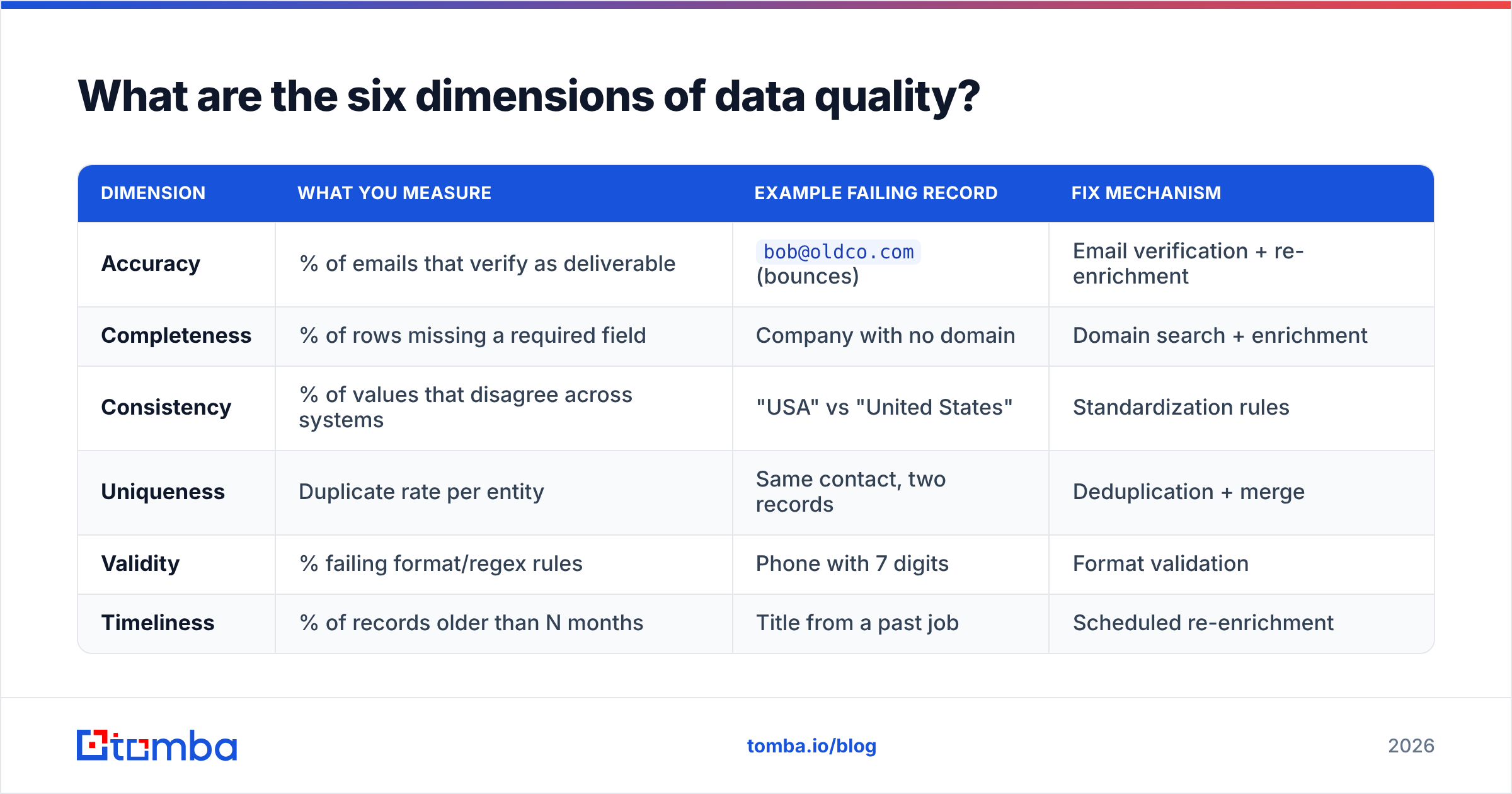
Here's how those dimensions map to concrete checks and the tool you'd reach for:
| Dimension | What you measure | Example failing record | Fix mechanism |
|---|---|---|---|
| Accuracy | % of emails that verify as deliverable | bob@oldco.com (bounces) |
Email verification + re-enrichment |
| Completeness | % of rows missing a required field | Company with no domain | Domain search + enrichment |
| Consistency | % of values that disagree across systems | "USA" vs "United States" | Standardization rules |
| Uniqueness | Duplicate rate per entity | Same contact, two records | Deduplication + merge |
| Validity | % failing format/regex rules | Phone with 7 digits | Format validation |
| Timeliness | % of records older than N months | Title from a past job | Scheduled re-enrichment |
Score each dimension as a simple percentage of records that pass. Weight the dimensions by how much they hurt when wrong — for an outbound team, accuracy and validity of email fields matter far more than, say, a missing "industry" tag.
How do you run a data quality audit, step by step?#
Run it in six phases. The first time takes a week or two; after that it's mostly automated and you're just reading the report.
- Define scope and rules. Pick the dataset and the fields that drive real decisions — usually email, phone, company, domain, title, and owner. For each, write the rule that makes a value "good" (e.g., email must verify as deliverable, phone must match E.164). Skip the fields nobody keys on; auditing a
faxcolumn in 2026 is wasted effort. - Profile the data. Export the dataset and generate per-field statistics: null counts, distinct values, format distributions, min/max, and duplicate clusters. This is your baseline. You're looking for the shape of the problem before you fix anything.
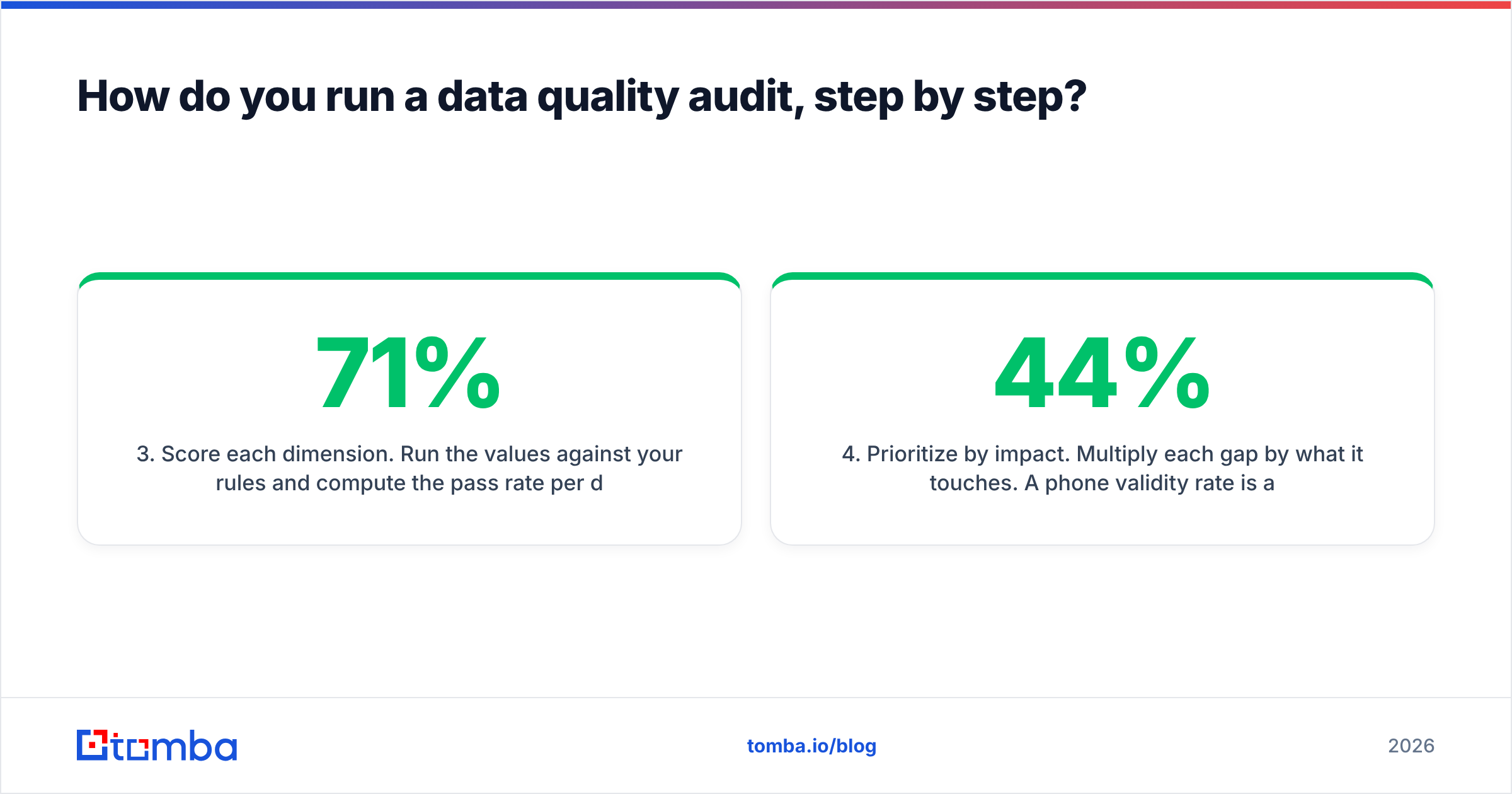
- Score each dimension. Run the values against your rules and compute the pass rate per dimension. Now "our data is bad" becomes "completeness on
domainis 71%, validity onphoneis 44%." - Prioritize by impact. Multiply each gap by what it touches. A 44% phone validity rate is a crisis for an SDR team dialing all day and a footnote for a purely email-driven motion. Fix the revenue-touching gaps first.
- Remediate. Deduplicate, standardize formats, verify emails, and re-enrich stale or missing fields. Do this in a staging copy first, then merge back with a clear audit trail so you can roll back a bad merge.
- Monitor and set a cadence. Because data decays, wire verification and enrichment into your intake (form fills, imports, API) and re-run the full audit quarterly. The goal is to keep the graph flat instead of sawtoothing between "just cleaned" and "rotting again."
A note on order: always dedupe before you enrich. Enriching duplicates means you pay twice and then have to reconcile two enriched-but-conflicting copies of the same person. If you need to standardize company names before matching, Tomba's domain search can resolve a messy company string back to a canonical domain, which makes dedup and matching far more reliable.
Which metrics prove your audit worked?#
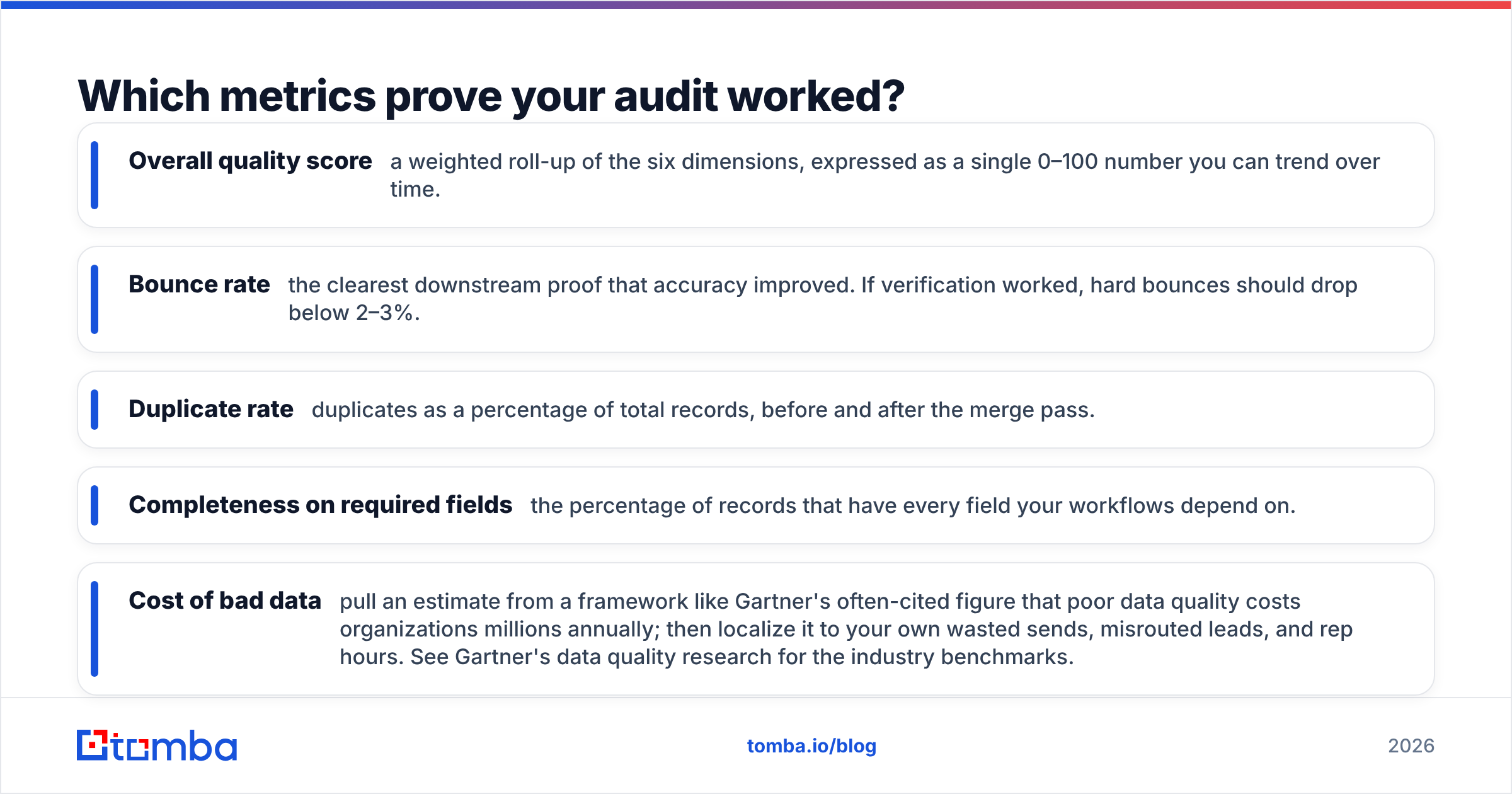
Track a small set of before/after numbers so the audit produces evidence, not just activity. These are the ones executives and RevOps actually care about:
- Overall quality score — a weighted roll-up of the six dimensions, expressed as a single 0–100 number you can trend over time.
- Bounce rate — the clearest downstream proof that accuracy improved. If verification worked, hard bounces should drop below 2–3%.
- Duplicate rate — duplicates as a percentage of total records, before and after the merge pass.
- Completeness on required fields — the percentage of records that have every field your workflows depend on.
- Cost of bad data — pull an estimate from a framework like Gartner's often-cited figure that poor data quality costs organizations millions annually; then localize it to your own wasted sends, misrouted leads, and rep hours. See Gartner's data quality research for the industry benchmarks.
The single most persuasive metric is usually bounce rate, because it converts an abstract "data quality" concept into a number your deliverability and your sender reputation both depend on. If you want the mechanics behind why bounces wreck you, this primer on email deliverability is a good companion read.

What tools do you need for a data quality audit?#
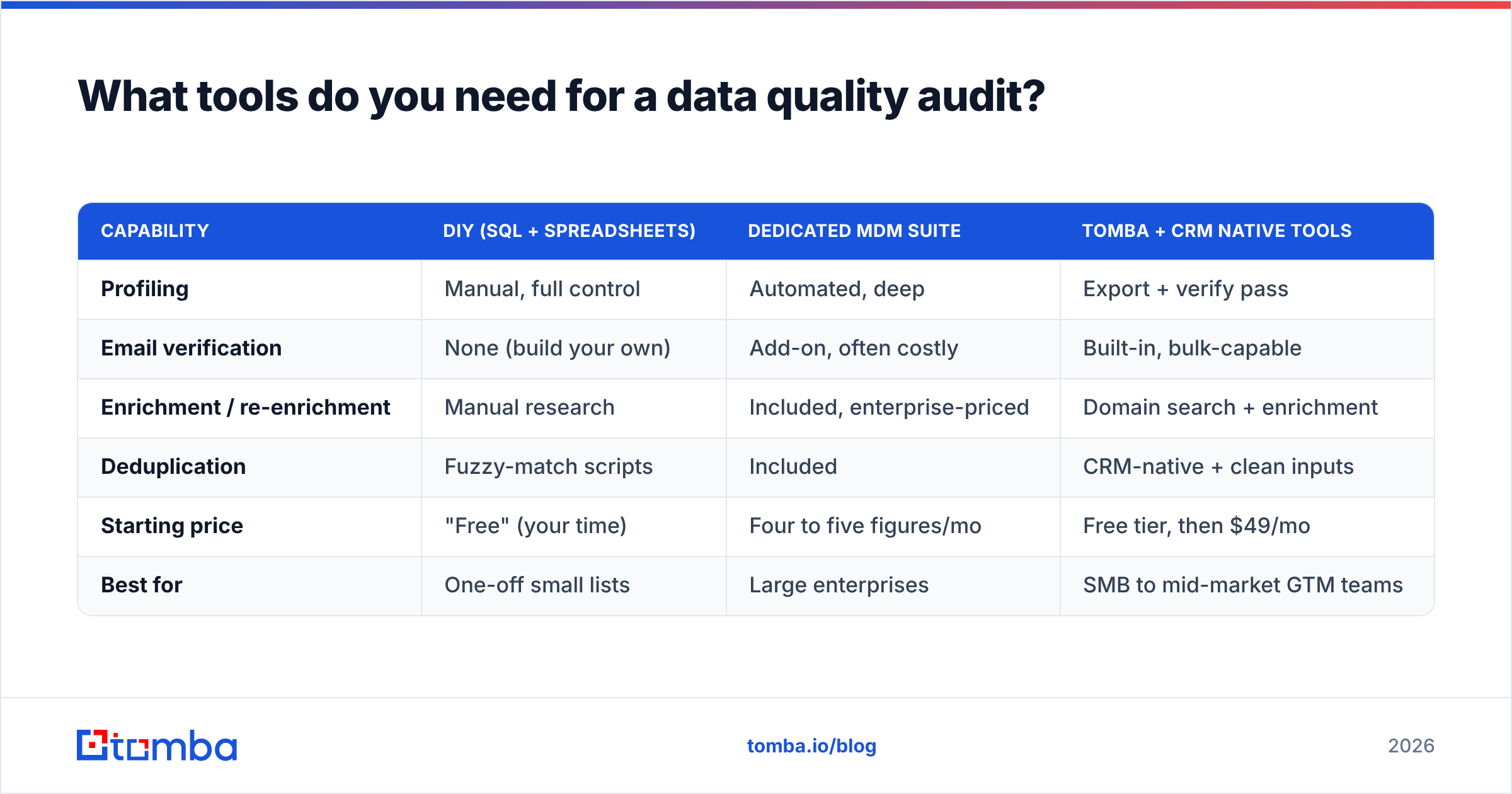
You need three capabilities: profiling, verification/enrichment, and deduplication. Some platforms bundle all three; more often you assemble them. Here's how the common options stack up for a B2B audit specifically:
| Capability | DIY (SQL + spreadsheets) | Dedicated MDM suite | Tomba + CRM native tools |
|---|---|---|---|
| Profiling | Manual, full control | Automated, deep | Export + verify pass |
| Email verification | None (build your own) | Add-on, often costly | Built-in, bulk-capable |
| Enrichment / re-enrichment | Manual research | Included, enterprise-priced | Domain search + enrichment |
| Deduplication | Fuzzy-match scripts | Included | CRM-native + clean inputs |
| Starting price | "Free" (your time) | Four to five figures/mo | Free tier, then $49/mo |
| Best for | One-off small lists | Large enterprises | SMB to mid-market GTM teams |
The DIY route is fine for a one-time cleanup of a few thousand rows, but it doesn't hold the line — nothing keeps the data clean after you close the spreadsheet. Enterprise MDM suites are thorough and priced accordingly; they make sense above a certain scale and data-governance requirement.
For most B2B sales and marketing teams, the sweet spot is a focused verification-and-enrichment layer plugged into your existing CRM. That's where a tool like Tomba fits: you export a segment, run bulk email verification and re-enrichment to fix the accuracy and completeness gaps, then let your CRM handle the merge. Because the Tomba API can run on intake, records get verified as they enter instead of only during the quarterly audit. If you're weighing options, the transparent Tomba pricing — a free tier of 25 searches, then $49/mo Starter, $99/mo Growth, and $249/mo Pro — makes it easy to start small and scale the audit cadence with your list size.
For the broader category of contact-data platforms, third-party review sites like G2's data quality software category are useful for cross-checking claims against real user reviews before you commit.
What are the mistakes that make audits useless?#
Most failed audits die of the same handful of causes. Avoid these and you're ahead of most teams:
- Auditing everything equally. If you weight a missing
industrytag the same as a deadowner_email, your priority list is noise. Rank by revenue impact. - Cleaning once and walking away. A one-shot cleanup looks great for a month, then decays back. Without a cadence and intake-time verification, you're paying to re-solve the same problem next quarter.
- Enriching before deduplicating. You pay twice and create conflicting copies. Dedupe first, always.
- No staging environment. Running merges directly on production data with no rollback is how a "cleanup" becomes an incident. Work on a copy, verify, then commit.
- Ignoring catch-all domains. A large share of B2B domains accept all mail, so standard verification returns "unknown." Handle these explicitly — a catch-all verifier gives you a confidence signal instead of a coin flip, so you don't discard reachable contacts or blast risky ones.
- No owner. An audit with no accountable owner in RevOps or ops becomes a report nobody reads. Assign it.
How often should you run a data quality audit?#
Quarterly for the full audit, continuously for the highest-decay fields.
Given ~25–30% annual decay, a quarter is about the longest you can go before the erosion is material enough to hurt deliverability and routing. But you don't have to choose between "constant manual work" and "let it rot." Split it:
- Continuous (automated): verify every email and enrich every company at the point of entry — form fills, imports, API writes. This catches most decay as it happens.
- Monthly (light): re-verify the segments you're actively working, since those are the ones a bad record costs you money on today.
- Quarterly (full): the complete six-dimension audit across the whole database, with a fresh baseline score and a prioritized remediation pass.
The teams that keep their quality score flat are the ones that push verification upstream to intake, so the quarterly audit becomes confirmation rather than firefighting.
Clean your data at the source with Tomba#
An audit tells you where the rot is; the fix is keeping records verified before they ever hit your CRM. That's exactly what Tomba is built for. Use the Tomba Email Finder to source and confirm professional emails by domain, name, or company, run bulk verification to knock your bounce rate below 3%, and wire the API into your intake so every new record enters clean. Start free with 25 searches, then scale to $49/mo Starter as your audit cadence grows — and stop letting a quietly decaying database eat your pipeline. Run your first verification pass today and turn your next data quality audit into a formality instead of a fire drill.
Related guides#
// get started
Find, verify and enrich your first contacts today
Start on the free plan with 25 searches a month, then scale when your team is ready.
Free plan · No credit card required · GDPR & CCPA
// about the author