Data Validation Automation: The Complete 2026 Guide
Manual data cleanup burns hours and still ships bad records. Here is how data validation automation actually works in 2026 — the checks, the tools, and where to draw the line.
Bad data does not announce itself. It slips into your CRM quietly — a typo in an email, a dead phone number, a company that got acquired two years ago — and then it costs you a bounced campaign, a missed quota, or a compliance headache. Data validation automation is how you stop paying that tax by hand.
This guide breaks down what data validation automation actually is in 2026, the specific checks worth automating, the tools that do it, and the honest limits of where automation stops and human judgment starts.
TL;DR#
- Data validation automation replaces manual spot-checks with rule-based, always-on verification that runs the moment a record enters your system.
- The highest-ROI checks are format, existence, deduplication, enrichment freshness, and deliverability — in that order.
- You do not need a data engineering team. APIs and no-code tools (Zapier, Make, native CRM rules) cover 80% of use cases.
- Automation catches the mechanical errors; it will not fix bad process — garbage in still means garbage out if your intake forms are broken.
- For contact data specifically, pairing a validation layer with an email verifier and enrichment source removes most of the manual grind.
What is data validation automation?#
Data validation automation is the practice of enforcing data-quality rules programmatically, so that every record is checked against those rules without a person clicking anything.
Think of it like spell-check for your database. You do not proofread every sentence you type — the squiggly red line does it in real time and flags only what needs attention. Data validation automation works the same way: rules run continuously in the background, and a human only steps in when something genuinely ambiguous surfaces.
Technically, it sits at your system boundaries — the points where data enters or moves between systems. A web form submission, a CSV import, a CRM sync, an API webhook: each is a boundary where validation should fire before the record is trusted downstream.
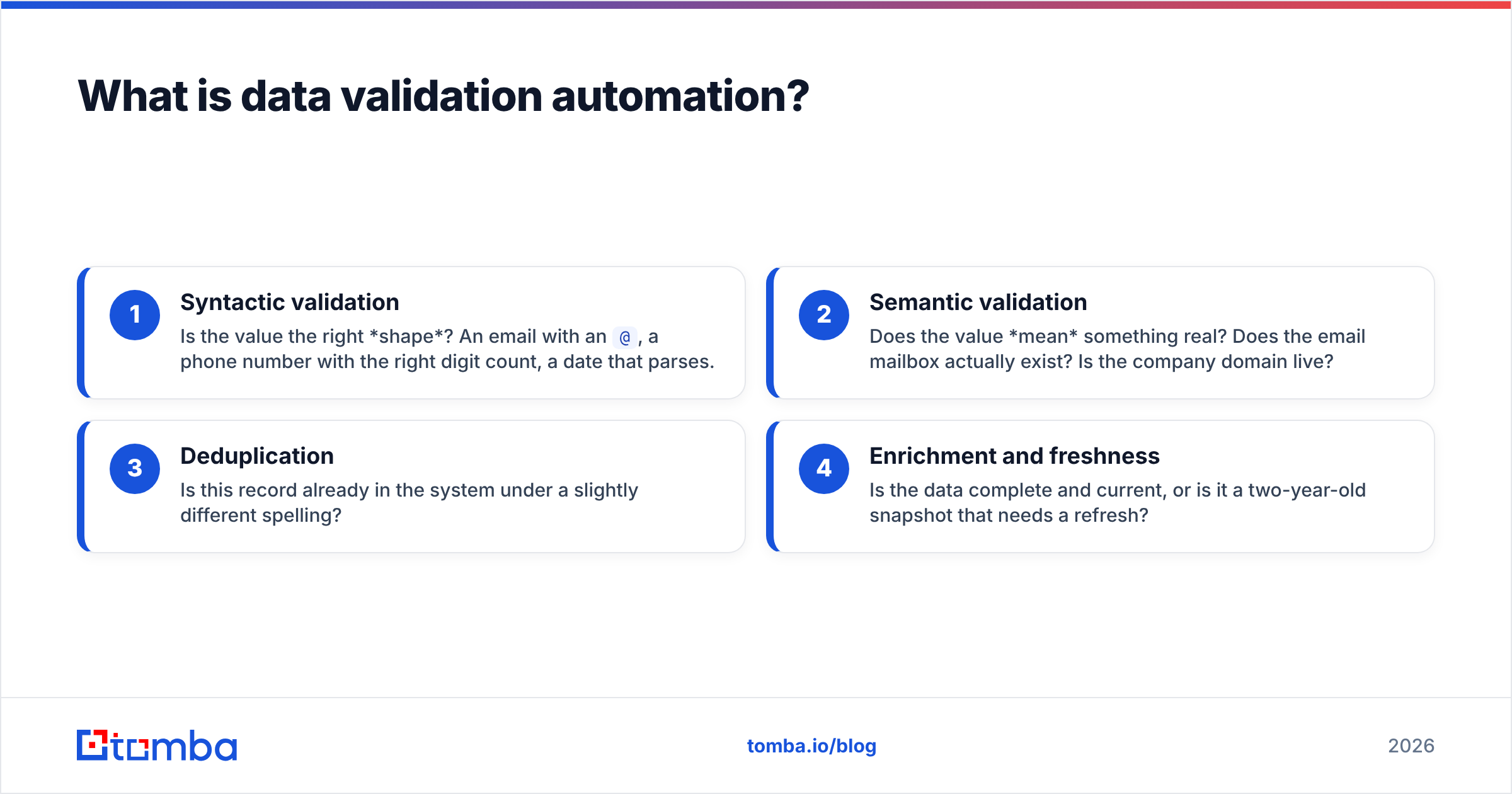
The four layers most teams automate:
- Syntactic validation — Is the value the right shape? An email with an
@, a phone number with the right digit count, a date that parses. - Semantic validation — Does the value mean something real? Does the email mailbox actually exist? Is the company domain live?
- Deduplication — Is this record already in the system under a slightly different spelling?
- Enrichment and freshness — Is the data complete and current, or is it a two-year-old snapshot that needs a refresh?

Most quality failures happen because teams stop at layer one. A syntactically perfect email (jane@acmecorp.com) can still be a dead mailbox, a catch-all trap, or a person who left the company. Real automation covers all four layers.
Why does manual data validation fail at scale?#
Manual validation fails because it does not scale linearly — the error rate climbs as volume climbs, and human attention does the opposite.
A rep checking 20 leads a day can eyeball them. The same rep facing a 5,000-row import will sample the first 30 rows, assume the rest are fine, and hit "import." That single decision seeds your CRM with dead records that then propagate into every segment, sequence, and forecast built on top of them.
The costs compound in three ways:
- Wasted spend — Sending to invalid addresses hurts your sender reputation and inflates your email tool bill for contacts who will never convert.
- Wasted time — SDRs dialing disconnected numbers or emailing bounced inboxes are working, but not producing pipeline.
- Wasted trust — When leadership catches one obviously wrong number in a board deck, they discount the whole dataset. Data quality is binary in the eyes of a skeptic.
According to Gartner, poor data quality costs organizations an average of millions per year in wasted effort and bad decisions. The number varies by study, but the direction never does: manual quality control is the most expensive way to get a mediocre result.
What data checks should you automate first?#
Automate the checks with the highest error frequency and the lowest ambiguity first. Those are the ones where a machine is both faster and more reliable than a person.
Here is a priority-ordered breakdown of the checks that return the most value per hour of setup:
- Format and syntax — Regex or schema validation on emails, phones, URLs, and IDs. Near-zero false positives, instant payoff.
- Existence and deliverability — SMTP-level checks that confirm a mailbox accepts mail, plus catch-all verification for domains that accept everything. This is where a dedicated verifier earns its keep.
- Deduplication — Fuzzy matching on name + company + domain to collapse "Acme Inc," "Acme, Inc.," and "acme.com" into one record.
- Required-field completeness — Reject or flag records missing the fields your workflow depends on (no email, no company, no title).
- Enrichment — Fill gaps automatically from a trusted source rather than leaving blanks for a human to research later.
- Cross-field consistency — Does the job title match the seniority field? Does the country match the phone country code?
The rule of thumb: automate the deterministic checks completely, and route the fuzzy ones to a human queue instead of trying to fully automate judgment calls.
How do you build an automated validation workflow?#
The cleanest workflow validates at the boundary, enriches what passes, and quarantines what fails — all before a record touches your production database.
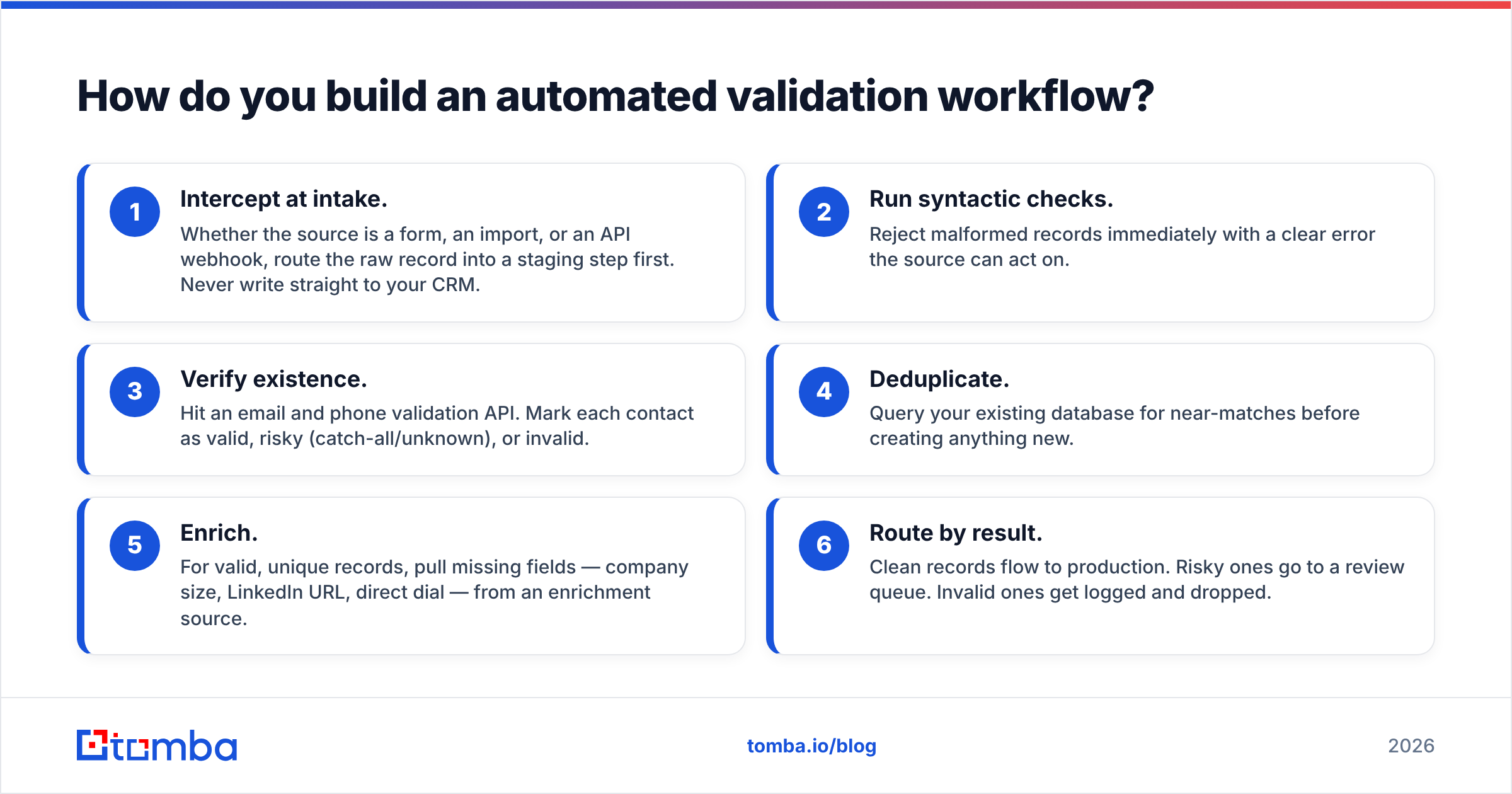
A practical pipeline looks like this:
- Intercept at intake. Whether the source is a form, an import, or an API webhook, route the raw record into a staging step first. Never write straight to your CRM.
- Run syntactic checks. Reject malformed records immediately with a clear error the source can act on.
- Verify existence. Hit an email and phone validation API. Mark each contact as valid, risky (catch-all/unknown), or invalid.
- Deduplicate. Query your existing database for near-matches before creating anything new.
- Enrich. For valid, unique records, pull missing fields — company size, LinkedIn URL, direct dial — from an enrichment source.
- Route by result. Clean records flow to production. Risky ones go to a review queue. Invalid ones get logged and dropped.
You can wire this together without writing much code. A Zapier integration or Make scenario can call a validation API on each new row and branch on the response, and native CRM automation handles the routing. For higher volume, calling an email finder API directly from your ingestion service gives you the same checks with lower latency and cost per record.

Which data validation automation tools should you compare?#
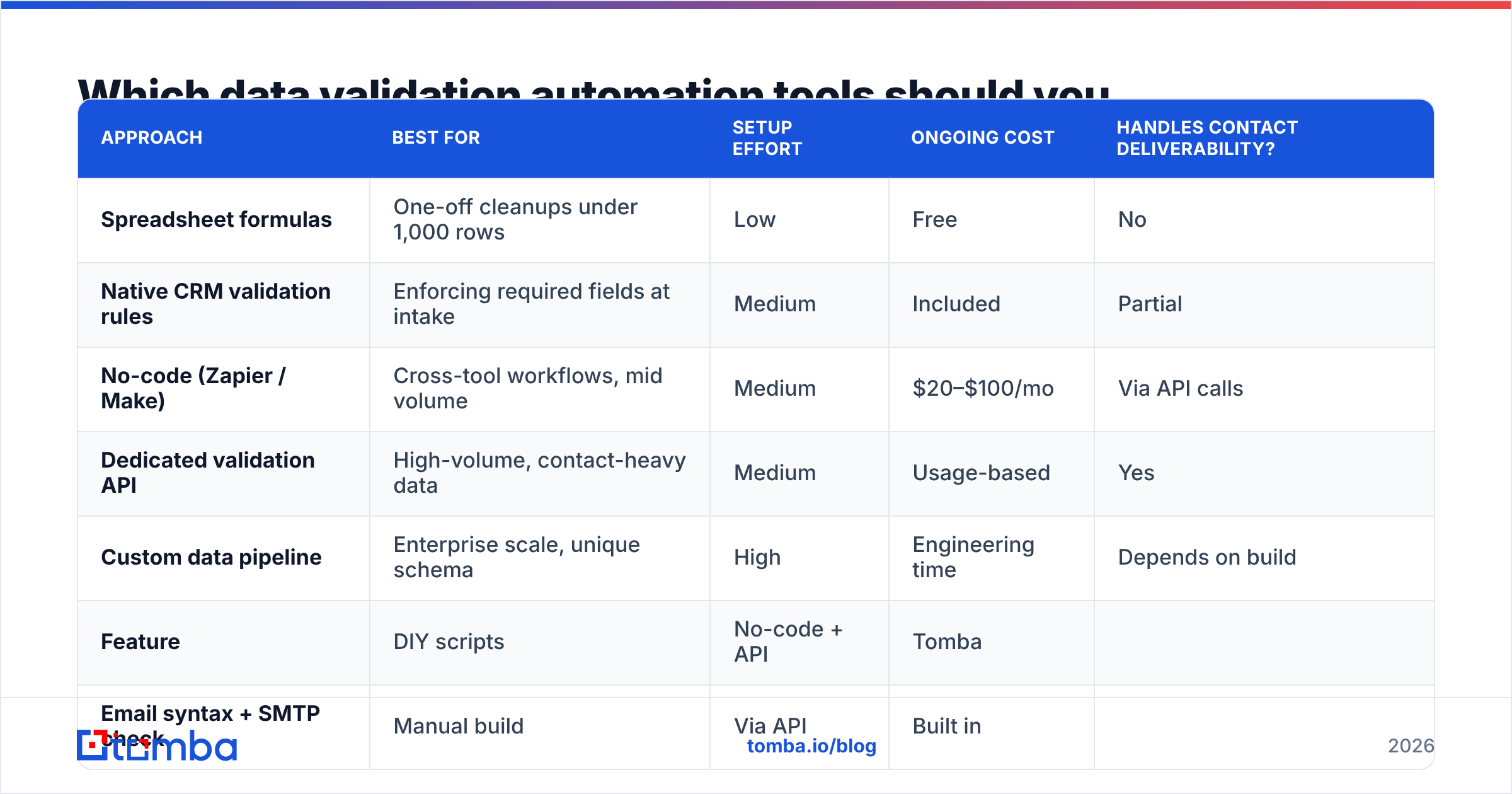
The right tool depends on volume, whether contact data is your main concern, and how much engineering time you have. Here is how the common approaches stack up.
| Approach | Best for | Setup effort | Ongoing cost | Handles contact deliverability? |
|---|---|---|---|---|
| Spreadsheet formulas | One-off cleanups under 1,000 rows | Low | Free | No |
| Native CRM validation rules | Enforcing required fields at intake | Medium | Included | Partial |
| No-code (Zapier / Make) | Cross-tool workflows, mid volume | Medium | $20–$100/mo | Via API calls |
| Dedicated validation API | High-volume, contact-heavy data | Medium | Usage-based | Yes |
| Custom data pipeline | Enterprise scale, unique schema | High | Engineering time | Depends on build |
For B2B teams whose data quality problem is fundamentally about contacts — bounced emails, dead numbers, stale companies — a dedicated verification and enrichment layer is usually the best return. It solves the layer-two and layer-four problems that spreadsheets and CRM rules cannot touch.
Here is how a contact-focused stack compares on the specifics that matter:
| Feature | DIY scripts | No-code + API | Tomba |
|---|---|---|---|
| Email syntax + SMTP check | Manual build | Via API | Built in |
| Catch-all detection | Rarely | Sometimes | Yes |
| Phone validation | Separate tool | Extra API | Phone validator |
| Bulk processing | Custom | Row-by-row | Bulk tools |
| Enrichment on pass | No | Separate | Native |
| Starter price | Dev time | Varies | $49/mo |
Independent review sites like G2 are a reasonable place to sanity-check any vendor's accuracy claims against real user reports before you commit.
What data validation automation cannot do#
Automation cannot fix a broken data-collection process, and pretending it can is the most common way teams waste money on validation tools.
Be honest about these limits:
- It will not clean up intent. If your form asks for "company" and users type their job title, no validator catches that — the value is syntactically fine and semantically wrong for the field.
- It cannot verify truth, only plausibility. A validator confirms a mailbox exists; it cannot confirm the person still works there or wants to hear from you.
- Catch-all domains stay ambiguous. Domains that accept all mail return "unknown" no matter how good your tool is. You manage that risk with sending strategy, not validation alone.
- It does not replace governance. Someone still has to decide the rules, the required fields, and what "valid" means for your business.
The teams that get the most from data validation automation treat it as one layer in a broader data-quality practice — clear intake standards, good field definitions, and periodic manual audits of the edge cases the machine flags. Automation removes the mechanical toil so humans can spend their attention where judgment actually matters. If you want the underlying concepts, Tomba's B2B glossary is a useful reference for terms like deliverability, catch-all, and enrichment.
How much does automated data validation cost in 2026?#
Costs scale with volume and how much of the stack you build versus buy, but for most mid-market teams it lands well under the price of the labor it replaces.
Rough 2026 benchmarks:
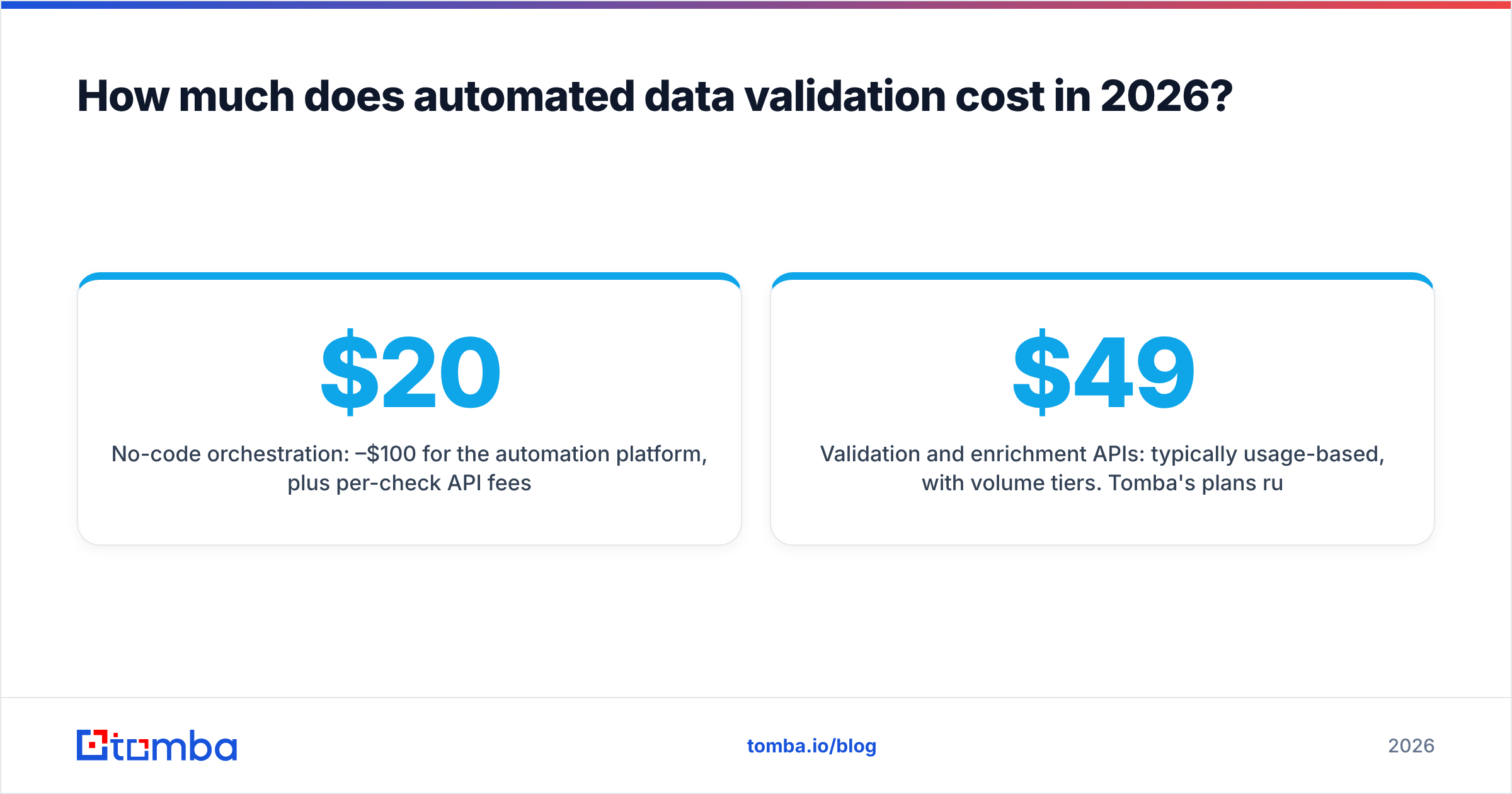
- No-code orchestration: $20–$100/month for the automation platform, plus per-check API fees.
- Validation and enrichment APIs: typically usage-based, with volume tiers. Tomba's plans run from a free tier at 25 searches/month up through Starter at $49/month and Growth at $99/month — see Tomba pricing for current credit allocations.
- Custom pipelines: the software is "free," but engineering and maintenance time is not — budget for ongoing upkeep, not just the build.
Compare that against the fully loaded cost of an SDR spending even five hours a week on manual list cleanup, and the automation case makes itself.
The bottom line#
Data validation automation is the difference between a database you trust and one you constantly second-guess. Automate the deterministic checks — format, existence, dedup, enrichment — completely, route the ambiguous cases to a human queue, and never write unvalidated records straight to production.
If your data-quality problem is really a contact-quality problem — bounces, dead numbers, stale companies — start where the leverage is highest. Tomba's Email Finder pairs email discovery with built-in verification, catch-all detection, and enrichment, so the records entering your CRM are validated at the source instead of cleaned up after the damage is done. Try the free tier, wire it into your intake workflow, and stop paying the manual-validation tax.
Related guides#
Ready to find emails that actually work?
Join 150,000+ professionals who stopped guessing and started sending. Free credits on signup — no credit card required.
Get the Tomba newsletter
Practical outbound tactics and product updates — once every two weeks.
About the author