Datagma Reviews (2026): Features, Pricing, Accuracy & Verdict
An honest, buyer-first look at Datagma in 2026: what its enrichment and email data get right, where accuracy and pricing bite, and the cheaper alternative worth testing first.
Datagma sits in a crowded corner of the B2B data market: a single API and Chrome extension that promises to enrich a name, a domain, or a LinkedIn profile into a full contact record — email, phone, job history, funding signals, and more. The pitch is enticing. The reality, like every enrichment tool, is more nuanced.
This review is written for buyers, not for Datagma. If you're weighing Datagma against the dozen other enrichment and email-finding tools on your shortlist, here's what actually matters — accuracy, coverage, pricing traps, and where a leaner tool beats it.
TL;DR: Is Datagma Worth It in 2026?#
- Datagma is strong at multi-field enrichment — it pulls email, phone, and firmographic data from one call, which is handy if you're building an enriched CRM rather than just finding emails.
- Accuracy is good but not category-leading. Expect solid hit rates on well-known domains and thinner, less-verified results on SMBs, catch-all domains, and non-US contacts.
- Pricing is credit-based and can escalate as enrichment fields stack up; watch how a single "enrichment" burns credits across email, phone, and company data.
- If your core job is finding and verifying professional emails at a predictable price, a focused tool like Tomba Email Finder is usually cheaper and easier to reason about.
- Best fit for Datagma: teams that want an all-in-one enrichment API and are comfortable managing credit consumption.
What Is Datagma and Who Is It For?#
Datagma is a B2B data enrichment platform built around an API, a Chrome extension, and spreadsheet/no-code integrations. You feed it an input — an email, a full name plus company, a domain, or a LinkedIn URL — and it returns a structured contact and company profile.
Think of it like a translator at an airport. You hand over one piece of ID (a name or a domain), and it hands back a full dossier: the person's work email, mobile number, current role, past roles, and details about their company. That "one input, many outputs" model is Datagma's core appeal.
It's aimed squarely at:
- Sales and RevOps teams enriching inbound leads or cleaning a stale CRM.
- Growth marketers who want to append firmographics to a list before segmenting.
- Developers who need an enrichment endpoint to wire into an internal tool or workflow.
If you only need one thing — say, verified emails for a cold campaign — Datagma can do it, but you're paying for a Swiss-army knife when you may just need a good pair of scissors. That distinction drives most of the verdict below.

How Accurate Is Datagma's Data?#
Accuracy is the only metric that matters in enrichment, because a wrong email or a dead phone number costs you more than a missing one — it damages your sender reputation and wastes rep time.
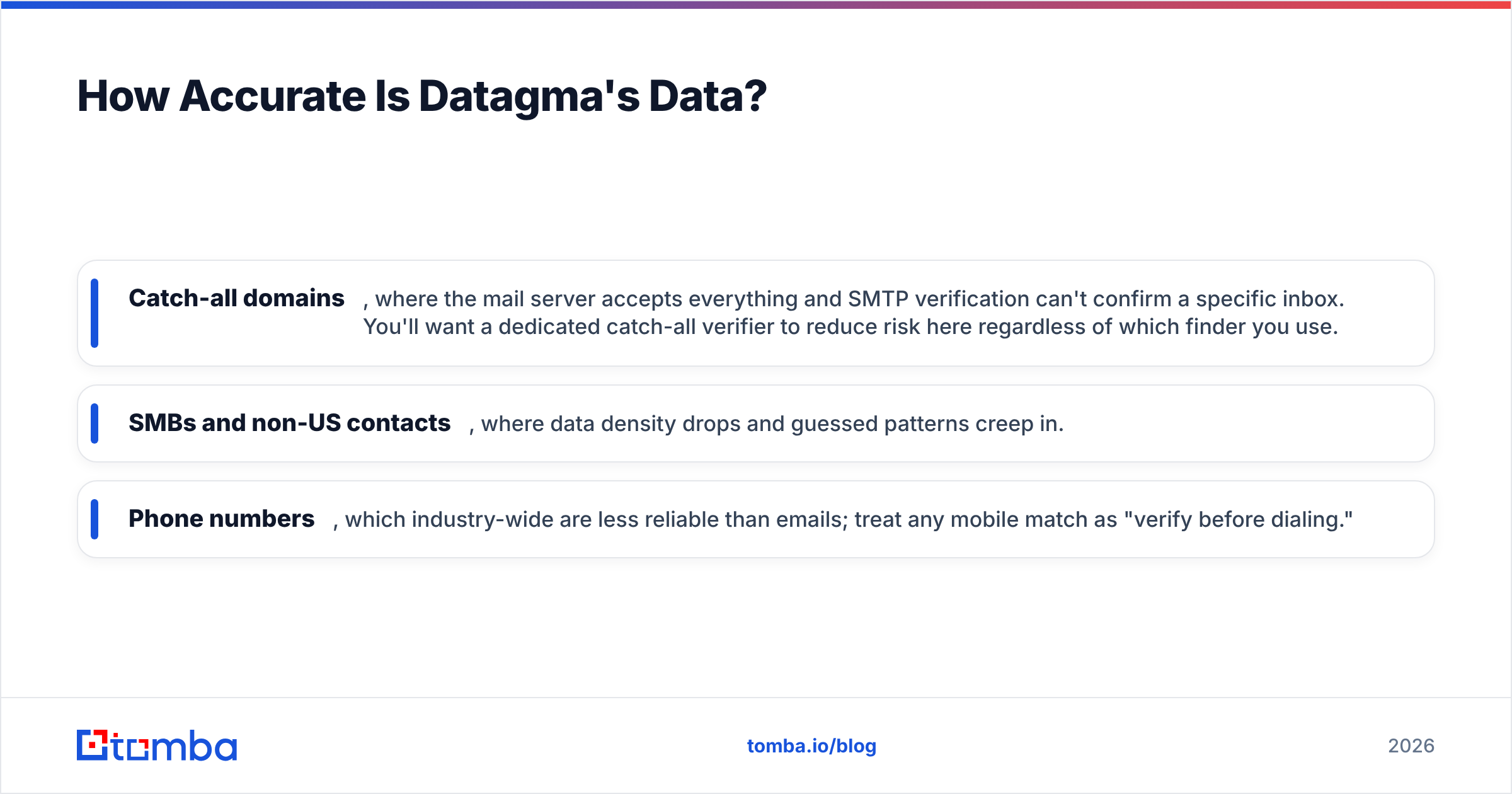
Datagma performs well on the "easy" cases: mid-to-large companies with predictable email patterns and public LinkedIn presence. Where it gets harder — and where every vendor's marketing quietly goes silent — is:
- Catch-all domains, where the mail server accepts everything and SMTP verification can't confirm a specific inbox. You'll want a dedicated catch-all verifier to reduce risk here regardless of which finder you use.
- SMBs and non-US contacts, where data density drops and guessed patterns creep in.
- Phone numbers, which industry-wide are less reliable than emails; treat any mobile match as "verify before dialing."

The practical takeaway: no enrichment tool, Datagma included, should be trusted blind. Whatever you buy, run the output through a dedicated email verifier before you send. A finder that returns an unverified address and a finder that returns a validated one look identical in a spreadsheet — until your bounce rate tells the truth.
What Does Datagma Cost?#
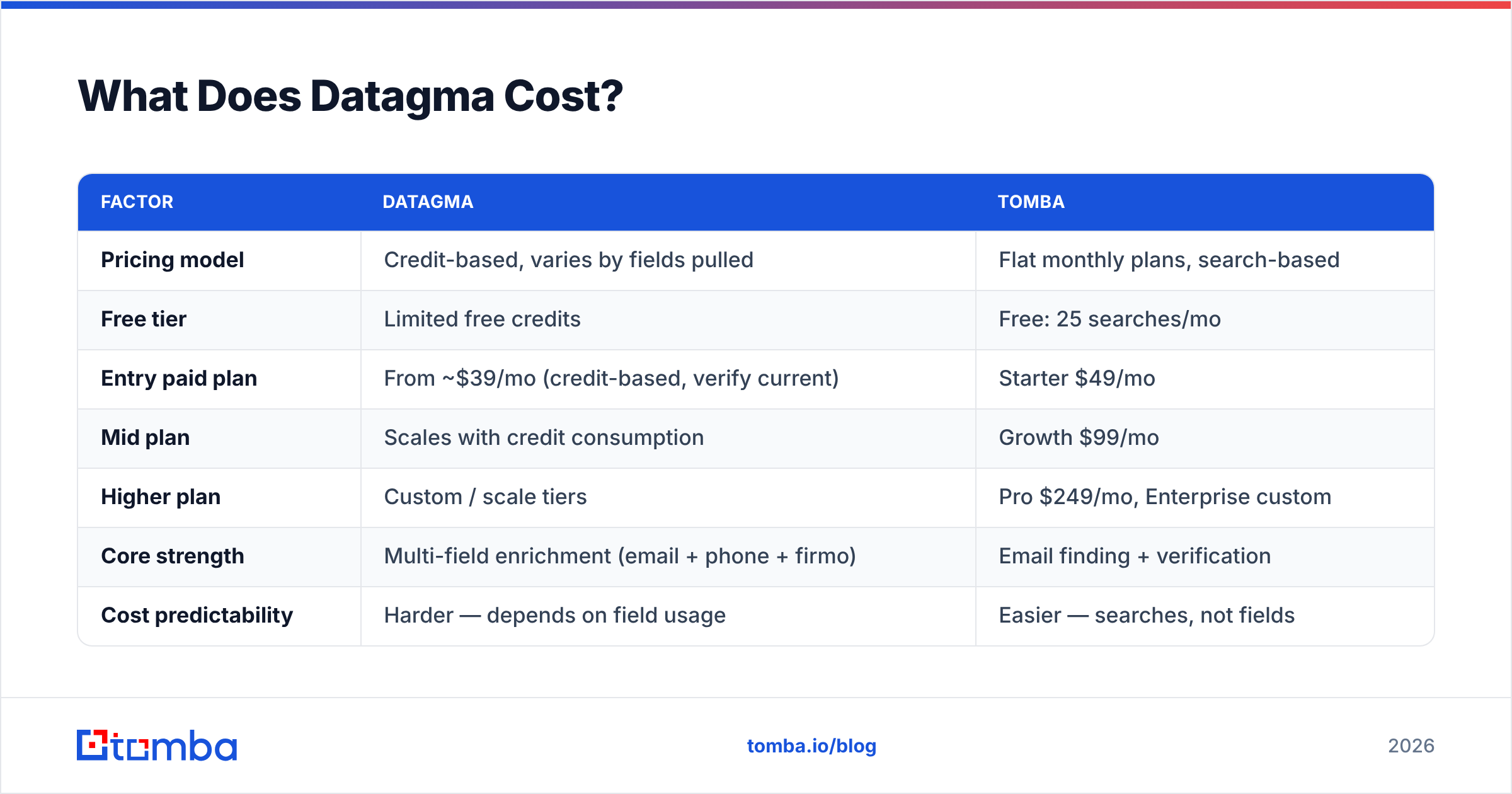
Datagma uses a credit-based model. Each enrichment consumes credits, and the number of credits depends on how many data points you request — pulling an email, a phone number, and full company data in one call costs more than pulling an email alone.
This is the part buyers underestimate. A plan that looks generous at "X credits/month" can drain fast once you enable multiple enrichment fields across a large list. Always model your real usage: number of contacts × fields per contact × credits per field.
Because Datagma's published tiers and per-credit costs change and vary by field, confirm current numbers directly on their site before budgeting. Here's how the model compares in shape to a flat, search-based tool like Tomba, whose pricing is public and predictable.
| Factor | Datagma | Tomba |
|---|---|---|
| Pricing model | Credit-based, varies by fields pulled | Flat monthly plans, search-based |
| Free tier | Limited free credits | Free: 25 searches/mo |
| Entry paid plan | From ~$39/mo (credit-based, verify current) | Starter $49/mo |
| Mid plan | Scales with credit consumption | Growth $99/mo |
| Higher plan | Custom / scale tiers | Pro $249/mo, Enterprise custom |
| Core strength | Multi-field enrichment (email + phone + firmo) | Email finding + verification |
| Cost predictability | Harder — depends on field usage | Easier — searches, not fields |
The honest read: if your workflow is "enrich everything with everything," Datagma's model can make sense. If your workflow is "find and verify emails," a search-based tool is easier to forecast and usually cheaper per usable contact.
Datagma vs. Focused Email Finders: Which Wins?#
This is the real decision. Datagma is a breadth play — many data types from one endpoint. Focused finders are a depth play — do one job (find + verify emails) extremely well at a known price.
Consider the two jobs you might actually be doing:
- Building an enriched B2B database with firmographics, tech stack, and multiple contact channels → breadth wins, and Datagma is a legitimate contender alongside larger enrichment suites.
- Running outbound where you need clean, deliverable emails and predictable spend → depth wins, and a specialist tool typically returns more usable, verified addresses per dollar.
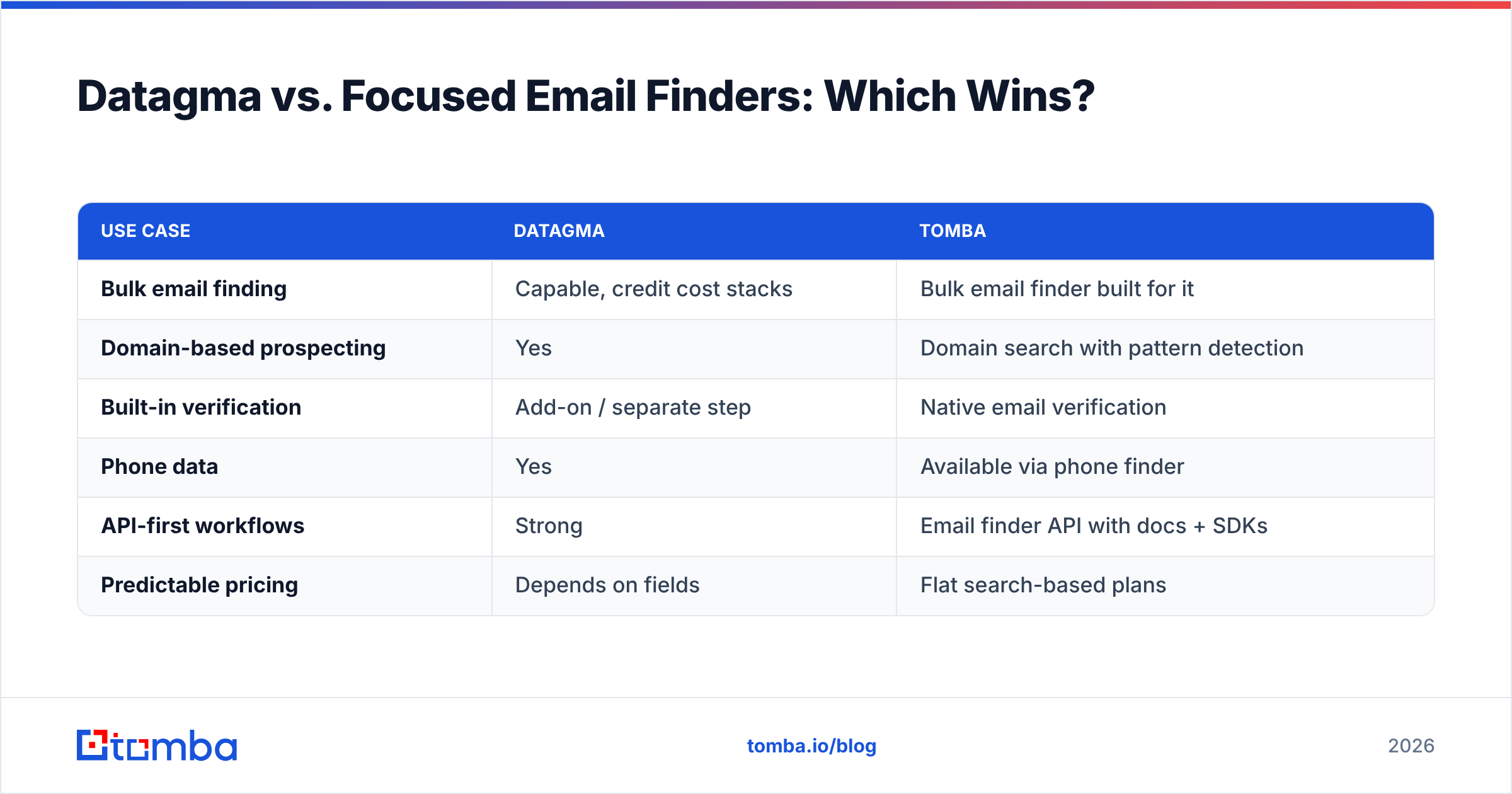
Here's a side-by-side on the dimensions buyers ask about most:
| Use case | Datagma | Tomba |
|---|---|---|
| Bulk email finding | Capable, credit cost stacks | Bulk email finder built for it |
| Domain-based prospecting | Yes | Domain search with pattern detection |
| Built-in verification | Add-on / separate step | Native email verification |
| Phone data | Yes | Available via phone finder |
| API-first workflows | Strong | Email finder API with docs + SDKs |
| Predictable pricing | Depends on fields | Flat search-based plans |
Neither tool is "bad." They're optimized for different buyers. The mistake is paying for enrichment breadth when your KPI is deliverable emails — or paying for a narrow finder when you genuinely need a full data suite.

What Do Real Datagma Reviews Highlight?#
Aggregate sentiment on public review sites like G2 tends to cluster around a few consistent themes. Read a spread of Datagma reviews and you'll see the same signals repeat:
- Praise for coverage and the single-API convenience. Teams like getting multiple data points without stitching together three tools.
- Praise for the Chrome extension as a fast way to enrich a LinkedIn profile on the spot.
- Criticism around credit consumption — the most common complaint is running out faster than expected once multiple fields are enabled.
- Mixed accuracy feedback, skewing positive on major markets and more cautious on niche or international data.
None of this is disqualifying. It's the normal profile of an enrichment tool: convenient, broad, and requiring discipline on credits and verification. The buyers who are happiest are the ones who modeled usage before committing and who verify outputs downstream.
For an authoritative primer on why verification is non-negotiable no matter which tool you pick, HubSpot's guidance on email deliverability is a solid, vendor-neutral read.
Datagma Pros and Cons#
A quick, honest scorecard:
Pros
- All-in-one enrichment — email, phone, and firmographic data from one call.
- Developer-friendly API plus a handy Chrome extension for ad-hoc lookups.
- Good coverage on established companies and public LinkedIn profiles.
- Flexible inputs — works from a name, domain, email, or LinkedIn URL.
Cons
- Credit model is hard to forecast when you stack multiple fields.
- Accuracy dips on SMBs, catch-all domains, and non-US contacts (a category-wide issue).
- Verification is a separate concern — don't assume every returned email is send-ready.
- You may overpay for breadth if your only real need is verified emails.
How to Test Datagma (or Any Finder) Before You Buy#
Don't trust marketing accuracy claims — including anyone's. Run a controlled bake-off:
- Build a 100-contact truth set you can verify manually (people whose real emails you know).
- Run the same list through Datagma and one focused alternative.
- Measure hit rate (how many emails returned) and valid rate (how many pass an independent email verifier).
- Track credit/search burn so you know the real cost per usable contact, not per attempt.
- Segment by difficulty — SMB vs. enterprise, US vs. international — because averages hide the gaps that matter to your ICP.
This 30-minute test tells you more than any review, including this one. The winner is whichever tool gives you the most verified contacts per dollar for your target market.


The Verdict#
Datagma is a capable, breadth-first enrichment tool. If you want one API to return email, phone, and company data — and you're willing to manage credit consumption and verify outputs — it earns a place on your shortlist.
But most teams reading "Datagma reviews" aren't looking to build a data warehouse. They want deliverable emails, at a price they can predict, without a spreadsheet full of bounces. For that job, a focused, verification-native tool is the cleaner buy.
If finding and verifying professional emails is your real goal, start with Tomba Email Finder. You get domain search, native verification, a documented API, and flat plans — Free (25 searches/mo), Starter at $49/mo, and Growth at $99/mo — so your cost per usable contact stays honest. Run the 100-contact test above against your current tool and let the valid rate decide. That's the only review that counts.
Related guides#
Ready to find emails that actually work?
Join 150,000+ professionals who stopped guessing and started sending. Free credits on signup — no credit card required.
Get the Tomba newsletter
Practical outbound tactics and product updates — once every two weeks.
About the author