Datanyze vs GetProspect: Accuracy, Pricing & Best Pick 2026
Datanyze and GetProspect both promise verified B2B emails, but they solve different problems. Here's an honest head-to-head on accuracy, pricing, and which one fits your pipeline in 2026.
Choosing between Datanyze and GetProspect usually comes down to one question: do you need a technographics-flavored prospecting layer, or a straightforward email finder that turns a domain into verified contacts? Both tools live in the same neighborhood, but they were built for different jobs, and picking the wrong one quietly taxes every campaign you run.
This is a neutral, hands-on comparison. No vendor spin, no "it depends" cop-out. By the end you'll know which tool matches your workflow, where each one gets expensive, and when a third option makes more sense.
TL;DR: Datanyze vs GetProspect at a glance#
- Datanyze is a lightweight Chrome extension focused on quick contact lookups and technographic snippets while you browse LinkedIn or company sites. Best for reps who want fast, in-context grabs.
- GetProspect is a domain-and-list email finder with a bulk engine, LinkedIn extraction, and built-in verification. Best for list builders and outbound teams.
- Accuracy is close on common corporate domains; both slip on catch-all domains and smaller companies. GetProspect's built-in verification gives it an edge on list hygiene.
- Pricing favors GetProspect for volume; Datanyze's credit model gets pricey once you scale past casual use.
- If you want the highest verified-email hit rate at a flat, predictable price, a dedicated finder like Tomba Email Finder usually beats both — more on that below.
What is Datanyze and who is it for?#
Datanyze started life as a technographics company — it made its name telling you which technologies a website runs (CRM, analytics, ecommerce platform, and so on). Today the consumer-facing product is mostly a browser extension that surfaces contact details and firmographic snippets while you're on a prospect's LinkedIn profile or website.
The appeal is speed and context. You're already looking at a decision-maker's profile, you click the extension, and you get an email guess plus a few company data points without leaving the tab. For a rep doing manual, one-at-a-time prospecting, that's a tight loop.
Where Datanyze shows its age is at scale. It's not built to process a 5,000-row domain list overnight. The credit system rewards light, opportunistic use, and heavy users tend to burn through allotments faster than expected. If your motion is "research this one account deeply," Datanyze fits. If it's "build a targeted list of 800 contacts by Friday," you'll feel the friction.

What is GetProspect and who is it for?#
GetProspect is a purpose-built email finder and list-building platform. You feed it a domain, a name-plus-company, or a LinkedIn search, and it returns professional email addresses — then runs them through its own verification step before they land in your list. It ships a Chrome extension too, but the center of gravity is the web app and its bulk workflows.
That makes GetProspect a natural fit for outbound and demand-gen teams who think in lists, not single lookups. You can extract contacts from a LinkedIn search page, enrich a CSV of company domains, dedupe, verify, and export to your CRM or sequencer. The verification layer matters: an unverified list quietly wrecks your email deliverability because every hard bounce chips away at your sender reputation.
The tradeoff is that GetProspect is less of a "research this account" companion and more of a "produce a clean contact list" machine. If you want technographic color on each account, you'll be bolting on another tool.
Datanyze vs GetProspect: the core comparison#
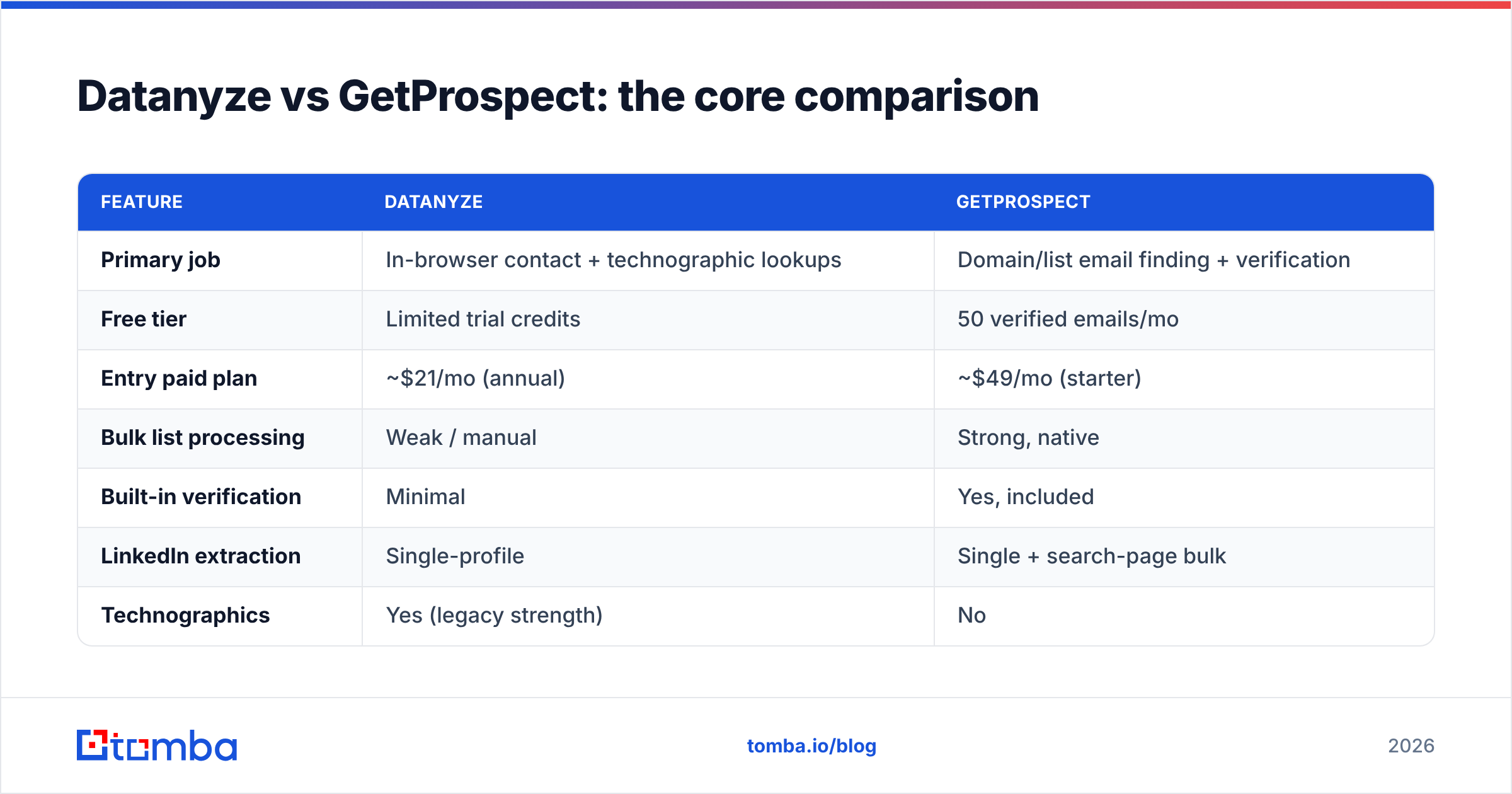
Here's the head-to-head on the attributes that actually change your results. Prices reflect publicly listed plans as of 2026; always confirm current pricing details directly with each vendor, since tiers shift.
| Feature | Datanyze | GetProspect |
|---|---|---|
| Primary job | In-browser contact + technographic lookups | Domain/list email finding + verification |
| Free tier | Limited trial credits | 50 verified emails/mo |
| Entry paid plan | ~$21/mo (annual) | ~$49/mo (starter) |
| Bulk list processing | Weak / manual | Strong, native |
| Built-in verification | Minimal | Yes, included |
| LinkedIn extraction | Single-profile | Single + search-page bulk |
| Technographics | Yes (legacy strength) | No |
| CRM/sequencer export | Basic | Native integrations |
| Best fit | Solo reps, account research | List builders, outbound teams |
Two takeaways. First, these tools barely overlap on their strongest feature — Datanyze wins on technographics and in-context speed, GetProspect wins on bulk and verification. Second, "which is better" is almost entirely a function of whether your work is single-account or list-scale.
Is Datanyze or GetProspect more accurate?#
Accuracy is the whole ballgame for an email finder, so let's be precise about it. On large, well-known corporate domains with standard email patterns (first.last@company.com), both tools perform well — you'll see hit rates in a similar band. The gap opens up in three places:
- Catch-all domains. Servers configured to accept mail for any address make SMTP verification unreliable. Both tools guess more and confirm less here. GetProspect's verification step at least flags the uncertainty; a raw guess doesn't.
- Small and mid-market companies. Fewer public data points mean thinner coverage. This is where dedicated, data-source-diverse finders tend to pull ahead of general prospecting tools.
- Freshness. People change jobs constantly. A tool's accuracy is only as good as how recently its underlying data was refreshed.
The practical move, regardless of which tool you pick, is to never trust a found email blindly. Run it through a dedicated email verifier before you send. A single-digit bounce rate is the difference between landing in the inbox and landing on a blocklist.

For independent accuracy signals beyond vendor claims, cross-check user-reported data on review platforms like G2, which aggregate real customer feedback on match rates and support quality.
How do Datanyze and GetProspect price out?#
Pricing is where the two philosophies diverge hardest.
Datanyze uses a credit model geared toward light, individual use. The entry plan looks cheap on paper, but credits are consumed per lookup, and heavy prospecting weeks drain them fast. For a single rep doing careful account research, the math works. For a team pushing volume, per-credit economics get uncomfortable.
GetProspect prices around verified-email volume with monthly tiers, which is friendlier to list builders because you can forecast cost against your target list size. The starter tier gives you real bulk capability, and higher tiers scale credits predictably.
Neither is wrong — they're optimized for different buyers. The question is whether your cost scales with researched accounts (Datanyze's model) or verified contacts produced (GetProspect's model).
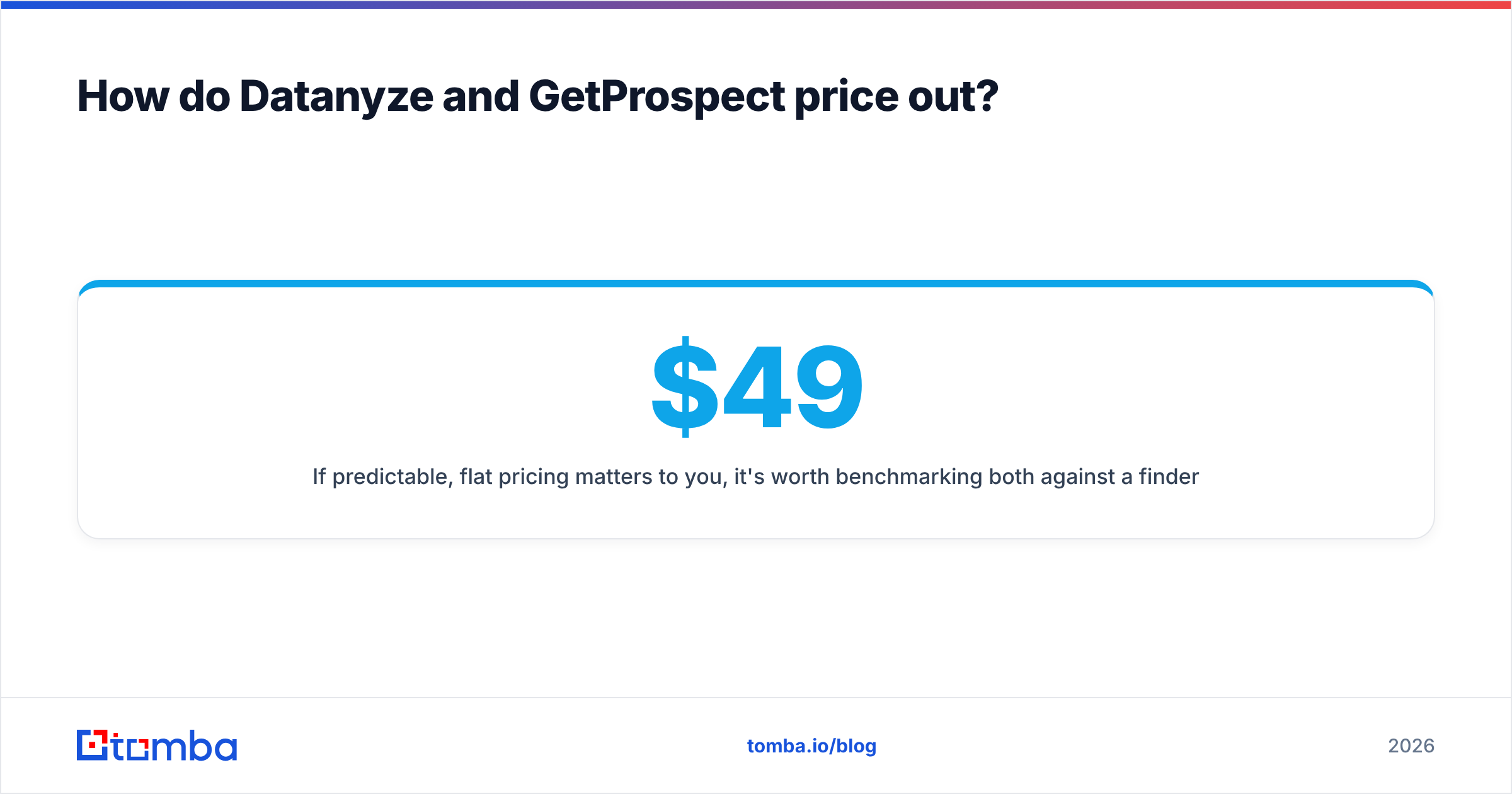
If predictable, flat pricing matters to you, it's worth benchmarking both against a finder with transparent tiers. For reference, Tomba plans run Free (25 searches/mo), Starter at $49/mo, Growth at $99/mo, and Pro at $249/mo — with bulk and API access baked in rather than gated behind enterprise calls.

When should you pick Datanyze?#
Pick Datanyze if your daily reality looks like this:
- You prospect one account at a time. You're deep in a named-account motion, researching each company before you reach out.
- Technographics move your needle. Knowing a prospect runs a specific CRM or ecommerce platform genuinely changes your pitch. This is Datanyze's legacy strength and still a real differentiator.
- You live in the browser. Your workflow is LinkedIn-profile-to-lookup, and you value not context-switching over raw throughput.
- Volume is low. You're not building four-figure lists; you're grabbing a handful of high-value contacts a day.
If two or more of those are true, Datanyze earns its place in your stack.
When should you pick GetProspect?#
Pick GetProspect if your motion is list-driven:
- You build lists in bulk. Domain lists, LinkedIn searches, CSV enrichment — GetProspect's engine is made for this.
- Verification hygiene is non-negotiable. You want emails checked before they hit your sequencer, protecting your sender reputation.
- You export to a CRM or sequencer. Native integrations to push clean contacts into your outbound tooling save real hours.
- You don't need technographics. You care about reaching the right person, not profiling their tech stack.
For most outbound and demand-gen teams, GetProspect is the more natural fit of the two.
Where do both tools fall short?#
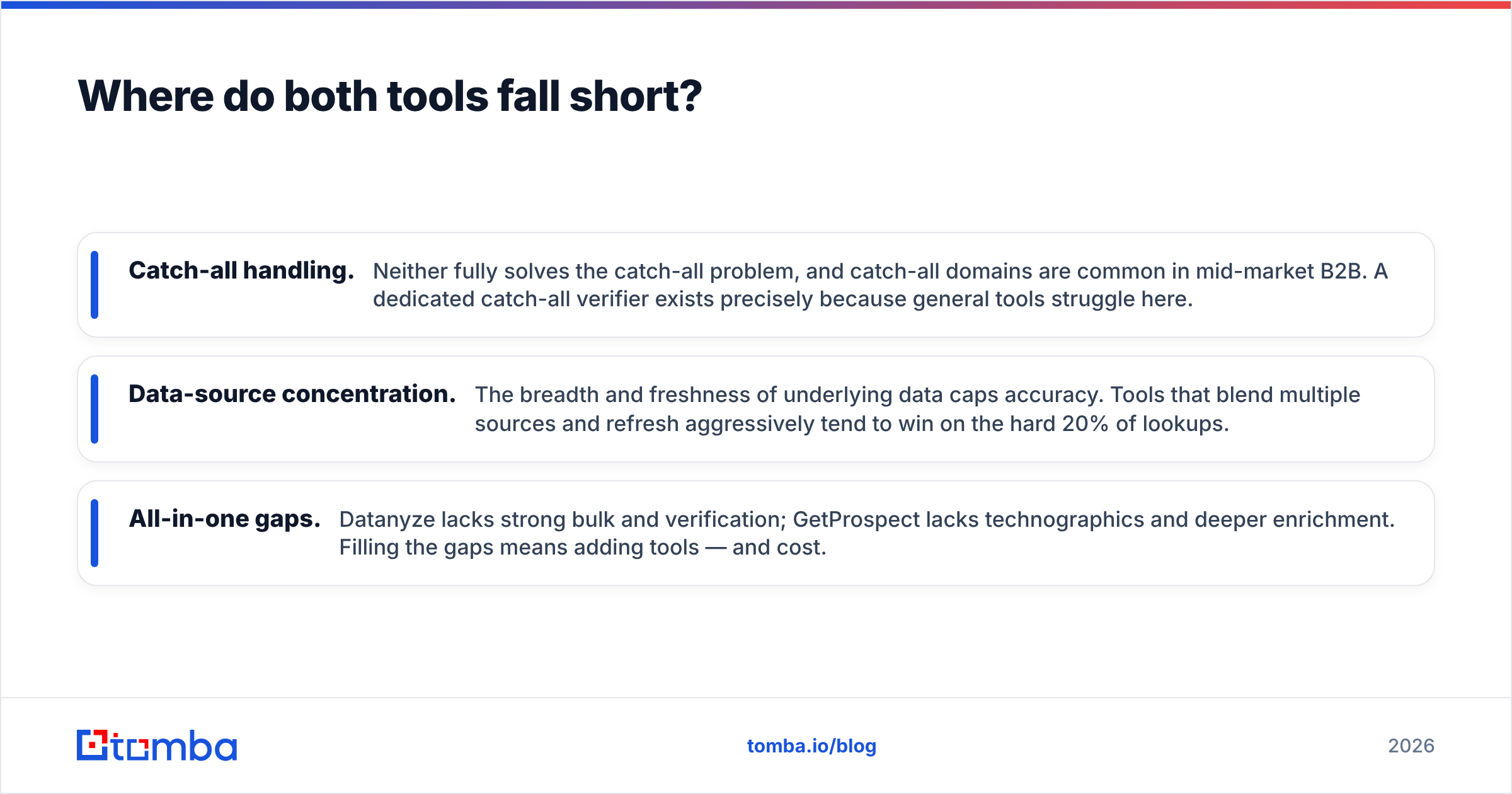
Being honest about limitations is the point of a neutral review. Three gaps show up with both Datanyze and GetProspect:
- Catch-all handling. Neither fully solves the catch-all problem, and catch-all domains are common in mid-market B2B. A dedicated catch-all verifier exists precisely because general tools struggle here.
- Data-source concentration. The breadth and freshness of underlying data caps accuracy. Tools that blend multiple sources and refresh aggressively tend to win on the hard 20% of lookups.
- All-in-one gaps. Datanyze lacks strong bulk and verification; GetProspect lacks technographics and deeper enrichment. Filling the gaps means adding tools — and cost.
This is why many teams end up evaluating a third option that covers finding, verifying, enriching, and API access under one roof.
How does Tomba compare to Datanyze and GetProspect?#
Straight answer: if your top priority is the highest verified-email hit rate at a predictable price, Tomba is worth putting on the shortlist alongside these two.
Tomba is a dedicated email-finding and verification platform. Its core email finder turns a domain, name, or company into professional emails, and its verification layer scores each one before you export. Because finding and verifying live in the same system, you're not stitching two vendors together to get a clean list. It also ships a domain search for pulling every reachable contact at a company, plus bulk processing and a full API for teams that automate.
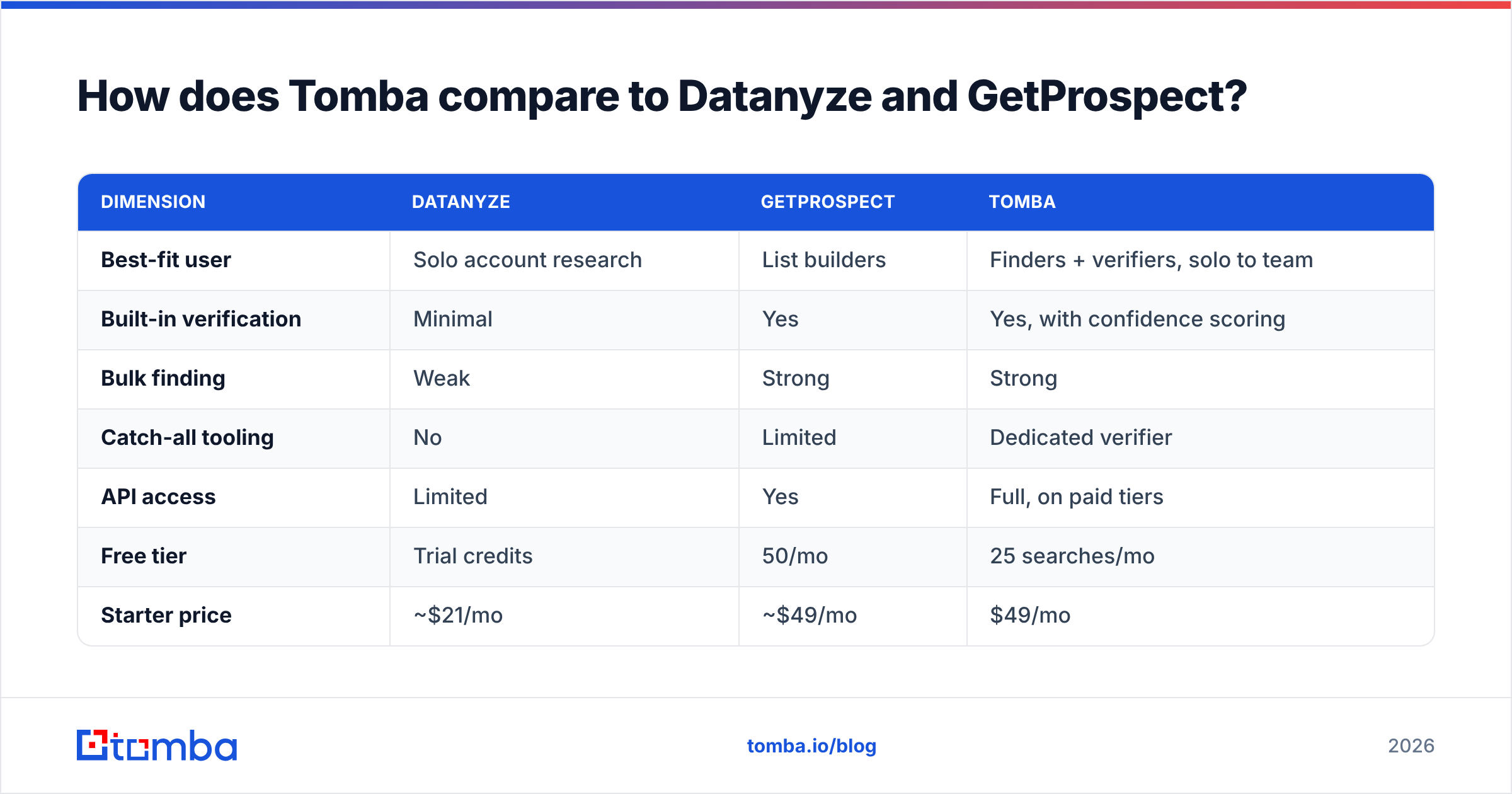
Here's how the three stack up on the dimensions that decide most purchases:
| Dimension | Datanyze | GetProspect | Tomba |
|---|---|---|---|
| Best-fit user | Solo account research | List builders | Finders + verifiers, solo to team |
| Built-in verification | Minimal | Yes | Yes, with confidence scoring |
| Bulk finding | Weak | Strong | Strong |
| Catch-all tooling | No | Limited | Dedicated verifier |
| API access | Limited | Yes | Full, on paid tiers |
| Free tier | Trial credits | 50/mo | 25 searches/mo |
| Starter price | ~$21/mo | ~$49/mo | $49/mo |
None of this makes Datanyze or GetProspect a bad choice — they're solid at their respective jobs. It means you should match the tool to the job. Datanyze for technographic account research. GetProspect for bulk list building. And if you want one platform doing accurate finding and verification with an API you can build on, evaluate Tomba against both before committing.
For deeper due diligence on any B2B data vendor, industry analysts like Gartner publish frameworks for evaluating sales-intelligence and lead-data providers that go beyond feature checklists.
The verdict: which should you choose?#
There's no universal winner in Datanyze vs GetProspect — there's a winner for your workflow.
- Choose Datanyze if you do high-touch, single-account prospecting and value technographics plus in-browser speed.
- Choose GetProspect if you build verified lists at volume and want native export into your outbound stack.
- Choose a dedicated finder-plus-verifier if accuracy on hard domains and predictable pricing outrank everything else.
Whatever you pick, protect your deliverability: find, then verify, then send. Skipping the middle step is the single most common reason good campaigns die in spam folders.
Try the accuracy for yourself#
If you'd rather test than take anyone's word for it, start with the tool built specifically for verified email discovery. Tomba Email Finder gives you 25 free searches a month to benchmark hit rate and verification quality against your own target accounts — the same list you'd run through Datanyze or GetProspect. Run all three on identical domains, compare bounce rates, and let the data pick your winner. Then scale on a flat plan with bulk and API access when you're ready.
Related guides#
Ready to find emails that actually work?
Join 150,000+ professionals who stopped guessing and started sending. Free credits on signup — no credit card required.
Get the Tomba newsletter
Practical outbound tactics and product updates — once every two weeks.
About the author