Datanyze vs OneMoreLead (2026): Which B2B Data Tool Wins?
Datanyze and OneMoreLead both promise B2B contact data, but they solve very different problems. Here's an honest breakdown of accuracy, pricing, and the best fit for your prospecting.
Datanyze vs OneMoreLead (2026): Which B2B Data Tool Wins?
Choosing between Datanyze and OneMoreLead is really a choice between two different philosophies of B2B data. One is a lightweight, browser-first contact finder built for reps working LinkedIn. The other is a bulk email database you buy in large batches. Picking the wrong one wastes budget and, worse, floods your sequences with dead addresses.
This comparison cuts through the marketing. You'll see where each tool actually earns its price, where the data quality slips, and when a purpose-built email finder beats both.
TL;DR: Datanyze vs OneMoreLead at a glance#
- Datanyze is best for reps who prospect one contact at a time inside Chrome and LinkedIn, and who also want technographic (tech-stack) signals.
- OneMoreLead is best for teams that want a large, pre-built B2B list they can filter and export in bulk for cold email or ads.
- Accuracy is the real battleground. Bulk lists decay fast; single-record lookups are fresher but slower to scale.
- Neither tool is a dedicated verifier — you'll still want a separate email verifier before you send, or your bounce rate will climb.
- If your core job is finding and verifying work emails at scale, a focused email-finder API often delivers better cost-per-valid-contact than either.
What is Datanyze?#
Datanyze is a sales intelligence tool best known for its Chrome extension. You browse a prospect's LinkedIn profile or company website, click the extension, and Datanyze surfaces a business email, direct-dial phone number, and company details on the spot. It leans heavily on the "prospect while you browse" workflow rather than exporting giant lists.
Its historical differentiator is technographics — data on which technologies a company uses. If you sell a product that only matters to companies running Shopify, Salesforce, or a specific ad platform, that signal helps you qualify before you ever reach out. You can read more about the platform on the official Datanyze site and see verified user reviews on G2.
Datanyze uses a credit model: you spend credits to unwrap contact details. That makes it predictable for a single rep but expensive if you try to build a list of thousands.

What is OneMoreLead?#
OneMoreLead is a B2B database and list-building platform. Instead of finding contacts one at a time, you filter a large pool of pre-collected records by industry, title, location, and company size, then export the matching contacts in bulk. It markets itself around volume and "verified" B2B email lists you can drop straight into a cold-email tool or ad audience.
The appeal is speed. If you need 5,000 marketing directors in North America by Friday, a database like OneMoreLead gets you a spreadsheet fast. The trade-off is freshness: any pre-built list starts decaying the moment it's compiled, because people change jobs constantly. That's the structural weakness of every bulk-list product, and it's the thing you have to manage.
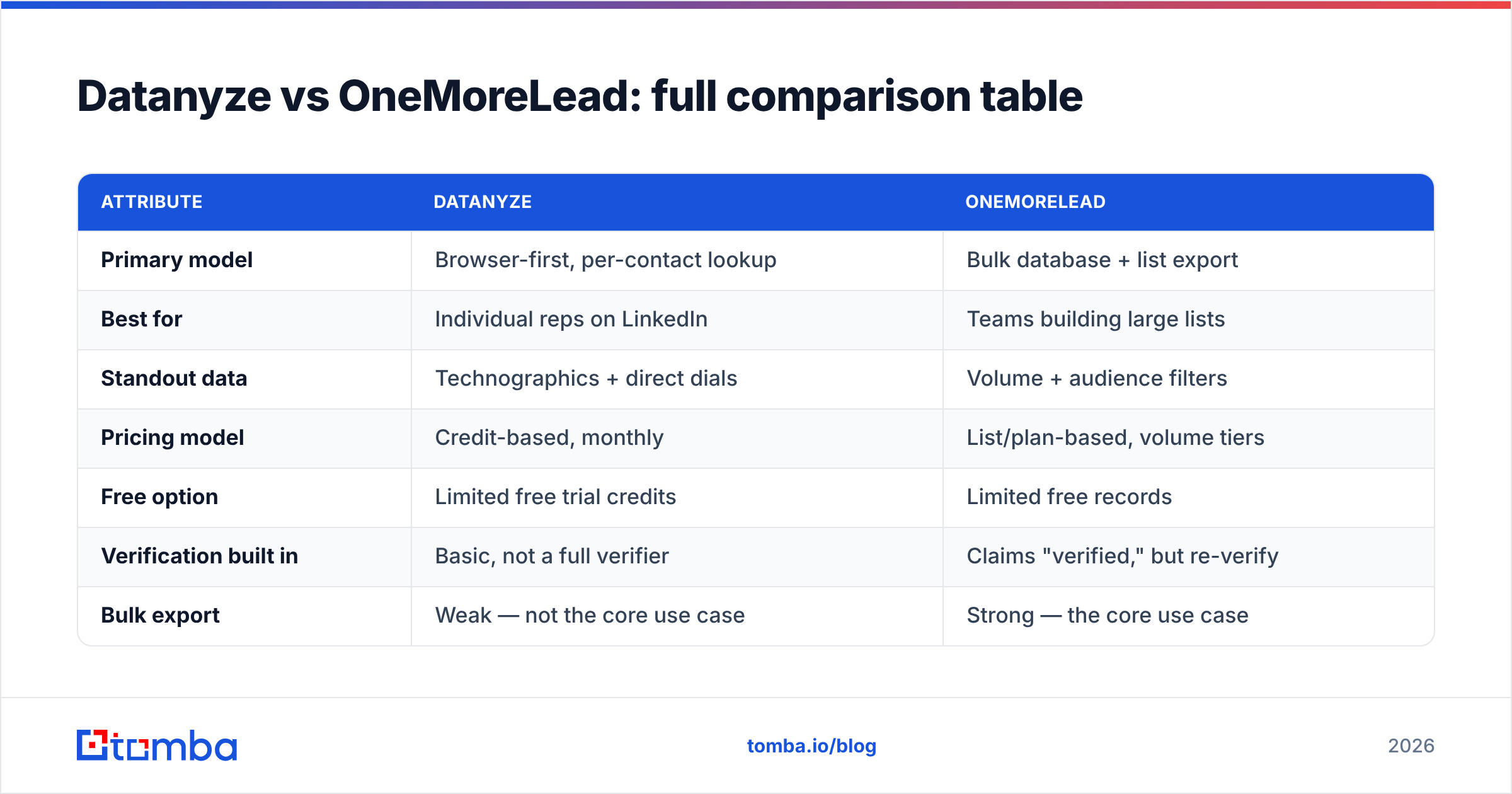
Datanyze vs OneMoreLead: full comparison table#
| Attribute | Datanyze | OneMoreLead |
|---|---|---|
| Primary model | Browser-first, per-contact lookup | Bulk database + list export |
| Best for | Individual reps on LinkedIn | Teams building large lists |
| Standout data | Technographics + direct dials | Volume + audience filters |
| Pricing model | Credit-based, monthly | List/plan-based, volume tiers |
| Free option | Limited free trial credits | Limited free records |
| Verification built in | Basic, not a full verifier | Claims "verified," but re-verify |
| Bulk export | Weak — not the core use case | Strong — the core use case |
| Data freshness | Fresher per lookup | Decays after compile date |
| Learning curve | Low (extension) | Low (filter and export) |
Read the table as a fork in the road: Datanyze optimizes for precision on the contact in front of you, OneMoreLead optimizes for quantity you can pull at once. Very few teams need both equally, so match the tool to how your reps actually work.
Is Datanyze better than OneMoreLead for accuracy?#
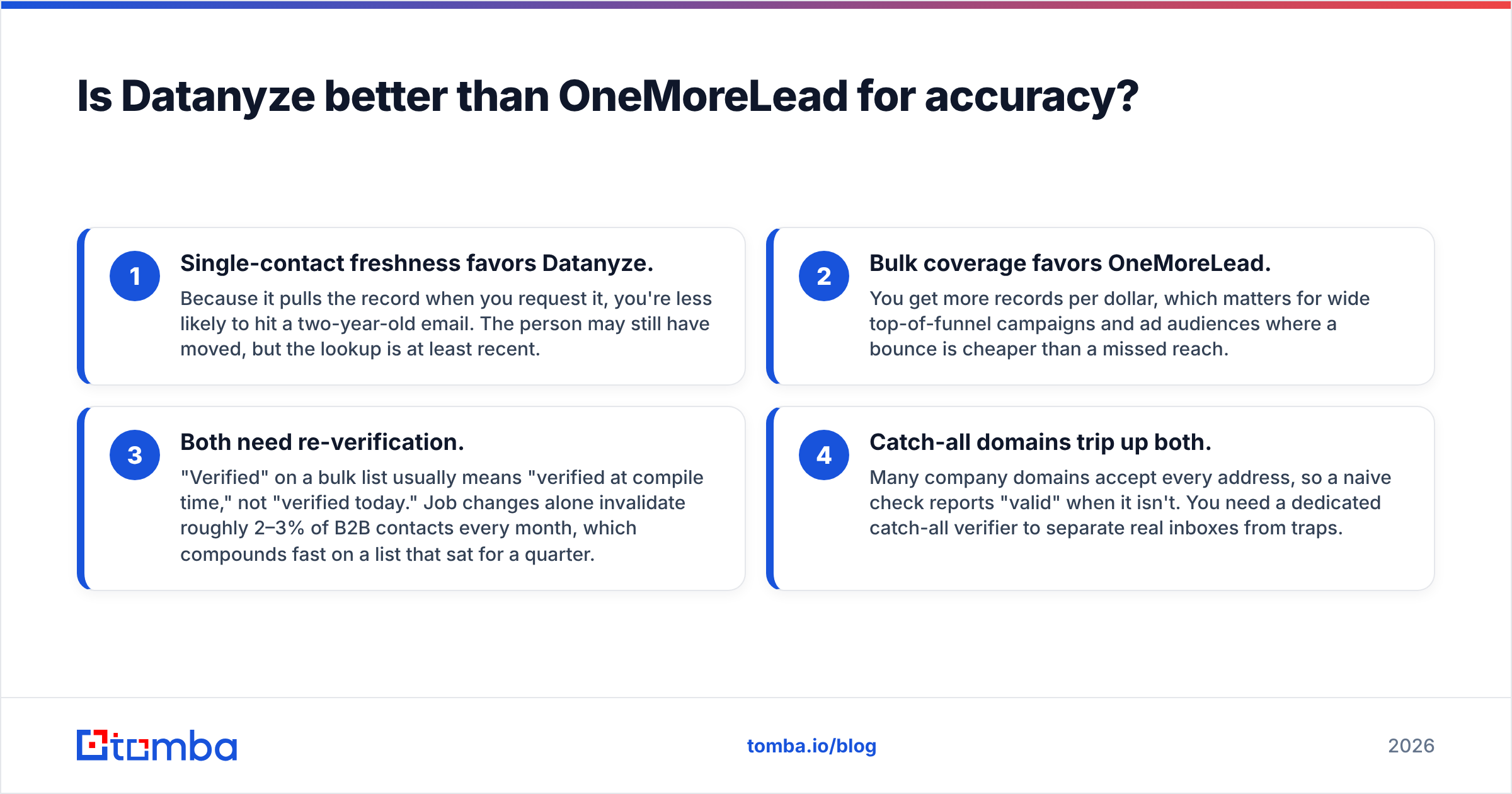
Accuracy depends on how you prospect, not just the vendor. Here's the honest split:
- Single-contact freshness favors Datanyze. Because it pulls the record when you request it, you're less likely to hit a two-year-old email. The person may still have moved, but the lookup is at least recent.
- Bulk coverage favors OneMoreLead. You get more records per dollar, which matters for wide top-of-funnel campaigns and ad audiences where a bounce is cheaper than a missed reach.
- Both need re-verification. "Verified" on a bulk list usually means "verified at compile time," not "verified today." Job changes alone invalidate roughly 2–3% of B2B contacts every month, which compounds fast on a list that sat for a quarter.
- Catch-all domains trip up both. Many company domains accept every address, so a naive check reports "valid" when it isn't. You need a dedicated catch-all verifier to separate real inboxes from traps.
The practical takeaway: whichever tool you pick, run the output through verification before you send. Skipping that step is the fastest way to torch your sender reputation and land in spam folders.

How do Datanyze and OneMoreLead price compare?#
Pricing is where the two tools diverge sharply, and where "cheap" can quietly become expensive.
Datanyze charges by credits. A single rep on a modest plan gets a fixed pool of contact reveals per month. That's clean and predictable until you try to scale — building a list of several thousand contacts burns credits fast, and overages add up.
OneMoreLead charges by volume access to its database. You pay for the ability to filter and export larger batches. The headline cost per record looks low, but you have to factor in the hidden tax: the percentage of the list that's stale. If 15% of a "cheap" list bounces, your effective cost per usable contact just jumped, and you paid twice — once for the record and again in deliverability damage.
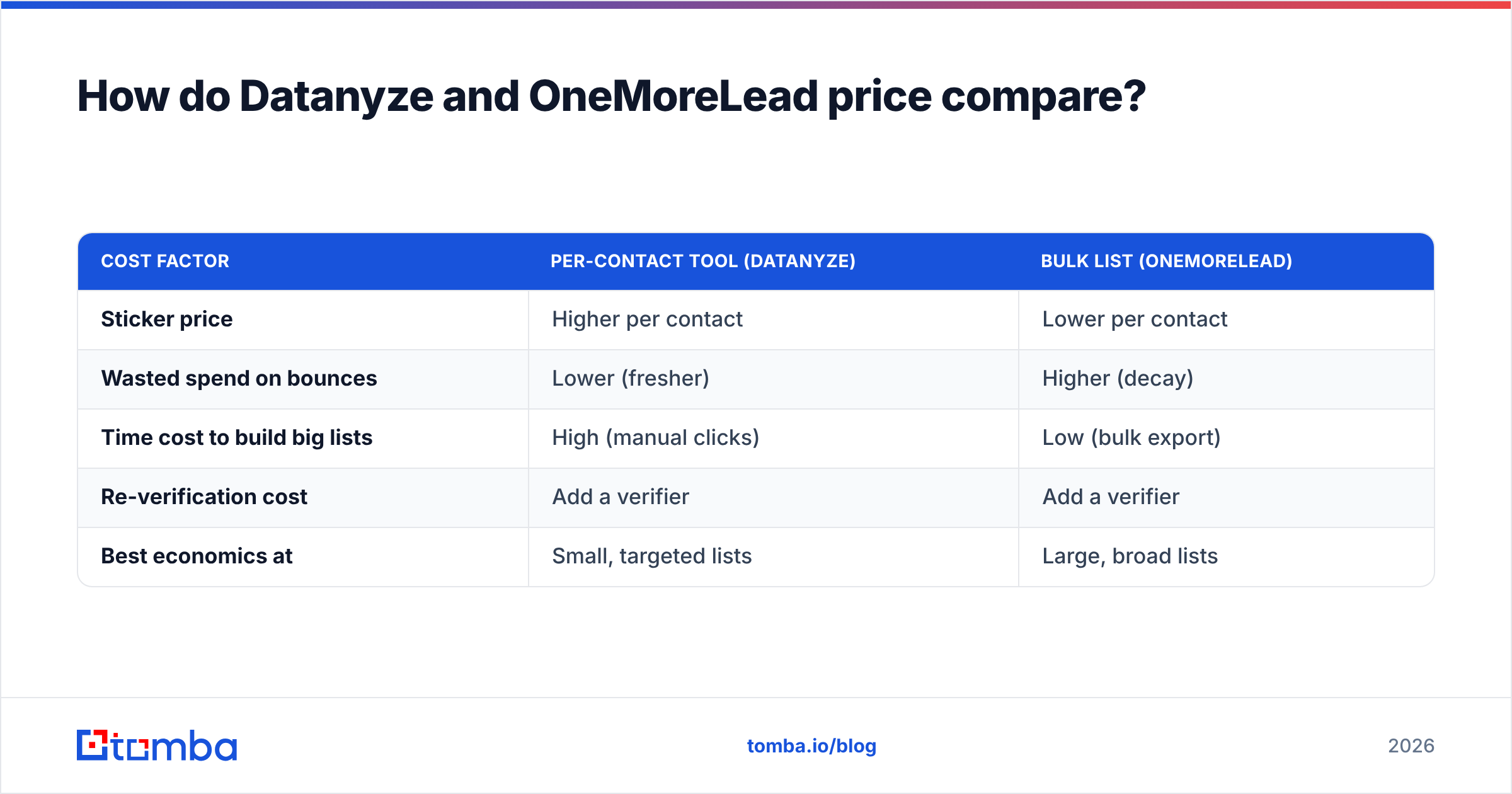
Here's a simplified way to think about true cost:
| Cost factor | Per-contact tool (Datanyze) | Bulk list (OneMoreLead) |
|---|---|---|
| Sticker price | Higher per contact | Lower per contact |
| Wasted spend on bounces | Lower (fresher) | Higher (decay) |
| Time cost to build big lists | High (manual clicks) | Low (bulk export) |
| Re-verification cost | Add a verifier | Add a verifier |
| Best economics at | Small, targeted lists | Large, broad lists |
Always calculate cost per valid, delivered contact, not cost per row. That single reframe changes most buying decisions. For a transparent baseline, compare against public Tomba pricing before you commit to either vendor.
When should you pick a dedicated email finder instead?#
Pick a dedicated finder when your bottleneck is finding and verifying work emails at scale — not browsing profiles and not buying static lists. This is the gap both Datanyze and OneMoreLead leave open.
A focused email-finder platform gives you three things the generalist tools handle only partially:
- Domain search: feed a company domain, get the verified email patterns and named contacts behind it. That's far more surgical than exporting a broad list and hoping.
- Built-in verification: finding and verifying in one pipeline, so you're not stitching a separate tool onto every export. Fewer bounces, less manual cleanup.
- A real email finder API: wire lookups directly into your CRM, enrichment jobs, or product signup flow. Bulk-list tools rarely give you clean, programmatic, verify-on-the-fly access.
This is exactly the sweet spot Tomba was built for. Its email finder resolves names and domains into deliverable addresses, and every result can pass through verification before it ever reaches a sequence. If you also need firmographic and social context, data enrichment layers that on without a second vendor.

Datanyze vs OneMoreLead vs Tomba: which fits your workflow?#
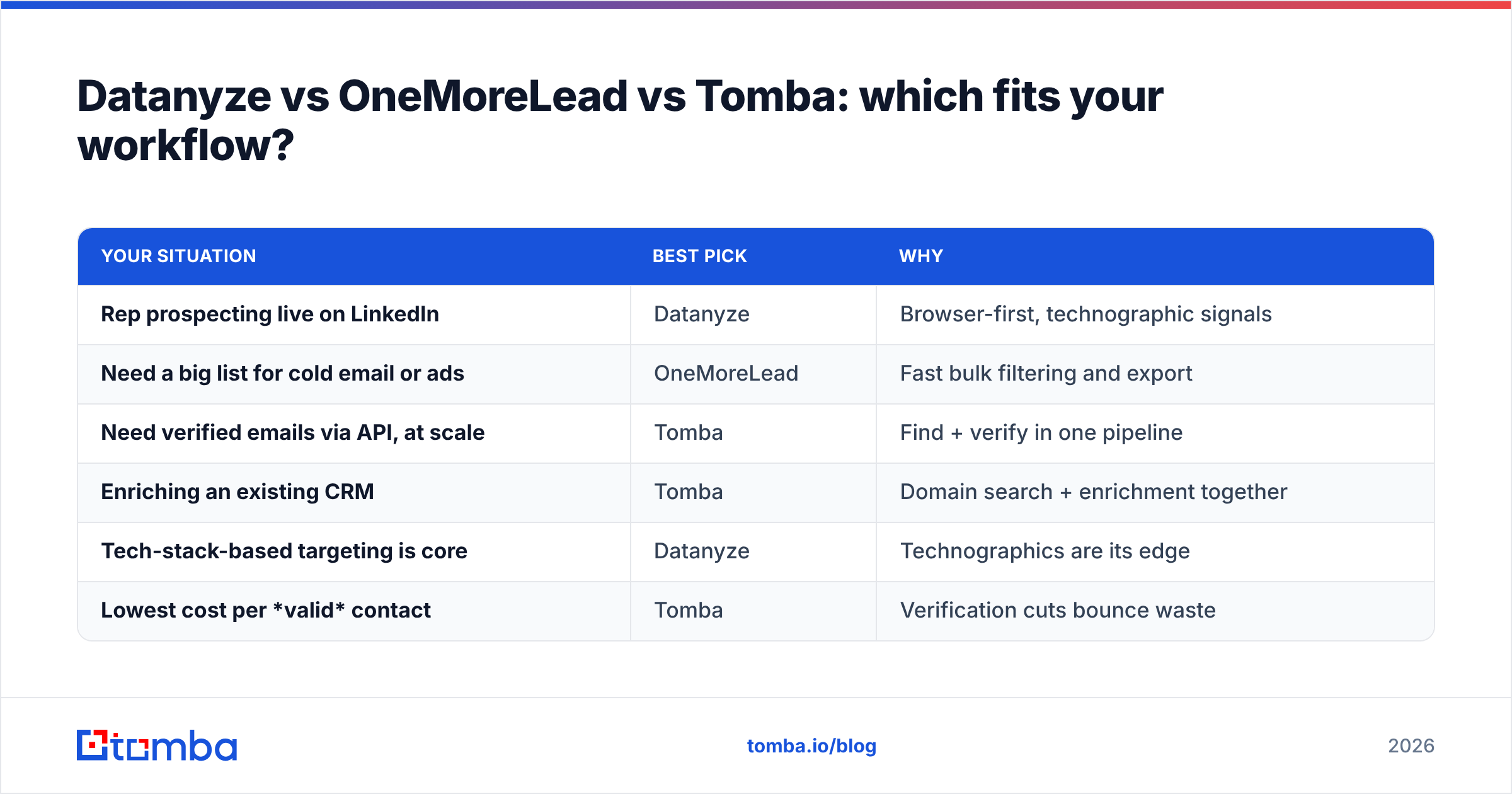
Match the tool to the job, not the hype:
| Your situation | Best pick | Why |
|---|---|---|
| Rep prospecting live on LinkedIn | Datanyze | Browser-first, technographic signals |
| Need a big list for cold email or ads | OneMoreLead | Fast bulk filtering and export |
| Need verified emails via API, at scale | Tomba | Find + verify in one pipeline |
| Enriching an existing CRM | Tomba | Domain search + enrichment together |
| Tech-stack-based targeting is core | Datanyze | Technographics are its edge |
| Lowest cost per valid contact | Tomba | Verification cuts bounce waste |
Notice that no single tool wins every row. Datanyze owns the live-browsing, tech-signal use case. OneMoreLead owns raw list volume. A dedicated finder like Tomba owns the "programmatic, verified, at scale" use case that sits between them — which is where most modern outbound and RevOps teams actually live.
What about deliverability after you get the data?#
Getting the contact is half the battle; getting into the inbox is the other half. No data vendor can save a campaign that ignores deliverability fundamentals.
Whatever you export from Datanyze or OneMoreLead, do this before sending:
- Verify the full list again. Treat every "verified" claim as a starting point, not a guarantee. A quick pass through an email verifier catches the records that decayed since compile.
- Remove catch-all guesses. Segment out catch-all domains so you're not gambling on addresses that only look valid.
- Warm up and pace. Even perfect data bounces if you blast a cold domain. Ramp volume gradually and monitor your bounce rate.
- Watch job-change churn. Re-pull or re-verify high-value accounts quarterly, since that's where the costliest bounces hide.
Data quality and deliverability are two sides of one coin. The best-sourced list still fails if you skip verification, and the cleanest sending setup can't rescue a stale list. Handle both, in that order.
The verdict: Datanyze vs OneMoreLead#
Choose Datanyze if your reps prospect one high-value contact at a time, live inside LinkedIn and the browser, and you value technographic targeting. It's precise, fresh per lookup, and easy to adopt — just don't expect it to build lists of thousands economically.
Choose OneMoreLead if you need volume fast: broad cold-email campaigns, ad audiences, or a wide top-of-funnel where reach matters more than surgical accuracy. Just budget for re-verification, because bulk lists always decay.
Choose a dedicated email finder if your real need is finding and verifying work emails at scale, through an API, with verification baked in rather than bolted on. That's the scenario where both generalist tools leave measurable money on the table.
If that last case sounds like your team, start with the Tomba Email Finder. It turns names and domains into deliverable, verified addresses, plugs into your CRM through a clean API, and keeps your cost-per-valid-contact low by filtering out the dead records before they ever hit your sequence. Run a small batch on the free tier, compare the bounce rate against your current list source, and let the delivered-contact math make the decision for you.
Related guides#
Ready to find emails that actually work?
Join 150,000+ professionals who stopped guessing and started sending. Free credits on signup — no credit card required.
Get the Tomba newsletter
Practical outbound tactics and product updates — once every two weeks.
About the author