Datanyze vs ReachStream: B2B Data & Email Finder Compared
Datanyze and ReachStream both sell B2B contact data, but they solve different problems. Here's an honest breakdown of accuracy, pricing, coverage, and the smarter alternative for prospecting teams.
Datanyze vs ReachStream: B2B Data & Email Finder Compared
Choosing between Datanyze and ReachStream comes down to one question: do you need lightweight technographic data for on-the-fly prospecting, or a bulk contact list you can export and load into a sequencer? They look similar on a pricing page, but they were built for different jobs — and neither is a pure email-finding engine.
This is a neutral breakdown for sales, RevOps, and demand-gen teams. We'll compare data accuracy, coverage, pricing, and workflow fit, then show where a purpose-built tool like Tomba earns a place in your stack.
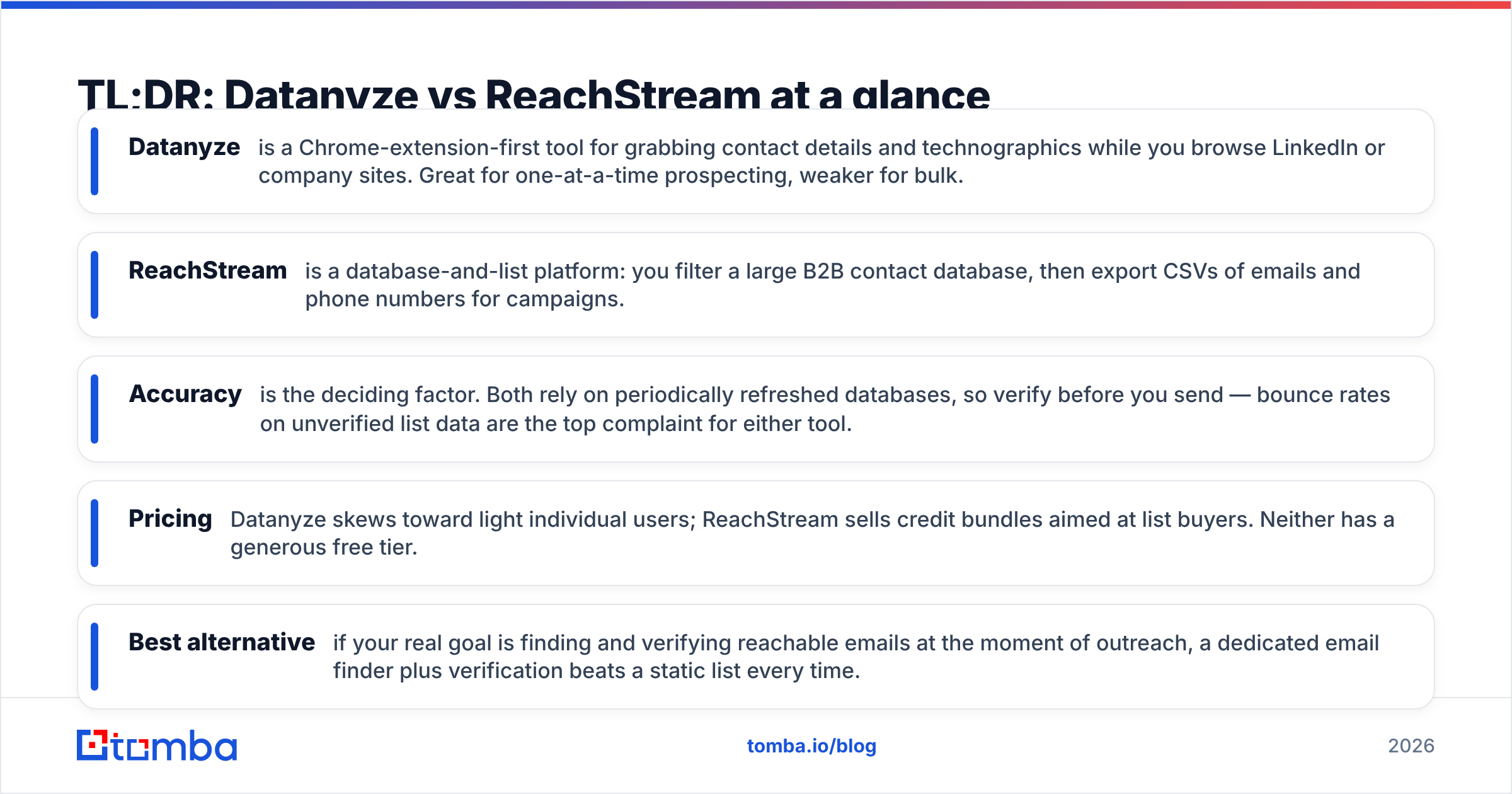
TL;DR: Datanyze vs ReachStream at a glance#
- Datanyze is a Chrome-extension-first tool for grabbing contact details and technographics while you browse LinkedIn or company sites. Great for one-at-a-time prospecting, weaker for bulk.
- ReachStream is a database-and-list platform: you filter a large B2B contact database, then export CSVs of emails and phone numbers for campaigns.
- Accuracy is the deciding factor. Both rely on periodically refreshed databases, so verify before you send — bounce rates on unverified list data are the top complaint for either tool.
- Pricing: Datanyze skews toward light individual users; ReachStream sells credit bundles aimed at list buyers. Neither has a generous free tier.
- Best alternative: if your real goal is finding and verifying reachable emails at the moment of outreach, a dedicated email finder plus verification beats a static list every time.
What is Datanyze and who is it for?#
Datanyze started life as a technographics company — it tells you what software a company runs (their CRM, analytics, hosting, ad tech). Today it's marketed mainly as a browser extension that surfaces business emails and direct dials as you visit a prospect's LinkedIn profile or website.
The core workflow is manual and single-record: you land on a page, click the extension, and Datanyze returns a contact card with an email guess, phone number, and firmographic context. That makes it a natural fit for account executives and SDRs doing targeted, research-heavy prospecting rather than spraying thousands of contacts.
Where it struggles is scale and freshness. Because the data is pulled from a database that refreshes on its own cadence, direct dials and emails can lag reality — people change jobs, and a card that looked right six months ago may now bounce. Datanyze's own product site leans into the technographic and prospecting angle rather than promising verified deliverability, which is a fair signal about where its strengths lie.
Best for: reps who prospect one account at a time and value technographic context. Weakest at: bulk list building and guaranteed email deliverability.
What is ReachStream and who is it for?#
ReachStream is a B2B contact database you query and export. You filter by industry, job title, company size, geography, and technology, then download a list of contacts — emails, phone numbers, and firmographics — as a CSV or push them into your CRM.
This is the classic "buy a list, run a campaign" model. It suits demand-gen and outbound teams that want volume: build a segment of, say, 5,000 marketing directors at mid-market SaaS companies, export, and load into your sequencer. ReachStream advertises a large contact universe and human-plus-automated verification, and you can read real user impressions on G2 before committing.
The trade-off is the same one every list vendor faces: a database snapshot ages the moment it's exported. Buyers frequently report that a slice of any bulk list is stale or catch-all, so you should treat ReachStream's export as raw material that still needs verification — not a send-ready list.
Best for: teams that need bulk contact exports for high-volume campaigns. Weakest at: real-time accuracy and per-contact precision.

How accurate is the data — Datanyze vs ReachStream?#
Accuracy is where these tools live or die, and it's the number one thing to interrogate before you pay. Both Datanyze and ReachStream source from aggregated databases rather than verifying each address live at export time, which means two things:
- Bounce risk is on you. Whatever the marketing claims, run every exported or extracted address through an email verifier before your first send. A single spike in bounces can drag your domain reputation down and undo months of warmup.
- Catch-all domains inflate "valid" counts. Many corporate domains accept every address (catch-all), so a list can look 95% "deliverable" while a chunk is unreachable. A dedicated catch-all verifier is the only honest way to separate real inboxes from accept-all servers.
The chart above and the comparison table below reflect the general pattern reviewers report: extension tools like Datanyze win on context but trail on bulk accuracy, while database exporters like ReachStream win on volume but ship more stale rows per thousand. Neither replaces a verification step.

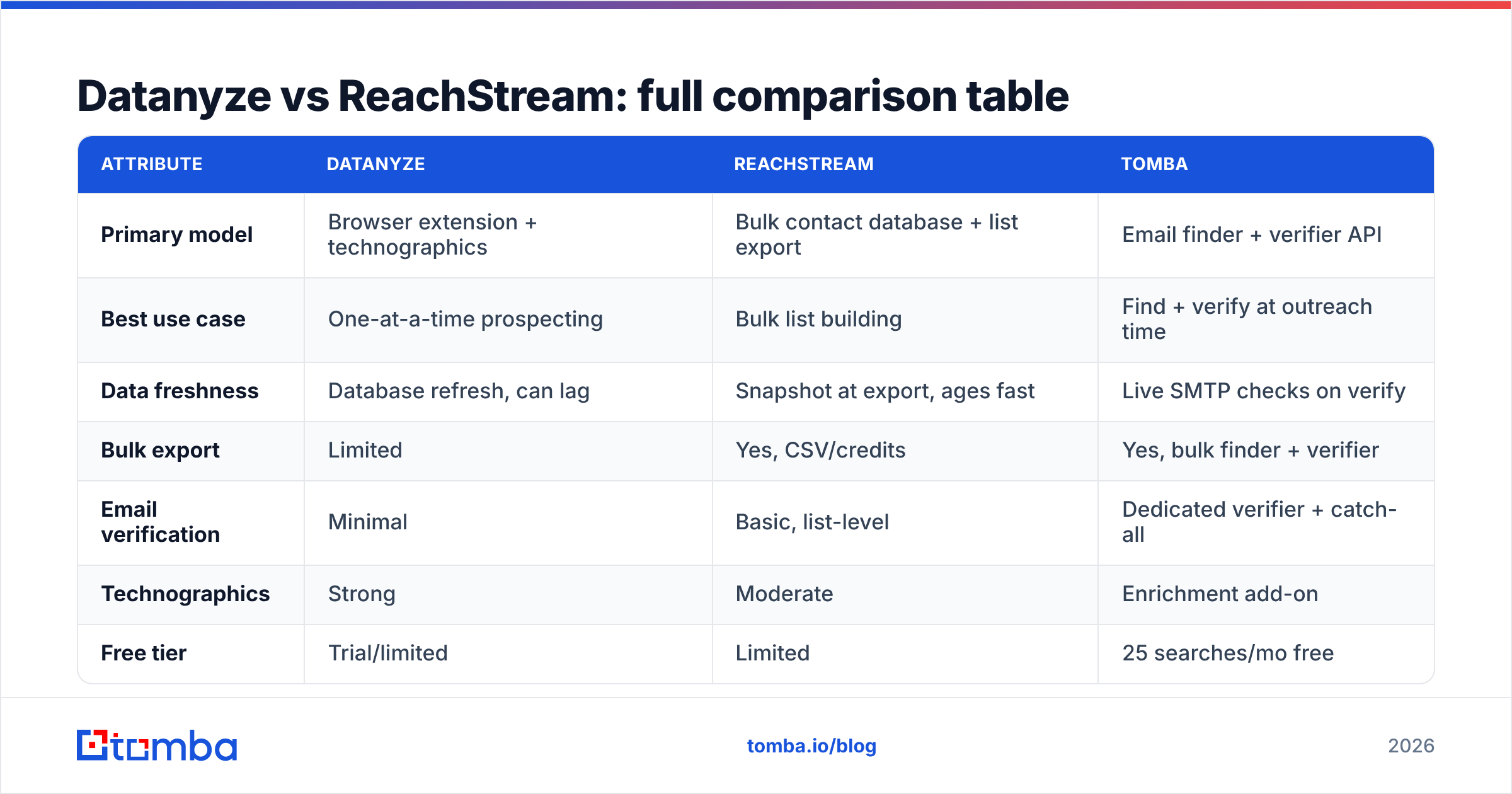
Datanyze vs ReachStream: full comparison table#
| Attribute | Datanyze | ReachStream | Tomba |
|---|---|---|---|
| Primary model | Browser extension + technographics | Bulk contact database + list export | Email finder + verifier API |
| Best use case | One-at-a-time prospecting | Bulk list building | Find + verify at outreach time |
| Data freshness | Database refresh, can lag | Snapshot at export, ages fast | Live SMTP checks on verify |
| Bulk export | Limited | Yes, CSV/credits | Yes, bulk finder + verifier |
| Email verification | Minimal | Basic, list-level | Dedicated verifier + catch-all |
| Technographics | Strong | Moderate | Enrichment add-on |
| Free tier | Trial/limited | Limited | 25 searches/mo free |
| Starter price | Mid-tier individual | Credit bundles | $49/mo |
| API access | Limited | Available | Full REST API + SDKs |
Prices shift often, so confirm current numbers on each vendor's page. The structural differences — extension vs database vs verify-at-source — are what actually decide fit.
Which one is cheaper: Datanyze or ReachStream?#
Neither is expensive at the entry level, but they charge for different things. Datanyze prices around individual seats and per-contact reveals, so a single rep doing focused prospecting can keep costs low. ReachStream prices around credit bundles tied to export volume, so cost scales with how many contacts you download — which can get pricey once you're pulling multi-thousand-row lists monthly.
The hidden cost with both is waste. If 20–30% of an exported list bounces or hits catch-all domains, you paid for contacts you can't safely use. That's why teams increasingly pair a data source with separate verification, or move to a tool that finds and verifies in one pass. For a transparent breakdown of what verified finding costs, compare against Tomba pricing — the Starter plan is $49/mo, with a free tier of 25 searches to test accuracy before you commit a budget.
Datanyze vs ReachStream: pros and cons#
Datanyze pros
- Fast in-browser prospecting — reveal a contact without leaving LinkedIn or a company site.
- Strong technographics — see the prospect's tech stack for better targeting and messaging.
- Low friction for individual reps — no list-building project required.
Datanyze cons
- Not built for bulk — extracting thousands of contacts is slow and manual.
- Freshness gaps — direct dials and emails can lag real-world changes.
- Thin verification — you'll want a separate check before sending.
ReachStream pros
- Bulk-friendly — filter and export large segments in minutes.
- Broad firmographic filters — industry, title, geography, size, tech.
- CRM-ready exports — drop straight into your sequencer or CRM.
ReachStream cons
- Snapshot staleness — exported lists age immediately.
- Catch-all noise — "valid" counts can overstate deliverability.
- Cost scales with volume — heavy exporters pay more, waste more.
When should you use a dedicated email finder instead?#
Reach for a purpose-built finder-plus-verifier when your bottleneck is reachable contacts, not just more contacts. The difference matters: a 5,000-row list with a 25% bounce rate is worse than 1,200 verified addresses, because bad sends hurt your email deliverability and sender reputation — the assets that make every future campaign work.
A dedicated workflow looks like this:
- Find the email by name and company domain search, or in bulk from a company list.
- Verify each address with live SMTP checks and catch-all detection before it enters your sequence.
- Enrich the record with firmographics and role data so your messaging lands.
- Automate the whole loop through an API or spreadsheet add-in instead of manual CSV wrangling.
This is precisely the gap Datanyze and ReachStream leave open. They're good at surfacing or exporting contacts; they're not designed to guarantee the address is live at the moment you hit send. If your KPI is booked meetings, deliverability is the metric that moves it — and that's a verification problem, not a database-size problem.
How does Tomba compare to Datanyze and ReachStream?#
Tomba approaches the problem from the deliverability end rather than the database end. Instead of handing you a static list to hope for, it finds professional emails by domain or name, then verifies each one — including catch-all domains — before you export. That collapses the "find, then separately verify" two-step into a single, cleaner workflow.
Where it fits relative to the two tools here:
- vs Datanyze: Tomba matches the by-name lookup use case but adds real verification and bulk capacity, plus a full Tomba API for teams that want to automate rather than click an extension per prospect.
- vs ReachStream: Tomba supports bulk finding and verification, so you get list-scale output without inheriting a snapshot's staleness — every address can be checked live rather than trusted on faith.
You can also start for free: Tomba's free tier includes 25 searches per month, enough to A/B test its accuracy against a Datanyze reveal or a ReachStream export on your own target accounts before spending anything. Honest advice: run the same 50 prospects through all three and measure bounce rate. The tool with the lowest bounce wins, regardless of marketing.
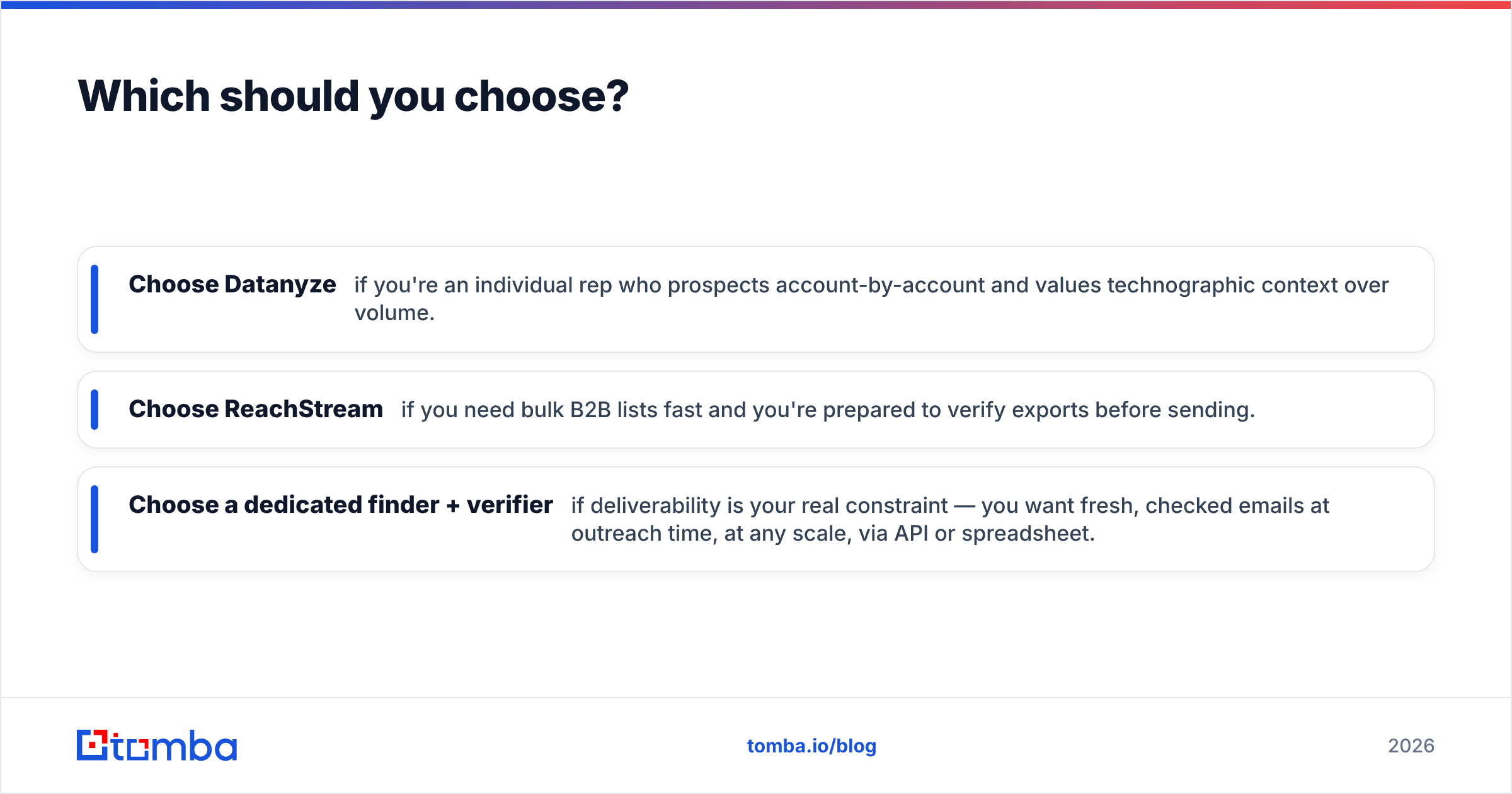
Which should you choose?#
- Choose Datanyze if you're an individual rep who prospects account-by-account and values technographic context over volume.
- Choose ReachStream if you need bulk B2B lists fast and you're prepared to verify exports before sending.
- Choose a dedicated finder + verifier if deliverability is your real constraint — you want fresh, checked emails at outreach time, at any scale, via API or spreadsheet.
For most outbound and demand-gen teams in 2026, the last option is the one that protects your domain and your reply rates. If that's you, put Tomba's email finder and verifier side by side with your current tool and let the bounce numbers decide. Start with the free 25 searches, verify a real segment, and keep whatever ships the cleanest list — your sender reputation will thank you.
FAQ#
Is Datanyze or ReachStream more accurate? Both depend on database freshness, so accuracy varies by segment. Whichever you pick, verify addresses before sending — that step, not the vendor's claim, determines your real bounce rate.
Can I use Datanyze or ReachStream for bulk email campaigns? ReachStream is built for bulk export; Datanyze is better for one-at-a-time prospecting. For either, run the contacts through an email verifier and catch-all check first.
What's the best alternative to Datanyze and ReachStream? A combined email finder and verifier such as Tomba, which finds and validates emails in one workflow and offers a free tier to test accuracy before you pay.
Related guides#
Ready to find emails that actually work?
Join 150,000+ professionals who stopped guessing and started sending. Free credits on signup — no credit card required.
Get the Tomba newsletter
Practical outbound tactics and product updates — once every two weeks.
About the author