Datanyze vs Salutary Data (2026): Which B2B Data Wins?
Datanyze and Salutary Data both sell B2B contact and firmographic data, but they solve different problems. Here's an honest breakdown of accuracy, pricing, coverage, and the cheaper pick for lean sales teams.
Datanyze vs Salutary Data (2026): Which B2B Data Wins?
Choosing between Datanyze and Salutary Data comes down to one question: do you need a lightweight prospecting layer that lives in your browser, or a raw data feed you pipe into your own systems? They are not the same kind of product, and picking the wrong one wastes budget fast.
This is a neutral breakdown — where each tool is strong, where it falls short, and where a leaner, verification-first option beats both for teams that mostly need accurate work emails.
TL;DR — the short version#
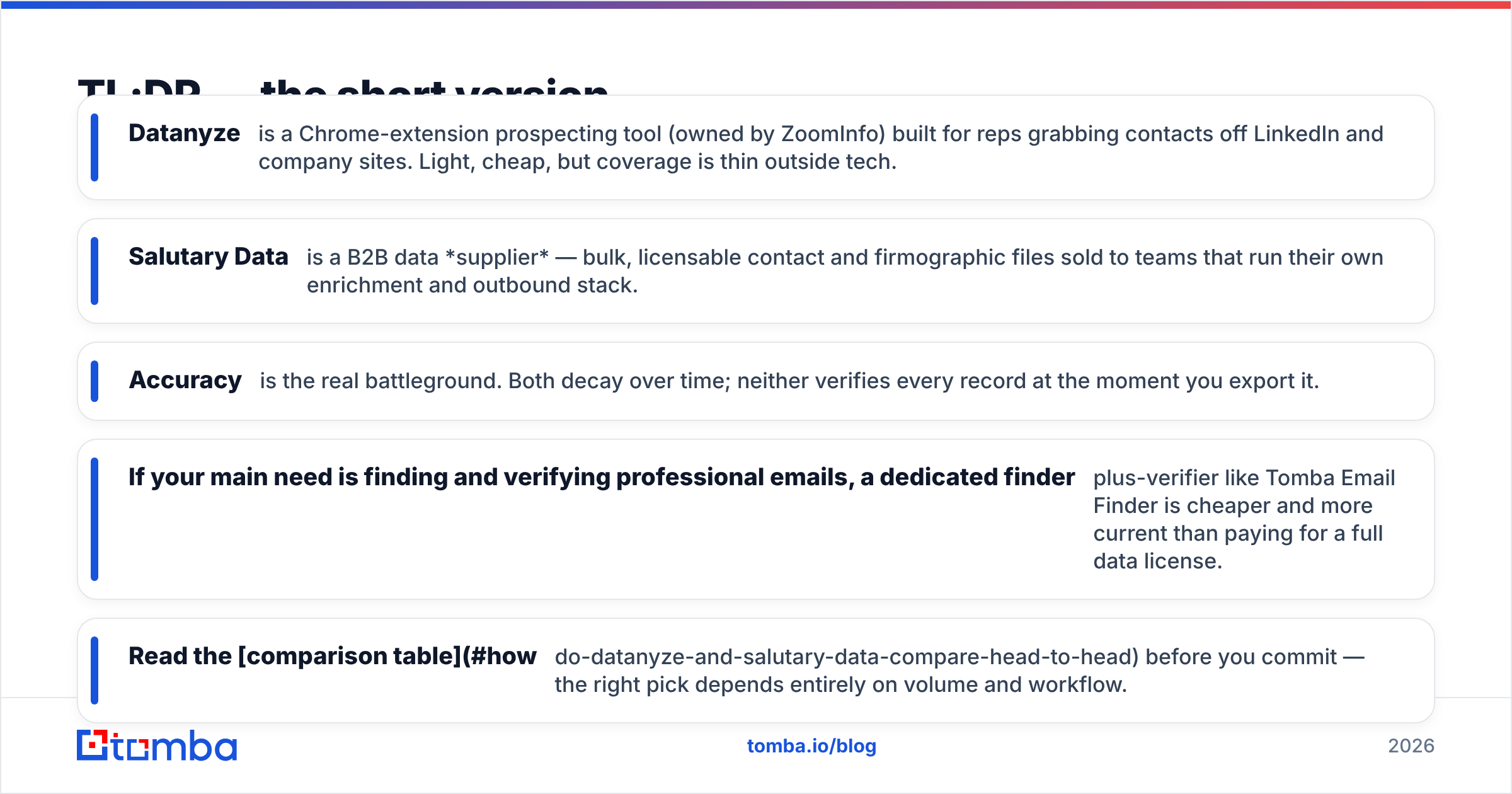
- Datanyze is a Chrome-extension prospecting tool (owned by ZoomInfo) built for reps grabbing contacts off LinkedIn and company sites. Light, cheap, but coverage is thin outside tech.
- Salutary Data is a B2B data supplier — bulk, licensable contact and firmographic files sold to teams that run their own enrichment and outbound stack.
- Accuracy is the real battleground. Both decay over time; neither verifies every record at the moment you export it.
- If your main need is finding and verifying professional emails, a dedicated finder-plus-verifier like Tomba Email Finder is cheaper and more current than paying for a full data license.
- Read the comparison table before you commit — the right pick depends entirely on volume and workflow.
What is Datanyze?#
Datanyze is a sales-intelligence tool focused on on-the-fly prospecting. You install a browser extension, land on a prospect's LinkedIn profile or company website, and it surfaces email addresses, direct dials, and basic firmographics (company size, revenue, tech stack) in a side panel.
It made its name as a technographics provider — telling you what software a company runs so you can time a pitch. After ZoomInfo acquired it, Datanyze became the entry-level, self-serve option in that family: credit-based, month-to-month, aimed at individual reps and small teams rather than enterprise RevOps.
The appeal is speed and price. You are not importing a million-row file; you are grabbing five contacts before a call. The trade-off is depth — coverage skews heavily toward US tech companies, and credits run out quickly if you prospect at volume.
What is Salutary Data?#
Salutary Data is a B2B data compiler and licensor. Instead of a slick UI, you are buying access to structured contact and company datasets — emails, direct dials, titles, and firmographic attributes — that you load into your CRM, enrichment pipeline, or outbound platform.
This is a fundamentally different buyer. Salutary sells to demand-gen teams, data ops, and agencies that need scale and want to own the records rather than pull them one at a time. Files are typically licensed, filtered by your ICP criteria, and delivered for you to process. They emphasize compliance and human-verified records as a differentiator.
If Datanyze is a handheld scanner, Salutary is the warehouse pallet. Neither is "better" in the abstract — they answer different questions. The mistake is buying a warehouse pallet when you needed to scan ten items, or vice versa.
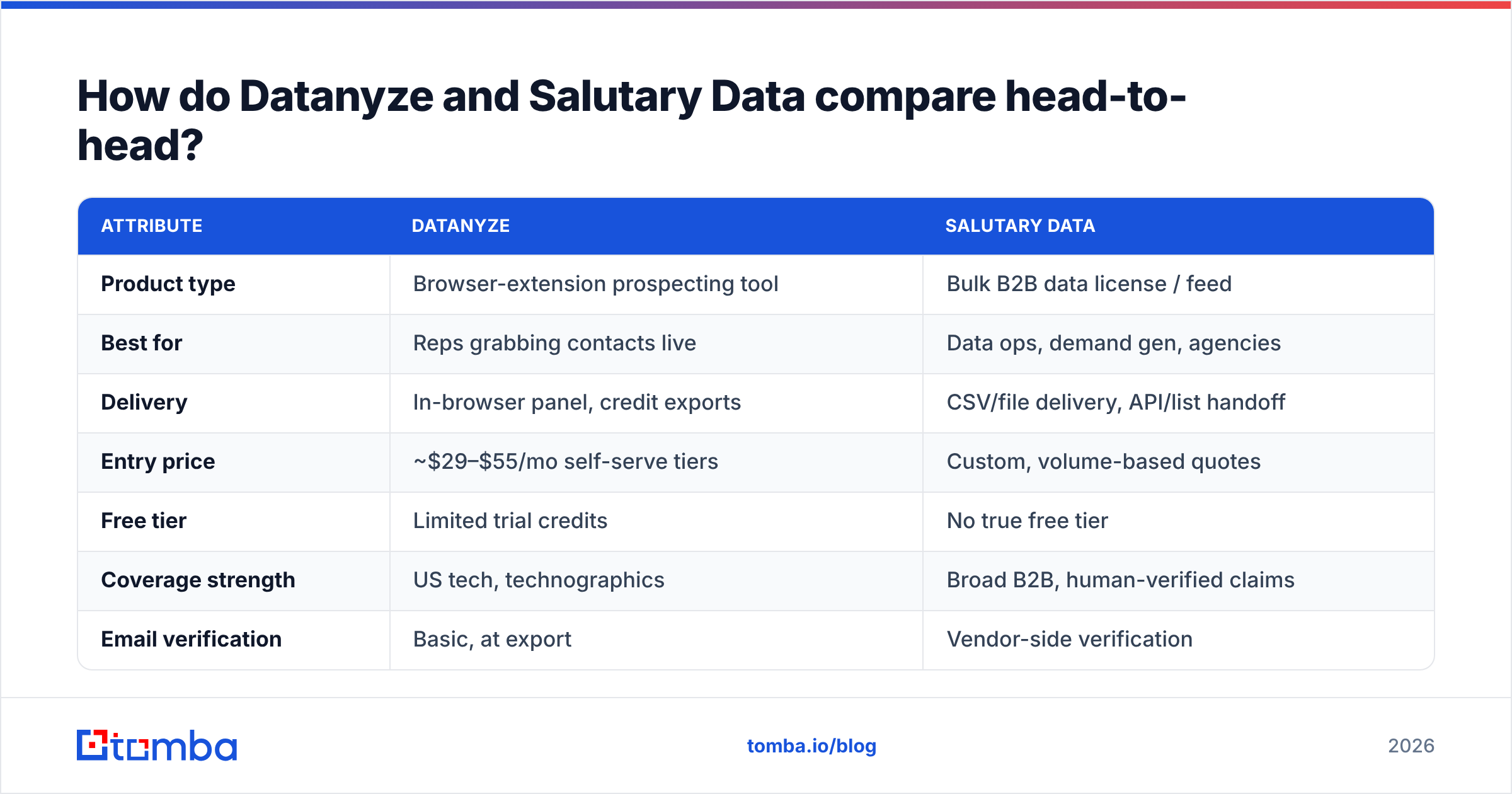
How do Datanyze and Salutary Data compare head-to-head?#
Here is the honest side-by-side. Pricing for both moves and is often quote-based at volume, so treat these as directional.
| Attribute | Datanyze | Salutary Data |
|---|---|---|
| Product type | Browser-extension prospecting tool | Bulk B2B data license / feed |
| Best for | Reps grabbing contacts live | Data ops, demand gen, agencies |
| Delivery | In-browser panel, credit exports | CSV/file delivery, API/list handoff |
| Entry price | ~$29–$55/mo self-serve tiers | Custom, volume-based quotes |
| Free tier | Limited trial credits | No true free tier |
| Coverage strength | US tech, technographics | Broad B2B, human-verified claims |
| Email verification | Basic, at export | Vendor-side verification |
| Ideal volume | Low (dozens/week) | High (thousands+) |
| Ownership of data | Per-export credits | Licensed dataset |
The pattern is clear: Datanyze wins on convenience for small, live prospecting; Salutary wins on scale for teams that process data themselves. If you sit in the middle — needing accurate emails at moderate volume without a data-ops team — neither is an obvious fit, which is where a focused email tool comes in.
Which has more accurate data?#
Neither vendor "wins" accuracy outright, because B2B data decays no matter who sells it. Roughly 30% of contact data goes stale each year as people change jobs — a widely cited figure across the industry. What matters is when a record was last confirmed and whether it is verified at the point you use it.
Datanyze pulls from a shared pool (ZoomInfo-adjacent sources) and does a basic check on export, but a record surfaced today may have been collected months ago. Salutary leans on human verification and compliance sourcing, which helps at the file level, but a licensed list still ages between the delivery date and the day your reps actually email it.
The reliable move, regardless of provider, is to re-verify right before you send. Bounce rates above 3–5% hurt your sender reputation and drag down deliverability across your whole domain. Running any purchased or scraped list through an email verifier before the first send is non-negotiable — it is the single highest-ROI step in the workflow. You can read how the underlying data sources are built and validated to judge freshness for yourself.

What does each one cost?#
Cost is where the two diverge hardest, because you are paying for different units.
Datanyze charges per credit on self-serve monthly plans. That is predictable for a rep doing light prospecting, but the effective cost per usable contact climbs once you factor in stale records you can't use and credits burned on misses. For a single SDR, it is affordable; for a five-person team hitting volume, the math gets uncomfortable.
Salutary Data is quote-based. You negotiate a file or subscription sized to your ICP, so the sticker price is higher but the per-record cost at scale is usually lower — if you actually use the whole dataset. Buy 100,000 records and use 8,000, and your real cost-per-lead is brutal.
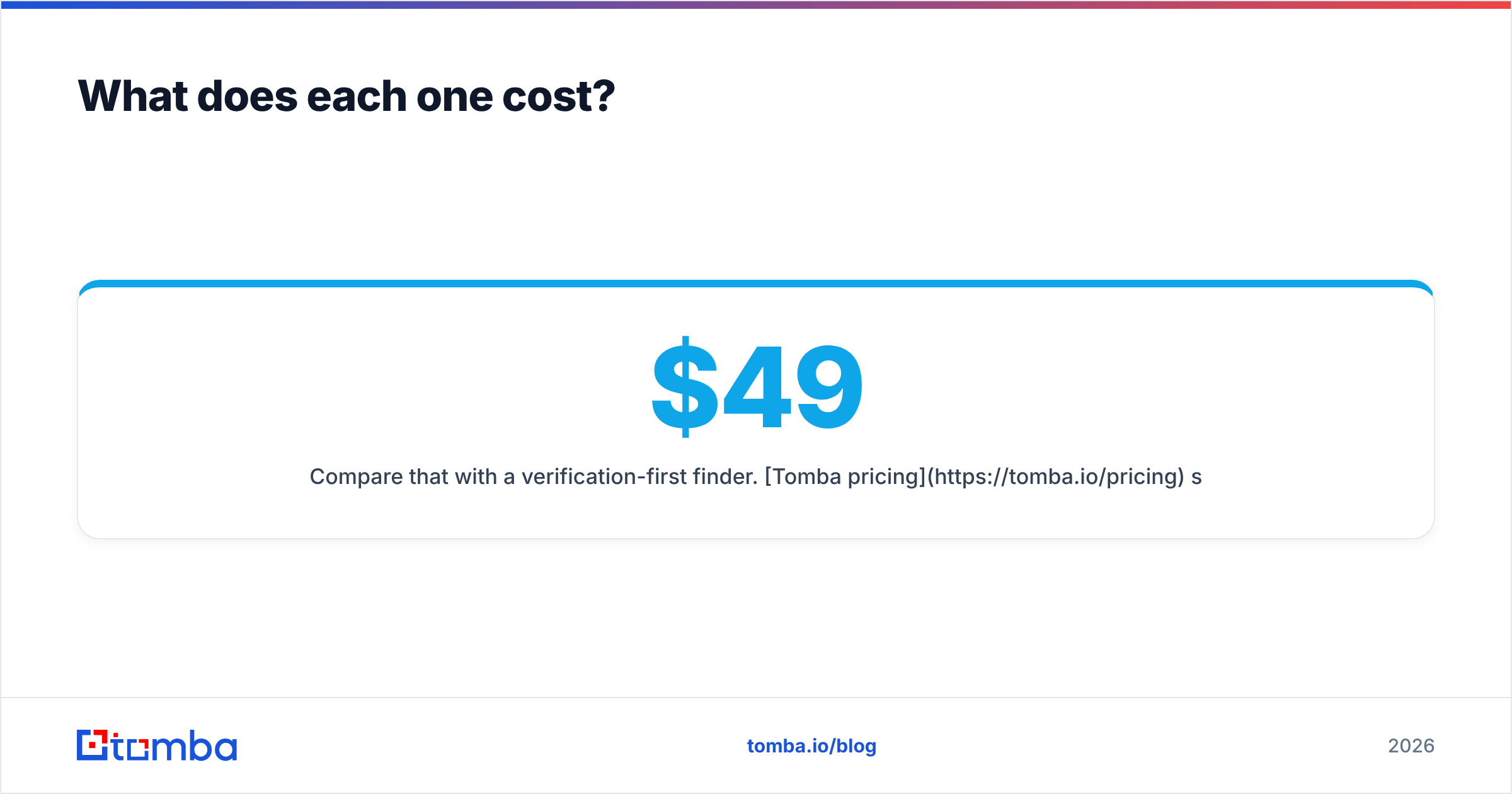
Compare that with a verification-first finder. Tomba pricing starts with a free tier at 25 searches/month, then Starter at $49/mo, Growth at $99/mo, and Pro at $249/mo — with the email verifier and domain search included rather than sold as add-ons. For teams whose core need is "accurate work emails for a defined list," that bundle often undercuts both options on cost-per-verified-contact.
When should you pick each tool?#
Skip the feature checklist and match the tool to your actual motion:
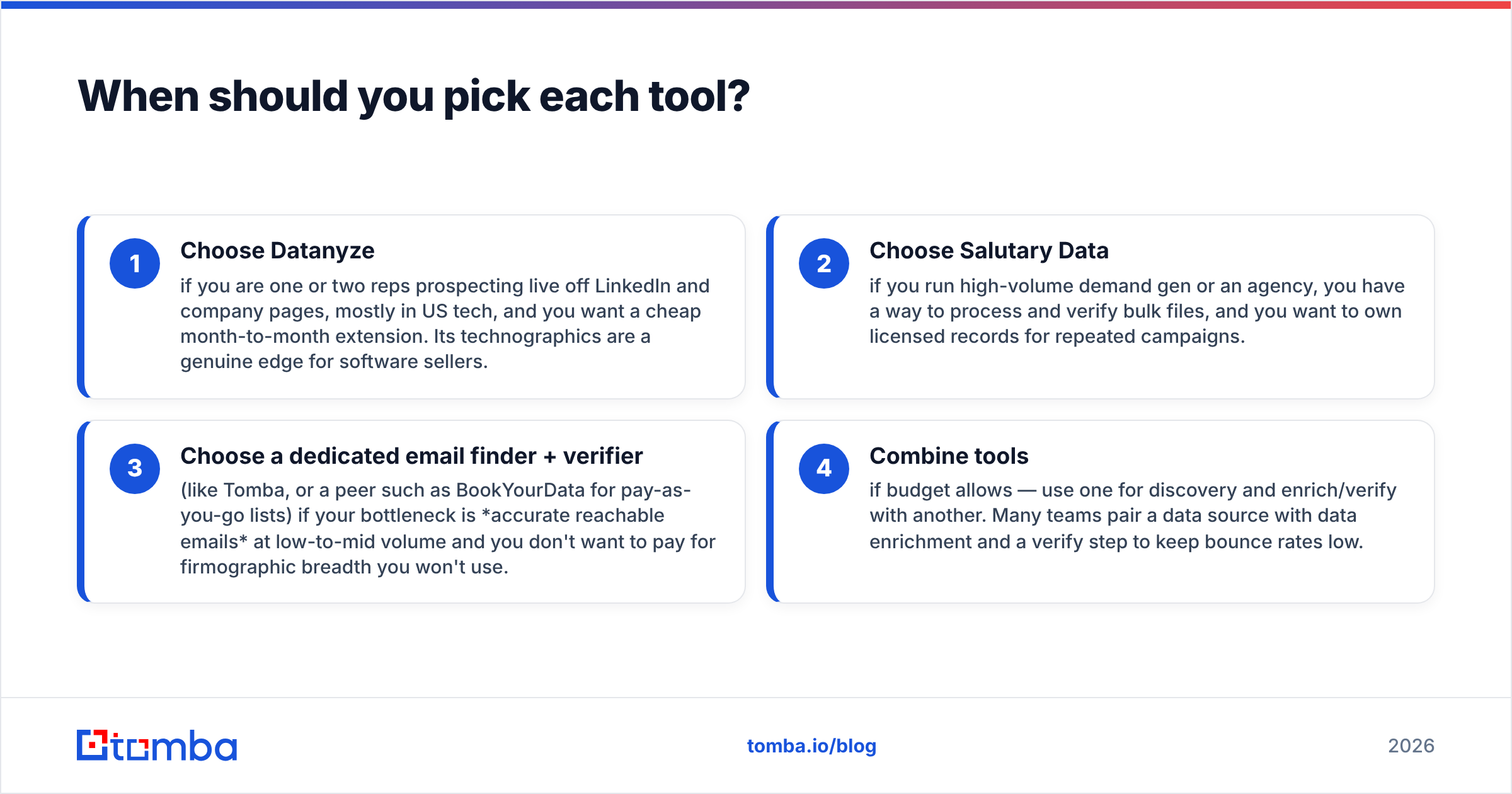
- Choose Datanyze if you are one or two reps prospecting live off LinkedIn and company pages, mostly in US tech, and you want a cheap month-to-month extension. Its technographics are a genuine edge for software sellers.
- Choose Salutary Data if you run high-volume demand gen or an agency, you have a way to process and verify bulk files, and you want to own licensed records for repeated campaigns.
- Choose a dedicated email finder + verifier (like Tomba, or a peer such as BookYourData for pay-as-you-go lists) if your bottleneck is accurate reachable emails at low-to-mid volume and you don't want to pay for firmographic breadth you won't use.
- Combine tools if budget allows — use one for discovery and enrich/verify with another. Many teams pair a data source with data enrichment and a verify step to keep bounce rates low.
The worst outcome is paying enterprise data-license money for a small-team prospecting job, or hammering a credit-based extension for work that needed a bulk file.
What are the main limitations to watch?#
Datanyze: coverage thins out fast outside US tech and mid-market. Direct dials are hit-or-miss. As a lighter ZoomInfo product, some advanced filtering and intent data are reserved for the pricier tiers. And because it is per-export, costs scale linearly with usage — there is no economy of scale.
Salutary Data: there is no free way to test quality before you commit to a quote. You inherit responsibility for processing, deduplicating, and re-verifying the file. And a licensed dataset is a snapshot — its accuracy is highest on delivery day and only declines from there, so you need your own verification layer regardless.
Both: neither replaces good outbound hygiene. Clean data is step one; you still need email deliverability fundamentals, sensible sending volume, and list hygiene. Check independent reviews on G2 and Capterra for current user sentiment, since both products iterate frequently and pricing shifts.
Is there a simpler alternative to both?#
For most teams whose real job is "find the right person's verified work email and reach out," a full data license or a technographics extension is more machinery than the task needs.
A focused workflow looks like this: identify target companies, run a domain search to pull the relevant contacts, verify each address, then export to your CRM or sequencer. That is faster to stand up than negotiating a data contract and cheaper than burning prospecting credits on stale records. You keep a tight, current list instead of a giant aging one.
That is the gap Tomba fills. You get an email finder, an email verifier, domain search, and a B2B database in one place — with a free tier to test accuracy on your own target accounts before you pay a cent. No annual license, no credit anxiety at small scale, and verification built into the same step as discovery.
The verdict#
Datanyze vs Salutary Data is really a question about workflow, not winners. Datanyze is the right cheap tool for live, low-volume prospecting in tech. Salutary Data is the right supplier when you buy and process B2B files at scale. Both decay, and both need you to verify before you send.
If you land in the middle — accurate emails, moderate volume, no data-ops team — start with a finder-and-verifier built for exactly that. Try the free tier of Tomba Email Finder, find and verify contacts against your own target list, and see your real cost-per-verified-email before committing budget to a heavier platform. It is the fastest way to know whether you need a full data provider at all.
Related guides#
Ready to find emails that actually work?
Join 150,000+ professionals who stopped guessing and started sending. Free credits on signup — no credit card required.
Get the Tomba newsletter
Practical outbound tactics and product updates — once every two weeks.
About the author