Datanyze vs Verifyemailio: Which B2B Data Tool Wins in 2026?
Datanyze finds and enriches contacts; Verifyemailio validates them. We compare pricing, accuracy, and real limits so you know which one your outbound stack actually needs in 2026.
Datanyze vs Verifyemailio: Which B2B Data Tool Wins in 2026?
Picking between Datanyze and Verifyemailio feels like a head-to-head, but it usually isn't. One tool finds and enriches contacts; the other checks whether an address will bounce. Below is an honest breakdown of what each does well, where each falls short, and which one your pipeline actually needs this year.
TL;DR#
- Datanyze is a sales-intelligence and contact-discovery tool: technographics, a Chrome extension, and email/phone lookups pulled while you browse.
- Verifyemailio is a focused email-verification service: it validates syntax, MX records, and mailbox existence to cut your bounce rate.
- They solve different halves of the same problem — finding data vs cleaning data — so comparing them one-to-one is misleading.
- If you need both jobs done in one place, a combined email finder plus email verifier stack like Tomba is usually cheaper than running two point tools.
- For pure bounce protection on a list you already own, a dedicated verifier is fine. For building the list in the first place, you need a finder.
What is Datanyze and what does it actually do?#
Datanyze is a B2B prospecting tool best known for technographics — data on which software and technologies a company uses — paired with a browser extension that surfaces contact details as you view a company website or LinkedIn profile. It grew up as a market-share tracker and later leaned into contact discovery.
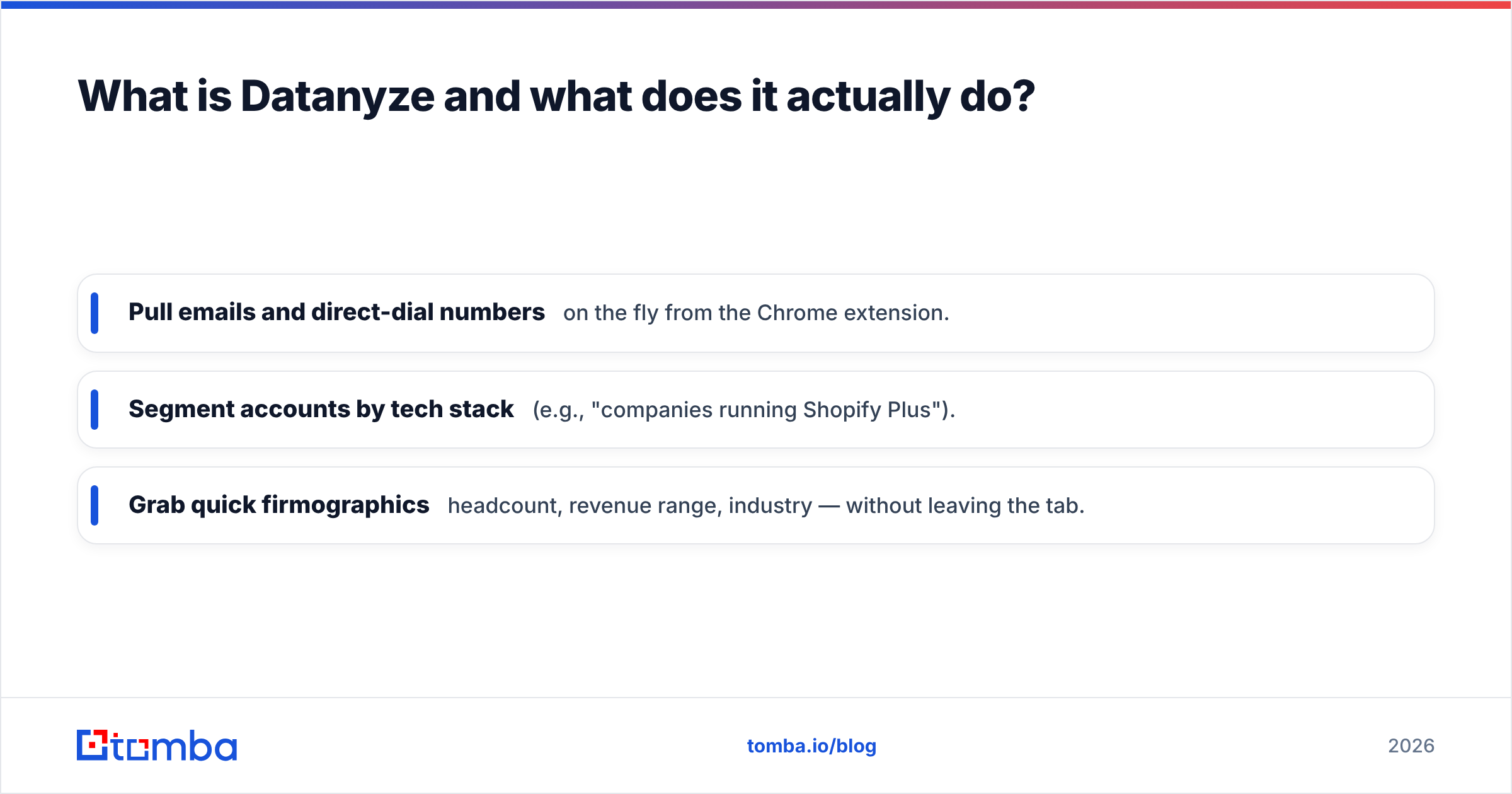
In practice, reps use Datanyze to:
- Pull emails and direct-dial numbers on the fly from the Chrome extension.
- Segment accounts by tech stack (e.g., "companies running Shopify Plus").
- Grab quick firmographics — headcount, revenue range, industry — without leaving the tab.
The trade-off is depth. Datanyze's contact coverage is solid for mid-market North American accounts but thins out internationally, and the technographics that were its differentiator matter more to some GTM motions than others. You can read verified user reactions on G2 before committing, and the feature list on the official Datanyze site if you want the vendor's framing.

What is Verifyemailio and what does it actually do?#
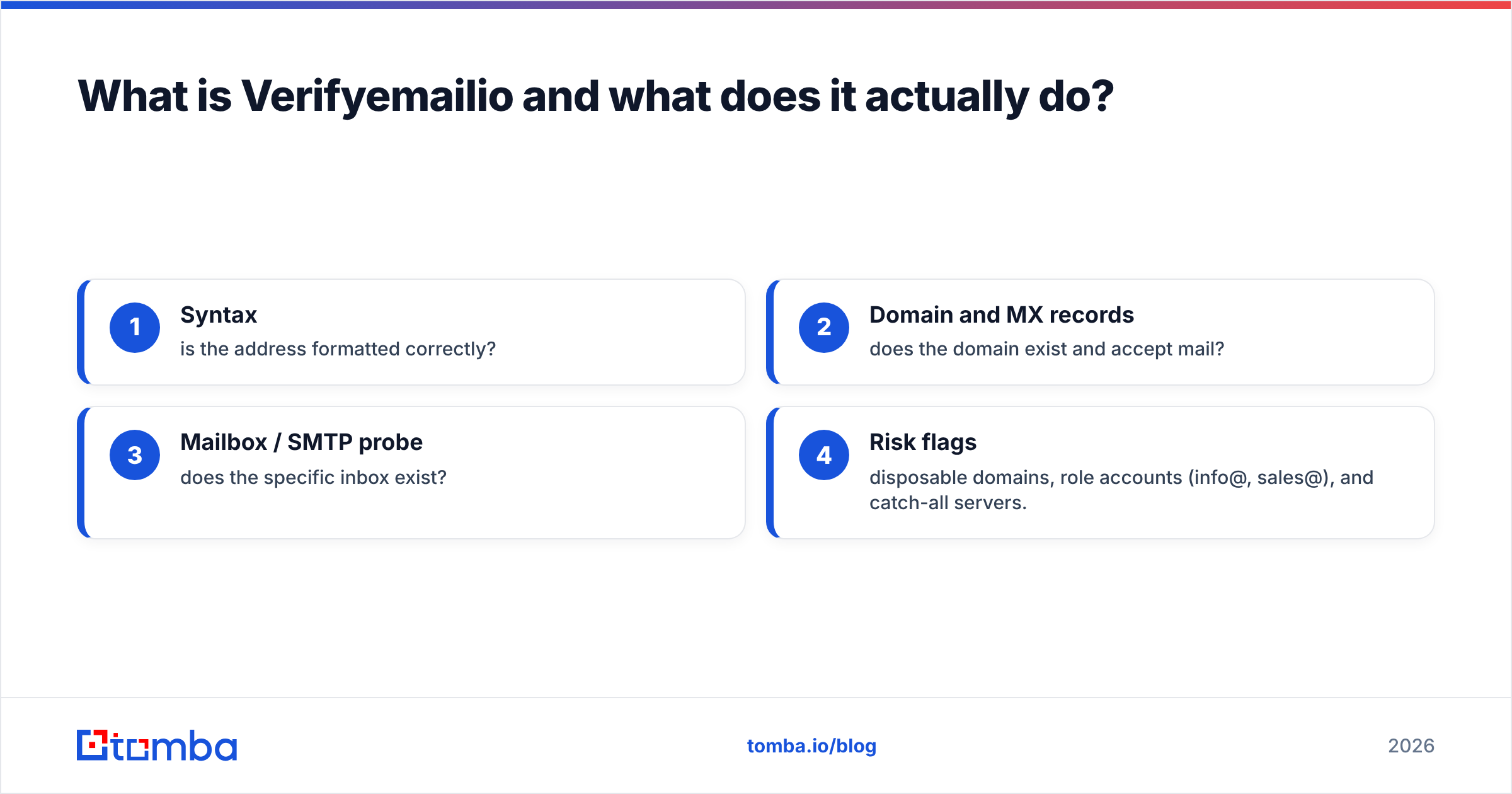
Verifyemailio is an email-verification service. It does not find contacts — it takes addresses you already have and tells you whether they're safe to send to. A typical verifier runs a chain of checks:
- Syntax — is the address formatted correctly?
- Domain and MX records — does the domain exist and accept mail?
- Mailbox / SMTP probe — does the specific inbox exist?
- Risk flags — disposable domains, role accounts (info@, sales@), and catch-all servers.
That last category matters. Catch-all domains accept mail for any address, so a standard verifier can't confirm a specific mailbox is real — it can only say "the server accepts everything." Handling those well takes a dedicated catch-all verifier, and it's the single biggest reason verification "accuracy" numbers vary between vendors.
Used correctly, a verifier protects your sender reputation by keeping hard bounces low. Used as a prospecting tool, it does nothing — there's no list to clean until something else built it.
Datanyze vs Verifyemailio: how do they compare directly?#
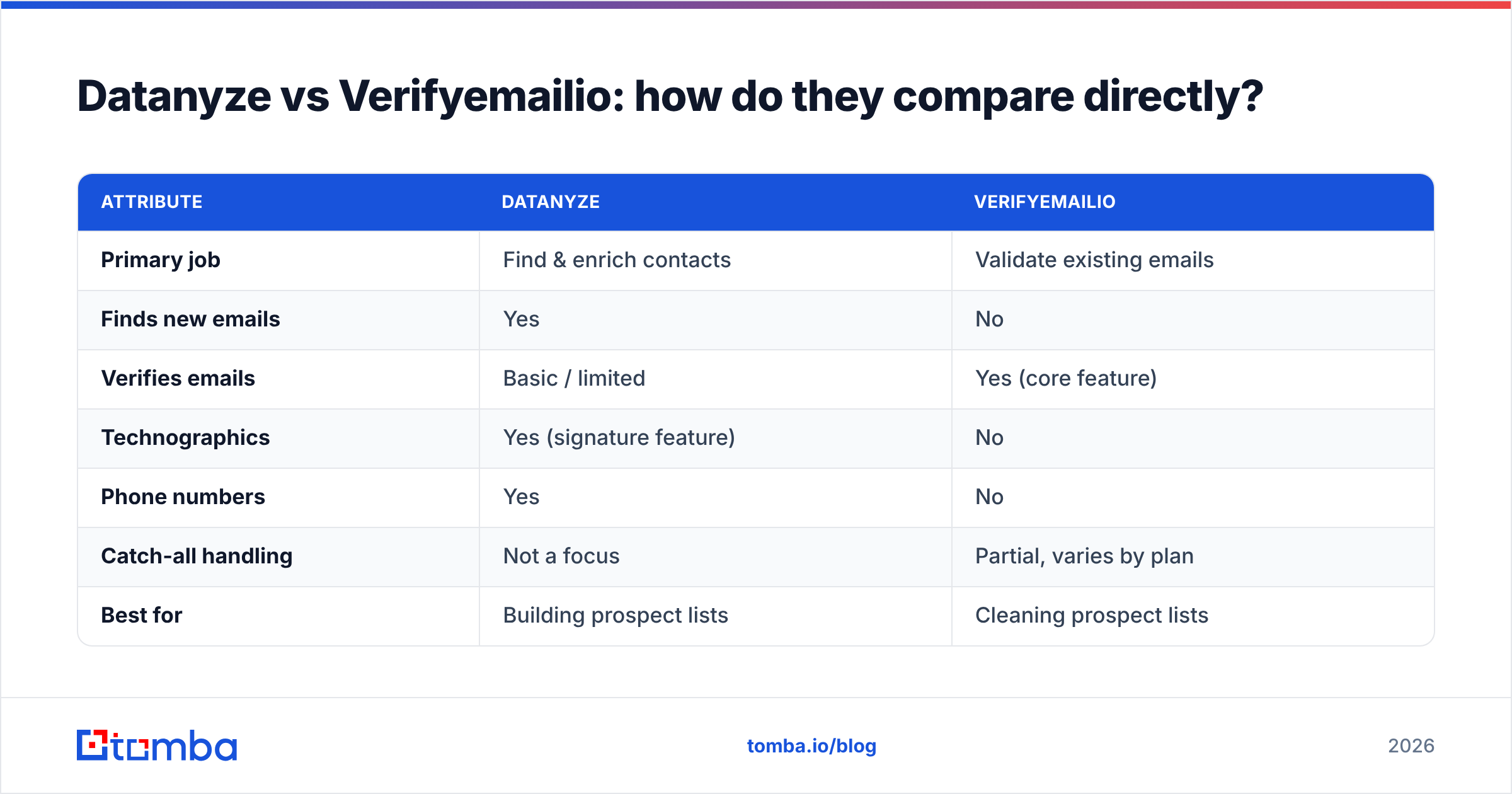
Here's the core distinction in one view. Note that several rows simply don't apply to one tool or the other, which is the whole point.
| Attribute | Datanyze | Verifyemailio |
|---|---|---|
| Primary job | Find & enrich contacts | Validate existing emails |
| Finds new emails | Yes | No |
| Verifies emails | Basic / limited | Yes (core feature) |
| Technographics | Yes (signature feature) | No |
| Phone numbers | Yes | No |
| Catch-all handling | Not a focus | Partial, varies by plan |
| Best for | Building prospect lists | Cleaning prospect lists |
| Chrome extension | Yes | Typically API/upload only |
| Ideal user | AEs / SDRs prospecting live | Ops / email marketers pre-send |
The takeaway: these are complementary, not competing. A realistic workflow is find with a discovery tool → verify before you send → sequence. Choosing "Datanyze or Verifyemailio" is really choosing which stage of that workflow you're missing.
Which one should you choose for your workflow?#
Match the tool to the gap in your process:
- You have no list yet and need to build one. You need a finder. Verifyemailio has nothing to clean. Datanyze fits — or a dedicated finder with domain search for building whole account maps at once.
- You have a list but it's bouncing. You need a verifier. Datanyze won't fix an old CSV efficiently. This is Verifyemailio's lane.
- You need both, repeatedly, at scale. Running two subscriptions gets expensive and clunky fast — you export from one, import to the other, reconcile formats, and pay two bills. A combined platform removes that tax.

That third scenario is where most growing teams land, and it's why the "point tool" approach quietly erodes. Every handoff between a finder and a separate verifier is a place for data to get stale, duplicated, or dropped.
How does a combined finder-plus-verifier compare on price?#
This is where the two-tool math stops making sense for a lot of teams. When you pay separately for discovery and validation, you're buying two credit systems, two dashboards, and two learning curves. A unified platform folds both into one plan.
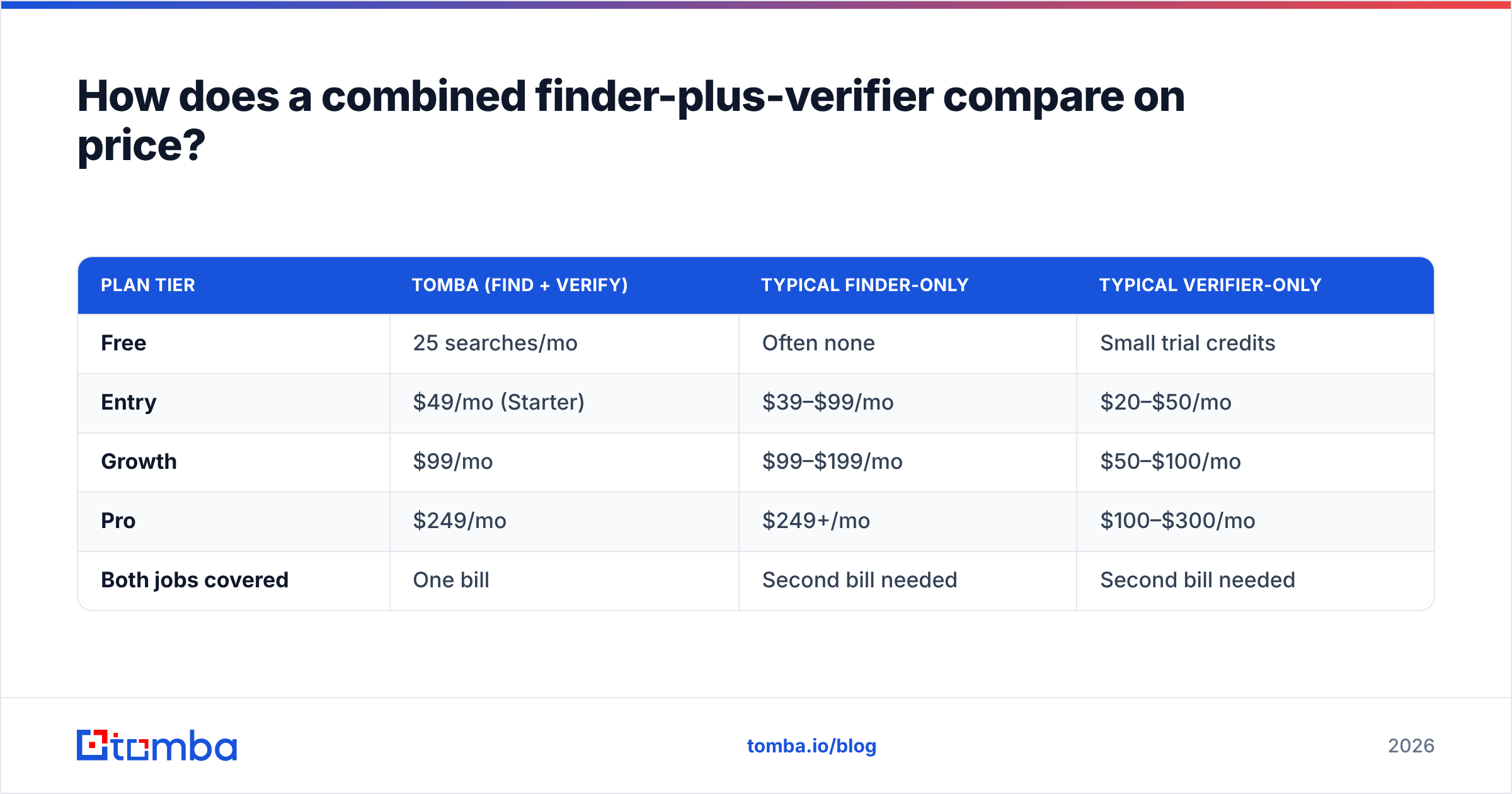
Here's how Tomba's structure looks against a typical split-stack budget. (Tomba's real pricing is below; competitor figures are illustrative ranges since public verifier and data-tool pricing shifts often — check current vendor pages before you buy.)
| Plan tier | Tomba (find + verify) | Typical finder-only | Typical verifier-only |
|---|---|---|---|
| Free | 25 searches/mo | Often none | Small trial credits |
| Entry | $49/mo (Starter) | $39–$99/mo | $20–$50/mo |
| Growth | $99/mo | $99–$199/mo | $50–$100/mo |
| Pro | $249/mo | $249+/mo | $100–$300/mo |
| Both jobs covered | One bill | Second bill needed | Second bill needed |
Two things stand out. First, a combined plan replaces two separate line items with one. Second, the free tier lets you test discovery and validation before paying — you can compare quality on your own domains. Full details are on the Tomba pricing page.
To be fair to the point tools: if you truly only need one job — say, you're an email marketer scrubbing a house list and never prospect — a single dedicated verifier can be the cheaper, simpler choice. Match the spend to the actual job.
What about data accuracy and bounce rates?#
Accuracy is the number everyone quotes and few define. Two things drive it:
- Coverage — does the tool have the contact at all? A finder with a thin database returns "not found" a lot, which looks like accuracy but is really absence.
- Freshness — B2B data decays roughly 2–3% per month as people change jobs. Even a correct email goes stale.
For discovery tools like Datanyze, coverage skews toward mid-market North America. For verifiers like Verifyemailio, the accuracy question becomes: how well does it handle catch-all and greylisting? A verifier that marks every catch-all address "unknown" is honest but leaves you guessing; one that guesses "valid" inflates its stated accuracy while quietly raising your bounce risk.
The practical move is to verify at the moment of send, not just at import. Data that was valid when you found it three weeks ago may not be valid today. Tools that verify inline — or a bulk verify pass right before a campaign — catch that decay. If you want to understand where the underlying records come from, Tomba documents its data sources openly, which is worth checking for any vendor you evaluate. HubSpot's own data-quality guidance is a useful neutral primer on why clean CRM data compounds over time.
What are the real limitations to watch for?#
No tool in this category is magic. Set expectations honestly:
- Datanyze limitations: international coverage gaps, technographics that are only valuable for tech-stack-based targeting, and extension-driven workflows that don't scale to bulk list-building the way an API does.
- Verifyemailio limitations: it's verification-only, so it can't grow your pipeline; catch-all domains remain inherently uncertain; and SMTP probing can be rate-limited or blocked by cautious mail servers, producing "unknown" results.
- The two-tool tax: exporting, reformatting, and reconciling between a finder and a verifier eats real hours and introduces sync errors.
None of these are dealbreakers on their own. They're the reasons to be clear about which single job you're solving — or to consolidate if you're solving both.
Frequently asked questions#
Is Datanyze an email verifier? Not primarily. Datanyze focuses on finding and enriching contacts with technographics and firmographics. It includes basic validation, but it isn't a dedicated verification engine the way Verifyemailio is.
Can Verifyemailio find email addresses? No. Verifyemailio validates addresses you already have. To find new contacts you need a finder or a discovery tool.
Do I really need both a finder and a verifier? If you build lists from scratch and send cold email, yes — you find, then verify before sending. Many teams get both from one platform to avoid paying and syncing twice.
How much does an all-in-one option cost? Tomba starts free (25 searches/mo), with Starter at $49/mo and Growth at $99/mo, covering both finding and verification under one plan. See Tomba plans for specifics.
The bottom line#
Datanyze and Verifyemailio aren't rivals — they're two stages of the same pipeline. Datanyze builds and enriches; Verifyemailio cleans. If you only need one stage, pick the specialist for that job and move on. But if you're doing outbound seriously, you'll need both stages every week, and running two subscriptions is the expensive, brittle way to get there.
If you'd rather find verified professional emails and validate them in one place — without the export-import shuffle — start with the Tomba Email Finder. Search by name, domain, or company; verify inline before you send; and test the whole flow on the free tier before you spend a dollar. One bill, one dashboard, both jobs done.
Related guides#
Ready to find emails that actually work?
Join 150,000+ professionals who stopped guessing and started sending. Free credits on signup — no credit card required.
Get the Tomba newsletter
Practical outbound tactics and product updates — once every two weeks.
About the author