Dealroom vs SalesQL: Which B2B Data Tool Wins in 2026?
One maps entire startup markets. The other scrapes contacts off LinkedIn profiles. Here is an honest breakdown of Dealroom vs SalesQL — pricing, data coverage, accuracy, and which one belongs in your stack.
Most people searching Dealroom vs SalesQL are comparing two different jobs. One tool tells you which companies exist. The other tells you how to email a person who works there. Pick the wrong one and you pay for a year of the wrong data.
TL;DR — Dealroom vs SalesQL in 30 seconds#
- Dealroom is a market research platform, not a prospecting tool. It maps startups, funding rounds, and investors. Pricing is quote-based and built for large teams.
- SalesQL is a LinkedIn contact grabber. It runs in your browser, works profile by profile, and returns work emails, personal emails, and phone numbers. It is cheap and self-serve.
- They barely overlap. Dealroom answers "who should I target?" SalesQL answers "what is their email?" Buy just one and you solve half the job.
- Neither is a good bulk email source. Dealroom exports companies, not inboxes. SalesQL only sees what LinkedIn shows you.
- The cheapest full stack pairs a research layer with a finder that also verifies. A tool like Tomba Email Finder fills that second slot at $49/mo.
What is Dealroom?#
Dealroom.co is a company and market database. It tracks millions of startups, scale-ups, and investors.
Each record comes with funding history, headcount trends, valuations, and sector tags. VCs, corporate teams, and governments use it to answer big questions. Which fintech firms raised a Series A in the Nordics last quarter? Which sub-sectors are growing fastest? Who invested next to whom?
The product is built for research, not for outbound. You get a searchable list of companies with filters for stage, region, funding, and growth. You can export those lists at any time.
But the export is a sheet of companies. It is not a list of people with emails.
That gap matters more than any feature bullet. Dealroom's strength is company-level data. Contact data is thin on purpose. You often get a generic address, or a name with no working inbox behind it.
What is SalesQL?#
SalesQL is a Chrome extension for LinkedIn and Sales Navigator. Open a profile, click the button, and it returns what it can find.
That usually means a work email, a personal email, a phone number, and basic company context. It also runs on search pages and Sales Navigator lists. So you can pull dozens of contacts in one go. From there you push them to CSV, HubSpot, Pipedrive, or Zapier.
This is the classic SDR tool: fast, cheap, and handy. The catch is that you have to be on LinkedIn for it to do anything. There are no market maps and no funding data. It is a lookup layer bolted onto LinkedIn's own directory.
That is also its ceiling. Your data set is whatever LinkedIn shows the account you log in with. So seat limits, search caps, and LinkedIn's blocking rules all become part of your pipeline.
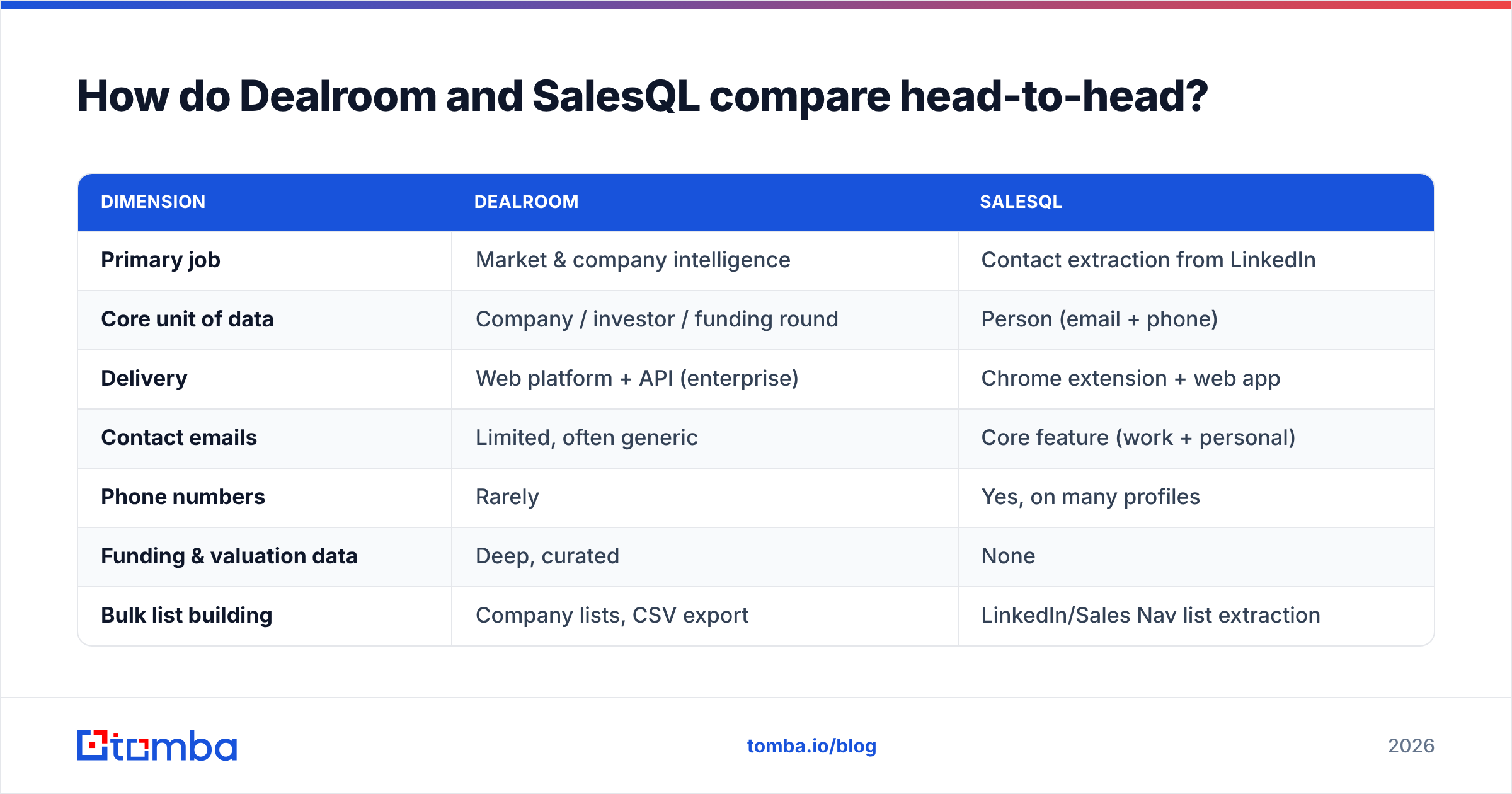
Dealroom vs SalesQL: the head-to-head table#
| Dimension | Dealroom | SalesQL |
|---|---|---|
| Primary job | Market & company intelligence | Contact extraction from LinkedIn |
| Core unit of data | Company / investor / funding round | Person (email + phone) |
| Delivery | Web platform + API (enterprise) | Chrome extension + web app |
| Contact emails | Limited, often generic | Core feature (work + personal) |
| Phone numbers | Rarely | Yes, on many profiles |
| Funding & valuation data | Deep, curated | None |
| Bulk list building | Company lists, CSV export | LinkedIn/Sales Nav list extraction |
| Verification built in | No | Basic validity signal only |
| Free tier | Limited public profiles | Yes, small monthly credit pool |
| Pricing model | Quote-based, annual | Self-serve monthly credits |
| Typical buyer | VC, corp dev, policy, strategy | SDR, recruiter, solo founder |
| CRM integrations | Enterprise-grade / API | HubSpot, Pipedrive, Zapier, CSV |
Read the table again and the answer writes itself. This is not a fair fight, because the two tools do not play the same sport. So the honest way to frame Dealroom vs SalesQL is simple. Which layer of your data stack are you fixing today?
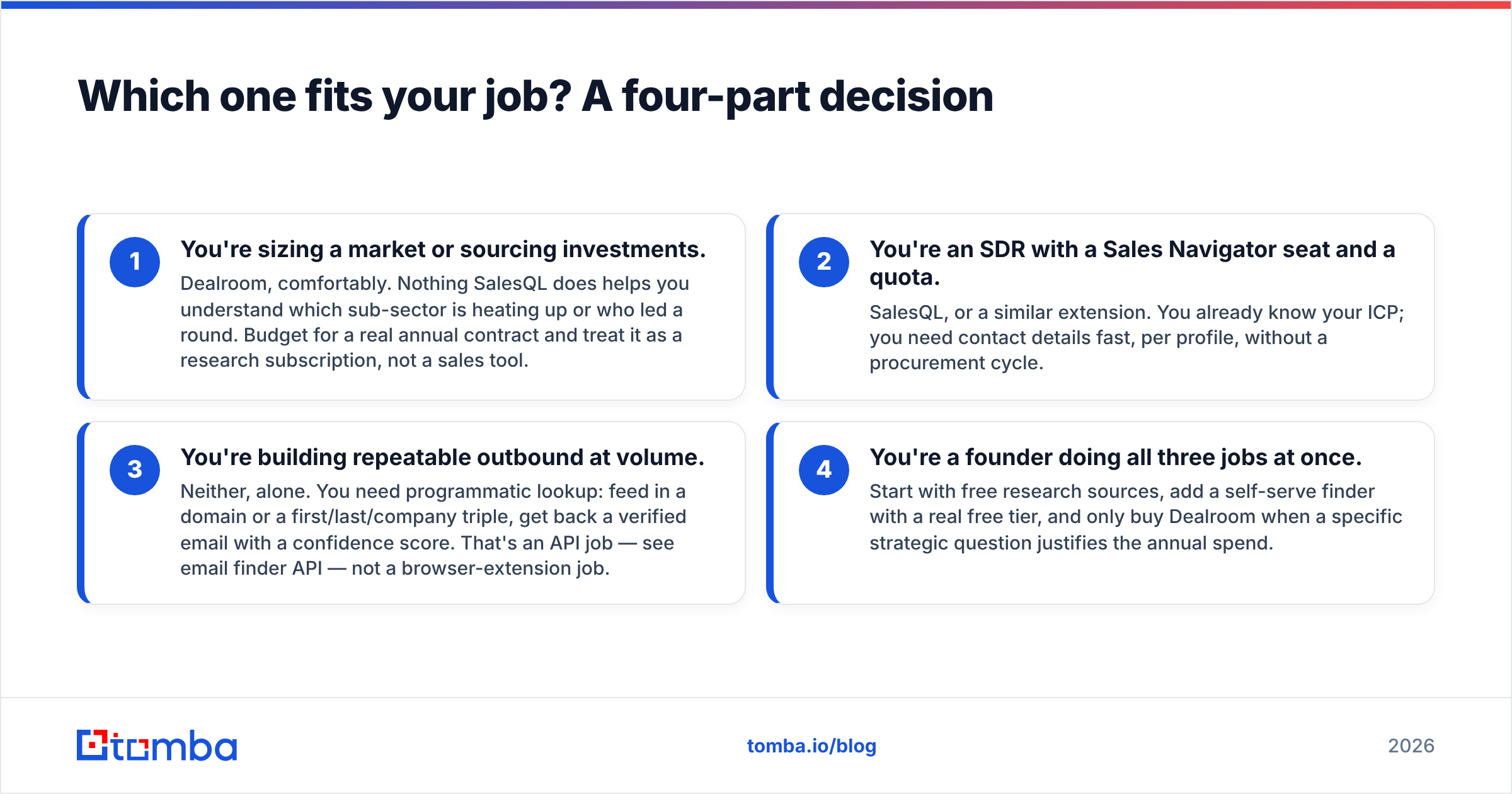
Which one fits your job?#
- You are sizing a market or sourcing deals. Pick Dealroom. Nothing SalesQL does tells you which sub-sector is heating up or who led a round. Budget for an annual contract and treat it as research, not sales.
- You are an SDR with a Sales Navigator seat and a quota. Pick SalesQL, or a similar extension. You already know your ICP. You need contact details fast, one profile at a time.
- You are building outbound at volume. Neither one works alone. You need a lookup you can call from code. Feed in a domain or a name, get back a verified email with a score. That is an email finder API job, not a browser job.
- You are a founder doing all three jobs. Start with free research sources. Add a self-serve finder with a real free tier. Buy Dealroom later, once a specific question justifies the spend.
How accurate is the contact data?#
Contact data is not Dealroom's product, so judging it there is unfair. Still, you should know what you get. Expect company URLs, LinkedIn pages, and sometimes a general info@ or contact@ address.
Personal emails for executives are not the promise. Export 500 Dealroom companies, hand them to an SDR, and that SDR still has a problem.
SalesQL's accuracy matters more, because finding emails is the product. Extension-based finders tend to do well on two things and poorly on a third:
- Strong: work emails at companies with a clear pattern, such as
first.last@. LinkedIn supplies the name and employer. The pattern does the rest. - Decent: personal Gmail or Outlook addresses pulled from old records. Useful for recruiting. Risky for B2B outreach in some countries.
- Weak: catch-all domains, fresh job changes, and odd naming rules. This is where "found an email" and "found a working email" split apart.
That last gap quietly ruins campaigns. A guessed address on a catch-all domain will pass a basic check, then bounce. If your tool cannot spot that, add a catch-all verifier before anything hits a sending inbox. Most teams learn this after their first reputation dip.
The rule is easy. Treat any single-source email as a guess, not a fact. Run it through an email verifier before it enters a sequence. Reviews on G2 show the same story for every finder in this space. Accuracy claims are averages, and your niche may sit far below the average.
Dealroom vs SalesQL pricing: what each one costs#
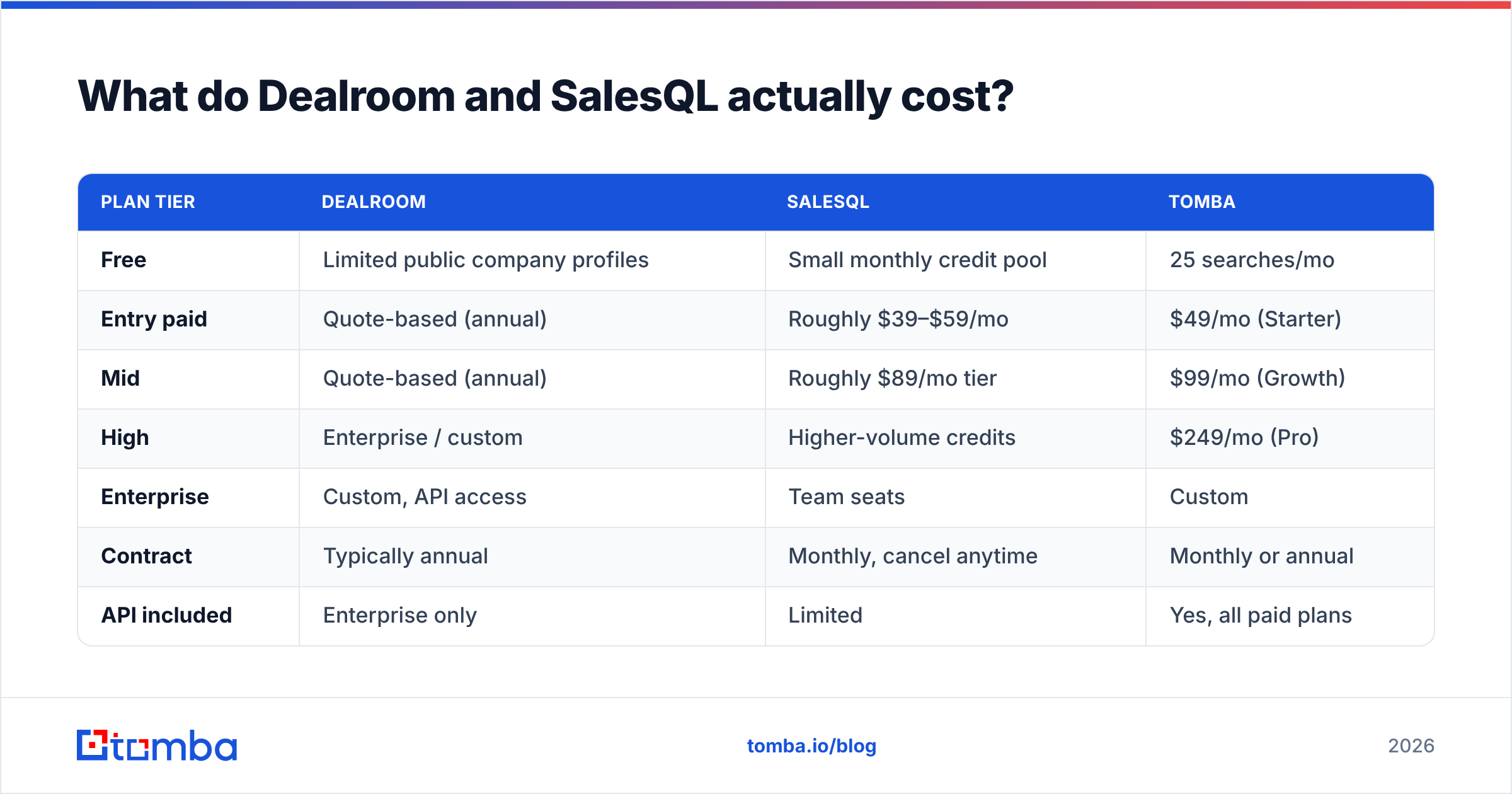
Prices move, so check each vendor's site before you buy. Here is the shape of it in early 2026:
| Plan tier | Dealroom | SalesQL | Tomba |
|---|---|---|---|
| Free | Limited public company profiles | Small monthly credit pool | 25 searches/mo |
| Entry paid | Quote-based (annual) | Roughly $39–$59/mo | $49/mo (Starter) |
| Mid | Quote-based (annual) | Roughly $89/mo tier | $99/mo (Growth) |
| High | Enterprise / custom | Higher-volume credits | $249/mo (Pro) |
| Enterprise | Custom, API access | Team seats | Custom |
| Contract | Typically annual | Monthly, cancel anytime | Monthly or annual |
| API included | Enterprise only | Limited | Yes, all paid plans |
Two things stand out. Dealroom is a budget-line buy. You talk to a rep, you sign for a year, and the case has to be strategic.
SalesQL is an expense-card buy. One rep can start today. So if you compare Dealroom vs SalesQL on price alone, you have already mixed up two kinds of purchase.
The third column is where it gets useful. Maybe your real need is to find and verify work emails at scale, from code. Then the benchmark is not an annual contract or a credit pack. It is whether one plan gives you an API, a bulk mode, and a verify step. Weigh Tomba pricing against extension credit math. Extensions charge per attempt, and misses still cost you.
Can you use Dealroom and SalesQL together?#
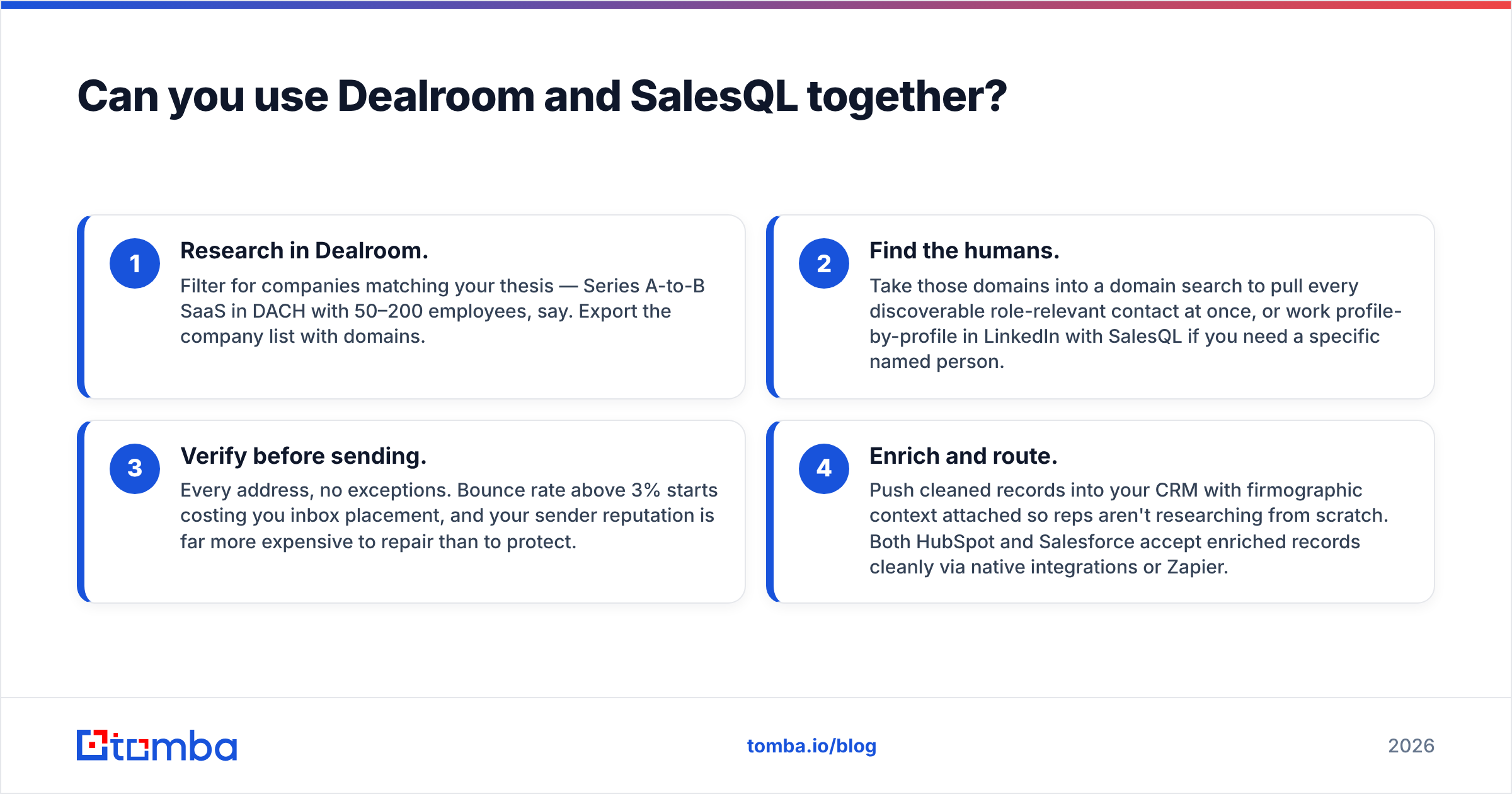
Yes. For some teams that is the right answer. The workflow looks like this:
- Research in Dealroom. Filter for companies that match your thesis. Say Series A to B SaaS in DACH with 50–200 staff. Export the list with domains.
- Find the humans. Run those domains through a domain search to pull every relevant contact at once. Or work profile by profile with SalesQL when you need one named person.
- Verify before sending. Check every address, with no exceptions. A bounce rate above 3% starts to hurt inbox placement. Your sender reputation costs far more to repair than to protect.
- Enrich and route. Push clean records into your CRM with company context attached. Reps then start with facts, not a blank tab. Both HubSpot and Salesforce take enriched records through native apps or Zapier.
Step 2 is where it jams. Working profile by profile in a browser does not scale past a few hundred contacts a month. One person becomes the bottleneck. That is the moment teams move from an extension to an API, and it arrives sooner than most expect.
The honest weaknesses of each tool#
Dealroom's weak points:
- Hidden pricing. No public tiers means no quick call, and small teams often cannot clear the entry price.
- Contact data is not the product. You will need a second tool.
- Coverage leans toward startups and venture. Sell to mid-market makers or local services, and the database says less.
- An annual deal on a research tool hurts if your thesis shifts in month three.
SalesQL's weak points:
- It depends on LinkedIn. If LinkedIn changes its rules or limits, your pipeline changes too. You do not control that risk.
- Credits burn on misses. Most extensions charge for attempts, not wins. Read the fine print.
- Verification is shallow. A validity flag is not a full catch-all test.
- It is manual by design. It boosts a rep. It is not infrastructure. Automating it breaks LinkedIn's terms, which is a bad trade.
- Personal emails raise GDPR questions in Europe. Know your legal footing first.
Is there a better option for the email layer?#
Maybe you came to this Dealroom vs SalesQL comparison for one reason. You need emails for people at companies you already picked. Then solve the research layer and the contact layer on their own, with the cheapest tool that does each job well.
For contacts, look for four things:
- A real API and bulk mode. The workflow should survive past 500 contacts a month without a human clicking profiles.
- Verification inside the same product, including catch-all handling. No second vendor, no extra CSV round trip.
- Clear sources. You should see where an address came from and how sure the system is. Check the vendor's data sources page first.
- A usable free tier. Test accuracy on your accounts, not a demo list. Run 25 known contacts through it and count the hits. That test beats every comparison article, this one included.
Extensions like SalesQL are great for the first ten contacts of the day. They are a poor base for the ten thousandth. Platforms like Dealroom are great at telling you where to aim. Neither one closes the gap between "this company matters" and "this message landed."
The verdict on Dealroom vs SalesQL#
Buy Dealroom if your question is strategic. Market maps, funding flows, investor networks, ecosystem work. It is a strong product for the buyers it targets, and no contact tool replaces it.
Buy SalesQL if your question is small and tactical. One rep on LinkedIn needs an email for the VP of Ops at one company, today, with no purchase process.
Buy neither as your outbound backbone. That backbone has to run from code, verify every hit, and charge for results rather than clicks.
If that layer is missing, start with the Tomba Email Finder. The free tier gives you 25 searches a month, so you can test it on accounts you already know. Starter is $49/mo with full API access. Verification and catch-all handling come in the same plan, not from a second vendor. Run your own list, count the hits, and let the numbers decide.
Related guides#
Ready to find emails that actually work?
Join 150,000+ professionals who stopped guessing and started sending. Free credits on signup — no credit card required.
Get the Tomba newsletter
Practical outbound tactics and product updates — once every two weeks.
About the author