DealSignal vs SalesBot: Which B2B Data Tool Wins in 2026?
DealSignal sells verified, on-demand B2B records. SalesBot sells AI outreach automation. They get compared constantly — and picking the wrong one costs you a quarter. Here's the honest breakdown.
DealSignal vs SalesBot is one of the most-searched B2B tool matchups of 2026. It is also one of the most confusing. The two products do not do the same job, so the winner depends on which gap you are filling.
TL;DR
DealSignal and SalesBot are not the same category. DealSignal is a B2B contact-data provider with human-plus-machine verification. SalesBot is an AI SDR / outreach automation layer. A head-to-head only makes sense when you are deciding where the next budget dollar goes.
Pick DealSignal if your CRM is decaying and your bounce rate is embarrassing. You need enriched, verified records at account scale. Expect annual enterprise pricing, not a $49 credit card charge.
Pick SalesBot if your data is already decent and your bottleneck is volume of personalized touches. It writes, sequences, and replies, so a small team acts like a big one.
Skip both if you just need accurate emails on demand for a few hundred prospects a month. That is a per-lookup problem. A focused email finder solves it for a fraction of the cost.
The real 2026 call: buy data quality first, automation second. Automation on top of bad data just multiplies the damage.
What are DealSignal and SalesBot, actually?#
They solve different halves of the same pipeline problem. That is why buyers keep putting them in the same evaluation doc.
DealSignal (dealsignal.com) is a B2B data platform. You define an ideal customer profile — industry, headcount, tech stack, title, geography. It then returns contact and account records verified at or near the moment of delivery, not pulled from a static warehouse. Its pitch is accuracy: fresh verification, human QA on hard records, and enrichment of your existing CRM rows. It plugs into Salesforce, HubSpot, Marketo, and Outreach.
SalesBot is an AI outreach agent. It ingests a list, researches each prospect, and drafts personalized messages. It runs multichannel sequences (email plus LinkedIn), handles replies, and books meetings. Its pitch is leverage: one rep supervising an agent instead of writing 60 emails a day.
So the honest framing is: DealSignal fills the top of your list. SalesBot works the list. If you buy one expecting the other, you will be unhappy in about three weeks.
DealSignal vs SalesBot: how do they compare feature by feature?#
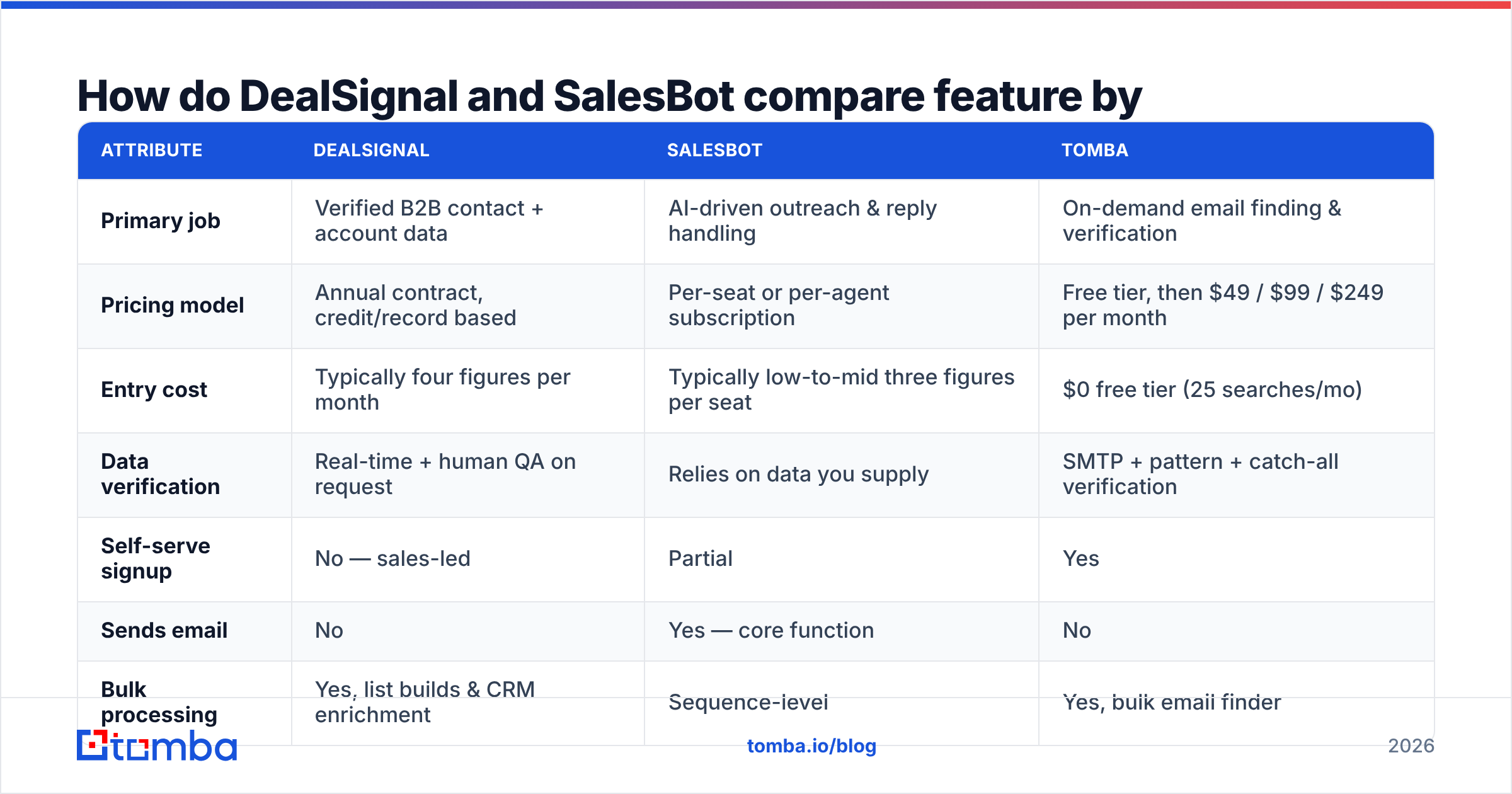
Here is the side-by-side, with a lean email-finder option included as a reference point. For many teams that third column is the actual answer.
| Attribute | DealSignal | SalesBot | Tomba |
|---|---|---|---|
| Primary job | Verified B2B contact + account data | AI-driven outreach & reply handling | On-demand email finding & verification |
| Pricing model | Annual contract, credit/record based | Per-seat or per-agent subscription | Free tier, then $49 / $99 / $249 per month |
| Entry cost | Typically four figures per month | Typically low-to-mid three figures per seat | $0 free tier (25 searches/mo) |
| Data verification | Real-time + human QA on request | Relies on data you supply | SMTP + pattern + catch-all verification |
| Self-serve signup | No — sales-led | Partial | Yes |
| Sends email | No | Yes — core function | No |
| Bulk processing | Yes, list builds & CRM enrichment | Sequence-level | Yes, bulk email finder |
| API access | Yes | Yes | Yes — Tomba API, CLI, MCP |
| Best for | RevOps cleaning a 200k-row database | 2–10 rep team scaling touches | SDRs, founders, agencies needing accurate emails now |
| Worst for | A founder finding 40 emails this week | Teams with dirty or thin lists | Teams wanting a full AI SDR |
Two things jump out of that table.
First, the pricing floors are in different universes. DealSignal is a procurement conversation. SalesBot is a seat conversation. A self-serve email finder is a credit-card conversation. Your budget shape often decides this before features do.
Second, neither tool removes the other's need. DealSignal does not send. SalesBot does not source verified records. Teams that buy both are assembling a two-vendor stack, and should price it that way from the start.
Is DealSignal's data actually more accurate?#
Probably yes versus a static database. That is the whole reason it costs what it costs.
Most B2B data vendors sell you a snapshot. A record was true when it was scraped. B2B contact data then decays 25–30% a year as people change jobs, companies rebrand, and mail servers get reconfigured. DealSignal verifies closer to delivery time, which cuts that decay window.
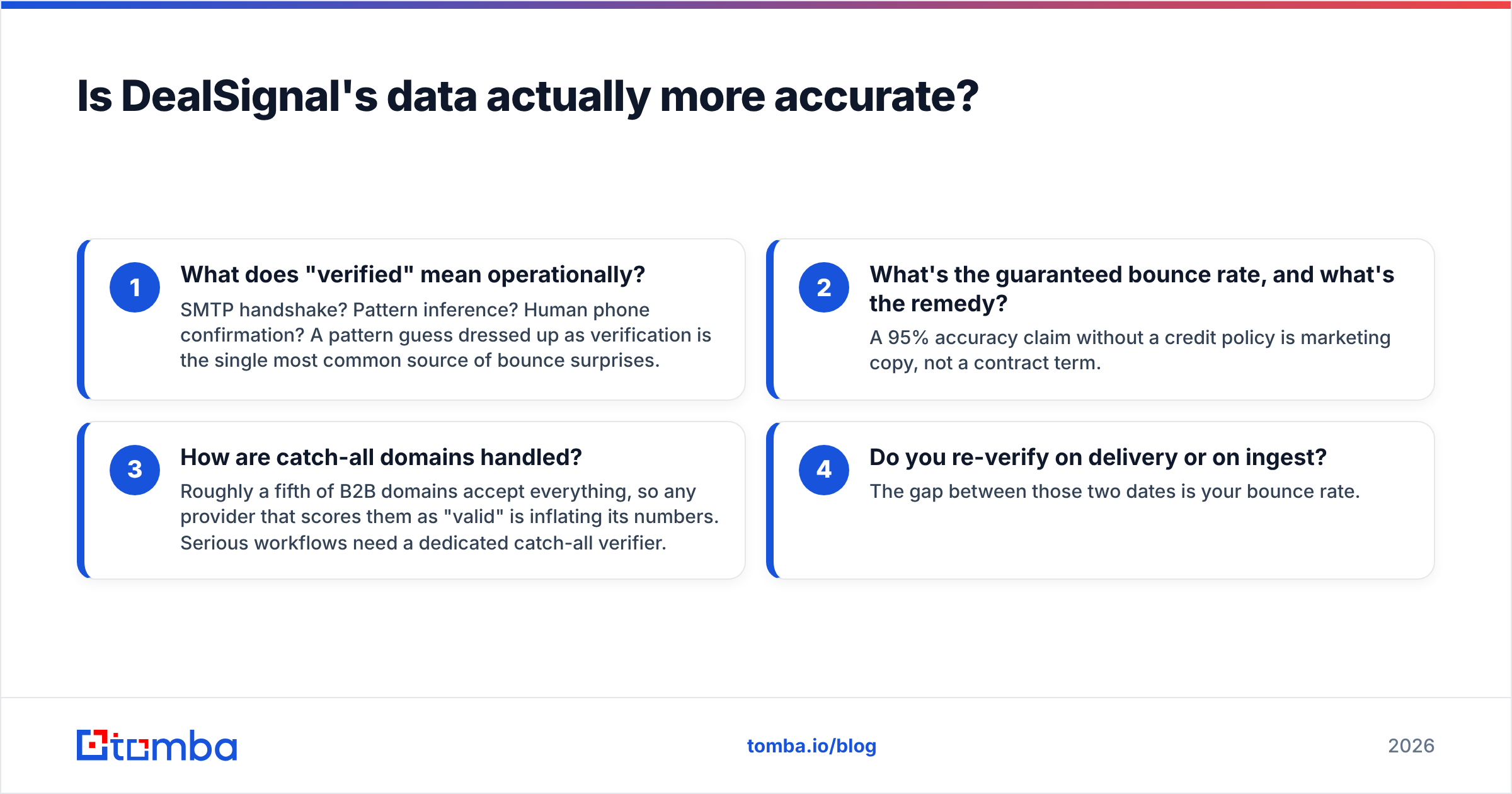
But "verified" is a word vendors define generously. Ask any provider — DealSignal, SalesBot's bundled data, or anyone else — these four questions before signing:
- What does "verified" mean operationally? SMTP handshake? Pattern inference? Human phone confirmation? A pattern guess dressed up as verification is the most common source of bounce surprises.
- What is the guaranteed bounce rate, and what is the remedy? A 95% accuracy claim without a credit policy is marketing copy, not a contract term.
- How are catch-all domains handled? Roughly a fifth of B2B domains accept everything. Any provider that scores them as "valid" is inflating its numbers. Serious workflows need a dedicated catch-all verifier.
- Do you re-verify on delivery or on ingest? The gap between those two dates is your bounce rate.
If a vendor answers all four crisply, their accuracy claim probably survives contact with reality. If they dodge the catch-all question, budget for a separate email verifier no matter what you buy.

Is SalesBot worth it if your data is mediocre?#
No. This is the most expensive mistake in the comparison.
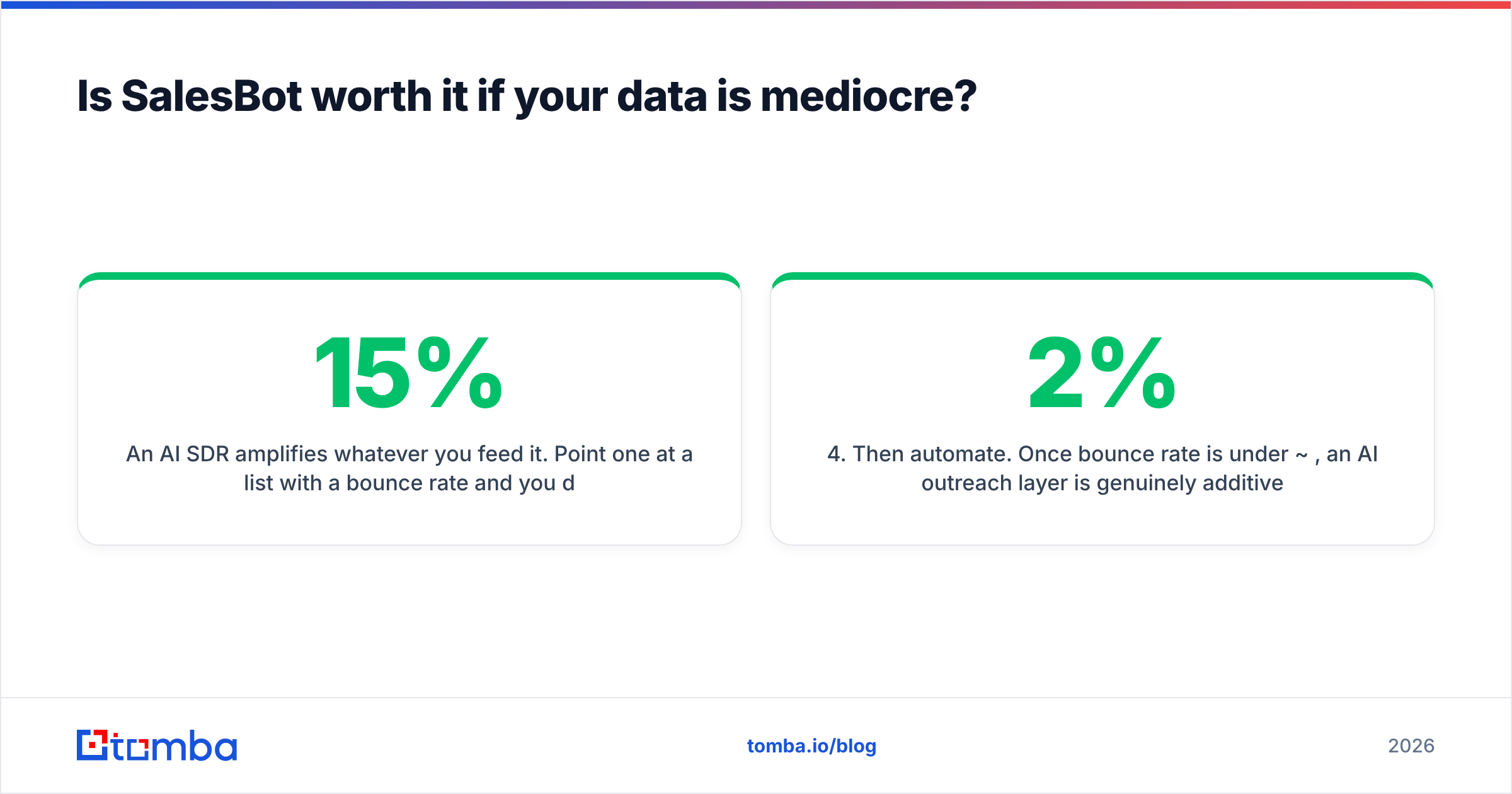
An AI SDR amplifies whatever you feed it. Point one at a list with a 15% bounce rate and you do not get 15% fewer meetings. You get a damaged sending domain. Mailbox providers read hard bounces as a spam signal. Once your sender reputation drops, even clean sends land in Promotions or worse. Google and Yahoo's bulk-sender rules made it official: list hygiene is now a deliverability gate, not a nice-to-have. (Google's sender guidelines spell out the thresholds.)
Sequence this way instead:
- Fix the source. Get emails from a provider that verifies at lookup time, not from a list you bought in 2024.
- Verify before load. Run every address through verification right before it enters the sequencer, not weeks earlier.
- Segment catch-alls. Send to them separately at lower volume, so an unknown-status bucket cannot poison your main domain.
- Then automate. Once bounce rate is under ~2%, an AI outreach layer is genuinely additive.
- Re-verify quarterly. Records decay whether or not you are looking at them.
Teams that follow that order get value from SalesBot. Teams that skip to step 4 blame the AI for what the list did.
What does each one actually cost in 2026?#
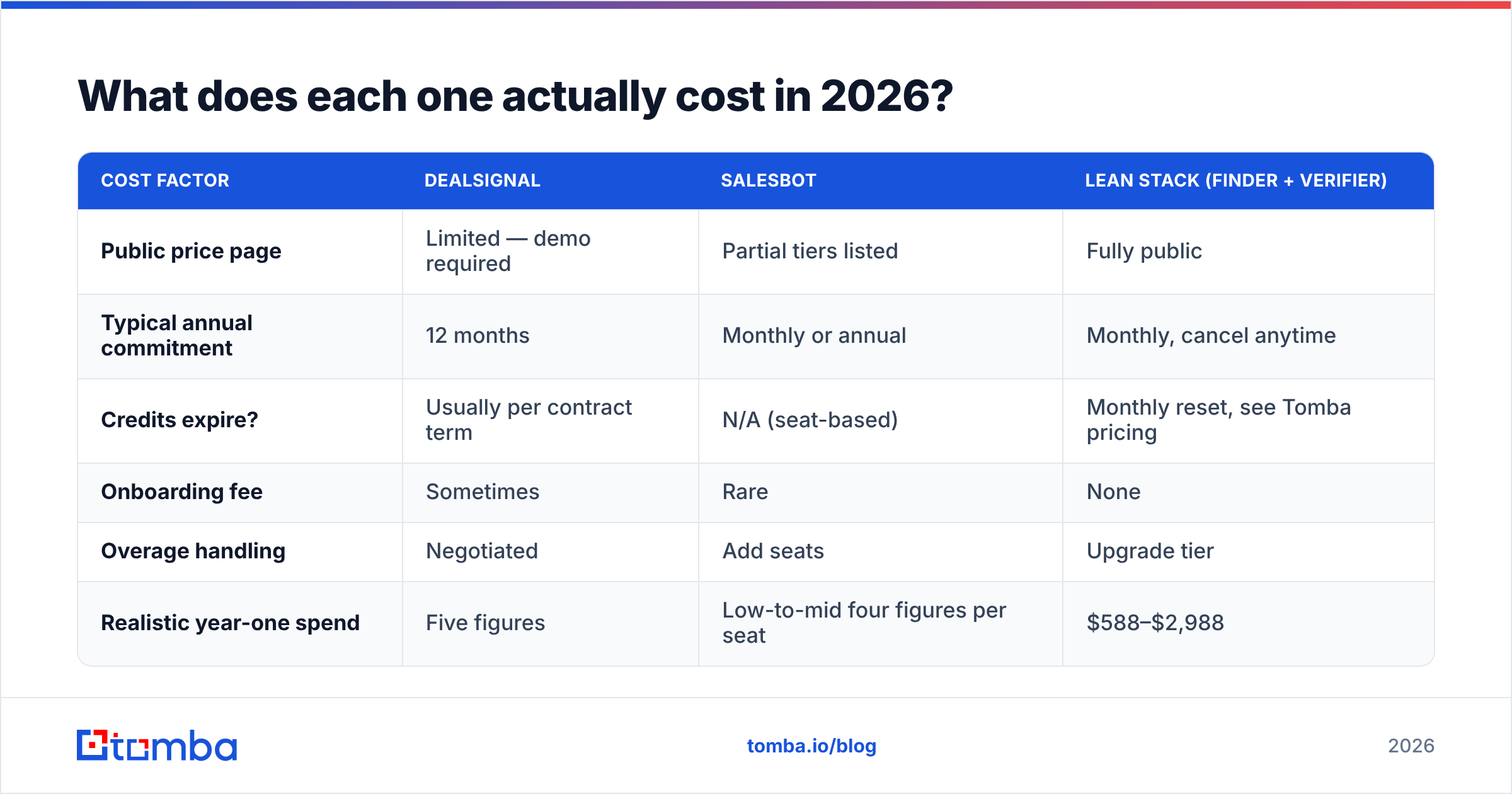
Published pricing is thin for both, which itself tells you something about the sales motion.
| Cost factor | DealSignal | SalesBot | Lean stack (finder + verifier) |
|---|---|---|---|
| Public price page | Limited — demo required | Partial tiers listed | Fully public |
| Typical annual commitment | 12 months | Monthly or annual | Monthly, cancel anytime |
| Credits expire? | Usually per contract term | N/A (seat-based) | Monthly reset, see Tomba pricing |
| Onboarding fee | Sometimes | Rare | None |
| Overage handling | Negotiated | Add seats | Upgrade tier |
| Realistic year-one spend | Five figures | Low-to-mid four figures per seat | $588–$2,988 |
Run the math against your actual volume. Enriching 150,000 CRM records? A per-record enterprise deal is defensible, and a self-serve tool is not built for that shape. Finding 2,000 contacts a month for a focused outbound motion? An enterprise data contract is wildly overpriced for what you will use, and the unused credits do not roll over.
One more variable people forget: procurement time. Sales-led vendors take weeks between demo, security review, and signature. If your quarter starts Monday, that timeline is part of the cost.
Which should you choose for your team size?#
Solo founder / first sales hire. Neither. You need to find email addresses on demand plus a verifier, not a platform. Start free and upgrade when volume justifies it.
2–10 rep SMB team. Data first. Get accurate, verified contacts flowing. Then add outreach automation once your bounce rate is stable and your messaging converts manually. SalesBot-style tooling pays off here, after step one.
Mid-market RevOps, 50k+ CRM records. DealSignal's enrichment and dedupe motion earns its price. Pair it with an API-based contact enrichment fallback for records it cannot resolve. No single provider hits 100% coverage.
Enterprise with an existing data warehouse. You are buying coverage in specific segments, not a whole platform. Benchmark two or three vendors on a real 1,000-record sample from your own ICP, never on the vendor's demo list.
Agency running multiple clients. Per-seat AI SDR pricing scales badly across accounts. Credit-based finding plus your own sequencer usually wins on unit economics.
If you want peer signal rather than vendor decks, filter reviews by company size on G2. The enterprise reviews and the SMB reviews tend to say opposite things, and that split is the real finding.
What about other tools in this bracket?#
The DealSignal vs SalesBot frame is narrower than most buyers realize. Adjacent options are worth a look, depending on your gap:
- Coverage-first databases — good if your problem is finding accounts at all, weaker on per-record freshness. BookYourData is a solid pick here, with a pay-as-you-go model that avoids the annual-contract trap and a bounce guarantee that is actually written down.
- Sequencer-first platforms — if you already have data and want sending plus deliverability tooling in one place, look at an Instantly alternative comparison rather than an AI-SDR product.
- All-in-one prospecting suites — broad but shallow; see how an Apollo alternative stacks up if you want database plus sequencing under one bill.
- Focused finder + verifier stacks — cheapest per accurate contact, most assembly required.
There is no universally correct answer. There is a correct order of operations: prove data quality on a sample, then decide how much automation to bolt on.
How do you run a fair 30-minute bake-off?#
Vendors will happily run the test for you. Do not let them.
- Build a 100-row control set from your own closed-won accounts — companies you know, contacts you can confirm.
- Strip the emails and hand the same 100 rows to each tool.
- Measure three numbers: match rate (how many returned anything), accuracy (how many matched the known-true address), and bounce rate on a small test send.
- Weight accuracy over match rate. A tool returning 90 guesses with 60 correct is worse than one returning 65 with 62 correct. The first one burns your domain.
- Time the workflow. Count clicks and minutes from "I have a company name" to "the address is in my sequencer." Friction compounds daily.
- Test the API, not just the UI. Whatever you buy, you will eventually automate against it.
That test takes an afternoon and beats every comparison article, including this one, because it runs on your ICP instead of someone else's.
The bottom line#
DealSignal vs SalesBot has no single winner. Both work, for different problems at different budgets. DealSignal is the right call when data decay is your bottleneck and you have procurement patience plus a five-figure line item. SalesBot is the right call when your list is already clean and your bottleneck is human hours spent writing and following up.
If neither describes you, start narrower and cheaper. Maybe you just need verified email addresses for real people at real companies, today, without a demo call. Tomba Email Finder returns professional addresses by domain, name, or company, and verifies them before they hit your sequencer. It runs on a free tier of 25 searches a month, with Starter at $49/mo and Growth at $99/mo when you scale. Test it against your own control list this week, keep whatever wins, and spend the savings on the part of the stack that is genuinely your constraint.
Related guides#
Ready to find emails that actually work?
Join 150,000+ professionals who stopped guessing and started sending. Free credits on signup — no credit card required.
Get the Tomba newsletter
Practical outbound tactics and product updates — once every two weeks.
About the author