Debounce vs Zintlr 2026: Verification vs Prospecting Data
Debounce cleans lists. Zintlr builds them. They solve opposite halves of the same outbound problem — here's how the two compare on data, pricing, accuracy and workflow fit in 2026.
TL;DR#
- Debounce and Zintlr are not competitors. Debounce is a bulk email verification service. Zintlr is a B2B prospecting database with contact discovery and personality-insight features. Comparing them head-to-head only makes sense if you're deciding which problem to solve first.
- Pick Debounce if you already have a list — scraped, exported from a CRM, or inherited from a previous rep — and your bounce rate is hurting you.
- Pick Zintlr if you have no list at all and need to build target accounts and contacts from scratch.
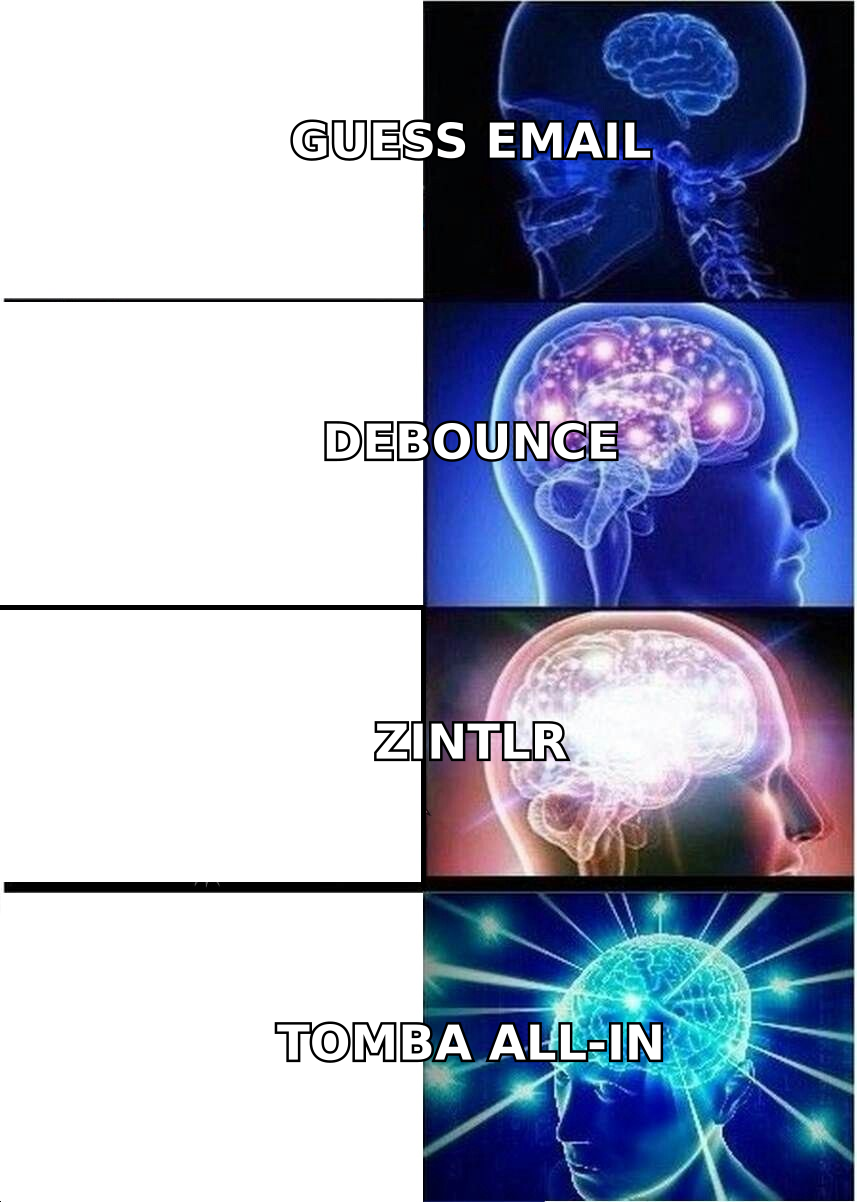
- Most teams need both functions, which is why single-vendor stacks (find + verify + enrich in one credit pool) usually beat stitching two point tools together.
- Cost reality: verification is cheap ($3–$10 per 1,000 records territory); prospecting data is not. Budget accordingly before you commit to an annual plan on either side.
What are Debounce and Zintlr, exactly?#
Start here, because the naming confuses people who land on a "Debounce vs Zintlr" search.
Debounce is an email list cleaning tool. You upload a CSV of addresses you already possess, and it runs syntax checks, MX record lookups, disposable-domain detection, role-account flagging, and SMTP-level mailbox probes. It returns each address with a status — deliverable, undeliverable, risky, unknown — so you can suppress the junk before it reaches your sending platform. It does not tell you who to email. It has no company database, no job-title filters, no intent signals.
Zintlr sits on the other end of the funnel. It's a B2B sales intelligence platform: a searchable contact and company database with filters for industry, headcount, location, and role, plus a personality-profiling layer that tries to infer how a prospect prefers to be communicated with. You use Zintlr to generate a list. Verification exists inside it, but as a supporting feature rather than the core engineering focus.
So the honest framing: Debounce answers "are these addresses real?" Zintlr answers "who should I be emailing?" If you compare them on a single spec sheet without acknowledging that, you'll pick the wrong tool.

Is Debounce vs Zintlr even a fair comparison?#
Only in one scenario: you have a fixed budget and one open slot in your stack, and you need to decide which gap costs you more.
Run this diagnostic before spending anything.
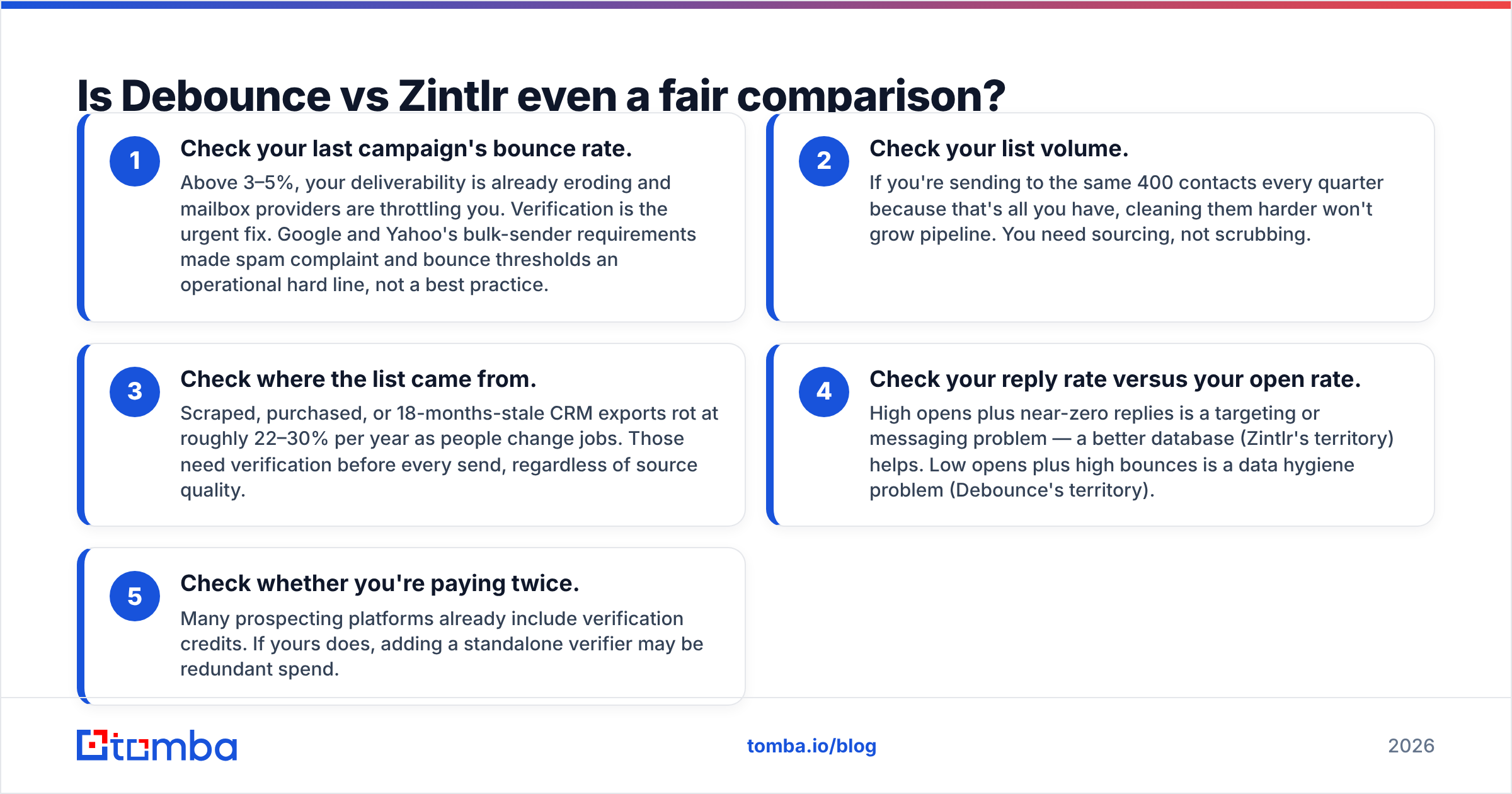
- Check your last campaign's bounce rate. Above 3–5%, your deliverability is already eroding and mailbox providers are throttling you. Verification is the urgent fix. Google and Yahoo's bulk-sender requirements made spam complaint and bounce thresholds an operational hard line, not a best practice.
- Check your list volume. If you're sending to the same 400 contacts every quarter because that's all you have, cleaning them harder won't grow pipeline. You need sourcing, not scrubbing.
- Check where the list came from. Scraped, purchased, or 18-months-stale CRM exports rot at roughly 22–30% per year as people change jobs. Those need verification before every send, regardless of source quality.
- Check your reply rate versus your open rate. High opens plus near-zero replies is a targeting or messaging problem — a better database (Zintlr's territory) helps. Low opens plus high bounces is a data hygiene problem (Debounce's territory).
- Check whether you're paying twice. Many prospecting platforms already include verification credits. If yours does, adding a standalone verifier may be redundant spend.
Most teams that search "Debounce vs Zintlr" are actually asking a third question: is there one tool that does both without paying two subscriptions? We'll get to that.
How do Debounce and Zintlr compare on features?#
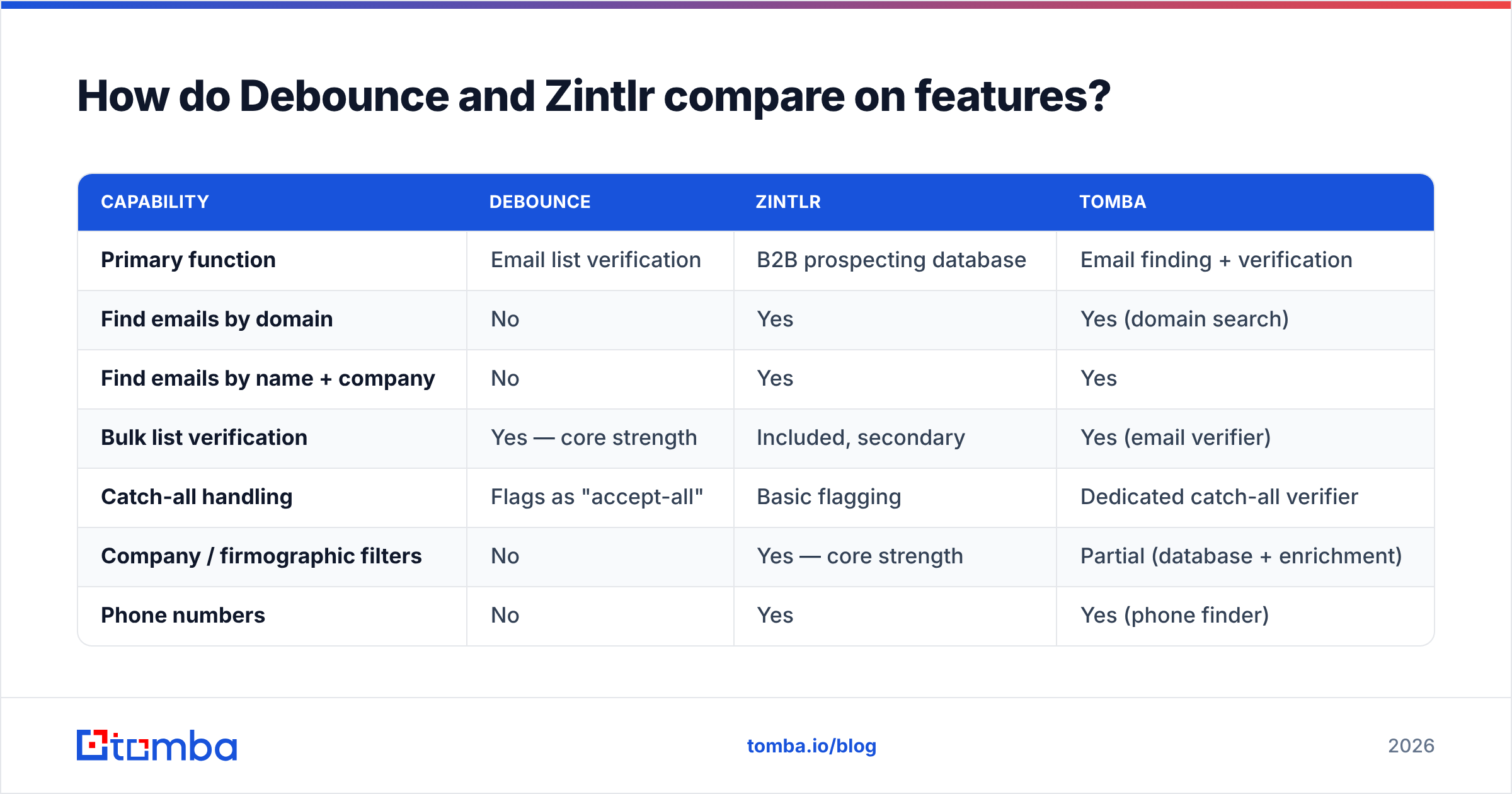
Here's the capability split, with a single-vendor option in the third column for reference.
| Capability | Debounce | Zintlr | Tomba |
|---|---|---|---|
| Primary function | Email list verification | B2B prospecting database | Email finding + verification |
| Find emails by domain | No | Yes | Yes (domain search) |
| Find emails by name + company | No | Yes | Yes |
| Bulk list verification | Yes — core strength | Included, secondary | Yes (email verifier) |
| Catch-all handling | Flags as "accept-all" | Basic flagging | Dedicated catch-all verifier |
| Company / firmographic filters | No | Yes — core strength | Partial (database + enrichment) |
| Phone numbers | No | Yes | Yes (phone finder) |
| Personality / behavioral insight | No | Yes — differentiator | No |
| Chrome extension | No | Yes | Yes |
| Public API | Yes | Yes | Yes (Tomba API) |
| Free tier | 100 verifications | Limited trial credits | 25 searches/month |
| Best for | Cleaning inherited lists | Building lists from zero | Both, in one credit pool |
Two things jump out of that grid.
First, the overlap between Debounce and Zintlr is a single row. That's it. You are not choosing between two versions of the same product — you're choosing which half of the workflow to buy.
Second, Zintlr's personality-insight layer is a genuine differentiator, but it's also the feature hardest to validate. Inferred communication styles are directional signals, not facts. Treat them like a conversation starter hypothesis, not a segmentation axis you'd bet a quarter's pipeline on. If you want independent user commentary before committing, G2's category listings are a reasonable sanity check on both vendors.
How accurate is each tool, really?#
Accuracy means different things on each side of this comparison, and vendors exploit the ambiguity.
For a verifier like Debounce, accuracy means: when it says "deliverable," does the message actually land? Good verifiers hit the mid-to-high 90s on standard domains. Where every verifier degrades is catch-all domains — servers configured to accept mail for any address at that domain, which makes SMTP probing useless. Roughly one in five B2B domains is catch-all. Any verifier that returns confident "valid" on a catch-all without saying so is guessing on your behalf.
For a database like Zintlr, accuracy means: is this contact record current, is the person still in that role, and is the email pattern correct? Database freshness is a function of crawl cadence and source diversity. The failure mode isn't a bounce — it's a perfectly deliverable email to someone who left the company nine months ago.

The practical takeaway: never accept a single vendor's self-reported accuracy number. Run your own test. Take 200 known-good addresses from closed-won accounts, mix in 100 known-dead ones from bounced campaigns, and run the blended file through any tool you're evaluating. Count false positives (dead addresses marked valid) — that's the number that costs you deliverability. Count false negatives (good addresses marked risky) — that's the number that costs you pipeline. Most teams only measure the first one and quietly throw away 8% of their reachable market.
If you want to see how a specific company formats addresses before you spend credits, a free company email pattern check gives you the format in seconds.
What does each one actually cost at real volume?#
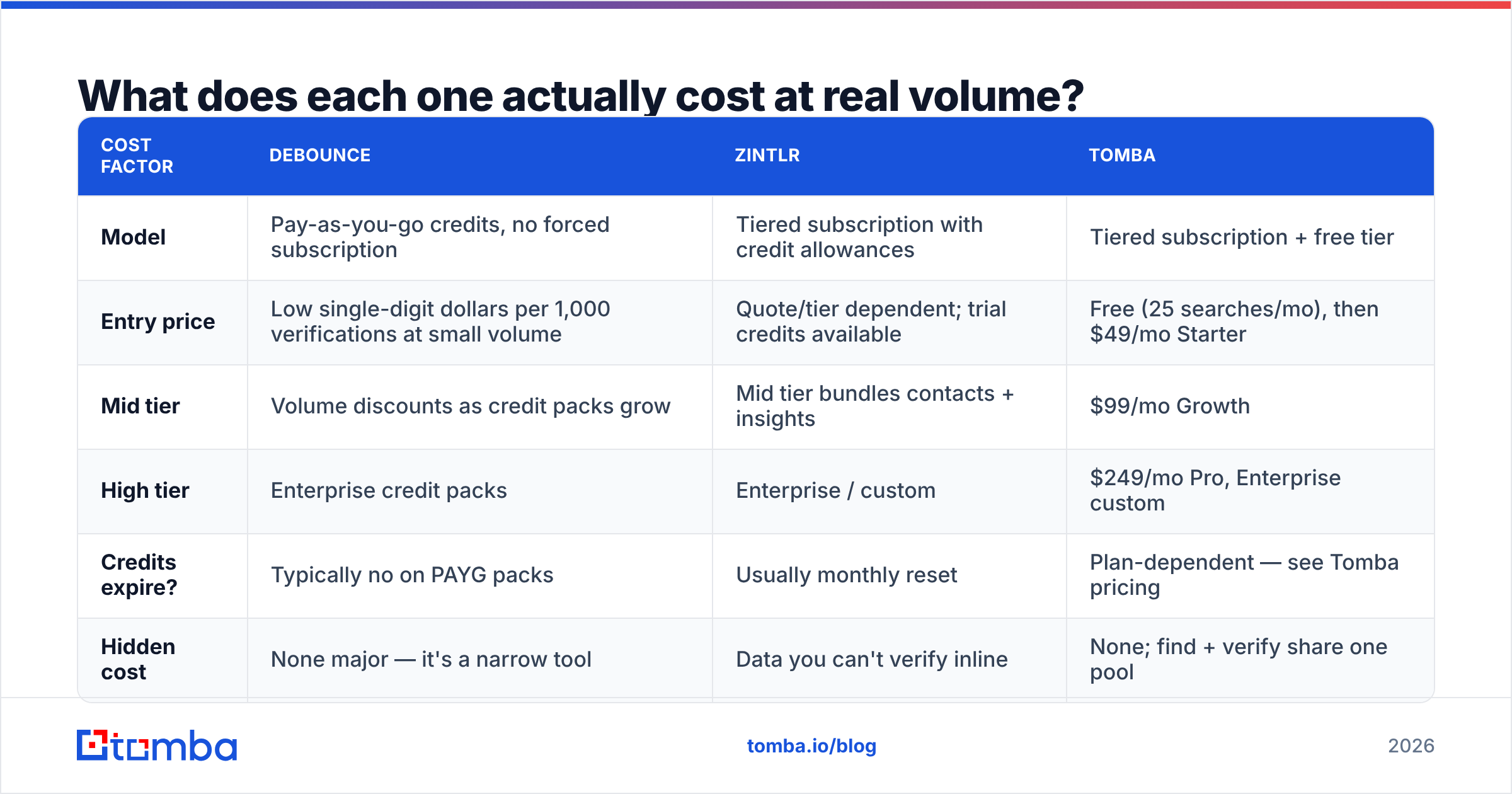
Pricing on both sides moves, so treat the figures below as a shape rather than a quote, and confirm on each vendor's own pricing page before you commit.
| Cost factor | Debounce | Zintlr | Tomba |
|---|---|---|---|
| Model | Pay-as-you-go credits, no forced subscription | Tiered subscription with credit allowances | Tiered subscription + free tier |
| Entry price | Low single-digit dollars per 1,000 verifications at small volume | Quote/tier dependent; trial credits available | Free (25 searches/mo), then $49/mo Starter |
| Mid tier | Volume discounts as credit packs grow | Mid tier bundles contacts + insights | $99/mo Growth |
| High tier | Enterprise credit packs | Enterprise / custom | $249/mo Pro, Enterprise custom |
| Credits expire? | Typically no on PAYG packs | Usually monthly reset | Plan-dependent — see Tomba pricing |
| Hidden cost | None major — it's a narrow tool | Data you can't verify inline | None; find + verify share one pool |
The structural difference matters more than the sticker price. Debounce's pay-as-you-go model is genuinely friendly for spiky usage — clean a 40,000-record list once a quarter, pay once, done. Zintlr's subscription model punishes irregular usage — as with most database platforms, unused monthly credits usually evaporate.
Now do the two-vendor math. If you run Debounce for verification and Zintlr for sourcing, you're paying two bills, reconciling two credit systems, and moving CSVs between them by hand. At small volume that's fine. At 5,000 contacts a month it's a part-time job for whoever owns your revenue operations function.
Which should you choose for your use case?#
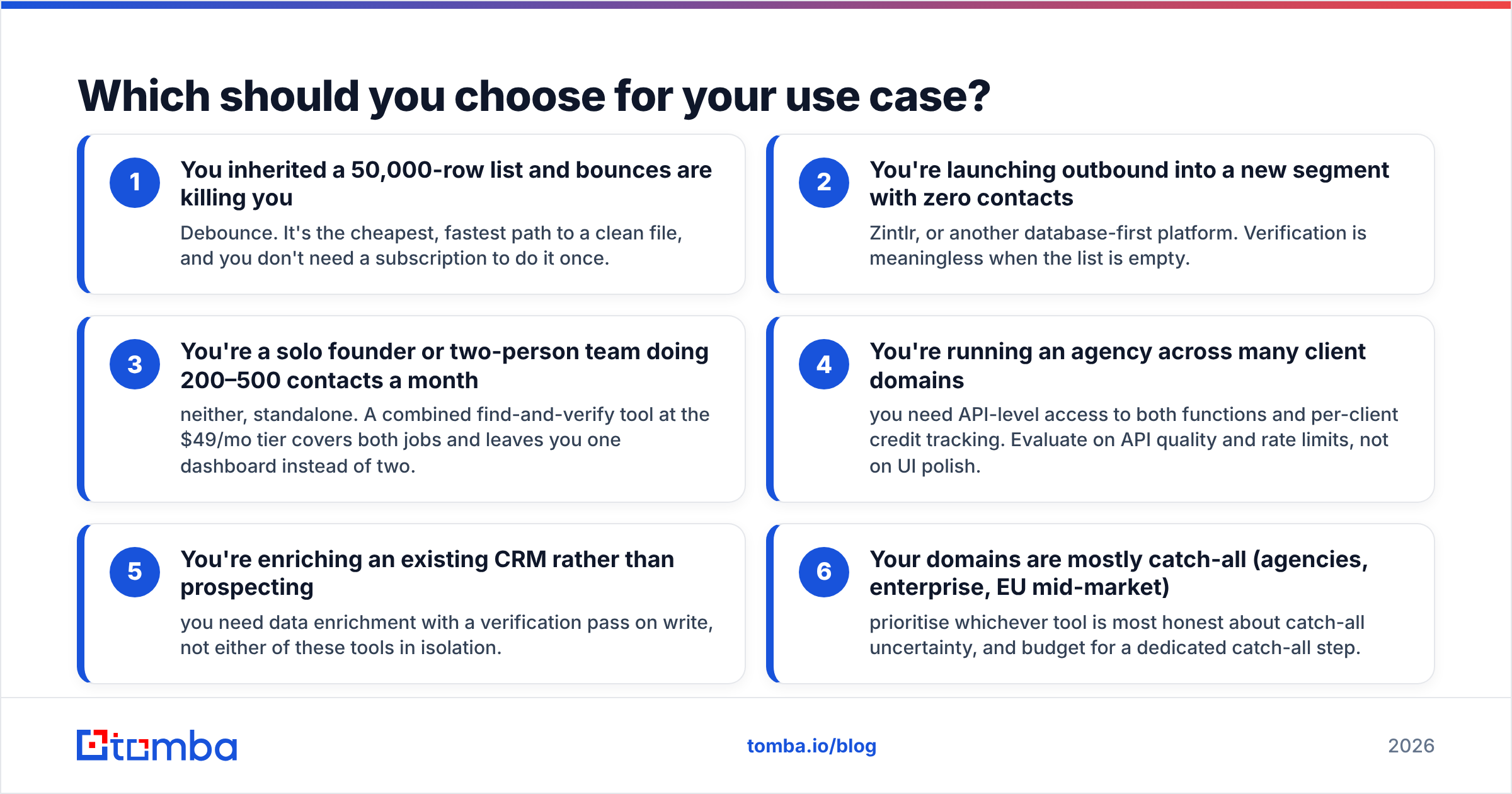
- You inherited a 50,000-row list and bounces are killing you — Debounce. It's the cheapest, fastest path to a clean file, and you don't need a subscription to do it once.
- You're launching outbound into a new segment with zero contacts — Zintlr, or another database-first platform. Verification is meaningless when the list is empty.
- You're a solo founder or two-person team doing 200–500 contacts a month — neither, standalone. A combined find-and-verify tool at the $49/mo tier covers both jobs and leaves you one dashboard instead of two.
- You're running an agency across many client domains — you need API-level access to both functions and per-client credit tracking. Evaluate on API quality and rate limits, not on UI polish.
- You're enriching an existing CRM rather than prospecting — you need data enrichment with a verification pass on write, not either of these tools in isolation.
- Your domains are mostly catch-all (agencies, enterprise, EU mid-market) — prioritise whichever tool is most honest about catch-all uncertainty, and budget for a dedicated catch-all step.
Where does Tomba fit between them?#
Straight answer: Tomba covers the overlap plus both edges, in one credit pool.
The email finder handles the sourcing job — find addresses by domain, by name and company, from LinkedIn profiles, or in bulk. The verifier handles the hygiene job, with a separate catch-all path instead of a shrug. Domain search pulls every published address at a company. Phone finder and enrichment fill the rest of the record.

The reason this matters operationally, not just commercially: when finding and verifying happen in the same system, verification runs at discovery time. You never build a list and then discover 14% of it was dead — the dead records never enter the list. With a two-vendor stack, there's always a gap between export and clean, and that gap is where campaigns get sent to garbage.
Tomba is not a replacement for Zintlr's personality-insight layer. If behavioral profiling is the reason you're evaluating Zintlr, that's a legitimate reason to pick it, and no email-finding tool substitutes for it. Be clear with yourself about whether that feature will change what you actually write in an email, or whether it's a demo highlight you'll never open again after week two.
What does a working stack look like in 2026?#
Four moving parts, in this order:
- Source — pull target accounts and contacts, either from a database platform or by running domain search against a list of target company websites.
- Verify at write time — every record gets a verification status before it's allowed into the sending list. Suppress undeliverable, route catch-all to a separate lower-volume sequence.
- Enrich — add role, seniority, company size, and phone where the sequence branches on them. Don't enrich fields you'll never use; you're paying per field.
- Re-verify on a cadence — every 60–90 days for lists you re-touch, or before any re-engagement campaign. Contact data decays whether or not you're using it.
Skip step two and you'll spend the next quarter repairing sender reputation instead of booking meetings. Skip step four and you'll rediscover the same problem in six months.
For teams that only need periodic cleaning of externally sourced lists, Debounce genuinely is the right, cheap answer. For teams building territory from nothing with a budget for a full intelligence platform, Zintlr is a reasonable evaluation. For everyone in between — the majority — one tool doing find and verify together removes an entire class of workflow bug.
The bottom line#
Debounce vs Zintlr is a false binary. One cleans, one sources, and the tool most teams actually need does both without a CSV shuttle in the middle.
Start with the free tier of Tomba Email Finder — 25 searches a month, no card — and run your own accuracy test against a list you already know the answers to. If find-plus-verify in one pass beats your current two-tool workflow, the Starter plan is $49/mo. If it doesn't, you'll have a real benchmark instead of a vendor's accuracy claim, which is worth the twenty minutes either way.
Related guides#
Ready to find emails that actually work?
Join 150,000+ professionals who stopped guessing and started sending. Free credits on signup — no credit card required.
Get the Tomba newsletter
Practical outbound tactics and product updates — once every two weeks.
About the author