Sales Demo Script Examples That Close More Deals in 2026
Steal six proven demo script examples — discovery recap, feature-to-value, objection handling, and close — plus a framework to build your own repeatable demo flow.
You booked the demo. The prospect showed up. Then you spent 40 minutes clicking through every feature you were proud of, and the call ended with "This looks great, let me talk to my team." You never heard back.
A demo script fixes that. Not a robotic word-for-word teleprompter — a repeatable structure that keeps you anchored to the buyer's problem, moves the deal forward, and ends with a clear next step. Below are six demo script examples you can adapt today, plus the framework that makes any of them work.
TL;DR#
- A demo script is a structure, not a monologue — it guides the flow (open, recap, value, objection, close) while leaving room for a real conversation.
- Lead with the buyer's problem, not your feature list. The best demo script examples spend the first five minutes confirming pain, not touring the product.
- Tie every feature to a specific outcome the prospect already told you they care about. "So what?" is the only question that matters.
- Always end with a scheduled next step. A demo without a defined close is just a product tour.
- Steal the six scripts below, then customize the bracketed variables for your product, segment, and deal size.
What is a demo script and why do you need one?#
A demo script is a repeatable talk-track that maps out how a sales demo should flow — from the opening recap through feature walkthroughs, objection handling, and the close. Think of it like a chef's recipe: the steps are fixed, but a good chef still tastes and adjusts as they go. The script keeps you from forgetting the salt; it doesn't cook the meal for you.
Reps resist scripts because "it feels fake." The opposite is true. Winging it is what feels fake — you ramble, you over-explain features nobody asked about, and you forget to ask for the deal. A script frees up your working memory so you can actually listen.
The data backs this up. Gong's analysis of sales calls consistently shows that top performers talk less and follow a tighter structure than average reps. A script enforces that discipline.
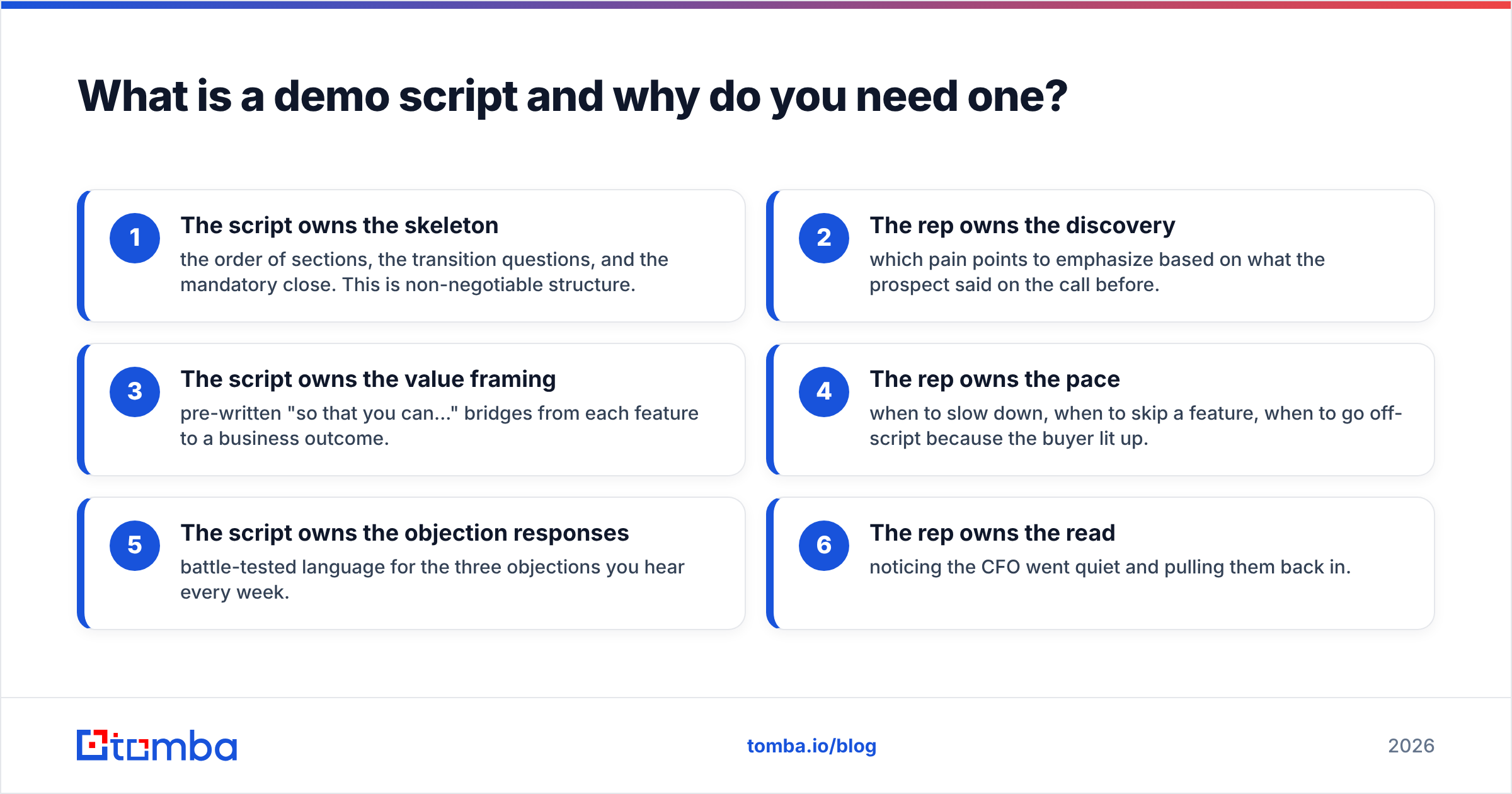
Here's what a demo script is responsible for versus what the rep still owns in the moment:
- The script owns the skeleton — the order of sections, the transition questions, and the mandatory close. This is non-negotiable structure.
- The rep owns the discovery — which pain points to emphasize based on what the prospect said on the call before.
- The script owns the value framing — pre-written "so that you can..." bridges from each feature to a business outcome.
- The rep owns the pace — when to slow down, when to skip a feature, when to go off-script because the buyer lit up.
- The script owns the objection responses — battle-tested language for the three objections you hear every week.
- The rep owns the read — noticing the CFO went quiet and pulling them back in.
What are the core parts of every demo script?#
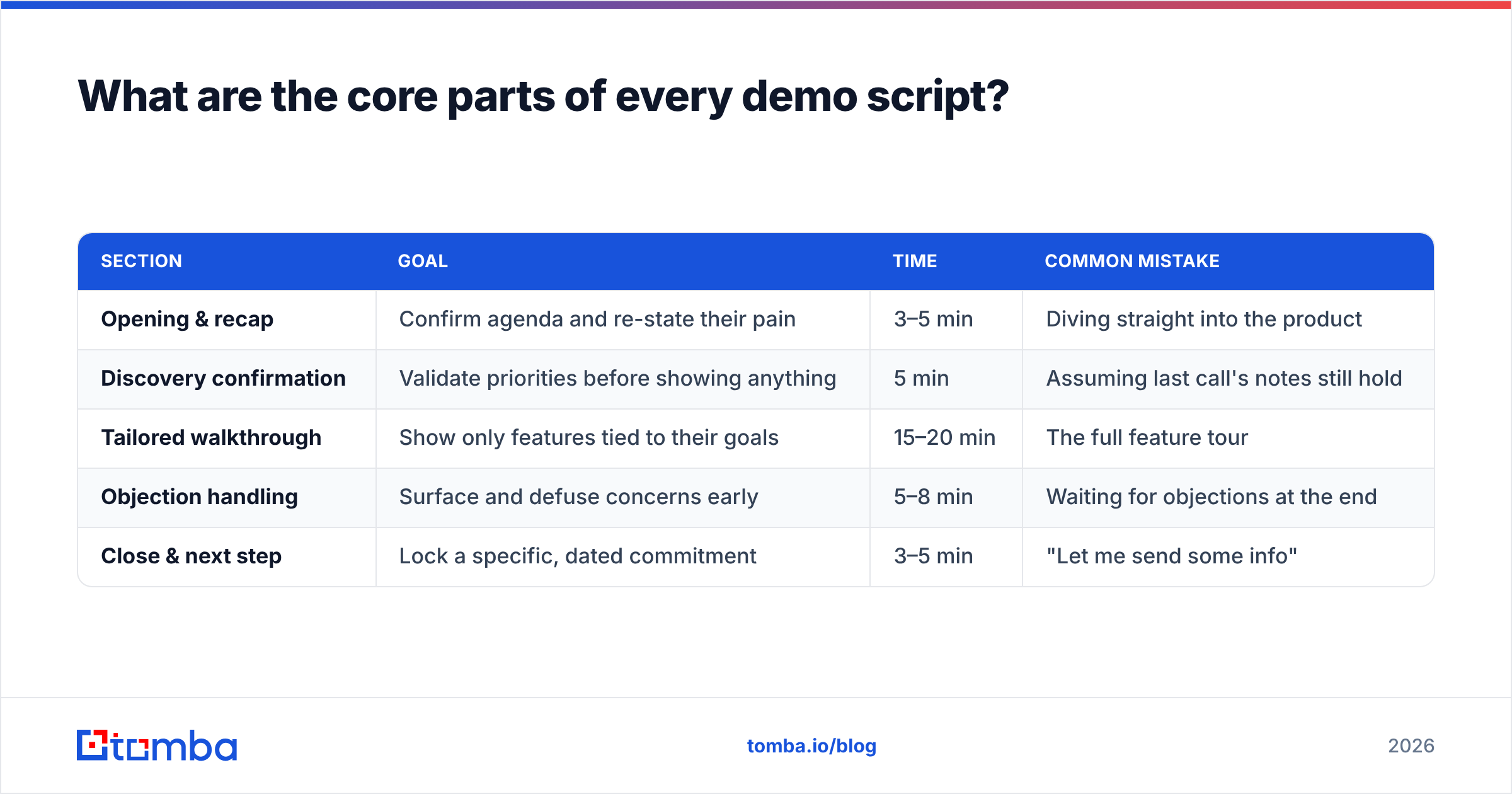
Before the six examples, here's the anatomy. Almost every high-converting demo follows the same five beats. Skip one and conversion drops.
| Section | Goal | Time | Common mistake |
|---|---|---|---|
| Opening & recap | Confirm agenda and re-state their pain | 3–5 min | Diving straight into the product |
| Discovery confirmation | Validate priorities before showing anything | 5 min | Assuming last call's notes still hold |
| Tailored walkthrough | Show only features tied to their goals | 15–20 min | The full feature tour |
| Objection handling | Surface and defuse concerns early | 5–8 min | Waiting for objections at the end |
| Close & next step | Lock a specific, dated commitment | 3–5 min | "Let me send some info" |
Notice the walkthrough is barely half the call. Weak demos invert this — 35 minutes of clicking, two minutes of "any questions?" The structure above keeps the buyer's problem at the center the whole time.
If your team is still building out the broader deal flow around demos, it's worth aligning this on your sales process and pipeline stages so the demo hands off cleanly to negotiation.
Demo script example #1: The opening and agenda recap#
The first 90 seconds set the tone. Your job is to prove you remember the discovery call and to get a verbal "yes, that's right" before you show anything.
"Thanks for making time, [Name]. Quick recap so we're aligned: last we spoke, your team was spending about [10 hours a week] manually [pulling contact data into your CRM], and that was slowing down how fast reps could [start outreach]. My plan for the next 30 minutes is to show you exactly how [Product] removes that, then leave time for your questions. Before I share my screen — has anything changed on your end since we last talked, or is that still the top priority?"
Why it works: the recap forces the buyer to confirm the problem is real and current. If they say "actually, priorities shifted," you just saved yourself a 30-minute demo of the wrong thing. Never skip that closing question.
Demo script example #2: The feature-to-value bridge#
This is the most important script pattern and the one reps butcher most. Every feature you show must connect to an outcome the prospect named. Use the "so that you can" bridge.
"You mentioned reps waste time chasing bad contact data. So let me show you this. [Shares screen.] When you search a company domain here, you get verified email addresses with a confidence score next to each one — so that you can skip the guesswork and only reach out to addresses that will actually land. For your team of [eight reps], that's roughly [six hours a week] back per rep."
The template is simple:
- Trigger: restate the pain in their words.
- Feature: show the one thing that solves it.
- Bridge: "so that you can [outcome]."
- Quantify: translate it into their numbers.
Do this for three features max. Any feature that can't complete the "so that you can" sentence with something the buyer cares about gets cut from the demo. This is where a clean data foundation matters — if your reps are demoing on top of stale contacts, the value story collapses. Tools like the Tomba Email Finder exist precisely so the "verified contact" part of the story is actually true.
Demo script example #3: Handling the "it's too expensive" objection#
Price objections almost always mean the value wasn't clear, not that the number is wrong. Don't discount reflexively. Re-anchor on outcome.
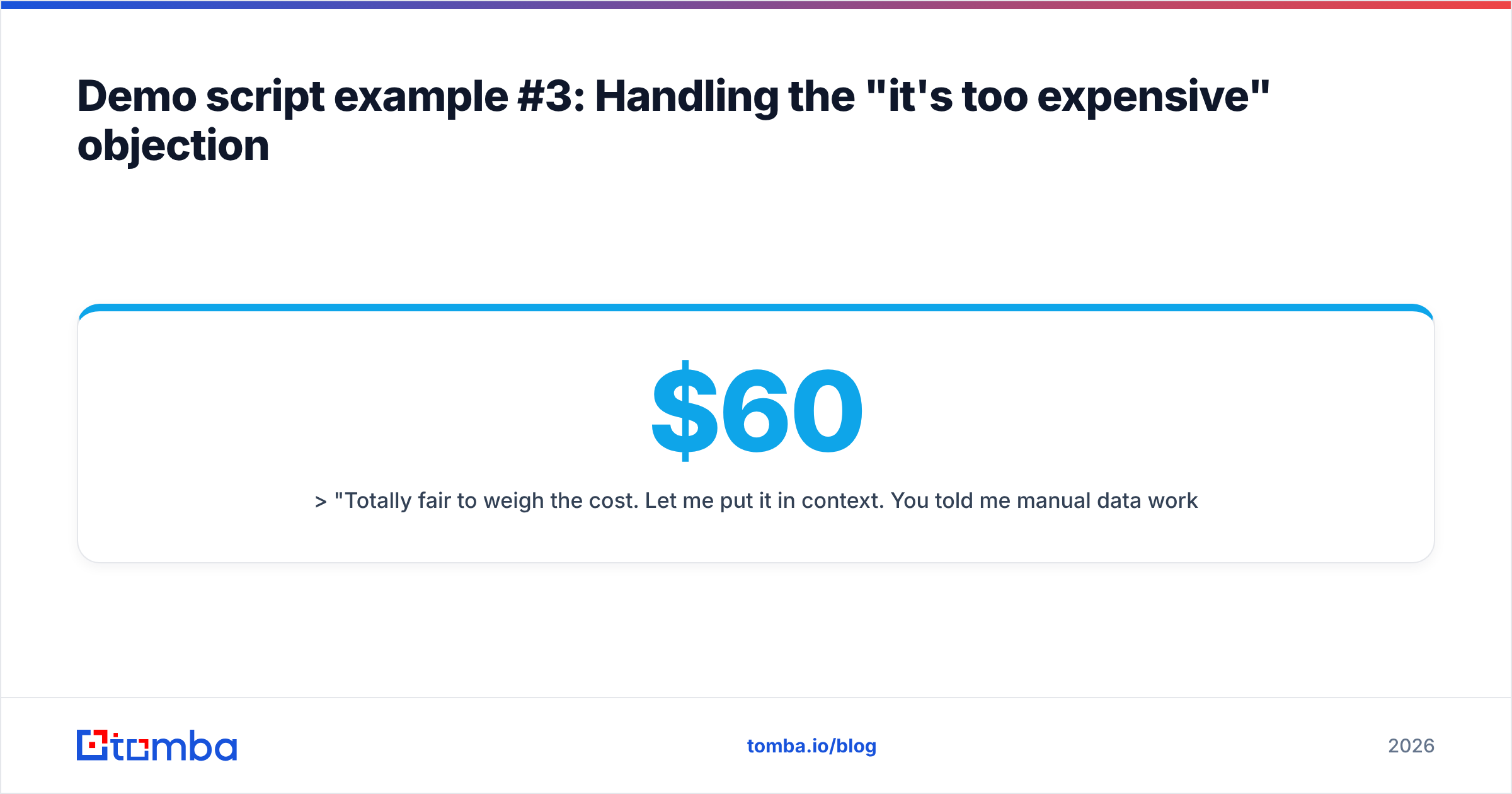
"Totally fair to weigh the cost. Let me put it in context. You told me manual data work is costing your team around [10 hours a week]. At a loaded rep cost of [$60 an hour], that's roughly [$2,400 a month] in time alone — before we count the deals lost to slow outreach. [Plan] is [$99 a month]. So the question isn't really the price, it's whether we can win back even a fraction of those ten hours. Based on what you've seen, do you think we can?"
Notice you never said "yes it's cheap." You made the buyer do the math and answer their own objection. If you sell a tool where pricing is genuinely simple, point them to transparent Tomba pricing rather than dancing around numbers — buyers trust reps who don't hide the cost.
Demo script example #4: The "we already use a competitor" objection#
When the prospect names an incumbent, resist trashing it. Acknowledge, then find the gap.
"[Competitor] is a solid tool — plenty of teams start there. Can I ask what made you take this call anyway? ... Got it. So the [accuracy on catch-all domains] is where it's falling short. That's actually the exact gap most teams switch to us for. Let me show you how we handle that specific case, and you can judge whether the difference is worth it."
The move: let them tell you why they're unhappy, then demo directly into that gap. You're not selling your whole product — you're selling the one thing their current tool does badly. This is far more persuasive than a feature-count war, and it keeps you neutral instead of desperate.
Demo script example #5: The multi-stakeholder demo#
When several people join, a single-track script fails — the champion, the end user, and the economic buyer all care about different things. Segment your talk-track.
"Since we've got a few teams represented, I'll make sure each of you gets something useful. [Name, the rep], I'll show you the daily workflow. [Name, the manager], I'll cover reporting and how you'll see adoption. [Name, from finance], I'll be clear on pricing and ROI before we wrap. Sound good? Let's start with the day-to-day since that drives everything else."
Then close each segment by checking in with that stakeholder by name: "[Finance name], does that ROI picture answer what you needed?" Silent stakeholders kill deals in committee later. Draw them out during the call.
For complex buying committees, layering in a formal marketing qualified lead definition upstream helps you know who actually holds budget before you're 20 minutes into the wrong pitch.
Demo script example #6: The close and next step#
The most-skipped part of every demo. You must ask for a specific, dated commitment. "I'll follow up" is not a close.
"Based on what you've seen, [Name], it looks like a strong fit for the [slow outreach] problem we started with — would you agree? ... Great. Here's what I'd suggest as a next step: let's get a two-week trial set up with your [eight reps] so you can measure the time saved on real accounts. I can have that provisioned by Thursday. Does it make sense to grab 15 minutes next Tuesday to review early results together? I'll send the invite now."
The pattern:
- Trial close: "would you agree it's a fit?" — surfaces hidden doubt.
- Recommend the step: don't ask if they want a next step, propose the step.
- Make it specific and dated: a real day, a real duration, a real owner.
- Book it live: send the calendar invite before you hang up.
How do you customize these demo scripts for your product?#
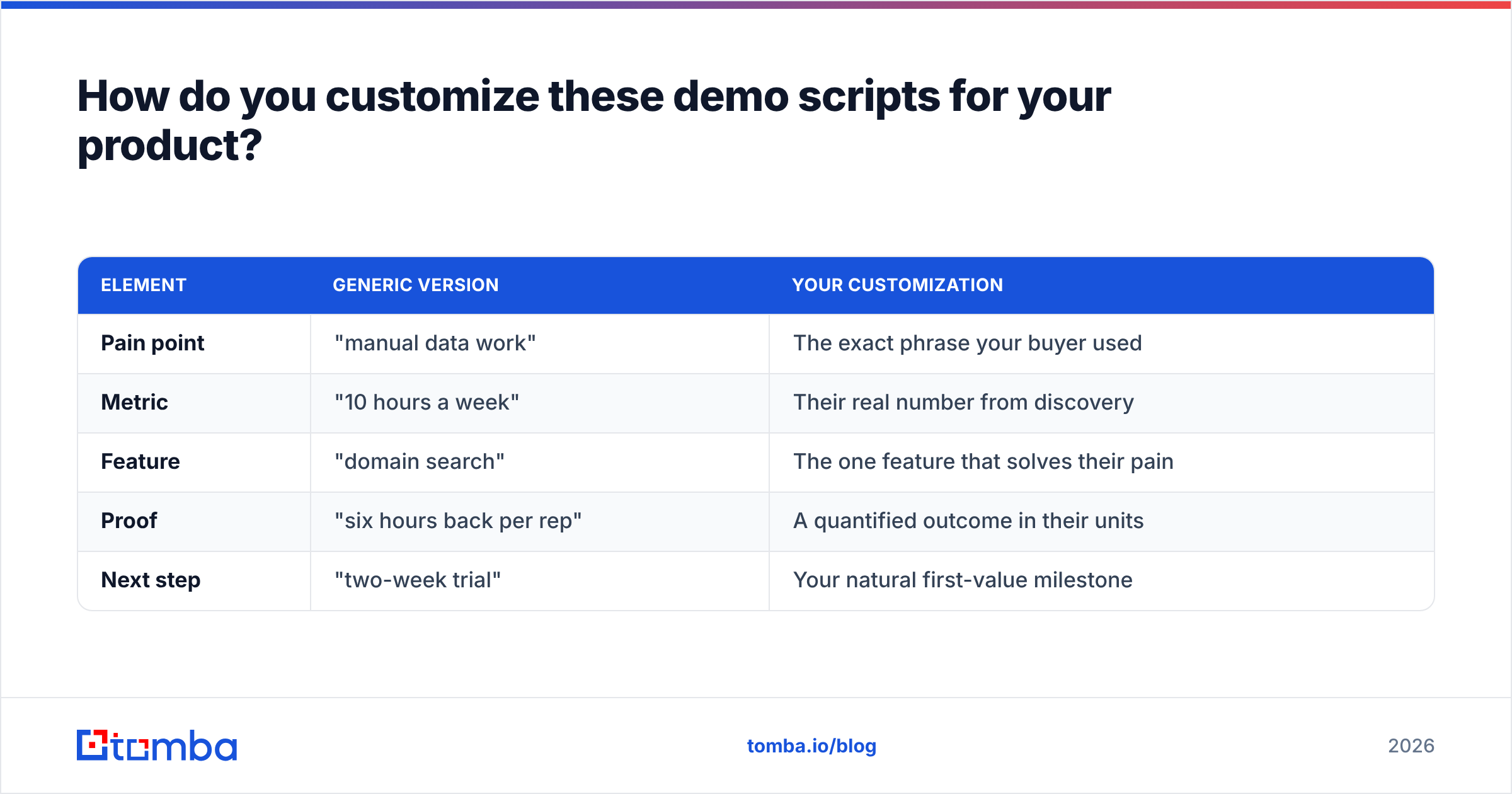
The scripts above use bracketed variables on purpose. Here's how to make them yours without turning them into a rigid teleprompter.
| Element | Generic version | Your customization |
|---|---|---|
| Pain point | "manual data work" | The exact phrase your buyer used |
| Metric | "10 hours a week" | Their real number from discovery |
| Feature | "domain search" | The one feature that solves their pain |
| Proof | "six hours back per rep" | A quantified outcome in their units |
| Next step | "two-week trial" | Your natural first-value milestone |
Three rules for adapting them:
- Cut features ruthlessly. If a feature can't finish "so that you can [outcome they named]," it doesn't belong in this demo. Save it for onboarding.
- Rehearse the transitions, not the words. Memorize how you move between sections — those are where reps freeze. The sentences inside can flex.
- Keep a living objection doc. Every new objection your team hears gets a scripted response added within the week. Your objection scripts should be the most-updated document you own.
Common demo script mistakes to avoid#
Even with a good script, these habits sink demos:
- The feature dump. Showing everything signals you don't know what matters to this buyer. Show three things well.
- No discovery confirmation. Priorities shift between calls. Confirm before you present or you'll demo the wrong problem.
- Talking through the "aha" moment. When the buyer leans in, stop talking. Let the product land. Silence sells here.
- Saving objections for the end. Surface them early — "what would make this a no for your team?" — so you have time to handle them.
- Ending without a booked step. The single biggest leak. If you take one thing from this article, it's: never end a demo without a dated next meeting on both calendars.
For a deeper benchmark on what "good" looks like, HubSpot's sales demo research and G2's buyer-behavior reports on G2 are worth a read — both reinforce that structure and follow-through, not feature count, drive close rates.
Where does contact data fit into all this?#
A great demo script assumes you're demoing to the right person about a real problem. That's a data problem before it's a scripting problem. If your reps are demoing to junior contacts who can't sign, or working from bounced emails that never reached the decision-maker, no script will save the pipeline.
That's the upstream half of the job: get in front of qualified, reachable buyers so the polished demo script actually gets used. If contact accuracy is the weak link in your funnel, the Tomba Email Finder helps you reach verified decision-makers by name, company, or domain — so the person watching your demo is the one who can actually say yes. Start on the free tier (25 searches a month), and scale into a paid plan once your demo-to-close rate justifies it.
Nail the data, run one of the six scripts above, and always — always — book the next step before you hang up.
Related guides#
Ready to find emails that actually work?
Join 150,000+ professionals who stopped guessing and started sending. Free credits on signup — no credit card required.
Get the Tomba newsletter
Practical outbound tactics and product updates — once every two weeks.
About the author