Dialer360 Pricing Reviews Pros and Cons: 2026 Guide
A neutral, numbers-first look at Dialer360 pricing, real user reviews, and the honest pros and cons—so you know whether this call-center dialer fits your outbound team before you pay.
Dialer360 Pricing Reviews Pros and Cons: 2026 Guide
TL;DR
- Dialer360 is a cloud call-center and predictive dialer built for high-volume outbound and blended contact centers—not a solo SDR tool.
- Pricing is quote-based and seat-driven, usually in the ~$20–$35 per-user/month range. Telephony (minutes, DIDs, caller ID) is billed on top. Budget for the phone bill, not just the seat.
- Reviews are mixed-positive. Users like the price-to-feature ratio and predictive dialing. They flag a dated UI, slow support, and a learning curve.
- The dialer is only as good as your list. A predictive dialer burns through bad numbers fast, so verified phone and email data is where most of the ROI leaks out.
- Best fit: budget-conscious BPOs and outbound teams that already have clean data. If your list is messy, fix that first.
Dialer360 shows up on almost every "affordable call center software" list. But the sales pages skip the two things you need before you sign: the real cost once telephony is added, and the honest trade-offs from teams who use it every day. This guide covers the full Dialer360 pricing reviews pros and cons picture—without pretending the tool is perfect or useless.
What is Dialer360?#
Dialer360 is cloud-based call center software. Think of it as the switchboard, autodialer, and agent dashboard rolled into one browser tab. Your reps don't punch in numbers by hand. The system dials for them, filters out busy signals and voicemails, and connects live people to open agents.
It targets outbound-heavy work: lead generation shops, collections, appointment setting, insurance, and BPOs running blended inbound/outbound. The headline feature is predictive dialing. The software dials several numbers per agent, predicts when a rep will free up, and routes answered calls to them. Done right, it can push talk time from ~15 minutes an hour to 45 or more.
The core modules you're paying for:
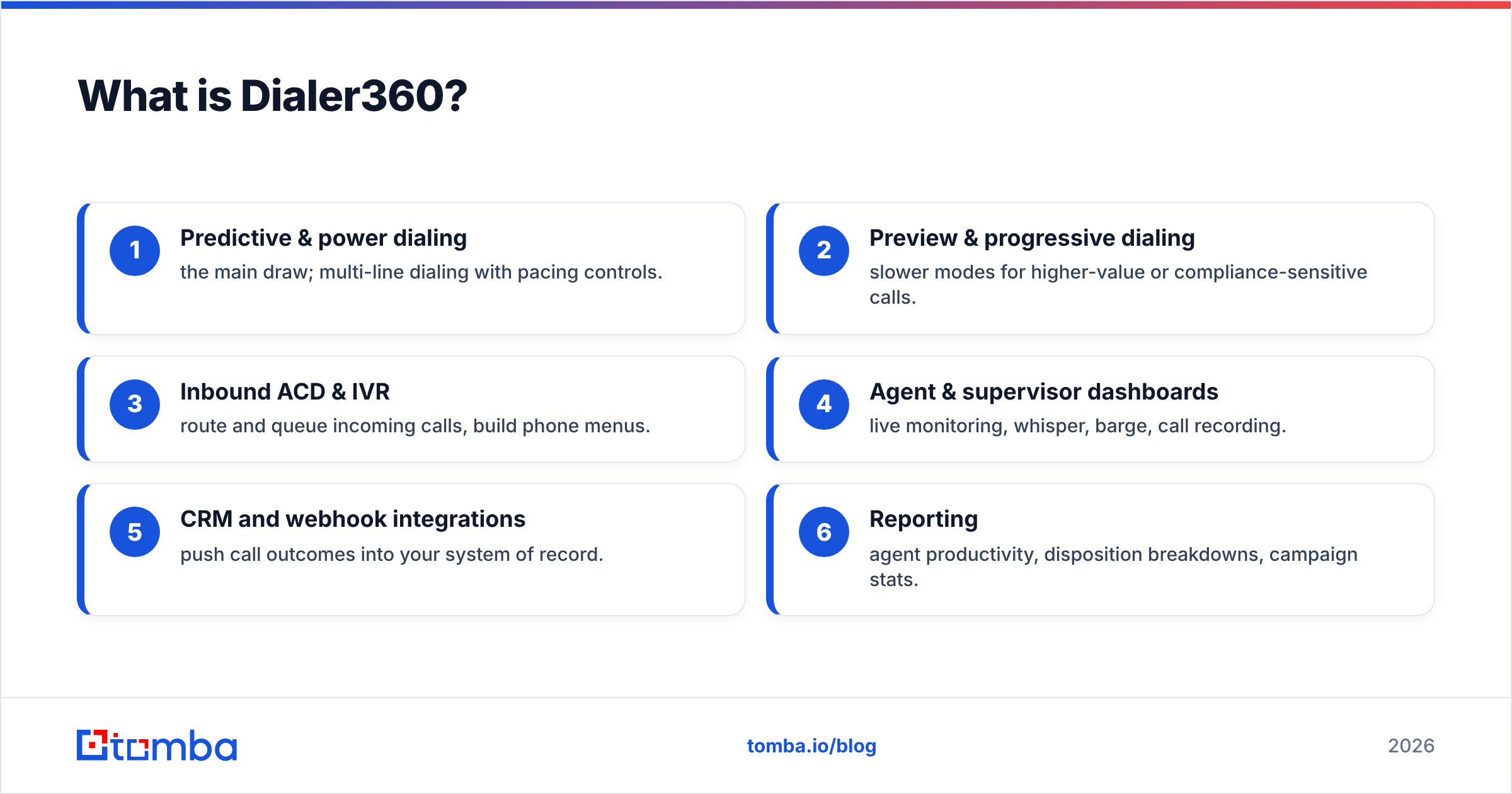
- Predictive & power dialing — the main draw; multi-line dialing with pacing controls.
- Preview & progressive dialing — slower modes for higher-value or compliance-sensitive calls.
- Inbound ACD & IVR — route and queue incoming calls, build phone menus.
- Agent & supervisor dashboards — live monitoring, whisper, barge, call recording.
- CRM and webhook integrations — push call outcomes into your system of record.
- Reporting — agent productivity, disposition breakdowns, campaign stats.
That feature list is broad for the price. That's why Dialer360 keeps landing on budget shortlists. But a dialer is just a delivery tool. It moves as fast as the data you load into it, and it does not clean that data for you.

How much does Dialer360 cost?#
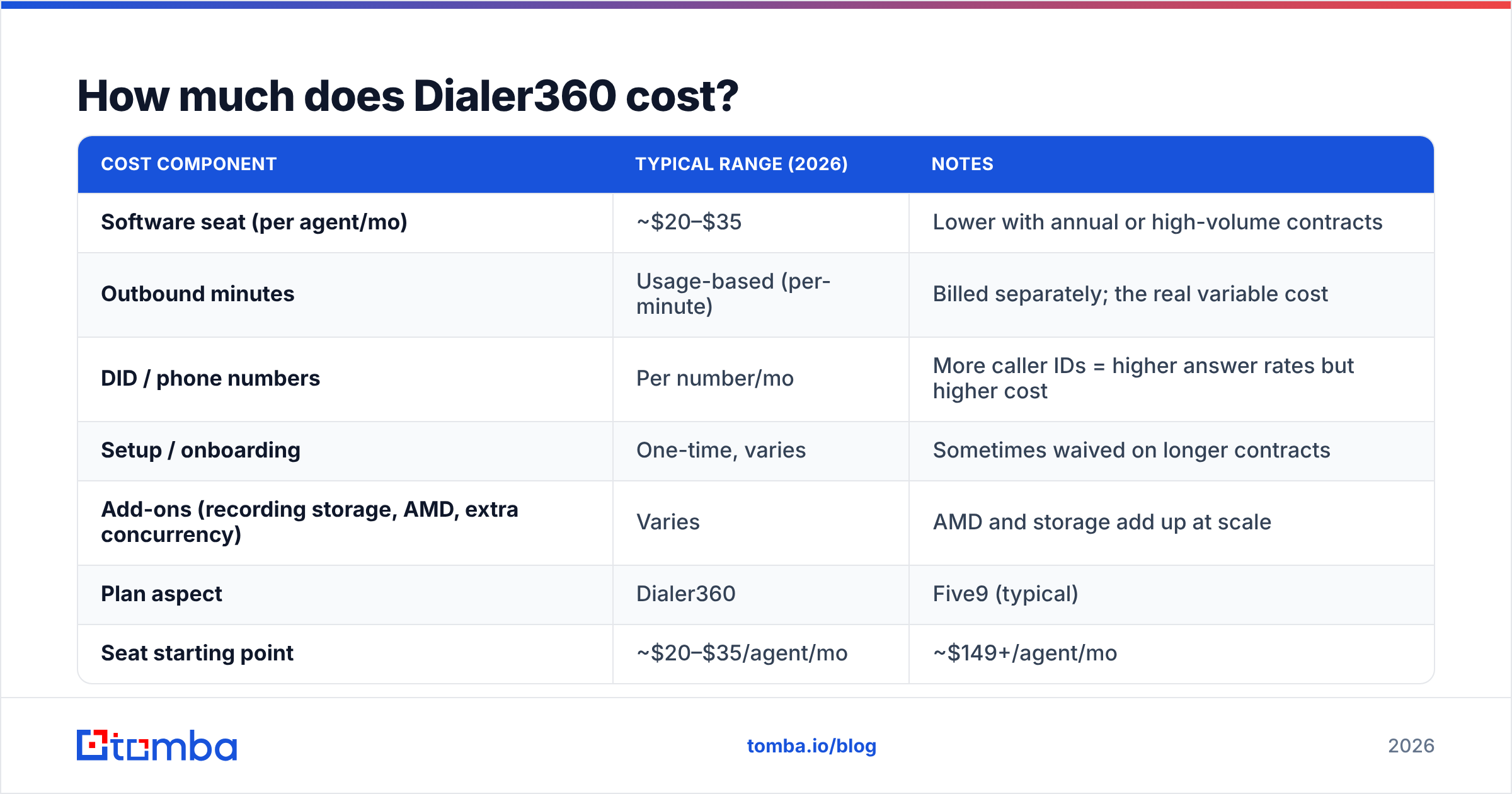
Short answer: expect roughly $20–$35 per agent per month for the software seat, plus a separate, usage-based telephony bill. Dialer360 does not publish a fixed price sheet. Pricing is quote-based and set by seat count, dialing mode, and contract length. The numbers below come from user reviews and reseller listings. Treat them as a planning estimate, then confirm with a live quote.
The key mental model: your total cost is seats + minutes + numbers + add-ons, not one sticker price. This is where "cheap dialer" budgets quietly double.
| Cost component | Typical range (2026) | Notes |
|---|---|---|
| Software seat (per agent/mo) | ~$20–$35 | Lower with annual or high-volume contracts |
| Outbound minutes | Usage-based (per-minute) | Billed separately; the real variable cost |
| DID / phone numbers | Per number/mo | More caller IDs = higher answer rates but higher cost |
| Setup / onboarding | One-time, varies | Sometimes waived on longer contracts |
| Add-ons (recording storage, AMD, extra concurrency) | Varies | AMD and storage add up at scale |
Compared with better-known platforms, Dialer360 positions itself as the value pick:
| Plan aspect | Dialer360 | Five9 (typical) | Aircall (typical) |
|---|---|---|---|
| Seat starting point | ~$20–$35/agent/mo | ~$149+/agent/mo | ~$40/user/mo |
| Pricing transparency | Quote-based | Quote-based | Public tiers |
| Predictive dialer | Yes | Yes (higher tiers) | Add-on / limited |
| Best-fit buyer | Budget BPO / outbound | Enterprise contact center | SMB sales & support |
| Telephony billing | Separate, usage-based | Bundled/usage mix | Bundled minutes |
So on paper, Dialer360 undercuts enterprise suites by a wide margin. Whether that discount holds depends on your minute volume and how many numbers you rotate. A predictive dialer placing tens of thousands of calls a week can run a phone bill that dwarfs the seat cost.
One cost most teams miss: wasted dials on dead numbers. Every disconnected, wrong, or unverified number still eats a dial attempt, hurts your connect rate, and can push your caller ID toward spam flags. Cleaning the list before it hits the dialer is the cheapest fix you have, and it happens upstream of Dialer360. A quick pass through a phone validator removes the numbers you'd otherwise pay to dial into a void.
What do Dialer360 reviews say?#
The consensus across review sites is "solid value, rough edges." On sites like G2 and Capterra, Dialer360 scores well on value for money. It scores lower on ease of use and support speed. Here's the honest breakdown of the recurring themes.
What reviewers praise:
- Price-to-feature ratio. The most common compliment—predictive dialing and full call-center features at a fraction of enterprise pricing.
- Predictive dialer performance. When configured well, agents report meaningfully higher talk time.
- Flexibility for BPOs. Blended campaigns, multiple dialing modes, and supervisor tools cover most contact-center needs.
- Willingness to customize. Smaller vendor, so some teams get bespoke tweaks a large platform wouldn't offer.
What reviewers criticize:
- Dated interface. The UI feels older than modern SaaS; new agents need orientation.
- Support latency. Response times and time-zone gaps come up repeatedly—fine for self-sufficient teams, frustrating for those needing hand-holding.
- Onboarding curve. Predictive dialer pacing, compliance settings, and integrations aren't plug-and-play.
- Occasional call-quality complaints. Usually traceable to carrier/telephony setup rather than the app, but users feel it regardless.
The pattern is clear: cost-focused teams that are comfortable with tech rate it well. Teams expecting white-glove polish rate it lower. Neither group is wrong. They bought the same tool with different expectations.
Dialer360 Pricing Reviews Pros and Cons at a Glance#
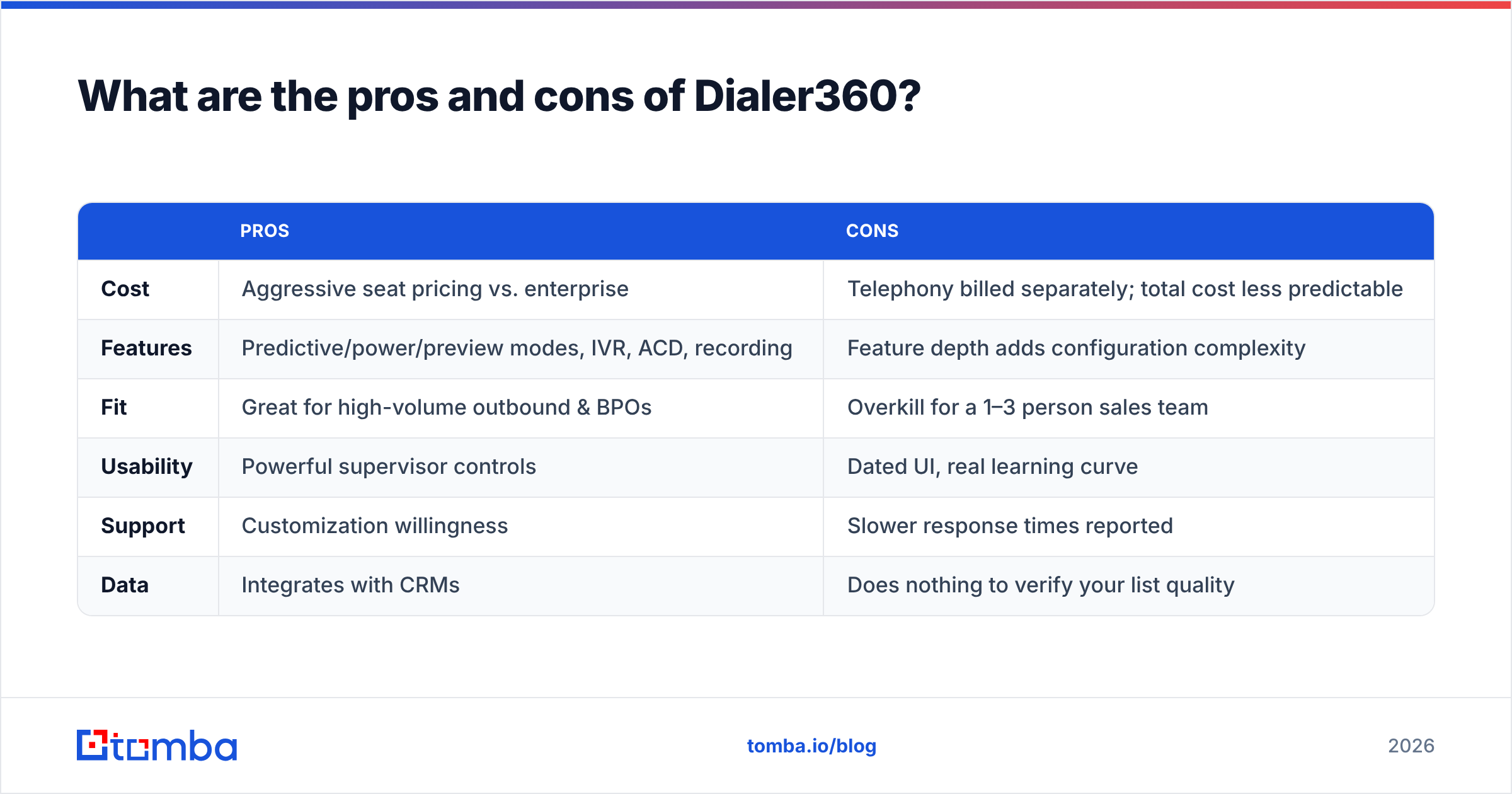
Here's the balanced scorecard, pulled from the pricing and review themes above. It maps the Dialer360 pricing reviews pros and cons onto the trade-offs that decide fit.
| Pros | Cons | |
|---|---|---|
| Cost | Aggressive seat pricing vs. enterprise | Telephony billed separately; total cost less predictable |
| Features | Predictive/power/preview modes, IVR, ACD, recording | Feature depth adds configuration complexity |
| Fit | Great for high-volume outbound & BPOs | Overkill for a 1–3 person sales team |
| Usability | Powerful supervisor controls | Dated UI, real learning curve |
| Support | Customization willingness | Slower response times reported |
| Data | Integrates with CRMs | Does nothing to verify your list quality |
The honest verdict: Dialer360 is a real value play for the right buyer. If you run outbound volume, have someone who can own the setup, and keep clean contact data, the economics are hard to beat. If you're a small team that wants a polished tool out of the box, or your data is shaky, the savings vanish into wasted dials and support tickets.
That last point—data quality—is the one no dialer solves and the one that quietly decides your ROI.
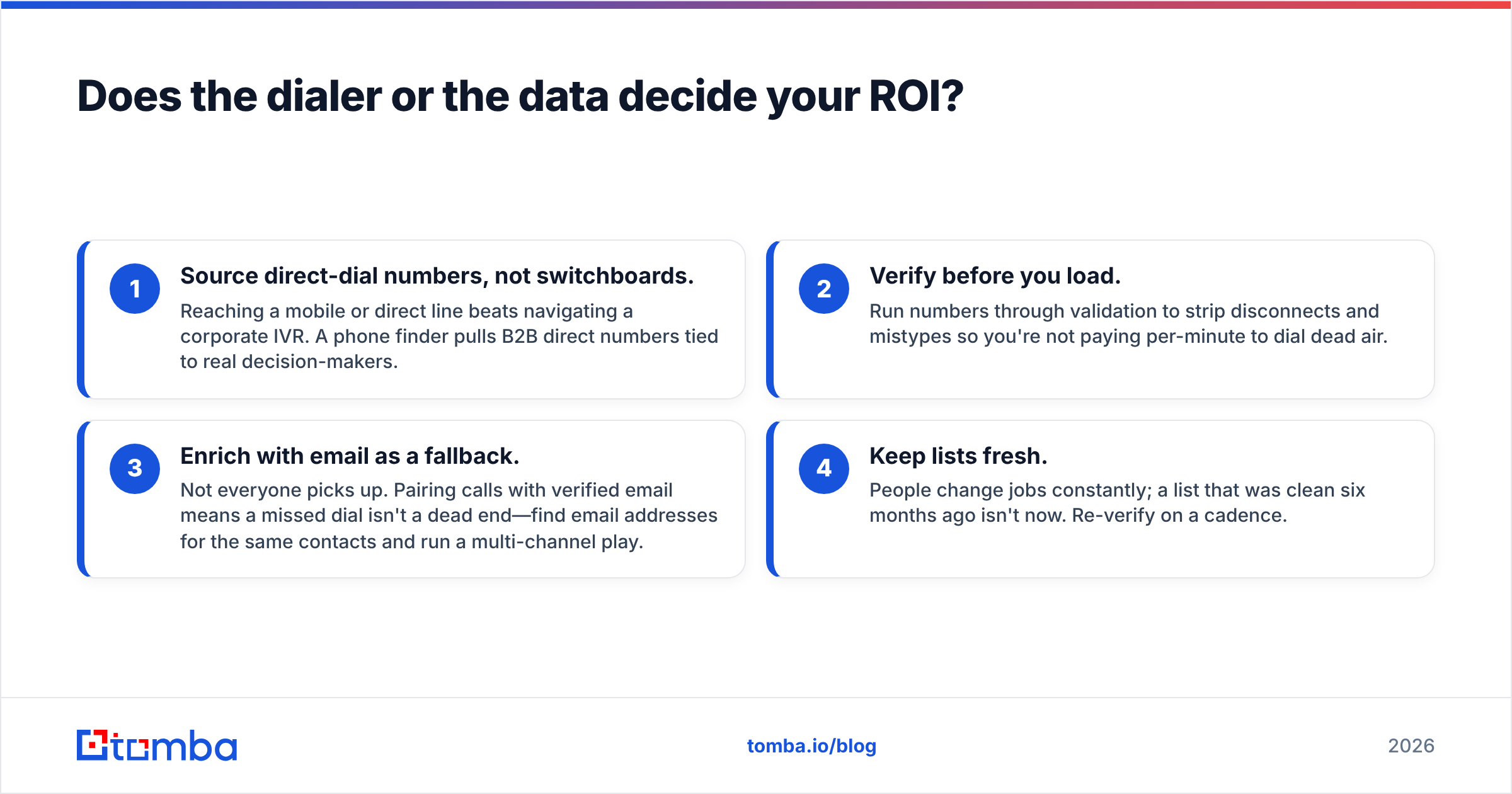
Does the dialer or the data decide your ROI?#
The data decides it. A predictive dialer is an amplifier. Point it at a clean, verified list and it multiplies your reach. Point it at a stale list and it multiplies your waste. You can have the best pacing algorithm on earth and still reach nobody if 30% of your numbers are dead.
Think of your dialer like a race car. Dialer360 sells you the engine. But pour in dirty fuel—wrong numbers, dead lines, contacts who left two years ago—and the engine still runs. It just burns money going nowhere. The fuel is your data, and you source and clean it before the dialer ever sees it.
This is where most outbound budgets leak, and it's fixable without touching your dialer:
- Source direct-dial numbers, not switchboards. Reaching a mobile or direct line beats navigating a corporate IVR. A phone finder pulls B2B direct numbers tied to real decision-makers.
- Verify before you load. Run numbers through validation to strip disconnects and mistypes so you're not paying per-minute to dial dead air.
- Enrich with email as a fallback. Not everyone picks up. Pairing calls with verified email means a missed dial isn't a dead end—find email addresses for the same contacts and run a multi-channel play.
- Keep lists fresh. People change jobs all the time. A list that was clean six months ago isn't clean now. Re-verify on a schedule.
Do these four things and even a mid-tier dialer beats a premium one fed on garbage. Skip them and no amount of pacing saves you. This tooling sits upstream of Dialer360. That's good news: you can fix the expensive part (the calls) with a cheap, flat-rate data layer.
Is Dialer360 worth it in 2026?#
Yes—with conditions. Dialer360 is worth it if you match the buyer profile: a cost-sensitive, outbound-heavy team that can configure it and feed it clean data. For that team, the seat price beats the big names, and the predictive dialer earns its keep.
It's not worth it if you want a turnkey, polished tool, if you can't absorb a variable phone bill, or if you hope the software will fix a bad contact list. It won't. No dialer will.
Before you commit, run this quick gut check:
- Do we place enough outbound volume to justify a predictive dialer? (If not, a lighter power dialer is cheaper.)
- Can someone own configuration and compliance settings?
- Is our contact data verified, or are we about to dial into a graveyard?
- Have we modeled the total cost—seats plus minutes plus numbers—against a public-priced competitor?
If you answer those honestly, you'll know whether Dialer360 fits before a single quote call. And whatever dialer you pick, the highest-leverage move is the same: fix the data first.
Feed your dialer verified data with Tomba#
A dialer only pays off when it connects to real people at real numbers. That's the part Tomba handles. Use the Tomba Phone Finder to source B2B direct-dial numbers, clean them with the phone validator, and enrich the same contacts with verified email so a missed call never means a lost lead. The pricing is flat and predictable, starting free (25 searches/mo) and scaling to Starter at $49/mo. So you spend your dialer minutes talking to people who pick up, not burning them on dead numbers.
Point Dialer360 at a Tomba-verified list and you stop paying to dial into the void. That's where the real ROI lives—not in the dialer's price tag, but in the quality of what you load into it.
Related guides#
Ready to find emails that actually work?
Join 150,000+ professionals who stopped guessing and started sending. Free credits on signup — no credit card required.
Get the Tomba newsletter
Practical outbound tactics and product updates — once every two weeks.
About the author