Dialpad vs Grasshopper: Business Phone Compared (2026)
Dialpad brings AI-powered calling and transcription; Grasshopper keeps it simple and cheap. Here's an honest, feature-by-feature breakdown to help you pick the right business phone in 2026.
Dialpad vs Grasshopper: Business Phone Compared (2026)
Choosing a business phone system used to mean picking a number and a voicemail box. In 2026 it means deciding how much AI, analytics, and team infrastructure you actually need — and how much you're willing to pay for it. Dialpad and Grasshopper sit on opposite ends of that spectrum.
This is a neutral, hands-on comparison for founders, sales managers, and RevOps leads who are tired of vendor marketing pages. We'll cover pricing, features, call quality, AI, and the honest trade-offs — then tell you which one fits which team.
TL;DR: Dialpad vs Grasshopper at a glance#
- Dialpad is a full AI-powered communications platform: real-time transcription, sentiment analysis, call coaching, and a unified inbox for calls, SMS, and video. Best for growing sales and support teams.
- Grasshopper is a lightweight virtual phone system that adds business numbers, extensions, and call forwarding on top of the phone you already own. Best for solopreneurs and tiny teams.
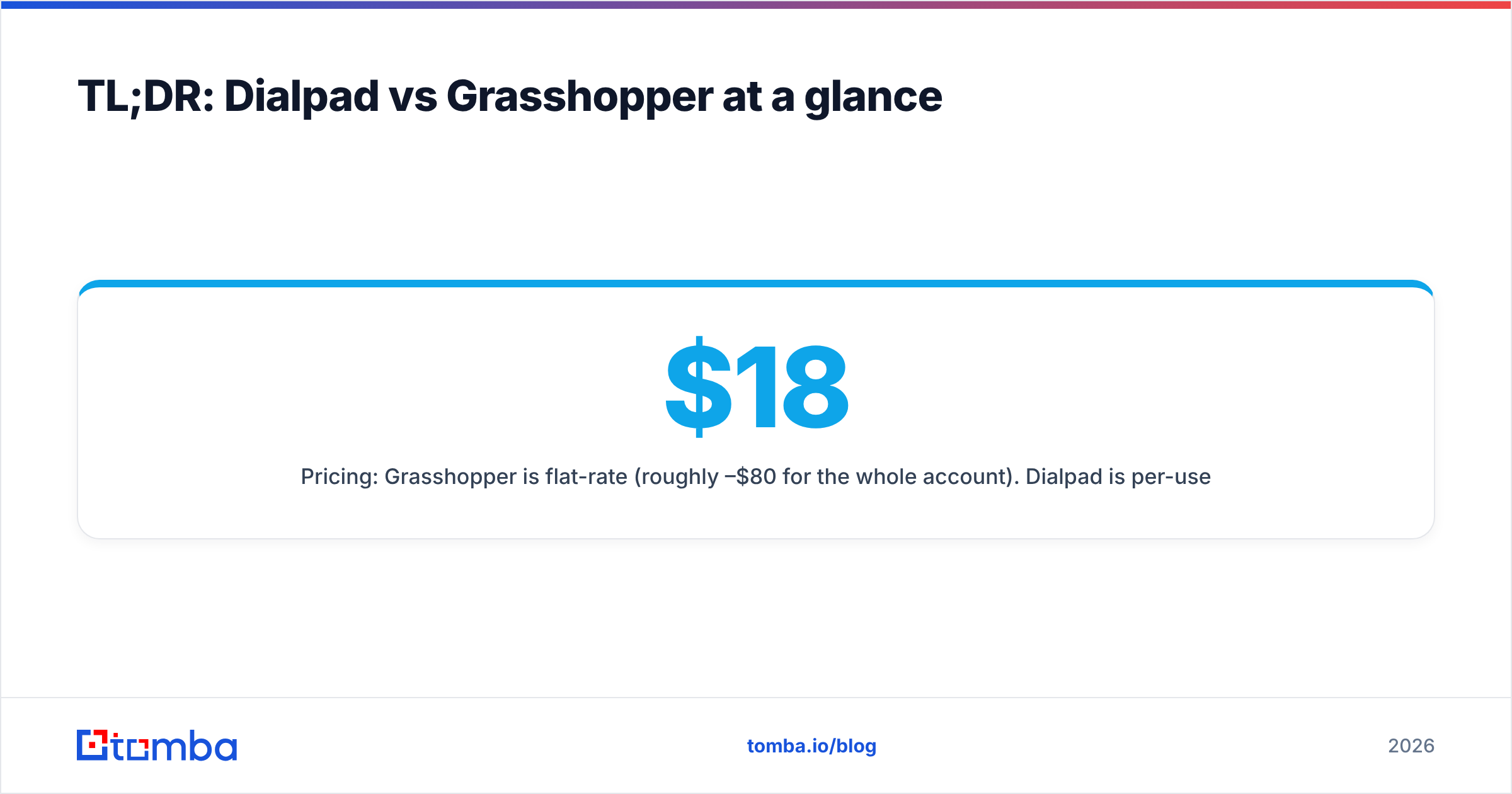
- Pricing: Grasshopper is flat-rate (roughly $18–$80/mo for the whole account). Dialpad is per-user (roughly $15–$25+/user/mo) and scales with headcount.
- AI is the dividing line: Dialpad has it baked into every call; Grasshopper has essentially none.
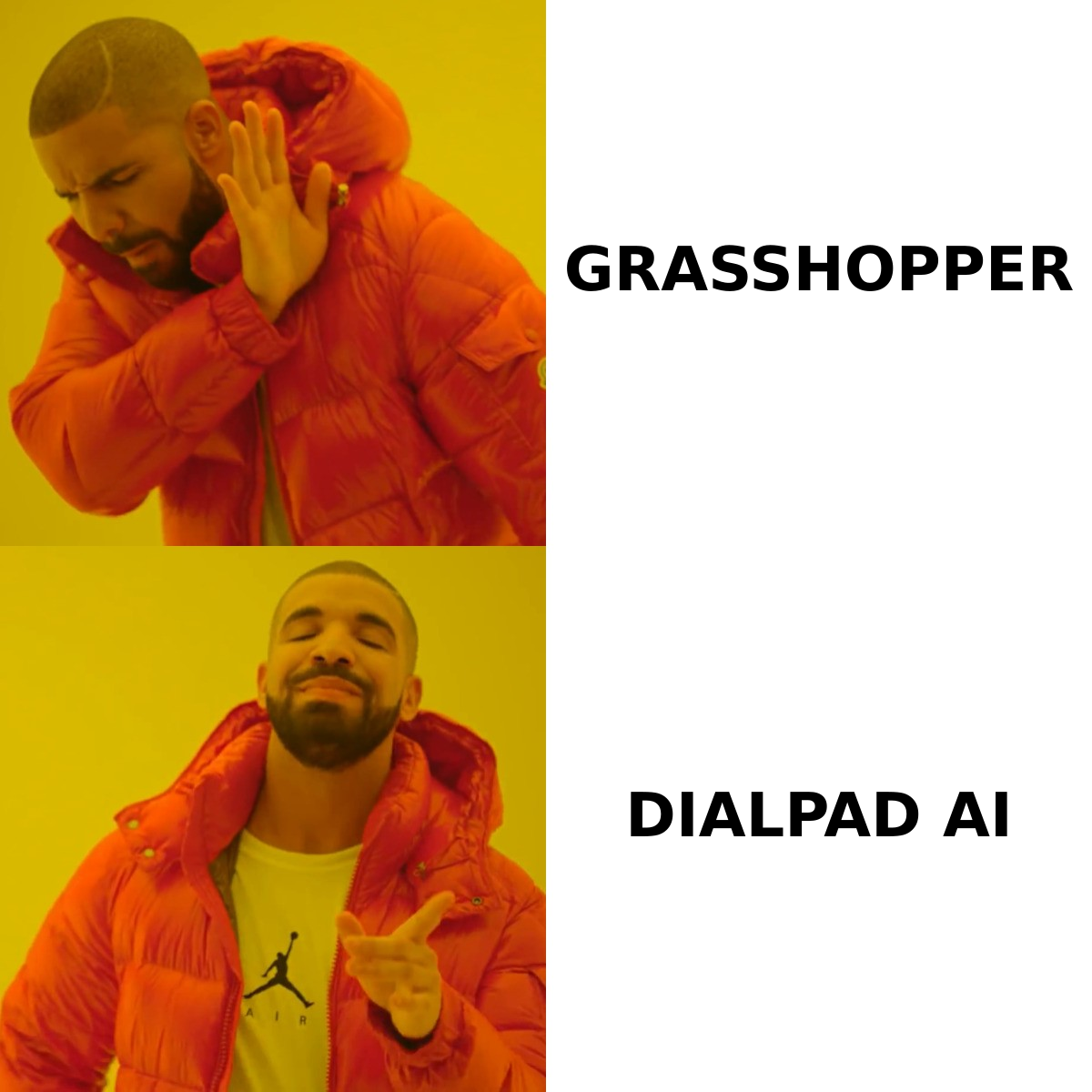
- Verdict: Pick Grasshopper for simple call routing on a budget. Pick Dialpad if calls are a core revenue channel and you want data from every conversation.
What is Dialpad?#
Dialpad is a cloud-based unified communications platform built around its "Ai" engine. Every call is transcribed in real time, analyzed for sentiment, and searchable afterward. For sales teams, that means live coaching cues pop up during a call, and managers can review talk-time ratios, keyword mentions, and objection patterns without listening to a single recording.
It bundles voice, SMS, team messaging, and video meetings into one app that runs on desktop and mobile. Think of it less as a phone line and more as a conversation intelligence layer sitting on top of your calls — closer to Gong or a Gong alternative than to a traditional PBX.
If your reps live on the phone and you care about coaching, pipeline signals, and cold calling and phone sales metrics, Dialpad is designed for you.
What is Grasshopper?#
Grasshopper is a virtual phone system aimed at small businesses and solo operators. It gives you a professional business number (local, toll-free, or vanity), routes calls to your existing cell or landline, and adds extensions, voicemail-to-email, and business texting. There's no hardware and no new phone — it layers a business identity over the device in your pocket.
Owned by GoTo, Grasshopper's pitch is simplicity: set it up in an afternoon, keep your personal number private, and sound like a real company. What it deliberately does not do is AI transcription, deep analytics, CRM-grade reporting, or large multi-seat team management.
Dialpad vs Grasshopper: full comparison table#
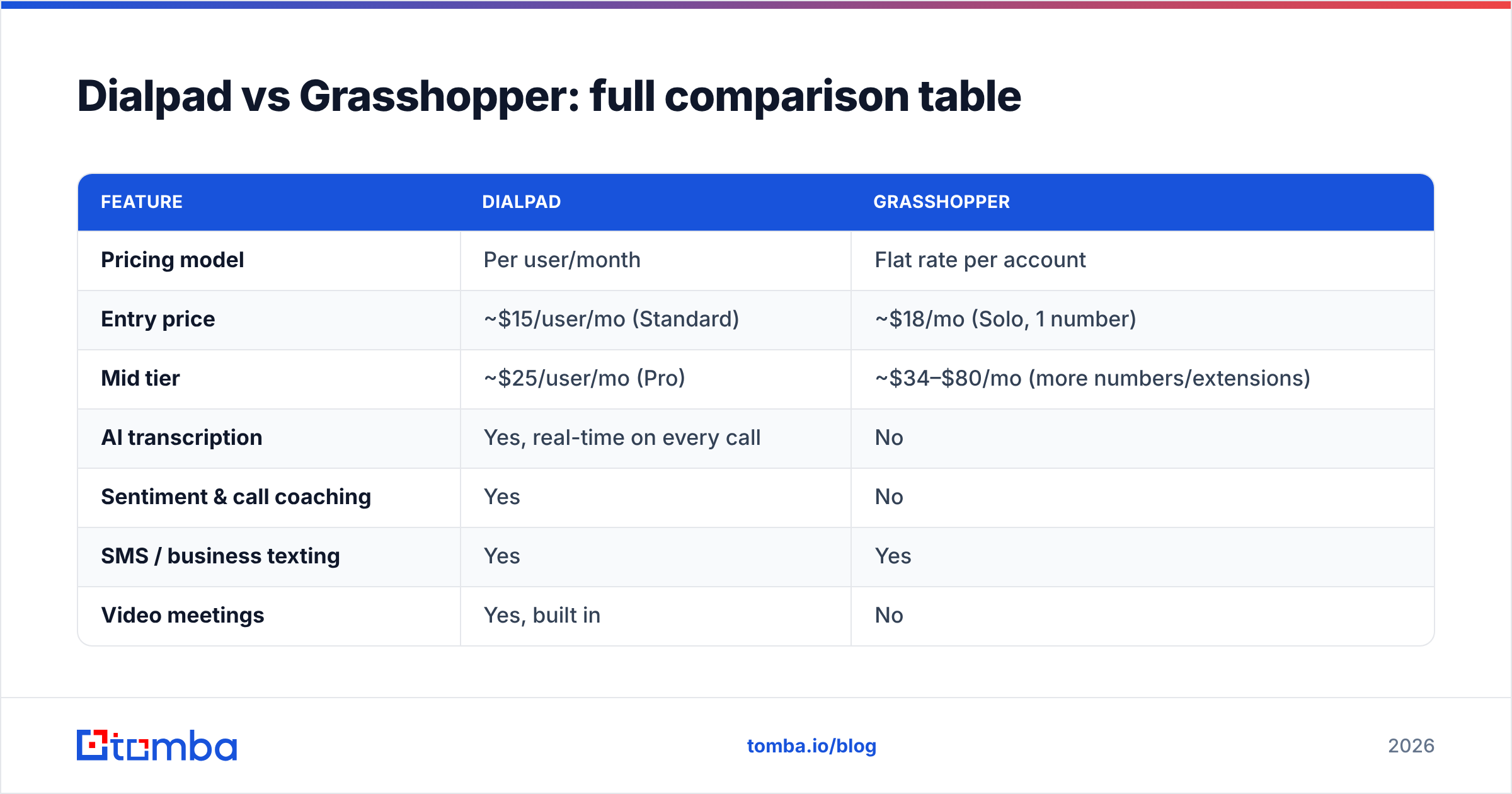
Here's the side-by-side that matters. Prices reflect publicly listed 2026 plans and can change — always confirm on the vendor's own Dialpad pricing and Grasshopper pricing pages before buying.
| Feature | Dialpad | Grasshopper |
|---|---|---|
| Pricing model | Per user/month | Flat rate per account |
| Entry price | ~$15/user/mo (Standard) | ~$18/mo (Solo, 1 number) |
| Mid tier | ~$25/user/mo (Pro) | ~$34–$80/mo (more numbers/extensions) |
| AI transcription | Yes, real-time on every call | No |
| Sentiment & call coaching | Yes | No |
| SMS / business texting | Yes | Yes |
| Video meetings | Yes, built in | No |
| CRM integrations | Salesforce, HubSpot, Zoho, more | Limited |
| Best team size | 3–500+ users | 1–10 users |
| Setup complexity | Moderate | Very low |
| Uses your existing phone | Optional (app-based) | Yes (forwards to your device) |
The pattern is clear: Dialpad is a platform that grows with a team, and Grasshopper is a utility that keeps one or two people looking professional.
Is Dialpad better than Grasshopper?#
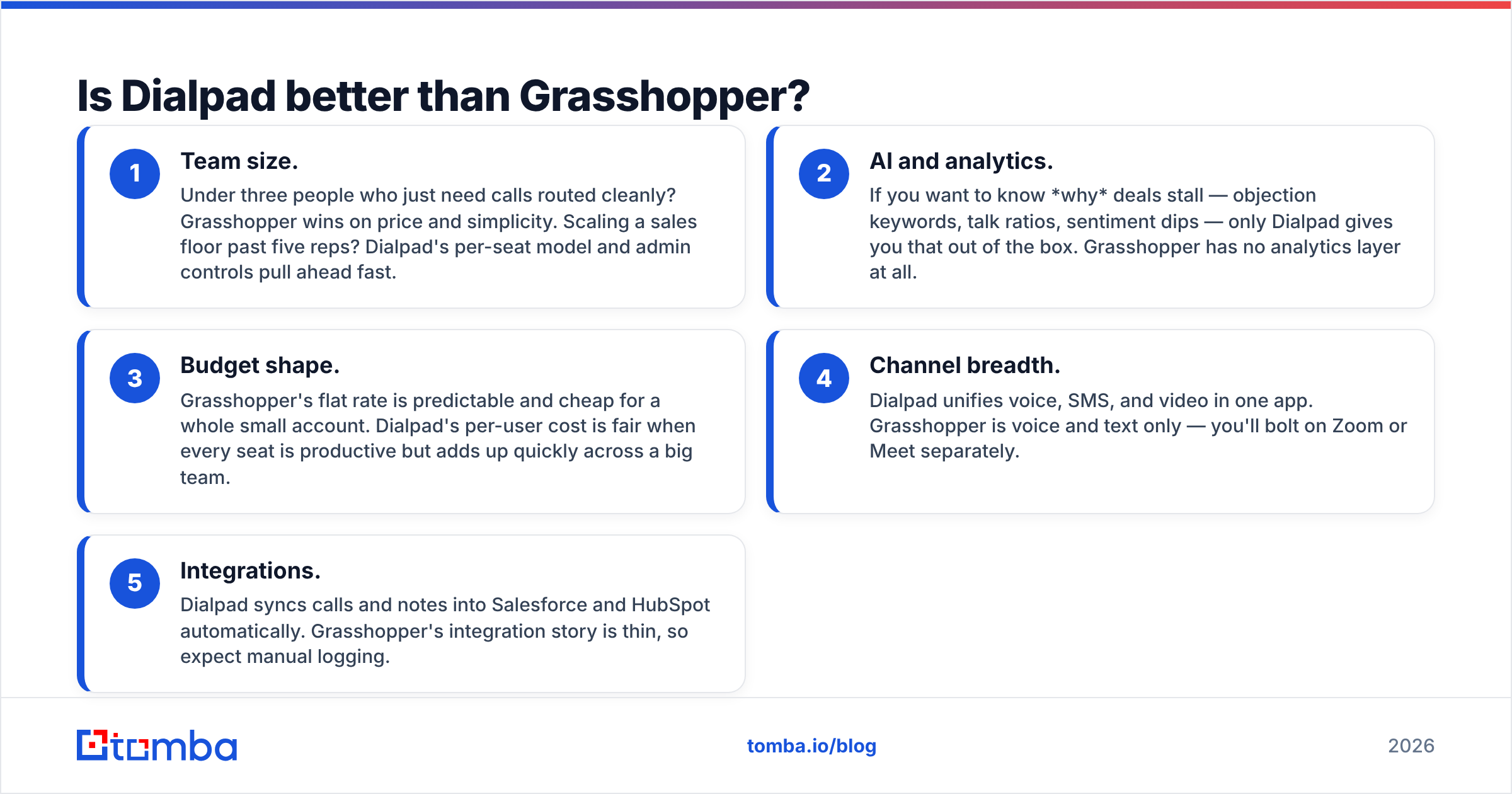
"Better" depends entirely on whether calls are a data source or just a channel. Here's how to decide, broken into the five factors that actually change the answer:
- Team size. Under three people who just need calls routed cleanly? Grasshopper wins on price and simplicity. Scaling a sales floor past five reps? Dialpad's per-seat model and admin controls pull ahead fast.
- AI and analytics. If you want to know why deals stall — objection keywords, talk ratios, sentiment dips — only Dialpad gives you that out of the box. Grasshopper has no analytics layer at all.
- Budget shape. Grasshopper's flat rate is predictable and cheap for a whole small account. Dialpad's per-user cost is fair when every seat is productive but adds up quickly across a big team.
- Channel breadth. Dialpad unifies voice, SMS, and video in one app. Grasshopper is voice and text only — you'll bolt on Zoom or Meet separately.
- Integrations. Dialpad syncs calls and notes into Salesforce and HubSpot automatically. Grasshopper's integration story is thin, so expect manual logging.
If three or more of those factors point toward growth, coaching, or data, Dialpad is the better fit even at a higher price.
Where Grasshopper still wins#
It would be easy to crown Dialpad and move on, but that's lazy analysis. Grasshopper genuinely wins in a few scenarios:
- Solopreneurs and consultants who want a business number without a business phone system. Grasshopper is faster to set up and cheaper to run.
- Privacy-first freelancers who need to keep a personal cell separate from client calls — Grasshopper's forwarding model nails this.
- Predictable budgeting — one flat monthly fee, no per-seat math as you add a virtual assistant or two.
- No learning curve — there's nothing to train a team on because there's barely any surface area.
Dialpad, by contrast, has more features than a one-person shop will ever touch, and you'll pay for that ceiling whether you use it or not.
Call quality and reliability#
Both platforms run on VoIP, so call quality depends heavily on your internet connection. In independent user reviews on G2 and Capterra, both score well on uptime, though Dialpad's larger infrastructure and dedicated app tend to earn slightly higher marks for HD voice and international calling. Grasshopper's reliance on forwarding to your carrier means quality is partly at the mercy of your cellular signal.
For teams that make hundreds of calls a day, Dialpad's native app and call-quality dashboards are a real advantage. For someone taking a dozen calls a day, Grasshopper's forwarding model is more than adequate.
What about the rest of your sales stack?#
A phone system is one piece of the outbound engine. Whichever you pick, the conversation only happens if you're dialing the right people with accurate contact data — and that's where most outbound programs actually break down.
Before a call ever connects, your reps need verified numbers and decision-maker emails. A dialer can't fix a bad list. That's why teams pair their phone platform with a data layer: a phone finder to source direct B2B numbers, an email finder for the follow-up sequence, and an email verifier to keep bounce rates down. Dialpad and Grasshopper move the conversation; the data decides whether it's worth having.
If you run multi-channel outbound — call, then email, then LinkedIn — accurate contact records are the constant underneath all of it. You can even automate the handoff with a tool like Zapier so a new lead in your CRM triggers enrichment before a rep ever picks up the phone.
Pricing breakdown: which is cheaper?#
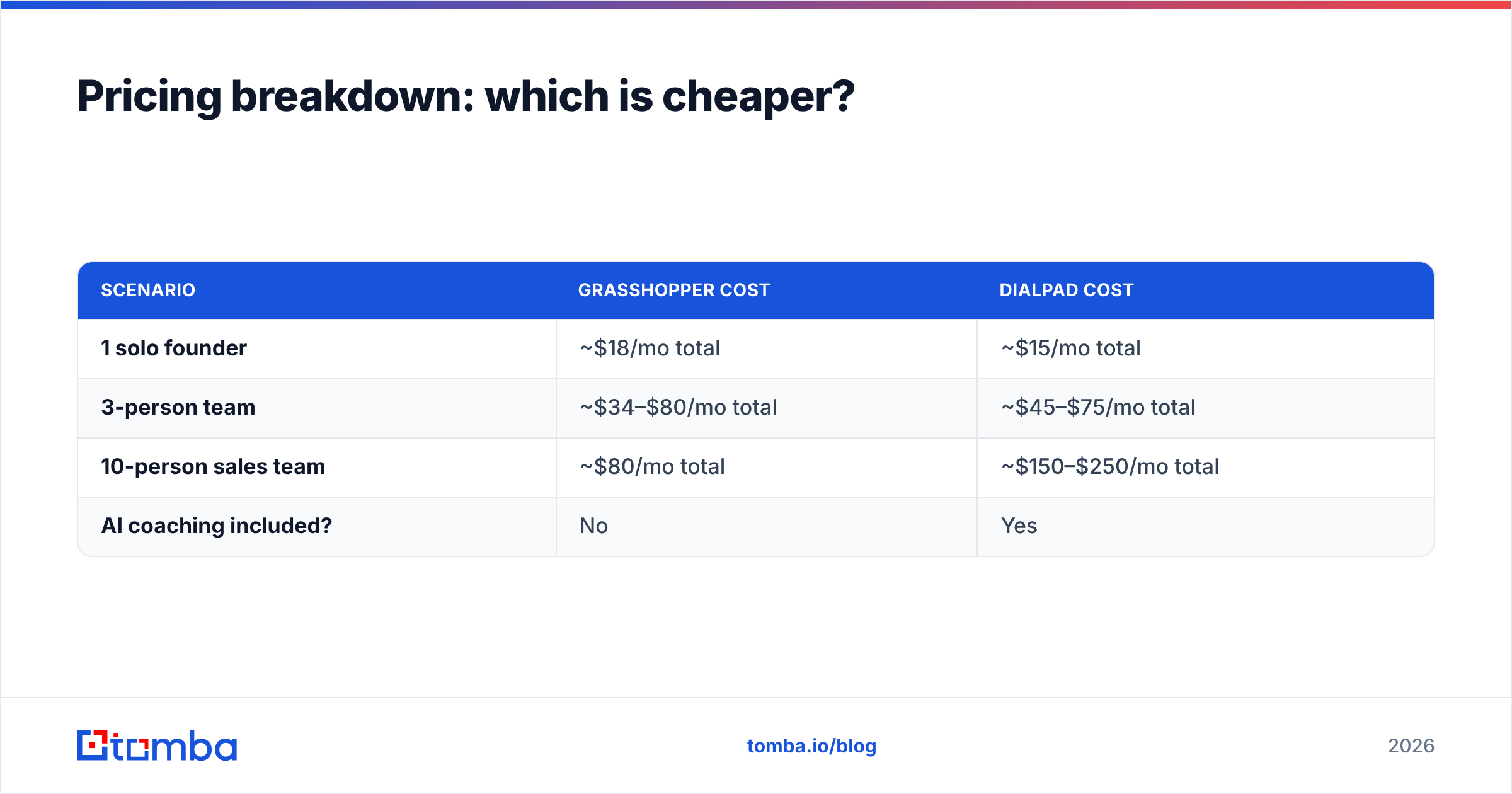
For a single user, Grasshopper is almost always cheaper. For a productive multi-seat sales team, Dialpad often delivers more value per dollar. Here's the math in practice:
| Scenario | Grasshopper cost | Dialpad cost |
|---|---|---|
| 1 solo founder | ~$18/mo total | ~$15/mo total |
| 3-person team | ~$34–$80/mo total | ~$45–$75/mo total |
| 10-person sales team | ~$80/mo total | ~$150–$250/mo total |
| AI coaching included? | No | Yes |
Grasshopper's flat rate looks unbeatable at ten seats — until you remember it delivers none of the transcription, coaching, or analytics that a ten-person sales team relies on to hit quota. You're comparing a $80 phone bill to a $250 revenue-intelligence platform. They're not really the same product.
Which should you choose in 2026?#
Here's the honest recommendation, by team type:
- Solo founder / freelancer / consultant: Choose Grasshopper. You need a professional number and clean forwarding, not an AI coach. Save the money.
- Small support team (2–5, low call volume): Either works. Lean Grasshopper if budget is tight, Dialpad if you want texting, video, and basic reporting in one app.
- Growing sales team (5+ reps): Choose Dialpad. The per-call AI, coaching, and CRM sync pay for themselves the first time a manager catches a coachable objection pattern across the whole team.
- High-volume outbound / call-heavy revenue org: Choose Dialpad, and pair it with a dedicated data provider so every dial hits a verified contact.
There's no universally "best" option here — only the best fit for how central the phone is to your revenue. Grasshopper is a respected, well-built tool for the job it's designed for. Dialpad is the platform you graduate to when conversations become data you can't afford to lose.
Turn better data into better calls with Tomba#
A phone system decides how you call. Your contact data decides who you call — and whether the number even rings. If your reps burn hours on disconnected lines and stale emails, no dialer will save the day.
Start with the contacts. Use the Tomba Email Finder to source verified decision-maker emails by domain or name, then layer in phone numbers and enrichment so every Dialpad or Grasshopper call lands on a real, reachable prospect. There's a free tier (25 searches/month) to test it against your own target accounts, and paid plans start at $49/mo — see full Tomba pricing for the details. Fix the data first, and whichever phone you pick starts converting.
Related guides#
Ready to find emails that actually work?
Join 150,000+ professionals who stopped guessing and started sending. Free credits on signup — no credit card required.
Get the Tomba newsletter
Practical outbound tactics and product updates — once every two weeks.
About the author