Dialpad vs Talkdesk (2026): Which Contact Center Wins?
Dialpad vs Talkdesk, compared on price, AI features, setup, and support so you can pick the right cloud phone system for your sales and CX teams in 2026.
Dialpad vs Talkdesk (2026): Which Contact Center Wins?
Choosing a cloud phone system is one of those decisions that looks simple until you read the fine print. Dialpad and Talkdesk both promise AI-powered calling, real-time transcription, and a slick agent experience. But they are built for different buyers, priced on different logic, and painful in different ways once you scale.
This is a neutral, side-by-side breakdown of Dialpad vs Talkdesk — where each one genuinely wins, where the marketing oversells, and how to match the right platform to the way your team actually sells or supports customers.
TL;DR — Dialpad vs Talkdesk in five bullets#
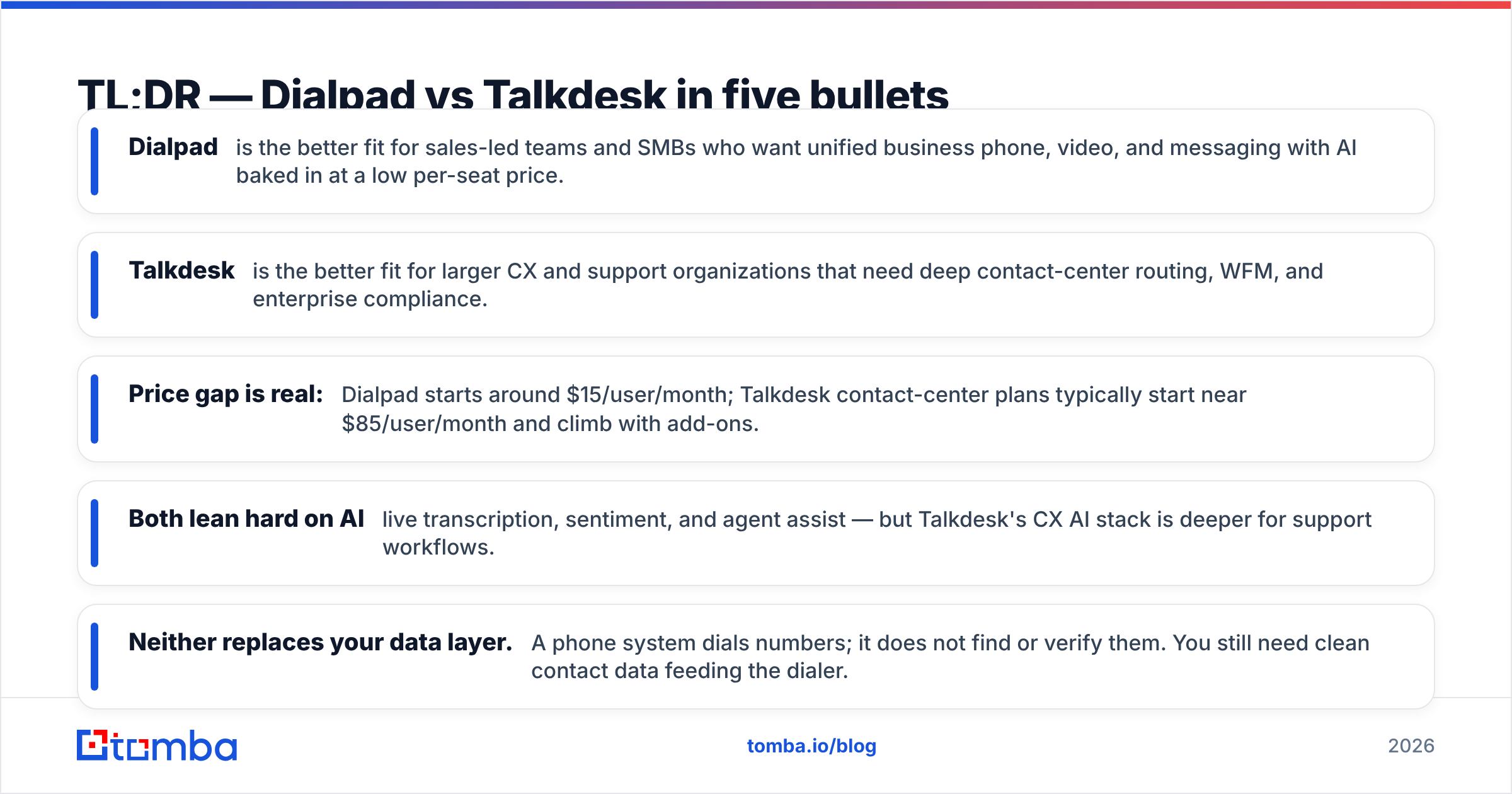
- Dialpad is the better fit for sales-led teams and SMBs who want unified business phone, video, and messaging with AI baked in at a low per-seat price.
- Talkdesk is the better fit for larger CX and support organizations that need deep contact-center routing, WFM, and enterprise compliance.
- Price gap is real: Dialpad starts around $15/user/month; Talkdesk contact-center plans typically start near $85/user/month and climb with add-ons.
- Both lean hard on AI — live transcription, sentiment, and agent assist — but Talkdesk's CX AI stack is deeper for support workflows.
- Neither replaces your data layer. A phone system dials numbers; it does not find or verify them. You still need clean contact data feeding the dialer.

What is Dialpad and who is it for?#
Dialpad is a unified communications platform — business phone, video meetings, team messaging, and a contact-center product — with an in-house AI layer called Dialpad Ai that transcribes calls, captures action items, and coaches reps in real time.
Its center of gravity is the sales and revenue team at small-to-midmarket companies. If you want your SDRs making outbound calls, your AEs running demos, and your support desk fielding tickets from the same tool, Dialpad's all-in-one bundle is genuinely convenient. Setup is fast, the interface is friendly, and you rarely need a professional-services contract to go live.
The trade-off: Dialpad's contact-center routing, workforce management, and reporting are lighter than a dedicated CX platform. For a 30-person sales floor that's fine. For a 500-agent support operation with strict SLAs, you'll feel the ceiling.
You can read the official feature list on Dialpad's homepage, but treat the "AI does everything" framing as aspirational — transcription quality is strong, autonomous resolution is not yet magic.
What is Talkdesk and who is it for?#
Talkdesk is a CX-first, enterprise contact-center platform (CCaaS). It was built from the ground up for support and service organizations: omnichannel routing (voice, chat, email, social), workforce engagement management, quality monitoring, and a large marketplace of integrations and industry-specific "experience clouds" for healthcare, financial services, and retail.
Talkdesk's buyer is usually a CX or operations leader at a midmarket-to-enterprise company who lives and dies by metrics like average handle time, first-contact resolution, and CSAT. The platform's routing engine, real-time dashboards, and AI agents (Talkdesk Autopilot and Copilot) are more sophisticated than what Dialpad ships for pure support use cases.
The cost of that depth: higher per-seat pricing, more configuration, longer implementation, and add-on modules that push the real invoice well above the sticker plan. You can see the plan tiers on Talkdesk's pricing page, but budget for the extras.
Dialpad vs Talkdesk: side-by-side comparison#
Here's the head-to-head on the attributes that actually change the buying decision.
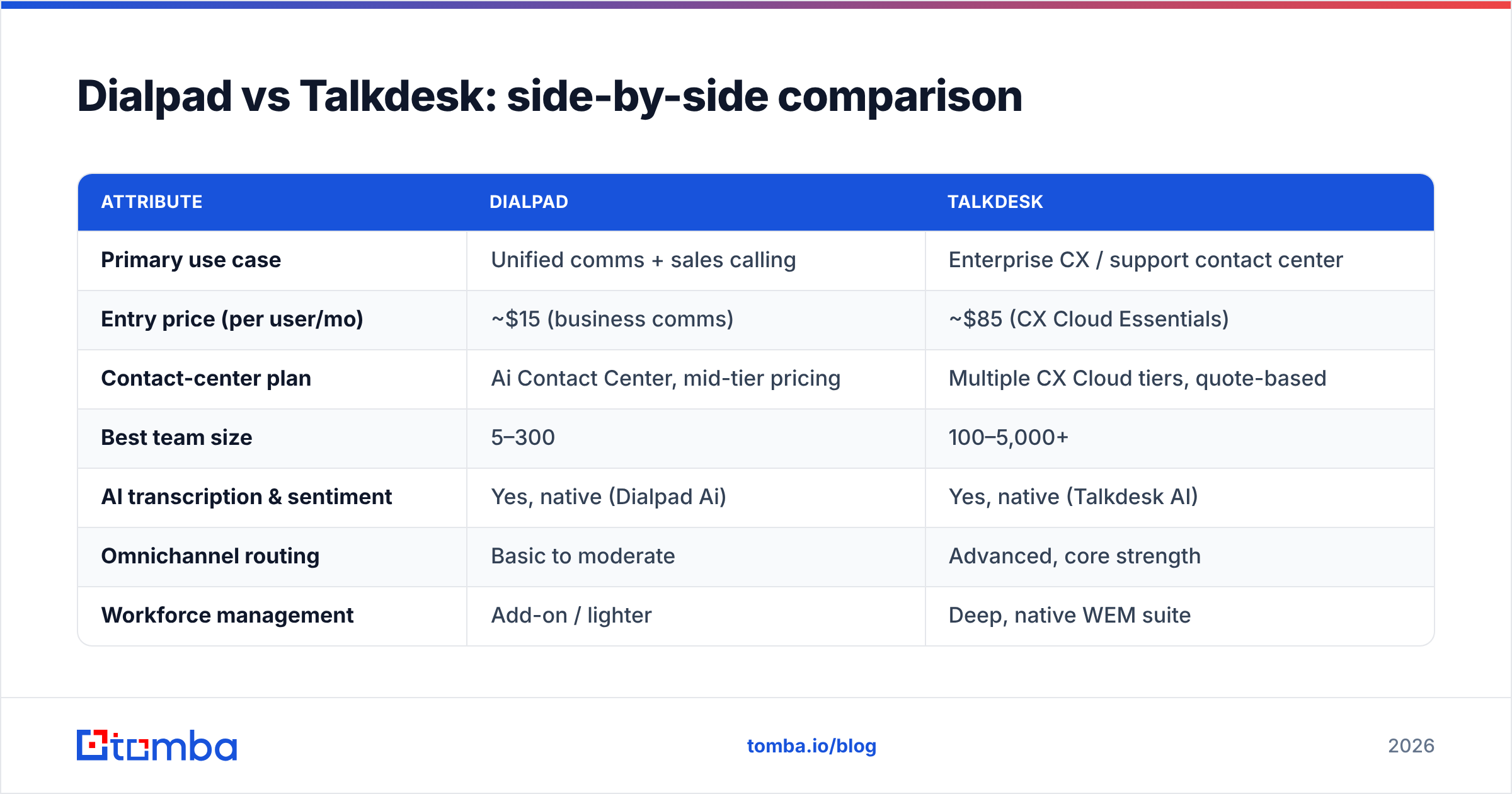
| Attribute | Dialpad | Talkdesk |
|---|---|---|
| Primary use case | Unified comms + sales calling | Enterprise CX / support contact center |
| Entry price (per user/mo) | ~$15 (business comms) | ~$85 (CX Cloud Essentials) |
| Contact-center plan | Ai Contact Center, mid-tier pricing | Multiple CX Cloud tiers, quote-based |
| Best team size | 5–300 | 100–5,000+ |
| AI transcription & sentiment | Yes, native (Dialpad Ai) | Yes, native (Talkdesk AI) |
| Omnichannel routing | Basic to moderate | Advanced, core strength |
| Workforce management | Add-on / lighter | Deep, native WEM suite |
| Setup effort | Self-serve, days | Guided implementation, weeks |
| Contract flexibility | Monthly options available | Annual, enterprise-oriented |
| Support ecosystem | Good for SMB | Extensive, enterprise SLAs |
Read that table as a spectrum, not a scoreboard. Dialpad wins the left column — speed, price, simplicity. Talkdesk wins the right column — depth, scale, compliance. The question is which column your team lives in.
Is Dialpad cheaper than Talkdesk?#
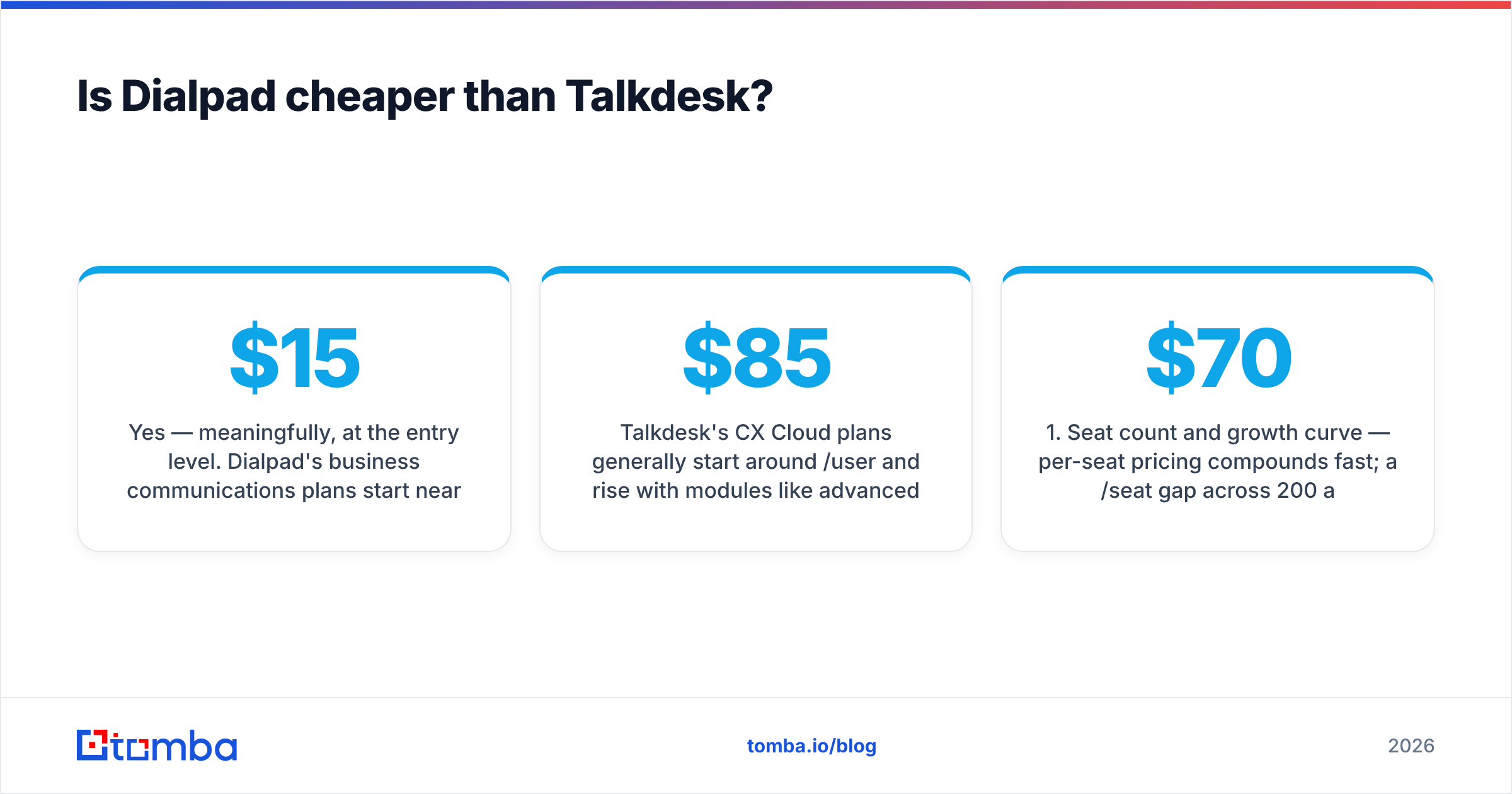
Yes — meaningfully, at the entry level. Dialpad's business communications plans start near $15/user/month, and even its AI contact-center tier lands below where Talkdesk's contact-center plans begin.
Talkdesk's CX Cloud plans generally start around $85/user/month and rise with modules like advanced WFM, quality management, or industry clouds. The sticker price is only part of the story: enterprise CCaaS deals routinely add implementation fees, premium support, and per-feature surcharges.

So the honest framing is this: for a lean sales team, Dialpad is both cheaper and enough. For a large support org, Talkdesk costs more because it does more — but you should model the fully loaded, add-ons-included number before you sign, not the marketing headline.
If you're comparing total cost of ownership, weigh these factors:
- Seat count and growth curve — per-seat pricing compounds fast; a $70/seat gap across 200 agents is $168k/year.
- Add-on modules — WFM, QM, and analytics that Talkdesk sells separately may be bundled or skipped in Dialpad.
- Implementation — Dialpad is often self-serve; Talkdesk usually involves a services engagement.
- Integrations — count the connectors you actually need, not the marketplace total.
- Contract term — monthly flexibility versus annual lock-in changes your risk profile.
- Overage and usage fees — international minutes, extra numbers, and AI usage can surprise you.
Which has better AI: Dialpad Ai or Talkdesk AI?#
It depends on the job. Both platforms transcribe calls in real time, score sentiment, and surface agent-assist prompts, so at the "table stakes" level they're close.
Dialpad Ai shines in sales conversations. Live coaching, automatic call notes, and post-call summaries are tuned for reps who want to stay in the conversation instead of typing. For an SDR or AE, that's a daily productivity win.
Talkdesk AI goes deeper on autonomous support. Its virtual agents (Autopilot) and agent copilots are designed to deflect and resolve service tickets across channels, with knowledge-base grounding and workflow automation aimed at reducing human handle time. For a support org measuring deflection rate, that depth matters.
One reality check that applies to both: AI features are only as good as the data and context you feed them. A copilot suggesting the wrong account because the CRM record is stale isn't an AI win — it's a data problem wearing an AI costume.
What do real users say on review sites?#
Aggregate review sentiment is worth a look before you commit. Both tools sit in the same neighborhood on the major directories, and it's smart to filter reviews by company size — a 20-person startup and a 2,000-seat enterprise experience these platforms very differently.
- Browse verified user reviews and side-by-side grids on G2 to see how ratings split by segment.
- Weight reviews from companies your size and in your industry far more than the overall star average.
- Watch for recurring themes: Dialpad reviews often praise ease of use; Talkdesk reviews often praise routing depth while flagging implementation complexity.
Don't buy on star rating alone. A 4.4 and a 4.3 are statistically a tie; the qualitative comments about onboarding, support responsiveness, and billing surprises tell you far more.
How do Dialpad and Talkdesk fit into an outbound sales stack?#
Here's the part most comparison posts skip: a phone system is the last mile, not the whole engine. Whether you pick Dialpad's dialer or Talkdesk's outbound campaigns, your reps still need someone to call and an accurate number to reach them.
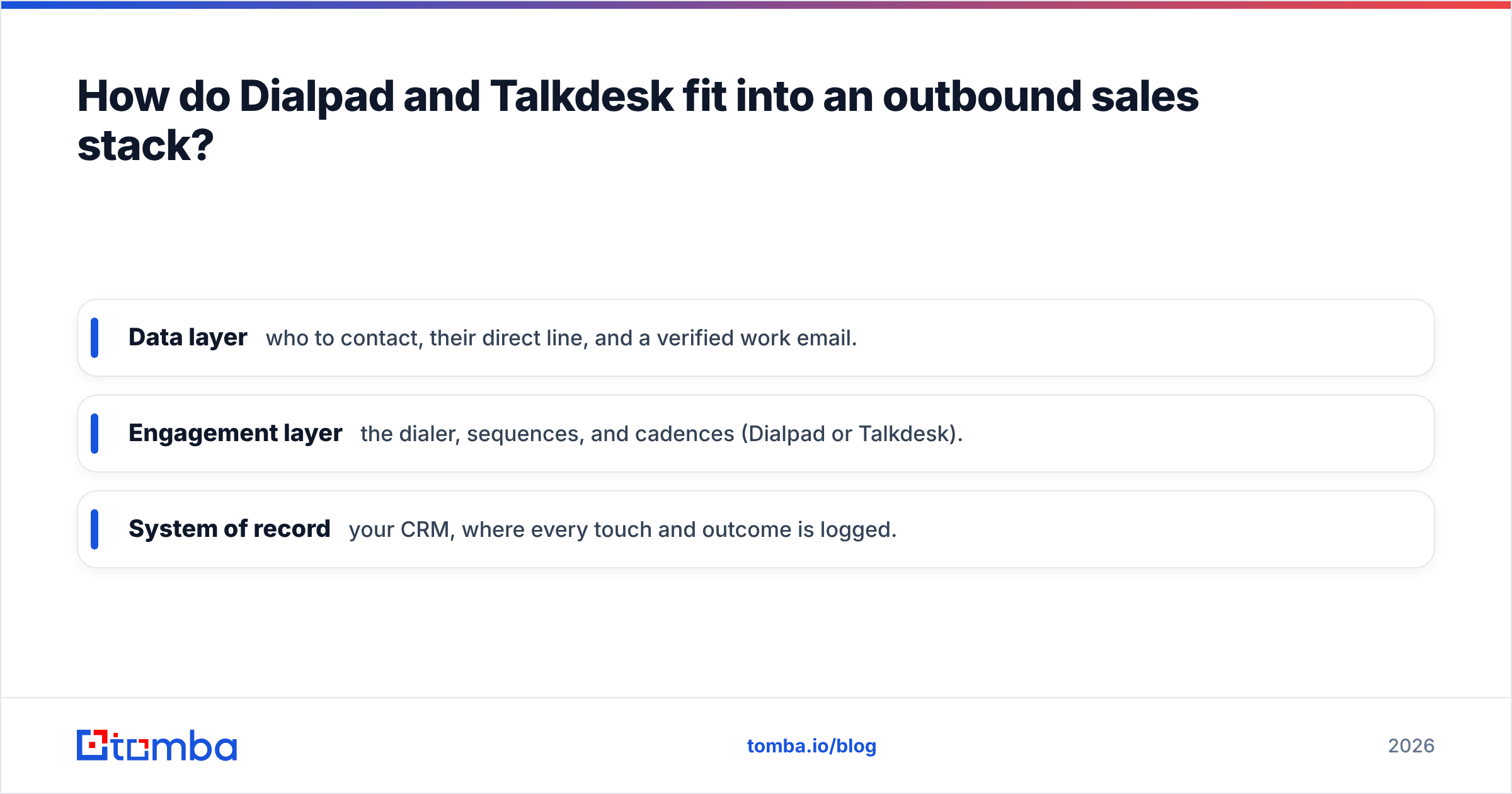
That means your real outbound stack has three layers:
- Data layer — who to contact, their direct line, and a verified work email.
- Engagement layer — the dialer, sequences, and cadences (Dialpad or Talkdesk).
- System of record — your CRM, where every touch and outcome is logged.
The data layer is where most teams quietly leak money. Reps burn hours dialing wrong numbers and bouncing emails that a phone platform will never catch, because that's not its job. This is where a dedicated data tool earns its keep — you enrich a lead with a verified B2B phone number and a confirmed email before it ever hits the dialer.
You can also run numbers through a phone validator to strip dead lines out of a list, and pair every call with a deliverable email using an email finder so multi-channel follow-up actually lands. For teams enriching entire lists, batch data enrichment fills the gaps that neither Dialpad nor Talkdesk can.
The point isn't to swap one tool for another — it's to recognize that Dialpad vs Talkdesk is a decision about the engagement layer only. Get the data layer right separately, and either phone platform performs better.
When should you choose Dialpad?#
Pick Dialpad if most of these describe you:
- You're a sales-led SMB or midmarket team that wants phone, messaging, and video in one place.
- You want to be live in days, not after a multi-week implementation.
- Budget sensitivity is real and you'd rather not pay enterprise CCaaS rates.
- Your reps benefit most from real-time sales coaching and automatic call notes.
- Your support needs are moderate, not a 500-seat omnichannel operation.
Dialpad is the pragmatic choice when simplicity and price beat maximum configurability.
When should you choose Talkdesk?#
Pick Talkdesk if most of these describe you:
- You run a large or complex support/CX operation with strict SLAs.
- You need advanced omnichannel routing, WFM, and quality management as first-class features.
- You operate in a regulated industry and need compliance-grade controls and industry clouds.
- You have the budget and appetite for a guided implementation to get it exactly right.
- Autonomous ticket deflection across channels is a strategic priority.
Talkdesk is the right call when depth, scale, and support sophistication outrank speed and sticker price.
The verdict: Dialpad vs Talkdesk#
There's no universal winner — there's a winner for you.
Choose Dialpad if you're a sales or SMB team that values price, speed, and an all-in-one comms experience with strong conversational AI. Choose Talkdesk if you're an enterprise CX organization that needs deep routing, workforce engagement, and compliance, and can justify the higher, add-on-inclusive cost.
Whichever engagement layer you pick, remember it only performs as well as the data flowing into it. A great dialer pointed at bad numbers is an expensive way to leave voicemails.
Feed your dialer better data with Tomba#
Before you obsess over Dialpad vs Talkdesk, fix the layer underneath both. Use the Tomba Email Finder to find and verify professional email addresses by name, domain, or company — then enrich those contacts with direct phone numbers so every seat you pay for, on either platform, spends its time reaching real prospects instead of dead ends. Start free with 25 searches a month and see how much cleaner your outbound gets when the data layer is handled first. Check the full Tomba pricing to match a plan to your team size.
Related guides#
Ready to find emails that actually work?
Join 150,000+ professionals who stopped guessing and started sending. Free credits on signup — no credit card required.
Get the Tomba newsletter
Practical outbound tactics and product updates — once every two weeks.
About the author