Discoverly Pricing, Reviews, Pros and Cons (2026 Guide)
Discoverly has been free for years — which makes evaluating it a question of coverage, not cost. Here's what the extension actually does, what reviewers complain about, and when a paid email finder pays for itself.
TL;DR
- Discoverly is a free browser extension that overlays social and contact context onto Gmail, LinkedIn, Facebook, and Twitter/X profiles. There is no published paid tier, so "Discoverly pricing" is effectively $0.
- Free is not the same as cheap. The cost shows up as manual copy-paste time, no bulk export, no API, and no verification layer — which is where the real spend hides for anyone building lists at volume.
- Reviews cluster around two themes: people love the zero-friction install, and people churn when the extension breaks after a LinkedIn or Gmail UI change.
- Discoverly works best as a research assistant for one-off, high-value prospects. It is not a list-building engine.
- If you need thousands of verified addresses per month, a credit-based finder (Tomba starts free at 25 searches, then $49/mo) usually costs less per usable contact than "free plus your hourly rate."
What is Discoverly and who actually uses it?#
Discoverly (originally launched as Discover.ly) is a browser extension that injects social context into pages you already visit. Open an email in Gmail and it tries to surface the sender's LinkedIn profile, mutual connections, recent tweets, and company details in a sidebar. Open a LinkedIn profile and it tries to show you shared Facebook connections and other public social footprints.
Think of it like a pair of glasses rather than a database. It does not hand you a spreadsheet of 500 contacts; it makes the one contact you are currently looking at more legible. That distinction drives everything else in this review — including why the pricing question is more interesting than it first appears.
The typical user falls into one of three buckets:
- Founders doing manual outreach. Twenty to fifty high-intent prospects a month, each researched by hand before a personalized email.
- Recruiters sourcing on LinkedIn. They want the social context around a candidate without opening five tabs.
- Account executives prepping calls. A quick pre-meeting scan of who the person is and who they know in common.
What you will not find is a demand-gen team running Discoverly as their contact source. The tool was never built for that, and pretending otherwise is how teams end up disappointed.
How much does Discoverly cost in 2026?#
Short answer: nothing, as far as any public pricing page shows. Discoverly has historically been distributed as a free Chrome extension with no paid tier, no seat licensing, and no credit meter. Install it, grant permissions, and it works.
Be skeptical of anyone quoting you a specific Discoverly monthly price. If you see a number in a listicle, check the vendor's own site before you plan a budget around it — free extensions in this category get acquired, sunset, or quietly monetized, and stale review posts do not update. As of this writing there is no published subscription plan.
That leaves the honest version of the pricing question: what does it cost you to use a free tool for a job that needs a paid one?
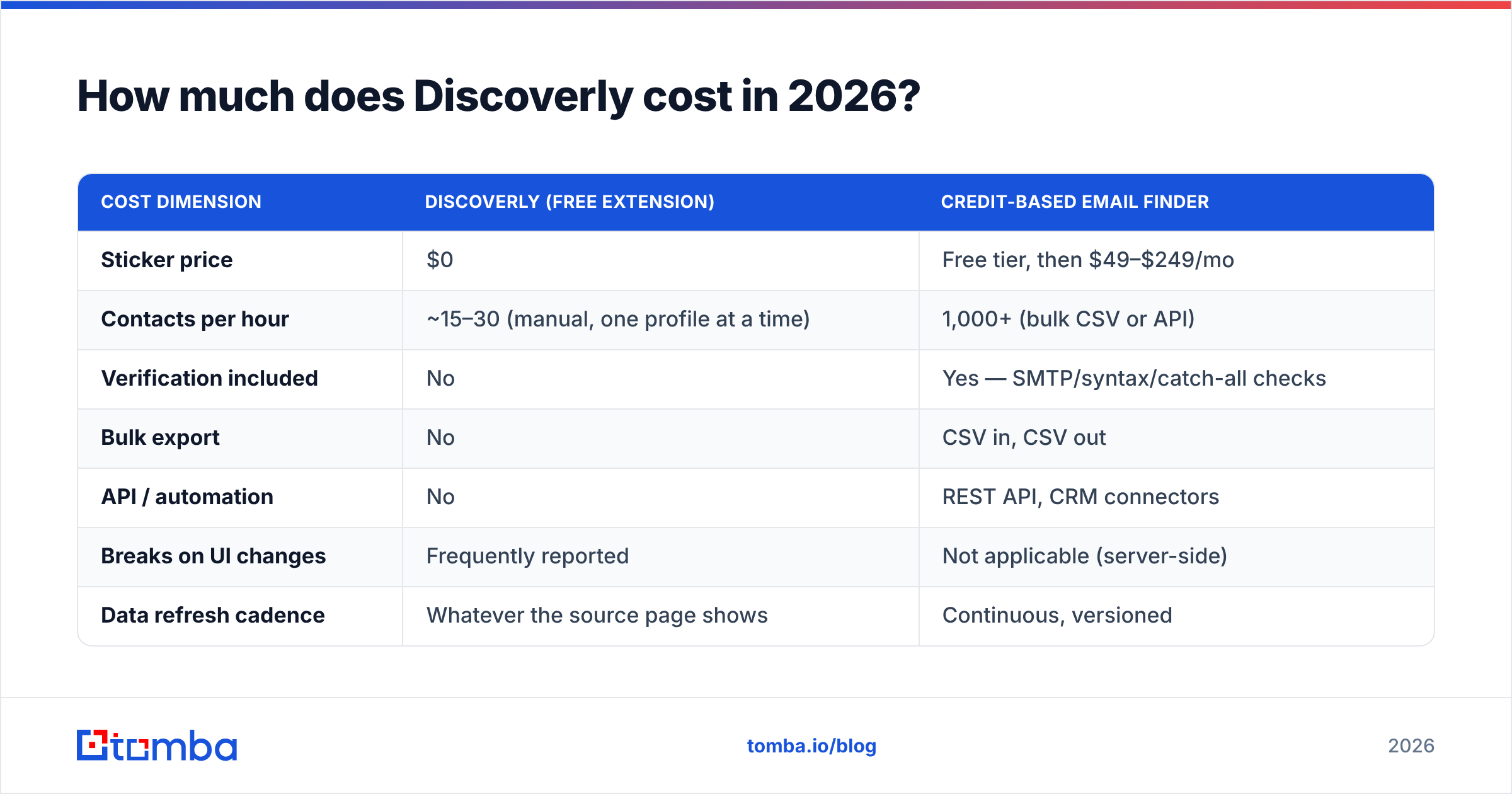
| Cost dimension | Discoverly (free extension) | Credit-based email finder |
|---|---|---|
| Sticker price | $0 | Free tier, then $49–$249/mo |
| Contacts per hour | ~15–30 (manual, one profile at a time) | 1,000+ (bulk CSV or API) |
| Verification included | No | Yes — SMTP/syntax/catch-all checks |
| Bulk export | No | CSV in, CSV out |
| API / automation | No | REST API, CRM connectors |
| Breaks on UI changes | Frequently reported | Not applicable (server-side) |
| Data refresh cadence | Whatever the source page shows | Continuous, versioned |
| Best fit | 20–50 researched prospects/month | 500–50,000 contacts/month |
Run the arithmetic on your own rate. If a rep earning $60k fully loaded spends six hours a week hand-copying contact details that a $49/mo tool would return in one API call, the "free" option costs roughly $700 a month in salary. That is not an argument against Discoverly — it is an argument for using it where it is strong.
What do Discoverly reviews actually say?#
Aggregate review sentiment for social-overlay extensions is remarkably consistent, and Discoverly fits the pattern. Sift through listings on G2's sales intelligence category and Capterra's sales intelligence directory and you will see the same three signals repeat.
What reviewers praise:
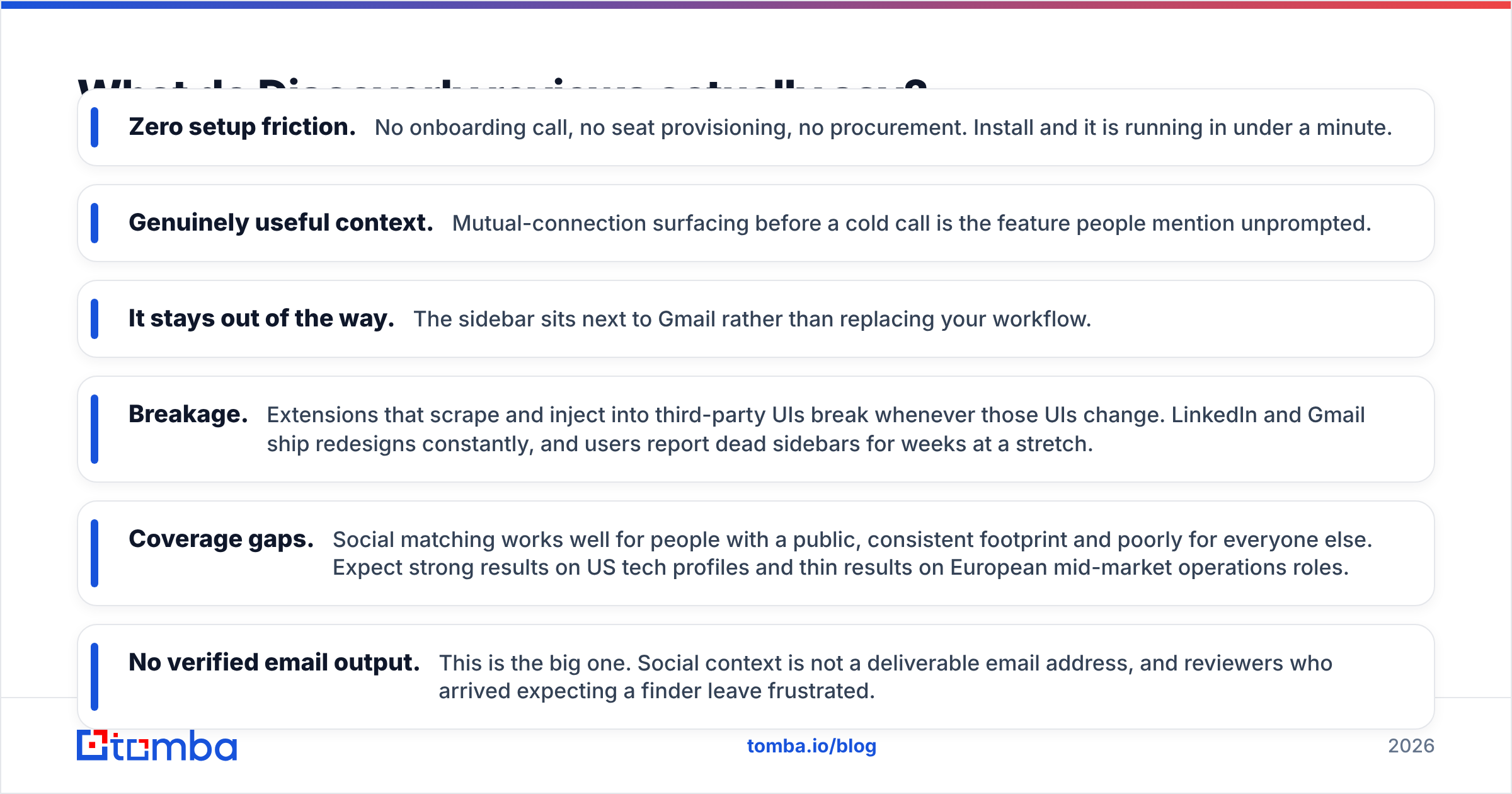
- Zero setup friction. No onboarding call, no seat provisioning, no procurement. Install and it is running in under a minute.
- Genuinely useful context. Mutual-connection surfacing before a cold call is the feature people mention unprompted.
- It stays out of the way. The sidebar sits next to Gmail rather than replacing your workflow.
What reviewers complain about:
- Breakage. Extensions that scrape and inject into third-party UIs break whenever those UIs change. LinkedIn and Gmail ship redesigns constantly, and users report dead sidebars for weeks at a stretch.
- Coverage gaps. Social matching works well for people with a public, consistent footprint and poorly for everyone else. Expect strong results on US tech profiles and thin results on European mid-market operations roles.
- No verified email output. This is the big one. Social context is not a deliverable email address, and reviewers who arrived expecting a finder leave frustrated.
- Permission scope. Any extension reading your inbox raises a legitimate question for security-conscious teams. Ask before you install org-wide.
A fair reading: the complaints are not about quality, they are about category. People rate the tool badly when they bought it — or rather installed it — for the wrong job.
What are the real pros and cons of Discoverly?#
Here is the balanced version, stated plainly.
Pros
- Free with no credit meter. You cannot blow a budget on it, and there is no usage anxiety.
- Context beats raw data for high-value accounts. Knowing you share two connections is worth more than one more address when the deal is six figures.
- Works inside tools you already live in. Gmail and LinkedIn are where reps already spend their day.
- Fast to trial. Evaluating it costs one install and ten minutes, versus a two-week paid pilot.
- No contract, no seats, no procurement. For a five-person team, that alone is worth something.
Cons
- No bulk workflow. One profile at a time is the entire model. There is no list upload, no queue, no export.
- No verification. Whatever address you find elsewhere still needs to be checked before you send. Bounces above 3% start damaging your sending domain.
- Fragile by design. Browser extensions that depend on someone else's DOM are structurally unstable. Budget for downtime.
- Unclear data provenance. Free tools rarely publish where their data comes from or how it is refreshed. Compare that to vendors who document their data sources openly.
- Compliance ambiguity. Automated collection from social platforms lives in a grey zone — the LinkedIn User Agreement restricts scraping and automated data collection, and your legal team may have opinions about extensions that read profile pages.
- No roadmap visibility. With no revenue model, you cannot predict whether the tool will exist in eighteen months.
Is a free extension enough, or do you need a paid finder?#
The deciding variable is not budget — it is volume and verification.
A free overlay tells you who someone is. A paid email finder tells you how to reach them, at scale, with a confidence score attached. Those are complementary, not competing, and the mistake most teams make is trying to force one to do the other's job.
Use this decision frame:
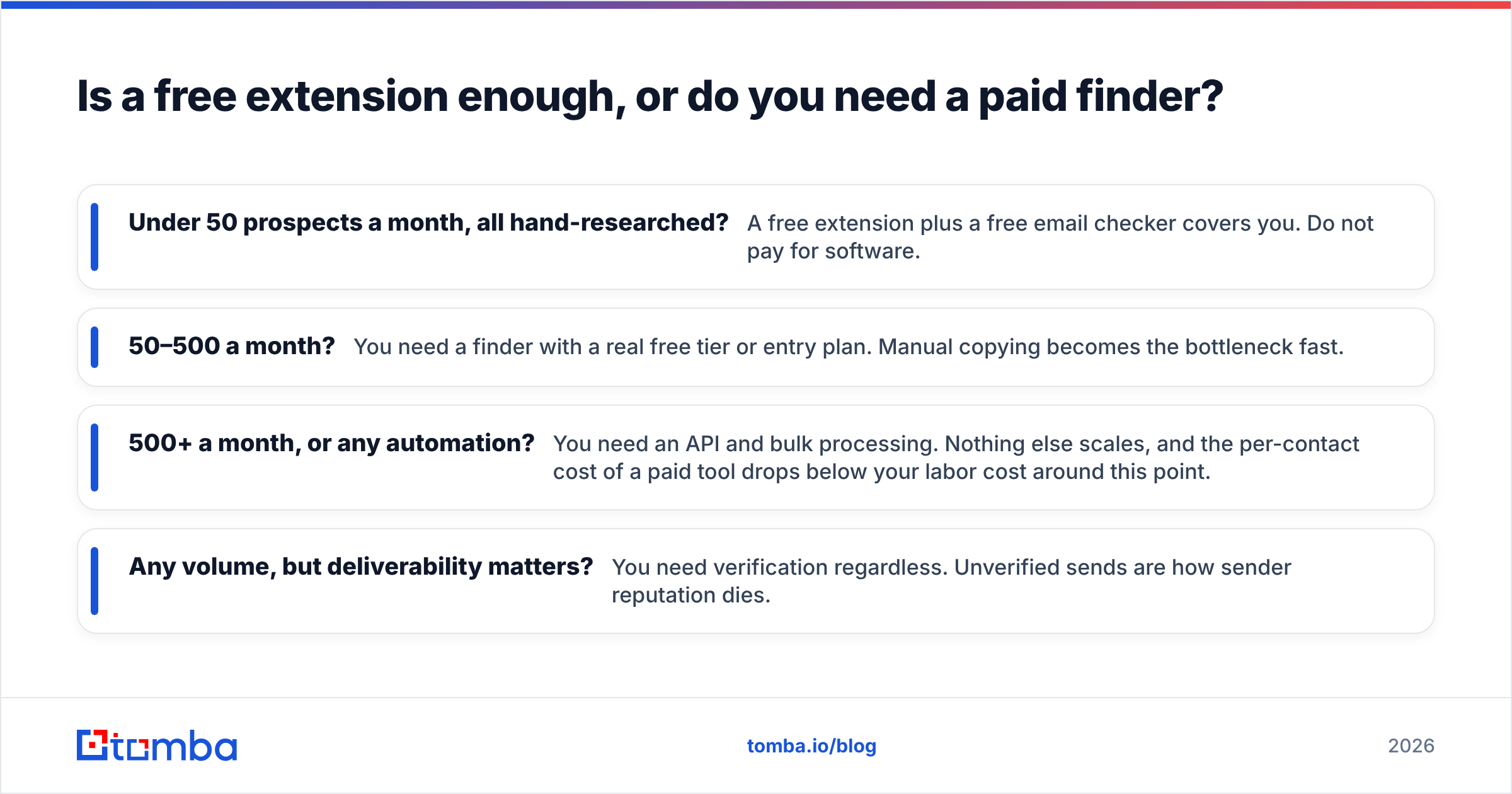
- Under 50 prospects a month, all hand-researched? A free extension plus a free email checker covers you. Do not pay for software.
- 50–500 a month? You need a finder with a real free tier or entry plan. Manual copying becomes the bottleneck fast.
- 500+ a month, or any automation? You need an API and bulk processing. Nothing else scales, and the per-contact cost of a paid tool drops below your labor cost around this point.
- Any volume, but deliverability matters? You need verification regardless. Unverified sends are how sender reputation dies.

How does Discoverly compare to paid alternatives in 2026?#
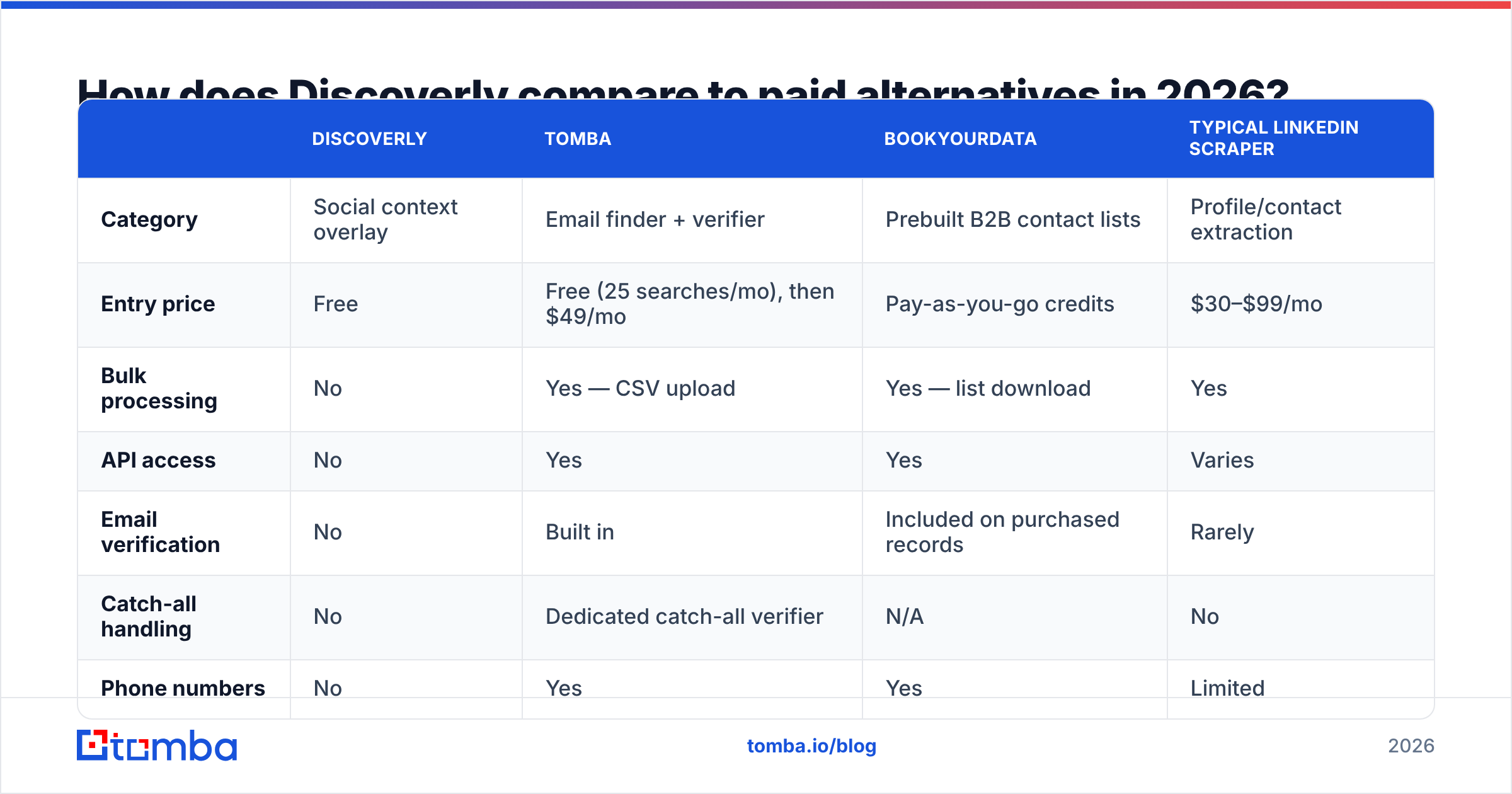
Here is a like-for-like table across the categories teams usually shortlist alongside a social overlay. Prices are entry paid tiers as published by each vendor; always confirm current numbers directly.
| Discoverly | Tomba | BookYourData | Typical LinkedIn scraper | |
|---|---|---|---|---|
| Category | Social context overlay | Email finder + verifier | Prebuilt B2B contact lists | Profile/contact extraction |
| Entry price | Free | Free (25 searches/mo), then $49/mo | Pay-as-you-go credits | $30–$99/mo |
| Bulk processing | No | Yes — CSV upload | Yes — list download | Yes |
| API access | No | Yes | Yes | Varies |
| Email verification | No | Built in | Included on purchased records | Rarely |
| Catch-all handling | No | Dedicated catch-all verifier | N/A | No |
| Phone numbers | No | Yes | Yes | Limited |
| CRM integrations | No | HubSpot, Salesforce, Pipedrive, Zapier | CSV/CRM import | Varies |
| Best for | Pre-call research | Repeatable list building | Buying a ready segment fast | Sourcing at volume |
A few honest notes on this table. BookYourData is a solid option when you want a purchased, ready-to-send list rather than a search tool — it is a different buying motion, not a worse one, and for teams that want data delivered rather than discovered it is often the faster path. Generic scrapers are the riskiest column: cheap, effective, and the most likely to create a compliance conversation you did not plan for.
Tomba sits in the middle of the workflow: you give it a domain or a name, it returns an address with a confidence score, and the email verifier filters out anything that would bounce before it reaches your sequencer. Full Tomba pricing runs Free (25 searches/mo), Starter $49/mo, Growth $99/mo, Pro $249/mo, and Enterprise on request.
What does the combined stack look like in practice?#
The teams that get this right do not pick one tool. They layer three cheap things:
Layer 1 — Targeting. Build the account list first, in a spreadsheet or your CRM. No tool needed. Wrong accounts plus perfect emails still equals zero pipeline.
Layer 2 — Discovery. Use domain search to pull every public address at a target company in one pass, then narrow by role. This replaces the "one profile at a time" tax entirely for the bulk of your list.
Layer 3 — Context. Now bring in a free overlay like Discoverly, but only for the ten or twenty accounts that justify manual research. Mutual connections and recent activity are personalization fuel, and personalization is worth the manual minute on a large deal — not on a 2,000-row list.
Layer 4 — Verification. Run everything through verification before it touches a sending tool. Watch for catch-all domains especially; they accept every address at the SMTP layer and tell you nothing, which is why a dedicated catch-all verifier matters more than most people realize.
That sequence keeps your free tools doing free-tool work and your paid tools doing paid-tool work. It also keeps your bounce rate low, which protects the sending domain you have spent months warming.
Is Discoverly worth installing in 2026?#
Yes — with a narrow definition of "worth."
Install it if you do consultative, low-volume outreach where knowing a mutual connection changes the opening line. It costs nothing, the downside is a browser permission, and the upside on a single warm intro can be real revenue.
Do not install it expecting a list-building engine. It has no bulk mode, no export, no API, and no verification, and no amount of clever workflow design gets around those four gaps. If your quarterly plan involves the word "thousands," you are shopping in the wrong aisle.
And be realistic about the fragility. Free extensions built on top of platforms that actively discourage extensions will break. Have a fallback that does not depend on someone else's front-end shipping unchanged.
Frequently asked questions#
Is Discoverly free forever? There is no published paid tier today, but no free tool carries a forever guarantee. Check the vendor's site before making it load-bearing in your process.
Does Discoverly find email addresses? Not in the way a dedicated finder does. It surfaces social and profile context. For actual address discovery, you need a tool that queries and validates against mail servers.
Is it safe to install? It requests permission to read pages including your inbox. That is normal for this category and also a legitimate security review item. Ask your IT team before rolling it out company-wide.
What is the best free alternative? For pure email discovery, a free tier on a real finder beats a free overlay. Tomba's free plan includes 25 searches per month, and free utilities like the email permutator cover the edge cases at zero cost.
Can I use both? That is the recommended setup. Overlay for context on your top accounts, finder plus verifier for everything else.
Ready to stop copy-pasting contacts one profile at a time?#
If Discoverly has taken you as far as manual research can go, the next step is not a bigger extension — it is a finder that returns verified addresses in bulk. Tomba Email Finder searches by domain, name, or company, scores every result, and hands you clean CSVs or an API response instead of a sidebar you have to read. Start on the free plan with 25 searches a month, and upgrade to Starter at $49/mo only once the volume justifies it. Keep the free overlay for your top ten accounts. Let the finder handle the other nine hundred.
Related guides#
Ready to find emails that actually work?
Join 150,000+ professionals who stopped guessing and started sending. Free credits on signup — no credit card required.
Get the Tomba newsletter
Practical outbound tactics and product updates — once every two weeks.
About the author