DiscoverOrg vs FindThatLead: Which B2B Data Tool Wins?
DiscoverOrg (now ZoomInfo) sells enterprise-grade org charts on annual contracts. FindThatLead sells cheap self-serve email finding. Here is which one actually fits your team — and when neither does.
DiscoverOrg vs FindThatLead is a strange match-up. One is an enterprise data platform sold on a yearly contract. The other is a $49 email finder you can buy with a card. Here is which one fits your team, and what each really costs.
TL;DR
- DiscoverOrg no longer exists as a standalone product. It merged with ZoomInfo in 2019, and the brand was folded into ZoomInfo's GTM platform. If a rep pitches you “DiscoverOrg,” you are buying ZoomInfo. Expect an annual contract, usually five figures.
- FindThatLead is the opposite bet. It is self-serve and month-to-month, priced from single digits to low hundreds. You get a Chrome extension, a domain prospector, and a light sender.
- They barely compete. DiscoverOrg/ZoomInfo sells org charts, intent data, and tech stack data to enterprise RevOps. FindThatLead sells email addresses to founders and small outbound teams.
- The real question is not which one wins. It is whether you need a $25K data platform or a $49 email finder with a working API.
- If you land in the middle — real accuracy needs, no procurement budget — a dedicated email finder with built-in verification usually beats both on cost per usable contact.
What is DiscoverOrg today?#
DiscoverOrg was the gold standard for deep account intelligence in tech sales for about 12 years. It was famous for one thing: human-verified org charts. Researchers phoned into companies, mapped reporting lines, and refreshed records on a schedule. Where rivals scraped, DiscoverOrg called.
In February 2019, DiscoverOrg bought ZoomInfo and then took its name. Today, “DiscoverOrg” is a legacy search term that routes to ZoomInfo. The research-heavy DNA still lives inside ZoomInfo's data operation. The buying experience, though, changed completely. You talk to a sales rep. You sign an annual contract. You get seat-based access with credit caps.
That history explains the price gap. You are not comparing two email tools. You are comparing a hand-built enterprise dataset against a scrappy self-serve finder.
What is FindThatLead?#
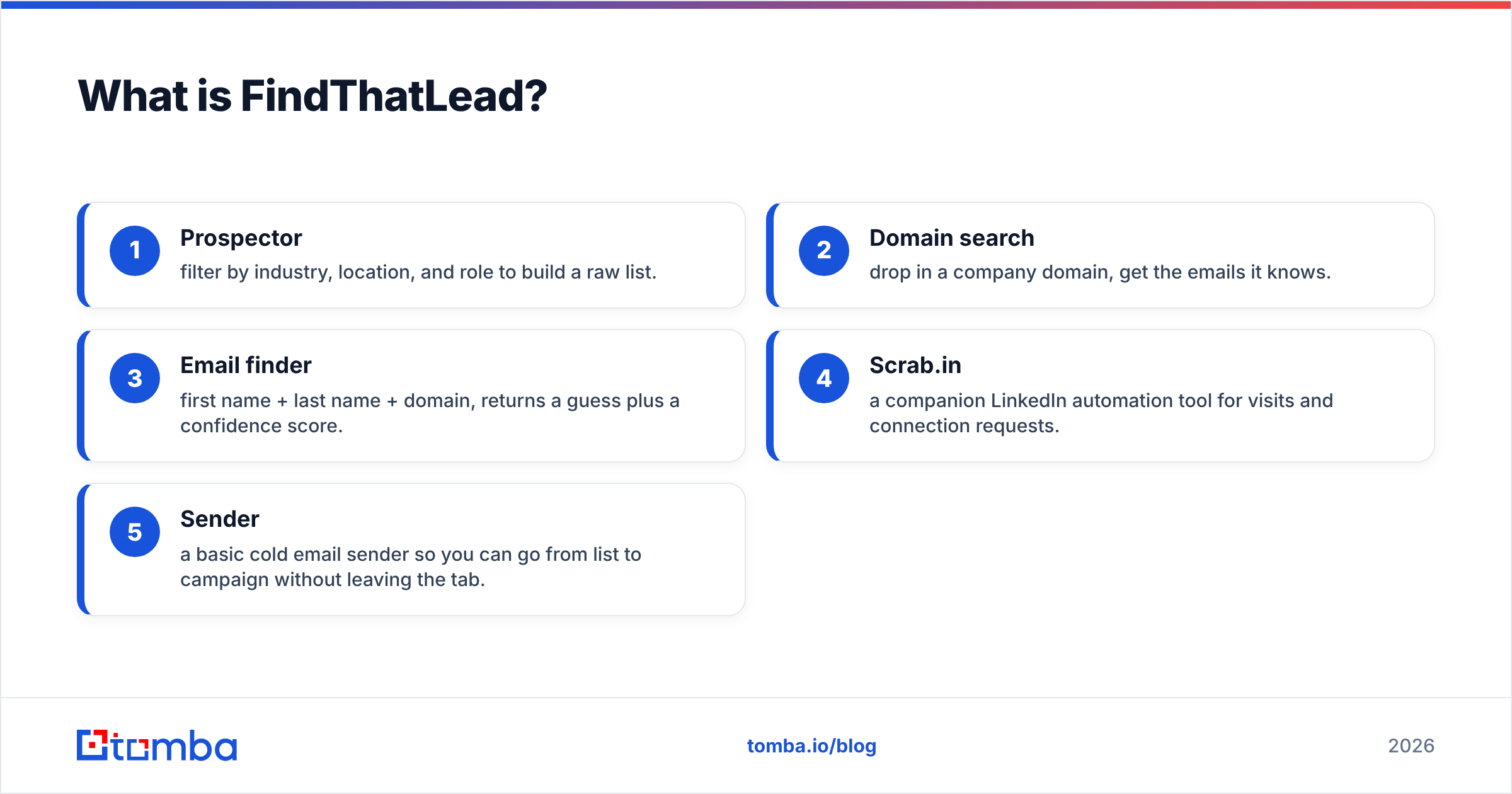
FindThatLead is a Barcelona-built prospecting suite for founders, agencies, and small sales teams. Its core loop is simple:
- Prospector — filter by industry, location, and role to build a raw list.
- Domain search — drop in a company domain, get the emails it knows.
- Email finder — first name + last name + domain, returns a guess plus a confidence score.
- Scrab.in — a companion LinkedIn automation tool for visits and connection requests.
- Sender — a basic cold email sender, so you can go from list to campaign in one tab.
The pitch is breadth at a low price. The trade-off is depth. You will not find verified direct dials for a VP of Infrastructure at a Fortune 500. You will not get intent signals either, so you cannot tell who is shopping for your category this week.

DiscoverOrg vs FindThatLead: how do they compare head to head?#
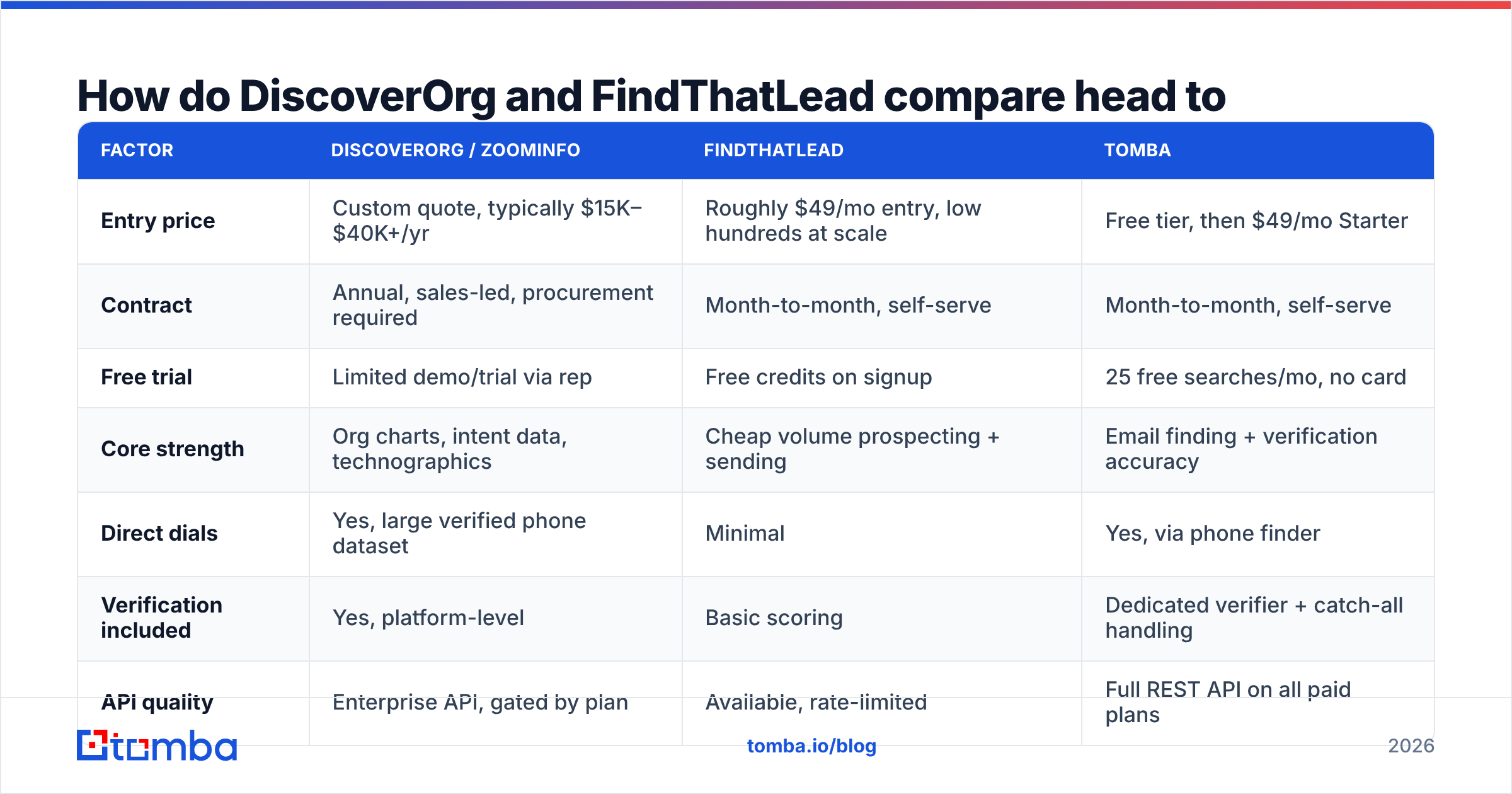
Here is the honest side-by-side. Tomba sits in the middle, because that is the option most teams test when the enterprise quote lands and the budget does not.
| Factor | DiscoverOrg / ZoomInfo | FindThatLead | Tomba |
|---|---|---|---|
| Entry price | Custom quote, typically $15K–$40K+/yr | Roughly $49/mo entry, low hundreds at scale | Free tier, then $49/mo Starter |
| Contract | Annual, sales-led, procurement required | Month-to-month, self-serve | Month-to-month, self-serve |
| Free trial | Limited demo/trial via rep | Free credits on signup | 25 free searches/mo, no card |
| Core strength | Org charts, intent data, technographics | Cheap volume prospecting + sending | Email finding + verification accuracy |
| Direct dials | Yes, large verified phone dataset | Minimal | Yes, via phone finder |
| Verification included | Yes, platform-level | Basic scoring | Dedicated verifier + catch-all handling |
| API quality | Enterprise API, gated by plan | Available, rate-limited | Full REST API on all paid plans |
| Bulk enrichment | Yes, large-scale | Yes, capped by credits | Yes, bulk finder + verifier |
| Best for | 20+ AE teams, ABM, enterprise ICP | Solo founders, agencies, SMB lists | Teams that need accurate emails at SMB pricing |
| Worst for | Anyone under 10 reps | High-ACV enterprise targeting | Teams needing intent + org charts |
Two things jump out. First, the price gap is roughly 30x. That is not a feature gap, it is a different product category. Second, neither tool is built for the job most outbound teams pay for: valid, deliverable addresses per credit spent.
Which one has better data accuracy?#
Accuracy splits by data type. This is where most comparison posts get lazy.
DiscoverOrg/ZoomInfo wins on depth. Direct dials, reporting lines, department budgets, installed tech, and buying-intent signals are hard to copy. Say you sell to a 4,000-person manufacturer and need to know who reports to the CTO. Nothing self-serve gets close. Reviews on G2 praise the coverage. They also flag stale records in fast-moving segments and steep renewal pricing.
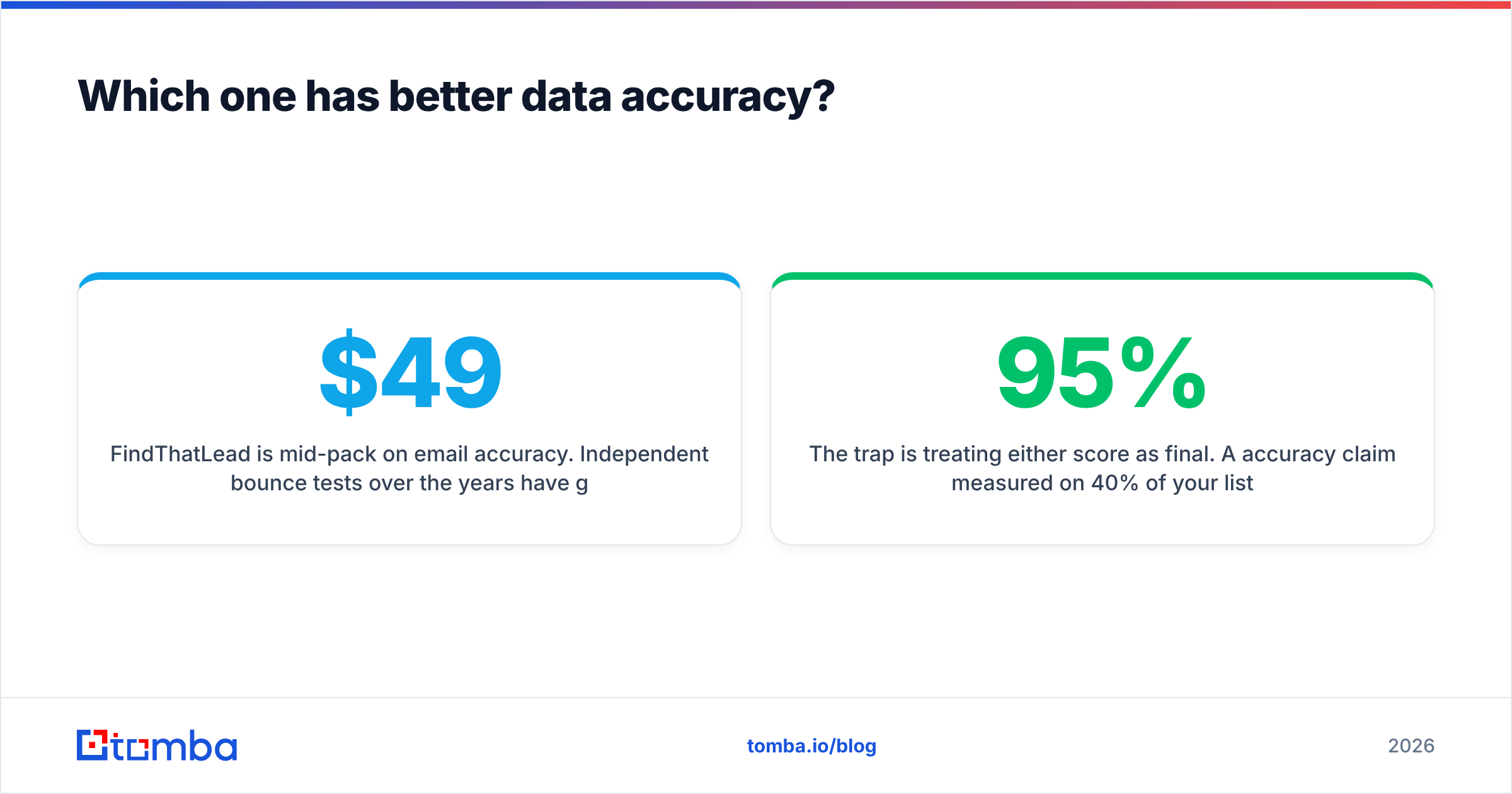
FindThatLead is mid-pack on email accuracy. Independent bounce tests have generally put it below the specialist verifiers. Its scoring points you in the right direction, but it is not proof. A “green” result still needs a verification pass before you load it into a sequence. For a $49-ish tool, that is a fair trade. It just means you should budget a second step.
The trap is treating either score as final. Say one vendor claims 95% accuracy, measured on 40% of your list. Another claims 88%, measured on 90% of it. The second one wins in practice. Always compare on usable contacts per 1,000 target prospects, not on vendor-reported percentages.

You can test this yourself. Run the same 200-row seed list through both tools. Then push every result through one neutral email verifier, so the pass/fail call is consistent. Whatever a vendor's dashboard says, the verifier is your referee.
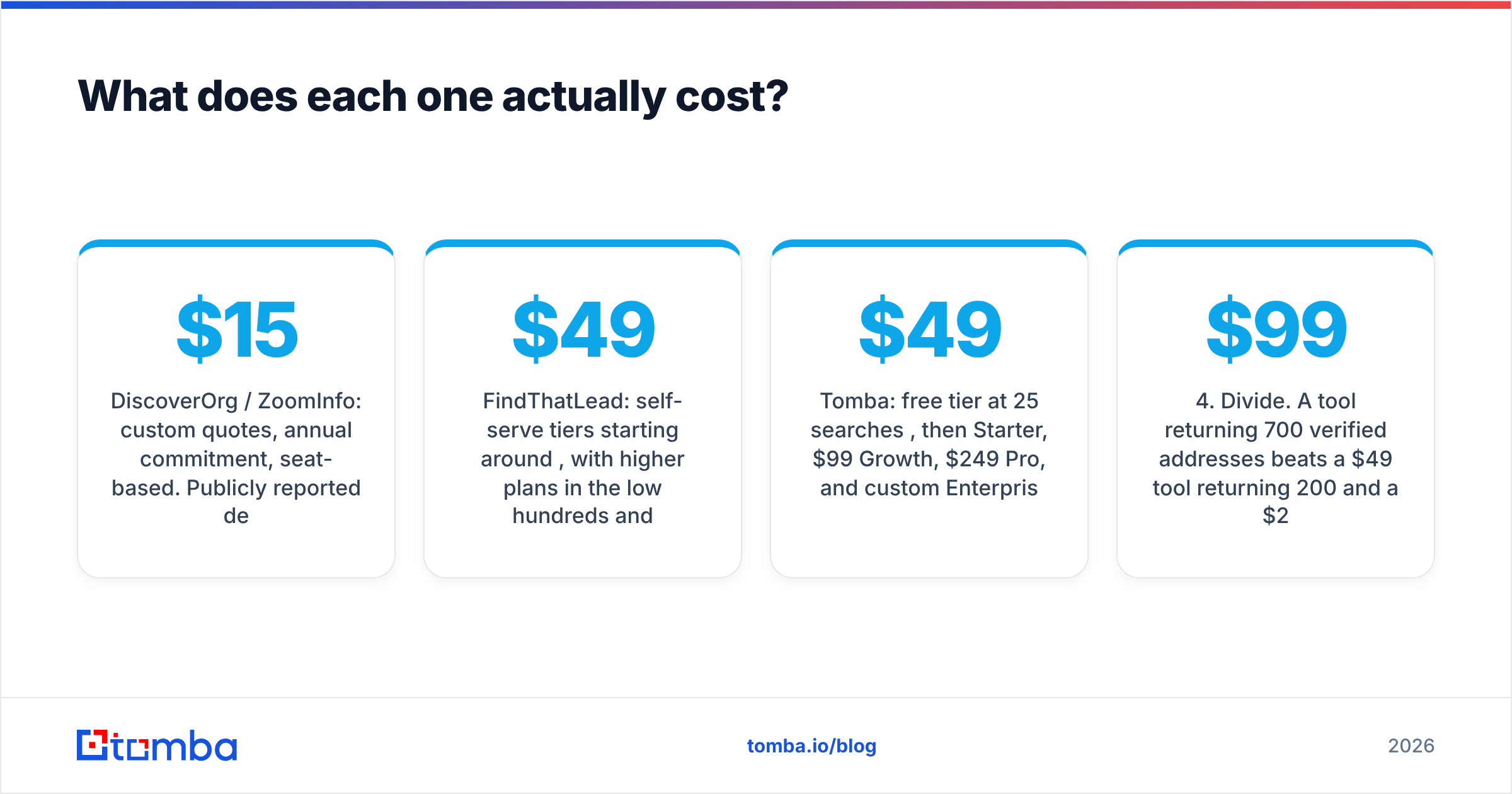
What does each one actually cost?#
Pricing is the clearest dividing line. Treat these as ranges and confirm current numbers directly, because enterprise quotes move constantly.
DiscoverOrg / ZoomInfo: custom quotes, annual commitment, seat-based. Publicly reported deals cluster in the $15,000–$40,000 range for small-to-mid teams. Larger rollouts climb past six figures once you add intent data, Copilot features, and CRM enrichment. Credits are metered. Overages are negotiated. Renewals often reprice upward.
FindThatLead: self-serve tiers start around $49/mo. Higher plans run into the low hundreds, with an agency tier above that. Credits reset monthly. You can cancel without a call.
Tomba: a free tier at 25 searches/mo, then $49/mo Starter, $99/mo Growth, $249/mo Pro, and custom Enterprise. Full Tomba pricing is public. API access is included on every paid plan, not gated behind a sales conversation.
The mistake teams make is comparing sticker prices instead of unit cost. Work out what one verified, deliverable contact costs:
- Count what you spent per month — subscription plus overages, not the advertised tier.
- Count contacts found, not credits used. A “no result” that still burns a credit is a real cost.
- Subtract the bounces — anything that fails independent verification is not a contact.
- Divide. A $99 tool that returns 700 verified addresses beats a $49 tool that returns 200. It also beats a $2,000/mo tool returning 3,000 you never had time to work.
- Add the hidden line items — CSV cleanup, a separate verifier, sequencing seats, and the cost of a burned sending domain after a bad batch.
Most teams find their true cost per usable contact is two to four times what they assumed.
Is DiscoverOrg worth it for a small team?#
Almost never — and that is not a knock on the product.
DiscoverOrg/ZoomInfo is priced for a sales motion where one closed deal pays for the year. If your deal size is $50,000 and you sell to 2,000-person companies, the math works easily. If your deal size is $3,000 and you sell to 20-person agencies, the picture flips. You would spend a quarter of your yearly marketing budget on a database built for much bigger targets. Org charts, tech filters, and intent surges do not apply to a 20-person shop.
There is also a practical drag. Enterprise platforms carry onboarding, admin work, seat management, and renewal talks. That is fine when you have a RevOps team. It is a tax when your RevOps team is a founder with a spreadsheet.
Signals you genuinely need the enterprise tier:
- Multi-threaded enterprise deals where you must map 6–10 stakeholders per account.
- Intent-based territory planning that drives which accounts reps touch this week.
- CRM enrichment at scale — tens of thousands of records refreshed on a schedule.
- Compliance requirements that demand documented data provenance and DPAs.
- A dedicated data owner who will maintain the integration rather than let it rot.
If fewer than three apply, you are buying power you will never use.

When is FindThatLead the right call — and when is it not?#
FindThatLead earns its spot when you need volume fast, cheaply, and without procurement. Agencies run several client campaigns at once. Founders test a new segment. Both get real value at that price, and the list-to-inbox-in-one-tab flow saves real time.
It struggles in three situations:
- High-stakes deliverability. Some teams send from the same domain that carries product notifications. In that case a middling verification layer is too risky. Bad batches damage sender reputation for months.
- Catch-all-heavy targets. Many mid-market and enterprise domains accept every address at the gateway. A naive finder then marks dead addresses as “valid”. You need a dedicated catch-all verifier to tell a real mailbox from an accept-all wall.
- Programmatic workflows. Maybe you want enrichment to fire on a signup event or a CRM update. Then you need a documented API with generous rate limits, not a UI-first tool with an API bolted on.
What is the better middle option?#
If DiscoverOrg is too heavy and FindThatLead is too light, the answer is a specialist finder plus verifier at SMB pricing.
That is the slot Tomba fills. You give up intent data and org charts, which are useful things worth naming. In exchange you get accuracy tooling that cheap prospectors tend to skip:
- Domain search pulls every known address at a company plus the email pattern, so you can work out the rest.
- Verification as a first-class product, including catch-all handling, rather than a badge stuck on a guess.
- Bulk email finder for list enrichment, with no sales call and no annual lock-in.
- Tomba API on every paid plan, so enrichment can run inside your product, your CRM, or your data pipeline.
- Transparent data sources — useful when legal asks where a record came from, which happens more often under GDPR review.
One honest limit: no email finder replaces an intent platform. If your plan depends on knowing which accounts are in-market this quarter, buy the intent data. Then buy contact discovery separately at a sane price. Those are two purchases, not one, and splitting them is usually cheaper than the all-in-one quote.
How should you run the evaluation?#
Most DiscoverOrg vs FindThatLead debates end in a demo. Yours should end in a spreadsheet of your own numbers.
- Pull 200 real target prospects from your ICP — name, company, domain. Use accounts you actually want, not easy ones.
- Run the same list through each tool on a trial or entry plan. Record hit rate, not just result count.
- Verify every result through one neutral verifier, so pass/fail is judged the same way.
- Send a small, warmed batch — 50 addresses per source — and measure the real bounce rate against the tool's claim.
- Work out cost per replied-to contact, since that is the number your board asks about.
A week of this beats a quarter of vendor comparison sheets. It also ends the debate fast. One source usually returns double the usable contacts per dollar, and it is rarely the one with the slickest demo.
The verdict#
The DiscoverOrg vs FindThatLead choice comes down to three cases.
Pick DiscoverOrg/ZoomInfo if you sell big deals into large organisations and need org charts and intent signals. You also need the headcount to run a data platform day to day. It is expensive because the research behind it is expensive, and for the right buyer it is worth it.
Pick FindThatLead if you are a founder or agency who needs cheap volume and one path from list to send. You will run the verification step yourself.
Pick a specialist finder if what you really need is a high hit rate on accurate, deliverable addresses, at a price that skips the procurement cycle.
If that last line describes you, start with the Tomba Email Finder. The free tier gives you 25 searches a month with no card. That is enough to run the 200-row bake-off above against whatever you use now. If the numbers do not favour it, you have lost nothing but an afternoon.
Related guides#
Ready to find emails that actually work?
Join 150,000+ professionals who stopped guessing and started sending. Free credits on signup — no credit card required.
Get the Tomba newsletter
Practical outbound tactics and product updates — once every two weeks.
About the author