DiscoverOrg vs Findymail: Which B2B Data Tool Wins in 2026?
DiscoverOrg is now ZoomInfo. Findymail is a lean, verification-first email finder. Here is how the two actually compare on data, pricing, contracts, and workflow fit in 2026 — plus who should pick neither.
Wondering how DiscoverOrg vs Findymail compare in 2026? It is not a fair fight. DiscoverOrg is gone. It is ZoomInfo now, sold on annual deals. Findymail is a small monthly email finder. This DiscoverOrg vs Findymail guide covers what each tool does, what it costs, and who should skip both.
TL;DR
- DiscoverOrg is no longer its own product. It merged with ZoomInfo in 2019 and the brand was dropped. If a rep pitches you "DiscoverOrg," you are buying ZoomInfo.
- Findymail is the opposite bet. It is a small email finder that checks each address first. You pay monthly, at public prices.
- They are not real rivals. One sells org charts and buyer signals to big teams. The other sells clean emails to small ones.
- The cost gap is about 20x. ZoomInfo deals often run five figures a year. Findymail starts under $60 a month.
- Most small teams need neither. If you just want verified work emails at scale, by API, the Tomba Email Finder does that job for far less.
What happened to DiscoverOrg?#
DiscoverOrg bought ZoomInfo in February 2019. It then moved everything under the ZoomInfo name before the 2020 IPO. The old product line, its hand-checked org charts, and its account data now sit inside the ZoomInfo platform.
That changes your shortlist in three ways:
- You cannot buy DiscoverOrg pricing. Any "DiscoverOrg quote" in a 2018 forum thread is history.
- The pitch changed. DiscoverOrg sold deep, hand-built data in tech and finance. ZoomInfo sells reach plus signals: intent topics, site visitors, scoops, and workflow tools.
- The buying process changed. ZoomInfo wants a year up front. Seats, credit caps, and auto-renewal are standard. There is no monthly self-serve plan for the core Sales product.
So people who search "DiscoverOrg vs Findymail" really want one answer. Do I need a full B2B database, or do I just need good emails?
What is Findymail, and who is it for?#
Findymail launched in 2022 to answer that. It is a European email finder with a narrow promise. It returns checked work emails. It does not bill you for the ones it cannot find.
Here is the core loop:
- Sales Navigator and LinkedIn exports. Paste a saved search or list. Get a CSV with checked emails.
- Built-in checks. Findymail tests each address instead of handing you a guess. That is why its bounce claims hold up.
- No charge on a miss. You spend credits on results, not tries.
- Native links to Lemlist, Instantly, Smartlead, HubSpot, Pipedrive, Zapier, and an API.
What it leaves out: org charts, intent data, tech filters, call analysis, and a huge company list you can slice by funding round. It is a finder, not a database.

DiscoverOrg vs Findymail: how do they compare?#
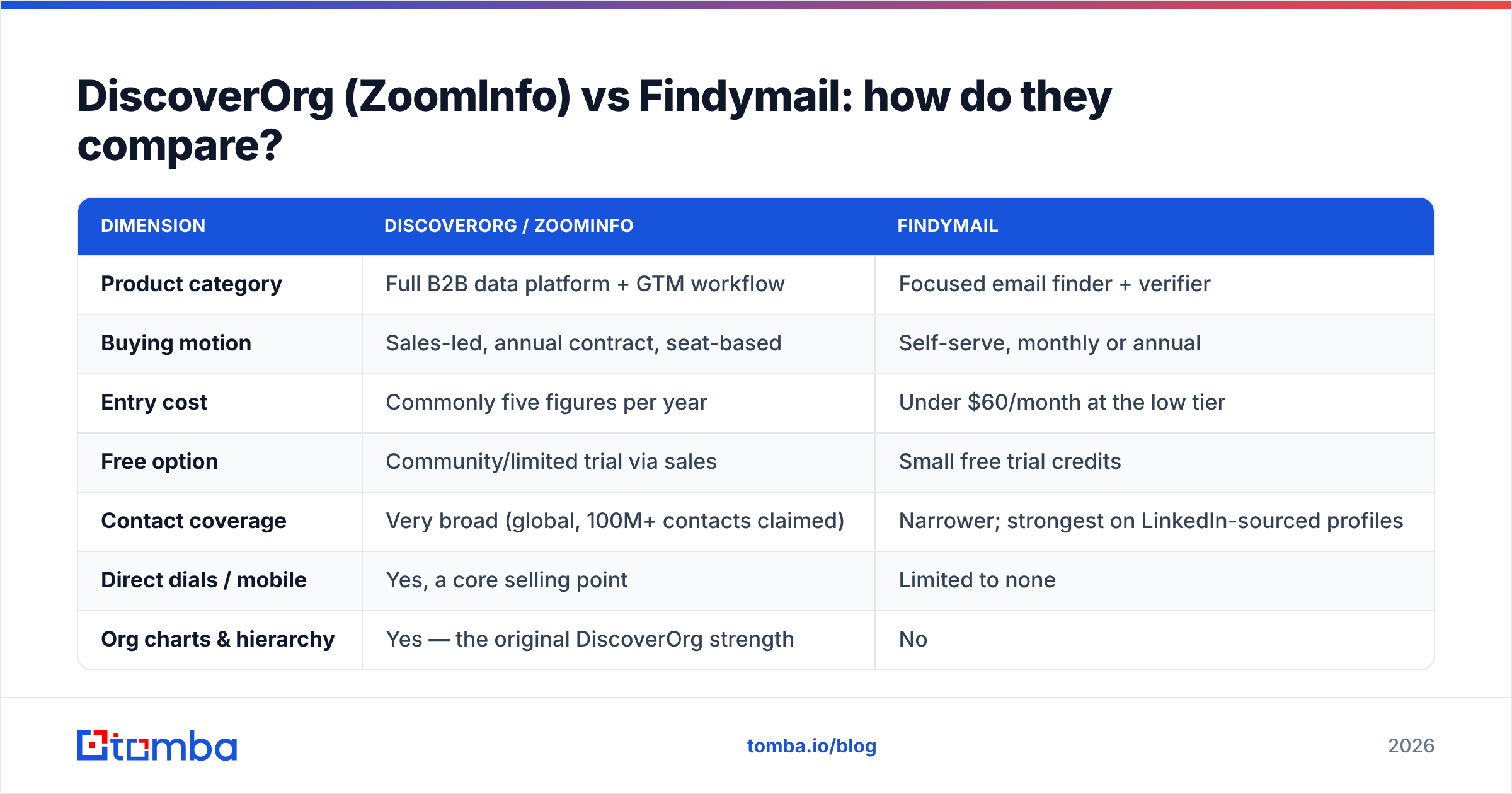
Here is the honest DiscoverOrg vs Findymail side-by-side. Treat the prices as rough. ZoomInfo is quote-only, and Findymail tweaks its plans. Always check the vendor page before you sign.

| Dimension | DiscoverOrg / ZoomInfo | Findymail |
|---|---|---|
| Product category | Full B2B data platform + GTM workflow | Focused email finder + verifier |
| Buying motion | Sales-led, annual contract, seat-based | Self-serve, monthly or annual |
| Entry cost | Commonly five figures per year | Under $60/month at the low tier |
| Free option | Community/limited trial via sales | Small free trial credits |
| Contact coverage | Very broad (global, 100M+ contacts claimed) | Narrower; strongest on LinkedIn-sourced profiles |
| Direct dials / mobile | Yes, a core selling point | Limited to none |
| Org charts & hierarchy | Yes — the original DiscoverOrg strength | No |
| Intent data | Yes (topic-level buyer intent) | No |
| Verification model | Bulk export, verification varies by record | Verification-first; miss = no credit charged |
| Sales Nav export | Via extension, gated by contract | Core use case |
| API | Yes, enterprise-tiered | Yes, included on paid plans |
| Best fit | 20+ seat teams with RevOps and ABM programs | 1–15 person outbound teams |
| Exit friction | Auto-renew clauses are a known complaint | Cancel from the dashboard |
Which one has better data accuracy?#
Both are accurate, but not at the same thing. That gap is where buyers get burned.
ZoomInfo aims for full records. You get company size, revenue band, tech stack, reporting line, and a direct dial. Say you need to know who reports to whom inside a 4,000-person insurer. Nothing in Findymail's class comes close. That depth is the DiscoverOrg legacy, and it is real.
Findymail aims for emails that land. It checks each address before it hands it over. So less of your sending bounces. A 5% bounce rate can wreck your domain reputation. For a cold email team, that one number beats any tech filter.

Keep two things in mind when you read accuracy claims, including the chart above.
- Each vendor grades its own homework. A tool that only returns safe bets will always post a better accuracy score and a worse coverage score. Both numbers are true. Neither is the full story.
- Catch-all domains break the math. About one in five B2B domains accepts every address at the mail server. So no checker can give a clean yes or no without extra clues. Any vendor claiming 99% on every domain is rounding hard. If you sell to big firms, test a catch-all verifier on a known list first.
The only benchmark that counts is yours. Take 200 contacts with emails you trust. Run them through each trial. Score coverage and correctness on their own.
DiscoverOrg vs Findymail pricing: what does each cost?#
Here the two products stop being alike at all.
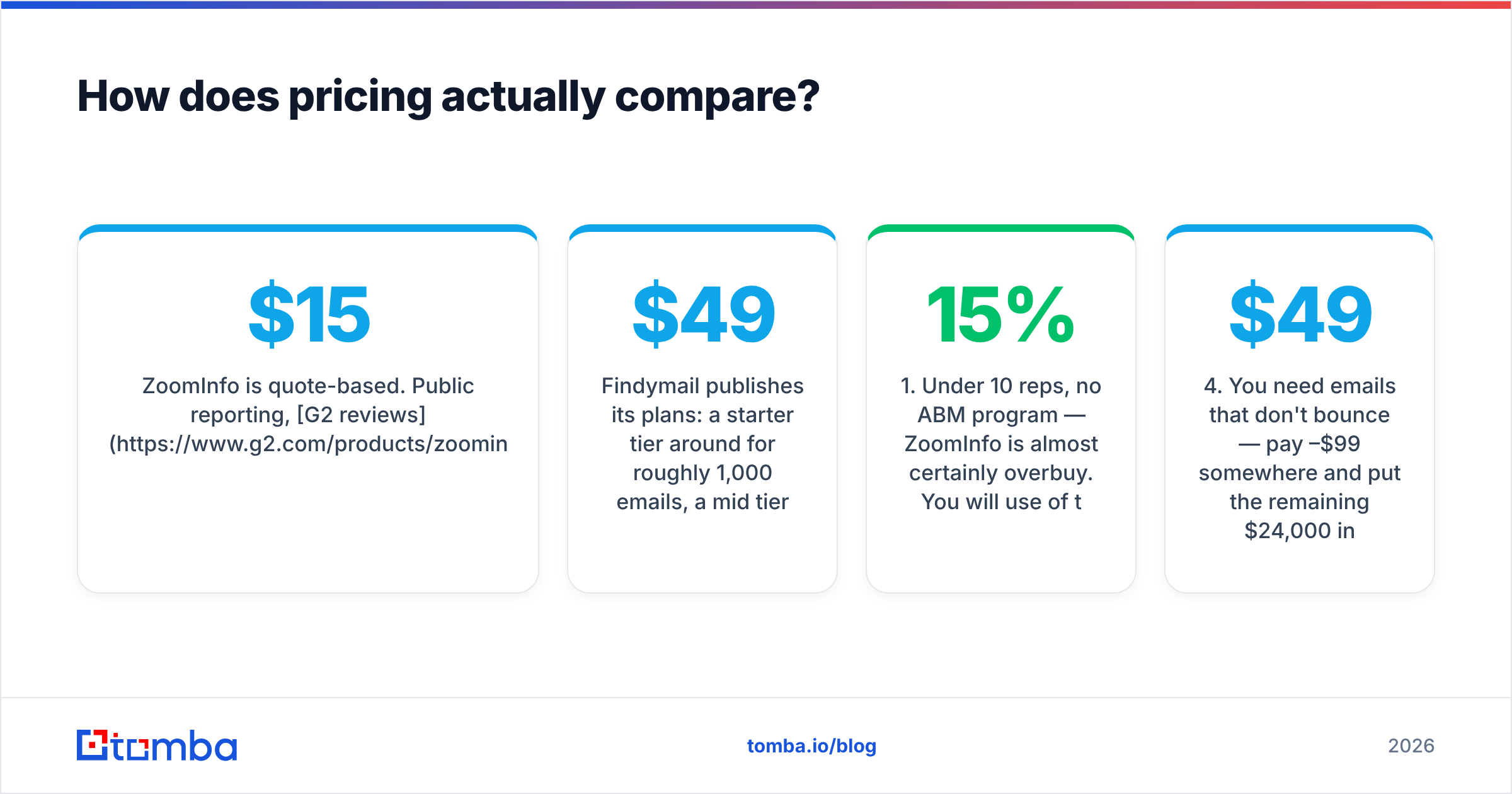
ZoomInfo is quote-based. Public reports, G2 reviews, and buyer forums put a small-team deal near $15,000–$25,000 a year. It climbs past $50,000 with intent data, Copilot, or the full GTM bundle. Credits are capped per year. Extra seats cost extra. The deal often renews on its own unless you write in on time. Budget for the paperwork too, not just the license.
Findymail posts its plans. A starter tier near $49 a month covers about 1,000 emails. A mid tier sits near $99. A scale tier runs near $249, with a discount if you pay yearly. Credits reset monthly, and you can leave when you want.
The practical read:
- Under 10 reps and no named-account program. ZoomInfo is overkill. You will use 15% of it and pay for all of it.
- You need mobile numbers at volume. This is the one strong reason to pay enterprise rates. Direct dials cost a lot to source, and Findymail does not play here. Price a phone finder first.
- You need intent and org charts. That is a real platform need, not a nice-to-have. Pay for it.
- You need emails that do not bounce. Pay $49–$99 a month. Put the other $24,000 into more sending domains, better copy, and another rep.

What do you give up by choosing Findymail?#
To be fair to the big platform, a lean finder cannot replace these:
- Reporting lines. Findymail gives you Jane's email. It does not tell you that Jane reports to the VP who holds the budget.
- Intent signals. No topic spikes. No "this account is shopping your category this week."
- Tech filters. You cannot query "runs Snowflake and Marketo, 200–500 staff, Series C+."
- Website visitor ID. Naming your traffic is a separate product. It is closer to what visitor identification tools do.
- Enterprise controls. SOC 2 reports, SSO, seat admin, audit logs, and a named CSM. If your security review is real, this list picks the winner.
- Reach beyond LinkedIn. Findymail is best where a public profile exists. Small local firms and some regions get thin.
If two of those are must-haves, the choice is made. You are buying a platform. The only question left is which one.
Is there a third option that fits between them?#
Yes. It is where most teams land. You get an email finder and checker with public monthly prices and a real API. It sits next to your CRM instead of trying to replace it.
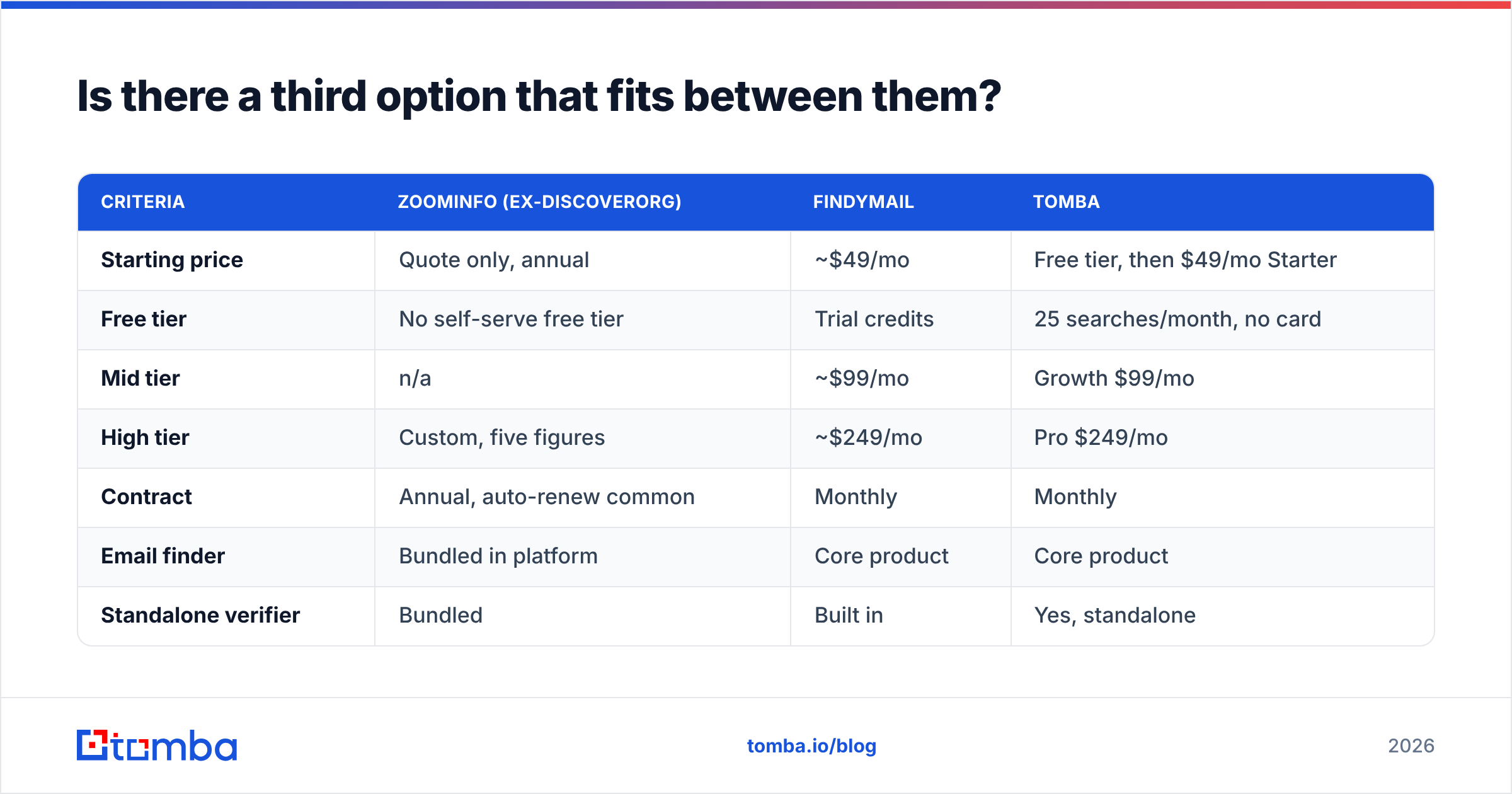
That is the slot Tomba fills. Set against both sides of the DiscoverOrg vs Findymail choice, it looks like this:
| Criteria | ZoomInfo (ex-DiscoverOrg) | Findymail | Tomba |
|---|---|---|---|
| Starting price | Quote only, annual | ~$49/mo | Free tier, then $49/mo Starter |
| Free tier | No self-serve free tier | Trial credits | 25 searches/month, no card |
| Mid tier | n/a | ~$99/mo | Growth $99/mo |
| High tier | Custom, five figures | ~$249/mo | Pro $249/mo |
| Contract | Annual, auto-renew common | Monthly | Monthly |
| Email finder | Bundled in platform | Core product | Core product |
| Standalone verifier | Bundled | Built in | Yes, standalone |
| Domain search | Yes | Limited | Yes |
| Catch-all handling | Varies | Flagged | Dedicated catch-all tooling |
| Bulk processing | Export credits, capped | Yes | Bulk finder + verifier |
| API access | Enterprise tiers | Included | Included on paid plans |
| Sheets / Excel add-ons | Limited | Limited | Yes |
| Chrome extension | Yes | Yes | Yes |
Full Tomba pricing is public — Free (25 searches/month), Starter $49/mo, Growth $99/mo, Pro $249/mo, Enterprise custom. No procurement cycle. No renewal ambush.
This setup wins in the messy middle. Picture a five-person team. It needs 3,000 checked emails a month. It wants to enrich inside a sheet or a Zapier flow. It cannot sign off a $20k line item. Already trialed Findymail? The Findymail alternative page digs into the credit models.
How should you run the evaluation?#
Skip the feature lists. Run this test instead. It takes an afternoon.
- Build a 200-row control set. Real accounts, real names, emails you know are good. Mix company sizes. Add 30 catch-all domains.
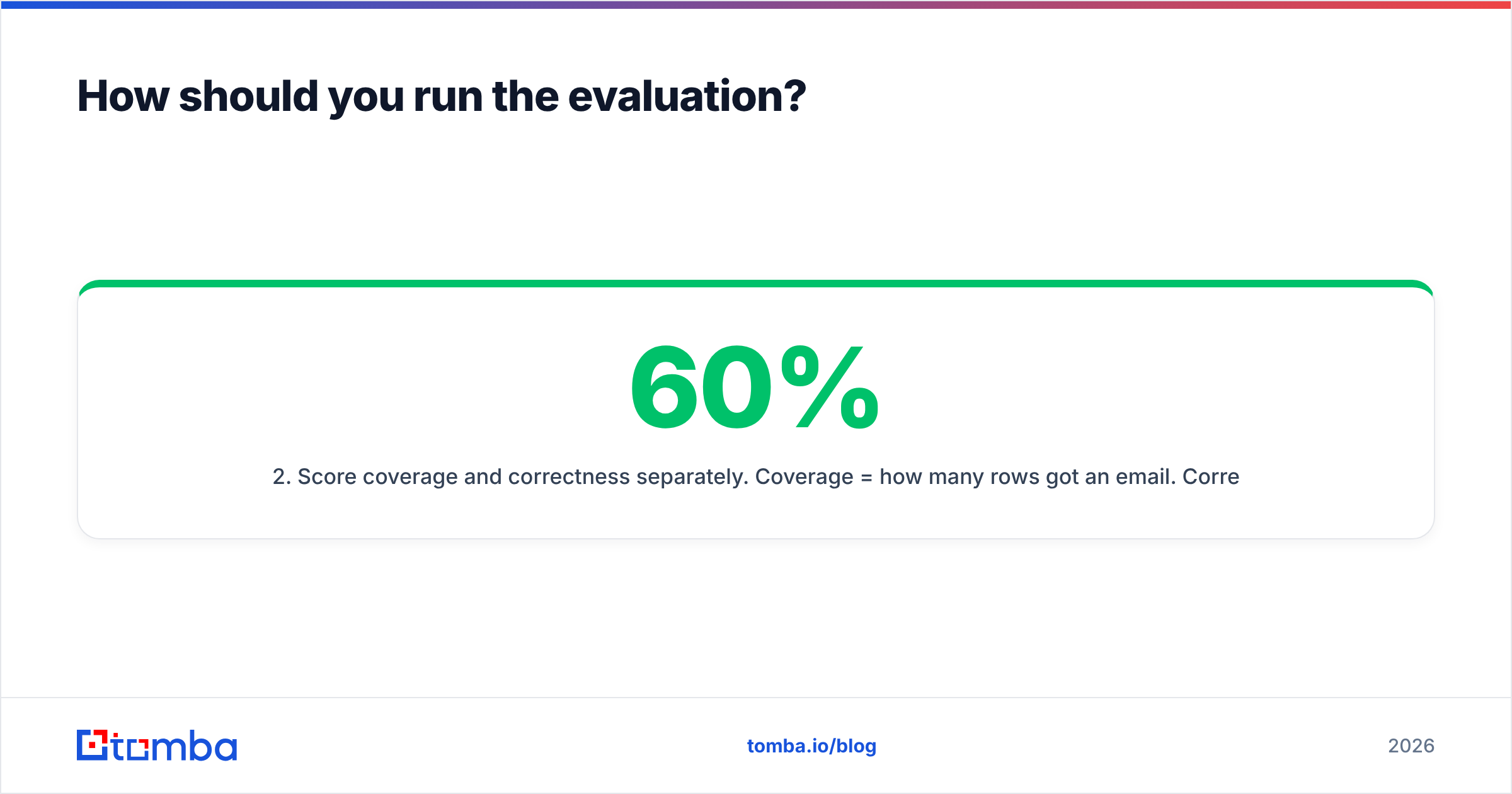
- Score coverage and correctness apart. Coverage is how many rows got an email. Correctness is how many were right. A tool that returns 60% at 99% correct can beat one that returns 90% at 78% correct.
- Measure your real bounce rate. Send a small, warm-up-safe batch through your own sequencer. Vendor claims and your inbox provider often disagree.
- Price per usable contact. Divide monthly cost by the contacts that were found and correct. That is the number a CFO will trust.
- Test the integration you will use. If work flows through HubSpot or Airtable, a CSV-only tool costs you an hour a day.
- Read the exit terms first. Auto-renewal windows cause most of the regret in this category.
For steps 1 and 4, bulk email finding with a free tier makes the control-set test free on at least one candidate.
DiscoverOrg vs Findymail: so which should you pick?#
Pick ZoomInfo, the product once sold as DiscoverOrg, if you have 20+ seats, a RevOps team, and plays that lean on intent and org charts. You also need direct dials at volume. And $25k a year has to read as a line item, not a debate. The depth is real, and no light tool copies it.
Pick Findymail if you are a lean outbound team living in Sales Navigator. Bounces are your main pain. You want to pay monthly with no paperwork. It does one job, and it does it cleanly.
Pick neither if what you need is accurate email discovery and checking, through an API, a sheet, and a browser add-on, on clear monthly prices. Then you skip the platform you will not use. You also skip the coverage ceiling of a one-source finder.
That last case covers most teams asking the DiscoverOrg vs Findymail question. Start with the free Tomba Email Finder tier. You get 25 searches a month, no card. Run it on the same 200 rows you used for the other two. Then let your own bounce rate pick the winner. It is the only benchmark that will still be true next quarter.
Related guides#
Ready to find emails that actually work?
Join 150,000+ professionals who stopped guessing and started sending. Free credits on signup — no credit card required.
Get the Tomba newsletter
Practical outbound tactics and product updates — once every two weeks.
About the author