7 Best Ditlead Alternatives in 2026: Features and Pricing
Ditlead bundles email, LinkedIn, and calling into one cheap platform — but cheap seats don't fix bad data or a burned domain. Here are 7 Ditlead alternatives compared on price, deliverability controls, and lead quality.
TL;DR
- Ditlead is an all-in-one sales engagement platform — cold email, LinkedIn automation, calling, unified inbox, and a light CRM — priced aggressively against Instantly, Smartlead, and Reply.io.
- Most people searching for Ditlead alternatives want one of three things: deeper deliverability controls, a more mature LinkedIn layer, or better contact data than a bundled database provides.
- Switching sequencers rarely fixes reply rates on its own. Bounce rate, spam placement, and connect rate are data problems first and tooling problems second.
- The cheapest realistic stack in 2026 is a lean sender (Smartlead, Instantly, or Emelia) plus a dedicated data layer for finding and verifying addresses.
- Use the comparison table below to match a tool to your motion — solo founder, agency running 40 client inboxes, or an SDR team plugged into Salesforce.
What is Ditlead, and what does it actually do?#
Ditlead is a multichannel sales engagement platform. You connect mailboxes, build sequences that mix email, LinkedIn steps, and phone tasks, and manage replies from a unified inbox that doubles as a lightweight CRM pipeline. It also ships inbox rotation, built-in warmup, website visitor tracking, and a bundled contact database — the kind of feature list that used to require three separate subscriptions.
The pitch is bundling plus price. Ditlead sits at the low end of the market with entry plans in the sub-$50/month range and unusually generous limits on connected email accounts (verify current tiers on ditlead.com, since low-cost vendors in this category reprice often). For a two-person team that would otherwise pay for a sequencer, a warmup tool, and a LinkedIn automation seat, the math is genuinely attractive.
The pitch is also where the friction starts. Bundled everything means every module competes for the same roadmap. Teams that outgrow one module — usually deliverability tooling or data quality — start shopping. That is the honest reason most Ditlead alternatives searches happen: not because the product broke, but because one layer of it stopped being good enough.
Why do teams look for Ditlead alternatives?#
Five patterns come up repeatedly when outbound teams evaluate a move:
- Bundled data runs thin in specific segments. Every all-in-one platform's database is strong in US mid-market SaaS and weak somewhere — EU manufacturing, healthcare, sub-20-employee companies, non-English markets. When your ICP sits in the weak spot, coverage gaps show up as blank rows and guessed addresses.
- Deliverability needs surgical control. Once you are running 20+ mailboxes across multiple domains, you want per-domain sending caps, granular ramp schedules, spintax, custom tracking domains, and honest placement reporting. Purpose-built senders have spent years on exactly that surface.
- LinkedIn automation gets riskier every year. LinkedIn's detection has tightened, and dedicated tools (La Growth Machine, Waalaxy, Expandi) invest in residential proxies, human-like pacing, and connection limits in a way bundled modules usually do not.
- CRM depth hits a ceiling. A pipeline view is fine until you need custom objects, forecasting, or a real bidirectional sync. Then you want HubSpot or Salesforce as the system of record and your sequencer to behave like a well-mannered guest.
- API and workflow requirements. Engineering-led teams want to enrich, verify, and route programmatically rather than clicking through a UI. That pushes them toward tools with documented, rate-limit-honest APIs.
Notice that only two of those five are about the sequencer itself. That matters for how you shop.
How do the top Ditlead alternatives compare?#
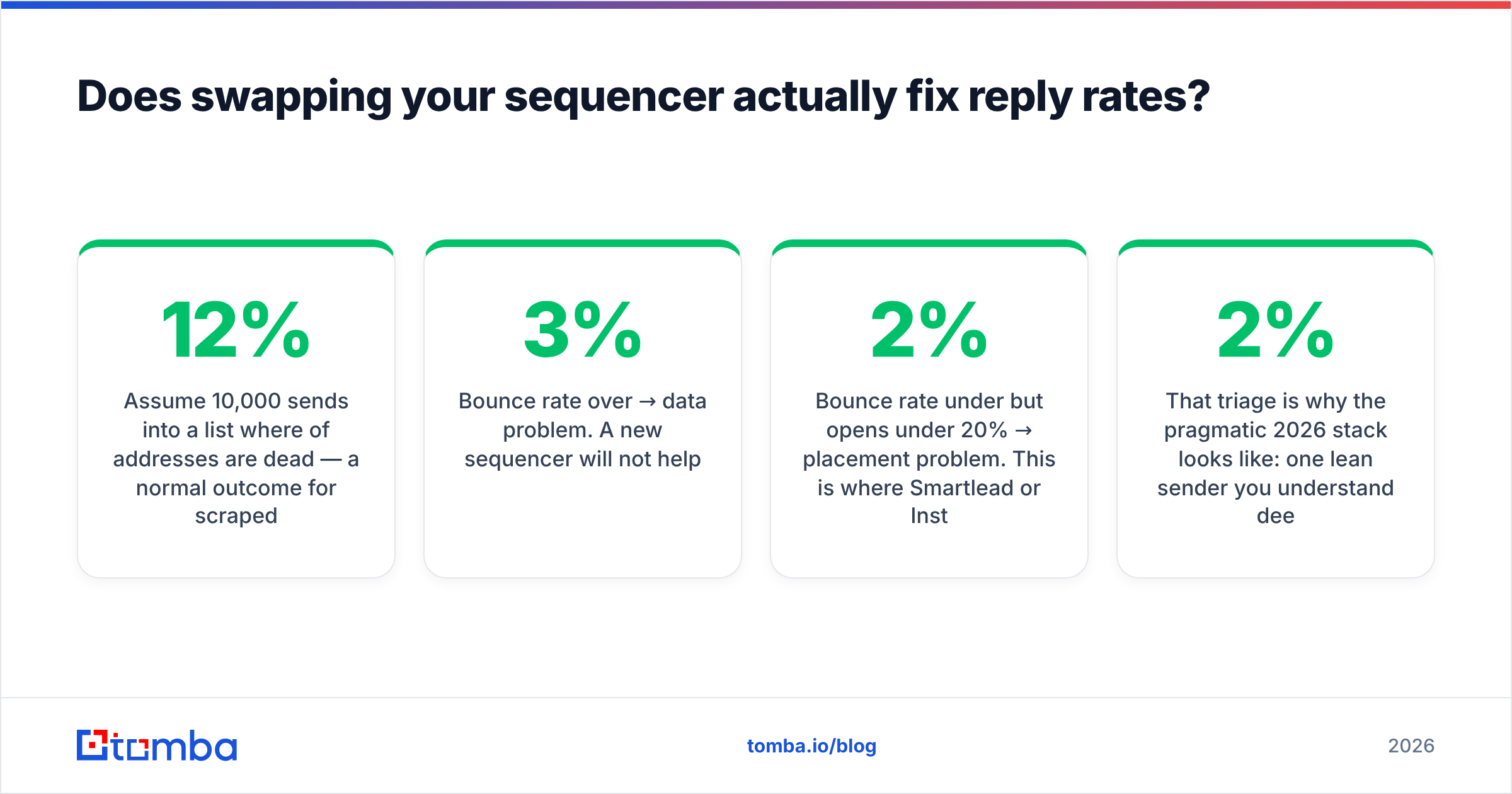
| Tool | Best for | Entry price (approx) | Mailbox limits | Built-in data or verification |
|---|---|---|---|---|
| Ditlead | Bundled email + LinkedIn + calling on a budget | ~$39/mo | Very high / unlimited on higher tiers | Bundled database, basic verification |
| Instantly | High-volume cold email, agencies | $37/mo | Unlimited on most plans | Lead finder add-on, verification credits |
| Smartlead | Deliverability-obsessed senders | $39/mo | Unlimited | Light enrichment, no deep database |
| Saleshandy | SMB teams wanting sequences + data in one | $36/mo | Scales by plan | B2B lead database included |
| Reply.io | Multichannel SDR teams with CRM sync | $59/user/mo | Per-user | Data marketplace, AI SDR agents |
| lemlist | Personalization-heavy, low-volume outbound | $39/mo | Per-seat | Lemlist database + verification |
| La Growth Machine | LinkedIn-first multichannel | ~€60/mo | Per-identity | Built-in enrichment cascade |
| Tomba + any sender | Teams that want the data layer to be best-in-class | Free tier, then $49/mo | N/A (data only) | Email finder, verifier, catch-all checks, enrichment |
Two notes on reading that table honestly. First, "unlimited mailboxes" is a marketing unit, not a capacity limit — your domain reputation, not your plan, decides how much you can send. Second, the last row is deliberately a different category. Tomba is not a sequencer and does not compete with Ditlead's sending engine; it replaces the data half of the bundle, which is where most of these evaluations actually get decided. Cross-check current pricing on each vendor's site and on the G2 sales engagement category before you commit — this segment reprices faster than review sites update.
Instantly — the volume workhorse#
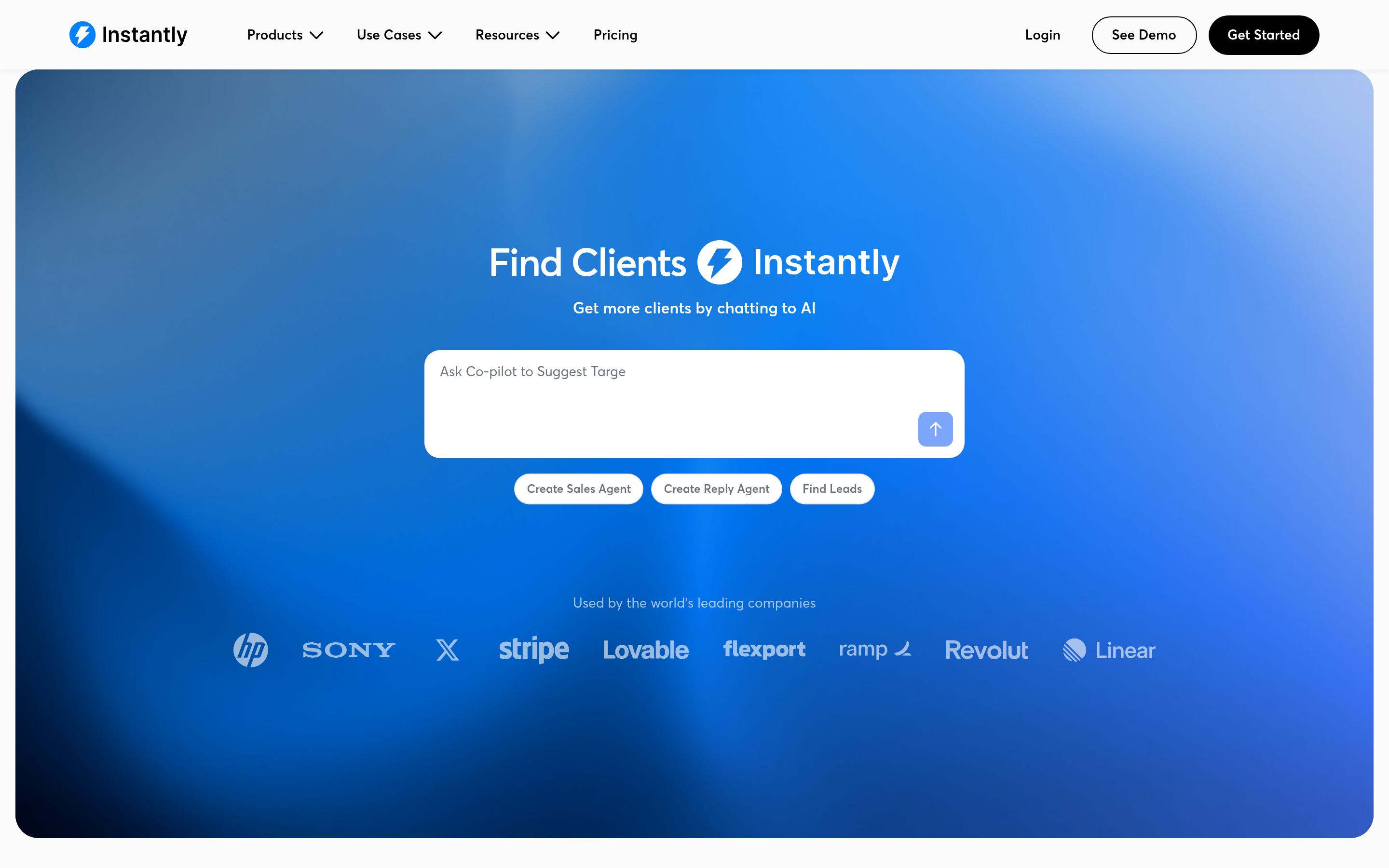
Instantly built its reputation on unlimited mailbox connections, inbox rotation, and a warmup network that made scaling from 5 to 50 sending accounts a configuration task instead of a project. If your motion is genuinely high-volume — thousands of sends a day across many domains — this is the most direct swap for Ditlead's email module, and the agency tooling (client workspaces, white-label reporting) is more mature.
Where it's weaker: the LinkedIn side is thin, and the bundled lead data is fine for breadth but not for precision. Teams pair it with an external email verifier before every launch rather than trusting a single in-platform check.
Smartlead — pick this if deliverability is the whole problem#
Smartlead is the choice when your complaint about Ditlead is "my emails land in spam." Per-mailbox ramp control, subsequences based on reply sentiment, custom tracking domains, master inbox, and a genuinely useful API make it the deliverability nerd's default. It also handles the agency case well with client-level separation.
Where it's weaker: the UI assumes you already know what an SPF alignment failure is, and there is no serious contact database. You are expected to bring your own list — which, if you are honest about data quality, is the correct architecture anyway.
Saleshandy — closest philosophical match#
If you like Ditlead's "everything in one subscription" approach but want a more established vendor, Saleshandy is the nearest match. Sequences, unified inbox, warmup, and a B2B lead database in one place, at a comparable entry price. It's a lateral move rather than an upgrade, which is exactly right for teams whose only real issue with Ditlead was support responsiveness or a specific missing integration.
Reply.io — for SDR teams that live in the CRM#

Reply.io prices per user, which immediately changes the calculus: it is expensive for a founder blasting 3,000 emails a month and reasonable for six SDRs who need call dispositions, task queues, meeting booking, and a clean Salesforce sync. The AI SDR features are further along than most competitors', though as always, treat autonomous reply handling as something you supervise for a quarter before trusting.
lemlist and Emelia — the personalization end#
lemlist remains the tool for low-volume, high-craft outbound: custom images, dynamic landing pages, video thumbnails, tight LinkedIn steps. Emelia is the minimalist counterpart — cheap, fast, few features, almost no learning curve. If you send 200 highly researched emails a month, both beat a bundled platform because you are paying for the one thing you use.
La Growth Machine — LinkedIn-first, email second#
If LinkedIn is your primary channel and email is enrichment-driven follow-up, La Growth Machine inverts the standard model. Its multichannel sequences treat LinkedIn as the anchor, with a built-in enrichment cascade that fills in emails and phone numbers as leads move through the flow. European teams tend to prefer it for exactly this reason.
BookYourData — when you'd rather buy the list than build it#
Not a sequencer at all, but worth knowing: BookYourData sells pay-as-you-go B2B contact lists with an accuracy guarantee, no subscription required. For a one-off campaign into a defined segment — 2,000 dental practices in Texas, say — buying a targeted list and running it through your own verification is often cheaper and faster than paying for a database seat you'll use twice. It solves a different half of the problem than Instantly or Smartlead, and it pairs cleanly with either.
Does swapping your sequencer actually fix reply rates?#
Usually not. Here is the uncomfortable arithmetic.
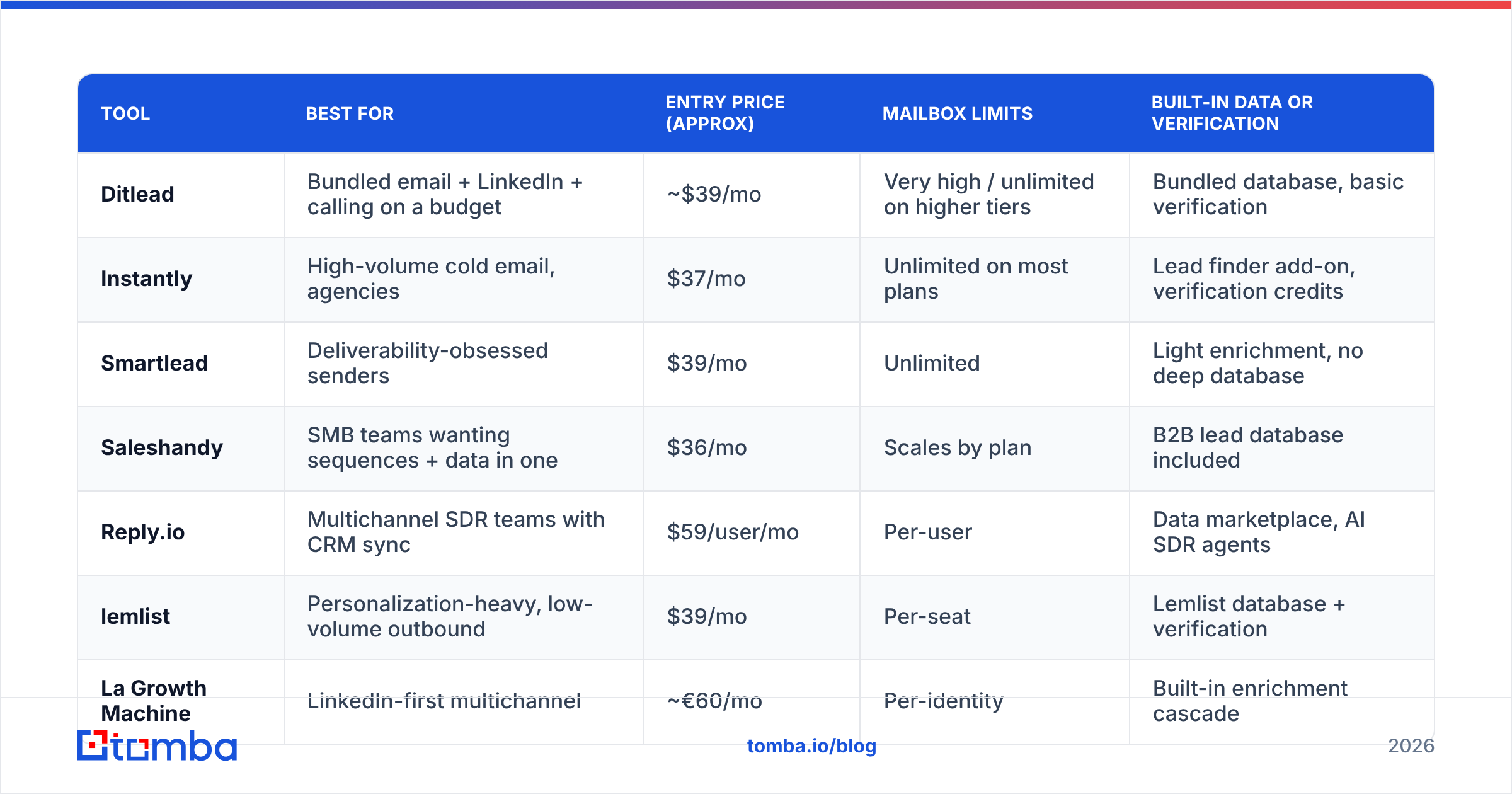
Assume 10,000 sends into a list where 12% of addresses are dead — a normal outcome for scraped or stale bundled-database exports. That's 1,200 hard bounces. Bounce rates above roughly 2% put you in mailbox-provider penalty territory, and once sender reputation drops, your valid recipients stop seeing the mail too. No amount of inbox rotation or spintax outruns that. Google's own Postmaster Tools guidance is blunt about it: bad addresses and complaint rates drive filtering decisions.
So before you migrate, measure the three numbers that actually diagnose the problem:
- Bounce rate over 3% → data problem. A new sequencer will not help.
- Bounce rate under 2% but opens under 20% → placement problem. This is where Smartlead or Instantly earn their money.
- Good opens, poor replies → copy and targeting problem. Cheaper tooling would serve you better than more tooling.
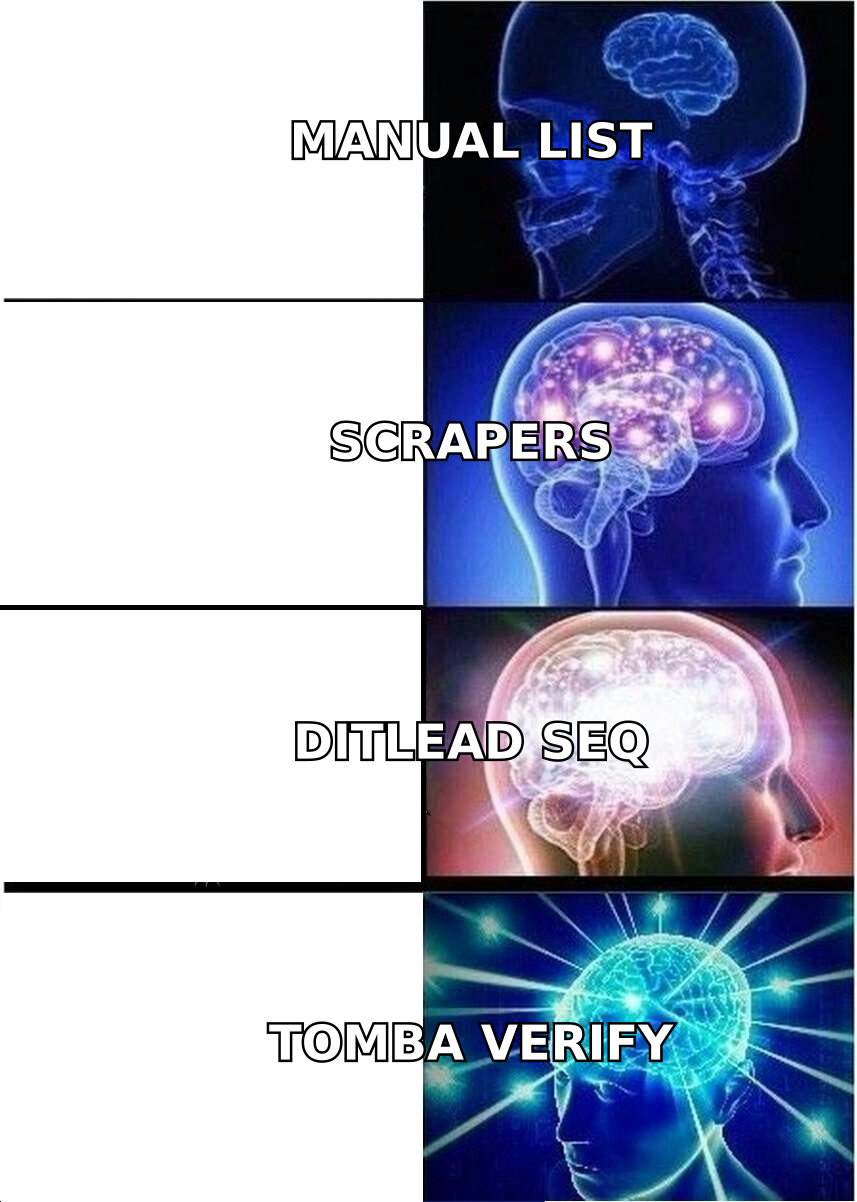
That triage is why the pragmatic 2026 stack looks like: one lean sender you understand deeply, plus a dedicated data layer. Run every list through a real email finder and catch-all check before launch, keep bounce rate under 2%, and your existing sequencer suddenly looks a lot more competent.

How should you migrate off Ditlead without tanking deliverability?#
Sequence the move so you never have two systems warming the same mailbox:
- Export everything first. Contacts, sequence copy, reply history, custom fields. Do this before you cancel — export tooling gets less friendly the day your plan lapses.
- Disconnect mailboxes from the old platform before reconnecting. Two warmup engines on one inbox produces conflicting send patterns and, occasionally, an OAuth loop that locks you out for a day.
- Re-verify the entire list. Data ages 2–3% a month. A list exported from a bundled database six months ago is meaningfully worse than it was. Bulk-check it — bulk verification on a 20,000-row file takes minutes and costs less than one blown domain.
- Restart ramp from a low baseline. New platform, new sending fingerprint. Begin at 20–30 sends per mailbox per day and step up over two weeks even if the domain has months of history.
- Rebuild one sequence, not all of them. Prove placement with a single 200-contact campaign before you port 14 sequences and discover your tracking domain was never configured.
- Watch complaint rate, not just opens. Open rates are unreliable in 2026 thanks to privacy proxies. Complaint rate and reply rate are the signals that still mean something.
Which Ditlead alternative should you actually pick?#
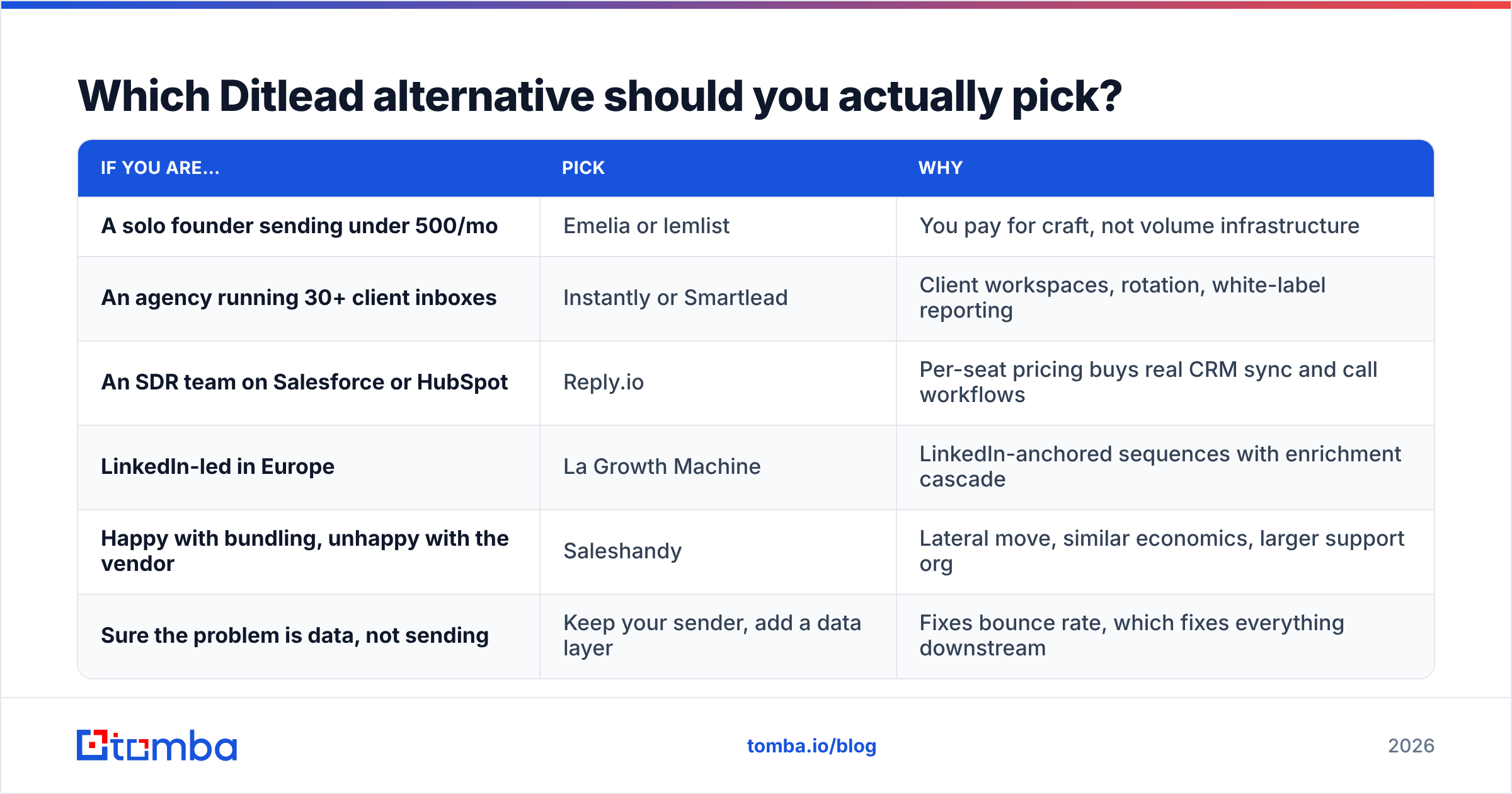
| If you are… | Pick | Why |
|---|---|---|
| A solo founder sending under 500/mo | Emelia or lemlist | You pay for craft, not volume infrastructure |
| An agency running 30+ client inboxes | Instantly or Smartlead | Client workspaces, rotation, white-label reporting |
| An SDR team on Salesforce or HubSpot | Reply.io | Per-seat pricing buys real CRM sync and call workflows |
| LinkedIn-led in Europe | La Growth Machine | LinkedIn-anchored sequences with enrichment cascade |
| Happy with bundling, unhappy with the vendor | Saleshandy | Lateral move, similar economics, larger support org |
| Sure the problem is data, not sending | Keep your sender, add a data layer | Fixes bounce rate, which fixes everything downstream |
The last row is the one most teams skip and later wish they hadn't. Migrating platforms costs you two weeks of ramp and a rebuild of every sequence. Fixing your data costs an afternoon and a credit balance.
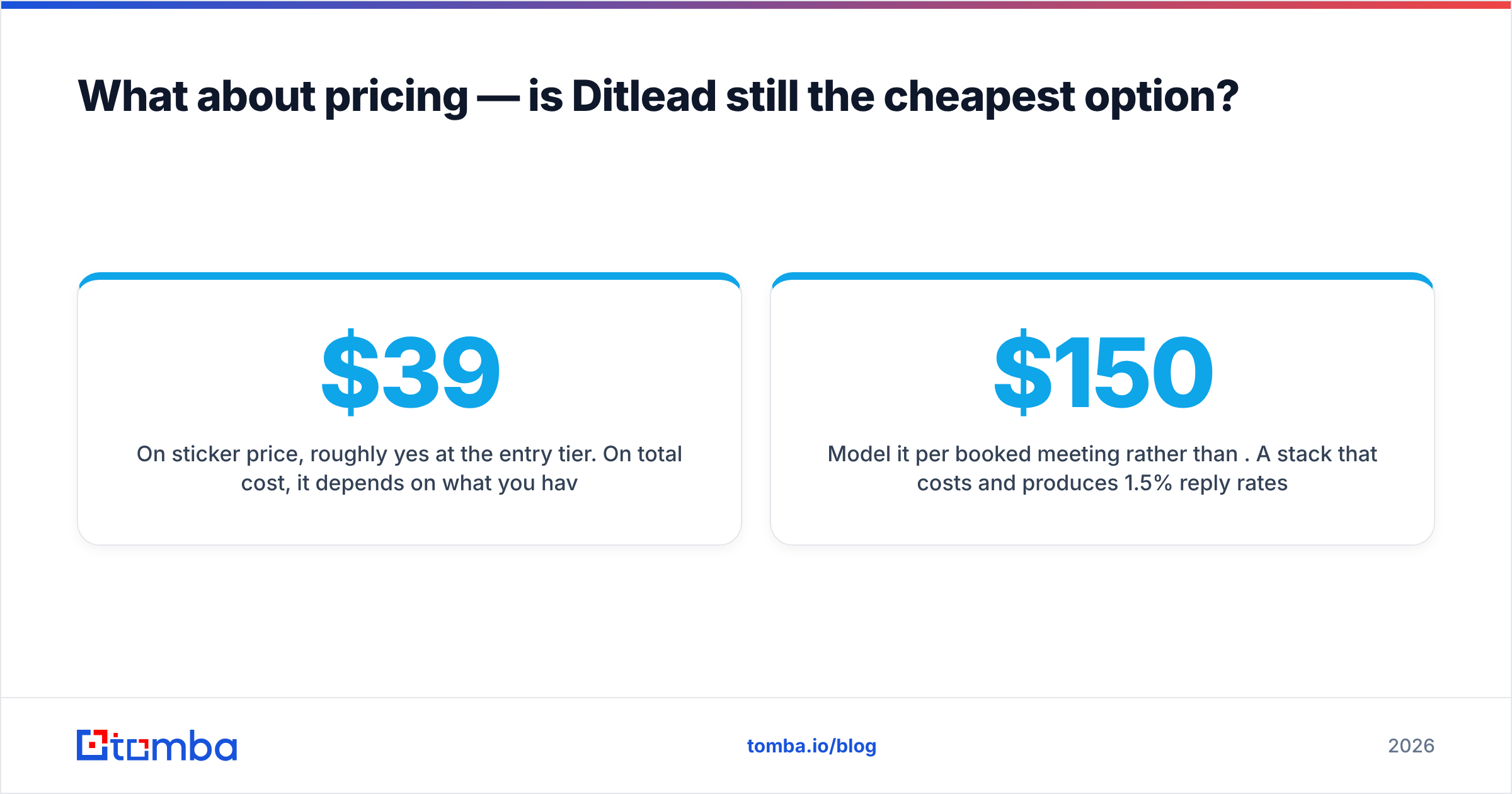
What about pricing — is Ditlead still the cheapest option?#
On sticker price, roughly yes at the entry tier. On total cost, it depends on what you have to add back. A $39/month bundle that forces you to buy verification credits elsewhere, a LinkedIn tool for the channel that matters most, and a data provider for your actual ICP is not a $39/month bundle.
Model it per booked meeting rather than per month. A stack that costs $150/month and produces 1.5% reply rates on clean, verified data beats a $39/month stack producing 0.4% on a list with 12% dead addresses — and it beats it by a wide enough margin that the price difference is noise. Tomba pricing starts free at 25 searches a month and moves to $49/month for Starter, which is the entire cost of making that swap testable before you commit to it.
The verdict#
Ditlead is a reasonable bundled platform, and if your only complaint is a missing feature, a lateral move to Saleshandy or a focused move to Smartlead solves it. But before you spend two weeks migrating sequences, run the triage above. In most audits, the sequencer is not the constraint — the list is.
Start with the data layer. Pull verified, deduplicated contacts with the Tomba Email Finder, run your existing export through verification and catch-all detection, and re-launch one sequence on the platform you already have. If reply rates jump, you just saved yourself a migration. If they don't, you now know the problem is placement or copy, and you can pick from this list with actual evidence instead of a hunch.
Related guides#
Ready to find emails that actually work?
Join 150,000+ professionals who stopped guessing and started sending. Free credits on signup — no credit card required.
Get the Tomba newsletter
Practical outbound tactics and product updates — once every two weeks.
About the author