DMARC Monitoring in 2026: How to Read Your Reports
DMARC monitoring turns invisible authentication failures into a readable feed. Here's how the reports work, what to fix first, and how to reach p=reject without killing legitimate mail.
TL;DR
- DMARC monitoring is the feedback loop that tells you which servers are sending mail as your domain, and whether that mail passes SPF and DKIM with alignment.
- Publishing
p=nonewith arua=address costs nothing and starts the data flowing within 24-48 hours. Publishingp=rejectwithout that data is how companies lose invoices, receipts, and password resets. - Aggregate (RUA) reports are XML summaries of volume and pass/fail. Forensic (RUF) reports are per-message samples and are barely supported anymore — plan around RUA.
- Most "failures" in your first report are your own tools: billing platforms, HR systems, ticketing, marketing automation. Inventory them before you enforce.
- Budget 60-90 days from
p=nonetop=rejectfor a mid-size domain. Google and Yahoo's bulk-sender rules made DMARC non-optional for anyone sending over 5,000 messages a day.
Someone is sending email as your domain right now. That is not a scare tactic — it is the default state of SMTP. The protocol was built in an era where "from" was a courtesy field, not a claim requiring proof. DMARC monitoring is how you find out who is exercising that courtesy on your behalf, and whether you should let them.
This guide covers what DMARC monitoring actually produces, how to read the reports without a parser, the sequence for moving to enforcement, and where the process usually breaks.
What is DMARC monitoring, exactly?#
DMARC monitoring is the practice of collecting and reviewing the reports that receiving mail servers send back to you about messages claiming to be from your domain.
The analogy: SPF and DKIM are the ID checks at the door. DMARC is the policy that says what to do when the ID fails — and monitoring is the security camera footage you review afterward. Without the footage, you're setting door policy blind.
Technically, DMARC (Domain-based Message Authentication, Reporting, and Conformance) is a DNS TXT record at _dmarc.yourdomain.com. A minimal monitoring record looks like this:
v=DMARC1; p=none; rua=mailto:dmarc-reports@yourdomain.com; fo=1Three things are happening:
v=DMARC1— declares the record version. Non-negotiable, must come first.p=none— the policy.nonemeans "do nothing to failing mail, but tell me about it." This is monitoring mode.rua=— where aggregate reports go. Without this tag, you have a DMARC record but no monitoring. This is the single most common misconfiguration.
The fo=1 tag requests failure reports for any authentication failure, not just total DMARC failure. It's optional and its usefulness has declined as providers stopped sending forensic data.
How does DMARC alignment actually work?#
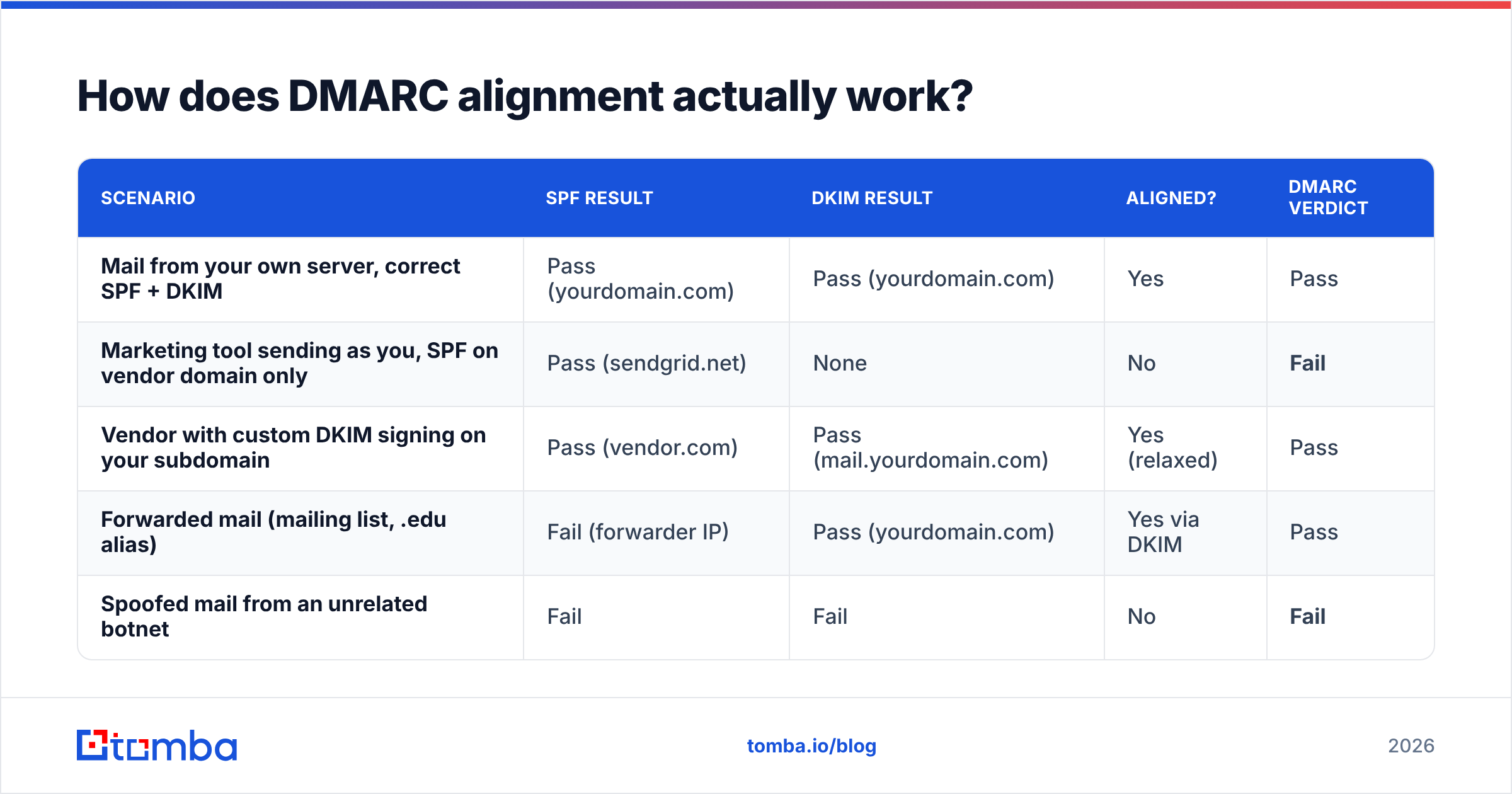
This is where most implementations break, so it's worth being precise. DMARC does not simply ask "did SPF pass?" It asks whether SPF or DKIM passed and whether the domain that passed matches the domain in the visible From header.
That match is called alignment, and it's the concept that trips up nearly every first-time implementer.
| Scenario | SPF result | DKIM result | Aligned? | DMARC verdict |
|---|---|---|---|---|
| Mail from your own server, correct SPF + DKIM | Pass (yourdomain.com) | Pass (yourdomain.com) | Yes | Pass |
| Marketing tool sending as you, SPF on vendor domain only | Pass (sendgrid.net) | None | No | Fail |
| Vendor with custom DKIM signing on your subdomain | Pass (vendor.com) | Pass (mail.yourdomain.com) | Yes (relaxed) | Pass |
| Forwarded mail (mailing list, .edu alias) | Fail (forwarder IP) | Pass (yourdomain.com) | Yes via DKIM | Pass |
| Spoofed mail from an unrelated botnet | Fail | Fail | No | Fail |
Two rules follow from that table:
- DKIM is the more resilient signal. SPF breaks the moment a message is forwarded, because the forwarding server's IP isn't in your SPF record. DKIM signatures survive forwarding as long as the message body isn't rewritten. If you can only get one thing right with a vendor, get DKIM right.
- A vendor "passing SPF" means nothing on its own. Plenty of SaaS platforms will happily tell you SPF is configured while sending with a return-path on their own domain. That passes SPF and fails DMARC. Check alignment, not the checkmark in the vendor dashboard.
Alignment has two modes, set with aspf= and adkim=:
- Relaxed (default) — the organizational domain must match.
mail.yourdomain.comaligns withyourdomain.com. - Strict — exact match required.
mail.yourdomain.comdoes not align withyourdomain.com.
Start relaxed. Strict alignment is a hardening step for domains that have already been at p=reject for months without incident.
What do DMARC aggregate reports contain?#
Aggregate reports arrive as gzipped XML attachments, usually once every 24 hours, from every major receiver that got mail claiming to be from you. Google, Microsoft, Yahoo, Comcast, Mail.ru, and hundreds of smaller providers all send them.
Each report contains:
- The reporting organization and the date range covered
- Your published policy as the receiver saw it (useful for catching DNS propagation issues)
- One record per sending IP, with message counts, SPF result, DKIM result, alignment result, and the disposition applied
What it does not contain: subject lines, recipient addresses, message bodies, or anything that identifies individual emails. Aggregate reports are statistical. That's a privacy feature, and it's also why "which specific email bounced" is not a question DMARC monitoring can answer.
A single record, decoded into plain language, reads like: "On March 4th, IP 198.51.100.22 sent 1,847 messages claiming to be from yourdomain.com. SPF failed, DKIM passed and aligned. We delivered them."
Your job is to look at that IP and answer one question: do I recognize this sender?
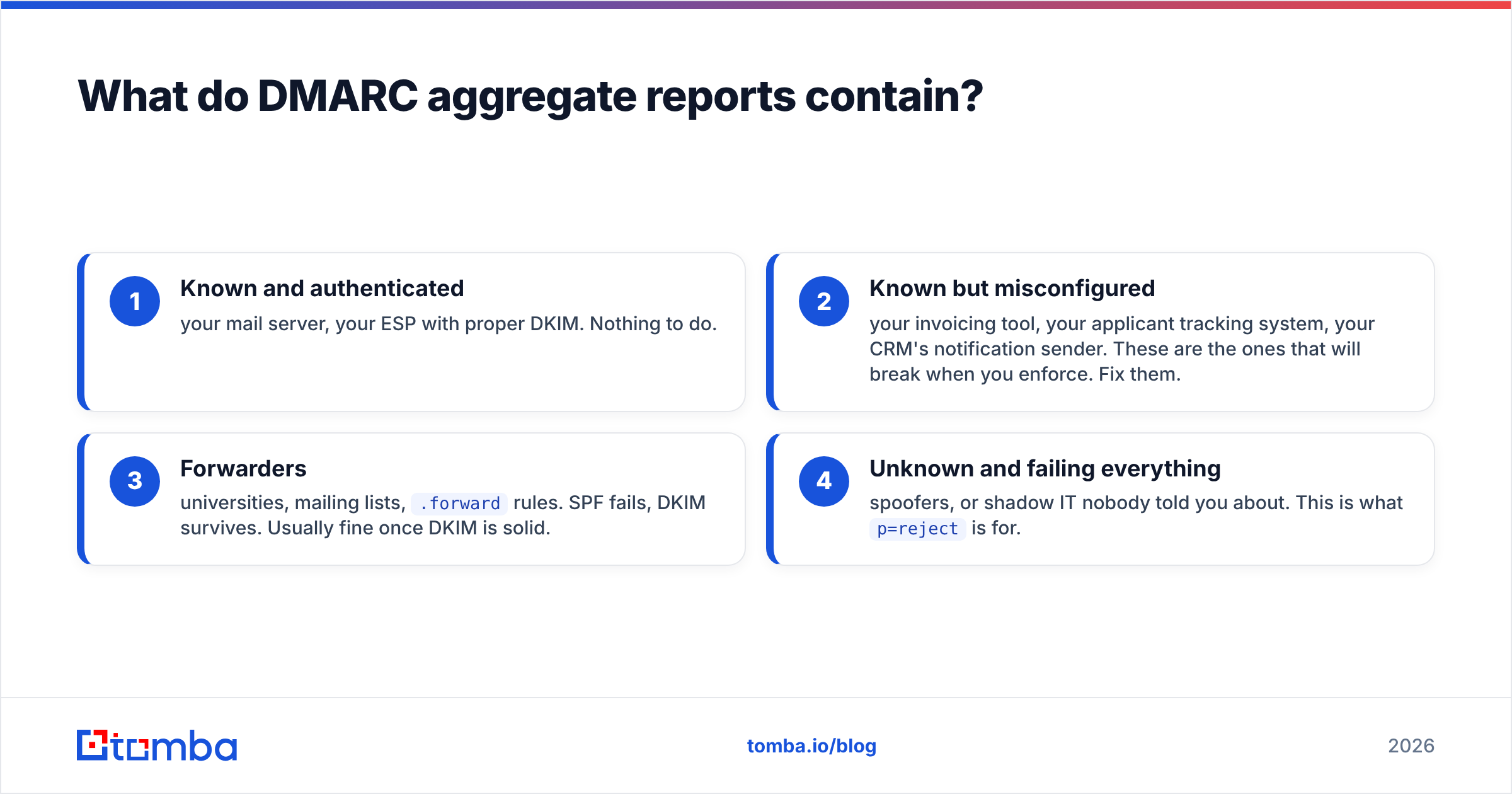
The four buckets every sending IP falls into#
- Known and authenticated — your mail server, your ESP with proper DKIM. Nothing to do.
- Known but misconfigured — your invoicing tool, your applicant tracking system, your CRM's notification sender. These are the ones that will break when you enforce. Fix them.
- Forwarders — universities, mailing lists,
.forwardrules. SPF fails, DKIM survives. Usually fine once DKIM is solid. - Unknown and failing everything — spoofers, or shadow IT nobody told you about. This is what
p=rejectis for.
Bucket 2 is the entire reason monitoring mode exists. Organizations routinely discover 15-30 legitimate sending sources they had no record of. Enforce before you find them and you'll be explaining to finance why customers stopped receiving invoices.
Do you need a DMARC monitoring tool, or can you read raw XML?#
You can technically read raw XML. You will stop after week two.
The volume is the problem, not the format. A domain sending modest B2B volume can receive 40-100 aggregate reports per day across all receivers. Each is a separate gzipped attachment. Correlating "IP 203.0.113.9 appeared in Google's report Tuesday and Microsoft's report Thursday" by hand does not scale past a single domain.
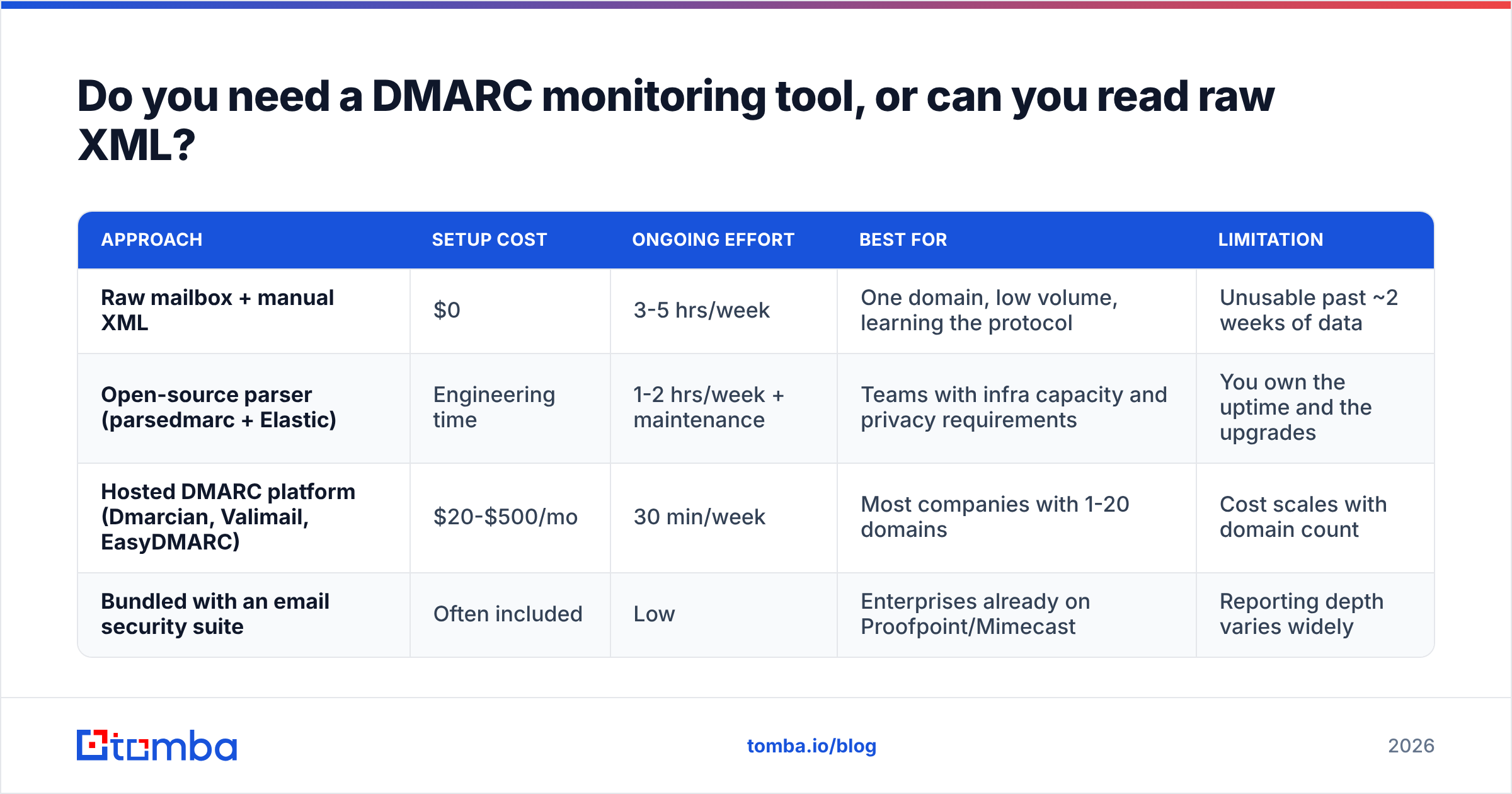
Here's an honest comparison of the approaches:
| Approach | Setup cost | Ongoing effort | Best for | Limitation |
|---|---|---|---|---|
| Raw mailbox + manual XML | $0 | 3-5 hrs/week | One domain, low volume, learning the protocol | Unusable past ~2 weeks of data |
| Open-source parser (parsedmarc + Elastic) | Engineering time | 1-2 hrs/week + maintenance | Teams with infra capacity and privacy requirements | You own the uptime and the upgrades |
| Hosted DMARC platform (Dmarcian, Valimail, EasyDMARC) | $20-$500/mo | 30 min/week | Most companies with 1-20 domains | Cost scales with domain count |
| Bundled with an email security suite | Often included | Low | Enterprises already on Proofpoint/Mimecast | Reporting depth varies widely |
The reasonable default for a company with fewer than five domains: start with a free tier of a hosted platform. Most offer one domain free, which is enough to get through the monitoring phase. Move to paid only when you're managing enough domains that the reporting becomes a real workflow.

One thing no tool solves: the inventory problem. Software tells you IP 198.51.100.22 sent mail. It does not tell you that IP belongs to the contractor-onboarding tool your ops lead signed up for in 2023. That's an internal archaeology project, and it's the slowest part of any DMARC rollout.
How do you move from p=none to p=reject safely?#
The path is well-established. What varies is how long you spend on each step.
Week 1 — Publish and collect. Set p=none with a rua= address. Change nothing else. If you're using a hosted platform, use the address it gives you. Wait for data.
Weeks 2-4 — Inventory. Build a spreadsheet of every sending IP that appears with meaningful volume. Column headers: IP, sending organization, business owner, DKIM status, SPF alignment status. Chase down every unknown. This is where the calendar time goes.
Weeks 4-8 — Remediate. Work the list. For each legitimate sender: enable DKIM signing on a subdomain you control, or get the vendor to align the return-path. Almost every serious SaaS vendor supports custom DKIM now — it's usually buried in a "sending domain" or "authenticated domain" settings page. Confirm your SPF record stays under the 10-DNS-lookup limit while you do this; consolidate with an SPF flattening service if you're near it.
Weeks 8-10 — Quarantine, partially. Move to p=quarantine; pct=25. That applies the policy to a quarter of failing mail. Watch reports for a week. If nothing breaks, go to pct=50, then pct=100.
Weeks 10-12 — Reject. p=reject; pct=100. Keep monitoring — reports are the only way you'll notice a new vendor being added without authentication.
The pct= tag is your seatbelt. It's the single most underused feature in DMARC, and it turns a binary risky change into a gradual one.
A note on subdomains: the sp= tag sets policy for subdomains independently. A common pattern is p=reject; sp=reject for a domain that never sends from subdomains — this blocks the "invoices.yourdomain.com" spoofing trick that bypasses parent-domain-only policies.
Why does DMARC monitoring matter more in 2026 than it did in 2023?#
Because the receivers stopped asking nicely.
Google and Yahoo's bulk-sender requirements, in effect since February 2024, mandate DMARC for anyone sending more than 5,000 messages a day to their users. Microsoft followed with similar enforcement for Outlook.com. The floor is p=none, but the practical bar has risen: unauthenticated mail from domains with no DMARC record now sees measurably worse placement even below those volume thresholds.
There's a second-order effect that matters for outbound teams. As enforcement spreads, email deliverability increasingly depends on domain reputation rather than IP reputation — and domain reputation only accumulates when receivers can reliably attribute mail to you. DMARC is the attribution mechanism. Without it, every reputation signal you build is diluted across whatever else is sending as your domain.
For cold outreach specifically, this compounds. If you're running sequences on a secondary domain, that domain needs its own DMARC record, its own DKIM keys, and its own monitoring. Sending from an unauthenticated lookalike domain in 2026 is a reliable way to land in spam regardless of copy quality or list hygiene. A clean list from a proper email verifier will not rescue an unauthenticated domain.
You can sanity-check the basics before diving into reports: run your record through an SPF checker and confirm your sending IPs aren't already on a blocklist with a blacklist checker. Those two checks catch a surprising share of "my DMARC reports look terrible" tickets.
What are the most common DMARC monitoring mistakes?#
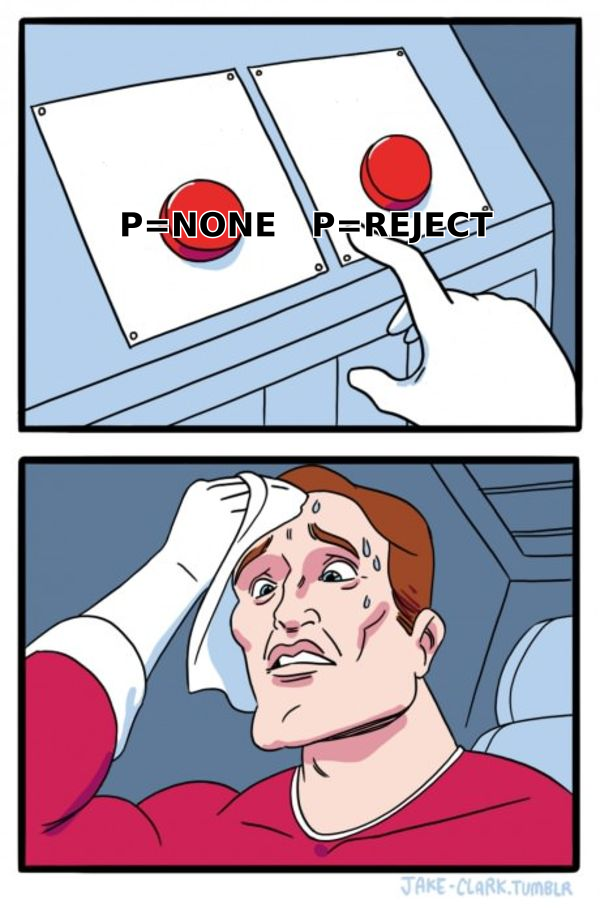
Publishing p=reject on day one. The most expensive mistake in the category. You will break something, and you won't know what until customers call. There is no upside to skipping monitoring mode.
Forgetting the rua tag. A DMARC record with no rua= produces no reports. You get the policy enforcement with none of the visibility — the worst possible configuration. Check yours right now.
Using a personal mailbox for reports. Aggregate reports will bury a human inbox. Use a dedicated address, ideally one that feeds a parser.
Ignoring the external destination requirement. If you send reports to an address on a different domain (rua=mailto:you@dmarc-vendor.com), that vendor's domain must publish a DNS record authorizing it. Reputable platforms handle this and tell you what to add. If reports never arrive, this is the first thing to check.
Treating a green dashboard as done. DMARC compliance decays. Someone signs up for a new tool, marketing adds a new ESP, an engineer spins up a transactional sender. Monitoring is ongoing, not a project with an end date.
Confusing DMARC with encryption or content filtering. DMARC proves the From domain is legitimate. It says nothing about whether the content is malicious. A phisher who registers yourdomain-billing.com and publishes perfect DMARC on it will pass every check. Domain authentication and brand protection are related but separate problems — the Anti-Phishing Working Group has good material on the difference.
How does DMARC fit with BIMI, MTA-STS, and the rest?#
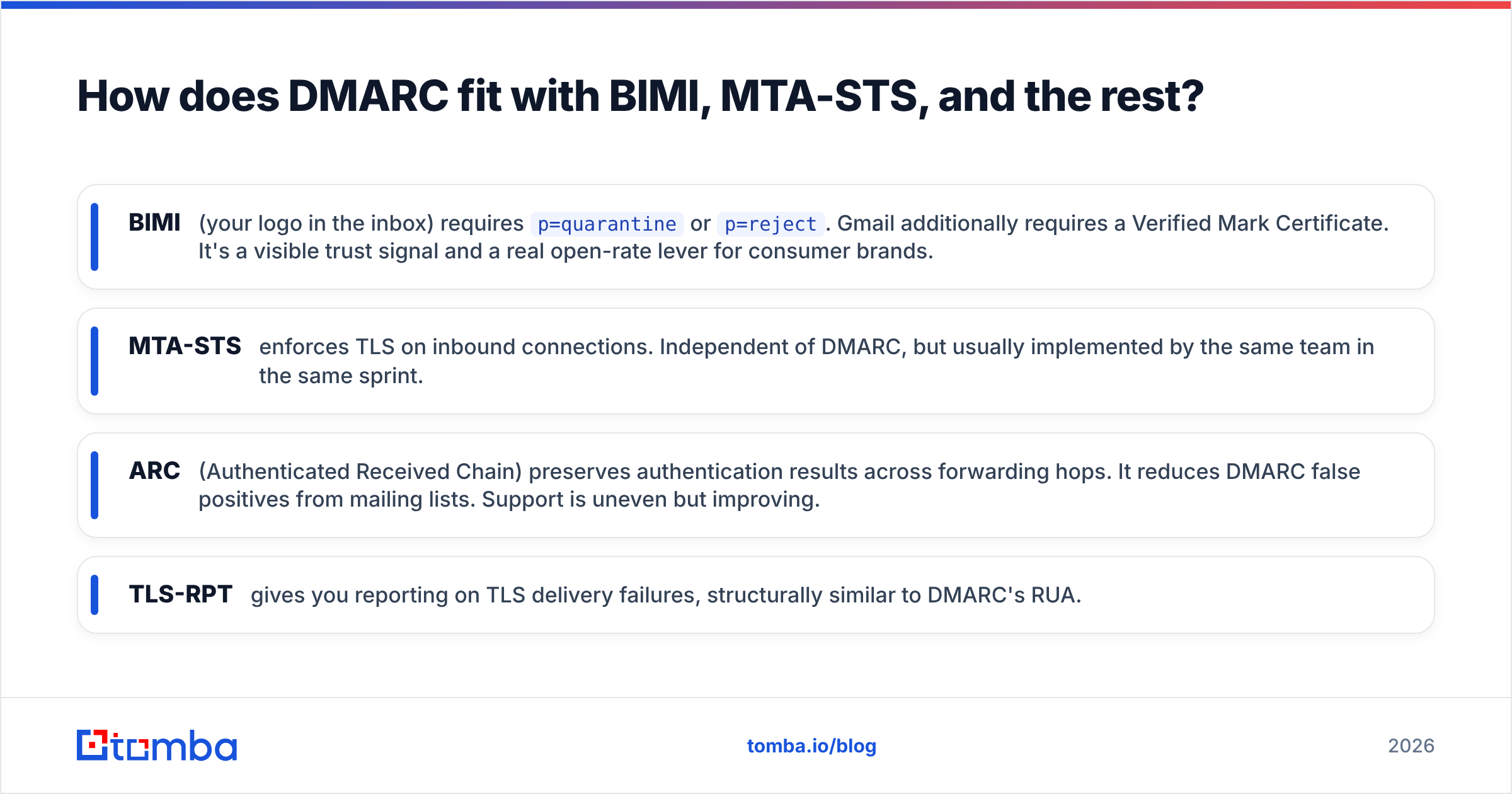
Short answer: DMARC at enforcement is the prerequisite for most of the newer standards.
- BIMI (your logo in the inbox) requires
p=quarantineorp=reject. Gmail additionally requires a Verified Mark Certificate. It's a visible trust signal and a real open-rate lever for consumer brands. - MTA-STS enforces TLS on inbound connections. Independent of DMARC, but usually implemented by the same team in the same sprint.
- ARC (Authenticated Received Chain) preserves authentication results across forwarding hops. It reduces DMARC false positives from mailing lists. Support is uneven but improving.
- TLS-RPT gives you reporting on TLS delivery failures, structurally similar to DMARC's RUA.
You don't need all of these. You do need DMARC, and the order matters — nothing else here is worth configuring while your domain still fails alignment on half its outbound mail. Google's sender guidelines remain the most practical checklist for what actually gets enforced.
What does good DMARC monitoring look like once you're at enforcement?#
Steady state is quieter than the rollout, but it isn't zero.
Check reports weekly, not daily. What you're scanning for is new sending sources with meaningful volume — that's the signal a team adopted a tool without telling IT. Set an alert threshold rather than reading everything; most platforms will notify on a new source crossing, say, 50 messages.
Watch your pass rate as a trend line, not an absolute. A healthy enforced domain sits at 97-99% DMARC pass on legitimate mail. The residual is forwarding, which is expected and mostly unfixable. If pass rate drops three points in a week, something changed — usually a DKIM key rotation that didn't propagate.
Review annually for policy tightening: relaxed → strict alignment, pct confirmations, subdomain policies for domains that have spun up new services. And keep the sender inventory current. That spreadsheet is more valuable than any dashboard, because it's the only artifact that maps IPs to humans who can fix things.
Getting your outbound program right starts before the send. Authentication protects the domain; accurate data protects the reputation you're building on it. If you're prospecting into new accounts, verified contacts beat guessed ones every time — bad addresses generate bounces that damage the same domain reputation DMARC is helping you establish. Tomba's Email Finder returns verified professional addresses with a confidence score, so your sequences hit real inboxes instead of spam traps. The free tier includes 25 searches a month to test accuracy against a list you already know; paid plans start at $49/mo. See full Tomba pricing for volume tiers.
Related guides#
// get started
Find, verify and enrich your first contacts today
Start on the free plan with 25 searches a month, then scale when your team is ready.
Free plan · No credit card required · GDPR & CCPA
// about the author