12 Best Dolibarr Alternatives for 2026 (Free & Paid ERP)
Dolibarr is free, modular, and self-hosted — and that combination hides real costs. Here are 12 Dolibarr alternatives ranked by who each one actually fits, with pricing and migration notes.
TL;DR
- Dolibarr is genuinely free and genuinely capable, but "free" means you pay in server maintenance, module patching, and developer hours instead of license fees.
- If you need ERP breadth, Odoo and ERPNext are the closest like-for-like swaps. If your real bottleneck is sales, a CRM like HubSpot, Zoho, or EspoCRM beats a full ERP.
- Self-hosted is the right call when data residency or heavy customization is non-negotiable. SaaS wins when your team is under 20 people and nobody wants to own a Linux box.
- Migration cost is the deciding factor most teams underestimate. Budget 20–60 hours for data mapping alone on any move off Dolibarr.
- Whatever you pick, the CRM is only as good as the contact data going into it — enrichment sits upstream of the tool choice.
What is Dolibarr and why do teams look for alternatives?#
Dolibarr ERP & CRM is an open-source PHP application that bundles invoicing, CRM, inventory, project management, HR, and accounting into one self-hosted install. It's been around since 2003, runs on any LAMP stack, and costs nothing to download. For a five-person consultancy that needs invoicing plus a contact list, it's hard to beat on raw price.
The friction shows up later. Three patterns come up repeatedly when teams start shopping for Dolibarr alternatives:
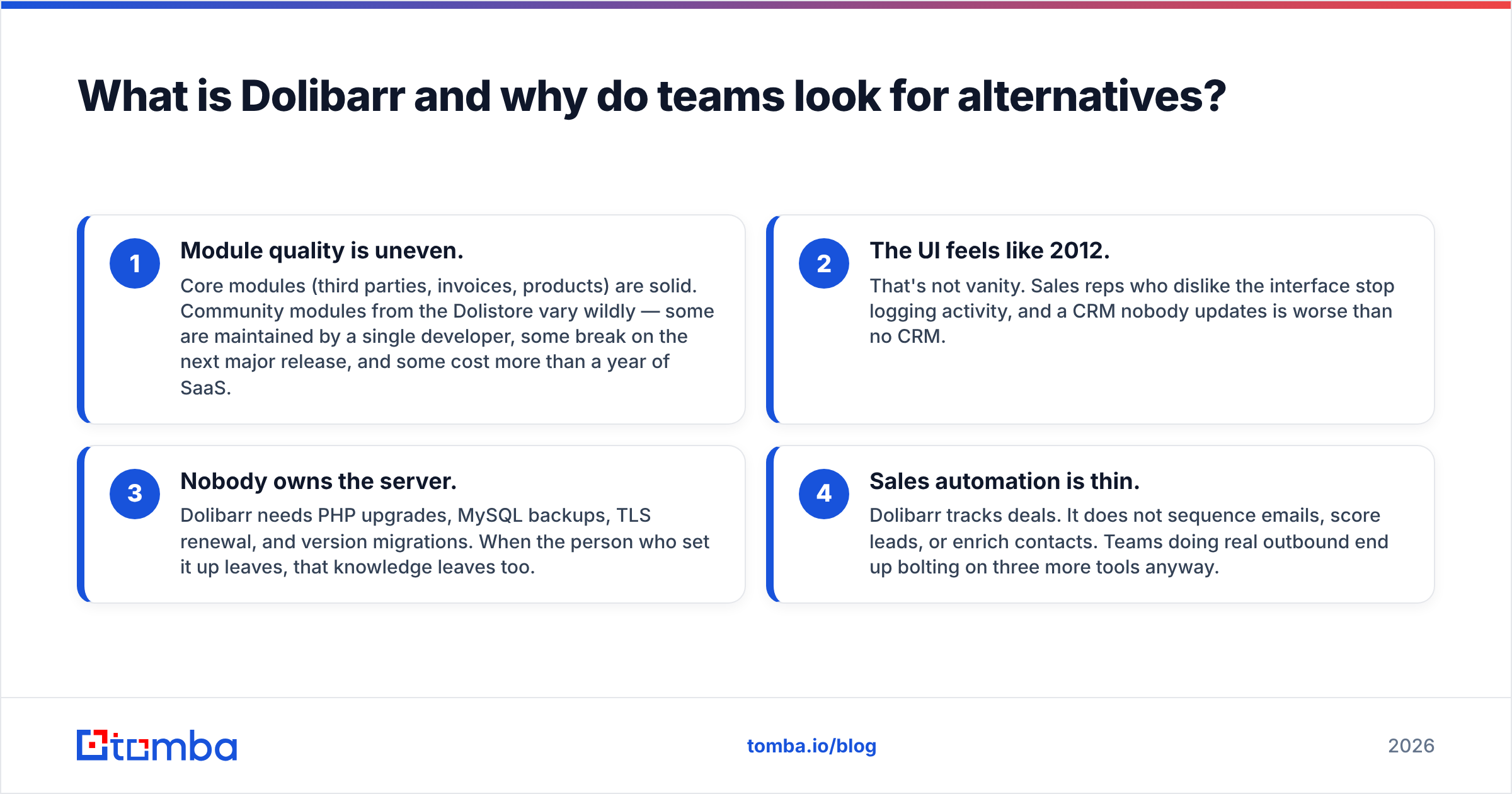
- Module quality is uneven. Core modules (third parties, invoices, products) are solid. Community modules from the Dolistore vary wildly — some are maintained by a single developer, some break on the next major release, and some cost more than a year of SaaS.
- The UI feels like 2012. That's not vanity. Sales reps who dislike the interface stop logging activity, and a CRM nobody updates is worse than no CRM.
- Nobody owns the server. Dolibarr needs PHP upgrades, MySQL backups, TLS renewal, and version migrations. When the person who set it up leaves, that knowledge leaves too.
- Sales automation is thin. Dolibarr tracks deals. It does not sequence emails, score leads, or enrich contacts. Teams doing real outbound end up bolting on three more tools anyway.
None of these makes Dolibarr a bad product. They make it a specific product with a specific fit. The question is whether your team still fits it.
Which Dolibarr alternatives are worth shortlisting in 2026?#
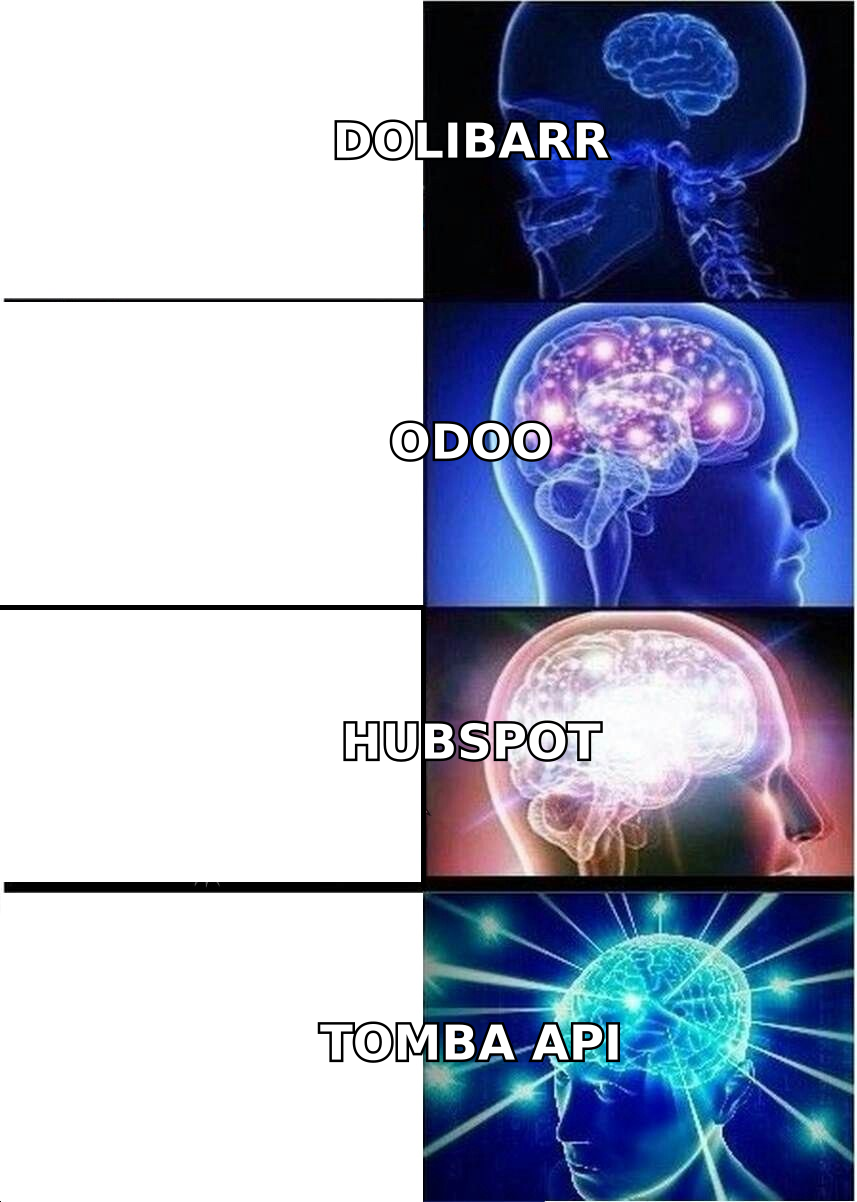
Twelve tools, grouped by what problem they actually solve. Pick your group first, then compare inside it.
Open-source ERP (closest swap)
- Odoo Community — The most feature-complete open-source ERP. Modular like Dolibarr but with a far better UI and a serious app ecosystem. The catch: the genuinely useful apps (accounting, studio, marketing automation) are Enterprise-only, so "free Odoo" is narrower than it looks.
- ERPNext — Python/Frappe-based, fully open-source with no crippled community edition. Strong manufacturing and inventory. Weaker on sales-team ergonomics.
- Axelor — Java-based, low-code builder, BPM engine included. Good if you need workflow automation more than accounting depth.
- iDempiere — Enterprise-grade, heavy, and best suited to organizations with an in-house Java team. Overkill for most Dolibarr refugees.
Self-hosted CRM (drop the ERP weight)
- EspoCRM — Lightweight, self-hostable, genuinely pleasant to use. Handles accounts, opportunities, email, and workflows without the ERP baggage. The single best swap if you only ever used Dolibarr's CRM tab.
- SuiteCRM — The SugarCRM fork. Mature, heavily customizable, large plugin ecosystem. Interface is dated but modern themes exist.
- Twenty — A newer open-source CRM built as a Salesforce alternative. Modern stack, clean UI, still maturing on the feature side.
SaaS CRM (stop owning servers)
- HubSpot CRM — Free tier is legitimately generous for contact management and pipelines. Costs escalate fast once you add Marketing or Sales Hub seats.
- Zoho One — The most direct SaaS answer to "I want everything in one place." Books, CRM, Inventory, Projects, Desk, all bundled per user.
- Pipedrive — Sales-first, opinionated, easy to adopt. No invoicing or inventory, so pair it with accounting software.
- Bitrix24 — Free tier includes CRM, tasks, and telephony. Feature-dense to the point of clutter.
Data-first layer (the piece all of the above assume you have)
- Tomba — Not an ERP. An email finder and enrichment layer that fills whichever CRM you land on with verified contact data. Relevant because moving off Dolibarr is the natural moment to fix the data, not just the container.
How do the top Dolibarr alternatives compare on price and fit?#
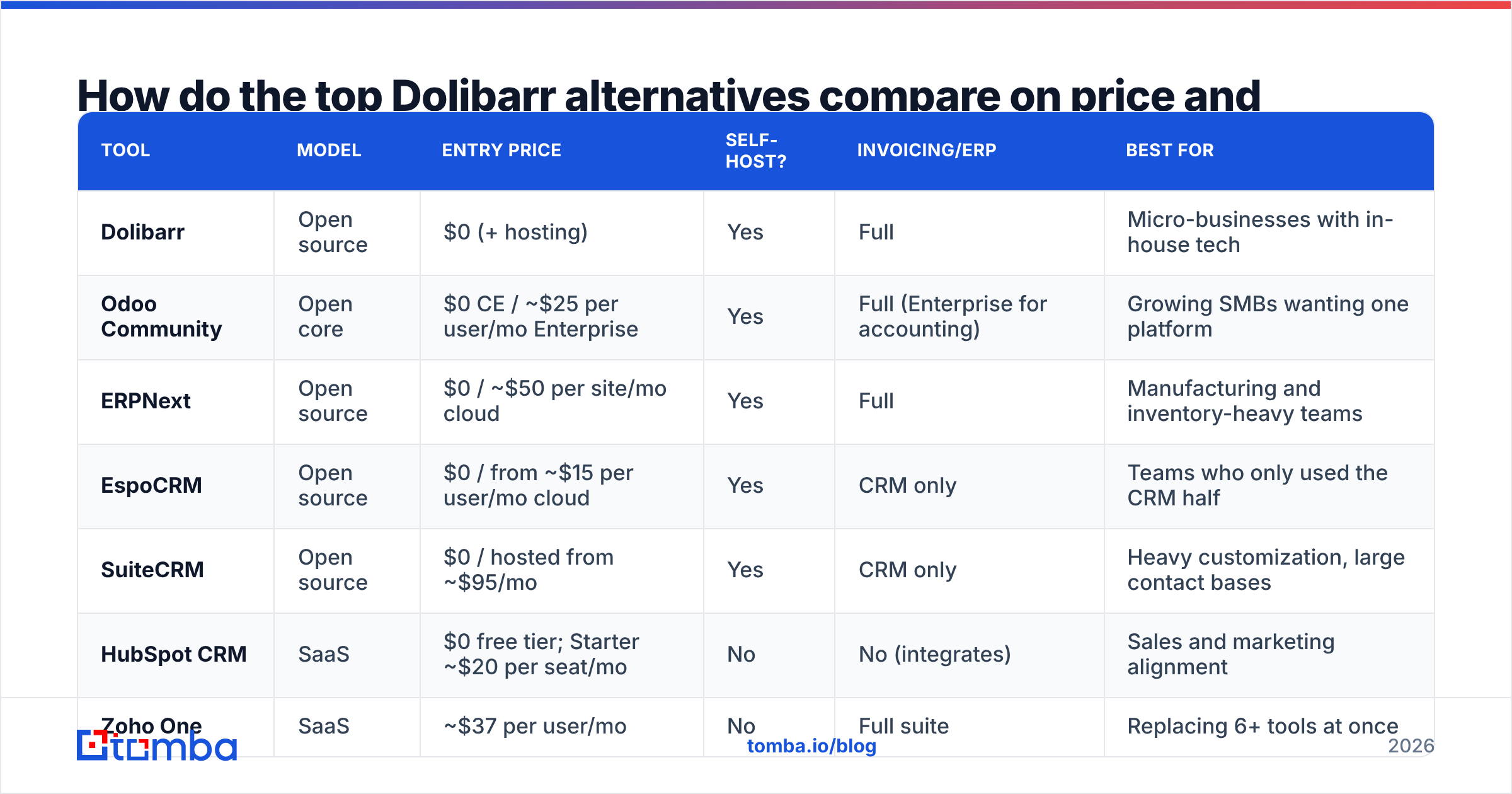
| Tool | Model | Entry price | Self-host? | Invoicing/ERP | Best for |
|---|---|---|---|---|---|
| Dolibarr | Open source | $0 (+ hosting) | Yes | Full | Micro-businesses with in-house tech |
| Odoo Community | Open core | $0 CE / ~$25 per user/mo Enterprise | Yes | Full (Enterprise for accounting) | Growing SMBs wanting one platform |
| ERPNext | Open source | $0 / ~$50 per site/mo cloud | Yes | Full | Manufacturing and inventory-heavy teams |
| EspoCRM | Open source | $0 / from ~$15 per user/mo cloud | Yes | CRM only | Teams who only used the CRM half |
| SuiteCRM | Open source | $0 / hosted from ~$95/mo | Yes | CRM only | Heavy customization, large contact bases |
| HubSpot CRM | SaaS | $0 free tier; Starter ~$20 per seat/mo | No | No (integrates) | Sales and marketing alignment |
| Zoho One | SaaS | ~$37 per user/mo | No | Full suite | Replacing 6+ tools at once |
| Pipedrive | SaaS | ~$14 per seat/mo | No | Add-on | Pure pipeline management |
| Bitrix24 | SaaS | $0 free tier; paid from ~$49/mo flat | On-prem option | Partial | Budget teams wanting telephony |
| Tomba | SaaS/API | Free 25 searches; Starter $49/mo | No (API) | No — data layer | Filling any CRM with verified contacts |
Prices are list rates as published by each vendor and shift with promotions, currency, and annual commitments. Verify against the vendor's own pricing page before you budget. Independent review data on G2 is useful for sanity-checking whether the reported experience matches the marketing.
Is open source actually cheaper than SaaS?#
Usually not, once you count honestly. Run the arithmetic before you assume.
A self-hosted Dolibarr or ERPNext instance for a 10-person team typically means:
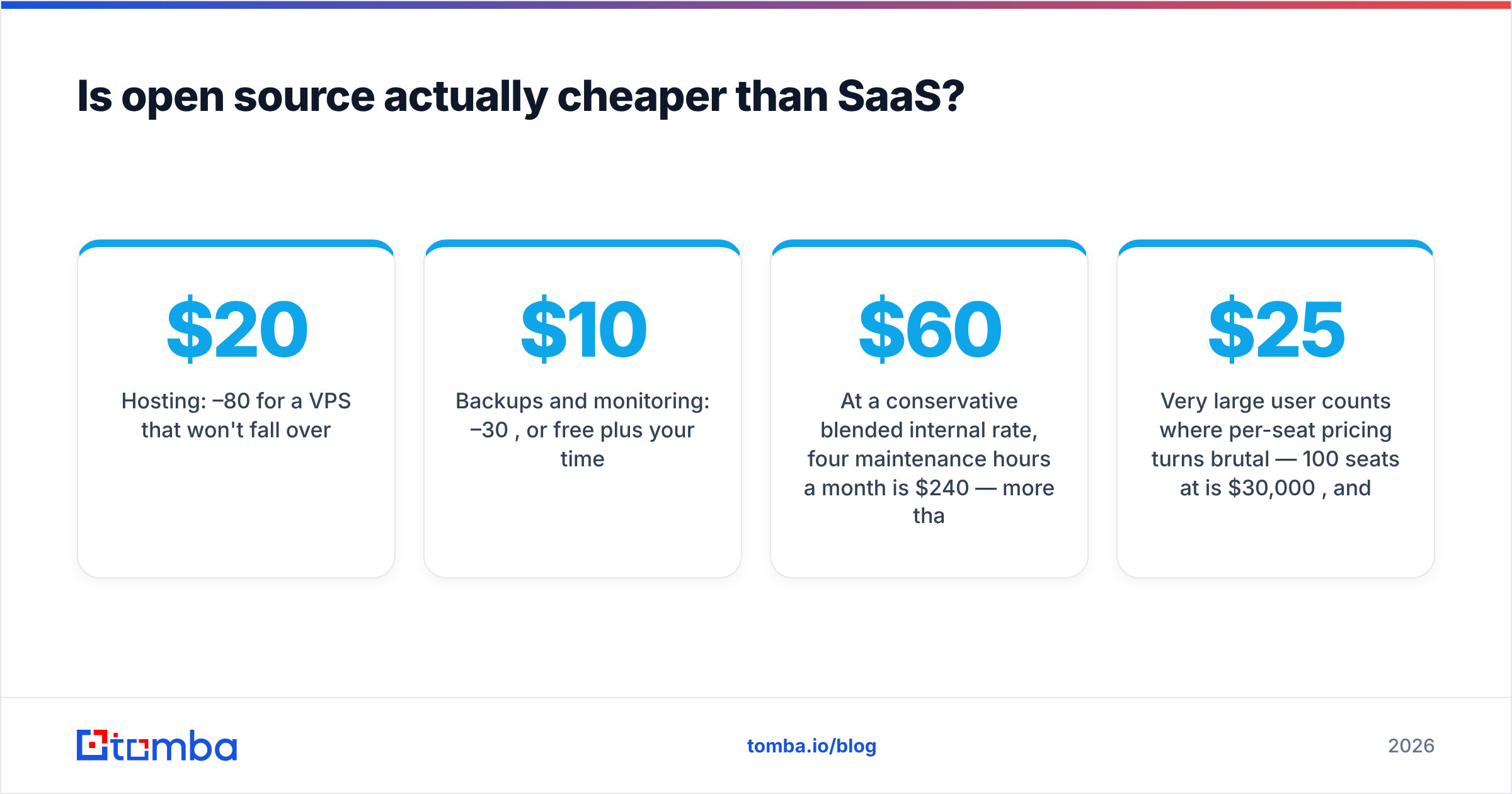
- Hosting: $20–80/month for a VPS that won't fall over
- Backups and monitoring: $10–30/month, or free plus your time
- Maintenance: 2–6 hours/month for updates, patches, and the occasional broken module
- Major version upgrades: 8–20 hours once a year, more if you've customized
- Custom development: whatever your rate is, times however much your workflow diverges from the default
At a conservative $60/hour blended internal rate, four maintenance hours a month is $240 — more than a 10-seat Pipedrive subscription. The open-source advantage is real, but it shows up as control and data ownership, not as a lower total cost.
Where self-hosting genuinely wins:
- Data residency requirements that SaaS vendors can't meet in your jurisdiction
- Deep customization where you need to modify core behavior, not just configure it
- Very large user counts where per-seat pricing turns brutal — 100 seats at $25/month is $30,000/year, and a dedicated ops person costs less
- Air-gapped or regulated environments where external SaaS is simply off the table
If none of those describe you, SaaS is probably cheaper in practice.
What should you check before migrating off Dolibarr?#
Migration is where projects die. Work through this before you commit to a tool.
1. Export your data and look at it. Dolibarr's export module produces CSV per entity — third parties, contacts, invoices, products, projects. Pull them all and open them. Count how many contact records have no email, a role-based address (info@, contact@), or an address that bounced two years ago. That number determines how much of your migration is data cleanup versus data transfer.
2. Map your custom fields. Every "extrafield" you added in Dolibarr needs a home in the target system. Some targets handle 200 custom fields fine; others charge for them or cap them per object.
3. Decide what you're not bringing. Invoices from 2019 do not need to live in your new CRM. Archive them, keep the Dolibarr instance read-only for a year, and migrate only the records you'll actually query.
4. Verify before you import. A migration is the cheapest possible moment to clean a list — you're already touching every row. Run the contact export through an email verifier so you're not importing bounces into a fresh system and poisoning your sender reputation on day one. Doing this after the fact means re-touching every record.
5. Fill the gaps. Most Dolibarr contact records are partial — a company name and a phone number, no email, or an email for someone who left in 2022. Running the company list through a domain search surfaces current addresses and patterns per domain, which is faster than manually researching each account.
6. Run parallel for 30 days. Don't cut over on a Friday. Keep both systems live, put new deals in the new tool, and let the old one age out.
Which alternative fits your team size?#
Solo operators and 2–5 person teams. Stay on Dolibarr if it works, or move to EspoCRM if you only need the CRM. Don't pay for Zoho One at this size — you'll use 20% of it. HubSpot's free tier plus a spreadsheet for invoicing is a perfectly respectable stack.
6–25 people with a sales motion. This is where Dolibarr starts hurting. Sales reps need sequences, notifications, and mobile access. Pipedrive or HubSpot Starter plus a separate accounting tool (Xero, QuickBooks, Zoho Books) usually beats forcing an ERP to do CRM work. If you'd rather keep everything under one roof, Odoo Enterprise or Zoho One are the realistic candidates.
25–100 people, product or inventory heavy. ERPNext or Odoo Enterprise. You need real inventory, multi-warehouse, and manufacturing modules, and both handle those better than Dolibarr's equivalents. Budget for an implementation partner — this is not a weekend project.
Regulated, air-gapped, or data-residency constrained. Self-hosted ERPNext, Odoo Community, or SuiteCRM. Your constraint picks the tool for you.
High-volume outbound teams. Your CRM choice matters less than your data pipeline. Whatever you land on, the constraint is how fast you can put verified, current contacts into it. Connect via the Tomba API or a native HubSpot integration so enrichment happens at record creation, not as a quarterly cleanup project. HubSpot publishes solid material on CRM data hygiene that applies regardless of which platform you use.
What do teams get wrong when replacing Dolibarr?#
Replacing like-for-like. You had an ERP, so you shop for an ERP. But most small teams used maybe four Dolibarr modules. Auditing actual usage before shopping usually shrinks the requirements list by half — and a smaller list means cheaper, faster options qualify.
Ignoring adoption. The best-fitting tool your reps refuse to use scores zero. Run a two-week trial with the people who'll live in it daily, not just the person who chose it.
Migrating dirty data. Importing 8,000 unverified contacts into a shiny new CRM produces a shiny new mess, plus deliverability damage when your first campaign hits a wall of dead addresses. Clean first — it also cuts your seat count or credit consumption on tools that price by contact volume.
Underestimating integration work. Dolibarr talked to your accounting software, your payment processor, and your shipping tool. Every one of those connections needs rebuilding. Check the target's native integrations before you sign, not after.
Skipping the exit plan. Ask how you'd leave the new tool before you enter it. Export formats, API access, and data ownership terms matter more the longer you stay. This is the one area where open source has an unambiguous edge.
How do you keep contact data clean after the move?#
A CRM migration resets your data quality to whatever you import — and then decay starts immediately. B2B contact data goes stale at roughly 20–30% per year through job changes, company moves, and domain changes. Two years after a clean migration, a third of your database is wrong again.
Three habits keep it from rotting:
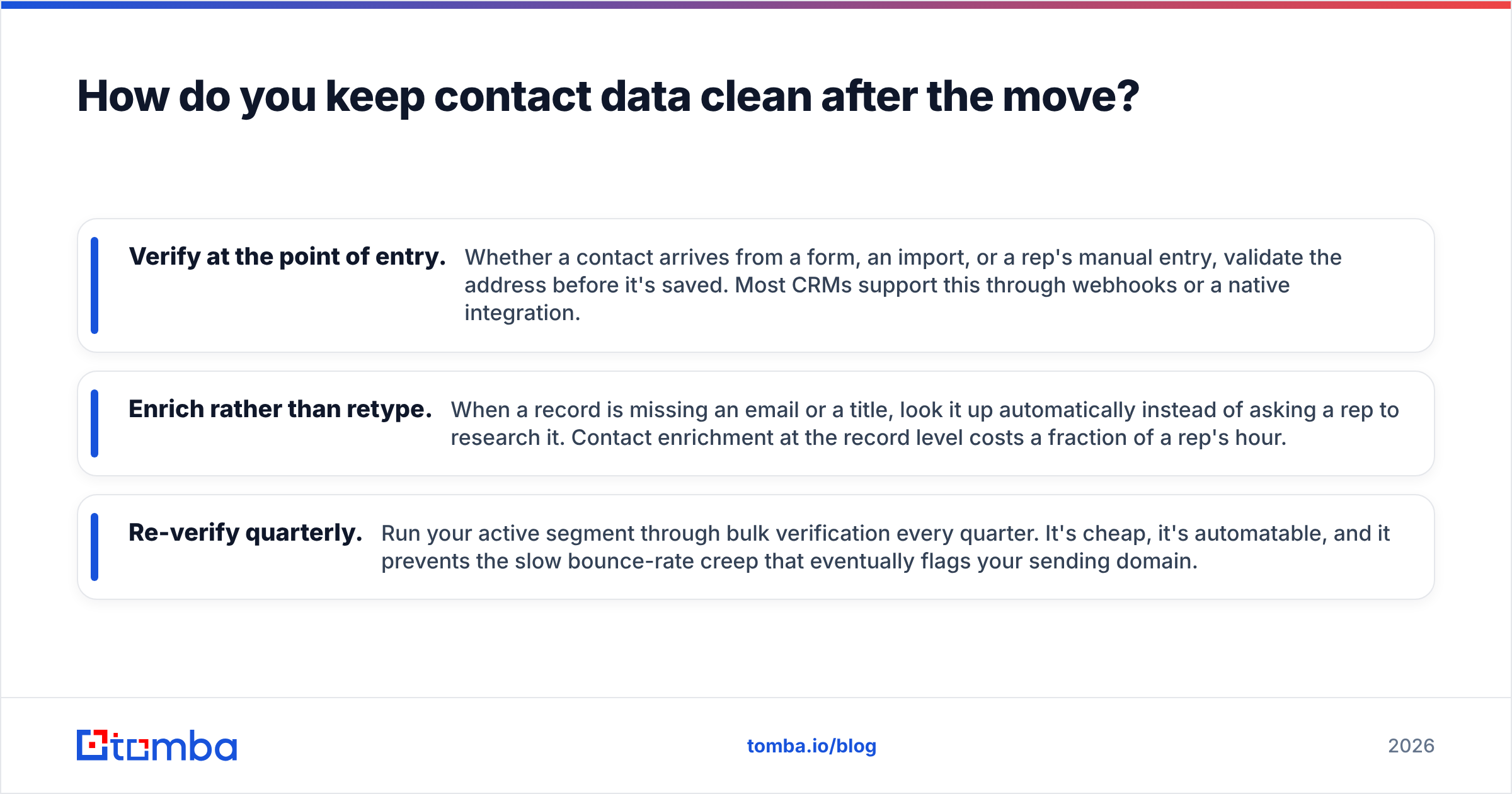
- Verify at the point of entry. Whether a contact arrives from a form, an import, or a rep's manual entry, validate the address before it's saved. Most CRMs support this through webhooks or a native integration.
- Enrich rather than retype. When a record is missing an email or a title, look it up automatically instead of asking a rep to research it. Contact enrichment at the record level costs a fraction of a rep's hour.
- Re-verify quarterly. Run your active segment through bulk verification every quarter. It's cheap, it's automatable, and it prevents the slow bounce-rate creep that eventually flags your sending domain.
None of this is specific to which alternative you choose. It's the layer underneath all of them, and it's the reason two teams on identical CRMs get wildly different results.
Final verdict: which Dolibarr alternative should you pick?#
- Want the same thing, but better maintained? Odoo Community or ERPNext.
- Only ever used the CRM? EspoCRM if self-hosting, HubSpot or Pipedrive if not.
- Want to stop being a sysadmin? Zoho One if you need breadth, Pipedrive if you need focus.
- Bound by data residency? ERPNext or SuiteCRM, self-hosted, and accept the maintenance cost as the price of compliance.
- Not sure yet? Stay on Dolibarr another quarter and fix your data first. A clean contact database makes every subsequent tool decision easier and cheaper.
Whichever platform you land on, it inherits the quality of the records you feed it. Before you migrate, run your Dolibarr contact export through the Tomba Email Finder to fill in missing addresses and confirm the ones you have are still live. The free tier covers 25 searches so you can test the accuracy on your own list before spending anything; Tomba pricing starts at $49/month for Starter when you're ready to run the full migration. Clean data in, working pipeline out — that part doesn't change no matter which CRM wins your evaluation.
Related guides#
Ready to find emails that actually work?
Join 150,000+ professionals who stopped guessing and started sending. Free credits on signup — no credit card required.
Get the Tomba newsletter
Practical outbound tactics and product updates — once every two weeks.
About the author