Dubsado vs HubSpot 2026: Which CRM Fits Your Business?
Dubsado runs client delivery for solo service businesses. HubSpot runs pipeline for growing sales teams. Here is the honest breakdown of pricing, features, and the point where you outgrow one for the other.
TL;DR
- Dubsado is a client management system, not a sales CRM. It wins on proposals, contracts, invoices, and onboarding workflows for solo service providers and small studios.
- HubSpot is a full sales and marketing platform. It wins on pipeline visibility, sequences, reporting, and anything involving more than two people touching a deal.
- Price gap is real but misleading. Dubsado runs roughly $20–$40/month flat for unlimited users; HubSpot's paid Sales Hub is per seat and climbs fast at Professional tier.
- The switch point is usually headcount, not revenue. Once you have a second closer, a referral engine, or outbound motion, Dubsado's lack of pipeline reporting starts costing you deals.
- Neither tool finds contacts for you. Both assume the lead already exists. That gap is filled by a dedicated email finder sitting upstream of whichever CRM you pick.
What are Dubsado and HubSpot, exactly?#
They solve different halves of the same revenue problem, which is why the comparison confuses so many buyers.
Dubsado is a business management platform built for service businesses — photographers, designers, consultants, coaches, agencies under ten people. Its center of gravity is what happens after someone says "send me a proposal." Lead capture forms, questionnaires, branded proposals, e-signed contracts, invoicing with payment plans, scheduling, and workflows that chain those steps together.
HubSpot is a CRM platform in the classic sense. Contacts, companies, deals, pipelines, tasks, email sequences, meeting links, reporting dashboards, plus adjacent Hubs for marketing, service, and content. Its center of gravity is what happens before someone signs — sourcing, qualifying, moving deals through stages, and reporting on why they stall.
Put crudely: Dubsado is a delivery machine with a lightweight front door. HubSpot is a front door with lightweight delivery. If you sell a repeatable service package to inbound-heavy clients, the first shape fits. If you run a pipeline where deals take weeks and multiple touches, the second does.
Both call themselves a CRM, which is technically true and practically unhelpful.
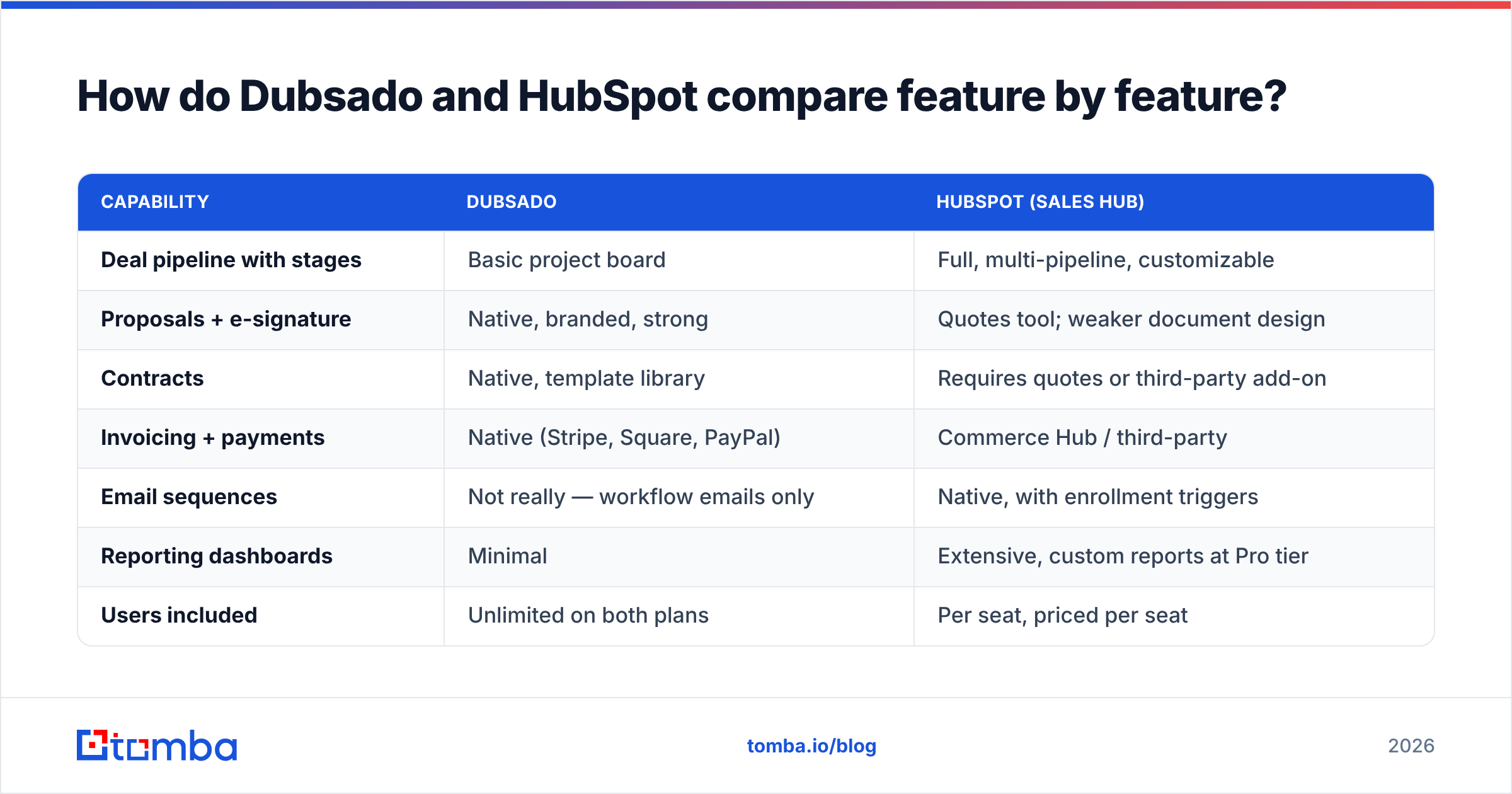
How do Dubsado and HubSpot compare feature by feature?#
| Capability | Dubsado | HubSpot (Sales Hub) |
|---|---|---|
| Deal pipeline with stages | Basic project board | Full, multi-pipeline, customizable |
| Proposals + e-signature | Native, branded, strong | Quotes tool; weaker document design |
| Contracts | Native, template library | Requires quotes or third-party add-on |
| Invoicing + payments | Native (Stripe, Square, PayPal) | Commerce Hub / third-party |
| Email sequences | Not really — workflow emails only | Native, with enrollment triggers |
| Reporting dashboards | Minimal | Extensive, custom reports at Pro tier |
| Users included | Unlimited on both plans | Per seat, priced per seat |
| Client portal | Yes, branded | Not native |
| Native integrations | ~15 | 1,700+ marketplace apps |
| Learning curve | Half a day | One to three weeks |
| Best team size | 1–5 | 3–500+ |
The table hides one asymmetry worth naming. Dubsado's weak spots are things you can live without for years — nobody closed fewer deals because their dashboard was ugly. HubSpot's weak spots are things you feel weekly: building a decent proposal in HubSpot means either paying for Quotes plus a design workaround, or bolting on PandaDoc or Proposify.
How much do Dubsado and HubSpot cost in 2026?#
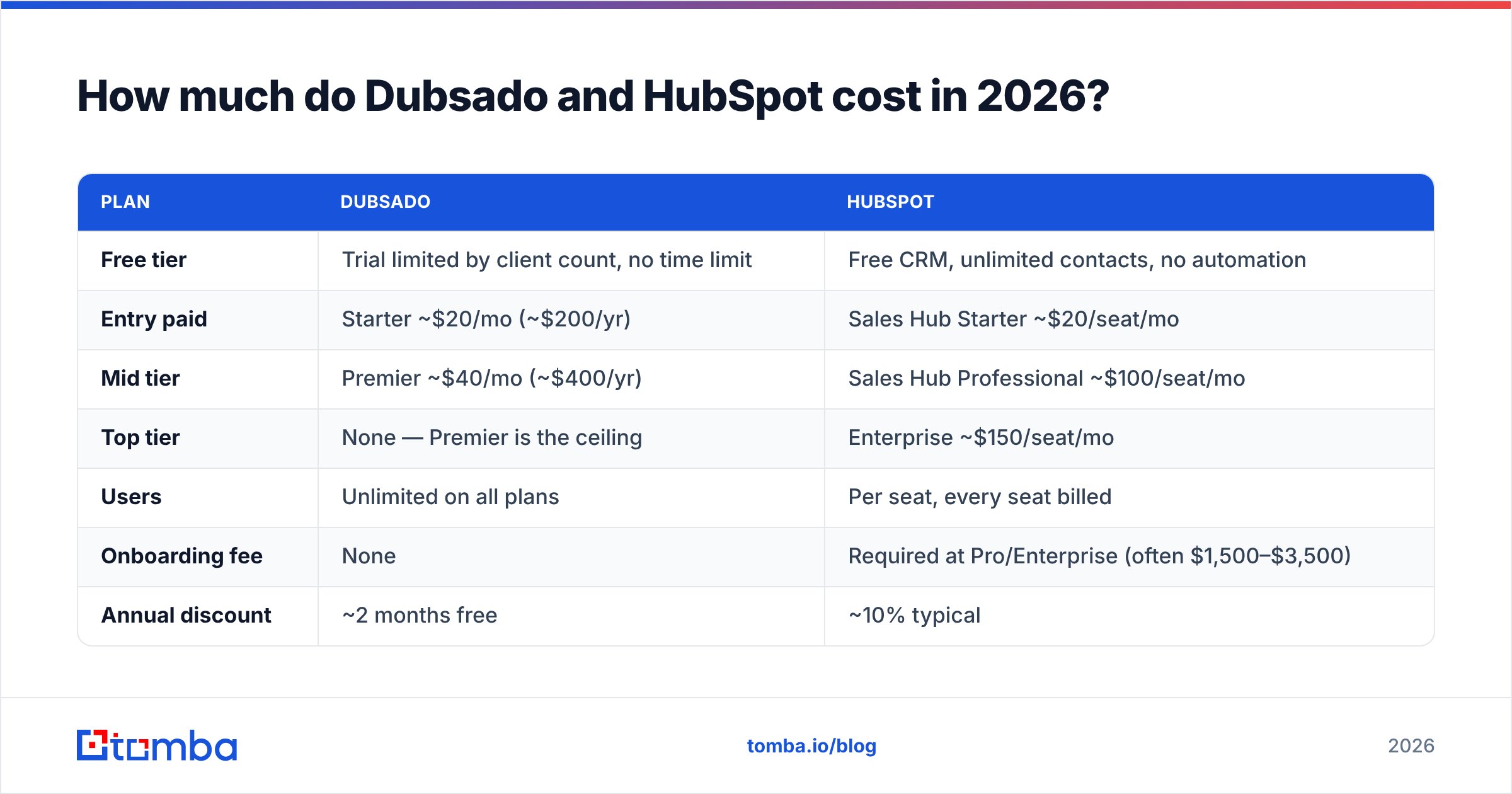
This is where most comparison posts go quietly wrong, because they compare Dubsado's flat fee to HubSpot's free CRM and declare a tie. That is not the real comparison. HubSpot's free tier has no sequences, no automation, and no custom reporting — it is a contact database.
| Plan | Dubsado | HubSpot |
|---|---|---|
| Free tier | Trial limited by client count, no time limit | Free CRM, unlimited contacts, no automation |
| Entry paid | Starter |
Sales Hub Starter ~$20/seat/mo |
| Mid tier | Premier |
Sales Hub Professional ~$100/seat/mo |
| Top tier | None — Premier is the ceiling | Enterprise ~$150/seat/mo |
| Users | Unlimited on all plans | Per seat, every seat billed |
| Onboarding fee | None | Required at Pro/Enterprise (often $1,500–$3,500) |
| Annual discount | ~2 months free | ~10% typical |
Check both vendors' pricing pages before you commit — HubSpot in particular repackages tiers frequently and the seat minimums change.
Run the math for a five-person team. Dubsado Premier: about $400 a year, total. HubSpot Sales Hub Professional at five seats: roughly $6,000 a year plus mandatory onboarding. That is a 15x difference, and it is genuinely justified only if you are using the reporting, sequences, and workflow automation that come with it. Teams that buy Professional and use it as a contact list are the single most common source of "HubSpot is overpriced" reviews on G2.
The honest framing: Dubsado charges for a tool. HubSpot charges for a platform you are expected to grow into.
Which tool wins for client onboarding and delivery?#
Dubsado, and it is not close.
The specific thing Dubsado does better than almost anything at its price is chaining a client journey without you touching it. A lead fills out your form. Dubsado sends a questionnaire. When it comes back, a proposal fires with your packages. When they pick one, the contract and invoice go out together. Deposit clears, onboarding email sequence starts, project board updates.
You build that once. It runs for every client afterward.
HubSpot can approximate this with workflows at Professional tier, but you will be assembling it from three or four separate objects and probably paying for a document tool on top. For a photographer booking 40 weddings a year, that is a solved problem in Dubsado and a small IT project in HubSpot.
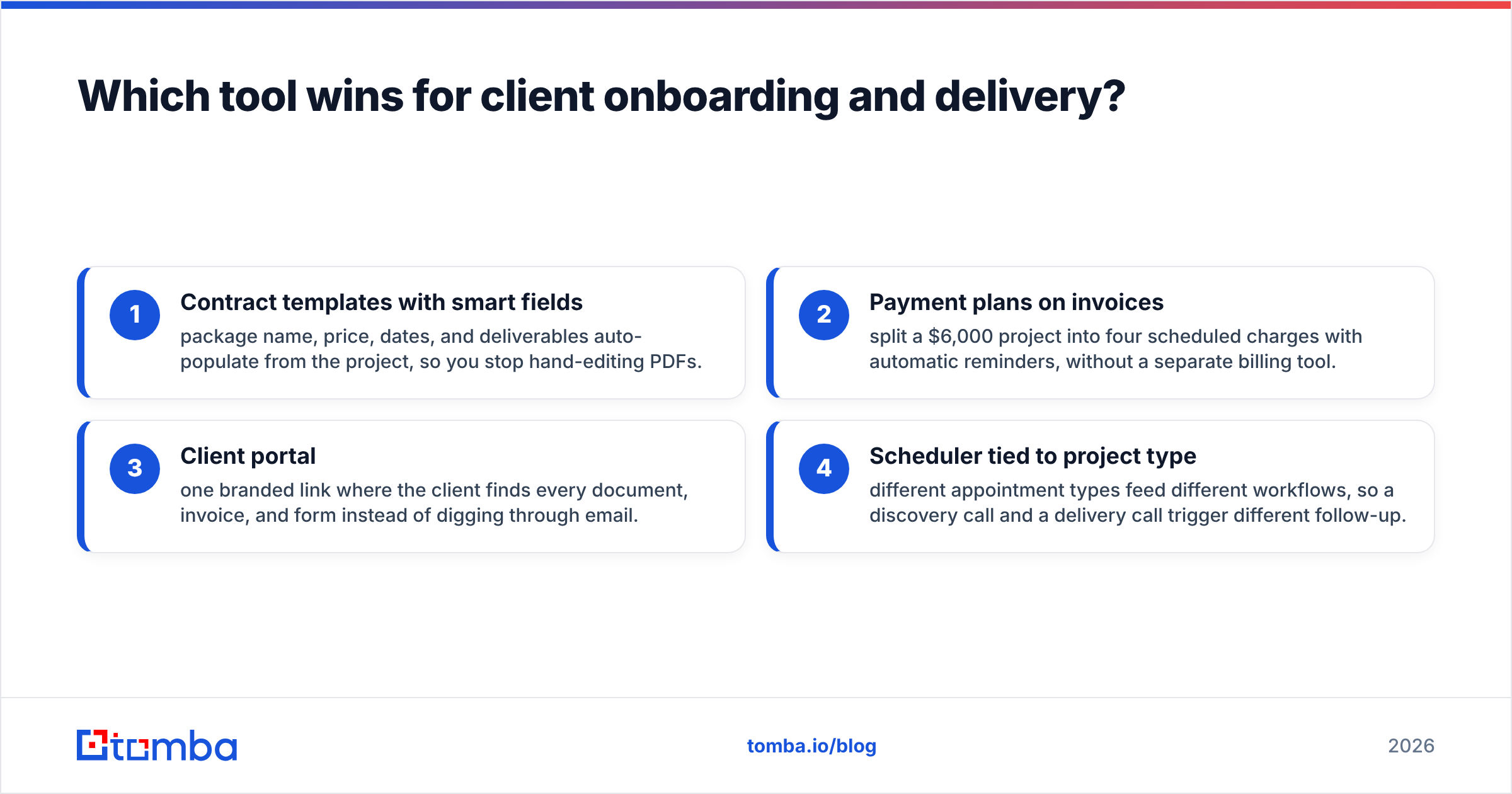
Four places Dubsado quietly saves hours:
- Contract templates with smart fields — package name, price, dates, and deliverables auto-populate from the project, so you stop hand-editing PDFs.
- Payment plans on invoices — split a $6,000 project into four scheduled charges with automatic reminders, without a separate billing tool.
- Client portal — one branded link where the client finds every document, invoice, and form instead of digging through email.
- Scheduler tied to project type — different appointment types feed different workflows, so a discovery call and a delivery call trigger different follow-up.
Which tool wins for pipeline and outbound growth?#
HubSpot, and again it is not close.
Dubsado has no real concept of a sales pipeline with weighted stages, no forecast, no activity reporting per rep, and no sequence engine. If your growth model is "referrals come in, I convert most of them," none of that matters. If your growth model involves generating demand — outbound email, LinkedIn, events, paid — you need a system that answers: how many opportunities are in stage three, how long do they sit there, and which rep's deals are rotting?
HubSpot answers all three out of the box at Professional. It also gives you sequences with enrollment triggers, a meetings link that writes back to the contact record, deal rotation, and reporting you can put in front of an investor.
The other structural advantage is the ecosystem. Nearly every sales tool built in the last decade ships a HubSpot connector first. Enrichment, calling, conversation intelligence, scheduling, data pipelines — you can wire them up in an afternoon. Tomba's own HubSpot integration pushes verified contact data straight into HubSpot records, which is the kind of thing you simply cannot do with Dubsado's much smaller integration list.

What does each tool genuinely not do?#
Worth reading before you buy, because both vendors' marketing pages are silent on these.
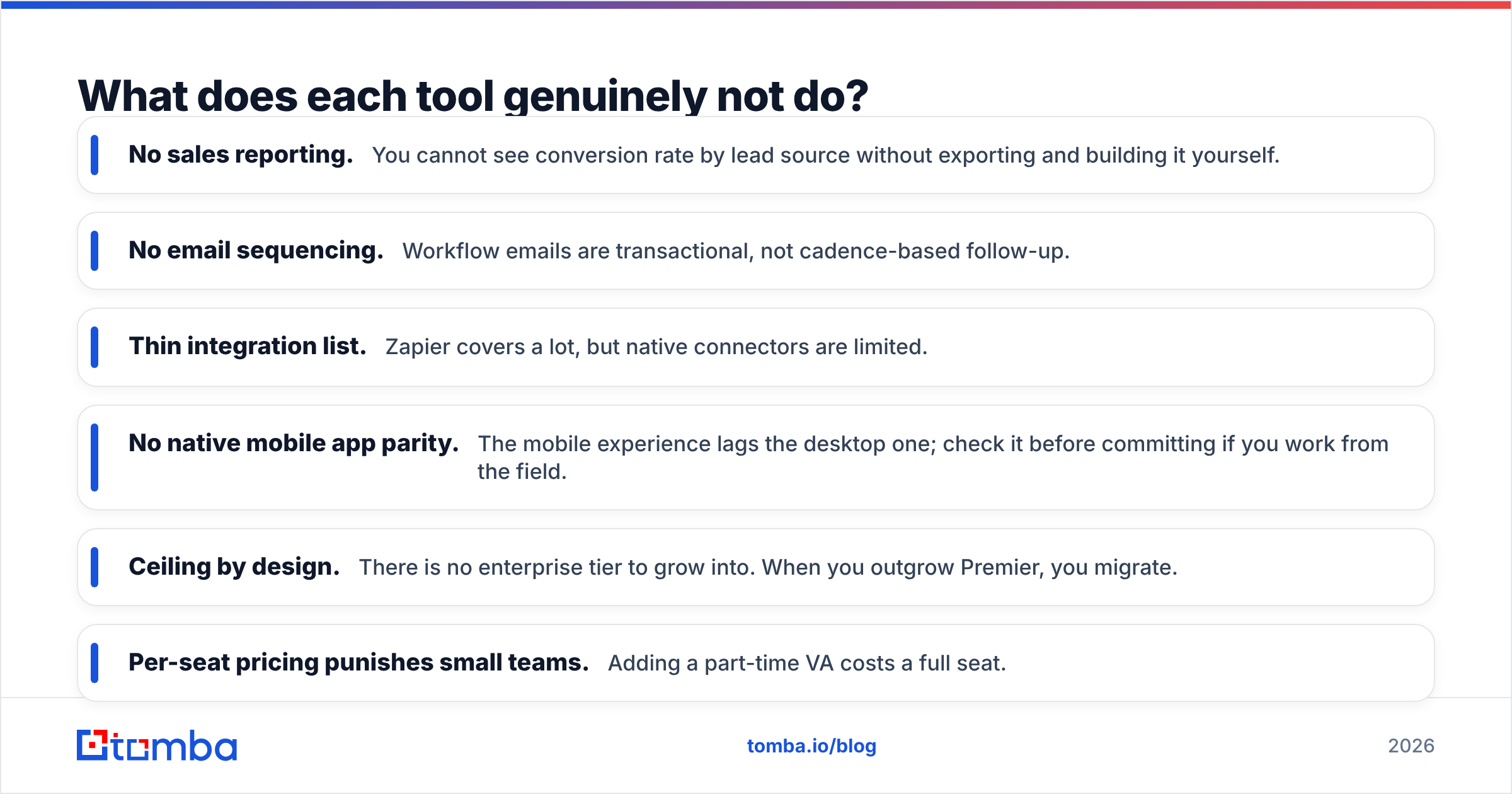
Dubsado's real gaps:
- No sales reporting. You cannot see conversion rate by lead source without exporting and building it yourself.
- No email sequencing. Workflow emails are transactional, not cadence-based follow-up.
- Thin integration list. Zapier covers a lot, but native connectors are limited.
- No native mobile app parity. The mobile experience lags the desktop one; check it before committing if you work from the field.
- Ceiling by design. There is no enterprise tier to grow into. When you outgrow Premier, you migrate.
HubSpot's real gaps:
- Per-seat pricing punishes small teams. Adding a part-time VA costs a full seat.
- Contact-tier pricing on Marketing Hub. Costs escalate with database size, not with revenue.
- Weak native documents. Proposals and contracts need add-ons to look professional.
- Annual contract lock-in. Most paid tiers bill annually with limited mid-term downgrade.
- Setup cost is real. Budget one to three weeks of someone's time, or pay a partner.
Who should choose Dubsado?#
Choose Dubsado if most of these describe you:
- You are a solo operator or a team under five.
- Your leads come mostly from referrals, an existing audience, or organic search.
- Your sales cycle is under three weeks and involves one or two conversations.
- Contracts, proposals, and invoices are the part of your week you hate.
- You bill project fees rather than retainers with complex renewals.
- Software budget is under $600 a year.
Typical fit: wedding photographer, brand designer, fractional CFO, boutique agency with two partners, therapist practice, VA agency.
Who should choose HubSpot?#
Choose HubSpot if most of these describe you:
- You have at least two people who own revenue targets.
- You run outbound, paid acquisition, or content-driven inbound at volume.
- Deals take a month or longer and involve multiple stakeholders.
- You need forecasting, attribution, or board-level reporting.
- You expect to add tools — calling, enrichment, conversation intelligence — over the next year.
- You have or will hire someone to own the CRM.
Typical fit: SaaS company, B2B agency of ten-plus, recruiting firm, professional services company with named account executives.
Can you run both Dubsado and HubSpot together?#
Yes, and a small number of agencies do it deliberately: HubSpot handles everything up to closed-won, then the deal hands off to Dubsado for contracting, invoicing, and delivery workflows.
It works, but be clear-eyed about the cost. You are paying two subscriptions, syncing via Zapier or Make, and creating a seam where records drift. In practice this only makes sense when your delivery process is genuinely complex and client-facing — a productized service with heavy onboarding — and your acquisition process is genuinely outbound-driven. Below about $1M in revenue, pick one and live with the compromise.
If you do run both, make the handoff one-directional. Bidirectional sync between two systems with different data models is where these setups fall apart.
What neither Dubsado nor HubSpot solves?#
Sourcing.
Both tools assume the contact is already sitting in front of you. Dubsado waits for a lead form submission. HubSpot waits for a form fill, an import, or a rep typing a name into a record. Neither generates the raw contact data, and both degrade fast when the data going in is stale or guessed.
That matters more than it sounds. A CRM full of bounced addresses does not just waste sends — it damages your sender reputation, which quietly suppresses the deliverability of the emails that would have converted. The fix is upstream: find the address from the company domain, verify it before it enters the CRM, and enrich the record so your rep is not researching the same company twice.
That is a three-step workflow, not a feature toggle:
- Find — pull verified addresses by domain or name with domain search before the contact ever hits a pipeline stage.
- Verify — run every address through an email verifier so bounces never reach your sending domain.
- Enrich — append job title, company size, and social profiles so segmentation actually works.
Do that once at the top and both Dubsado's forms and HubSpot's pipeline get more accurate, regardless of which you picked.
So which one wins?#
There is no overall winner, which is the honest answer even though it is the less satisfying one.
If your bottleneck is delivering client work — contracts, invoices, onboarding, chasing payments — Dubsado is the better $400 you will spend this year, and HubSpot at ten times the price will not fix it.
If your bottleneck is finding and closing work — you have leads slipping, no visibility into why, and more than one person selling — HubSpot pays for itself in the first quarter and Dubsado will keep you flying blind.
The migration signal to watch: the first time you cannot answer "how many deals are in flight and what are they worth" without opening a spreadsheet, you have outgrown Dubsado. That usually happens somewhere between the second hire and the first full-time salesperson.
Whichever platform you land on, the pipeline it manages is only as good as the contacts you feed it. Tomba's Email Finder locates verified professional addresses by domain, name, or company and pushes them straight into HubSpot — or into a spreadsheet you import into Dubsado — with real-time verification so nothing bounces. Start free with 25 searches a month, then scale on the $49/mo Starter plan when the volume justifies it. See full Tomba pricing to match a tier to your outbound volume.
Related guides#
Ready to find emails that actually work?
Join 150,000+ professionals who stopped guessing and started sending. Free credits on signup — no credit card required.
Get the Tomba newsletter
Practical outbound tactics and product updates — once every two weeks.
About the author