Easy Email Verification vs FindThatLead: Which Wins in 2026?
One tool only cleans lists. The other only builds them. Here's how Easy Email Verification and FindThatLead actually compare on accuracy, pricing, and catch-all handling — and when neither is the right buy.
TL;DR
- These two tools are not competitors in the strict sense. Easy Email Verification cleans lists you already have. FindThatLead builds lists and sends campaigns. Comparing them head-to-head only makes sense if you're deciding what to spend your next $50 on.
- If your bounce rate is the problem, buy the verifier. If you have no leads at all, buy the finder. If you have both problems — which is most teams — buying both means two logins, two credit pools, and no shared data model.
- FindThatLead's search-plus-send bundle is convenient but its verification layer is the weakest part of the stack, which is exactly why people end up paying for a second verifier anyway.
- Catch-all domains are where both tools get quiet. Roughly 20–25% of B2B domains accept everything at the SMTP layer, and a plain verdict of "accept-all" is not an answer you can send to.
- A single platform that finds, verifies, and enriches from one credit pool usually costs less than the two-tool stack and removes the hand-off entirely.
What is Easy Email Verification, and what is FindThatLead?#
Easy Email Verification is a list-hygiene tool. You upload a CSV or hit an API endpoint, and it runs each address through syntax checks, MX record lookups, disposable-domain matching, role-account detection, and an SMTP handshake. It returns a status — valid, invalid, accept-all, unknown — and you delete the bad rows before they ever reach your sending platform. It does not find anyone. It has no opinion about who you should email.
FindThatLead sits at the other end of the workflow. It's a prospecting suite: domain search to pull contacts at a company, a lead-search filter for building lists by role and location, a Chrome extension for LinkedIn, and Scrab.in / campaign features for actually sending the outreach. Verification exists inside it, but it's a checkbox in a larger flow rather than the product itself.
So the honest framing of easy email verification vs findthatlead is not "which is better." It's "which stage of the pipeline is currently costing you money."
Do these two tools actually overlap?#
Only in one narrow band. Here's the pipeline broken into the five jobs that matter, and who covers what:
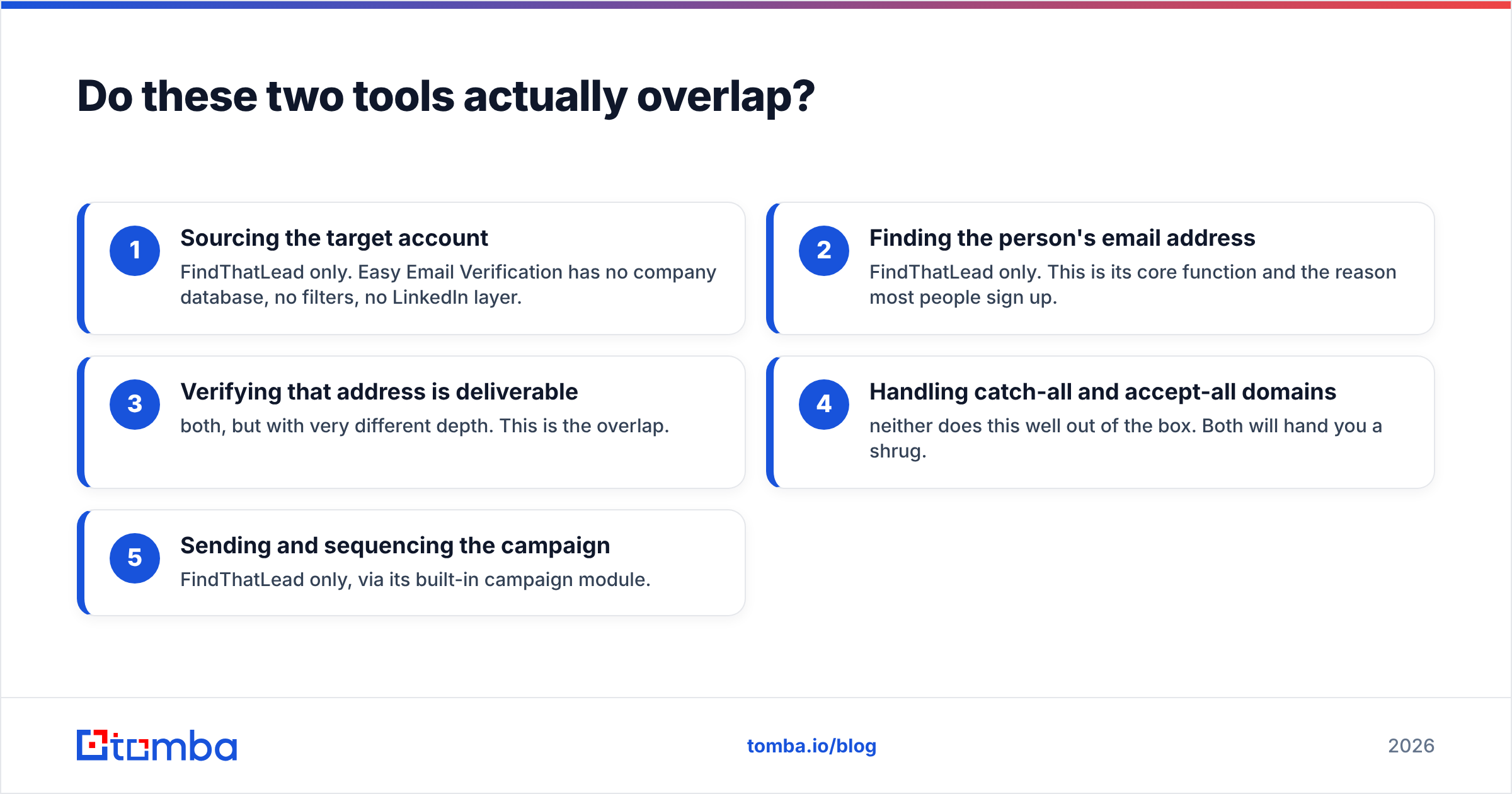
- Sourcing the target account — FindThatLead only. Easy Email Verification has no company database, no filters, no LinkedIn layer.
- Finding the person's email address — FindThatLead only. This is its core function and the reason most people sign up.
- Verifying that address is deliverable — both, but with very different depth. This is the overlap.
- Handling catch-all and accept-all domains — neither does this well out of the box. Both will hand you a shrug.
- Sending and sequencing the campaign — FindThatLead only, via its built-in campaign module.
That overlap in row three is the whole comparison. Everything else is a feature gap, not a competition. And it explains a pattern you see constantly in outbound teams: they buy FindThatLead for finding, watch their bounce rate climb past 5%, then buy a dedicated verifier as a patch. Now they're running two subscriptions to complete one job.
How do Easy Email Verification and FindThatLead compare on features and price?#
Pricing at both vendors moves, and both run promotional tiers, so treat the numbers below as the shape of the market rather than a quote. Check each vendor's pricing page before you commit budget.

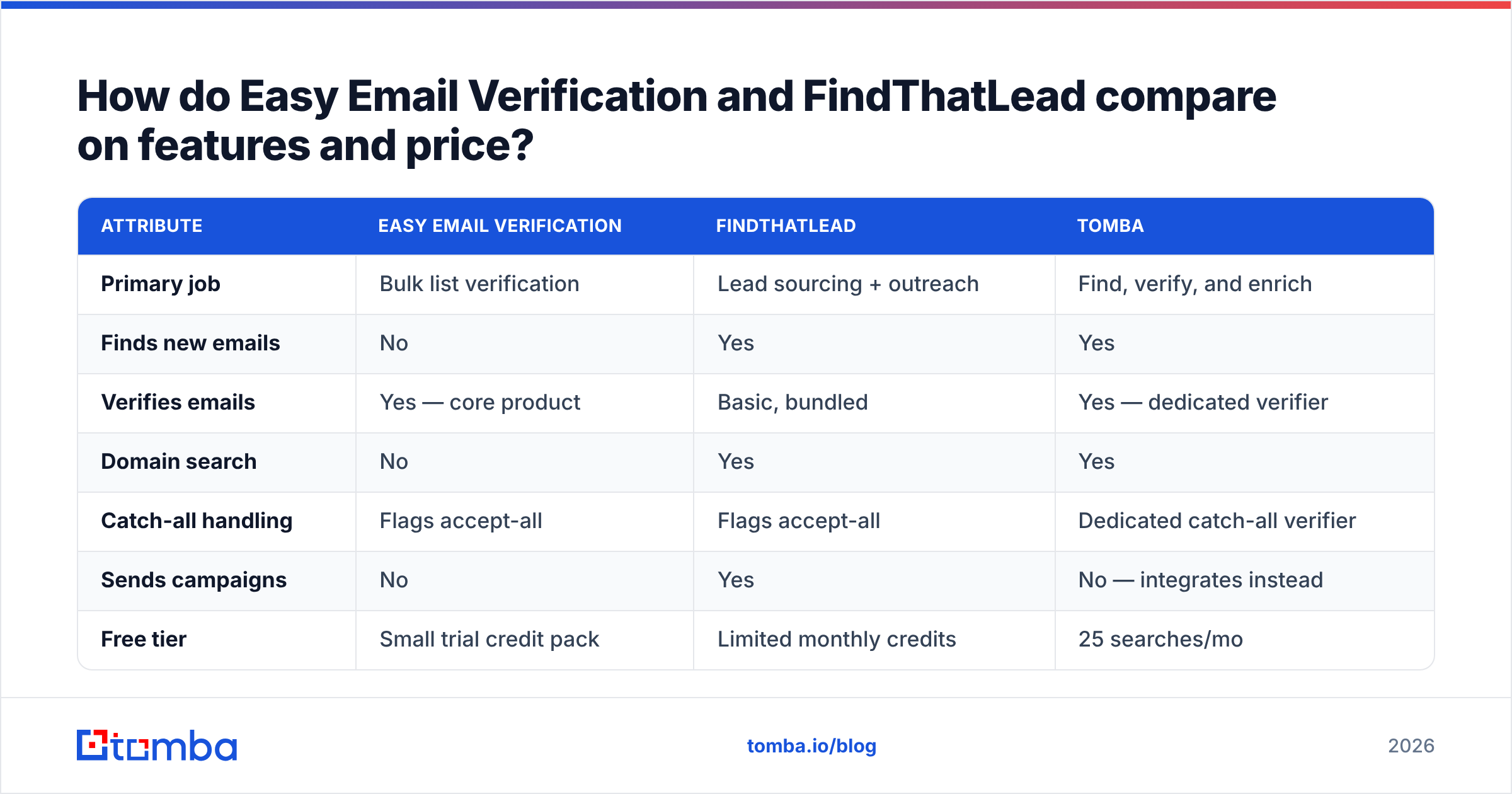
| Attribute | Easy Email Verification | FindThatLead | Tomba |
|---|---|---|---|
| Primary job | Bulk list verification | Lead sourcing + outreach | Find, verify, and enrich |
| Finds new emails | No | Yes | Yes |
| Verifies emails | Yes — core product | Basic, bundled | Yes — dedicated verifier |
| Domain search | No | Yes | Yes |
| Catch-all handling | Flags accept-all | Flags accept-all | Dedicated catch-all verifier |
| Sends campaigns | No | Yes | No — integrates instead |
| Free tier | Small trial credit pack | Limited monthly credits | 25 searches/mo |
| Entry paid tier | Pay-as-you-go credits, roughly $0.003–$0.01 per email | Around $49/mo for the entry growth plan | $49/mo Starter |
| Mid tier | Volume packs, price per email drops with size | Around $150/mo startup tier | $99/mo Growth |
| API access | Yes | Yes | Yes, plus CLI, MCP, and spreadsheet add-ons |
| Credits expire? | Packs typically don't expire | Monthly credits reset | Monthly allocation |
| Best for | Cleaning a list you already own | Cold prospecting from scratch | Teams doing both in one place |
Two things jump out of that table.
First, the pricing models aren't comparable in kind. Easy Email Verification sells credit packs that mostly sit there until you use them — good if you clean a list once a quarter. FindThatLead sells a monthly seat with credits that reset, which punishes you for a slow month and rewards continuous prospecting. Neither model is wrong; they're built for different rhythms.
Second, the row that decides most purchases is "finds new emails." If you answer no to "do I already have a list," Easy Email Verification cannot help you, at any price. The comparison ends there.
Which one is more accurate?#
Accuracy means two different things here, and vendors love that ambiguity.
For a verifier, accuracy means: of the addresses you marked valid, how many actually delivered? Dedicated verifiers like Easy Email Verification generally land in the 95–98% range on clean, non-catch-all B2B domains. That's the table stakes for the category — G2's email verification category is full of tools clustered in that band, and the differences between them are usually smaller than the differences in how they report catch-all results.
For a finder, accuracy means: of the addresses you were handed, how many were real people at that company who could receive mail? This is a harder number and it varies wildly by industry, company size, and region. FindThatLead's hit rate is solid on mid-market and enterprise domains with predictable patterns, and noticeably weaker on small companies, agencies, and non-US domains where public data is thin.

The trap: a finder's bundled verification tends to be optimistic. It's checking its own homework. When the same engine that guessed first.last@domain.com also grades that guess, you get a "valid" label that really means "the pattern is plausible and the domain accepts mail." Those are the addresses that bounce three weeks later and drag your sender reputation down with them.
That's the structural reason people buy a second verifier. It's not that FindThatLead is bad at verification — it's that grading your own guesses is a conflict of interest in any system.
What happens with catch-all domains?#
This is where both tools go quiet, and it's the single biggest source of unexplained bounces in B2B outbound.
A catch-all domain accepts mail sent to any address at that domain during the SMTP conversation, then decides internally whether to deliver or silently discard it. From the outside, jsmith@company.com and notarealperson@company.com look identical. Both tools will return "accept-all" or "unknown" and hand the decision back to you.
Depending on the dataset you look at, 20–25% of B2B domains behave this way, and the share is higher among companies running Microsoft 365 with a permissive default. So roughly a fifth of your list comes back as a question mark from either tool.
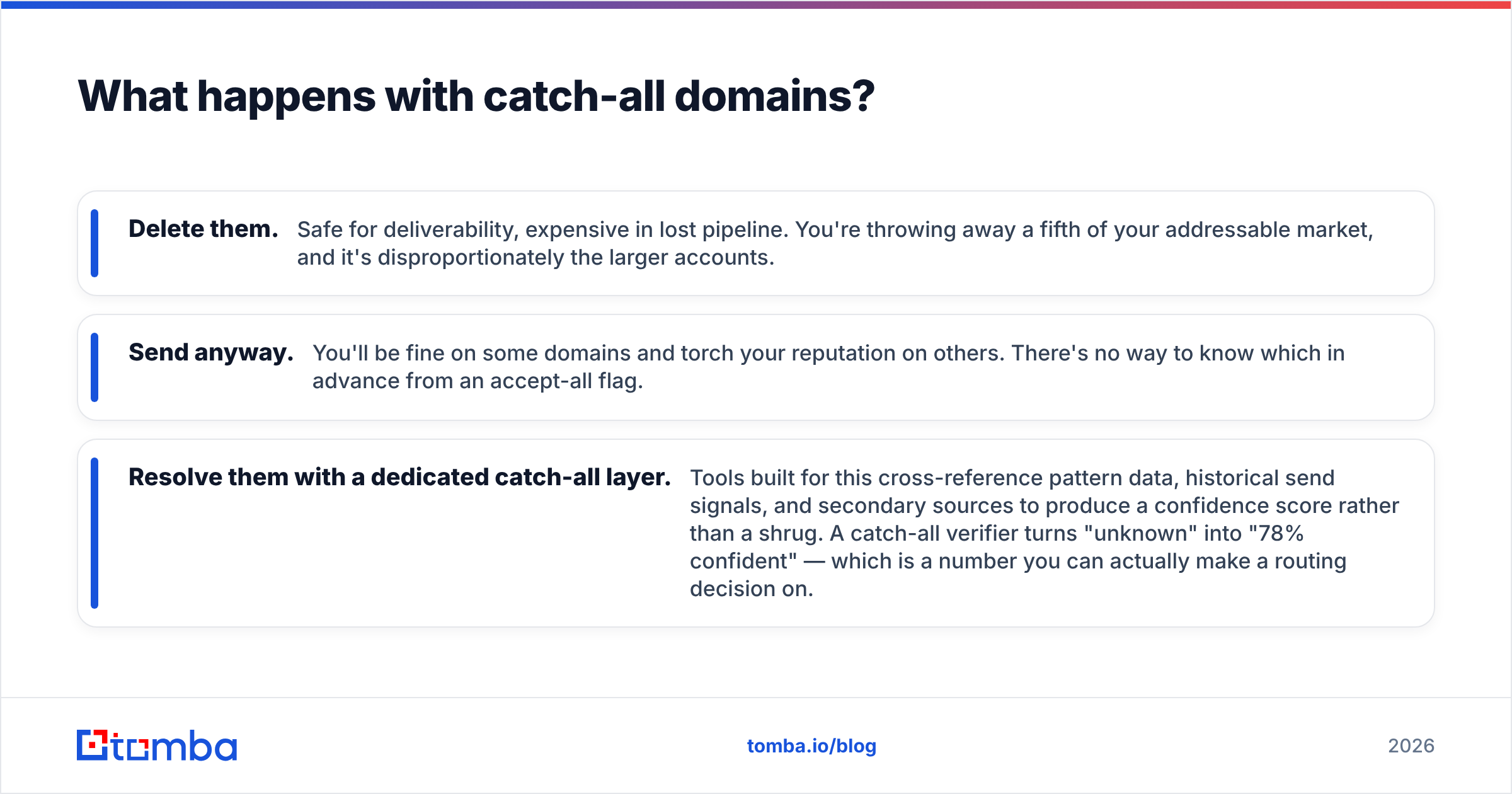
You have three options with those rows:
- Delete them. Safe for deliverability, expensive in lost pipeline. You're throwing away a fifth of your addressable market, and it's disproportionately the larger accounts.
- Send anyway. You'll be fine on some domains and torch your reputation on others. There's no way to know which in advance from an accept-all flag.
- Resolve them with a dedicated catch-all layer. Tools built for this cross-reference pattern data, historical send signals, and secondary sources to produce a confidence score rather than a shrug. A catch-all verifier turns "unknown" into "78% confident" — which is a number you can actually make a routing decision on.
Neither Easy Email Verification nor FindThatLead treats this as a first-class feature. If a meaningful chunk of your ICP sits on catch-all domains — enterprise, education, government, most of Europe — this gap will cost you more than the price difference between the two tools ever could.

Who should buy Easy Email Verification?#
Pick the verifier if all of these are true:
- You already have the list. It came from a conference, a webinar, a CRM export, or a purchased dataset, and you didn't build it this month.
- The list is old. B2B contact data decays somewhere around 25–30% per year through job changes alone. A two-year-old list is mostly fiction until it's cleaned.
- You send from your own infrastructure and bounce rate is a live problem — you're seeing above 3% and your ESP has started sending warnings.
- Your usage is bursty. You clean 50,000 addresses in March and nothing until September. Non-expiring credit packs fit that shape far better than a monthly seat.
If you're in this bucket and just need a fast sanity check on a handful of addresses, a free email checker will tell you whether a paid verification run is even worth queuing.
Who should buy FindThatLead?#
Pick the prospecting suite if:
- You're starting from zero. No list, no CRM history, just a rough ICP definition and a quota.
- You want one bill for finding and sending. The integrated campaign module genuinely saves setup time versus wiring a finder into a separate sequencer.
- Your targets are mid-market and up, in markets where public data density is high. Hit rates fall off fast on small businesses and thin-data regions.
- You accept that you'll verify separately. Budget for it now rather than discovering it after your first campaign's bounce report.
Is there a reason to skip both?#
Yes — and it's the two-credit-pool problem.
Run the finder and the verifier as separate vendors and you get: two dashboards, two APIs with different auth schemes, two CSV round-trips per campaign, two support queues, and a data hand-off where enrichment fields get dropped because the schemas don't match. You also pay twice for the same address — once to find it, once to check it.
A consolidated platform collapses that. With Tomba, the email finder and the email verifier draw from the same credit pool and the same underlying dataset, so an address is found and scored in one call rather than two round-trips through two vendors. The domain search pulls every public contact at a company with roles and confidence scores attached. Catch-all domains route to the dedicated catch-all layer instead of coming back as "unknown." And bulk operations handle the list-hygiene job that Easy Email Verification does standalone.
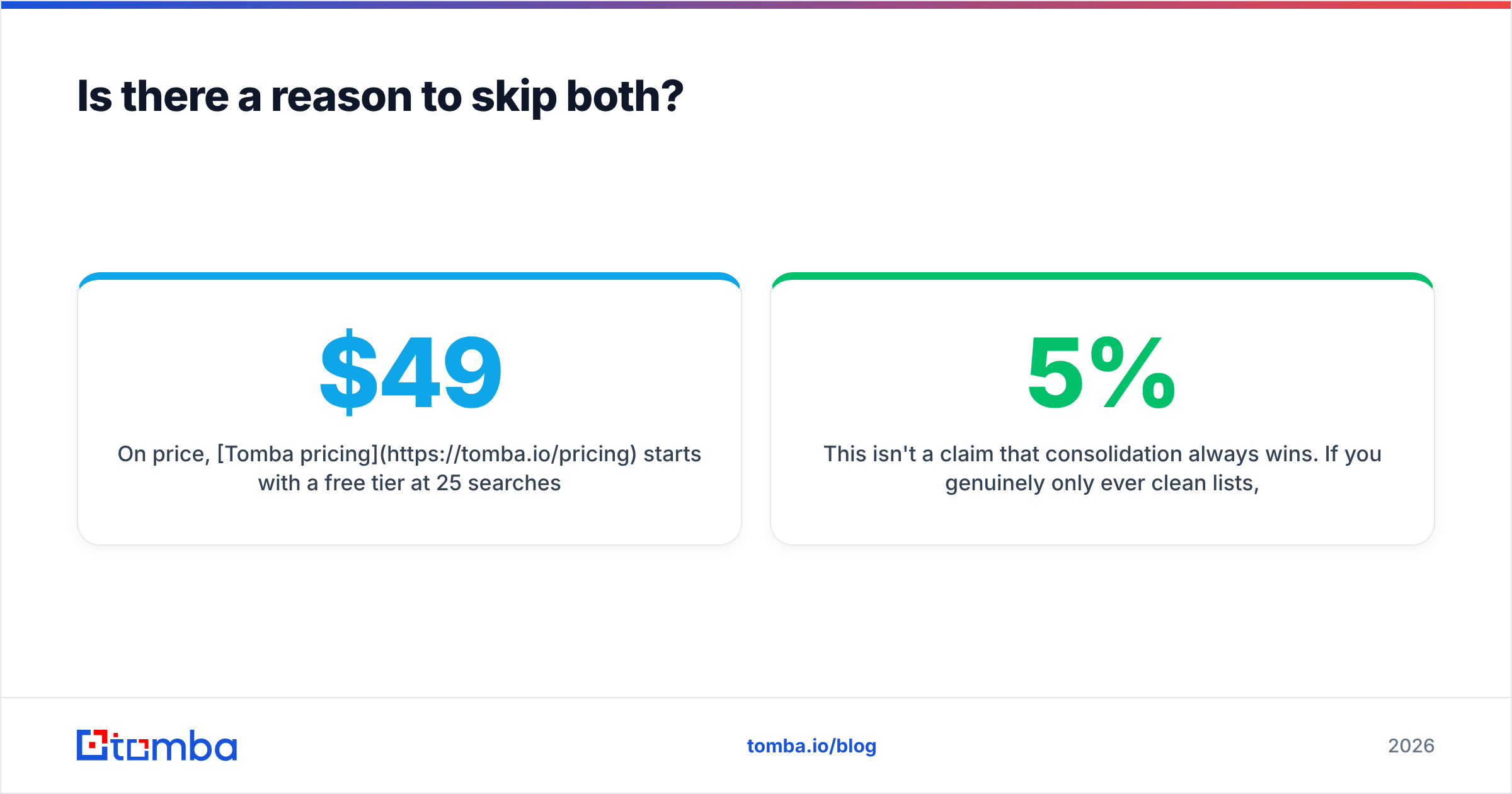
On price, Tomba pricing starts with a free tier at 25 searches per month, then $49/mo Starter, $99/mo Growth, and $249/mo Pro, with Enterprise custom. That $49 entry point lands in roughly the same place as FindThatLead's entry plan — except it covers finding and verifying and enrichment rather than one of the three.
This isn't a claim that consolidation always wins. If you genuinely only ever clean lists, a specialist verifier bought as a credit pack is cheaper and simpler. If you genuinely only ever prospect and you're fine with a 5% bounce rate, the suite is fine. The consolidated case is for everyone in the middle — which, in practice, is most outbound teams.
What should you actually do next?#
Answer one question: where does your pipeline break today?
- Bounces above 4% on a list you already own → dedicated verification, whether that's Easy Email Verification or another specialist.
- Empty list, no sourcing motion → a finder or a prospecting suite. FindThatLead is a reasonable pick if you want sending bundled in.
- Both problems, one budget → stop buying two tools. Consolidate.
- A fifth of your list coming back "accept-all" → you don't have a finder problem or a verifier problem. You have a catch-all problem, and neither tool in this comparison solves it.
Run a 100-row test on real prospects from your actual ICP before you commit to anything. Vendor-published accuracy figures are measured on their own benchmark lists, not yours. The only number that matters is what happens to your bounce rate on your domains.
Ready to stop paying two vendors for one job? Start with the Tomba Email Finder — find professional email addresses by domain, name, or company, with verification and catch-all scoring built into the same call. The free tier gives you 25 searches a month with no card, which is enough to benchmark it against whatever you're running now on your own list. If it doesn't beat your current stack on your data, you've lost nothing but an afternoon.
Related guides#
Ready to find emails that actually work?
Join 150,000+ professionals who stopped guessing and started sending. Free credits on signup — no credit card required.
Get the Tomba newsletter
Practical outbound tactics and product updates — once every two weeks.
About the author