eGrabber vs LimeLeads: Which B2B Lead Tool Wins in 2026?
eGrabber is a Windows desktop list-builder. LimeLeads is a cloud contact database. They solve the same problem in almost opposite ways — here is how they compare on data, cost, and workflow fit in 2026.
TL;DR
- eGrabber (LeadGrabber Pro, eMail-Prospector) is a Windows desktop application that builds lists by scraping sources you point it at, then appending and verifying emails locally. Best for one operator who works from LinkedIn and directories all day.
- LimeLeads is a browser-based, US-heavy B2B contact database with pay-as-you-go credits. Best for someone who wants to filter by industry and title, export a CSV, and get out.
- Cost model is the real fork in the road. eGrabber sells per-seat annual licenses in the four-figure range; LimeLeads sells credits you consume per exported contact. Neither is priced for high-volume, automated enrichment.
- Both are weak on API-first workflows. If your CRM, sequencer, or internal script needs to enrich contacts on demand, an API-native email finder is a better core layer than either tool.
- Our pick: LimeLeads if you just need a filtered US list this week. eGrabber if you live inside LinkedIn Sales Navigator on Windows. Neither one if you need programmatic enrichment at scale.
What are eGrabber and LimeLeads, exactly?#
They get compared constantly because they show up in the same searches, but they are not the same category of product.
eGrabber has been around since the late 1990s and sells a family of Windows desktop tools. The two you will actually see in an eGrabber vs LimeLeads comparison are LeadGrabber Pro (paste in a LinkedIn or directory result set, and it extracts names, titles, companies, then appends business emails and phones) and eMail-Prospector (give it a name plus a company, and it hunts for the email). Everything runs on your machine, using your bandwidth and your IP.
LimeLeads is the opposite architecture: a hosted database you search through a web UI. You pick filters — industry, employee count, revenue band, job title, geography — preview the count, then spend credits to unlock and export the rows. Its coverage skews strongly toward US small and mid-market companies.
Think of it like sourcing produce. eGrabber is a foraging kit: you go out, you pick, the quality depends on where you look and how carefully you work. LimeLeads is a grocery store: the shelves are already stocked, you pay at the register, and you accept whatever the supplier put in the box.
That difference drives every other trade-off below.
How do eGrabber and LimeLeads compare head-to-head?#
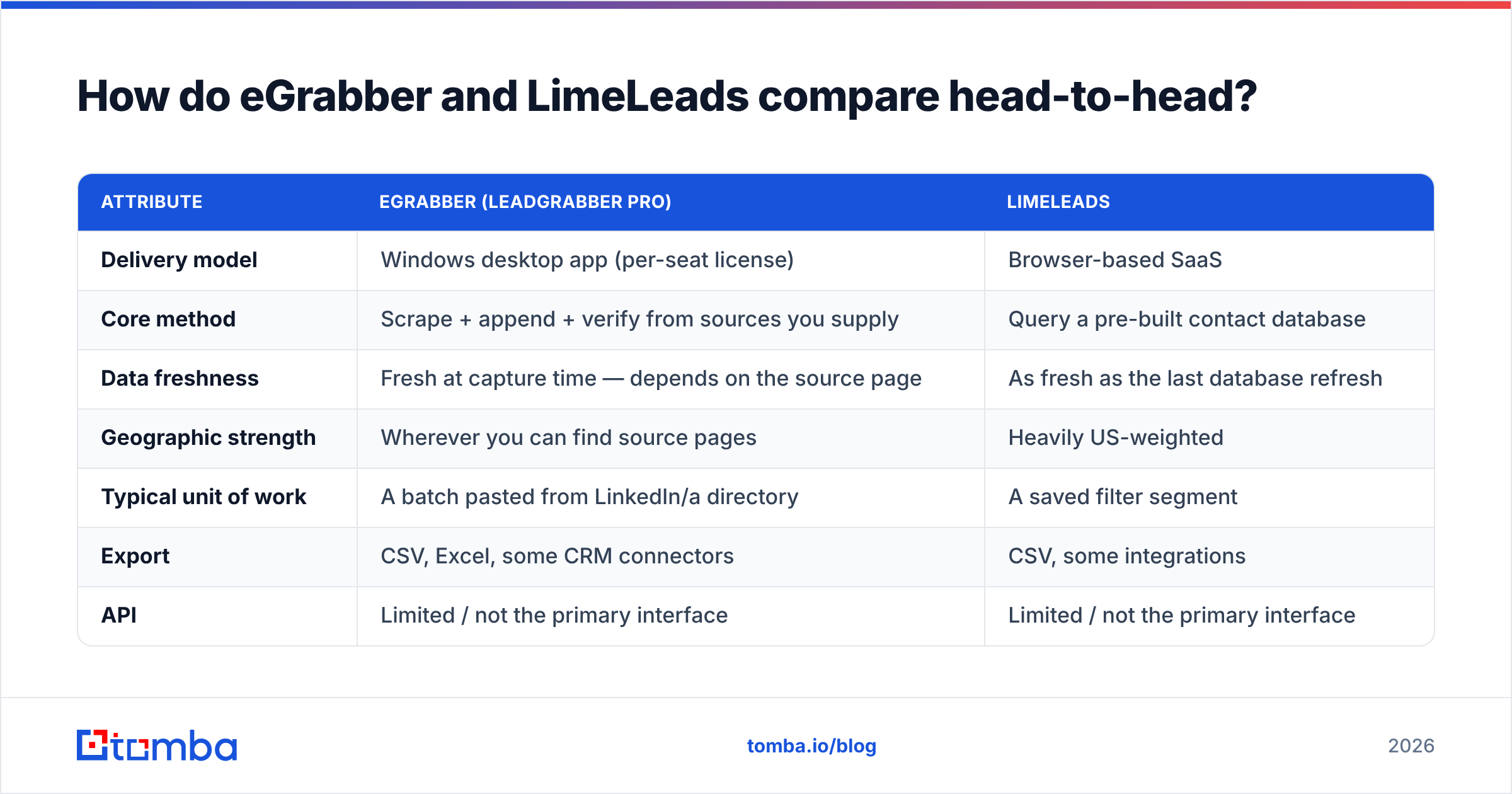
| Attribute | eGrabber (LeadGrabber Pro) | LimeLeads |
|---|---|---|
| Delivery model | Windows desktop app (per-seat license) | Browser-based SaaS |
| Core method | Scrape + append + verify from sources you supply | Query a pre-built contact database |
| Data freshness | Fresh at capture time — depends on the source page | As fresh as the last database refresh |
| Geographic strength | Wherever you can find source pages | Heavily US-weighted |
| Typical unit of work | A batch pasted from LinkedIn/a directory | A saved filter segment |
| Export | CSV, Excel, some CRM connectors | CSV, some integrations |
| API | Limited / not the primary interface | Limited / not the primary interface |
| Mac / Linux support | No (Windows only; VM workarounds) | Yes (browser) |
| Learning curve | Steep — many settings, local troubleshooting | Shallow — filter, preview, export |
| Best-fit user | Solo researcher or agency operator on Windows | SMB founder or SDR needing a fast US list |

The structural point buried in that table: eGrabber's ceiling is your patience, LimeLeads' ceiling is its database. eGrabber can theoretically reach any prospect whose profile exists somewhere on the open web, but only as fast as one person can feed it batches. LimeLeads can hand you 5,000 rows in a minute, but if your ICP is a Series B fintech in Berlin, the shelf may simply be empty.
How accurate is the data in each one?#
Accuracy claims in this category are close to worthless without a definition, so here is the one that matters: what percentage of exported emails accept mail at the moment you send?
Two failure modes, one per tool.
eGrabber's append step is essentially pattern inference plus verification. It guesses likely formats (first.last@, f.last@, first@), then tests them. On domains with clean SMTP behavior, that works well. On the roughly one-in-five domains configured as catch-all — where the server accepts everything, valid or not — pattern inference produces a "valid" result that may bounce. This is not an eGrabber flaw specifically; it is a physics problem for every SMTP-based checker. It is why a dedicated catch-all verifier exists as a separate discipline.
LimeLeads' failure mode is time. Database records decay at roughly 2 to 2.5 percent per month as people change jobs, which means a record last refreshed 14 months ago is coin-flip territory. When you export from any static database — LimeLeads, or a prepaid list provider like BookYourData, which sells accuracy-guaranteed lists on a similar model — you are buying a snapshot. The snapshot needs re-validation before it touches your sending domain.

Practical rule regardless of which you pick: never send to an unverified export. Run every list through an email verifier immediately before the send, not at purchase time. A 6 percent bounce rate will damage your sender reputation faster than any subject-line experiment can recover it.
One more thing worth knowing about the hosted model: LimeLeads was the subject of a widely reported database exposure in early 2020, in which a large volume of its contact records was left accessible. The company addressed it at the time, and it is not a reason to write off the product in 2026 — but if you operate under GDPR or a vendor security review, ask for their current posture in writing before you upload anything of your own.
What does each one actually cost?#
Pricing on both sides moves and is partly quote-driven, so treat these as shapes rather than quotes — verify on the vendor's own page before you commit.
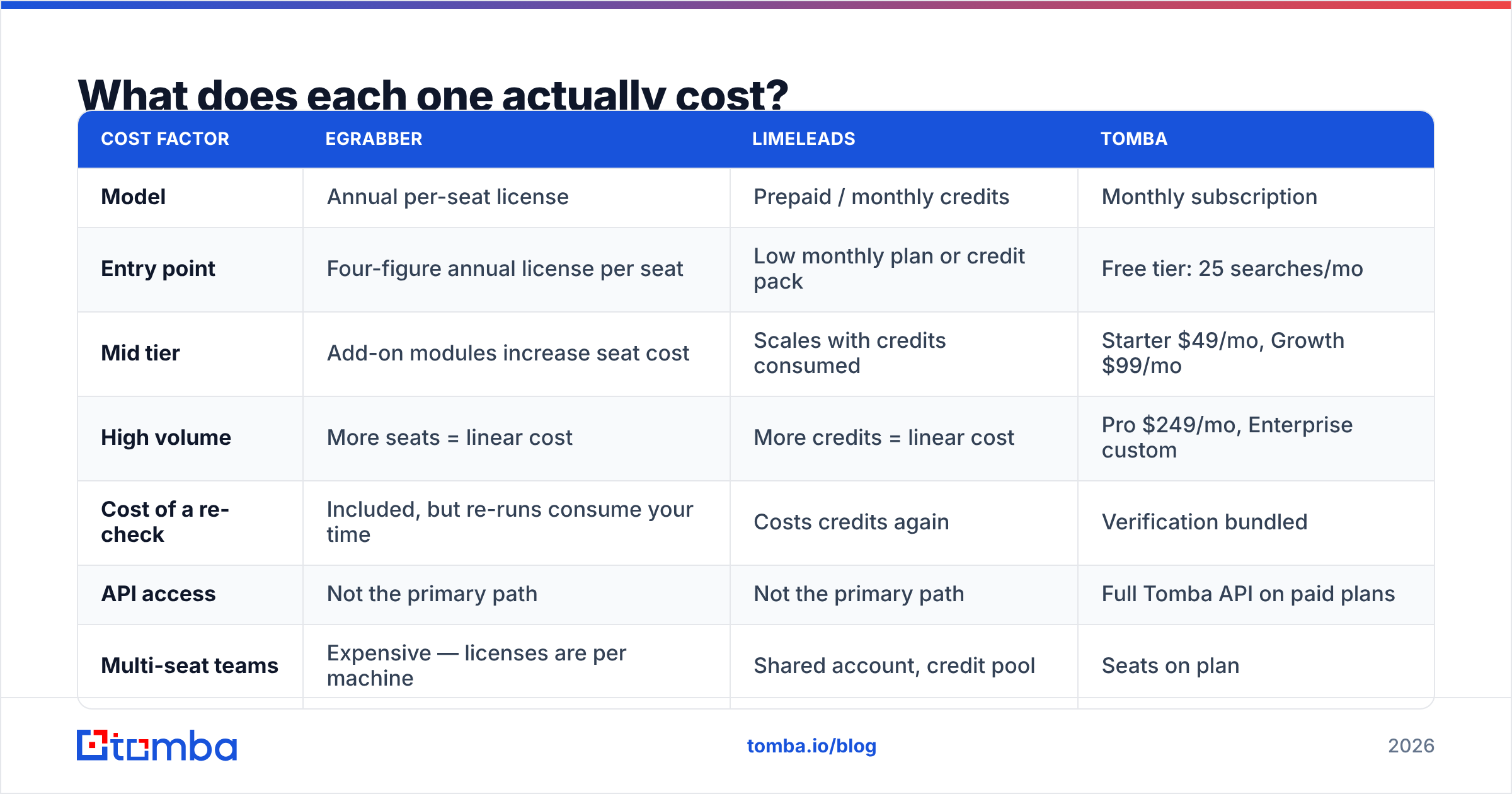
| Cost factor | eGrabber | LimeLeads | Tomba |
|---|---|---|---|
| Model | Annual per-seat license | Prepaid / monthly credits | Monthly subscription |
| Entry point | Four-figure annual license per seat | Low monthly plan or credit pack | Free tier: 25 searches/mo |
| Mid tier | Add-on modules increase seat cost | Scales with credits consumed | Starter $49/mo, Growth $99/mo |
| High volume | More seats = linear cost | More credits = linear cost | Pro $249/mo, Enterprise custom |
| Cost of a re-check | Included, but re-runs consume your time | Costs credits again | Verification bundled |
| API access | Not the primary path | Not the primary path | Full Tomba API on paid plans |
| Multi-seat teams | Expensive — licenses are per machine | Shared account, credit pool | Seats on plan |
Read that column-by-column and the pattern is clear. eGrabber's cost is front-loaded and fixed: you pay a real annual number whether you build 500 lists or five, and adding a second researcher roughly doubles it. LimeLeads' cost is variable and per-row: cheap to start, and it grows in a straight line with volume, which stings when you discover a segment underperformed and you want to re-pull it fresh.
Subscription tools sit in between — a flat monthly rate with a credit allowance and no per-seat license. You can see the full breakdown on Tomba pricing, but the number that usually decides it is the free tier: 25 searches a month is enough to test whether a vendor can actually resolve your ICP before you spend anything. Neither eGrabber nor LimeLeads gives you a comparable no-commitment trial of real output.
Who should pick eGrabber?#
Choose eGrabber if three things are true:
- You are on Windows and you stay there. There is no native Mac build. Running it in Parallels or a VM works, but you have now added a maintenance surface to your prospecting stack.
- Your source is a page, not a filter. Conference attendee lists, association directories, association member pages, LinkedIn Sales Navigator result sets, local business listings — anything that exists as a rendered page but not as a queryable database. This is eGrabber's genuine edge, and no cloud database replicates it.
- One person owns list building as a job function. The per-seat license only pencils out if that seat is busy. An agency researcher billing hours against it, or a founder who personally builds every list, gets value. A five-rep team does not.
Where it hurts: it is slow relative to a database query, the UI feels like the desktop software era it comes from, and you are responsible for the scraping ethics and rate limits yourself. Scraping LinkedIn at volume from your own account carries real account risk. Check the G2 reviews for either tool and you will see this pattern — deep loyalty from power users, frustration from people who expected a modern SaaS experience.
Who should pick LimeLeads?#
Choose LimeLeads if:
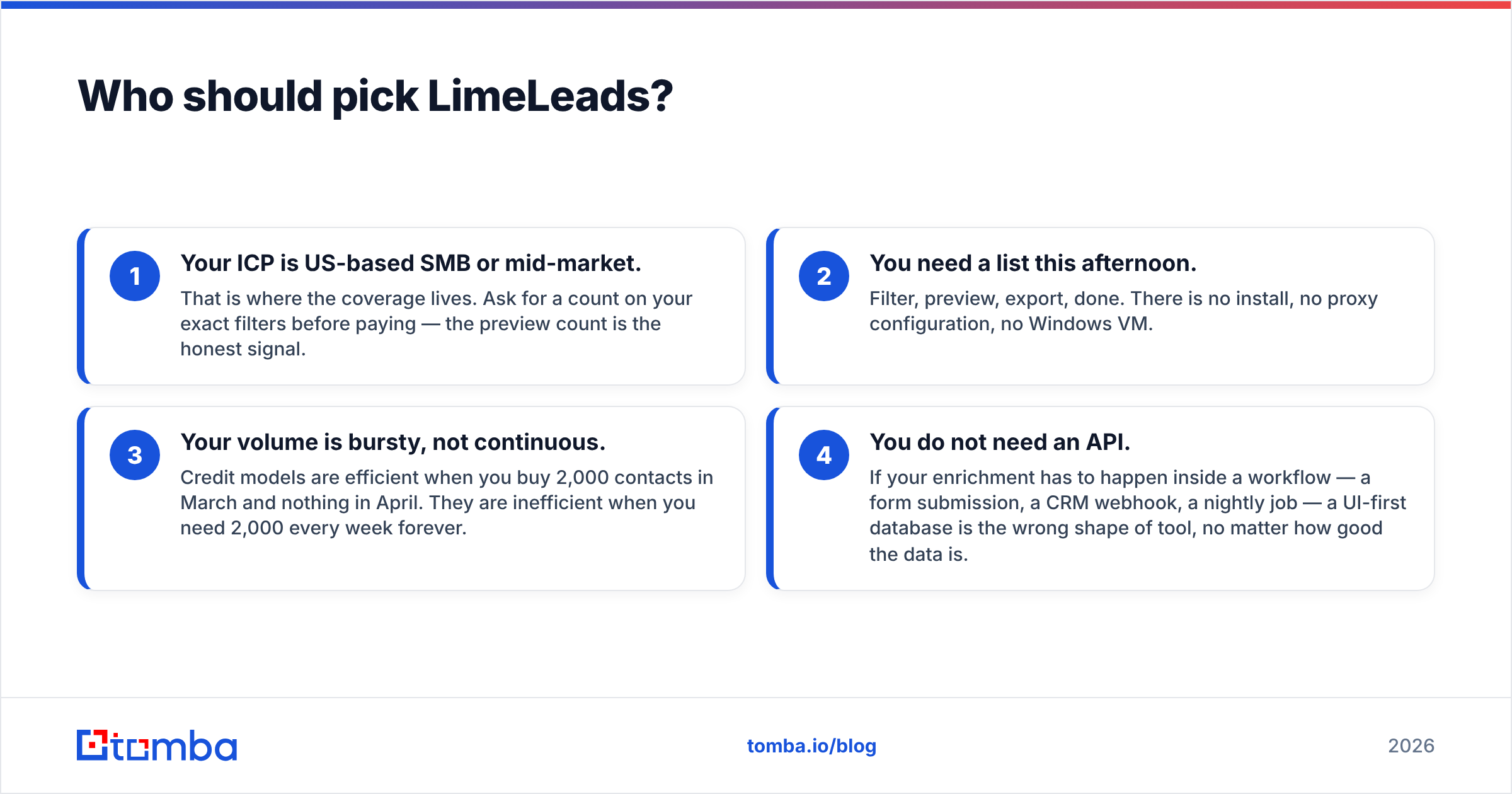
- Your ICP is US-based SMB or mid-market. That is where the coverage lives. Ask for a count on your exact filters before paying — the preview count is the honest signal.
- You need a list this afternoon. Filter, preview, export, done. There is no install, no proxy configuration, no Windows VM.
- Your volume is bursty, not continuous. Credit models are efficient when you buy 2,000 contacts in March and nothing in April. They are inefficient when you need 2,000 every week forever.
- You do not need an API. If your enrichment has to happen inside a workflow — a form submission, a CRM webhook, a nightly job — a UI-first database is the wrong shape of tool, no matter how good the data is.
Where it hurts: non-US coverage, mobile-phone coverage, and the fact that every re-pull of a stale segment costs credits again. You are also renting someone else's refresh schedule.
Where do both tools fall short in 2026?#
Neither product was designed for the way outbound actually gets built now, and the gaps are the same three in both cases.
- No API-first path. In 2026, most serious pipeline work is a workflow, not a manual session: a lead hits a form, a script resolves their work email, the CRM gets enriched, a sequence fires. Both eGrabber and LimeLeads assume a human sitting in front of the tool. An email finder API with a documented endpoint, an SDK, and rate limits you can plan around is a different category of building block.
- Finding and verifying are treated as separate purchases. You export from LimeLeads, then pay a second vendor to validate. You append in eGrabber, then still need a real catch-all check. Every handoff between vendors is a place where records get dropped, duplicated, or silently mis-mapped.
- No cheap way to test coverage. Both make you commit before you learn whether they can resolve your specific accounts. That is backwards. Coverage on your ICP is the only metric that matters, and you should be able to measure it for free.
What workflow should you actually build?#
Here is the stack that holds up whether your list came from a scraper, a database, or a spreadsheet a colleague emailed you.
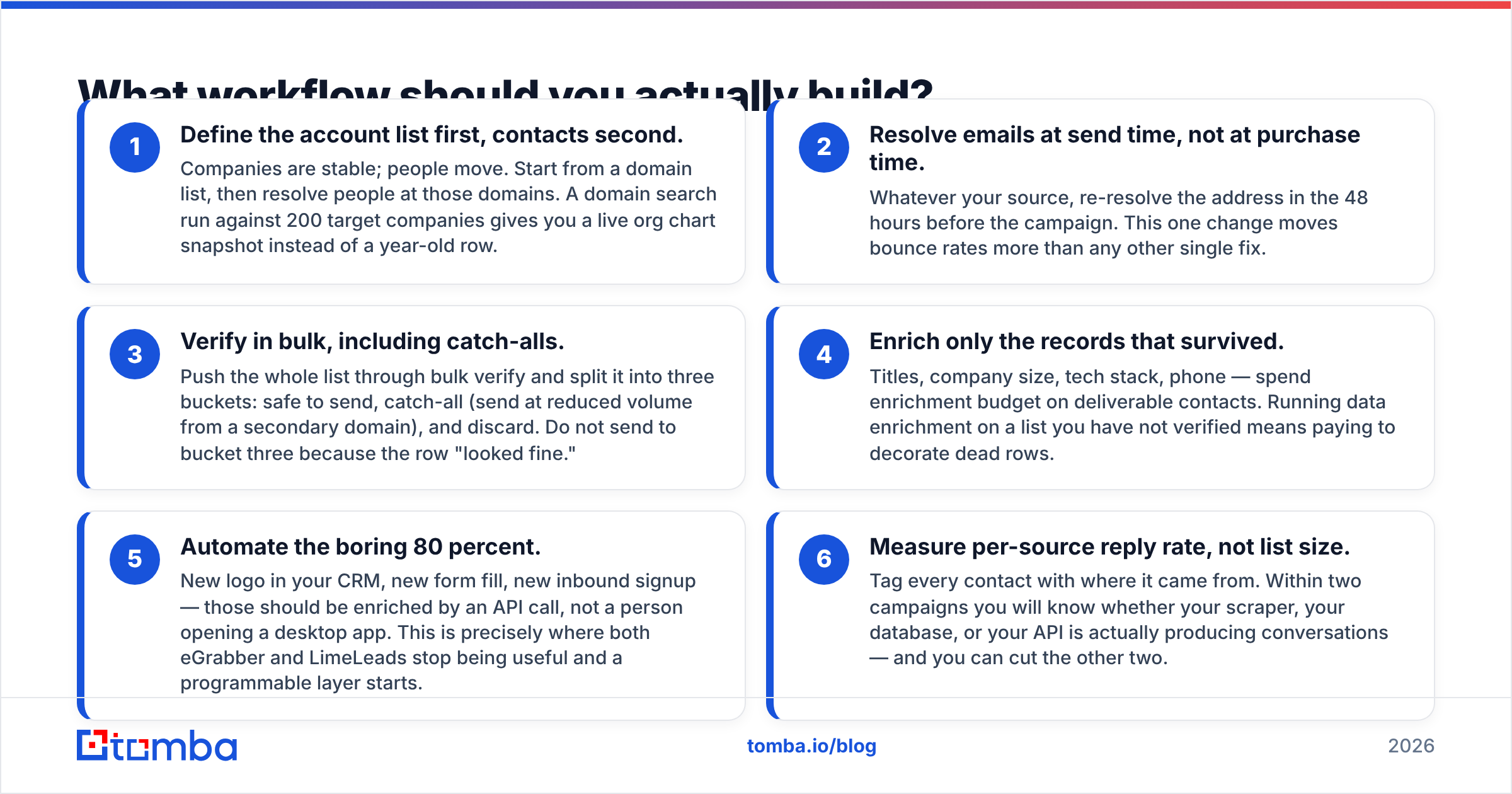
- Define the account list first, contacts second. Companies are stable; people move. Start from a domain list, then resolve people at those domains. A domain search run against 200 target companies gives you a live org chart snapshot instead of a year-old row.
- Resolve emails at send time, not at purchase time. Whatever your source, re-resolve the address in the 48 hours before the campaign. This one change moves bounce rates more than any other single fix.
- Verify in bulk, including catch-alls. Push the whole list through bulk verify and split it into three buckets: safe to send, catch-all (send at reduced volume from a secondary domain), and discard. Do not send to bucket three because the row "looked fine."
- Enrich only the records that survived. Titles, company size, tech stack, phone — spend enrichment budget on deliverable contacts. Running data enrichment on a list you have not verified means paying to decorate dead rows.
- Automate the boring 80 percent. New logo in your CRM, new form fill, new inbound signup — those should be enriched by an API call, not a person opening a desktop app. This is precisely where both eGrabber and LimeLeads stop being useful and a programmable layer starts.
- Measure per-source reply rate, not list size. Tag every contact with where it came from. Within two campaigns you will know whether your scraper, your database, or your API is actually producing conversations — and you can cut the other two.
So which one wins?#
For a solo operator on Windows whose prospects live on pages rather than in databases: eGrabber. Nothing else does bulk extraction from arbitrary sources as well, and the per-seat cost is defensible if that seat is your full-time job.
For a founder or small team that needs a filtered US list quickly and cheaply: LimeLeads. Lower commitment, faster to first export, no software to maintain.
For anyone building a repeatable outbound engine: neither, as the core layer. Both are fine as supplementary sources. But the thing that runs every day, feeds your CRM, and never needs a human to click through a UI has to be an API with verification built in.
That is the layer worth getting right first. Start with the Tomba Email Finder free tier — 25 searches a month, no card — and run it against 25 accounts you already know the answers for. If it resolves your real ICP, you have your enrichment layer for $49/mo on Starter, verification included, with the same endpoint available to your scripts, your CRM, and your sequencer. If it does not, you have lost nothing but ten minutes, which is more than either alternative lets you find out before you pay.
Related guides#
Ready to find emails that actually work?
Join 150,000+ professionals who stopped guessing and started sending. Free credits on signup — no credit card required.
Get the Tomba newsletter
Practical outbound tactics and product updates — once every two weeks.
About the author