Email Address Search: How to Find Anyone's Work Email
Six ways to run an email address search, ranked by accuracy, cost, and how badly they can wreck your sender reputation. Plus what verification actually proves — and what it can't.
TL;DR
- An email address search maps a person plus a company domain to a deliverable inbox. The hard part is not finding a candidate address — it is proving the address exists.
- Pattern guessing gets you roughly 60-70% right on large companies and much worse on small ones. It is free, and it is the fastest way to burn a sending domain.
- Database lookups plus live SMTP verification are what push accuracy past 95%. Any tool that skips the verification step is selling you a guess with a logo on it.
- Expect to pay $0.005-$0.05 per verified contact. Free tiers (Tomba gives 25 searches/month) are fine for testing, useless for volume.
- Catch-all domains are where most tools quietly fail. Ask how a vendor handles them before you commit to a plan.
What is an email address search?#
An email address search is the process of resolving an identity — a name, a LinkedIn profile, a job title, a company domain — into a working email address you can actually send to.
Think of it like finding an apartment number. You know the person's name and the building (the domain, acme.com). You do not know whether they are in unit 4B (jsmith@acme.com), unit 12 (john.smith@acme.com), or whether they moved out last quarter. A good search tells you the unit number. A great one knocks on the door first to confirm someone still lives there.
That second half is what separates useful tools from expensive random number generators. Every vendor can produce a plausible-looking string with an @ in it. Very few can tell you, with evidence, that mail sent to it will land.
Three things are being asked whenever you run a search:
- Which pattern does this company use? Most organisations standardise on one format —
first.last@,finitial+last@,first@. Pattern detection across a domain is the cheapest signal available. - Does this specific person exist in that pattern? Patterns have exceptions. Two John Smiths, contractors, acquired teams on a legacy domain, executives with vanity addresses.
- Is the mailbox live right now? People change jobs every 24 months on average. A correct address from 2024 is a bounce in 2026.
How does an email address search actually work under the hood?#
Most tools run some combination of five stages. Understanding them tells you exactly where a given vendor is cutting corners.
- Crawl and index — Public web pages, press releases, GitHub commits, conference speaker lists, WHOIS records, author bylines, and job boards get scraped for addresses that were already published. This is where genuinely confirmed data comes from.
- Pattern inference — With a handful of confirmed addresses on a domain, the dominant format becomes obvious. Ten out of twelve known contacts using
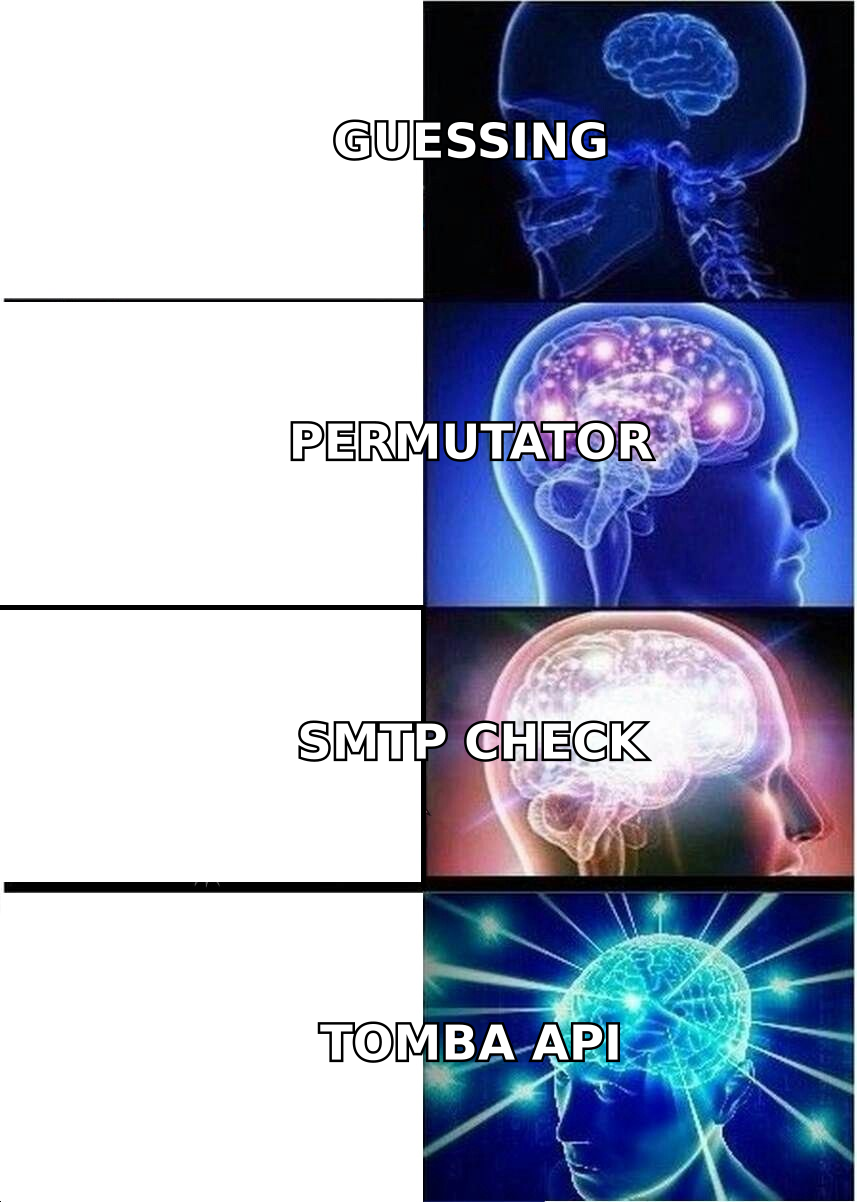
first.last@means the eleventh probably does too. You can test this manually with an email permutator, which generates every plausible combination for a name. - Candidate generation — The name plus the inferred pattern produces one high-confidence guess and several fallbacks.
- Verification — The candidate is checked against MX records, then a live SMTP handshake asks the receiving server whether the mailbox exists, without sending mail. This is the step that turns a guess into data. The SMTP protocol was never designed as a lookup service, which is why implementations differ wildly in quality.
- Scoring and enrichment — The result gets a confidence score, plus whatever else the provider knows: job title, seniority, LinkedIn URL, phone, company headcount.
Skip step 4 and your bounce rate becomes a coin flip. Skip step 1 and you are guessing with extra steps.
Which email address search methods actually work in 2026?#
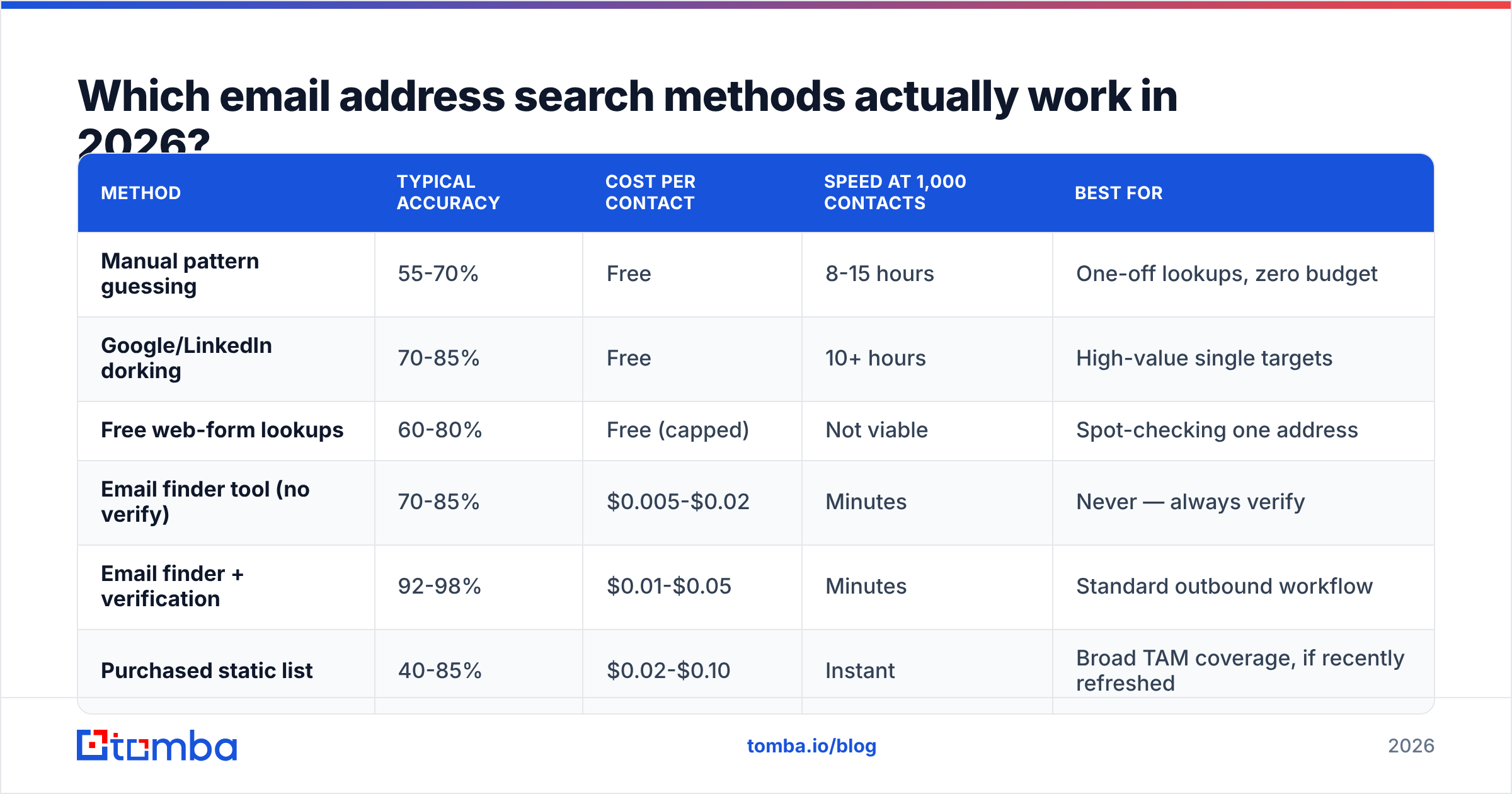
Six approaches cover essentially everything people do. Here they are with honest numbers — accuracy figures are the range I see reported across vendor benchmarks and independent tests, not a marketing claim.
| Method | Typical accuracy | Cost per contact | Speed at 1,000 contacts | Best for |
|---|---|---|---|---|
| Manual pattern guessing | 55-70% | Free | 8-15 hours | One-off lookups, zero budget |
| Google/LinkedIn dorking | 70-85% | Free | 10+ hours | High-value single targets |
| Free web-form lookups | 60-80% | Free (capped) | Not viable | Spot-checking one address |
| Email finder tool (no verify) | 70-85% | $0.005-$0.02 | Minutes | Never — always verify |
| Email finder + verification | 92-98% | $0.01-$0.05 | Minutes | Standard outbound workflow |
| Purchased static list | 40-85% | $0.02-$0.10 | Instant | Broad TAM coverage, if recently refreshed |
Two things stand out. First, the jump from "finder" to "finder plus verification" is the single largest accuracy gain available, and it costs pennies. Second, manual methods are not cheap — they cost 10 hours of a salaried person's time to do worse than a $49/month tool.
Static lists deserve a fairness note. A list bought from a vendor that continuously re-verifies — BookYourData is the usual reference point here, with pay-as-you-go credits and a documented verification pass — behaves very differently from a scraped CSV off a marketplace. The mechanism is the same; the maintenance discipline is not. Data decays at roughly 2-3% per month regardless of who sold it to you.
How accurate are email address search tools really?#
Accuracy claims are close to meaningless unless you know the denominator.
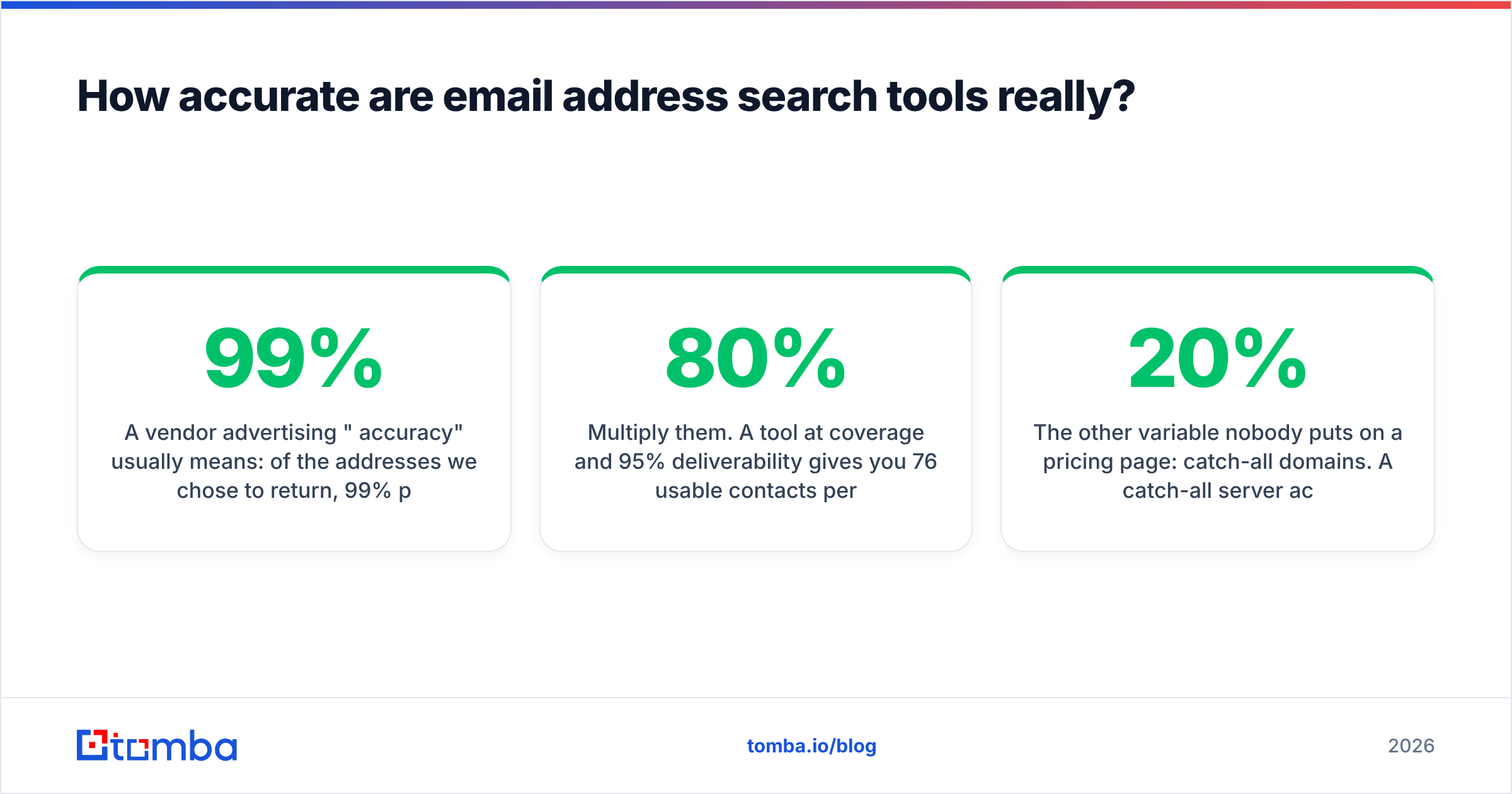
A vendor advertising "99% accuracy" usually means: of the addresses we chose to return, 99% pass our own verifier. That says nothing about coverage — how often the tool returns anything at all. A tool that finds emails for 40% of your list and is 99% right on those is often worse than one that finds 80% at 95% accuracy.
So evaluate two numbers together:
- Hit rate (coverage) — percentage of your input rows that come back with an address.
- Deliverability rate — percentage of returned addresses that do not bounce when you actually send.
Multiply them. A tool at 80% coverage and 95% deliverability gives you 76 usable contacts per 100 rows. A tool at 45% coverage and 99% deliverability gives you 44. The first tool is nearly twice as valuable at the same price.

The other variable nobody puts on a pricing page: catch-all domains. A catch-all server accepts mail to every address at the domain, so a standard SMTP check returns "valid" for asdfgh@company.com. Roughly 15-20% of B2B domains are configured this way, heavily skewed toward larger enterprises — exactly the accounts you care about.
Tools handle this three ways:
- Return it as valid — dishonest, inflates the accuracy number, produces bounces later.
- Return it as unknown and stop — honest, but you lose a fifth of your enterprise pipeline.
- Run additional signal checks — cross-reference confirmed sightings, pattern consistency, and secondary probes to assign a real probability. This is what a dedicated catch-all verifier does, and it is the feature most worth asking about on a sales call.
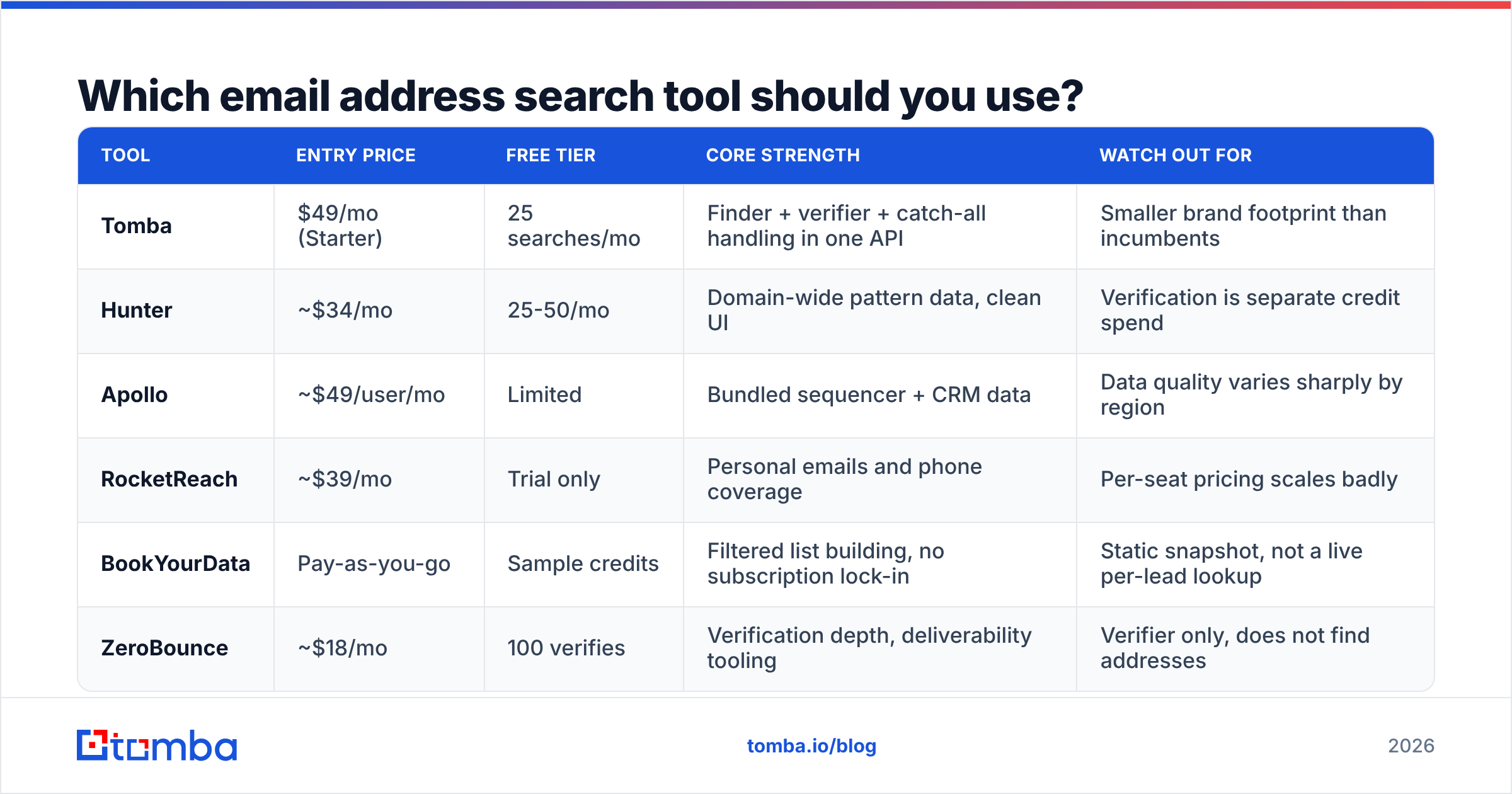
Which email address search tool should you use?#
Here is the shortlist most B2B teams end up comparing, with the trade-off that actually matters for each.
| Tool | Entry price | Free tier | Core strength | Watch out for |
|---|---|---|---|---|
| Tomba | $49/mo (Starter) | 25 searches/mo | Finder + verifier + catch-all handling in one API | Smaller brand footprint than incumbents |
| Hunter | ~$34/mo | 25-50/mo | Domain-wide pattern data, clean UI | Verification is separate credit spend |
| Apollo | ~$49/user/mo | Limited | Bundled sequencer + CRM data | Data quality varies sharply by region |
| RocketReach | ~$39/mo | Trial only | Personal emails and phone coverage | Per-seat pricing scales badly |
| BookYourData | Pay-as-you-go | Sample credits | Filtered list building, no subscription lock-in | Static snapshot, not a live per-lead lookup |
| ZeroBounce | ~$18/mo | 100 verifies | Verification depth, deliverability tooling | Verifier only, does not find addresses |

The honest read: these tools overlap more than their marketing suggests, and they draw on partially overlapping sources. The differentiators that survive contact with reality are (a) coverage in your specific geography and company-size band, (b) whether verification is bundled or billed separately, and (c) whether there is a real API.
That last one is underrated. If your search runs inside a workflow — enrich on form fill, enrich on CRM record creation, enrich nightly for a target account list — a UI-only tool becomes a person copy-pasting CSVs. A documented email finder API with predictable rate limits removes an entire job from someone's week.
Test before you buy, properly. Take 200 rows you already know the answers to — past customers, current pipeline, colleagues at other companies. Run them through each vendor's trial. Measure coverage and deliverability separately. Vendor-published benchmarks and even G2 category rankings tell you about sentiment, not about your ICP.
How do you run a bulk email address search without wrecking deliverability?#
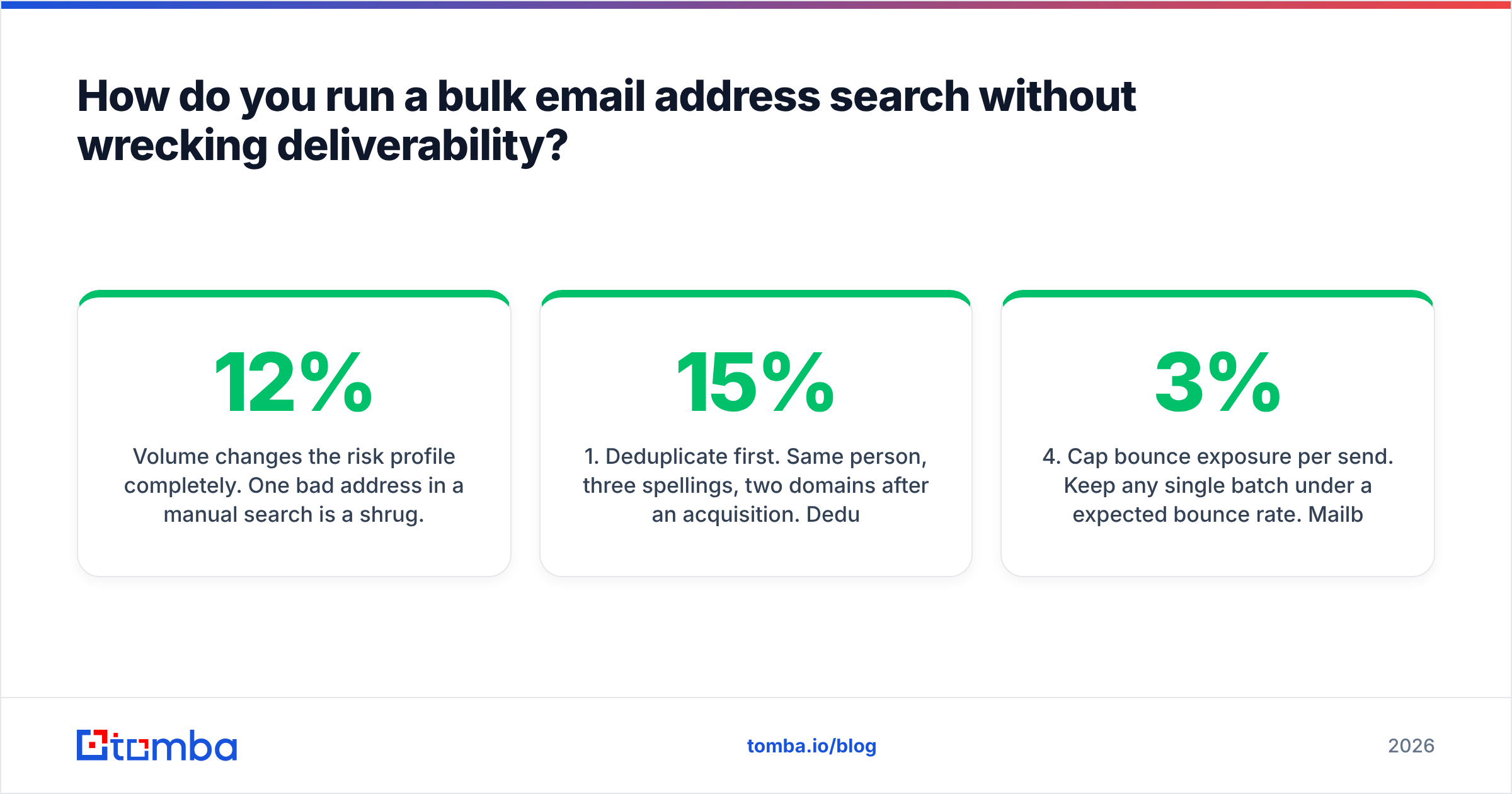
Volume changes the risk profile completely. One bad address in a manual search is a shrug. A 12% bounce rate on a 5,000-contact send is a damaged domain reputation that takes weeks to repair.
The sequence that holds up:
- Deduplicate first. Same person, three spellings, two domains after an acquisition. Deduping before you spend credits saves 5-15% of your bill immediately.
- Find, then verify as a separate pass. Do not trust the finder's own confidence score as your only gate. Run the output through a dedicated email verifier and read the categories, not just the pass/fail.
- Segment by result status. Valid goes to the main sequence. Catch-all and risky go to a separate, lower-volume sequence sent from a secondary domain. Invalid gets discarded, not "tried anyway."
- Cap bounce exposure per send. Keep any single batch under a 3% expected bounce rate. Mailbox providers judge you on rate, not absolute count.
- Re-verify anything older than 90 days. Decay is not hypothetical. A list verified in January is measurably worse in April.
For account-based work, invert the flow: start from the company rather than the person. A domain search returns every known address on a domain with titles attached, which is faster than sourcing names from LinkedIn and then resolving each one. You also get the pattern for free, which makes the exceptions easier to spot.
What about reverse email address search?#
Reverse search runs the other direction: you have an address and want to know who owns it. Two common triggers.
Inbound qualification. A form fill from m.torres@gmail.com with no company field is nearly useless. A reverse email lookup can attach a name, employer, and title, which turns an anonymous signup into a routable lead.
List hygiene forensics. When a purchased or inherited list underperforms, reverse-resolving a sample tells you what you actually bought — whether the contacts match your stated ICP or whether you paid for 4,000 addresses at companies that no longer exist.
Coverage on reverse search is structurally lower than forward search, especially for personal-domain addresses. Treat a 50-60% match rate as normal, not as a vendor failure.
Is free email address search worth using?#
For a handful of lookups, yes. Free web tools and generous trial tiers are genuinely fine when you need three addresses this afternoon.
They break down in three predictable ways:
- Volume caps land between 25 and 100 lookups a month. That is one afternoon of prospecting, not a channel.
- Verification is usually excluded or shallow. You get the guess without the proof, which is the expensive half.
- No API, no integration. Manual export becomes the bottleneck, and manual export produces stale data by definition.
The practical path: use a free tier to test coverage against your own known-answer list, then pay for the plan that clears your volume with verification bundled. Compare Tomba pricing across tiers — Free (25 searches/month), Starter at $49/month, Growth at $99/month, Pro at $249/month — against how many verified contacts you need per month, not against the sticker price. Cost per usable contact is the only number that matters, and a cheap plan with 50% coverage is not cheap.
What do most teams get wrong?#
Four mistakes account for most wasted spend:
- Optimising for coverage over deliverability, or vice versa. They are one metric multiplied together. Track both.
- Treating catch-all as valid. It is the largest single source of surprise bounces in B2B outbound.
- Never re-verifying. A list is a perishable asset with roughly a 90-day shelf life.
- Buying on brand recognition instead of a 200-row test. The test takes an hour and routinely overturns the assumption.
Get an email address search workflow that finds, verifies, and re-verifies on a schedule, and the rest of your outbound stack gets easier to judge — because you finally know that a low reply rate is a message problem, not a data problem.
Ready to test it against your own list? Start with the Tomba Email Finder — 25 free searches a month, verification included in the same call, and an API that drops into whatever workflow you already run. Bring 200 contacts you know the answers to and measure coverage and deliverability yourself. That is the only benchmark that counts.
Related guides#
Ready to find emails that actually work?
Join 150,000+ professionals who stopped guessing and started sending. Free credits on signup — no credit card required.
Get the Tomba newsletter
Practical outbound tactics and product updates — once every two weeks.
About the author