Email Check vs LeadsForge: Which B2B Data Tool Wins in 2026
Email check tools clean the addresses you already have. LeadsForge builds the list in the first place. Here is how the two compare on accuracy, cost, and workflow fit — and when you need both.
TL;DR
- An email check tool answers one question: is this address real and safe to send to? LeadsForge answers a different one: who should I be emailing at all?
- They are not direct substitutes. Comparing them head-to-head only makes sense once you know which end of the pipeline is broken — sourcing or hygiene.
- If your bounce rate is above 3%, verification is the cheaper fix. If your reps are running out of names by Wednesday, sourcing is the bottleneck.
- Most teams that scale past ~2,000 sends/month end up running both: a list builder for coverage, a verifier as the last gate before send.
- Tomba covers both sides in one credit pool — finder, verifier, catch-all handling, and enrichment — starting free (25 searches/mo) and $49/mo on Starter.
What are you actually comparing when you say "email check vs LeadsForge"?#
You are comparing a quality gate to a supply line.
Think of it like a restaurant. An email check tool is the person at the pass who sends back the plate that is cold or wrong. LeadsForge is the supplier who delivers the ingredients in the first place. A great pass cannot save you if nothing arrives at the loading dock — and a great supplier cannot save you if every third plate leaves the kitchen wrong.
That distinction matters because the two categories fail in opposite ways:
- A sourcing tool that overreaches hands you plausible-looking addresses that were never verified against a mail server. You find out at send time, in the form of bounces.
- A verification tool with no sourcing is perfectly accurate about a list that is too small to hit your number.
So the real question is not "which one is better." It is "which one is currently costing me pipeline?"
What is an email check tool, exactly?#
An "email check" (email verification, email validation) tool runs a stack of tests against an address before you send to it. The good ones run all of these, in order, and stop at the first hard failure:
- Syntax and RFC validation — malformed addresses, illegal characters, missing TLDs. Cheap, instant, catches typos like
jon@gmial.com. - Domain and MX record check — does the domain exist, and does it have mail exchange records? A domain with no MX cannot receive mail at all.
- SMTP handshake — the verifier opens a conversation with the receiving server and asks whether the mailbox exists, without delivering a message. This is the step that separates a real verifier from a regex script. (The underlying protocol is SMTP, which is why some servers deliberately answer ambiguously.)
- Catch-all detection — some domains accept mail for every address, real or not. A verifier that reports these as "valid" is lying to you. Good tools flag them separately and score them by pattern confidence.
- Role, disposable, and toxic flags —
info@,sales@,abuse@, ten-minute mailboxes, spam traps, and known complainer domains.
Tomba's email verifier runs this full chain and returns a status plus a confidence score rather than a naked true/false, which matters a lot on catch-all domains. If you just want to sanity-check one address before a high-stakes send, the free email checker does the same job without a plan.

What is LeadsForge and who is it for?#
LeadsForge sits in the AI-assisted lead list building category. The pitch across tools in this space is consistent: describe your ideal customer profile in plain language — "Series A fintech companies in the UK with 20–100 employees, VP Marketing or above" — and get back a built list of matching contacts, rather than clicking through twenty filter dropdowns.
That is a genuinely useful shift. Traditional prospecting databases assume you already know how to translate a fuzzy ICP into boolean filters. Conversational list builders lower that barrier, which is why they land well with founder-led sales and small teams without a dedicated ops person.
The trade-off is the one every list-building product makes: coverage and freshness are inherited from the underlying data sources. An AI layer that interprets your prompt beautifully still hands you contacts from whatever database sits underneath it. If those records were scraped eighteen months ago, no amount of prompt quality fixes that. This is the single most important thing to test during a trial — pull 100 contacts, verify them independently, and count.
Before committing, check current published tiers and user reviews on the vendor's own site and on a third-party directory like G2, since pricing in this category changes often.
How do email check tools and LeadsForge compare feature by feature?#
Here is the honest side-by-side. Note that the two columns are strong in almost non-overlapping places — which is the whole point.
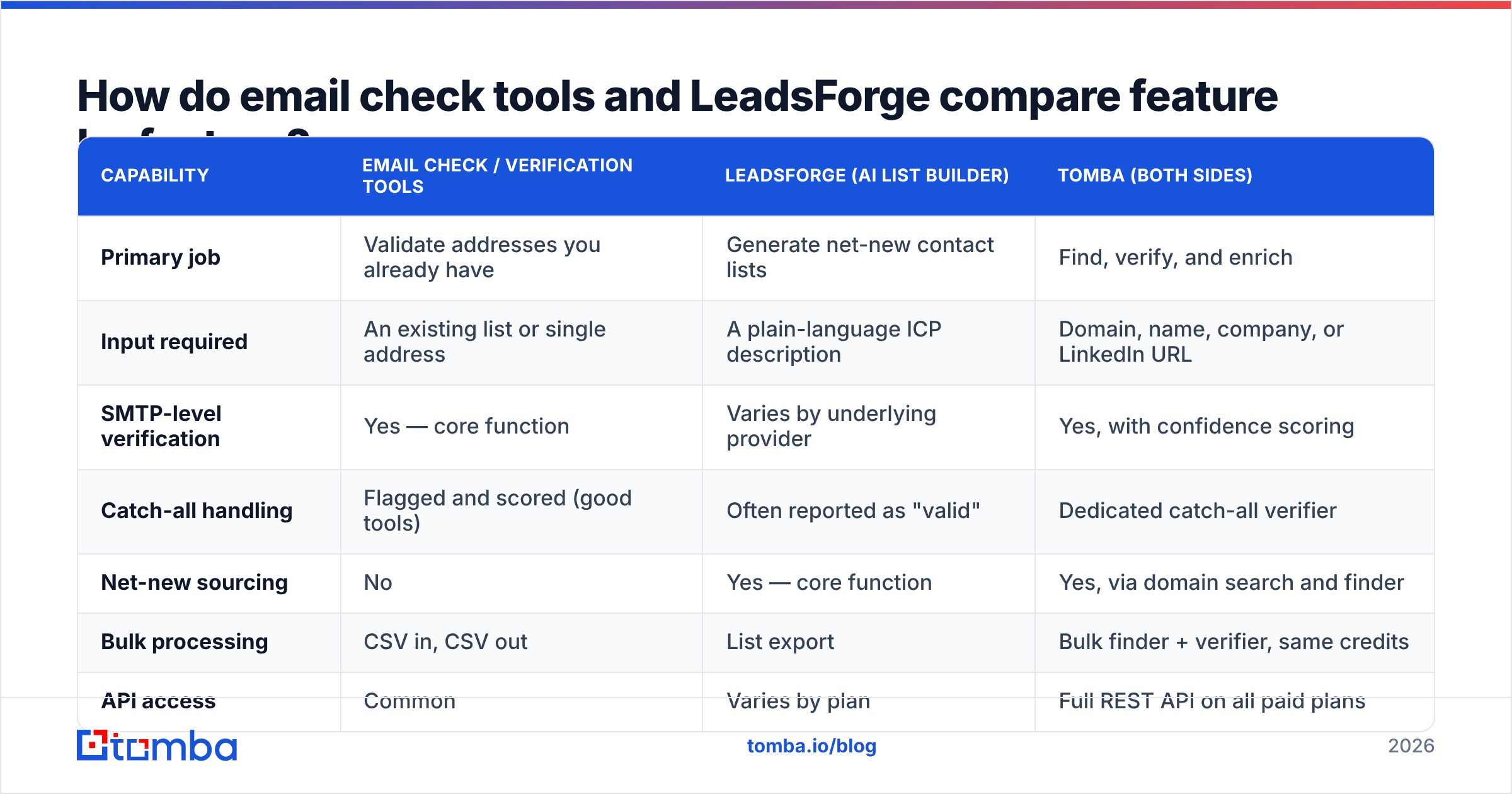
| Capability | Email check / verification tools | LeadsForge (AI list builder) | Tomba (both sides) |
|---|---|---|---|
| Primary job | Validate addresses you already have | Generate net-new contact lists | Find, verify, and enrich |
| Input required | An existing list or single address | A plain-language ICP description | Domain, name, company, or LinkedIn URL |
| SMTP-level verification | Yes — core function | Varies by underlying provider | Yes, with confidence scoring |
| Catch-all handling | Flagged and scored (good tools) | Often reported as "valid" | Dedicated catch-all verifier |
| Net-new sourcing | No | Yes — core function | Yes, via domain search and finder |
| Bulk processing | CSV in, CSV out | List export | Bulk finder + verifier, same credits |
| API access | Common | Varies by plan | Full REST API on all paid plans |
| Free tier | Usually 100–500 credits | Trial-based, varies | 25 searches/mo, no card |
| Entry paid price | $15–$50/mo typical | Check vendor pricing page | $49/mo Starter |
| Best for | Protecting deliverability | Filling an empty pipeline | Teams that need both in one bill |

Which one is actually more accurate?#
They are measuring different things, so "accuracy" needs two definitions.
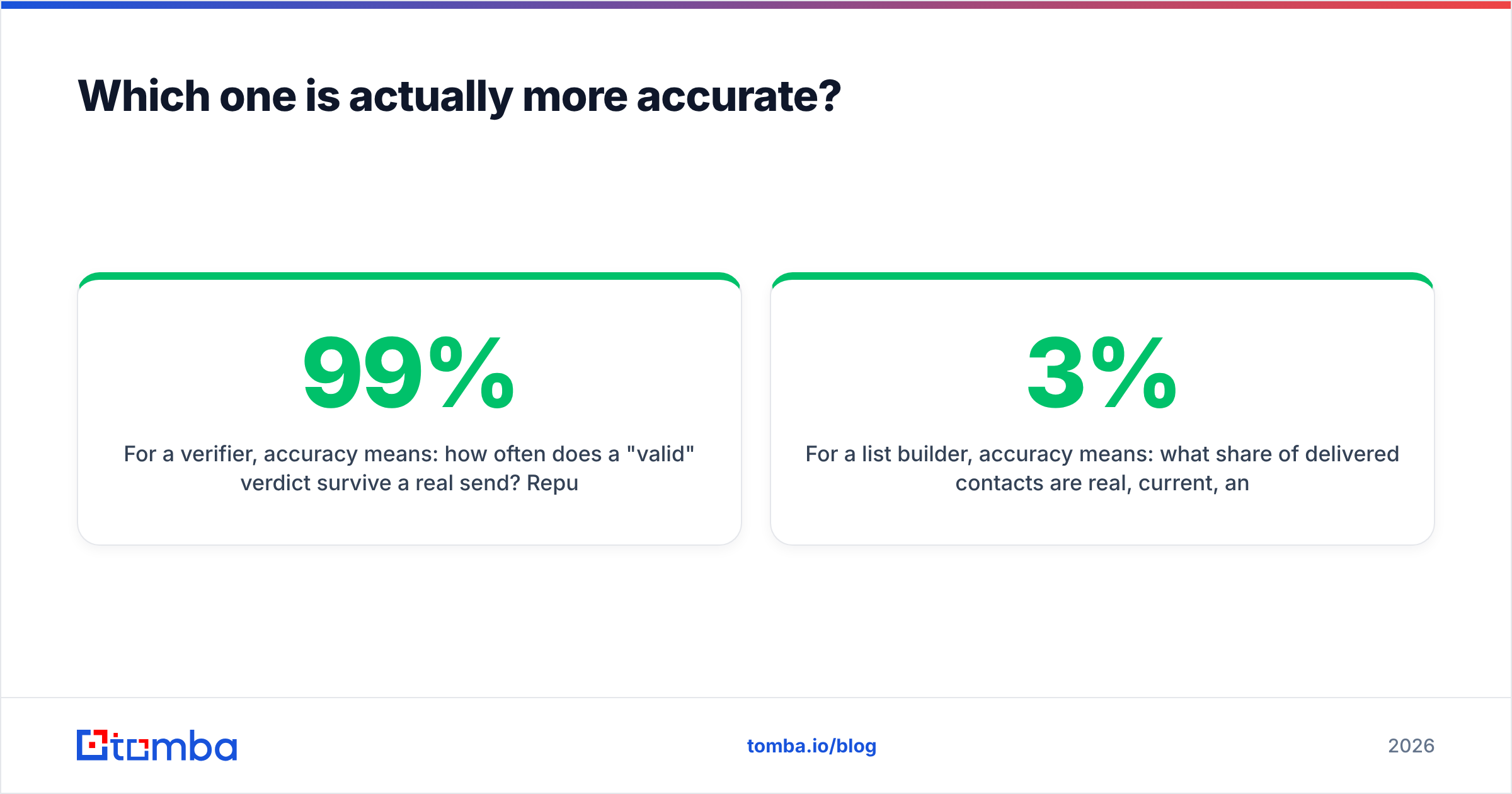
For a verifier, accuracy means: how often does a "valid" verdict survive a real send? Reputable verifiers land in the 95–99% range on standard domains. The spread between vendors is almost entirely explained by how they treat catch-all and greylisted domains. A tool that reports 99% accuracy by silently marking every ambiguous address as "risky" and excluding it from the denominator is not more accurate — it is just more selective about what it grades itself on. Ask any vendor what percentage of a typical B2B list they return as "unknown." That number tells you more than the headline accuracy claim.
For a list builder, accuracy means: what share of delivered contacts are real, current, and correctly titled? This is where independent verification earns its keep. Job changes alone rot a B2B list at roughly 2–3% per month. A list built from a database refreshed quarterly is, on average, six weeks stale the day you receive it.
The practical implication: never trust a sourcing tool's own "verified" label as your final gate. Not because vendors are dishonest, but because their verification usually runs at build time, not at send time. Re-verify immediately before the campaign goes out. That single habit is worth more than any tool swap.
What does each approach cost in practice?#
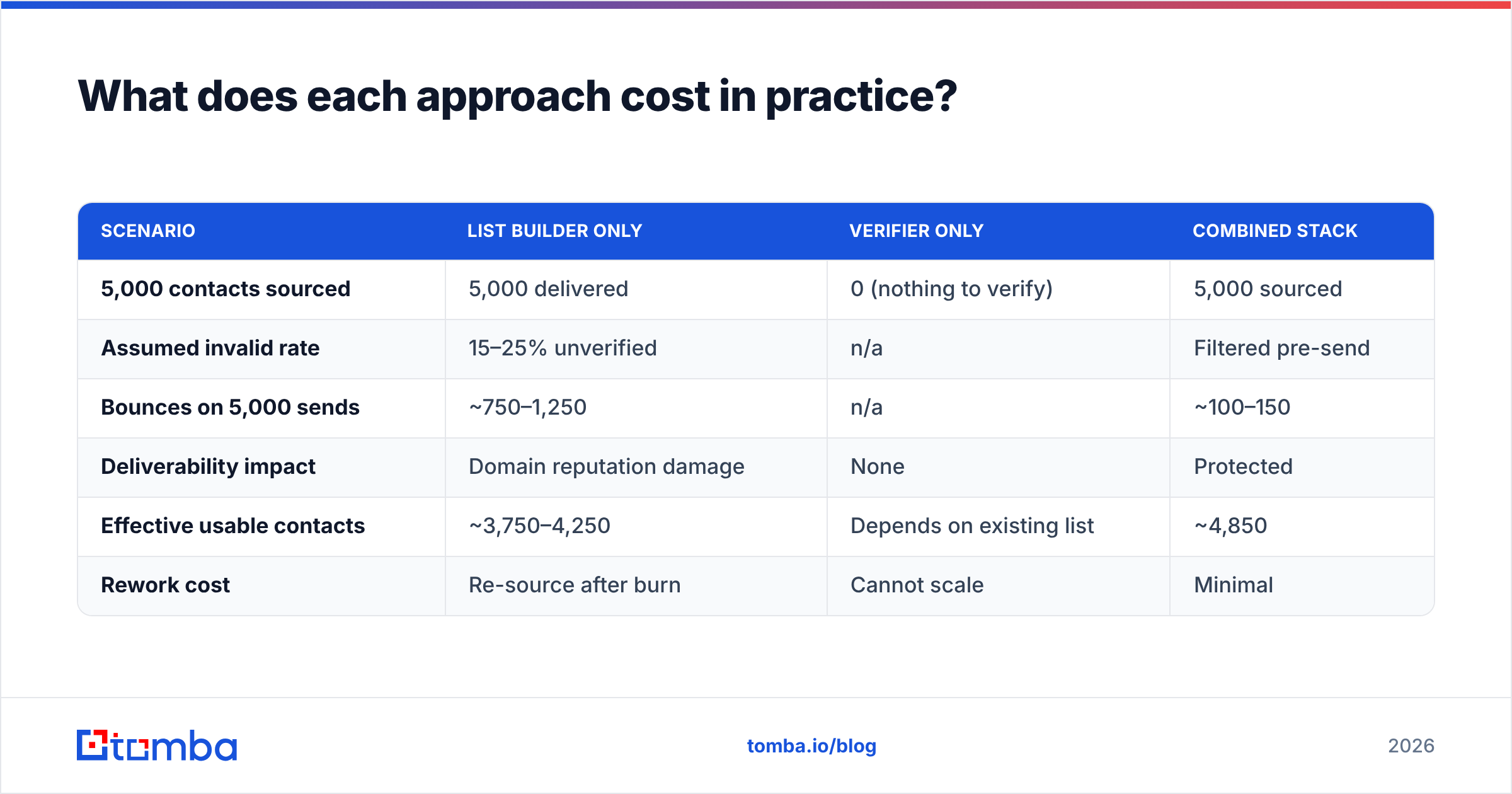
Sticker price is the wrong unit. Compare cost per deliverable, contacted lead.
| Scenario | List builder only | Verifier only | Combined stack |
|---|---|---|---|
| 5,000 contacts sourced | 5,000 delivered | 0 (nothing to verify) | 5,000 sourced |
| Assumed invalid rate | 15–25% unverified | n/a | Filtered pre-send |
| Bounces on 5,000 sends | ~750–1,250 | n/a | ~100–150 |
| Deliverability impact | Domain reputation damage | None | Protected |
| Effective usable contacts | ~3,750–4,250 | Depends on existing list | ~4,850 |
| Rework cost | Re-source after burn | Cannot scale | Minimal |
The bounce column is the one that costs real money. Mailbox providers treat sustained hard-bounce rates above ~2% as a spam signal, and the damage is not limited to the campaign that caused it — it follows your sending domain. Read up on email deliverability if you want the mechanics, but the short version is that recovering a burned domain takes weeks, and the fastest way to burn one is sending to a large unverified list.
Which should you choose for your situation?#
Pick based on which symptom you actually have:
- Your reps have names but bounce rates are 5%+ — You have a hygiene problem, not a sourcing problem. Buy verification. Run your entire existing database through a bulk verify pass before touching anything else. This is usually a one-afternoon fix with an immediate, measurable payoff.
- Your reps run dry mid-week and cold-source manually from LinkedIn — You have a supply problem. A list builder like LeadsForge, or a domain-driven finder, removes hours of manual work per rep per week. Verification can wait one sprint.
- You are selling into a narrow, defensible niche (under ~2,000 accounts total) — Skip broad list building entirely. Use domain search account by account, get every reachable contact at each target, and verify all of them. Precision beats volume when the total addressable list is small enough to enumerate.
- You are running a multi-channel sequence with LinkedIn and phone — You need enrichment, not just email. Look for tools that return phone numbers and social profiles on the same record, so you are not stitching three exports together in a spreadsheet.
- You are technical and want this inside your own pipeline — Choose on API quality, not UI. Rate limits, webhook support, and batch endpoints matter more than the dashboard you will look at twice. The Tomba API exposes finder, verifier, and enrichment through one key.
- You are pre-revenue and testing an ICP — Start on free tiers of both categories, send 100 emails, and measure reply rate before you commit budget anywhere. Most teams over-buy data before they have validated that anyone wants the thing.
How do you combine sourcing and verification without paying twice?#
The clean architecture is a three-step pipeline, and it does not require expensive tooling:
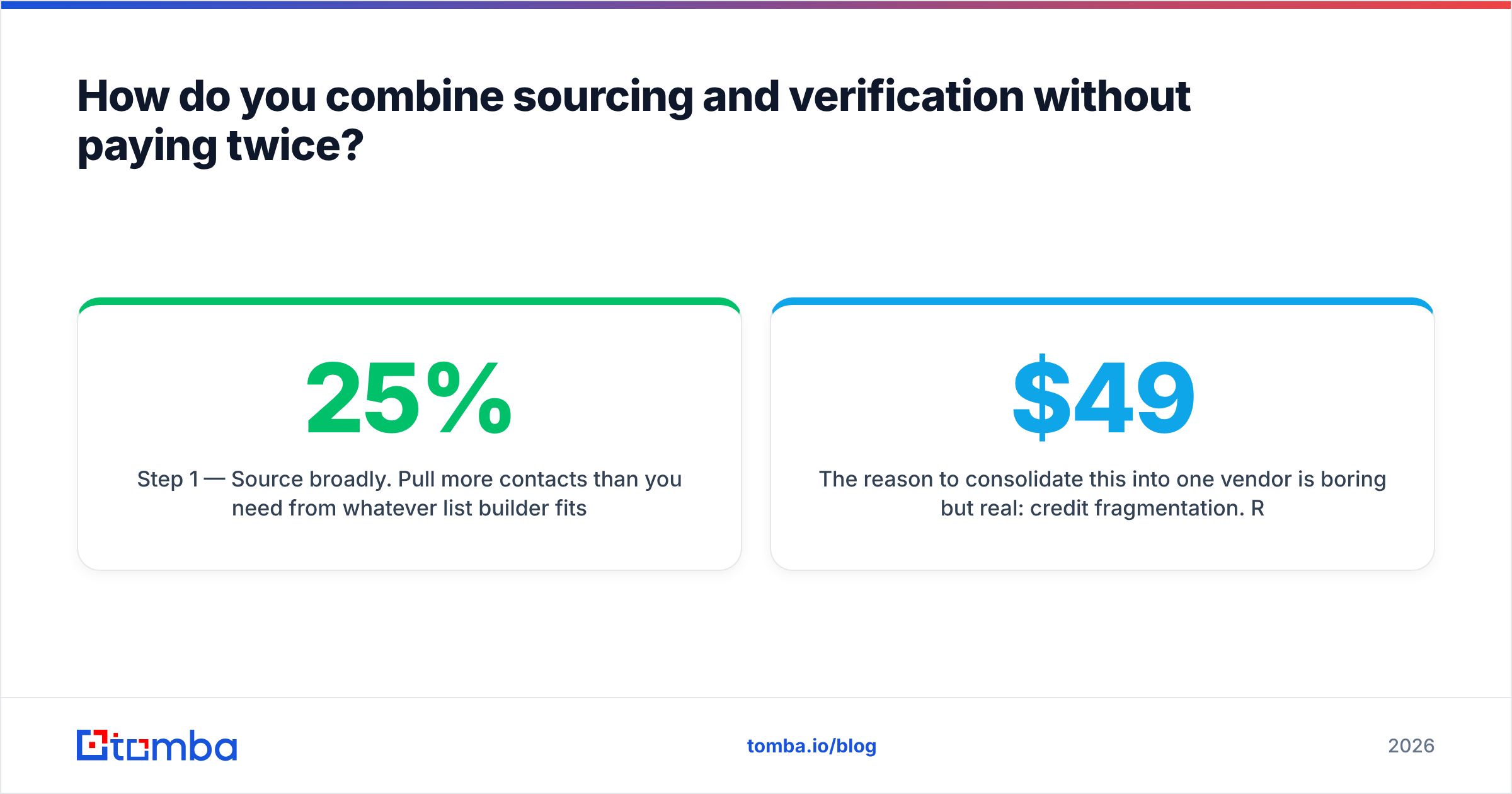
Step 1 — Source broadly. Pull more contacts than you need from whatever list builder fits your ICP workflow. Accept that 15–25% will be junk. Do not try to make this step perfect; that is what step two is for.
Step 2 — Verify ruthlessly, right before send. Not at import. Not last month. The verification result has a shelf life measured in weeks. Drop everything marked invalid, quarantine catch-alls into a separate low-volume segment, and send only to confirmed-valid addresses on your main domain.
Step 3 — Enrich what survives. Add company size, tech stack, and job title to the addresses that passed, so your personalization has something to work with. A verified address with no context still produces a generic email, and generic emails do not get replies. HubSpot's sales research has consistently found personalization and relevance to be the dominant drivers of reply rate — the address is table stakes, not the strategy.
The reason to consolidate this into one vendor is boring but real: credit fragmentation. Running three tools means three renewal dates, three sets of unused credits expiring, and three integrations to maintain. When the same provider does finding, verification, and enrichment out of one balance, you stop paying for capacity you did not use in one bucket while overspending in another. Tomba's pricing works this way — Free (25 searches/mo), Starter $49/mo, Growth $99/mo, Pro $249/mo, Enterprise custom — with all tools drawing from the same pool.

What questions should you ask before you buy either one?#
Run this checklist on any vendor in either category. The answers separate marketing pages from actual capability:
- What percentage of a typical B2B list do you return as "unknown" or "risky"? High unknown rates inflate headline accuracy.
- How do you handle catch-all domains? "We mark them valid" is a red flag. "We score them by pattern confidence and let you segment" is the right answer.
- When was this contact record last verified? If the answer is "at database build time," plan to re-verify yourself.
- Is there a real free tier, or a trial that requires a card? A free tier lets you test with your own ICP before any commitment.
- What happens to unused credits? Rollover policy is a meaningful cost difference at volume.
- Can I get this via API without upgrading two tiers? API-gating on enterprise plans is common and expensive.
Test with your own list, not the vendor's demo data. Pull 100 contacts from your actual ICP, verify them through a second independent tool, and count the disagreements. Thirty minutes of work saves a year of paying for the wrong thing.
The bottom line#
"Email check vs LeadsForge" is a false binary once you see the pipeline clearly. Sourcing tools fill the top; verification protects the bottom. Choosing only one means accepting a known failure mode — either an empty list or a burned domain.
If you want both without stitching vendors together, start with the Tomba Email Finder. Give it a domain, a name, or a company and it returns the address with a confidence score, verified through the same SMTP chain described above — then enrich and bulk-process from the same credit balance. The free tier gives you 25 searches a month with no card, which is enough to test it against whatever you are running today and see the disagreement rate for yourself.
Related guides#
Ready to find emails that actually work?
Join 150,000+ professionals who stopped guessing and started sending. Free credits on signup — no credit card required.
Get the Tomba newsletter
Practical outbound tactics and product updates — once every two weeks.
About the author