Email Check vs UpLead (2026): Which Verifies Leads Better?
One is a verification layer, the other is a paid contact database. Here's how email check tools and UpLead actually differ on accuracy, credits, and cost per usable contact.
TL;DR
- "Email check" and UpLead are not the same category. An email check tool tells you whether an address you already have will bounce. UpLead sells you the address in the first place, bundled with company data and filters.
- If your list already exists (CRM export, webinar signups, scraped CSV), you need verification — not a database subscription. Paying $99/mo for UpLead to clean a list you already own is the most common overspend we see.
- If you have zero contacts and need to build a targeted list from filters (industry, headcount, tech stack, intent), a database like UpLead does something a checker never can.
- Credit math is where the real cost hides: UpLead charges a credit per revealed contact whether or not you ever email it. Verification tools charge per check, usually 10–50x cheaper per unit.
- Most outbound teams end up needing both functions. Tools that combine finding and verification in one credit pool — Tomba's email finder plus email verifier at $49/mo — cut the stack from two invoices to one.
What are you actually comparing when you say "email check vs UpLead"?#
You're comparing a feature against a platform, which is why most head-to-head articles on this get it wrong.
Think of it like a grocery store versus a food thermometer. The store sells you the chicken. The thermometer tells you whether it's safe to serve. Arguing about which is "better" only makes sense once you know whether you're standing in an empty kitchen or in front of a fridge full of meat you don't trust.
An email check (also called email verification or email validation) is a process: it takes an address, confirms the domain resolves, confirms the mailbox exists at the SMTP level, and flags risky patterns like role accounts, disposables, and catch-all domains. Free versions exist — including our own free email checker — as do paid bulk APIs.
UpLead is a B2B contact database. You filter a universe of company and person records by criteria (job title, industry, employee count, location, technologies used), then spend credits to reveal contact details. UpLead markets a 95% data accuracy guarantee and includes real-time verification at the moment of reveal, which is genuinely a differentiator versus databases that hand you stale records and shrug.
So the honest framing is: do you need supply, or do you need quality control?
What does an email check tool actually do?#
Verification is not one check. It's a stack of them, and understanding the layers explains why two tools can disagree about the same address.
- Syntax and formatting — Does the address parse correctly under RFC rules? Catches the typos (
jhon@,@gmial.com) that make up a surprising share of manually entered lists. - Domain and MX record lookup — Does the domain exist and does it publish mail exchange records? A domain with no MX record cannot receive mail, full stop.
- SMTP handshake — The verifier opens a conversation with the receiving server and asks whether the mailbox exists, without sending an actual message. This is the step that produces most of the signal.
- Catch-all detection — Some servers accept mail for every address at the domain, so the handshake always says yes. Good tools flag these separately instead of scoring them "valid." A dedicated catch-all verifier uses secondary signals to break the tie.
- Risk classification — Disposable domains, role-based accounts (
info@,sales@), spam traps, and known complainers get flagged even when technically deliverable. - Confidence scoring — The output that matters. A binary valid/invalid hides the middle 20% of any real list, which is exactly where your bounce rate comes from.
The reason this matters commercially: mailbox providers judge you on bounce rate. Sustained hard bounces above roughly 2% put your sender reputation at risk, and a damaged domain reputation is expensive and slow to repair. A bounce message is not a neutral event — it's a vote against your domain.


What does UpLead do that a checker can't?#
UpLead builds lists from nothing. That's the whole value proposition, and it's a real one.
You open the search interface, apply filters — say, VP of Engineering, 200–1000 employees, US-based, running Snowflake — and get a result set of matching people. You then spend credits to unlock their work emails and, on higher tiers, direct dials. According to UpLead's own site, the database covers 160M+ contacts across 200+ countries, with 50+ search filters and technographic data showing what software a company runs.
The technographic filtering is the part competitors underweight. If you sell a Shopify app, "companies running Shopify Plus" is a far better targeting axis than industry code. UpLead also verifies emails in real time at reveal, so you're not paying credits for addresses that were valid in 2023.
What UpLead cannot do:
- Clean a list you already own at a sane price. Enrichment and verification of external CSVs exist but consume credits at database rates.
- Find people outside its coverage. Small businesses, non-Western markets, and freshly created roles are thinner. This is true of every database, not a knock specific to UpLead.
- Scale cheaply for high-volume outbound. At roughly $0.50–$0.60 per credit on entry plans, a 10,000-contact campaign is a four-figure spend before you send a single email.
Reviews on G2 consistently praise the data quality and consistently flag the credit ceilings as the friction point. Both things are true at once.
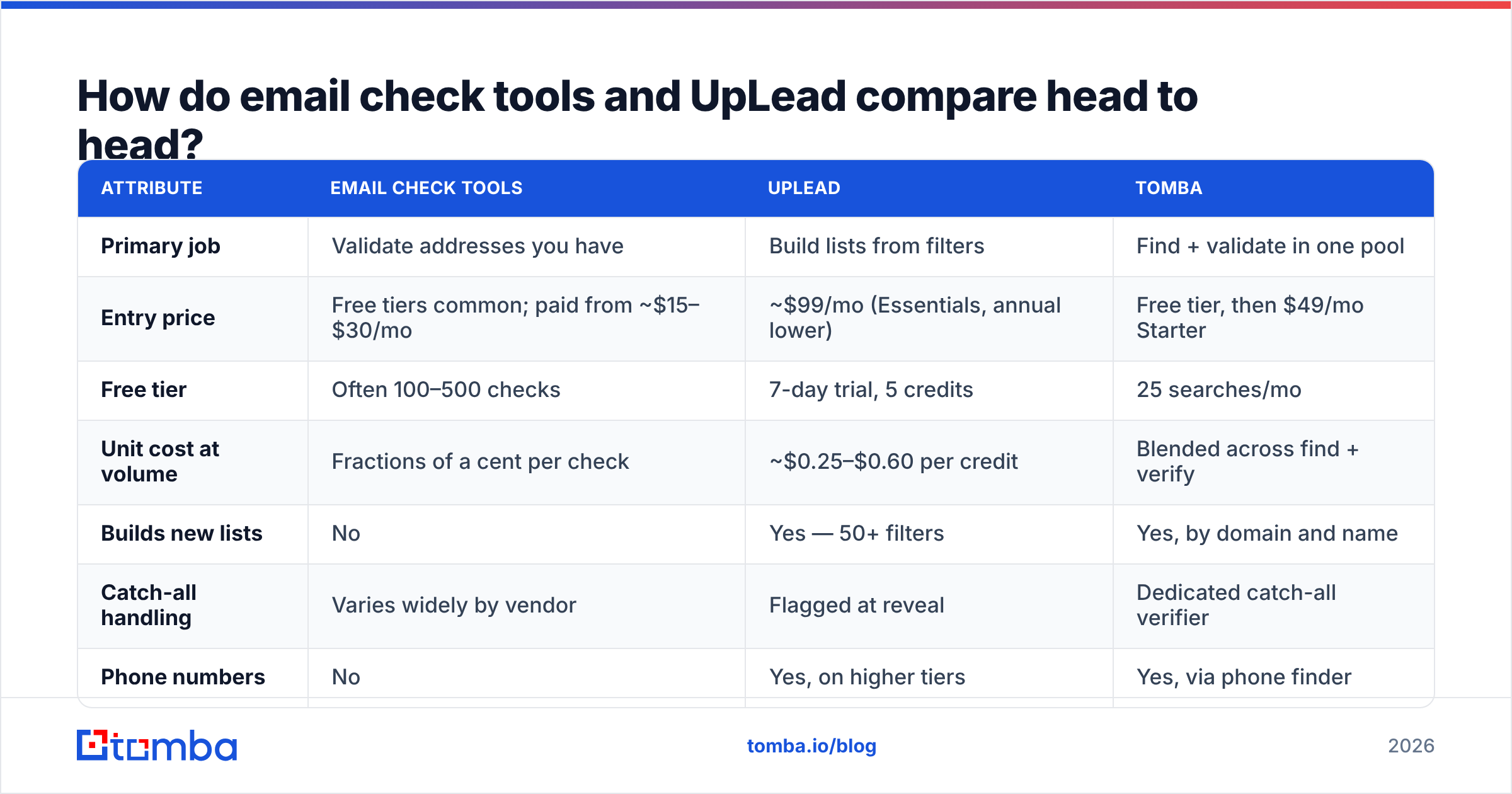
How do email check tools and UpLead compare head to head?#
Pricing below reflects publicly listed rates at the time of writing; vendors change tiers often, so confirm before you buy. Annual billing typically discounts UpLead meaningfully versus month-to-month.
| Attribute | Email check tools | UpLead | Tomba |
|---|---|---|---|
| Primary job | Validate addresses you have | Build lists from filters | Find + validate in one pool |
| Entry price | Free tiers common; paid from ~$15–$30/mo | ~$99/mo (Essentials, annual lower) | Free tier, then $49/mo Starter |
| Free tier | Often 100–500 checks | 7-day trial, 5 credits | 25 searches/mo |
| Unit cost at volume | Fractions of a cent per check | ~$0.25–$0.60 per credit | Blended across find + verify |
| Builds new lists | No | Yes — 50+ filters | Yes, by domain and name |
| Catch-all handling | Varies widely by vendor | Flagged at reveal | Dedicated catch-all verifier |
| Phone numbers | No | Yes, on higher tiers | Yes, via phone finder |
| API access | Usually yes | Yes | Yes, on all paid plans |
| Best for | List hygiene before sending | Cold list building from scratch | Teams doing both weekly |
The row that decides most purchases is "unit cost at volume." Verification is a commodity priced like one. Contact data is proprietary and priced like it. If you conflate them, you buy the expensive thing to do the cheap job.

Is UpLead's 95% accuracy claim comparable to a verifier's accuracy?#
No, and this is the single most misread number in the category.
UpLead's guarantee is about record accuracy at reveal — you get a credit back if an email bounces. That's a real commercial promise and it's more than most databases offer. But it measures a different thing than a verifier's accuracy rate, which describes how often the tool's valid/invalid/risky classification matches reality across an arbitrary input list, including junk you feed it.
Three practical consequences:
- Guarantees are refunds, not deliverability. A refunded credit does not un-bounce the message. Your sender reputation already took the hit. Credit-back is compensation, not prevention.
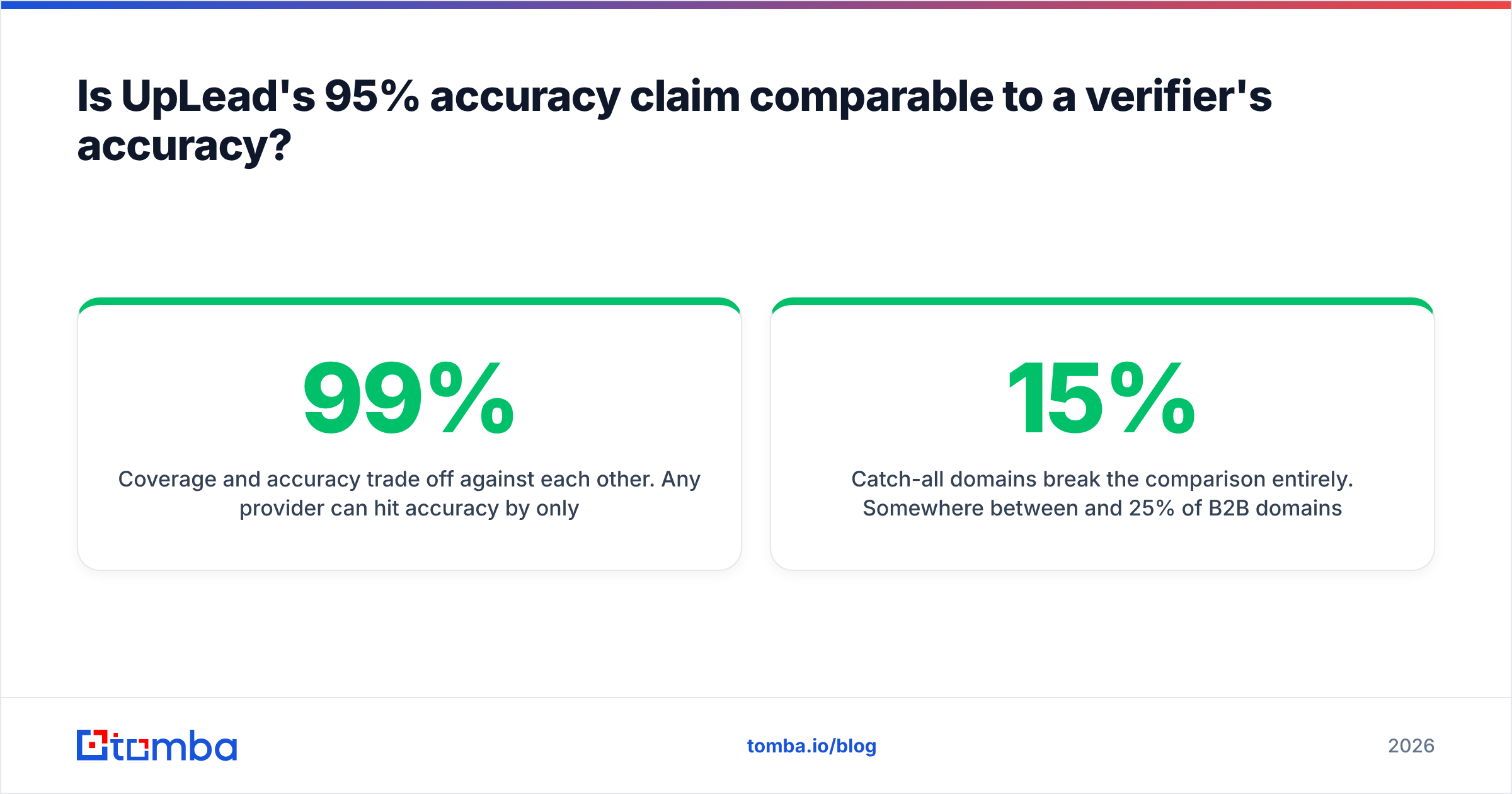
- Coverage and accuracy trade off against each other. Any provider can hit 99% accuracy by only returning the easy records. The useful question is accuracy at a given coverage rate — what percentage of your target list did the tool find at all, and how many of those were correct?
- Catch-all domains break the comparison entirely. Somewhere between 15% and 25% of B2B domains are catch-all depending on your segment. A tool that scores them "valid" inflates its own accuracy stat while quietly shipping you risk. Ask any vendor how they classify catch-alls before you compare percentages.
The defensible workflow, regardless of vendor: find the address, verify it with a second independent system, and only then load it into a sequencer. Running finds and verifications through one credit pool — as Tomba's bulk email finder does — removes the double-billing that makes teams skip step two.
Which one should you choose for your situation?#
Match the tool to what you already have.
Choose a dedicated email check tool if:
- You have an existing list — CRM export, event attendees, inbound signups, an inherited spreadsheet — and don't know its state.
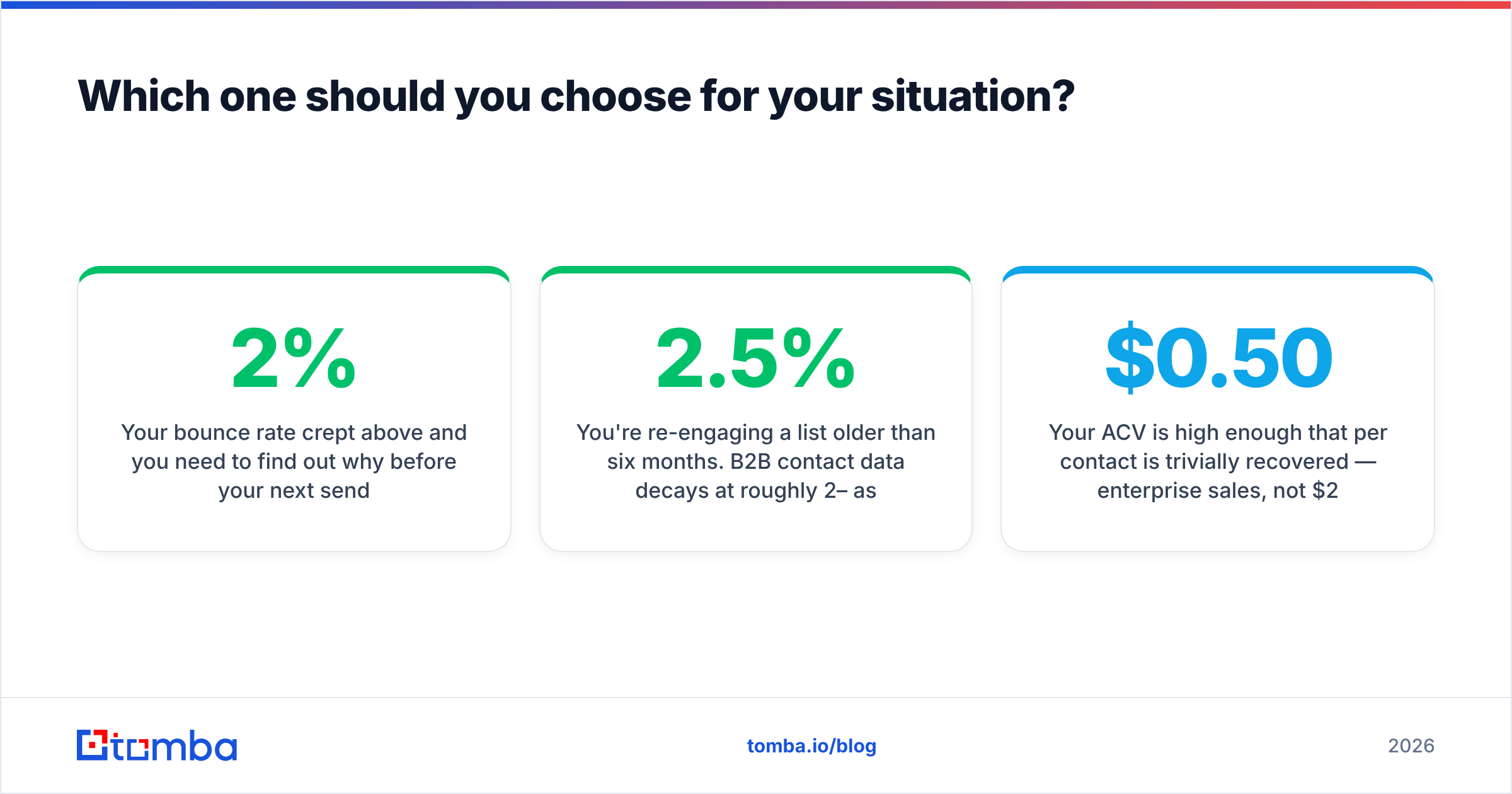
- Your bounce rate crept above 2% and you need to find out why before your next send.
- You're re-engaging a list older than six months. B2B contact data decays at roughly 2–2.5% per month as people change jobs; a two-year-old list is largely fiction.
- Budget is tight and volume is high. Verification at scale costs cents, not dollars.
Choose UpLead if:
- You're starting cold with no list and a specific ICP you can express as filters.
- Technographic targeting matters to your pitch (you sell into a specific stack).
- You want phone numbers alongside emails in one interface.
- Your ACV is high enough that $0.50 per contact is trivially recovered — enterprise sales, not $29/mo SaaS.
Choose a combined finder-plus-verifier if:
- You do both jobs every week, which describes most outbound teams past their first quarter.
- You want one API instead of two. A single email finder API call that returns an address with a confidence score is materially less engineering work than chaining two vendors.
- You're price-sensitive but not doing enterprise-scale list buys.
It's worth noting that the "database" category itself has real variety. Providers like BookYourData take a pay-as-you-go, no-subscription approach that suits teams with lumpy demand, which is a genuinely different commercial shape than UpLead's monthly credit model. Neither is universally correct — they optimize for different buying patterns.

What does the real cost per usable contact look like?#
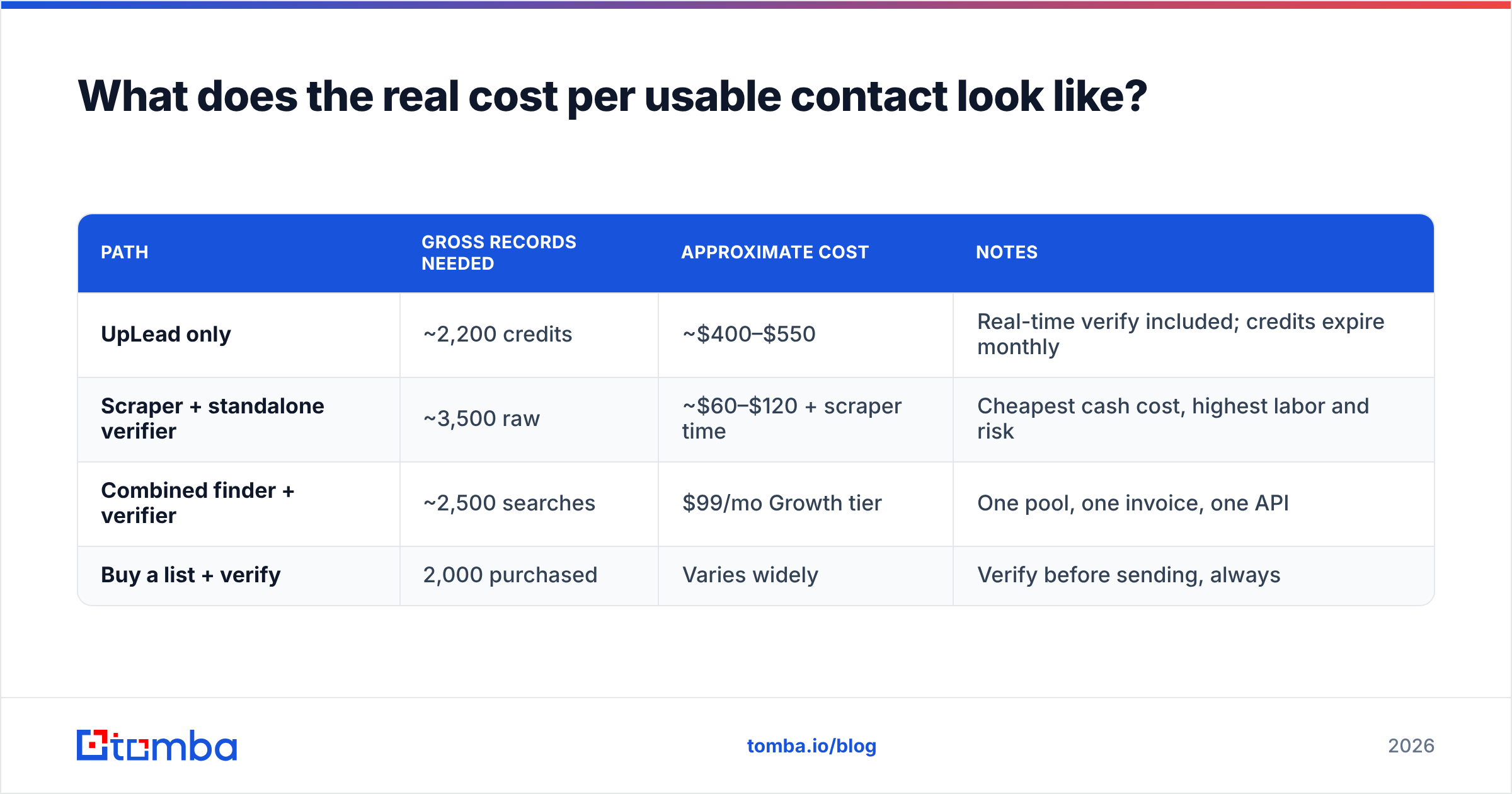
Run the arithmetic on a concrete campaign: you want 2,000 verified, sendable contacts for a quarter of outbound.
| Path | Gross records needed | Approximate cost | Notes |
|---|---|---|---|
| UpLead only | ~2,200 credits | ~$400–$550 | Real-time verify included; credits expire monthly |
| Scraper + standalone verifier | ~3,500 raw | ~$60–$120 + scraper time | Cheapest cash cost, highest labor and risk |
| Combined finder + verifier | ~2,500 searches | $99/mo Growth tier | One pool, one invoice, one API |
| Buy a list + verify | 2,000 purchased | Varies widely | Verify before sending, always |
Two things this table makes obvious. First, the cash-cheapest path is almost never the cheapest path once you price an SDR's hours. Second, credit expiry is a hidden multiplier — monthly-expiring credits mean you pay for peak capacity every month even when your prospecting is seasonal. Check expiry rules on any plan before comparing headline prices; Tomba's pricing runs Free (25 searches/mo), Starter $49/mo, Growth $99/mo, and Pro $249/mo, with the same credits covering finding, verifying, and enrichment rather than splitting them into separate meters.
The metric to optimize is not price per credit. It's price per contact that receives your email and doesn't bounce. A cheap credit that resolves to a catch-all you can't confirm is worth zero.
What do you do the week after you buy either one?#
Whichever side you land on, the operational sequence is the same:
- Sample before you commit. Pull 50 contacts on a free tier or trial and check them against people you can independently confirm — LinkedIn, company about-pages, your own CRM. Vendor-published accuracy stats are marketing; a 50-record sample is evidence.
- Segment by confidence, not by valid/invalid. Send to high-confidence addresses first. Hold catch-alls for a separate, lower-volume send from a secondary domain.
- Re-verify anything older than 90 days. Data decay is continuous. A list verified in January is not a verified list in June.
- Track bounces per source. If one vendor's records bounce at 4% and another's at 0.8%, you'll know within two campaigns — but only if you tag the source on import.
- Warm up before volume. No verification tool saves a cold domain sending 500 messages on day one. Deliverability and data quality are separate problems that get blamed on each other.
Frequently asked questions#
Can UpLead replace an email verifier entirely? For contacts sourced inside UpLead, largely yes — verification happens at reveal. For contacts from anywhere else, no. Running external lists through a database's enrichment at credit prices is the expensive way to do a cheap job.
Is a free email check tool good enough? For spot-checking individual addresses, yes. Free checkers handle syntax, MX, and basic SMTP fine. They typically fall down on catch-all resolution and don't offer the API or bulk throughput a real campaign needs.
Why do two verifiers disagree about the same address? Usually catch-all classification, sometimes greylisting. If a receiving server temporarily defers the handshake, one tool marks it unknown and another retries and marks it valid. Disagreement clusters on exactly the addresses that are genuinely ambiguous.
Does verification improve open rates? Not directly — it improves delivery, which is upstream of opens. A cleaner list raises your inbox placement over time by protecting sender reputation, and that shows up as higher opens on later campaigns rather than the current one.
Where should you start?#
Start by answering one question: do you have a list, or do you need one?
If you need one built from filters and your deal sizes justify database pricing, UpLead is a credible choice with genuinely strong technographic targeting. If you already have contacts and need them clean, buying a database subscription to do that job is the wrong shape of purchase.
If the honest answer is "both, most weeks," stop paying two vendors for two halves of one workflow. The Tomba Email Finder returns addresses with confidence scores, routes uncertain results through catch-all resolution, and draws from the same credit pool as verification and enrichment — starting free at 25 searches a month, then $49/mo when you outgrow it. Run 25 searches against contacts you can already verify yourself, compare the results to whatever you're paying for now, and let the sample decide.
Sources: uplead.com, G2 UpLead reviews, Wikipedia: Bounce message
Related guides#
Ready to find emails that actually work?
Join 150,000+ professionals who stopped guessing and started sending. Free credits on signup — no credit card required.
Get the Tomba newsletter
Practical outbound tactics and product updates — once every two weeks.
About the author