9 Best Email Checker Net Alternatives for 2026 Compared
Email-checker.net handles basic syntax and MX checks, but it stops short of finding contacts, clearing catch-alls, or scaling by API. Here are 9 alternatives that go further — with real pricing and accuracy trade-offs.
TL;DR
- Email-checker.net is a lightweight, mostly-free syntax and MX validator. It is fine for spot-checking one address, and wrong for cleaning a 40,000-row list.
- The gap that pushes teams off it is almost always the same three things: catch-all domains, no API/bulk workflow, and no way to find an address you don't already have.
- If you need finding + verification in one place, Tomba ($49/mo Starter, 25 free searches) is the cheapest way to collapse two tools into one.
- If you only need deep verification at volume, ZeroBounce and Bouncer are the accuracy benchmarks; MillionVerifier and Clearout win on price per email.
- Bounce rate is the only metric that matters. Anything under 2% is healthy; if a tool can't tell you what it does with catch-alls, assume your bounce rate is about to move the wrong way.
Most people land on email-checker.net the same way: you have one address, you're not sure it's real, you paste it into the first free box Google gives you. That works. The problem starts about six weeks later, when "one address" has become a 12,000-row export and you're pasting in batches of 50 at midnight.
This post covers what email-checker.net actually does, where it stops, and nine alternatives grouped by the job you're actually trying to do — because "verification tool" covers at least three different products that people keep confusing.
What does email-checker.net actually do?#
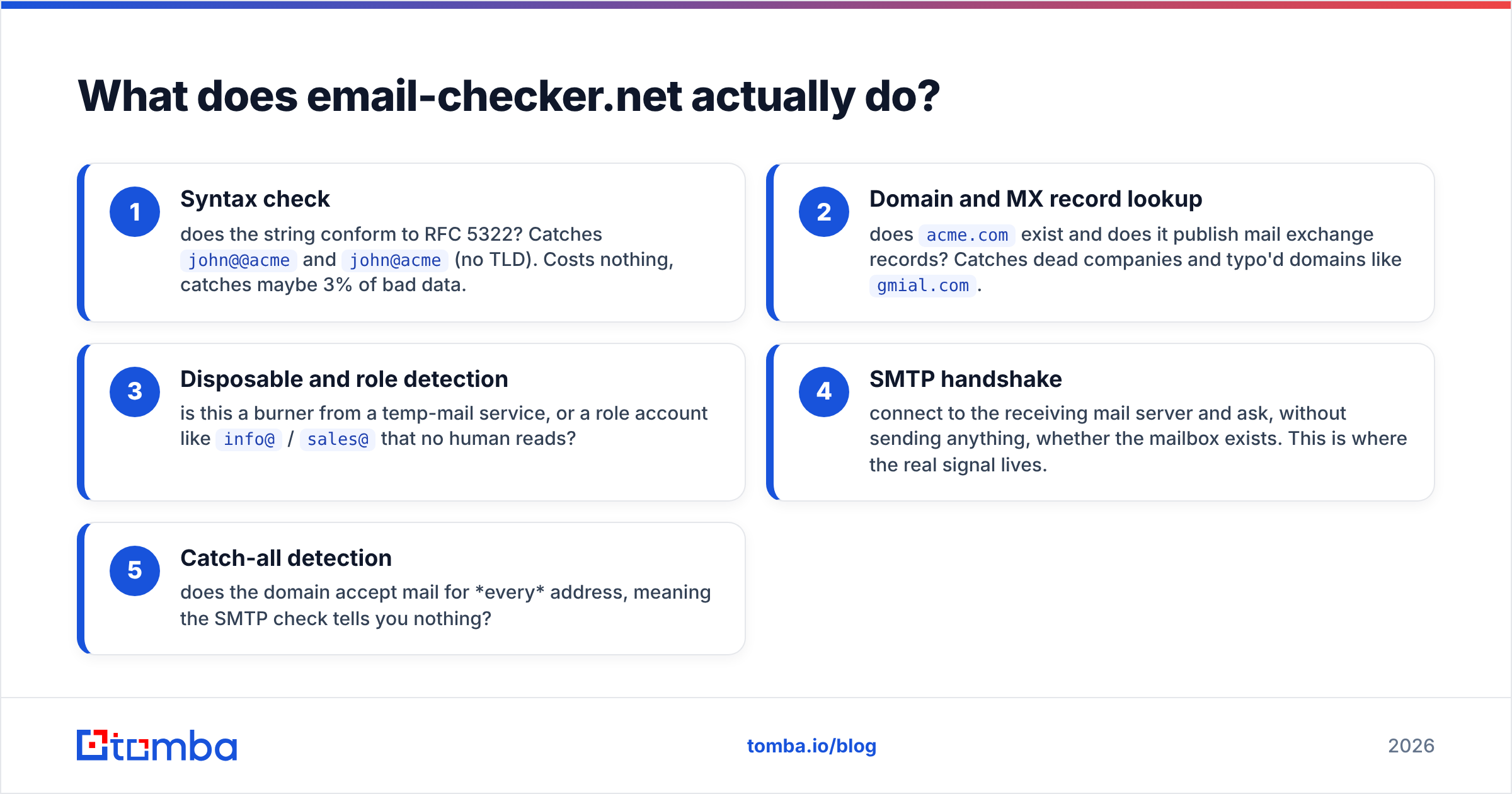
Email-checker.net is a free web-based validator. You paste an address, it runs a chain of checks, and it returns a verdict. The chain is standard across nearly every tool in this space:
- Syntax check — does the string conform to RFC 5322? Catches
john@@acmeandjohn@acme(no TLD). Costs nothing, catches maybe 3% of bad data. - Domain and MX record lookup — does
acme.comexist and does it publish mail exchange records? Catches dead companies and typo'd domains likegmial.com. - Disposable and role detection — is this a burner from a temp-mail service, or a role account like
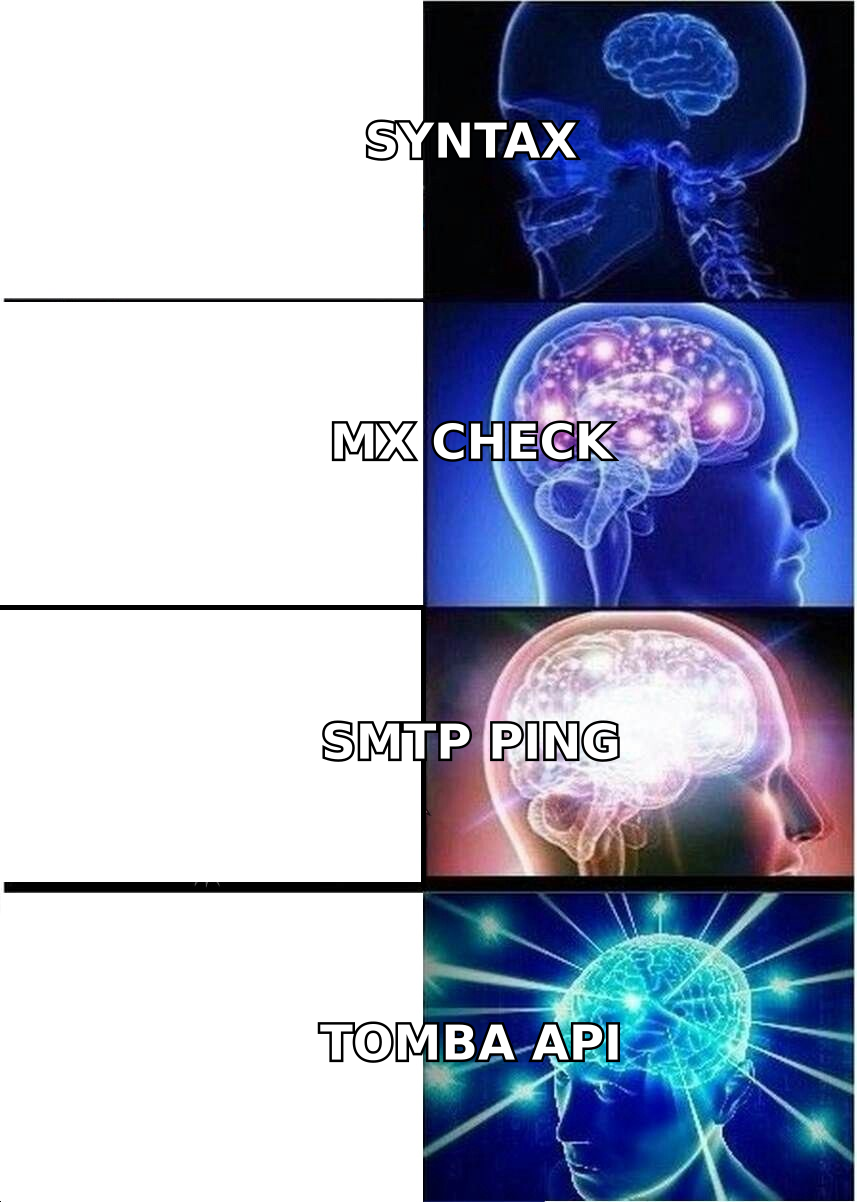
info@/sales@that no human reads? - SMTP handshake — connect to the receiving mail server and ask, without sending anything, whether the mailbox exists. This is where the real signal lives.
- Catch-all detection — does the domain accept mail for every address, meaning the SMTP check tells you nothing?
Steps 1–3 are cheap and every tool does them well. Step 4 is where infrastructure quality shows up — you need distributed IPs, retry logic, and provider-specific behavior for Google Workspace, Microsoft 365, and Zoho. Step 5 is where nearly every free tool gives up and returns "unknown," dumping the decision back on you.
Email-checker.net does 1–4 competently for single lookups. It is not built for the rest.
Why do people look for email checkernet alternatives?#
Four recurring triggers, in rough order of how often they come up:
Volume. Single-address web forms don't scale. Once you're verifying more than a few hundred addresses a month, you need CSV upload, a queue, and a results file — not a paste box.
No API. If verification is a step inside your signup flow, your CRM sync, or your outbound sequencer, it has to be a programmatic call. A web form can't be automated. A proper email verification API can sit inline in a form submit and reject junk before it hits your database.
Catch-all ambiguity. This is the big one. Roughly 20–25% of B2B domains are configured as catch-alls, and they're heavily concentrated in enterprise. Microsoft 365 tenants in particular often accept everything at the edge and bounce internally. A tool that returns "unknown" on a quarter of your enterprise list has just failed at the exact segment you care most about. Dedicated catch-all verification uses pattern confidence, historical engagement data, and secondary signals to give an actual probability instead of a shrug.
Finding, not just checking. Verification assumes you already have the address. Most of the time you don't — you have a name and a company. That's a fundamentally different product: an email finder that derives the address from a domain's known pattern, then verifies it in the same call.
That last point is worth sitting with. If you're paying for a verifier and a finder and a data provider, you're probably paying three times for overlapping infrastructure.
Which email checkernet alternatives are worth paying for?#
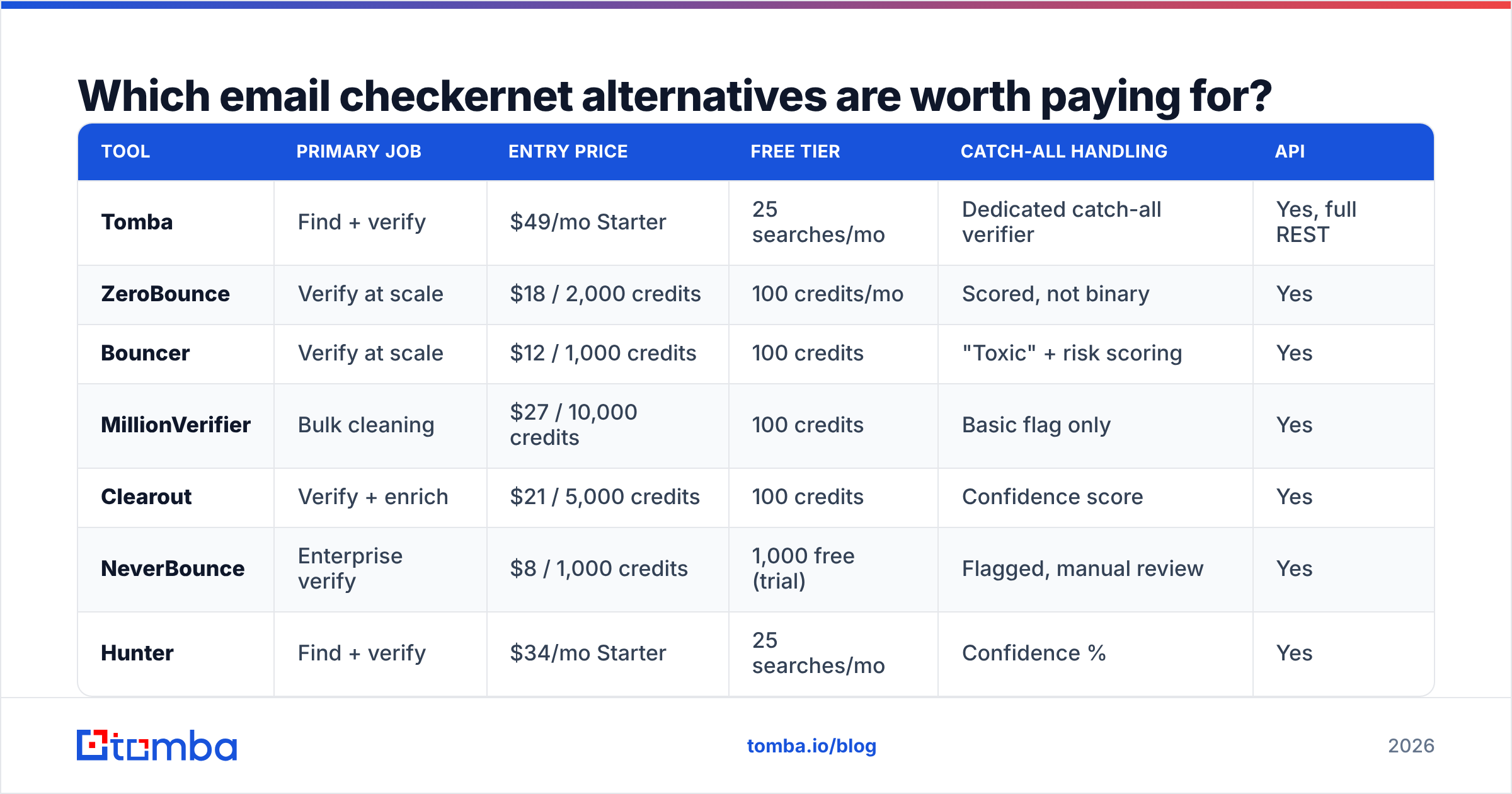
Here's the comparison, grouped by primary job. Prices are entry paid tiers as of mid-2026 — check each vendor's page before you buy, since credit-based pricing shifts often.
| Tool | Primary job | Entry price | Free tier | Catch-all handling | API |
|---|---|---|---|---|---|
| Tomba | Find + verify | $49/mo Starter | 25 searches/mo | Dedicated catch-all verifier | Yes, full REST |
| ZeroBounce | Verify at scale | $18 / 2,000 credits | 100 credits/mo | Scored, not binary | Yes |
| Bouncer | Verify at scale | $12 / 1,000 credits | 100 credits | "Toxic" + risk scoring | Yes |
| MillionVerifier | Bulk cleaning | $27 / 10,000 credits | 100 credits | Basic flag only | Yes |
| Clearout | Verify + enrich | $21 / 5,000 credits | 100 credits | Confidence score | Yes |
| NeverBounce | Enterprise verify | $8 / 1,000 credits | 1,000 free (trial) | Flagged, manual review | Yes |
| Hunter | Find + verify | $34/mo Starter | 25 searches/mo | Confidence % | Yes |
| BookYourData | Pre-verified lists | Pay-as-you-go | Sample credits | Verified at source | Yes |
| DeBounce | Budget verify | $10 / 5,000 credits | 100 credits | Accept-all flag | Yes |
| Email-checker.net | Single lookup | Free | Unlimited-ish | Returns unknown | No |
A few notes that the table can't hold:
ZeroBounce is the reference point for accuracy testing. Their public benchmarks are self-published, so treat them as marketing, but the underlying product genuinely handles edge cases — they'll flag abuse addresses and spam traps that cheaper tools miss. The cost is real: at $18 per 2,000 credits, cleaning a 100,000-row list runs several hundred dollars. Worth it before a major campaign, overkill for weekly hygiene. There's a ZeroBounce alternative breakdown if you want the head-to-head.
Bouncer built its reputation on GDPR posture and EU data residency, which matters if your legal team asks where the data sits. Their "toxic" classification for spam traps and complainers is the most useful non-obvious feature in the category.
MillionVerifier is the price leader for pure bulk. If your job is "clean this 200k list once, cheaply," it is hard to beat at roughly $0.0027 per email. It does less thinking about catch-alls than the premium tools, so budget for a slightly higher unknown rate.
BookYourData solves an adjacent problem well: instead of verifying a list you built, you buy a list that was verified at source, with a bounce guarantee attached. If your bottleneck is not having contacts rather than not trusting the ones you have, that's a legitimately different and often faster path. Their per-record model means you pay for what you take rather than a monthly floor.
Hunter is the closest structural comparison to Tomba — both do domain-pattern-based finding plus verification. Hunter has been around longer and has more brand recognition; Tomba prices lower at the entry tier and ships more surrounding tooling (CLI, MCP server, Sheets and Excel add-ins).

How do you actually judge verification accuracy?#
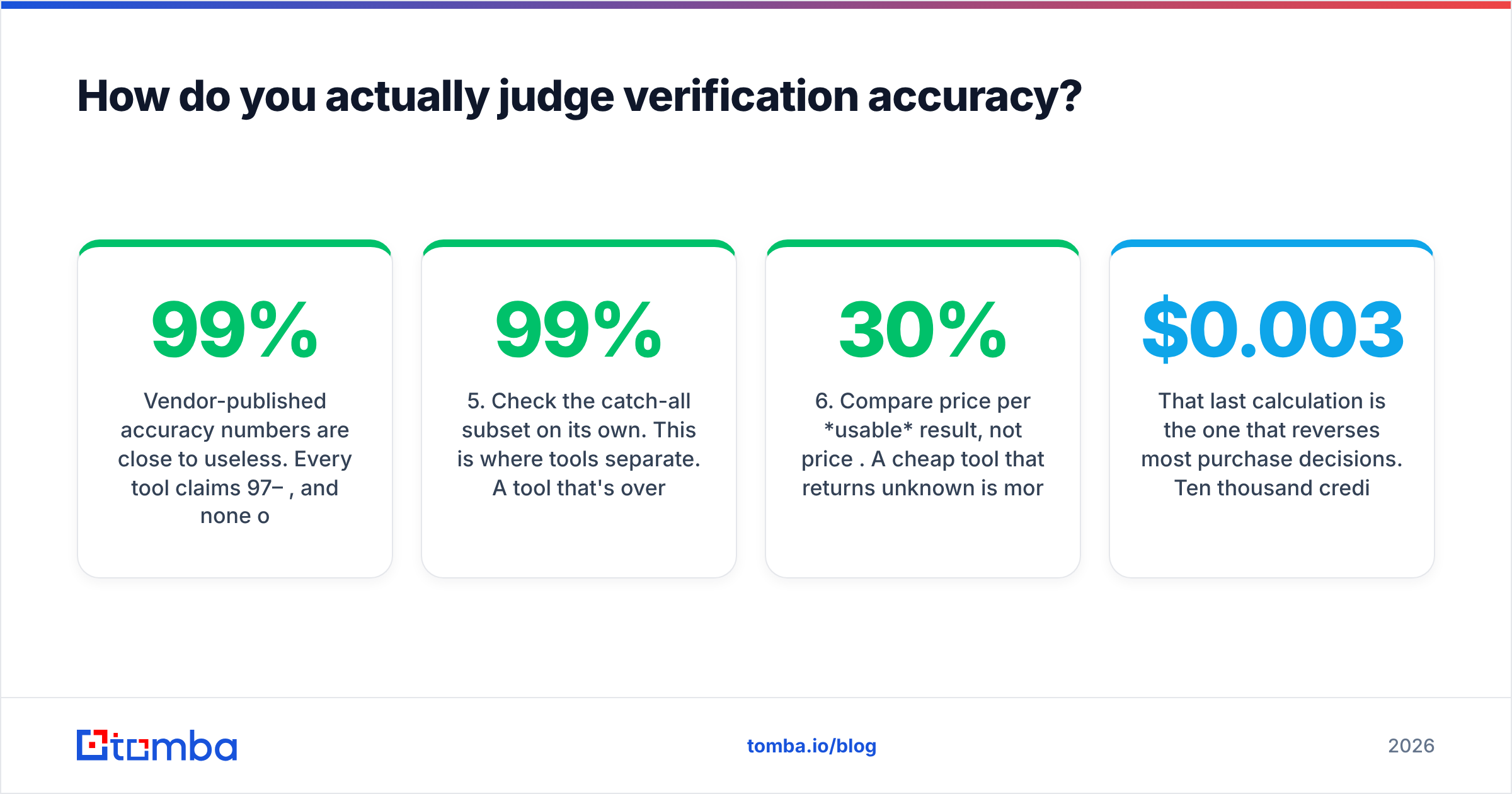
Vendor-published accuracy numbers are close to useless. Every tool claims 97–99%, and none of them define the denominator the same way. Some count "unknown" results as correct-by-omission. Some test on consumer Gmail addresses, which are trivially easy, and report the result as if it applied to enterprise M365 tenants, which are not.
Run your own test instead. It takes an hour:
- Build a 200-address control set from addresses you know the answer to — 100 people who have replied to you in the last 90 days (known good), 50 addresses that hard-bounced (known bad), 50 from catch-all enterprise domains.
- Run the same file through 2–3 candidate tools. Same file, same day. Provider behavior varies week to week.
- Score three numbers separately: false-positive rate (said valid, actually bounced — the expensive error), false-negative rate (said invalid, actually replies — the silent revenue leak), and unknown rate (declined to answer).
- Weight false positives 5x. A false positive costs you sender reputation. A false negative costs you one prospect. These are not equivalent errors.
- Check the catch-all subset on its own. This is where tools separate. A tool that's 99% overall and 40% on catch-alls is a 99% tool for SMB lists and a coin flip for enterprise.
- Compare price per usable result, not price per credit. A cheap tool that returns 30% unknown is more expensive than a pricier one at 8% unknown, because you're paying to re-verify or discard the difference.
That last calculation is the one that reverses most purchase decisions. Ten thousand credits at $0.003 sounds cheaper than 10,000 at $0.008 until you notice you only got 7,000 answers from the first one.

Is a free email checker ever enough?#
Yes, in three specific cases:
- One-off checks. You got a business card, you want to confirm the address before sending a proposal. A free email checker is the right tool and paying for it would be silly.
- Form-level syntax guarding. If you just want to stop
asdf@asdffrom entering your database, client-side regex plus an MX lookup gets you 90% of the value at zero cost. - Pre-qualifying a data source. Before you buy a list, sample 100 rows through a free tool. If 30 of them fail basic MX, you've learned something important about the vendor for free.
Where free stops being enough is any situation involving your sending domain's reputation. Google and Yahoo's bulk sender requirements put hard ceilings on complaint rates, and mailbox providers treat high bounce rates as a spam signal regardless of your content. Email deliverability damage compounds — a bad week doesn't just cost you that week's replies, it depresses inbox placement for the following month. That asymmetry is what justifies paying for verification even when a free tool "mostly works."

What should you pick for your situation?#
Skip the feature matrices and match the tool to the constraint:
- You verify fewer than 100 addresses a month, manually. Stay free. Email-checker.net or any free checker is fine. Buying credits here is waste.
- You clean large static lists a few times a year. MillionVerifier or DeBounce. Bulk price is the only variable that matters and neither will surprise you.
- You send high-stakes campaigns to enterprise contacts. ZeroBounce or Bouncer. The premium buys you catch-all resolution and spam-trap detection, which is exactly the risk profile of enterprise outbound.
- You need addresses you don't have yet. A finder, not a verifier. Tomba or Hunter — domain search plus verification in one credit is structurally cheaper than paying two vendors.
- You need contacts fast and don't want to build the list. BookYourData's pre-verified records skip the build-then-clean cycle entirely.
- Verification is a step in your product, not your marketing. Whoever has the best API docs, rate limits, and uptime SLA. Test the API before the UI — you'll live in it.
One structural point worth flagging: the "find + verify" category is quietly absorbing the "verify only" category. If a tool can derive an address from a company domain and a name, verification is already happening inside that call — you get it for free as a side effect. Standalone verifiers still win on deep bulk cleaning of lists you inherited, but for net-new prospecting, buying them separately increasingly doesn't make sense. Independent review sites like G2's email verification category show the same convergence in how buyers now shortlist.
What does switching actually cost you?#
Less than you'd think, and the migration is mechanical:
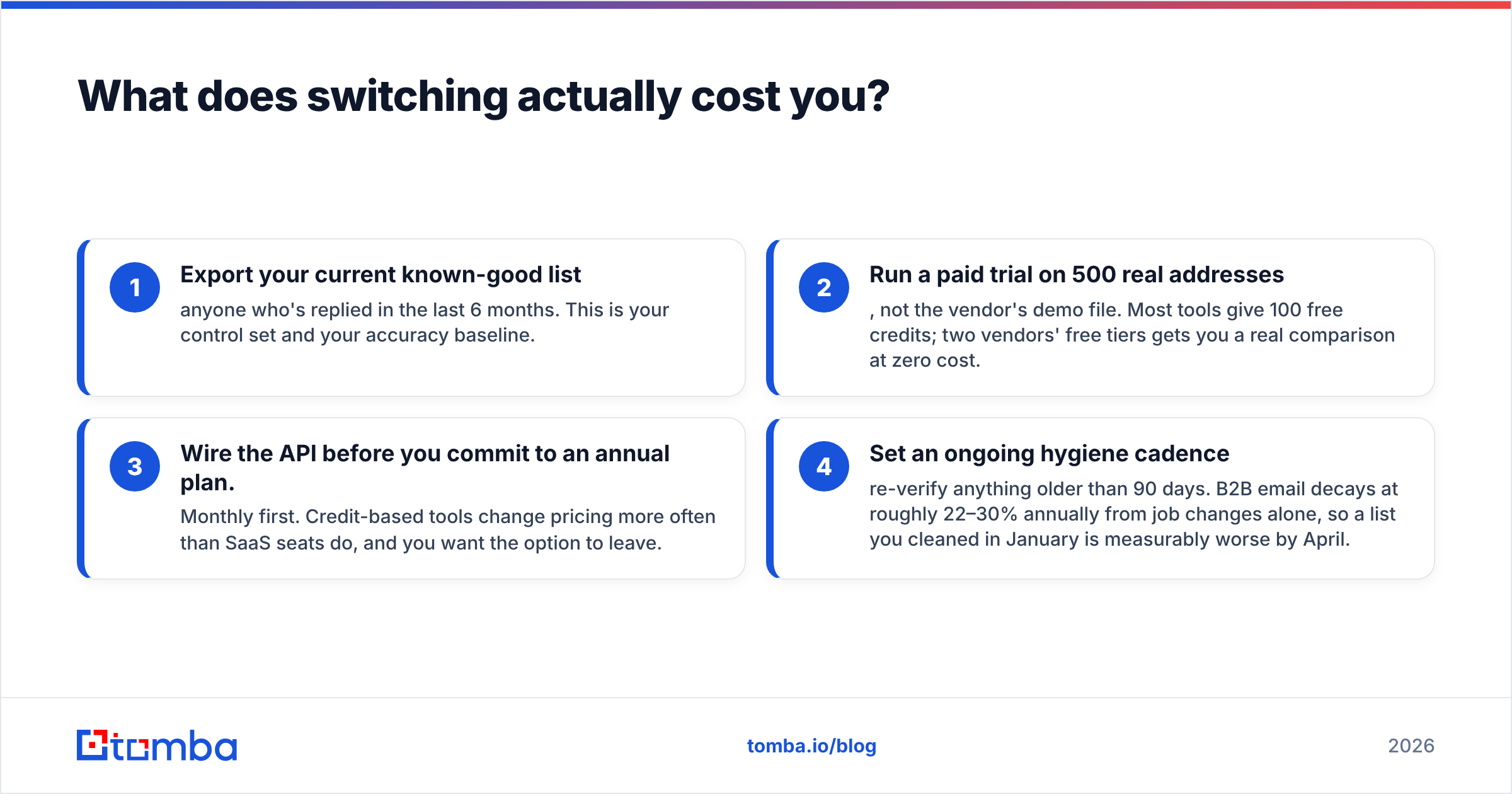
- Export your current known-good list — anyone who's replied in the last 6 months. This is your control set and your accuracy baseline.
- Run a paid trial on 500 real addresses, not the vendor's demo file. Most tools give 100 free credits; two vendors' free tiers gets you a real comparison at zero cost.
- Wire the API before you commit to an annual plan. Monthly first. Credit-based tools change pricing more often than SaaS seats do, and you want the option to leave.
- Set an ongoing hygiene cadence — re-verify anything older than 90 days. B2B email decays at roughly 22–30% annually from job changes alone, so a list you cleaned in January is measurably worse by April.
Step 4 is the one teams skip. Verification isn't a project you complete; it's a maintenance interval, like changing oil. The tools that make this cheap — bulk re-verification, API-driven re-checks on CRM records — end up costing less over a year than the ones with a lower headline price and no automation path.
The bottom line#
Email-checker.net is a good free tool doing a narrow job. If your job got wider — bulk lists, API calls, catch-all domains, or finding addresses you don't have — you've outgrown it, and no amount of pasting into a web form fixes that.
Pick by constraint, not by feature count. Cheap bulk cleaning: MillionVerifier or DeBounce. Maximum accuracy on enterprise lists: ZeroBounce or Bouncer. Pre-verified contacts without the list-building work: BookYourData. And if what you actually need is to find the addresses in the first place, verification should come bundled — not billed twice.
That's where the Tomba Email Finder fits. Search by domain, name, or company, get the address with a confidence score and verification already applied, and pull it through the API, Chrome extension, Sheets, or CLI depending on where your workflow lives. Start on the free tier at 25 searches a month to test it against your own control list, then move to Starter at $49/mo if the numbers hold — full Tomba pricing is public, no sales call required. Test it on addresses where you already know the answer. That's the only benchmark worth trusting.
Related guides#
Ready to find emails that actually work?
Join 150,000+ professionals who stopped guessing and started sending. Free credits on signup — no credit card required.
Get the Tomba newsletter
Practical outbound tactics and product updates — once every two weeks.
About the author