Email Checkernet vs FindThatLead: Which Tool Wins in 2026
One tool cleans lists, the other builds them. Here is an honest breakdown of Email Checkernet vs FindThatLead on accuracy, pricing model, catch-all handling, and which one belongs in your outbound stack.
TL;DR
- Email Checkernet vs FindThatLead is an odd matchup. The two tools do different jobs.
- Email Checkernet (emailchecker.net) is a checker. You feed it a list and it tells you which addresses are real. You pay in credit packs.
- FindThatLead is a prospecting tool. It finds emails, pulls leads from LinkedIn, and sends cold campaigns.
- Pick Email Checkernet if you own a list and want it clean before a send. Pick FindThatLead if you need to build the list first.
- Each one has a weak spot. FindThatLead checks addresses poorly. Email Checkernet finds none at all.
- Catch-all domains stump both. Any vendor that returns "unknown" on a fifth of your rows hands the problem back to you.
- One platform that finds and checks on a single plan often costs less than two tools.
What is Email Checkernet and what does it do?#
Email Checkernet is a plain email checker. You upload a list or call its API. It returns a status for each address: valid, invalid, risky, throwaway, or role-based.
That is the whole product. There is no search. There is no company database. There is no sequencer.
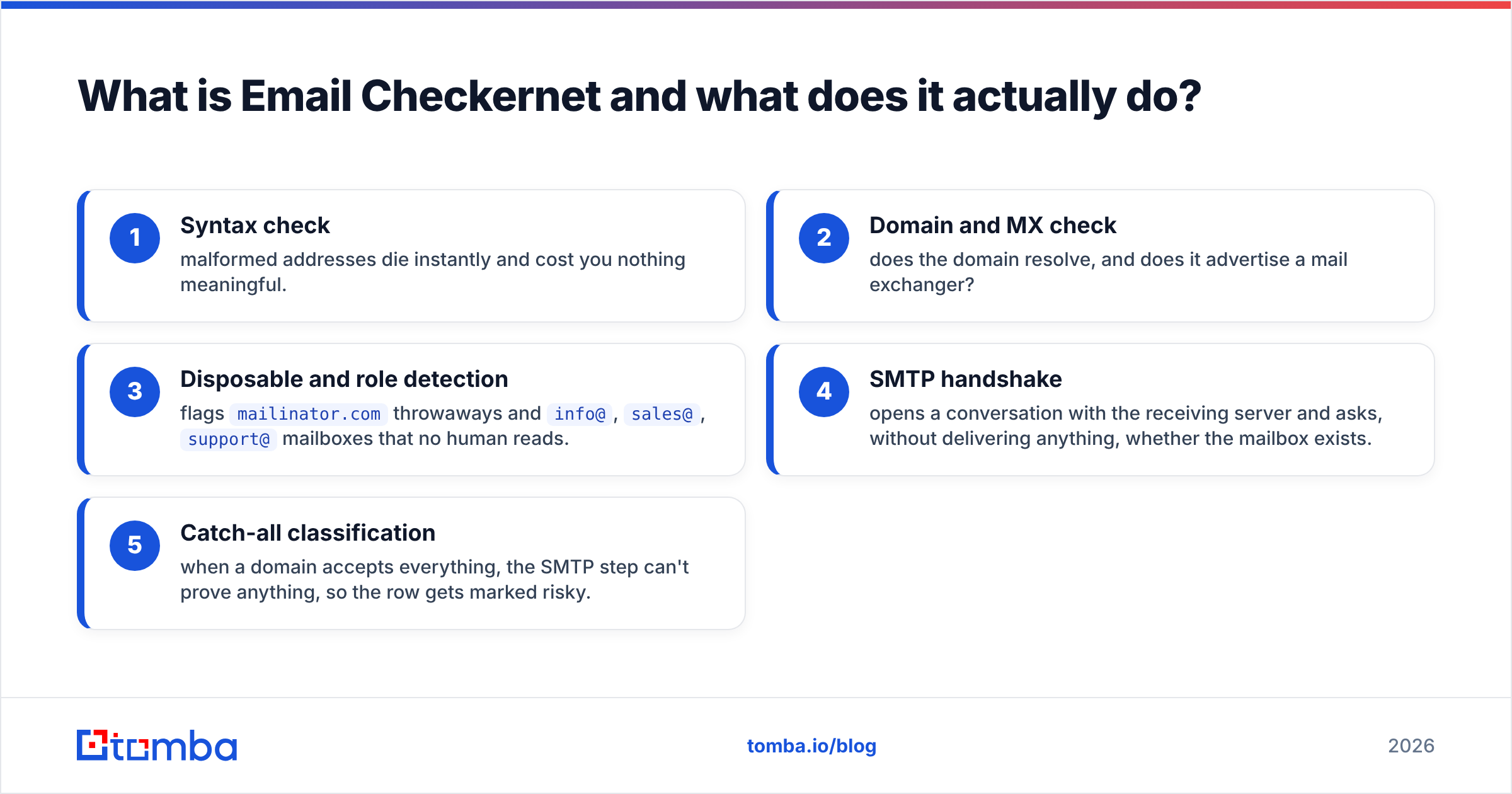
It runs the same five steps every good checker runs:
- Syntax check — broken addresses die right away.
- Domain and MX check — does the domain exist, and does it accept mail?
- Throwaway and role check — flags
mailinator.comaddresses and shared inboxes likeinfo@orsales@. - SMTP handshake — asks the mail server if the mailbox is real, without sending anything.
- Catch-all check — some domains accept every address. The SMTP step proves nothing there, so the row is marked risky.
The price model is the best part. You buy credit packs. There is no monthly fee.
Small packs run about $10 to $20 for a thousand checks. The per-credit price drops fast at volume. Check the rate card before you budget, since these vendors reprice often.
If you clean a list twice a year, you should not pay every month. Email Checkernet is honest about that.
Here is what you do not get. It cannot tell you who runs engineering at a target company, or what her address is. That job belongs to FindThatLead.
What is FindThatLead and who is it for?#
FindThatLead is a Spanish sales tool. It aims at solo founders, agencies, and small sales teams. Its scope is much wider than checking:
- Email finder — give it a name and a domain, get a likely work address.
- Prospector — filter a database by industry, place, size, and role to build a list from scratch.
- LinkedIn add-on — grab contacts while you browse profiles.
- Lead search — bulk pulls from social sources.
- Cold email sender — sequences, merge fields, and simple reports.
That last one matters more than people expect. A founder picks FindThatLead because it folds three bills into one.
Paid plans have started near $49 a month with a few thousand credits. Agency tiers climb past $150. Treat those numbers as a guide and check the pricing page, since FindThatLead shuffles credits between tiers often.
The trade-off is depth. A tool that does five jobs does none of them best.
Its find rate drops on hard targets: small European firms, odd name formats, and catch-all domains. Reviewers on G2 ding it for that. Its built-in checker is a rough filter, not a verdict.

Email Checkernet vs FindThatLead: how do they compare?#
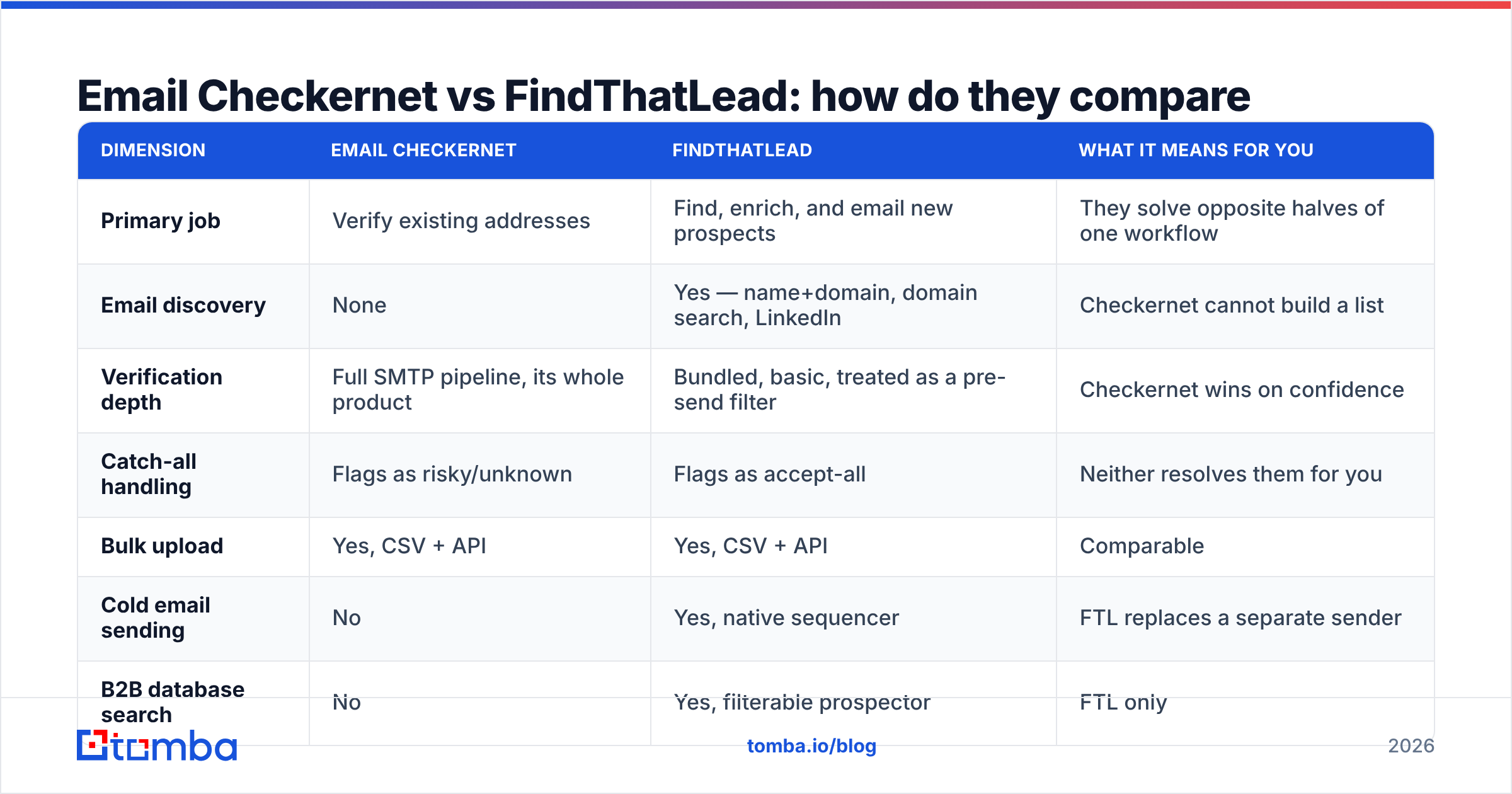
Here is Email Checkernet vs FindThatLead, side by side. Read the last column with care. That is where buyers go wrong.
| Dimension | Email Checkernet | FindThatLead | What it means for you |
|---|---|---|---|
| Main job | Check addresses you own | Find, enrich, and email new leads | Two halves of one workflow |
| Email finding | None | Yes, plus LinkedIn | Checkernet cannot build a list |
| Checking depth | Full SMTP flow, its whole product | Bundled and basic | Checkernet wins on trust |
| Catch-all rows | Marked risky | Marked accept-all | Neither one solves them |
| Bulk upload | Yes, CSV and API | Yes, CSV and API | Even |
| Cold sending | No | Yes, built in | FTL replaces a sender |
| Lead database | No | Yes, filterable | FTL only |
| Price model | Credit packs, pay as you go | Monthly plans | Rare use favors Checkernet |
| Entry cost | ~$10–$20 pack | ~$49/mo | Very different commitments |
| Free option | Small trial | A few free credits | Both let you test |
| Best fit | Cleaning a bought or aging list | Running outbound end to end | A different buyer |
| Weak spot | No finding at all | Find rate and check quality | Both gaps are real |

Now the honest verdict on Email Checkernet vs FindThatLead. If you are torn between them, you have likely misread your own problem. A checker will not fill your pipeline. A sender will not clean your list. So ask a simpler question: which half of the workflow is broken right now?
Which is more accurate: Email Checkernet vs FindThatLead?#
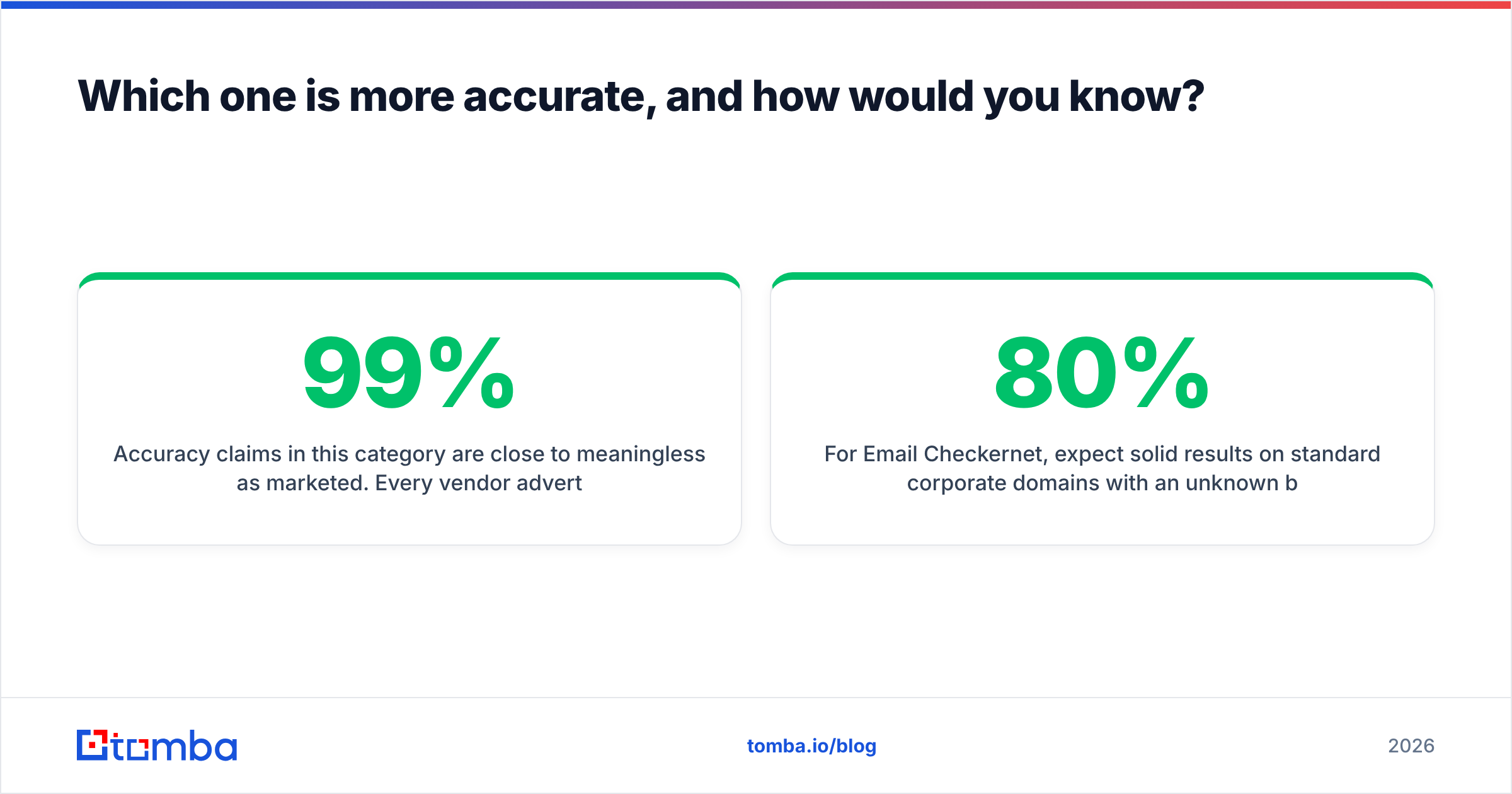
Accuracy claims here mean very little. Every vendor claims 95% to 99%. Each one counts it a different way.
Some drop catch-all rows from the math. That is like a weather app that claims 99% accuracy after tossing out every cloudy day.

Run your own test instead. It takes 45 minutes. It is the only number that counts for your market.
- Build a 100-row control set from your own domain and four or five friendly customers. You already know which addresses are live.
- Salt it on purpose. Add 10 dead addresses, 10 shared inboxes, and 10 rows from a catch-all domain.
- Run the same file through both tools on the same day. Servers drift week to week, so same-day runs are the only fair test.
- Score three rates, not one: true hits, false hits, and unknowns. False hits cost the most, since they turn into bounces.
- Send a small real batch to the valid rows from a warm domain. Count the bounces. This is your ground truth.
- Repeat each quarter. Mail servers keep tightening their replies.
In this Email Checkernet vs FindThatLead test, watch two different numbers.
For Email Checkernet, watch the unknown bucket. It stays small on normal company domains. It grows fast on catch-all-heavy ones.
For FindThatLead, ignore the checker. Watch the find rate. How many targets came back with an address? How many of those landed?
A tool that finds 80% of your list and bounces 12% is worse than one that finds 60% and bounces 2%.
Why catch-all handling decides Email Checkernet vs FindThatLead#
Catch-all domains are not a rare edge case in B2B. They cluster where the big deals live.
A catch-all server accepts mail for every address at the domain. Real or fake, it says yes. So ceo@company.com and asdfgh@company.com both look fine.
Both tools shrug at this. Email Checkernet marks the row risky. FindThatLead marks it accept-all.
Either way, the call lands back on your desk. You get three bad options. Send blind and risk a bounce. Drop the row and lose the account. Or look it up by hand.
A good stack solves these rows instead of labeling them. It can learn the pattern from known-good addresses at the domain. It can check a second source. It can read reply signals.
Those steps push most catch-all rows to a clear answer. That is the whole point of a catch-all verifier. It is also the biggest quality gap between small tools and full platforms in 2026.

Do you need both, or is one platform enough?#
Do the math before you subscribe.
The two-tool path. This is the classic Email Checkernet vs FindThatLead combo. FindThatLead runs about $49 a month for finding and sending. Add credit packs for checks you trust. Call it $60 to $80 a month at low volume.
You also buy two credit pools, two dashboards, and a CSV loop between them. When a bounce shows up, nobody owns the answer. Was it found wrong, or checked wrong? Chasing that across two vendors burns real hours.
The one-platform path. One provider finds and checks in the same pass, on one credit pool, behind one API.
The two steps share signals. The finder already knows the domain pattern, so the checker does not start blind. That is why one platform clears more catch-all rows than a stitched pair.
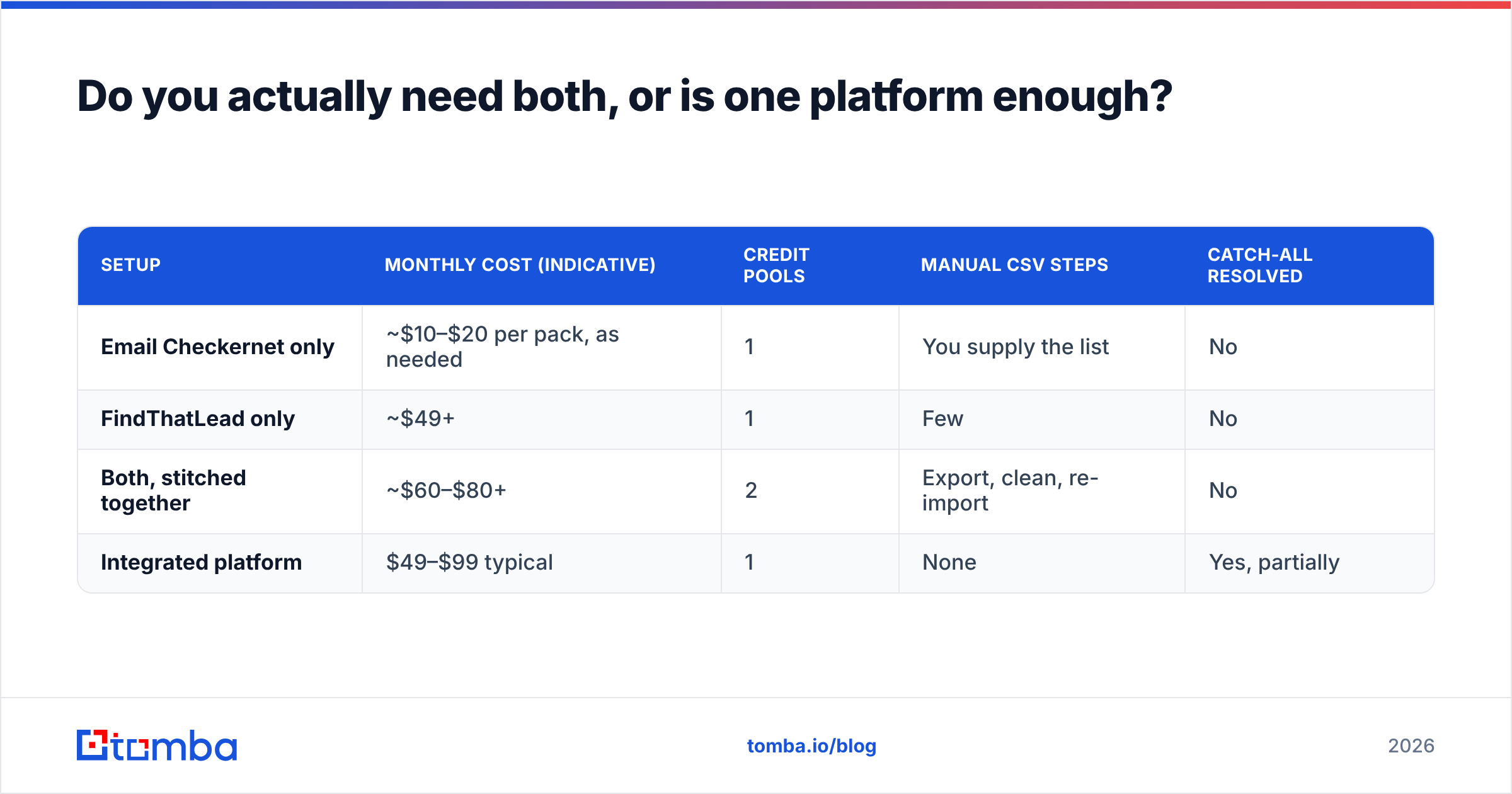
Here is how the setups compare:
| Setup | Monthly cost | Credit pools | Manual CSV steps | Catch-all solved |
|---|---|---|---|---|
| Email Checkernet only | ~$10–$20 per pack | 1 | You supply the list | No |
| FindThatLead only | ~$49+ | 1 | Few | No |
| Both, stitched together | ~$60–$80+ | 2 | Export, clean, re-import | No |
| One platform | $49–$99 typical | 1 | None | Yes, in part |
If you truly want the sequencer, FindThatLead plus a strong data source makes sense.
But most teams stall on data quality, not on sending. For them, one platform that covers find emails and verify emails removes the seam.
Tomba is one example. The free tier gives 25 searches a month. Starter is $49, Growth is $99, and Pro is $249. Full Tomba pricing covers domain search, catch-all checks, and enrichment from the same credits.
What should you pick for your case?#
Drop the Email Checkernet vs FindThatLead framing and match the tool to your job.
- You inherited a list and need it clean by Friday. Email Checkernet. Pay as you go. One job, done right.
- You are a solo founder who wants leads and sequences in one login. FindThatLead. Accept a fair find rate as the price of one bill. Re-check the list before a big send.
- You run outbound for several clients. Neither one alone. You need a real data layer, an API, and bulk email finder throughput. Two small tools will not scale.
- Your list is enterprise-heavy and full of catch-alls. Put catch-all handling above every other feature. It moves your reply count more than anything else.
- You want this inside your own code. Neither API is the star of its product. Pick a vendor whose API is the product.
- You already like your sender (Instantly, Smartlead, Lemlist). Then FindThatLead's sending layer is dead weight. Buy data, not another sender.
What does a clean 2026 stack look like?#
Three layers, no overlap:
- Find — one provider with a high hit rate on your real market, not on Fortune 500 logos.
- Check — SMTP checks plus real catch-all answers, sharing signals with the finder.
- Send — a dedicated sender with warmup, rotation, and inbox tracking. Bundled senders rarely match a specialist.
Email Checkernet covers part of layer two. FindThatLead covers layers one and three, and waves at two.
Neither covers all three well. That is why the Email Checkernet vs FindThatLead question falls apart under pressure. The winner is the stack with no CSV handoff and no dead-end row.
Audit one more thing, whatever you buy: where the data came from. Ask if addresses are guessed, donated, scraped, or licensed. Ask how often the set is refreshed.
Contact data rots at about 2% to 3% a month as people switch jobs. A cheap list that is 18 months old is not cheap. It will burn the sending domain you spent weeks warming.
The bottom line#
Email Checkernet vs FindThatLead comes down to this. Both tools are good at their own job. Neither is a full outbound stack.
Buy Email Checkernet as a one-off cleaner. Buy FindThatLead if its sequencer really replaces two other bills. Buy neither if what you need is solid B2B data at volume.
If that last line is you, start with the Tomba Email Finder. Finding, SMTP checks, and catch-all answers run on one credit pool and one API. There is no export loop and no second invoice.
The free tier gives you 25 searches a month. That is enough to run the 100-row test above against your current tool. You will see the difference on your own data before you spend a dollar.
Related guides#
Ready to find emails that actually work?
Join 150,000+ professionals who stopped guessing and started sending. Free credits on signup — no credit card required.
Get the Tomba newsletter
Practical outbound tactics and product updates — once every two weeks.
About the author