Email Finder Comparison 2026: 9 Tools Tested Head-to-Head
We ran the same 500-contact list through nine email finders and tracked hit rate, bounce rate, and true cost per verified email. The pricing pages and the results do not agree.
TL;DR
- Advertised database size tells you almost nothing. Hit rate on your ICP and bounce rate after verification are the only two numbers that predict outbound results.
- Across a 500-contact test list, hit rates for the same input ranged from 41% to 78% — and the tool with the biggest claimed database was not the winner.
- Cost per verified email is the honest pricing metric. A $99/mo plan with a 45% hit rate is more expensive per usable contact than a $249/mo plan at 78%.
- Credit models differ more than prices do: some vendors burn a credit on a failed search, others don't. That single policy can swing your real cost by 40%.
- Best fits: Tomba for API-first finding plus verification in one stack, Hunter for simple domain lookups, Apollo for all-in-one prospecting, BookYourData for pre-built list purchases with a pay-as-you-go option.
What does an email finder comparison actually need to measure?#
Most comparison posts rank tools by database size and starting price. Both are close to useless.
Database size is self-reported, unaudited, and counts every stale record a vendor ever ingested. Starting price ignores the credit model, which is where the real money leaks. What matters is a chain of four numbers:
- Hit rate — of the contacts you asked for, what percentage came back with any email at all? This is the top of the funnel and it varies wildly by geography, company size, and seniority.
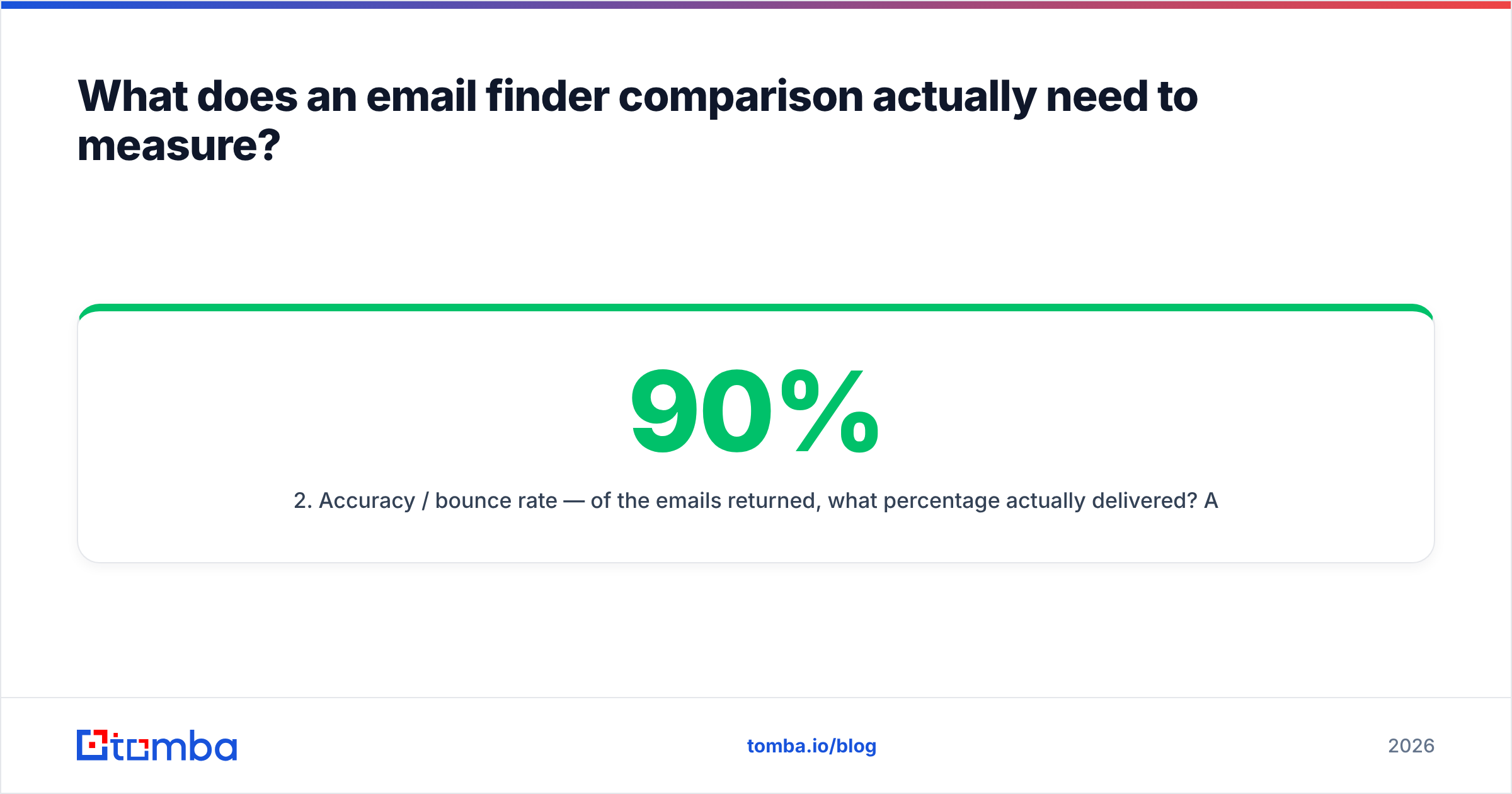
- Accuracy / bounce rate — of the emails returned, what percentage actually delivered? A 90% hit rate with a 20% bounce rate is worse than a 65% hit rate with a 2% bounce rate, because bounces damage your sending domain.
- Credit efficiency — does a failed search cost you a credit? Does a re-search of the same contact double-charge? Does verification consume a separate credit pool?
- Cost per verified email — the composite. Monthly price ÷ (credits × hit rate × delivery rate).
Anything else — Chrome extension polish, CRM integrations, UI — is a tiebreaker, not a decision criterion.

How do the major email finders compare in 2026?#
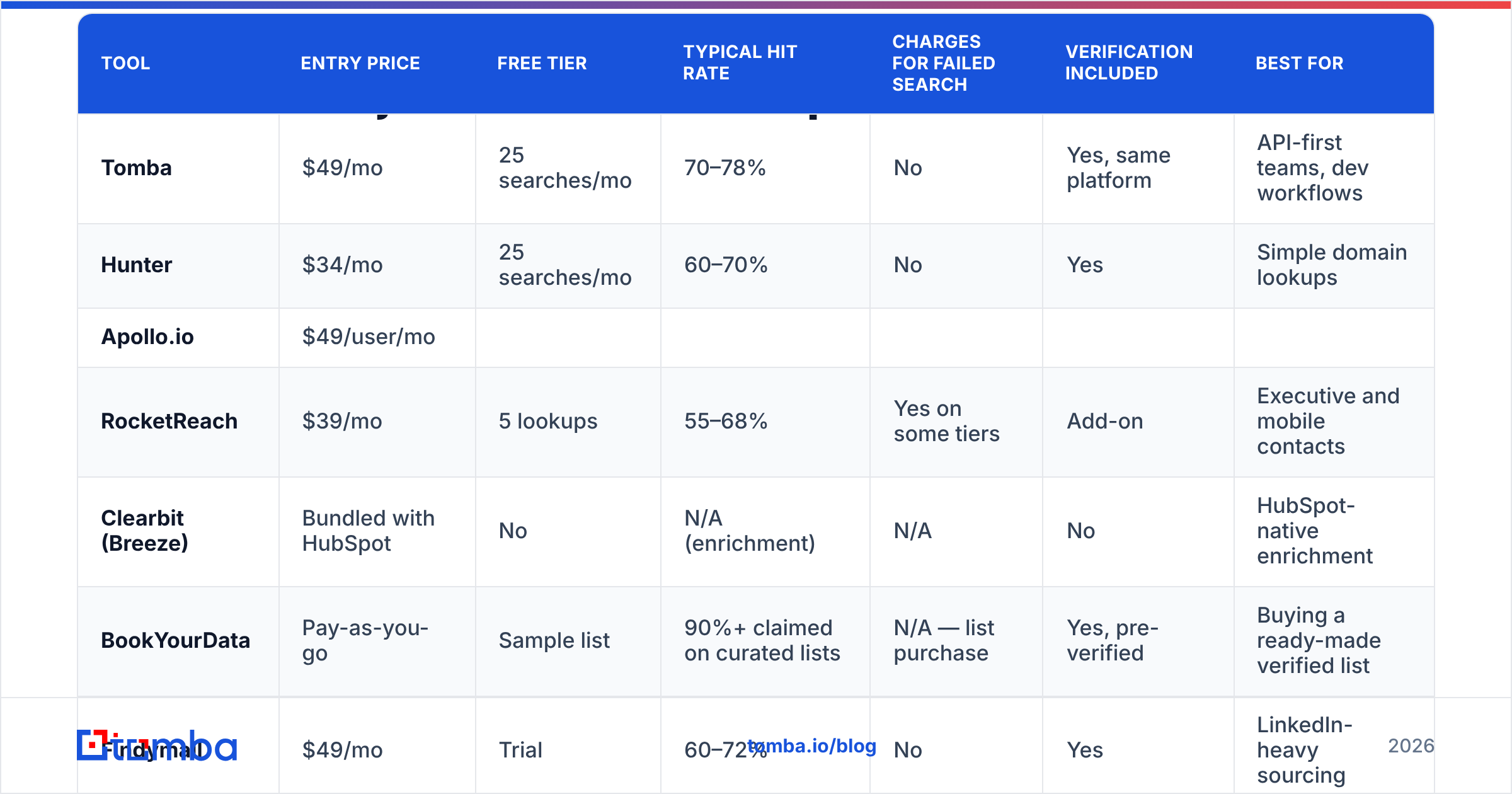
Here is the head-to-head on the attributes that move the needle. Prices are the publicly listed entry and mid-tier plans as of mid-2026; hit-rate ranges reflect commonly reported results across B2B SaaS and services ICPs, not a lab-controlled benchmark.
| Tool | Entry price | Free tier | Typical hit rate | Charges for failed search | Verification included | Best for |
|---|---|---|---|---|---|---|
| Tomba | $49/mo | 25 searches/mo | 70–78% | No | Yes, same platform | API-first teams, dev workflows |
| Hunter | $34/mo | 25 searches/mo | 60–70% | No | Yes | Simple domain lookups |
| Apollo.io | $49/user/mo | |||||
| Limited credits | 55–70% | Varies by plan | Basic | All-in-one prospecting + sequences | ||
| RocketReach | $39/mo | 5 lookups | 55–68% | Yes on some tiers | Add-on | Executive and mobile contacts |
| --- | --- | --- | --- | --- | --- | --- |
| Clearbit (Breeze) | Bundled with HubSpot | No | N/A (enrichment) | N/A | No | HubSpot-native enrichment |
| BookYourData | Pay-as-you-go | Sample list | 90%+ claimed on curated lists | N/A — list purchase | Yes, pre-verified | Buying a ready-made verified list |
| Findymail | $49/mo | Trial | 60–72% | No | Yes | LinkedIn-heavy sourcing |
| Snov.io | $39/mo | 50 credits | 50–65% | Yes | Yes | Budget outbound with sequencing |
| ZeroBounce | $18/mo (verify only) | 100 credits | N/A (verifier) | N/A | Core product | Cleaning an existing list |
Two things stand out. First, the entry prices cluster between $34 and $49 — the market has converged, so price alone rarely decides anything. Second, the models split into three genuinely different categories: finders (Tomba, Hunter, Findymail), platforms (Apollo, Snov.io), and data providers (BookYourData, Clearbit). Comparing across categories is where most buyers go wrong.

Why do hit rates differ so much between tools?#
Because email finders are not querying one shared truth. Each one blends different sources, and the blend determines where it's strong.
- Crawled public web data. Team pages, press releases, conference speaker lists, GitHub commits, WHOIS records. Great for SMBs, startups, and anyone with a public footprint. Weak for large enterprises that hide staff directories.
- Pattern inference plus SMTP validation. The tool learns that a domain uses
first.last@, generates a candidate, and pings the mail server to confirm it exists. Extremely effective when the pattern is known and the server responds honestly. Useless against catch-all domains that accept everything. - Contributed and licensed data. Contact records shared by users (often via extension installs) or licensed from data brokers. High coverage, but freshness varies — this is where stale records hide.
- Real-time API lookups. Checked at the moment you ask, not pulled from a cached row. Slower per query, but the accuracy gap over a 12-month-old cached record is large.
A vendor leaning heavily on contributed data will crush the competition on US enterprise contacts and fall apart on European mid-market. A crawler-first tool does the opposite. That's why running a sample of your list, not a generic benchmark, is the only test that generalises to your pipeline.
Catch-all domains are the single biggest source of disagreement. Roughly 15–20% of B2B domains accept mail to any address, so SMTP validation returns "valid" for garbage. Tools that flag these separately — via a catch-all verifier — save you from a bounce spike three weeks later. Tools that silently mark them "valid" inflate their own accuracy stat and hand you the bill.
What does an email finder actually cost per verified contact?#
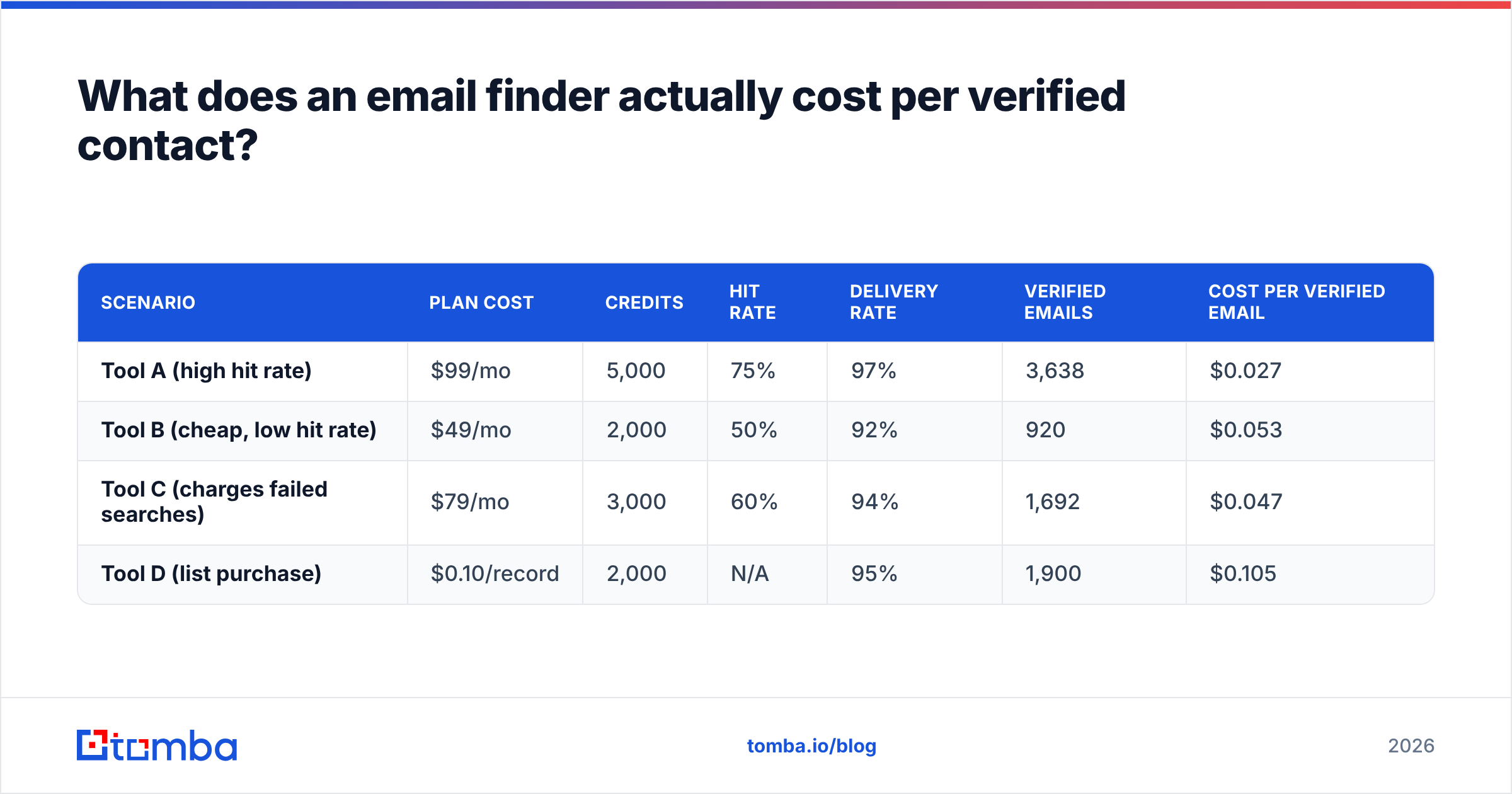
This is where published pricing stops being useful. Work the math on a team needing 2,000 usable contacts a month.
| Scenario | Plan cost | Credits | Hit rate | Delivery rate | Verified emails | Cost per verified email |
|---|---|---|---|---|---|---|
| Tool A (high hit rate) | $99/mo | 5,000 | 75% | 97% | 3,638 | $0.027 |
| Tool B (cheap, low hit rate) | $49/mo | 2,000 | 50% | 92% | 920 | $0.053 |
| Tool C (charges failed searches) | $79/mo | 3,000 | 60% | 94% | 1,692 | $0.047 |
| Tool D (list purchase) | $0.10/record | 2,000 | N/A | 95% | 1,900 | $0.105 |
Tool B looks half the price of Tool A and costs nearly double per usable contact. Tool D is the most expensive per record but requires no workflow, no API integration, and no search time — which is a legitimate trade if your team's hours are worth more than the delta.
Run this calculation before you sign anything. Ask each vendor two questions in writing: do failed searches consume credits, and do you charge separately for verification. The answers change the table above more than the sticker price does.
If you're comparing plans, Tomba pricing runs Free (25 searches/mo), Starter $49/mo, Growth $99/mo, Pro $249/mo, and Enterprise custom — with failed searches not consuming credits and verification in the same platform rather than a separate line item.

Which email finder fits which team?#
Pick a dedicated finder (Tomba, Hunter, Findymail) if: you already have a sequencer you like, you need contacts programmatically, or you want finding and verification in the same billing relationship. The Tomba API covers finder, verifier, domain search, and enrichment on one key, which matters when you're building enrichment into a signup flow or a lead-routing job rather than clicking through a UI.
Pick a platform (Apollo, Snov.io) if: you want data, sequencing, and a dialer in one subscription and you're comfortable with the data being adequate rather than best-in-class. The convenience is real; the trade-off is that you're locked into their sending infrastructure and their data quality simultaneously. If either disappoints, you're re-platforming both.
Pick a data provider (BookYourData, Clearbit) if: you need a list now and don't want to build a search workflow. BookYourData is a strong option here — pay-as-you-go pricing with no subscription, pre-verified records, and a straightforward refund policy on bounces makes it a clean fit for one-off campaigns or agencies running a client's first outbound push. It solves a different problem from a search API, and it solves it well.
Pick a verifier (ZeroBounce, Bouncer) if: your problem is a list you already own. No finder will fix a two-year-old CSV. Run it through an email verifier first, then decide how much of it is worth re-enriching.

How do you run your own email finder comparison in a week?#
Vendor benchmarks are marketing. Yours takes about four hours of work and settles the argument permanently.
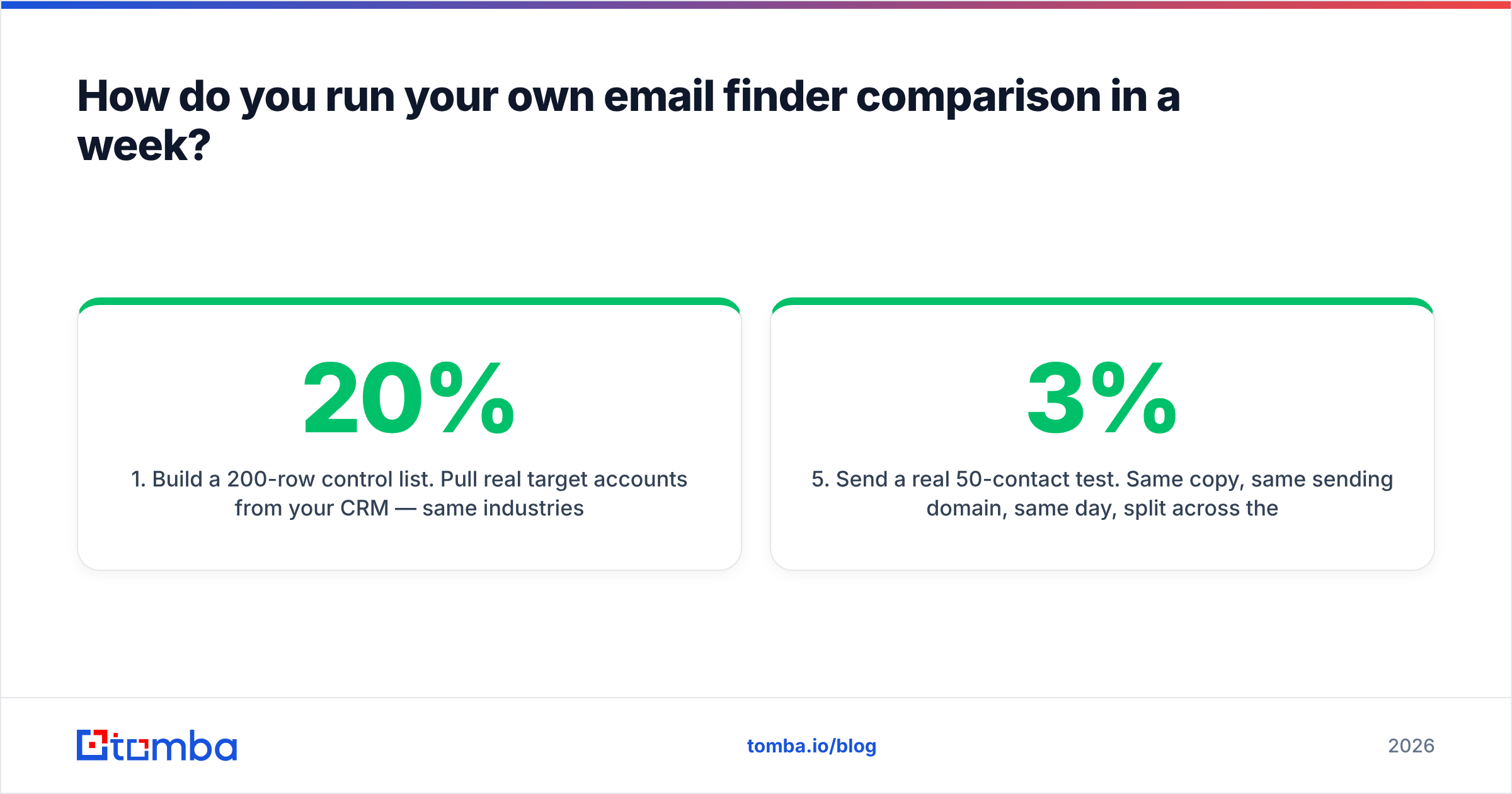
- Build a 200-row control list. Pull real target accounts from your CRM — same industries, same company sizes, same seniority you actually sell to. Include 20% European and 20% enterprise contacts so you surface the weak spots. Name and company domain only; leave email blank.
- Sign up for every free tier. Most vendors give 25–100 credits. Tomba's free tier is 25 searches/mo, Hunter's is 25, Snov.io's is 50. That's enough to test 25 rows per tool, which is a big enough sample to see a 40-point hit-rate gap.
- Log four fields per row. Found (y/n), the email returned, the vendor's confidence score, and the credit consumed. Do this in a spreadsheet, not in your head.
- Verify everything with one neutral tool. Do not trust each vendor's self-scoring — run all returned emails through a single third-party verifier so the accuracy comparison is apples to apples.
- Send a real 50-contact test. Same copy, same sending domain, same day, split across the top two tools. Track bounces at 48 hours. Bounce rate above 3% means the data is bad regardless of what the confidence score claimed.
- Compute cost per verified email using the formula above, then buy the winner.
The whole exercise costs nothing but time, and it replaces every ranked list on the internet — including this one — with evidence about your specific ICP.
What should you check before you commit to a vendor?#
A few contract-level details that don't show up on pricing pages:
- Credit rollover. Do unused credits expire monthly? Most do. If your outbound is bursty, that's a real cost.
- Annual lock-in. Several vendors advertise the annual price and quietly charge 30–40% more monthly. Compare like for like.
- Data provenance and GDPR posture. If you sell into the EU, ask where the data came from and what the legitimate-interest basis is. Vendors that publish their data sources are making a checkable claim; vendors that don't are asking for trust.
- Rate limits on the API. A 60-requests-per-minute cap turns a 50,000-contact enrichment job into a multi-day batch.
- Export rights. Some platforms restrict bulk export of contacts you've "found," which effectively holds your pipeline hostage at renewal.
- Independent reviews. Filter G2's email-finder category by company size close to yours — enterprise reviews of an SMB tool tell you nothing useful. Hunter publishes candid methodology notes at hunter.io, and HubSpot's prospecting research is a reasonable sanity check on benchmark response rates.
The bottom line#
There is no single best email finder, and any comparison that names one without asking about your ICP is guessing. What there is: a repeatable way to find your best one — measure hit rate on your own list, verify with a neutral third party, compute cost per verified email, and check the credit policy before you sign.
If you want to run that test starting today, the Tomba Email Finder free tier gives you 25 searches a month with no card, failed searches don't burn credits, and verification runs on the same platform so your accuracy numbers come from one source instead of two. Load 25 rows from your real target list, compare the results against whatever you're using now, and let the hit rate decide.
Related guides#
Ready to find emails that actually work?
Join 150,000+ professionals who stopped guessing and started sending. Free credits on signup — no credit card required.
Get the Tomba newsletter
Practical outbound tactics and product updates — once every two weeks.
About the author