Email Finder Free Trial: How to Test Tools Before You Pay
Free credits are marketing. What matters is how fast they burn, what counts as a hit, and whether the data survives a verifier. Here's how to run an email finder free trial that actually tells you something.
TL;DR
- A free trial is only useful if it lets you test your list — not a curated demo domain the vendor picked.
- Credit math matters more than credit count. A tool that charges for failed lookups can burn 50 credits and hand you 11 emails.
- Card-required trials aren't automatically worse, but they change your testing behavior. You rush. Rushed tests produce bad decisions.
- Verify every trial result with a second tool. Any vendor's own confidence score grading its own work is a conflict of interest.
- Run the same 50 contacts through every tool you're evaluating. Same list, same day, same criteria. Anything else is vibes.
What is an email finder free trial, actually?#
An email finder free trial is a limited allocation of lookup credits that lets you test a data provider before paying. That's the textbook answer. The practical answer is messier: "free trial" covers at least four different commercial structures, and vendors use the same phrase for all of them.
Think of it like test-driving a car. One dealer hands you the keys for a weekend. Another lets you sit in the driver's seat in the showroom. A third makes you sign financing paperwork first, then gives you the keys. All three call it a test drive. Only one tells you what the car does on a highway.
The four structures you'll encounter:
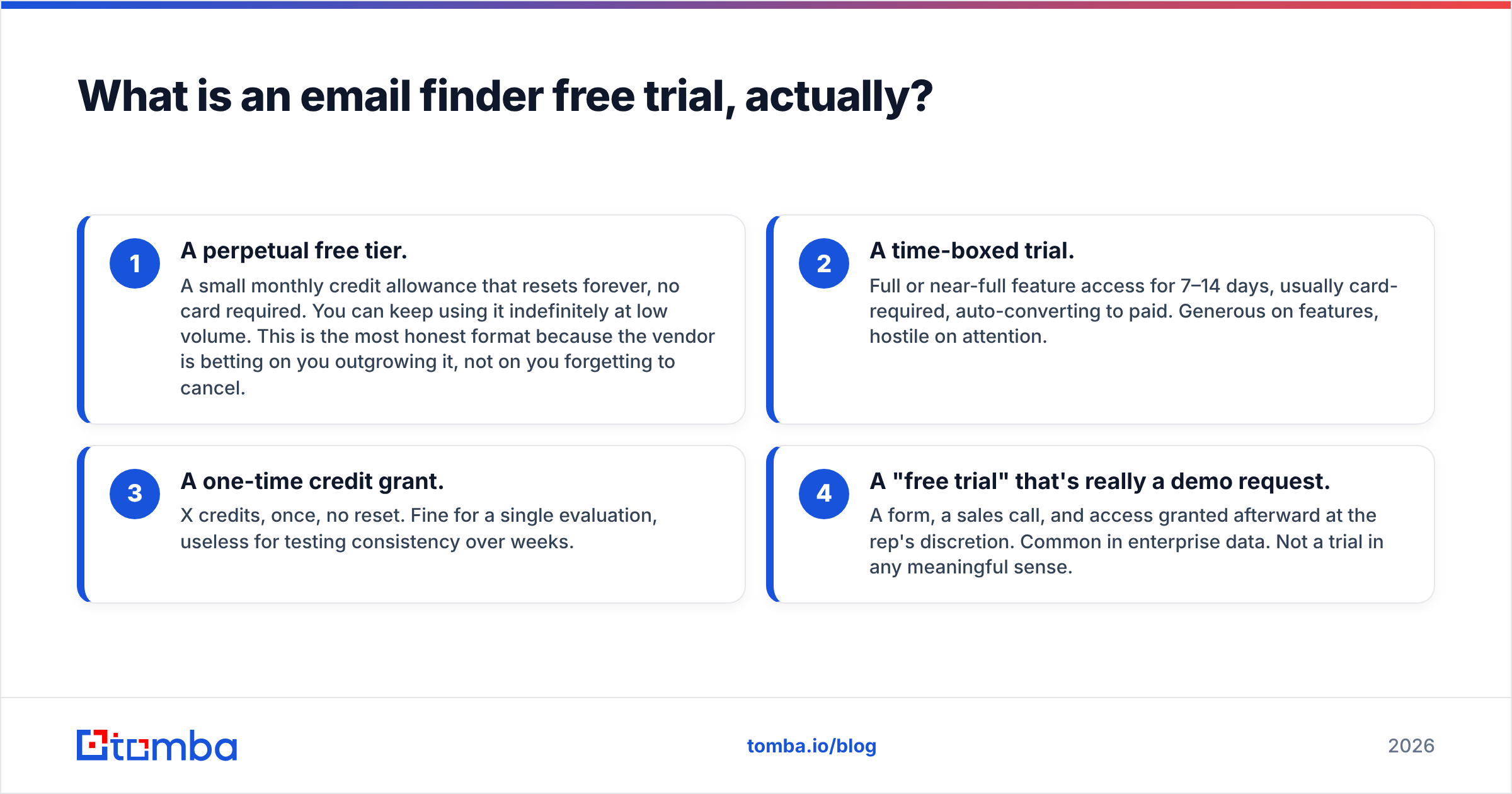
- A perpetual free tier. A small monthly credit allowance that resets forever, no card required. You can keep using it indefinitely at low volume. This is the most honest format because the vendor is betting on you outgrowing it, not on you forgetting to cancel.
- A time-boxed trial. Full or near-full feature access for 7–14 days, usually card-required, auto-converting to paid. Generous on features, hostile on attention.
- A one-time credit grant. X credits, once, no reset. Fine for a single evaluation, useless for testing consistency over weeks.
- A "free trial" that's really a demo request. A form, a sales call, and access granted afterward at the rep's discretion. Common in enterprise data. Not a trial in any meaningful sense.
Before you evaluate a single tool, decide which structure you need. If you're a solo founder doing 40 lookups a month, a perpetual free tier may be your permanent answer. If you're evaluating for a 12-seat SDR team, a 14-day full-access trial matters far more than credit count.

Which email finder free trials give you the most in 2026?#
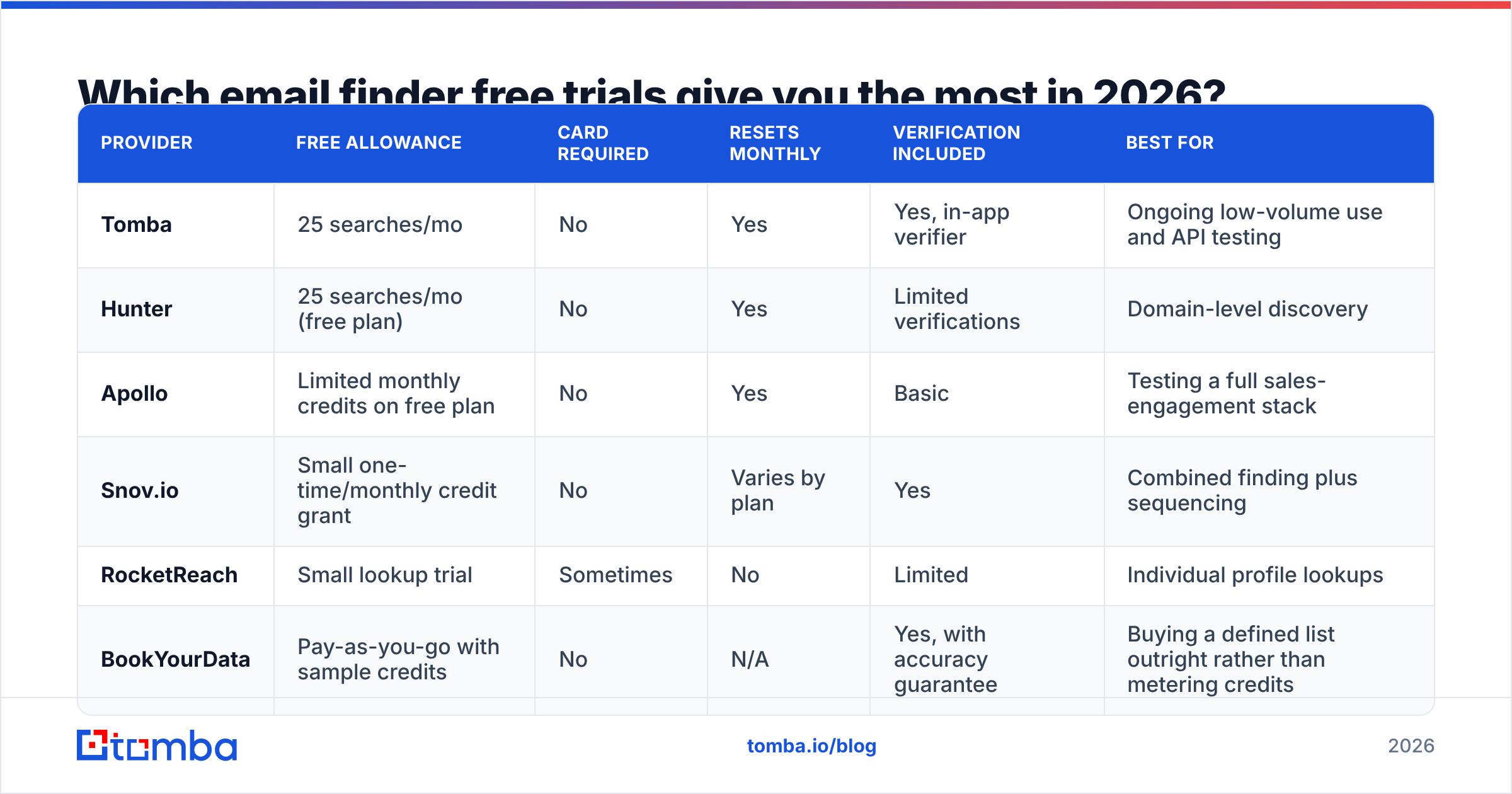
Here's how the common options compare. Figures reflect publicly listed plans at the time of writing — pricing pages change constantly, so confirm on the vendor site before committing budget.
| Provider | Free allowance | Card required | Resets monthly | Verification included | Best for |
|---|---|---|---|---|---|
| Tomba | 25 searches/mo | No | Yes | Yes, in-app verifier | Ongoing low-volume use and API testing |
| Hunter | 25 searches/mo (free plan) | No | Yes | Limited verifications | Domain-level discovery |
| Apollo | Limited monthly credits on free plan | No | Yes | Basic | Testing a full sales-engagement stack |
| Snov.io | Small one-time/monthly credit grant | No | Varies by plan | Yes | Combined finding plus sequencing |
| RocketReach | Small lookup trial | Sometimes | No | Limited | Individual profile lookups |
| BookYourData | Pay-as-you-go with sample credits | No | N/A | Yes, with accuracy guarantee | Buying a defined list outright rather than metering credits |
Two things stand out. First, "25 free searches" is roughly the industry floor for a no-card monthly tier — anyone offering meaningfully less is signalling that the free tier is a lead magnet, not a product. Second, providers with a fundamentally different commercial model (BookYourData's pay-as-you-go list purchasing, for instance) don't map cleanly onto credit-per-month comparisons at all. If your need is "one clean list of 2,000 contacts in a defined ICP," a credit subscription may be the wrong shape of product entirely, no matter how good the trial is.
For the metered tools, Tomba pricing is a useful reference point on how the ladder typically works: free at 25 searches/mo, then Starter at $49/mo, Growth at $99/mo, and Pro at $249/mo. Knowing the paid step is part of evaluating the free step — a trial that leads to a plan you can't afford is a waste of a week.
How do you tell a real trial from a lead-capture form?#
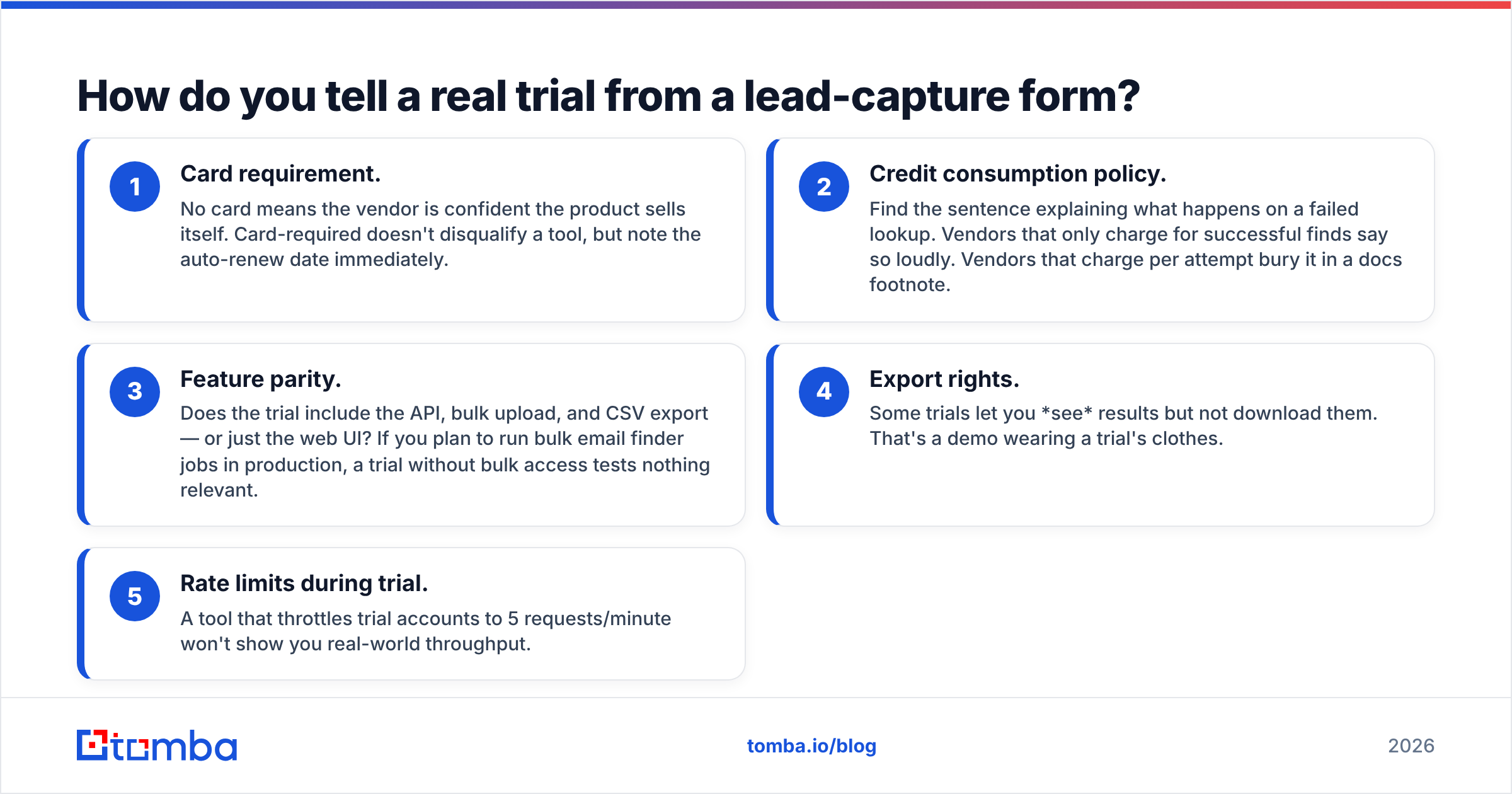
Run these five checks before you enter an email address:
- Card requirement. No card means the vendor is confident the product sells itself. Card-required doesn't disqualify a tool, but note the auto-renew date immediately.
- Credit consumption policy. Find the sentence explaining what happens on a failed lookup. Vendors that only charge for successful finds say so loudly. Vendors that charge per attempt bury it in a docs footnote.
- Feature parity. Does the trial include the API, bulk upload, and CSV export — or just the web UI? If you plan to run bulk email finder jobs in production, a trial without bulk access tests nothing relevant.
- Export rights. Some trials let you see results but not download them. That's a demo wearing a trial's clothes.
- Rate limits during trial. A tool that throttles trial accounts to 5 requests/minute won't show you real-world throughput.
If a provider fails checks 2, 3, or 5, you can still trial it — just know you're testing the marketing surface, not the product.
How accurate are results during a free trial?#
Accuracy is where free trials get genuinely tricky, because the sample sizes involved are statistically meaningless. Twenty-five lookups cannot tell you a provider's true hit rate. What they can tell you is whether the provider is honest about uncertainty.

Here's the distinction that matters. A tool that returns 22 of 25 addresses with no confidence signal is worse than a tool that returns 16 with clear scoring and flags 4 as catch-all-unverifiable. The first tool is guessing and hiding it. The second is telling you where its knowledge ends — and that honesty is what you'll depend on at 10,000 contacts.
During the trial, grade on these dimensions rather than raw hit count:
- Confidence score calibration. Take the results scored 90%+ and run them through an independent email verifier. If a meaningful share of "high confidence" results come back invalid, the score is decorative.
- Catch-all handling. Domains with catch-all MX configurations accept everything at SMTP, so naive verification returns false positives. Does the tool flag them separately, or quietly count them as valid? A dedicated catch-all verifier is the difference between an honest "unknown" and a fake "valid."
- Pattern vs. sourced data. Some results are real, observed addresses. Others are pattern guesses (
first.last@domain.com) with a plausibility score bolted on. Both are legitimate; conflating them isn't. Check the provider's data sources documentation to understand which you're getting. - Recency. Ask when the record was last confirmed. A 2021 address for someone who changed jobs in 2024 will bounce, and the provider knew.
Independent user reviews on G2's lead intelligence category are worth ten minutes of skimming before you trial anything — patterns in complaints (billing surprises, data staleness, support latency) surface there long before they surface in your own 25-credit sample.
What should your trial test protocol look like?#
Don't improvise this. Build one control list and reuse it across every vendor.
Step 1 — Build a 50-contact control set. Pull real names and companies from your actual ICP. Include deliberate difficulty: 10 contacts at companies under 20 employees, 10 at enterprises with 5,000+ headcount, 10 non-US (Germany, Japan, Brazil — different name conventions break naive pattern engines), 10 at companies you know use catch-all domains, and 10 easy mid-market SaaS contacts as a baseline.
Step 2 — Run all vendors the same day. Data changes. A test run two weeks apart isn't a comparison.
Step 3 — Record four numbers per vendor. Credits consumed, addresses returned, addresses that survive independent verification, and addresses you can independently confirm (LinkedIn signature, published author byline, company contact page).
Step 4 — Calculate cost per verified email, not per credit. This is the only number that matters. A tool at $0.02/credit with a 40% verified hit rate costs $0.05 per usable address. A tool at $0.04/credit with an 85% verified rate costs $0.047. The "expensive" tool is cheaper.
Step 5 — Test one integration path. Push results to your CRM, or hit the Tomba API equivalent for whichever tools you're testing. Data that can't reach your workflow without manual CSV surgery has a hidden labor cost that no pricing page shows.
Step 6 — Email support with a real question. Response time and answer quality during a free trial is the best you will ever experience. Calibrate accordingly.

Why do free trial credits disappear so fast?#
Because "credit" is a vendor-defined unit, and the definitions diverge wildly.

Common consumption patterns you should look for explicitly:
- Charge on attempt. Every lookup costs a credit whether or not an address comes back. Brutal on hard ICPs.
- Charge on success only. You pay for hits. Standard among providers confident in their coverage.
- Multi-credit enrichment. One "contact" may cost 1 credit for the email, 1 for the phone number, and 1 for firmographic enrichment. Your 25 credits become 8 contacts.
- Verification billed separately. Finding is one meter, verifying is another. Ask whether your trial covers both.
- Bulk multipliers. Some providers charge a premium for bulk-processed rows versus single lookups.
A quick sanity check: divide your free credits by three. If the tool would still be worth testing at that number, the credit policy probably won't ambush you. If it wouldn't, read the billing docs line by line before you start.
What are the red flags in an email finder free trial?#
- Auto-upgrade with no reminder email. Legal, common, and a reliable indicator of how the company treats customers generally.
- Results you cannot export. You're being shown a slideshow.
- No documented bounce or refund policy. Serious providers will credit back invalid addresses. Ask before trialing; the answer tells you how confident they are.
- Compliance vagueness. If the vendor can't tell you clearly how it handles GDPR data subject requests and where its data originates, that's your legal exposure, not theirs. HubSpot's GDPR resource hub is a decent primer on what you should be asking.
- Support that only responds through a sales rep. Trial-stage friction becomes production-stage friction.
- A trial that requires a 30-minute onboarding call. For an email finder. It's a lookup tool, not an ERP migration.
So how should you pick?#
Shortlist two tools, not six. Six trials means six shallow tests and no signal. Pick the two whose commercial model matches your actual usage — perpetual free tier if your volume is genuinely small, full-featured time-boxed trial if you're evaluating for a team — and run the 50-contact protocol on both.
Then judge on cost per verified email, honesty about uncertainty, and whether the data reached your CRM without manual work. Raw hit rate is the number vendors advertise. It's the least useful of the three.
One last thing: whatever you decide, keep a verification step permanently in your pipeline. No provider is right 100% of the time, and the cheapest insurance against a damaged sending domain is checking addresses before you mail them. That habit outlasts any single tool choice.
Ready to run your own test? Start with the Tomba Email Finder free tier — 25 searches per month, no credit card, no auto-upgrade, and results you can export and verify immediately. Run your 50-contact control list through it, check the confidence scores against an independent verifier, and see what your real cost per verified email looks like before you spend anything. If it holds up, Tomba plans start at $49/mo. If it doesn't, you've lost nothing but an afternoon — which is exactly what a free trial should cost.
Related guides#
Ready to find emails that actually work?
Join 150,000+ professionals who stopped guessing and started sending. Free credits on signup — no credit card required.
Get the Tomba newsletter
Practical outbound tactics and product updates — once every two weeks.
About the author