Email Hippo vs SalesQL: Which Email Tool Wins in 2026?
Email Hippo verifies. SalesQL finds. They solve different halves of the same problem — here's how they compare on accuracy, pricing, and workflow fit, and which one actually belongs in your stack.
Email Hippo vs SalesQL is not a fair fight, and that is the point. Email Hippo checks addresses you already have. SalesQL finds new ones on LinkedIn. The real question is which half of the job you should buy first.
TL;DR
- Email Hippo vs SalesQL pits two different jobs against each other. Email Hippo is a verification engine: will this address deliver? SalesQL is a LinkedIn-first finder: what is this person's address?
- Pick Email Hippo if your list already exists and bounces are hurting your domain. It checks at scale, API first, and it is strict about risky addresses.
- Pick SalesQL if you live in LinkedIn Sales Navigator. The Chrome extension is the product, and it is good at it.
- Both leave a gap. Email Hippo finds nothing on its own. SalesQL's checks are a light pass, not a real gate. Most teams end up paying for two tools.
- A combined finder-plus-verifier stack (Tomba, Hunter, Findymail) usually costs less than both together. It also removes a CSV export from every campaign.
Email Hippo vs SalesQL: what does each tool actually do?#
Think of your outbound data as a water supply. SalesQL is the well. It pulls raw contacts out of the ground, mostly from LinkedIn profiles. Email Hippo is the filter plant. It takes the water you already have and tells you what is safe to drink. A filter with no well gives you nothing. A well with no filter gives you a bad week.
Email Hippo has been checking email since 2014. The products come in tiers. A core API handles the basics. A deeper "MORE" tier adds mailbox-level detail and risk scores. Batch processing covers large lists.
The company leans hard into compliance and clean-data work. Its buyers are banks, insurers, and marketing platforms. They need proof that an address was checked before it was mailed. The verdicts are more detailed than most. You get ok, bad, unverifiable, and spam-trap signals instead of a plain pass or fail.
SalesQL starts from the other end. It is a browser extension for LinkedIn and Sales Navigator. It pulls work emails, personal emails, and phone numbers off profiles. You can save them to lists or export a CSV.
If a human reads profiles and picks targets by hand, SalesQL fits that habit well. It runs its own check on each address too. That check is shallow next to a dedicated verifier.
So the honest framing of email hippo vs salesql is not "which tool is better." It is "which gap costs me more money right now?"

Email Hippo vs SalesQL: how do features and price compare?#
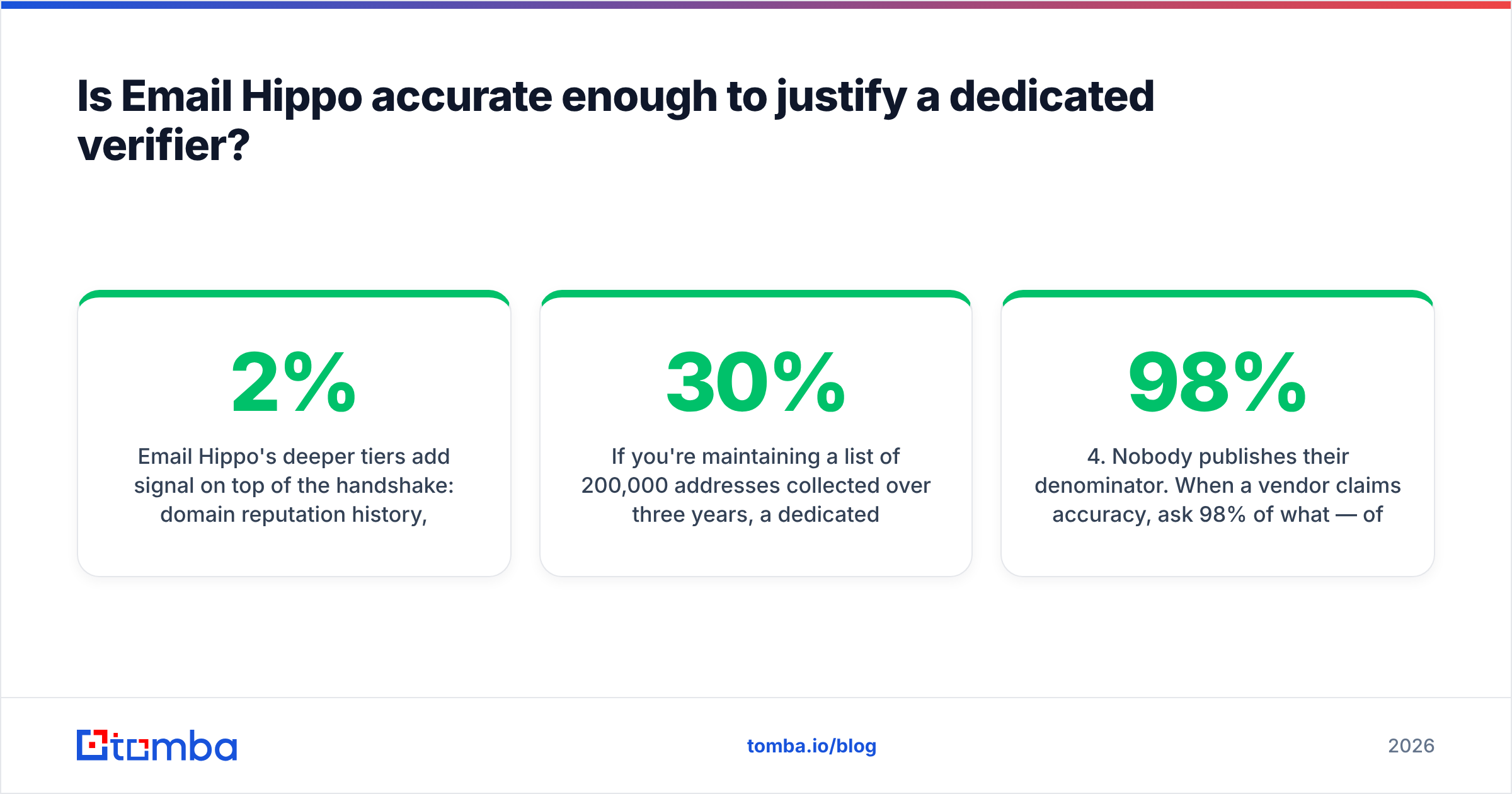
Prices move on both platforms, and both shift with volume. The table below shows published rates at the time of writing. Check the vendor pages before you sign.
| Dimension | Email Hippo | SalesQL | Tomba |
|---|---|---|---|
| Primary job | Email verification | LinkedIn email + phone extraction | Email finding + verification |
| Finds new emails | No | Yes (from LinkedIn profiles) | Yes (domain, name, LinkedIn, bulk) |
| Verifies emails | Yes — deep, multi-signal | Light pass only | Yes — dedicated verifier |
| Entry price | Pay-as-you-go credits, ~$0.01–0.04/check depending on volume | Free tier (~100 credits/mo), paid from roughly $39/mo | Free tier (25 searches/mo), Starter $49/mo |
| Mid tier | Volume packs / MORE tier subscriptions | ~$59–$89/mo per seat | Growth $99/mo |
| Pricing model | Per verification credit | Per seat, per month | Per account, shared credits |
| Chrome extension | No (API/dashboard) | Yes — the core product | Yes |
| Bulk CSV upload | Yes, strong | Yes, export-focused | Yes |
| Native API | Yes, well documented | Limited / higher tiers | Yes, full REST API |
| Catch-all handling | Flags as risky with detail | Basic flag | Dedicated catch-all verifier |
| Phone numbers | No | Yes | Yes |
| Best for | Data hygiene teams, ESPs, list owners | Solo SDRs living in Sales Navigator | Teams needing find + verify in one place |
Two things jump out of that table.
First, the pricing models do not match, so cost is hard to compare. Email Hippo charges per check. That suits spiky volume: 40,000 addresses in March, 2,000 in April. SalesQL charges per seat, per month. That suits one heavy user. It hurts six reps who each need the tool now and then. With a five-person team, seats are where the real money goes.
Second, neither tool closes the loop. Buy both and you pay roughly $60–$100 a month for SalesQL seats, plus whatever your volume costs on Email Hippo. One platform that does both is often cheaper. It also removes a manual export and import step.

Is Email Hippo accurate enough to justify a dedicated verifier?#
Yes. This is where Email Hippo earns its keep in the email hippo vs salesql matchup.
Most bundled checks, SalesQL's included, do three things. They check syntax. They look up the MX record. They run a basic SMTP handshake. That catches typos and dead domains. It misses the costly failures: spam traps, role accounts, throwaway domains that rotate weekly, and catch-all servers that accept everything and bounce later.
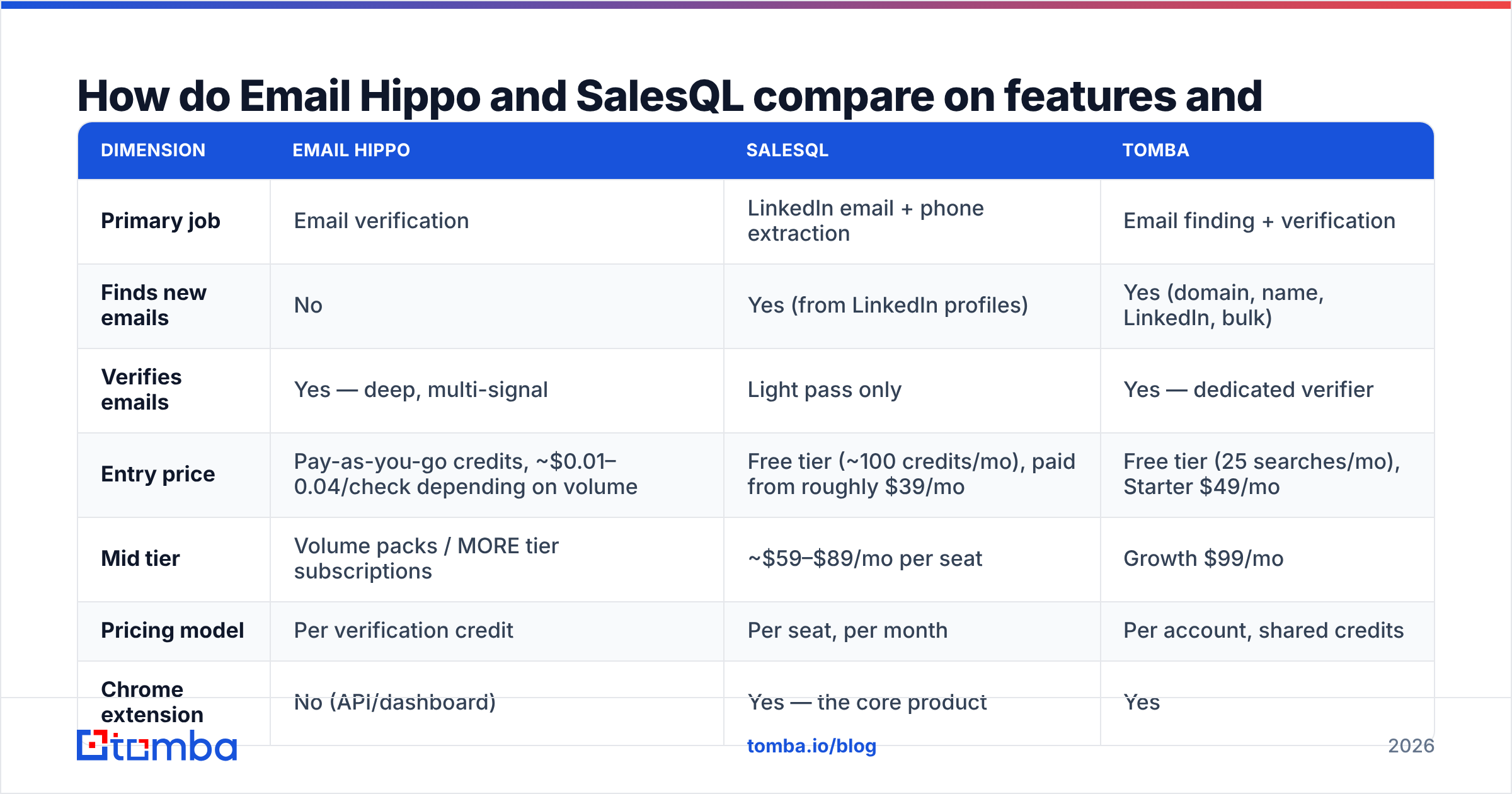
Email Hippo's deeper tiers add more signal. It tracks domain reputation history. It matches throwaway providers against a maintained list. It grades risk, so "this will bounce" stays separate from "this will land, but you should not mail it."
That second group is the one that quietly wrecks sender reputation. A 2% bounce rate gets you throttled. Three spam traps get you blocklisted, and no amount of warmup fixes that quickly.
Say you hold 200,000 addresses gathered over three years. A dedicated verifier is not optional there. Lists rot by roughly 22–30% a year as people change jobs. A two-year-old list is closer to half-dead than you would guess.
That depth is wasted on fresh data, though. If a finder pulled the address a minute ago and ran its own SMTP check, a premium tier buys the same confidence twice. Deep checks pay off based on the age and source of your data, not its size.
Where each tool's accuracy claim breaks down#
- Catch-all domains beat everyone. A catch-all server accepts mail to any address at the domain. An SMTP probe returns "valid" even for
asdfgh@company.com. Email Hippo flags these as unverifiable instead of pretending. SalesQL tends to mark them deliverable. Neither can settle it without pattern data. That is the job of a catch-all verifier. - LinkedIn-sourced personal emails skew the numbers. SalesQL often returns a Gmail or Yahoo address next to the work one. Those look clean, because consumer mailboxes almost always exist. Mailing a private Gmail for a B2B pitch is still a compliance risk in the EU and a reply-rate disaster everywhere.
- Greylisting creates false negatives. Some corporate servers defer unknown senders on first contact. A single-pass checker reads that as "unknown." Email Hippo retries. Lighter tools do not.
- Nobody publishes their denominator. When a vendor claims 98% accuracy, ask 98% of what. Of the addresses it returned, or of the addresses you asked for? A tool can skip 60% of your list and still post a pretty number. Read coverage and accuracy together.

Which one fits your workflow better?#
Workflow decides the email hippo vs salesql call more than any feature list. Here is the honest mapping.
Choose Email Hippo if: you own a large database. Or you are an agency or ESP checking client lists before import. Or you need proof that an address was checked. Or you want checks inside a signup form via API. The docs are genuinely good and the API is stable. That matters when checks sit in a live signup flow.
Choose SalesQL if: you are a solo founder or SDR. Your day is simple. You browse Sales Navigator, spot who looks interesting, and grab their contact details. The extension is fast, it stays out of the way, and the free tier is enough to judge it.
Choose neither if: you run repeatable, programmatic outbound. Here the two-tool split starts to hurt. You export from SalesQL. You upload to Email Hippo. You wait for the batch, download it, and merge in a sheet. Then you import to your sequencer. That is four manual steps per campaign, and each one can break.
That last case is where one platform pays for itself. A domain search returns every findable address at a company in one call. The email verifier runs on the same records with no export. A LinkedIn finder covers the profile workflow SalesQL owns.
Credits are shared across the account rather than locked per seat, at $49/mo for Starter and $99/mo for Growth. A four-person team usually lands under the cost of the two-tool stack. The free tier gives you 25 searches to test data quality first.

What does a sane 2026 data stack look like?#
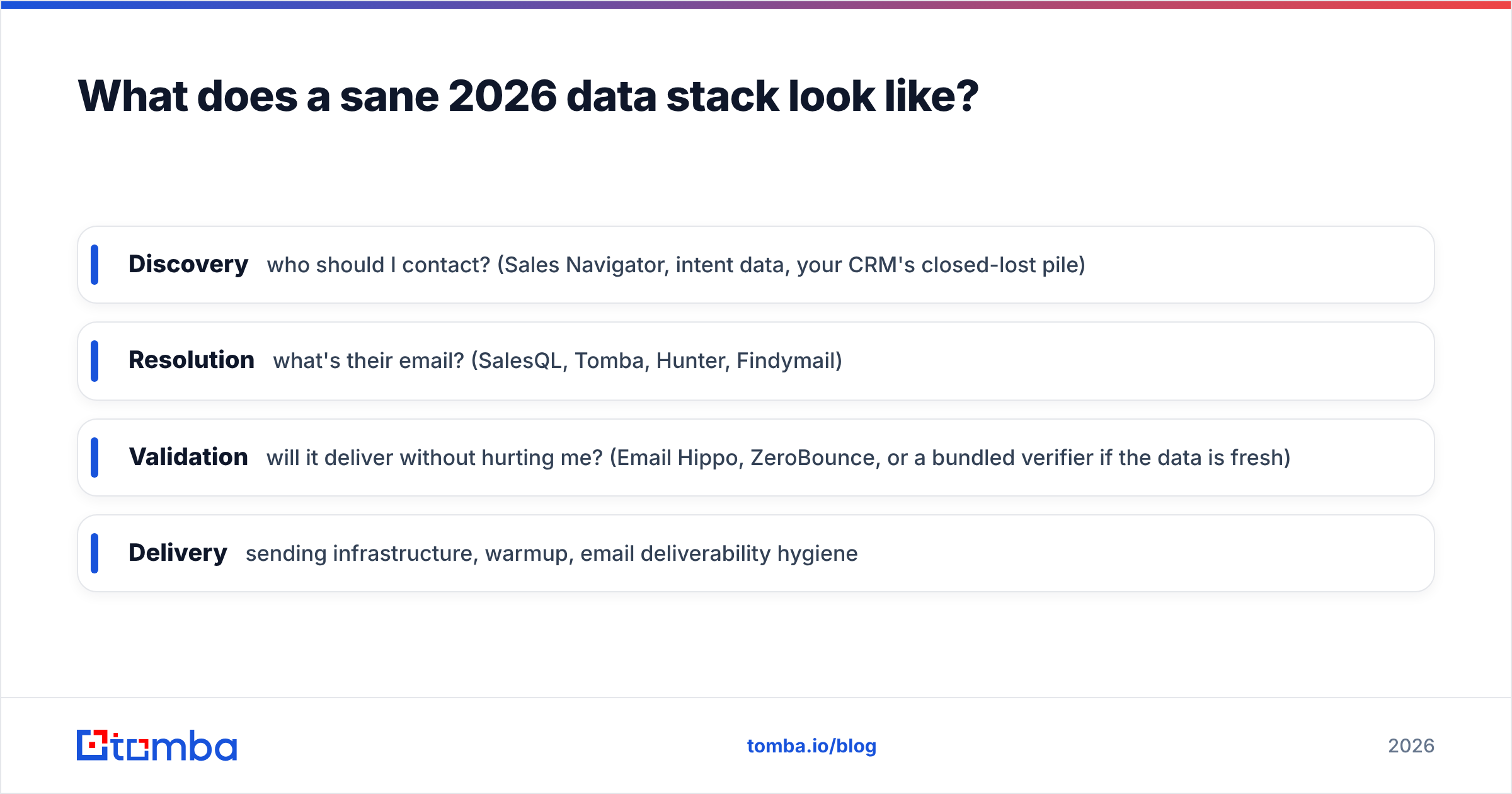
Strip it back to four jobs. Then ask which tool does each one:
- Discovery — who should I contact? (Sales Navigator, intent data, your CRM's closed-lost pile)
- Resolution — what is their email? (SalesQL, Tomba, Hunter, Findymail)
- Validation — will it deliver without hurting me? (Email Hippo, ZeroBounce, or a bundled check if the data is fresh)
- Delivery — sending setup, warmup, email deliverability hygiene
Most teams over-buy on resolution and under-buy on validation, or the other way round. The first failure looks like this. You pay for premium checks. You get a clean list. You still get 4% replies, because the addresses came from a scraper with thin coverage on your segment. Clean garbage is still garbage.
The second failure is quieter. You find 8,000 addresses fast. You skip verification because the finder "already verifies." Your sending domain burns in week three. Rebuilding sender reputation takes 6–8 weeks of slow warmup, and that downtime costs more than any verification bill.
A practical rule: verify anything older than 90 days, and anything you did not source yourself. Fresh addresses from a finder that runs its own SMTP check do not need a second paid pass. Bought lists, conference scrapes, and old CRM rows do.
One last note on the email hippo vs salesql debate. "Which verifier is most accurate" gets less interesting every year. Read the independent test threads on G2. The credible tools cluster within a few points of each other on the same lists. The gap between a fresh list and a neglected one is far bigger than the gap between vendors. Tools now differ on coverage, pricing model, and how many manual steps they remove.
Frequently asked questions#
Is Email Hippo vs SalesQL really an either/or choice? Only if your budget forces it. They cover different steps. Many teams run both, or replace the pair with one find-and-verify platform.
Can SalesQL replace Email Hippo entirely? For fresh LinkedIn contacts you mail within days, probably yes. The built-in check catches the obvious failures. For imported, bought, or older data, no. The depth is not there.
Can Email Hippo replace SalesQL? No. Email Hippo does not find addresses. It only judges the ones you already have.
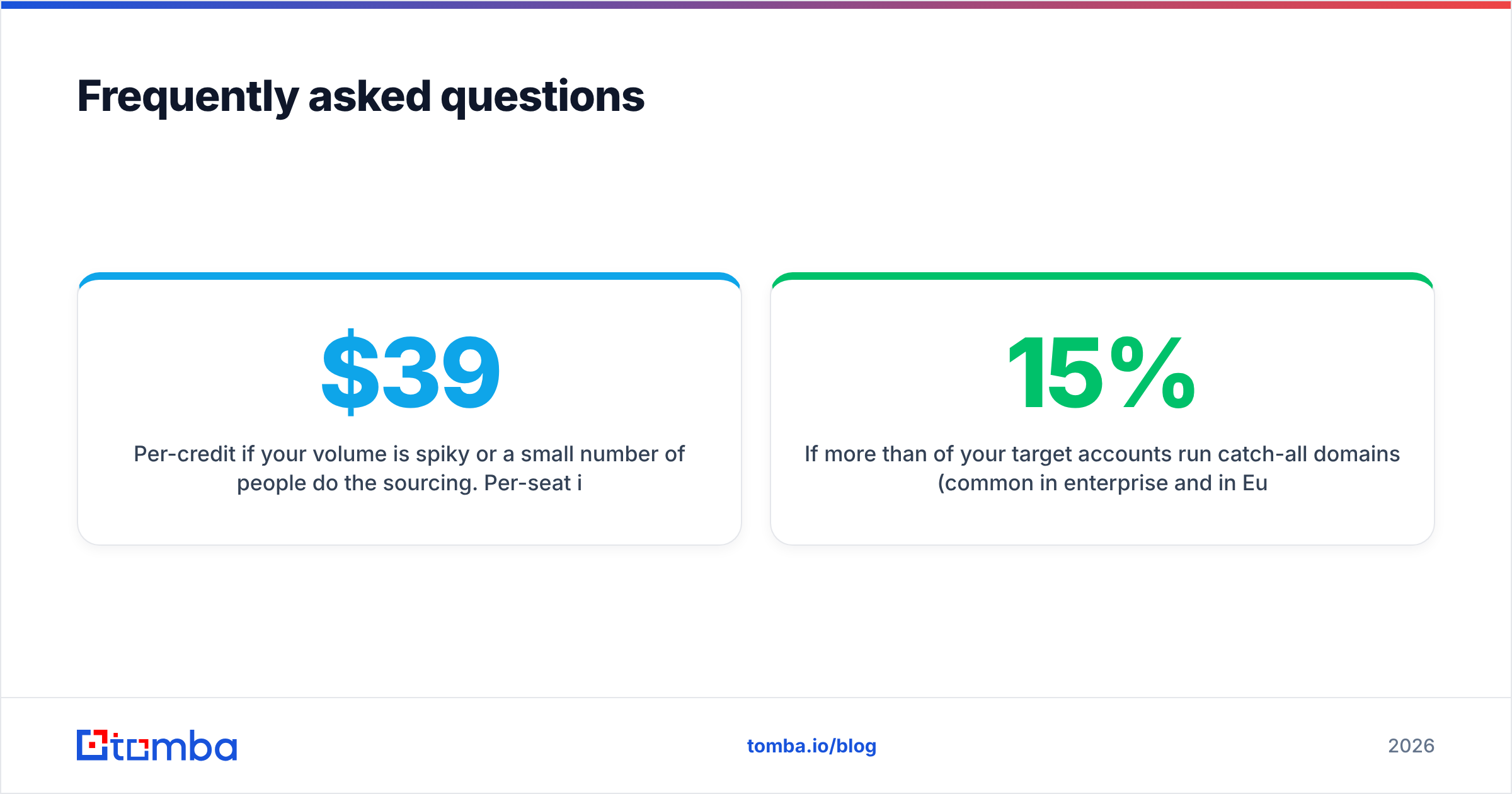
Is per-seat or per-credit pricing better? Per-credit if your volume is spiky, or if few people do the sourcing. Per-seat if every rep prospects daily at steady volume. Do the math with your real headcount first. A $39/mo tool across six reps is $234/mo.
Do I need a separate catch-all tool? If more than 15% of your target accounts run catch-all domains, yes. That is common in enterprise and in European mid-market. Otherwise you either bin good contacts or mail addresses that bounce silently.
What about GDPR on LinkedIn-scraped personal emails? Treat personal addresses as higher risk. B2B outreach to a work address is defensible in most EU countries. Cold-mailing a private Gmail is much harder to justify. Prefer the work address every time.
The verdict on Email Hippo vs SalesQL#
Both tools do their one job well. Neither does the other's job at all. If you must pick one, pick by which failure costs you more today: bad addresses in an existing list (Email Hippo) or no addresses at all (SalesQL).
If your outbound has to run every week without someone babysitting CSV exports, the email hippo vs salesql split is the wrong shape. Try Tomba Email Finder. You find, verify, and enrich in one place, with 25 free searches a month.
Run your hardest 25 prospects through it. Check the results against LinkedIn by hand. Let the hit rate decide.
Related guides#
Ready to find emails that actually work?
Join 150,000+ professionals who stopped guessing and started sending. Free credits on signup — no credit card required.
Get the Tomba newsletter
Practical outbound tactics and product updates — once every two weeks.
About the author