Email Nurture Campaign: How to Build One That Converts
Most nurture sequences leak leads by email three. Here's the timing, segmentation, and data hygiene that separate campaigns that book meetings from campaigns that get muted.
TL;DR
- An email nurture campaign is a timed, triggered sequence that moves a known contact from "interested" to "sales-ready" — it is not a newsletter and it is not cold outreach.
- The three failure points are almost always the same: dirty contact data, calendar-based timing instead of behavior-based timing, and content that sells before it teaches.
- Segment by problem and stage, not by job title. A VP of Ops who downloaded a pricing sheet needs a different email three than one who read a blog post.
- Five to seven emails over 21–30 days beats a 14-email epic in nearly every B2B test we've seen reported.
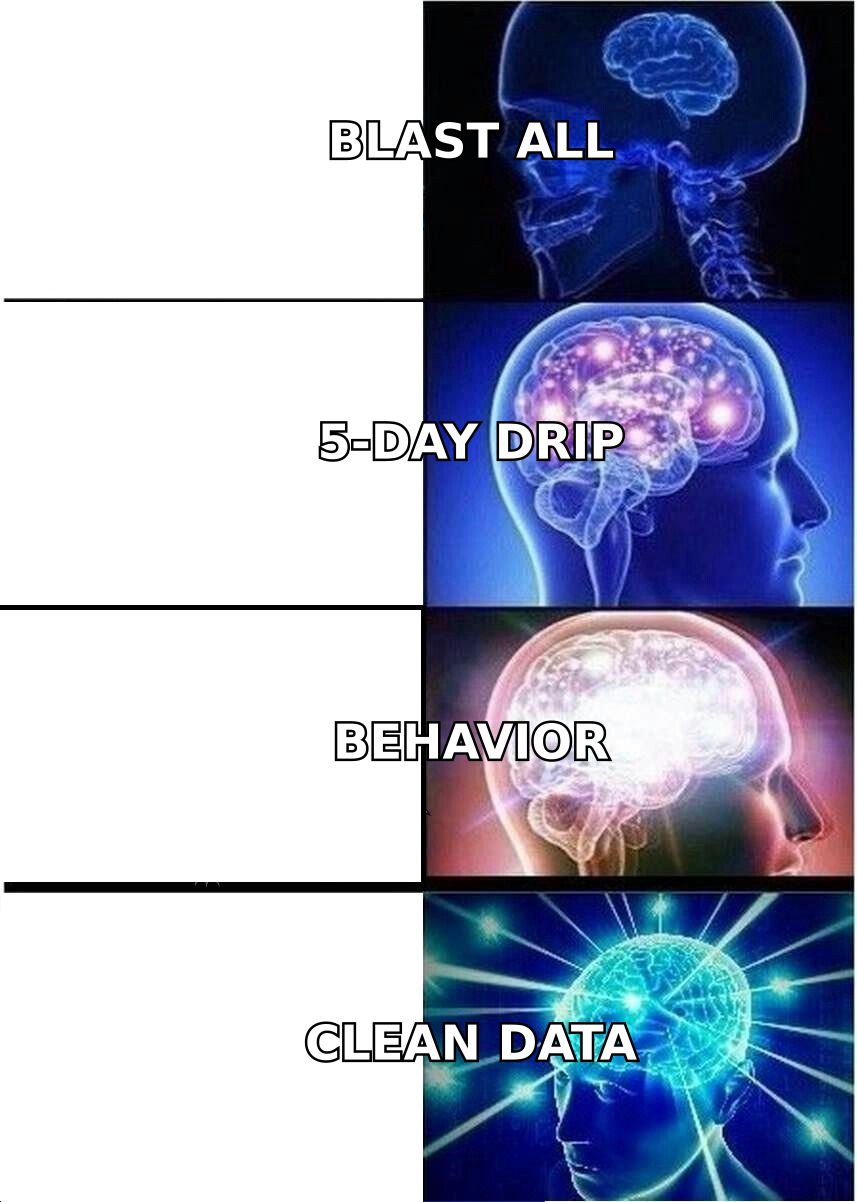
- Verify and enrich the list before the first send. A 12% bounce rate on a nurture list will cook your sending domain faster than bad copy ever will.
What is an email nurture campaign?#
An email nurture campaign is an automated sequence of emails sent to a contact who has already raised a hand — downloaded something, attended a webinar, started a trial, or replied once and gone quiet. The goal is not to close. The goal is to keep the account educated and warm until a buying trigger appears, then hand a sales-ready contact to a rep.
The everyday analogy: cold email is knocking on a stranger's door. A nurture campaign is what a good shopkeeper does with someone who walked in, browsed, and left without buying. You don't chase them down the street. You remember what they looked at, and you have something useful to say the next time they come back.
Technically, a nurture campaign differs from other email programs on three axes: audience (known contacts only), trigger (an action or a stage change, not a publish date), and exit condition (booked meeting, demo request, or disqualification — not "sequence complete").
| Program type | Audience | Trigger | Success metric |
|---|---|---|---|
| Cold outbound | Unknown prospects | Rep or list upload | Reply rate |
| Newsletter | Opted-in subscribers | Editorial calendar | Open + click rate |
| Email nurture campaign | Known, engaged contacts | Behavior or lifecycle stage | Sales-accepted leads |
| Onboarding drip | New customers | Account creation | Activation / time-to-value |
| Re-engagement | Dormant contacts | Inactivity window | Reactivation rate |
The distinction matters operationally. If your nurture emails read like your newsletter, contacts will treat them like a newsletter — skim, archive, never reply. If they read like cold outreach, contacts will wonder why a company they already talked to is pitching them like a stranger. Lead nurturing sits in the middle: personal enough to answer, generous enough to keep.
Why do most nurture sequences fail?#
Four reasons, in order of how much damage they cause.
- Bad data at the top of the funnel. Form fills produce typos, role accounts, and abandoned addresses. Send to that list untouched and you get hard bounces, spam-trap hits, and a sender reputation that drags down every future send — including the sales team's one-to-one emails from the same domain. Run the list through an email verifier before the first send, then re-verify anything older than 90 days.
- Calendar timing instead of behavior timing. "Day 1, Day 3, Day 7" is a scheduling convenience, not a buyer preference. A contact who opened email two three times and visited your pricing page yesterday should get a different email three than one who has opened nothing. Most marketing platforms support branching; most teams never build the branch.
- Selling in the first two emails. The contact gave you an email address in exchange for a resource. If email one is a demo pitch, you've broken the trade. The pattern that works: two emails of genuine value, one email of proof (case study, benchmark, teardown), then one soft ask.
- No exit condition. A shocking number of sequences keep sending after the contact has already booked a meeting or been disqualified. Nothing torches credibility faster than a nurture email arriving 30 minutes after a sales call.
How many emails should a nurture campaign have?#
Five to seven, spread across 21 to 30 days, is the working default for mid-market B2B. Enterprise cycles justify longer — 9 to 12 emails over 60–90 days — but only if you have enough genuinely different things to say. Padding a sequence with recycled blog links is how you train a contact to ignore your sender name.
Here's a structure that holds up across categories:
- Email 1 (Day 0) — Deliver + orient. Send what they asked for, plus one sentence about what problem it solves. No CTA beyond "reply if you want the spreadsheet version."
- Email 2 (Day 3) — Teach one thing. A specific tactic, benchmark, or mistake related to the resource they downloaded. Zero product mentions.
- Email 3 (Day 7) — Proof, matched to segment. A customer story from their industry and company size. Not a logo wall — a before/after with a number in it.
- Email 4 (Day 12) — The objection email. Name the reason people like them don't buy, and answer it honestly. This is the highest-reply email in most sequences we've reviewed.
- Email 5 (Day 18) — Soft ask. Offer something small and concrete: a 15-minute audit, a teardown of their current setup, a shared benchmark. Not "hop on a call."
- Email 6 (Day 25) — Break-up or branch. If engagement is zero, send a one-line close-the-loop email. If engagement is high, branch into a sales-owned sequence instead.
Two rules govern the whole thing. First, each email must survive the "would a smart person forward this?" test. Second, the sequence must have a branch — at minimum, engaged versus unengaged — by email three.
How do you segment a nurture campaign properly?#
Segment by problem and stage, then layer firmographics on top. Job title alone is the laziest possible cut, because two people with the same title at different companies are often solving completely different problems.
The practical segmentation stack, in priority order:
- Entry action — what they did to enter the sequence. A pricing-page visitor and an ebook downloader are not the same person and should never receive the same email three.
- Company shape — headcount, industry, and tech stack. This determines which proof point lands. A 40-person agency does not care about your SOC 2 story; a 4,000-person insurer cares about nothing else.
- Engagement tier — opens, clicks, and site revisits over the last 14 days. Drives branching and rep handoff.
- Buying role — economic buyer, champion, or end user, inferred from title plus behavior. Champions want tactical content; economic buyers want risk and ROI.
- Account overlap — is anyone else at this domain already in a sequence or an open opportunity? If yes, suppress or coordinate.
That last one requires clean company-level data, which is where most teams stall. If your CRM stores sarah@ with no company domain, no headcount, and no industry, none of the segments above are computable. Fix that with contact enrichment at the point of form fill rather than in a quarterly cleanup project. Enrichment at capture also lets you shorten forms — ask for a work email and infer the rest, which reliably lifts conversion.
For teams formalizing the handoff from marketing to sales, the marketing qualified lead definition is the contract that governs sequence exit. Write it down, put a number on it, and review it monthly with sales.
Nurture campaign platforms compared#
The tool matters less than the data feeding it, but the tool does determine what kinds of branching you can build. Rough shape of the market as of 2026:
| Capability | HubSpot Marketing | Customer.io | ActiveCampaign | Salesforce Account Engagement |
|---|---|---|---|---|
| Entry price (paid tier) | ~$800/mo (Pro) | ~$100/mo | ~$49/mo | ~$1,250/mo |
| Behavior-based branching | Strong | Strongest | Good | Good |
| Native CRM | Yes | No (integrates) | Light CRM | Salesforce-native |
| Best for | Marketing-led SMB/mid-market | Product-led SaaS | Budget-conscious teams | Enterprise Salesforce shops |
| Weak spot | Cost scales sharply with contacts | Needs eng resource | Deliverability tooling | Setup complexity |
| Data hygiene built in | Partial | No | Partial | No |
Notice the bottom row. None of these platforms verify or enrich contact data for you at a meaningful standard — they assume the data arriving is correct. That assumption is why a well-built sequence in an expensive platform can still post a 9% bounce rate. Check current positioning and user reviews on G2's marketing automation category before committing, since tiering changes often.
If you want the vendor-side view of how nurture fits into a broader lifecycle model, HubSpot's marketing resources are a reasonable neutral starting point, and Salesforce's guidance covers the enterprise handoff pattern in more detail.
What data hygiene does a nurture campaign actually require?#
Three checkpoints, and none of them are optional.
At capture. Validate syntax and MX records in real time on the form. Reject obvious typos (gmial.com) with an inline suggestion rather than silently accepting them. Flag free-mail domains if your ICP is strictly B2B — not to block them, but to route them into a different, lighter sequence.
Before the first send. Batch-verify the segment. Remove hard bounces, quarantine catch-all domains into a lower-volume branch, and suppress role accounts (info@, sales@, noreply@) unless you have a specific reason to keep them. Catch-all domains deserve their own treatment: they accept everything at the SMTP layer, so a "valid" result means less than it does elsewhere. A dedicated catch-all verifier gives you a probability rather than a false green light.
Every 90 days. B2B contact data decays at roughly 2–3% per month through job changes alone. A nurture list built in January is materially wrong by May. Re-verify, and re-find the people who moved — a contact who changed companies is often your warmest possible lead at the new account, provided you can find their new address. That's a job for a bulk email finder run against your churned-contact list.
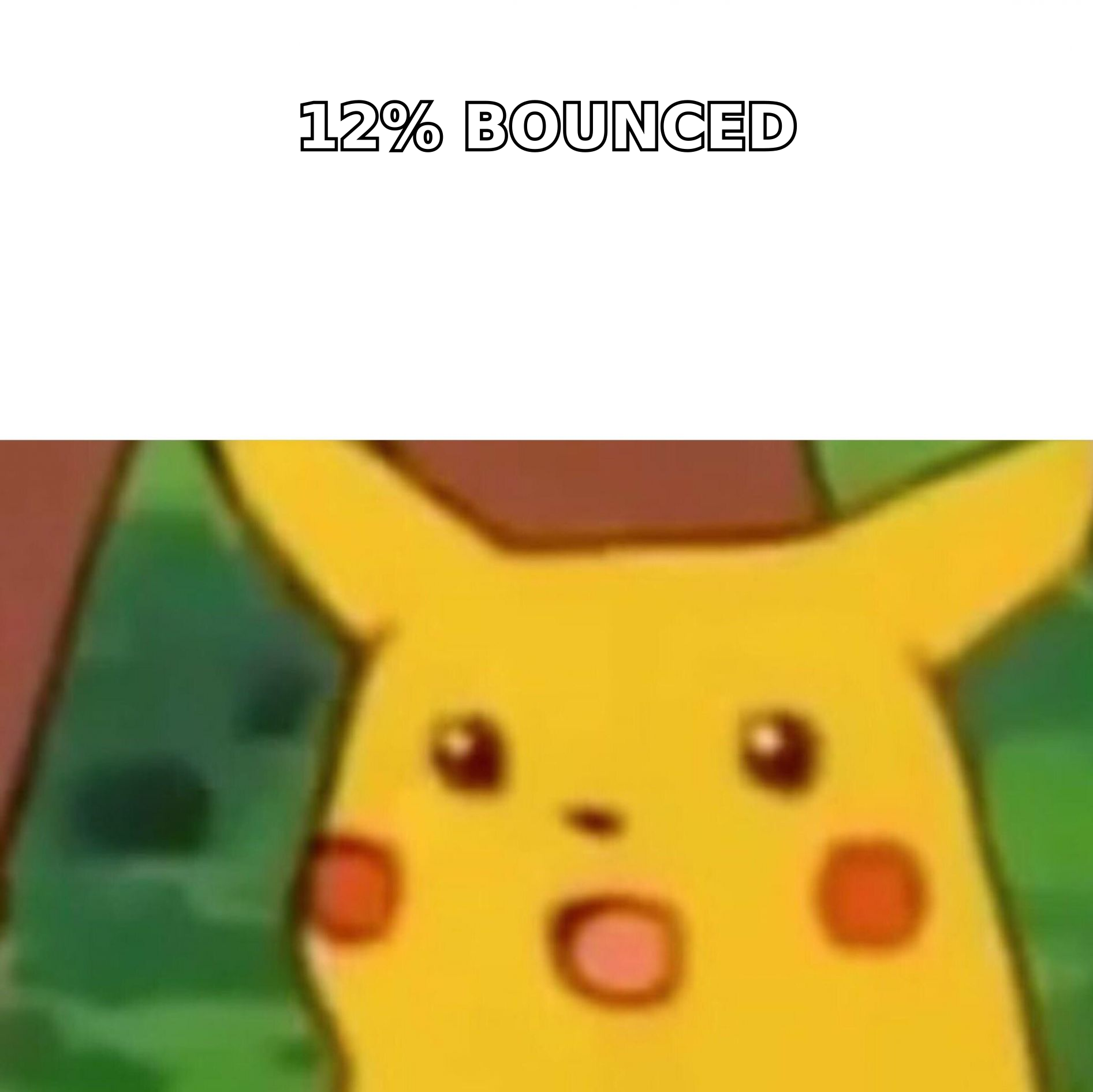
The math is unsentimental. On a 10,000-contact list, a 12% bounce rate means 1,200 hard bounces in a single send. Mailbox providers read that as a sender who doesn't know who they're mailing, and the throttling applies to your whole domain — including the one-to-one emails your AEs send from the same address space. One dirty nurture campaign can suppress pipeline generation for a quarter.
How do you measure a nurture campaign?#
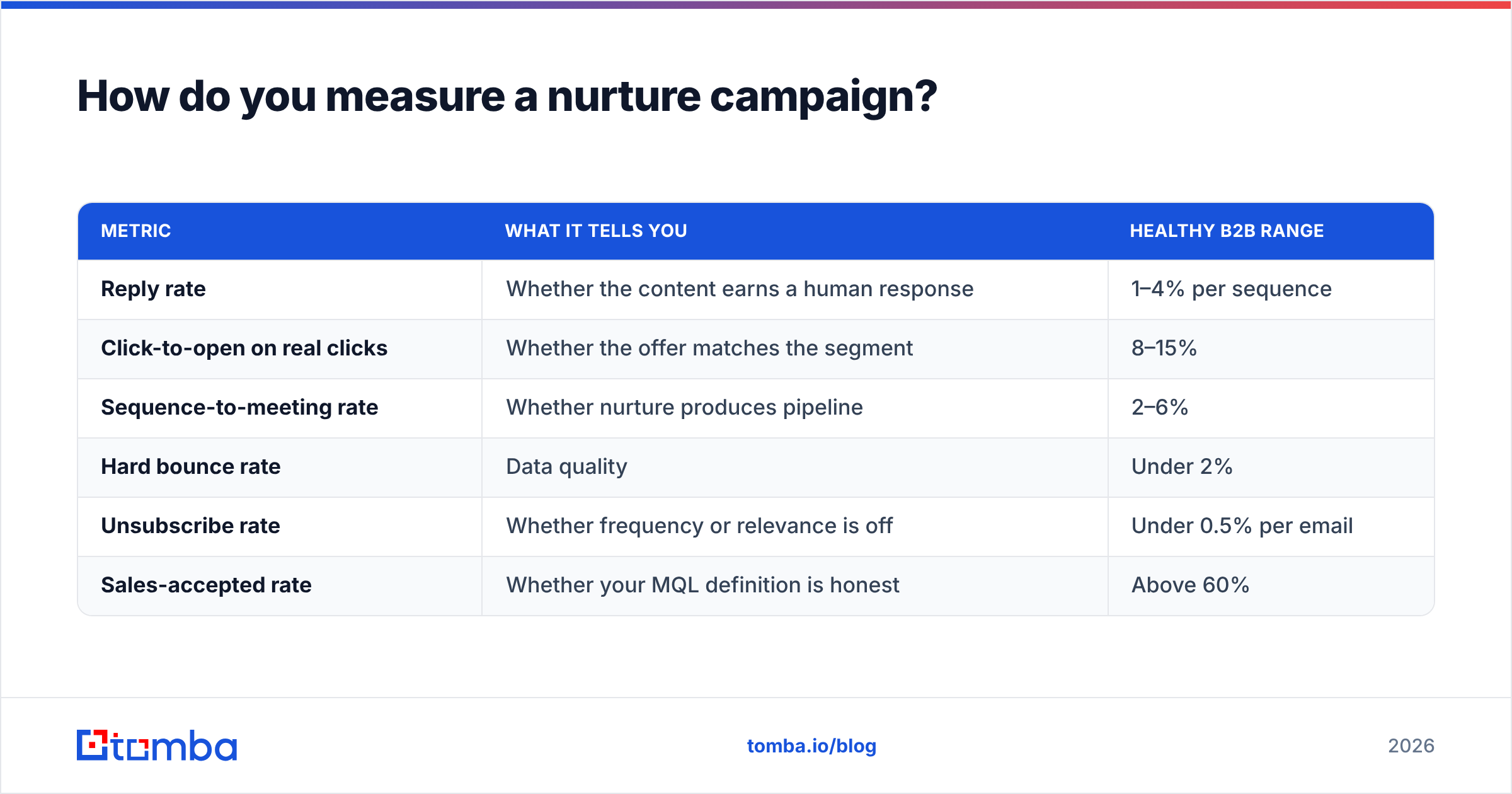
Open rate is now close to useless as a primary metric — Apple Mail Privacy Protection and similar features inflate it unpredictably. Measure these instead, in this order:
| Metric | What it tells you | Healthy B2B range |
|---|---|---|
| Reply rate | Whether the content earns a human response | 1–4% per sequence |
| Click-to-open on real clicks | Whether the offer matches the segment | 8–15% |
| Sequence-to-meeting rate | Whether nurture produces pipeline | 2–6% |
| Hard bounce rate | Data quality | Under 2% |
| Unsubscribe rate | Whether frequency or relevance is off | Under 0.5% per email |
| Sales-accepted rate | Whether your MQL definition is honest | Above 60% |
The most diagnostic pair is sequence-to-meeting rate against sales-accepted rate. High meetings plus low acceptance means you're nurturing the wrong people well. Low meetings plus high acceptance means your targeting is right and your copy is weak. Fix the one the data points at, not the one you find more interesting to work on.
Subject lines are worth systematic testing even in a post-open-rate world, because they still drive whether the email gets archived unread. A subject line tester will catch spam-trigger phrasing and length problems before you burn a send on them.
What does a good nurture email actually look like?#
Short, specific, and written by a person. Four structural habits that separate the sequences that get replies:
- Under 120 words. Nurture emails are read on phones between meetings. If it needs scrolling, it needs cutting.
- One idea, one link. Multiple CTAs split attention and dilute your click data, making the next optimization harder.
- Reference the entry action explicitly. "You grabbed the pricing benchmark last week" beats "Thought you might find this useful."
- Sign from a human with a real reply-to. No-reply addresses tell the contact you don't want a conversation, and mailbox providers weight reply signals heavily.
The objection email (number four in the structure above) deserves special attention because it consistently outperforms. Write it as: here is the reason companies like yours decide not to do this, here is where that concern is legitimate, and here is the case where it isn't. Contacts reply to that email because it's the first one that hasn't been trying to win.
Where should you start this week?#
Pick your highest-volume entry point — usually one specific content offer or trial signup — and build one six-email sequence for it properly. Verify the existing list first, segment it by entry action and company shape, write the objection email before you write the pitch email, and set a hard exit condition on meeting-booked. One well-built sequence outperforms five half-built ones, and it gives you a clean baseline to test against.
The step most teams skip is the one that determines everything downstream: knowing who is actually on the list and whether you can reach them. If your nurture list is a pile of form fills with missing domains, decayed addresses, and no company context, no amount of copywriting rescues it.
Start there. Use the Tomba Email Finder to recover and confirm the work addresses behind your existing contacts, enrich them with company data so your segments are computable, and verify the whole list before the first send. The free tier covers 25 searches a month if you want to test the accuracy on a sample, and paid plans start at $49/mo — see Tomba pricing for the full breakdown. Clean data first, then clever sequences. That order is not negotiable.
Related guides#
Ready to find emails that actually work?
Join 150,000+ professionals who stopped guessing and started sending. Free credits on signup — no credit card required.
Get the Tomba newsletter
Practical outbound tactics and product updates — once every two weeks.
About the author