Email Search by Name Free: 9 Methods That Actually Work in 2026
Free email lookup by name works — but only if you know which methods still return valid addresses in 2026. Here are 9 tested approaches, their real hit rates, and where free stops paying off.
TL;DR
- Free email search by name genuinely works, but hit rates fall off a cliff outside of well-indexed corporate domains — expect 40–60% on mid-market companies and much less on personal or catch-all domains.
- The three highest-yield free methods are pattern deduction from a known company format, targeted site search operators, and free-tier lookups from email-finder vendors (Tomba's free tier is 25 searches/month).
- Never send to an address you found for free without verifying it. An unverified guess is the single fastest way to torch your sender reputation.
- Free stops making sense at roughly 100 lookups a month or the moment you need a documented confidence score per address.
- The realistic workflow is hybrid: use free methods to build the list, use a verifier to decide what actually gets sent.
You need one person's work email. You have their name, maybe their company, and no budget. That's the whole problem, and it's more solvable in 2026 than most people assume — provided you understand which methods still return live addresses and which ones quietly hand you bounces.
This guide walks through nine free approaches, what each one actually costs you in time, and where the honest ceiling sits.
What does "email search by name free" actually mean?#
There are two very different things people mean by this phrase, and conflating them wastes hours.
Type 1 — deterministic lookup. You know the person's name and their employer's domain. You're solving for the local part (the bit before the @). This is highly tractable because companies use a small number of naming conventions, and those conventions are discoverable.
Type 2 — open-ended people search. You know a name and nothing else. "Find me the email for Sarah Chen." There are millions of Sarah Chens. No free tool solves this reliably, and paid tools barely do either. If this is your situation, your first job isn't finding an email — it's narrowing to a company.
Almost every method below assumes Type 1. If you're stuck at Type 2, spend your first ten minutes on LinkedIn, Crunchbase, or a conference speaker page to attach a company to the name. Everything gets easier after that.

How do the free methods compare?#
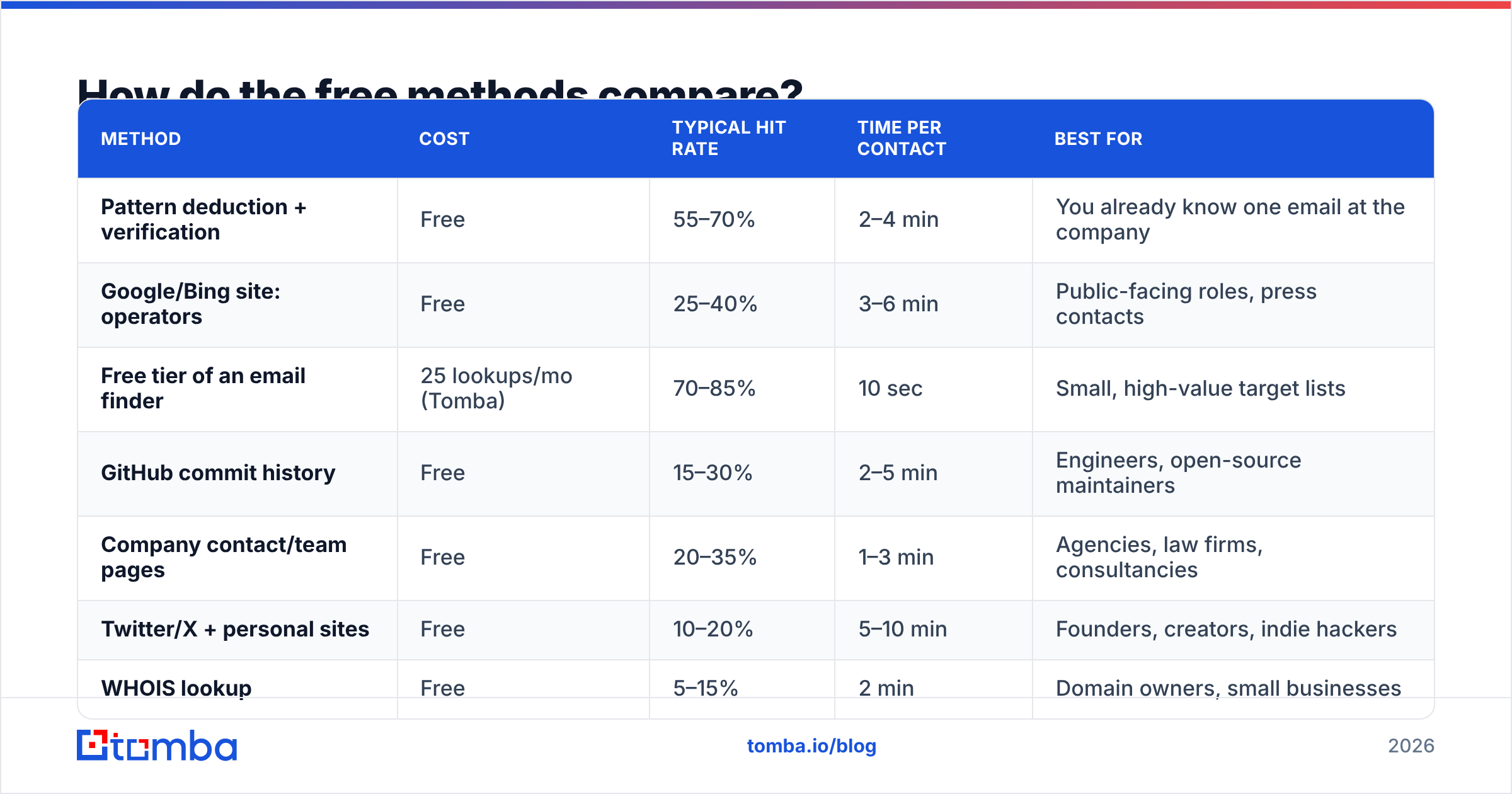
Here's the honest comparison across the methods most people actually reach for. "Hit rate" is my working estimate for a mid-market B2B target with a standard corporate domain — your mileage varies heavily by industry.
| Method | Cost | Typical hit rate | Time per contact | Best for |
|---|---|---|---|---|
| Pattern deduction + verification | Free | 55–70% | 2–4 min | You already know one email at the company |
| Google/Bing site: operators | Free | 25–40% | 3–6 min | Public-facing roles, press contacts |
| Free tier of an email finder | 25 lookups/mo (Tomba) | 70–85% | 10 sec | Small, high-value target lists |
| GitHub commit history | Free | 15–30% | 2–5 min | Engineers, open-source maintainers |
| Company contact/team pages | Free | 20–35% | 1–3 min | Agencies, law firms, consultancies |
| Twitter/X + personal sites | Free | 10–20% | 5–10 min | Founders, creators, indie hackers |
| WHOIS lookup | Free | 5–15% | 2 min | Domain owners, small businesses |
| Academic paper footers | Free | 60–80% | 2 min | Researchers, university staff |
| Newsletter / blog author bylines | Free | 30–45% | 2–4 min | Content and marketing contacts |
Two things jump out. First, the free-tier vendor lookup wins decisively on both accuracy and time — it's just capped. Second, the niche methods (academic papers, GitHub) have excellent hit rates within their niche and near-zero outside it. Match the method to the persona.
Which free methods are worth your time?#
Ranked by return on effort, not by how clever they sound.
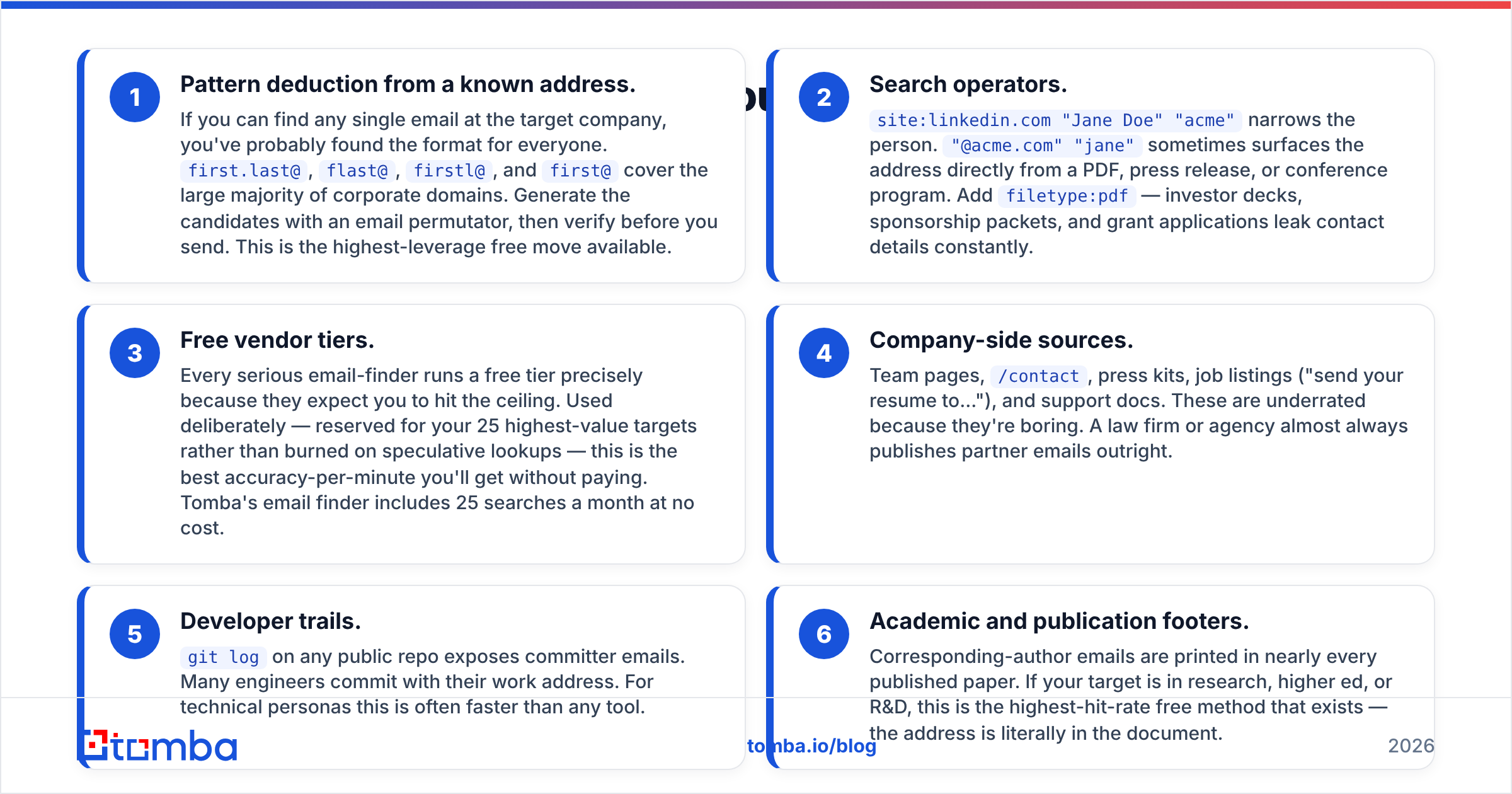
Pattern deduction from a known address. If you can find any single email at the target company, you've probably found the format for everyone.
first.last@,flast@,firstl@, andfirst@cover the large majority of corporate domains. Generate the candidates with an email permutator, then verify before you send. This is the highest-leverage free move available.Search operators.
site:linkedin.com "Jane Doe" "acme"narrows the person."@acme.com" "jane"sometimes surfaces the address directly from a PDF, press release, or conference program. Addfiletype:pdf— investor decks, sponsorship packets, and grant applications leak contact details constantly.Free vendor tiers. Every serious email-finder runs a free tier precisely because they expect you to hit the ceiling. Used deliberately — reserved for your 25 highest-value targets rather than burned on speculative lookups — this is the best accuracy-per-minute you'll get without paying. Tomba's email finder includes 25 searches a month at no cost.
Company-side sources. Team pages,
/contact, press kits, job listings ("send your resume to..."), and support docs. These are underrated because they're boring. A law firm or agency almost always publishes partner emails outright.Developer trails.
git logon any public repo exposes committer emails. Many engineers commit with their work address. For technical personas this is often faster than any tool.Academic and publication footers. Corresponding-author emails are printed in nearly every published paper. If your target is in research, higher ed, or R&D, this is the highest-hit-rate free method that exists — the address is literally in the document.
Why does free email search fail so often?#
Three structural reasons, and knowing them saves you from blaming the wrong thing.
Catch-all domains. A catch-all domain accepts mail to any address at that domain, including asdfgh@company.com. This means a naive SMTP check returns "valid" for every guess you make. You get a green light on garbage. Somewhere around a fifth to a third of B2B domains are configured this way, and it's the number-one reason free-method lists bounce. Handling it requires pattern intelligence layered on top of the SMTP response — which is exactly what a dedicated catch-all verifier does.
Aliases and forwarding. sales@, hello@, and info@ are real, deliverable, and useless for personalized outreach. They route to shared inboxes where cold email goes to die. A free method that hands you a role address hasn't actually solved your problem.
Staleness. Median B2B job tenure keeps shrinking, and every departure invalidates an address. A page indexed by Google in 2023 may be quoting an email that stopped resolving in 2024. Free methods have no freshness signal — you're reading a static artifact with no idea when it was last true.
Provider-side rejection. Even a correct address gets you nowhere if your sending domain is misconfigured. Before you run any volume, check your SPF record and understand how email deliverability is actually scored. Google and Yahoo's bulk-sender requirements made authentication non-negotiable, and their published guidance on sender requirements is worth reading in full.
How do you verify an address you found for free?#
You don't skip this step. Ever.
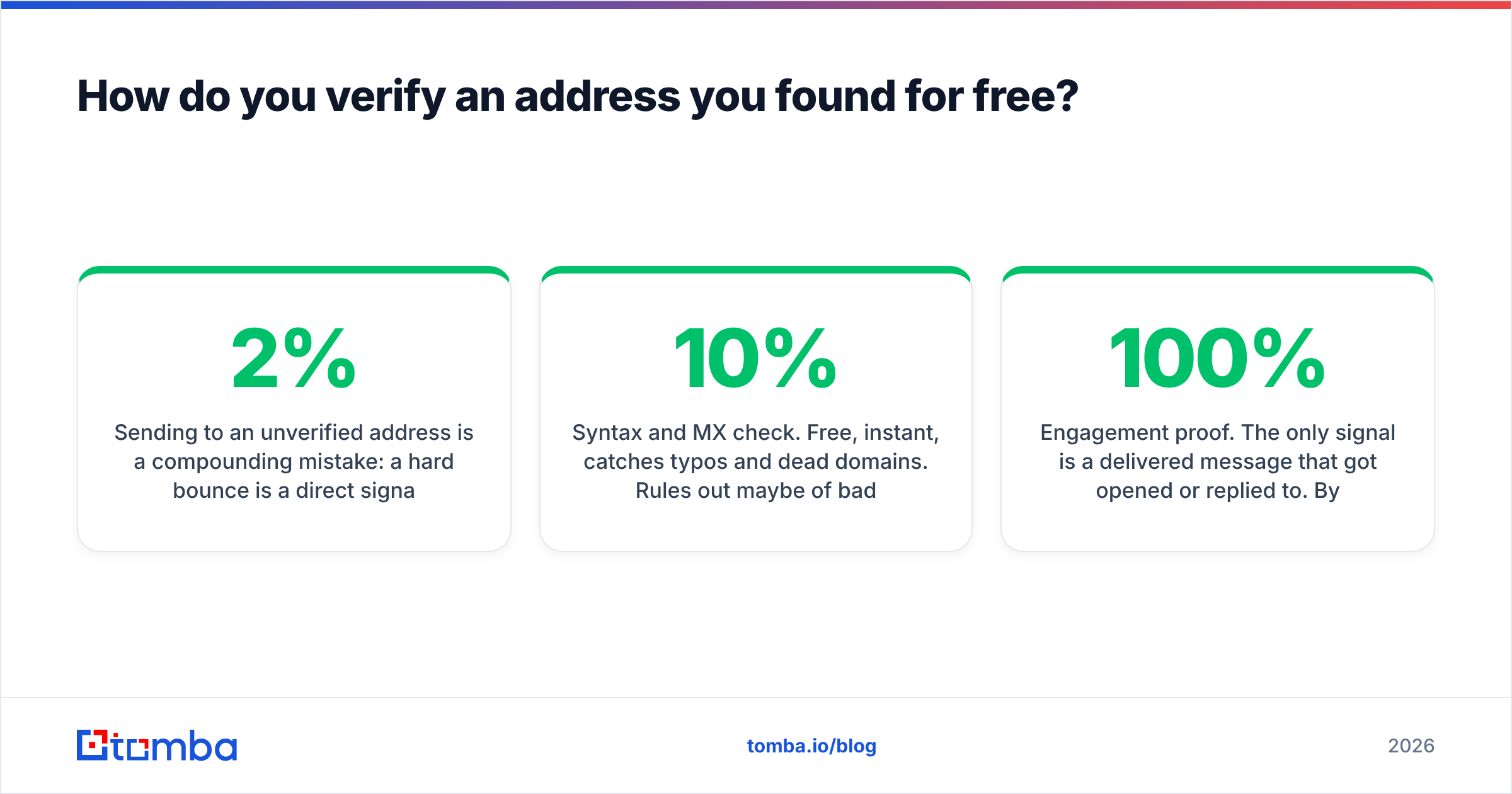
Sending to an unverified address is a compounding mistake: a hard bounce is a direct signal to mailbox providers that you don't know who you're mailing. Push your bounce rate past roughly 2% and you're not running a campaign anymore, you're running a reputation-destruction exercise.
The verification ladder, cheapest to most reliable:
- Syntax and MX check. Free, instant, catches typos and dead domains. Rules out maybe 10% of bad addresses. Necessary but nowhere near sufficient.
- SMTP handshake. Ask the receiving server whether the mailbox exists without sending anything. Works well on most providers, returns ambiguous results on catch-alls and on Microsoft 365 tenants that deliberately obscure responses.
- Pattern-confidence scoring. Cross-reference the candidate against known formats at that domain plus observed sightings in the wild. This is what separates a real email verifier from a syntax checker.
- Engagement proof. The only 100% signal is a delivered message that got opened or replied to. By definition you can't have it before you send.
Practical rule: if a verification returns "risky" or "unknown," treat it as unsendable for cold outreach. Park it. Don't gamble a domain's reputation on a coin flip.

When should you stop using free methods?#
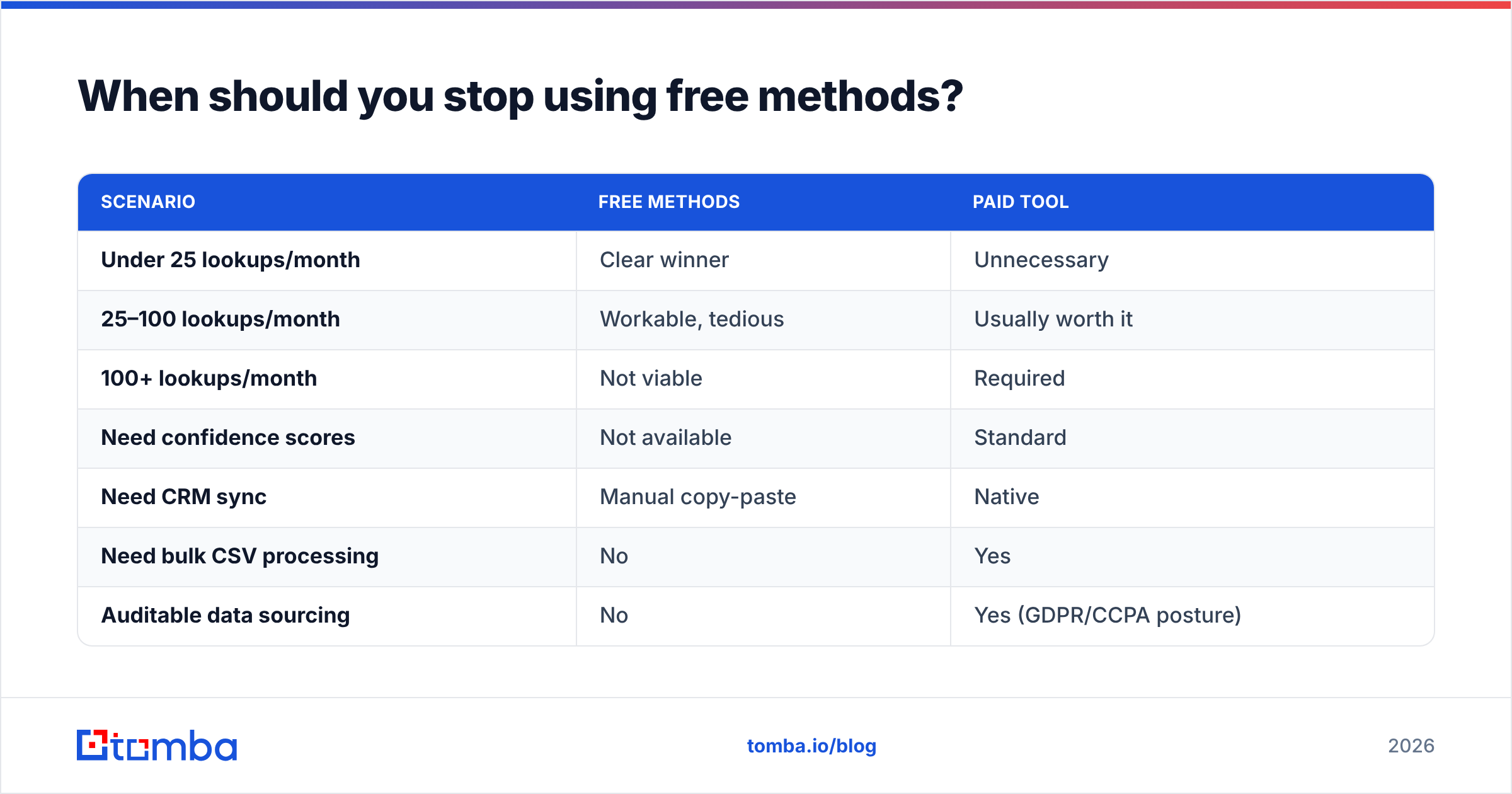
There's a genuine crossover point, and it's mostly about your hourly rate.
Say a manual free lookup takes four minutes end to end — search, permutate, verify, record. At 100 contacts that's roughly seven hours. If your time is worth anything at all, you've just spent several hundred dollars of labor to avoid a $49 subscription, and you got a worse list for it.
| Scenario | Free methods | Paid tool |
|---|---|---|
| Under 25 lookups/month | Clear winner | Unnecessary |
| 25–100 lookups/month | Workable, tedious | Usually worth it |
| 100+ lookups/month | Not viable | Required |
| Need confidence scores | Not available | Standard |
| Need CRM sync | Manual copy-paste | Native |
| Need bulk CSV processing | No | Yes |
| Auditable data sourcing | No | Yes (GDPR/CCPA posture) |
That last row matters more than people expect. If you're operating in the EU or handling data subject requests, "I found it on Google" is not a documented lawful basis. Vendors that publish their data sources give you something defensible.
Worth noting: the "paid" column doesn't have to mean an enterprise contract. Tomba pricing starts at $49/mo for Starter, $99/mo for Growth, and $249/mo for Pro — and providers like BookYourData offer pay-as-you-go credits, which suits teams with lumpy, campaign-driven demand rather than steady monthly volume. Check the category on G2 if you want peer reviews before committing.
What's the fastest free workflow, step by step?#
Here's the sequence I'd actually run for a 20-person target list with zero budget.
- Resolve company first. For every name, confirm the employer and the exact sending domain. Note: the marketing domain and the email domain are frequently different (
acme.iofor the site,acme.comfor mail). Check the MX record if unsure. - Find one known address per domain. Any address. Press page, support docs, a
mailto:in the page source. One confirmed address unlocks the pattern for everyone else at that company. - Deduce the pattern.
sarah.chen@tells youfirst.last@. Apply it across every contact at that domain. A company email pattern check does this in seconds when you can't find a seed address manually. - Fill the gaps with free-tier lookups. Whatever the pattern method couldn't resolve, spend your 25 monthly free credits on — prioritized by deal value, not alphabetically.
- Verify everything. All of it, including the ones you're confident about. Split into send / hold / discard.
- Send in small batches. Start at 20–30 a day from a warmed domain. Watch bounce rate on the first batch before scaling. If bounces exceed 3%, your list is wrong, not your copy.
The output of that process on a 20-name list is realistically 12–15 sendable addresses. That's a good result for free. Anyone promising you 20 out of 20 at zero cost is selling something.
Does free email search stay legal?#
Short version: finding a business email address is generally fine; what you do with it is the regulated part.
Under GDPR, a work email tied to a named person is personal data, and you need a lawful basis to process it — legitimate interest is the usual route for B2B outreach, but it obliges you to run a balancing test, disclose your source on request, and honor deletion. CAN-SPAM in the US is looser: accurate headers, no deceptive subject lines, a working opt-out, and a physical address. CASL in Canada is materially stricter and effectively consent-based.
None of that is a reason to skip prospecting. It is a reason to keep a record of where each address came from and to make unsubscribing genuinely easy. The FTC's CAN-SPAM compliance guide is the primary source and takes ten minutes to read.
What should you use instead when free runs out?#
The honest answer is that free methods and paid tools solve different problems. Free methods are excellent for one-off, high-intent lookups — the single decision-maker you've researched for a week and genuinely need to reach. They're terrible at scale, terrible at freshness, and offer no confidence signal.
If you've reached the point where you're running the same manual sequence more than a handful of times a week, that's the signal. Start with a free tier and only upgrade when you've actually exhausted it — a vendor that won't let you test 25 real lookups before charging you isn't confident in its data.
Ready to stop guessing patterns by hand? Run your next batch through the Tomba Email Finder — 25 free searches a month, no card required, with a confidence score on every result so you know what's safe to send. Pair it with the email verifier before your first send and your bounce rate takes care of itself.
Related guides#
Ready to find emails that actually work?
Join 150,000+ professionals who stopped guessing and started sending. Free credits on signup — no credit card required.
Get the Tomba newsletter
Practical outbound tactics and product updates — once every two weeks.
About the author