Email Verifier Pro: What Pro-Grade Verification Really Costs
"Pro" tiers promise 99% accuracy, catch-all resolution, and bulk APIs. Here's what actually changes when you upgrade, which vendors earn the price, and when a free checker is still enough.
TL;DR
- "Email verifier pro" is not one product — it's the paid tier of any verification tool, and the feature that actually justifies the price is catch-all resolution, not the marketing accuracy number.
- Free checkers do syntax, MX, and a single SMTP handshake. Pro tiers add multi-provider probing, role/disposable detection, bulk APIs, and a confidence score you can filter on.
- Expect $0.001–$0.008 per verification at real volume. Tomba's paid entry point is $49/mo (Starter), with Growth at $99/mo and Pro at $249/mo.
- The only benchmark that matters is your own: run 500 known-good and 500 known-dead addresses through any trial before you commit.
- If your bounce rate is already under 2% and you send fewer than 1,000 cold emails a month, stay on free tools. Above that, a pro tier pays for itself in inbox placement alone.
What does "email verifier pro" actually mean?#
It means the paid tier — nothing more standardized than that. Vendors slap "Pro" on the plan that unlocks bulk uploads, an API key, and catch-all handling. There is no industry certification behind the word.
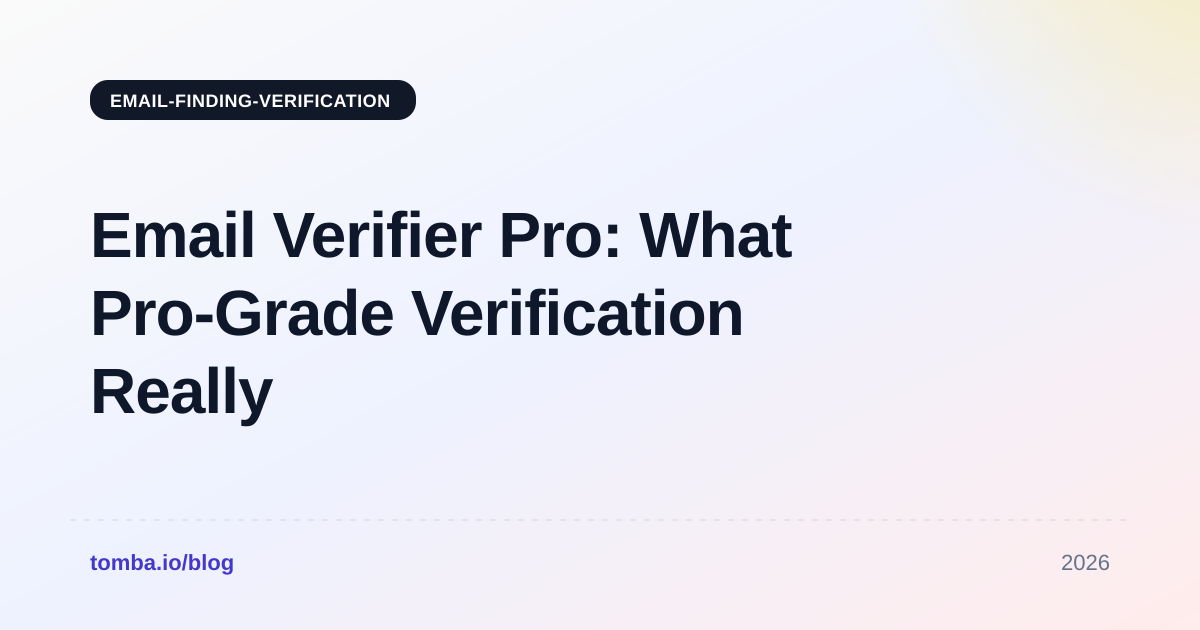
That matters because the buying decision gets framed wrong. People shop for "the pro version" when what they should be shopping for is a specific capability their free tool lacks. Think of it like a kitchen scale: the $12 model and the $200 model both tell you something weighs 400 grams. You pay for the expensive one because it resolves to 0.1g, logs to an app, and doesn't drift after six months. Same with verification — you're not buying "verification," you're buying resolution, throughput, and consistency.
Here is what separates a free checker from a pro tier in practice:
- Syntax and MX validation — Both tiers do this. It's cheap, deterministic, and catches maybe 15% of bad addresses.
- SMTP handshake depth — Free tools open one connection and take the first answer. Pro tools retry across IP pools, handle greylisting, and respect per-provider rate limits so Google and Microsoft don't throttle them into false negatives.
- Catch-all resolution — The real differentiator. A catch-all domain accepts every address at the SMTP layer, so a naive check returns "valid" for
asdfgh@company.com. Pro tiers use pattern data, historical engagement signals, and honeypot probes to score these instead of shrugging. - Role, disposable, and toxic detection — Filtering
info@,sales@, ten-minute-mail domains, and known spam traps. Free tools flag the obvious ones; paid databases cover far more. - Bulk and API access — Uploading 50,000 rows and getting a webhook back, versus pasting addresses one at a time into a form.
- Confidence scoring — Instead of a binary valid/invalid, you get a 0–100 score you can threshold against your own risk tolerance.
If you only need items 1 and 2, a free email checker is genuinely sufficient. Don't pay for the rest until you need it.
How accurate is a pro email verifier, really?#
Vendor-claimed accuracy sits between 97% and 99.9%. Independently measured accuracy on messy real-world lists lands closer to 92–97%, and the gap is almost entirely catch-all domains.

The math behind the marketing number is worth understanding. Most vendors compute accuracy as: of the addresses we marked "valid," what percentage did not bounce? That definition quietly excludes everything the tool marked "unknown" or "risky." A tool that punts on 30% of your list and nails the remaining 70% can honestly advertise 99% accuracy while leaving you with a third of your list unusable.
So when you evaluate, track three numbers, not one:
- Precision on valid — of addresses marked valid, how many delivered?
- Coverage — what percentage of the list got a definitive answer at all?
- False-negative rate — how many good addresses got marked invalid? This one costs you revenue silently, and almost nobody measures it.
A tool with 99% precision and 55% coverage is worse for most outbound teams than one with 96% precision and 90% coverage. You can absorb a 4% bounce spread across a big sendable list; you can't absorb throwing away 45% of your prospects.

Which email verifier pro plans are worth comparing in 2026?#
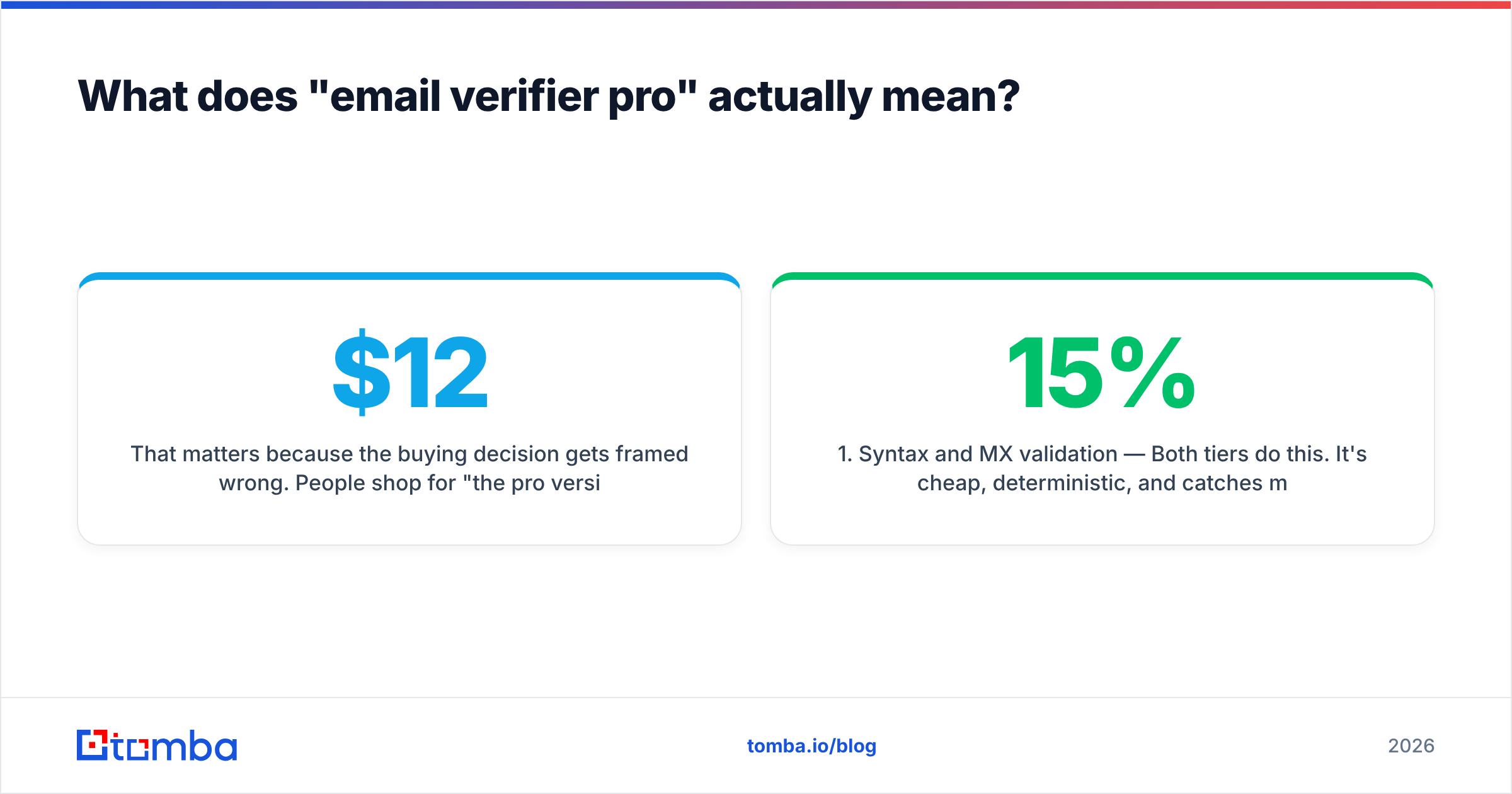
Five tools cover most of the serious market. Prices below are list prices for the entry paid tier as published by each vendor; volume discounts change the per-credit math substantially.

| Feature | Tomba | ZeroBounce | NeverBounce | Bouncer | BookYourData |
|---|---|---|---|---|---|
| Entry paid price | $49/mo (Starter) | Pay-as-you-go from ~$18 | Pay-as-you-go from ~$8 | Pay-as-you-go from ~$8 | Credit packs, prepaid |
| Free tier | 25 searches/mo | 100 credits/mo | Limited trial | 100 credits | Sample credits |
| Finder + verifier in one | Yes | Verification-focused | Verification only | Verification-focused | Database + verification |
| Catch-all handling | Dedicated catch-all verifier | Scored | Flagged as unknown | Scored (Toxicity shield) | Verified-on-delivery model |
| Bulk upload | Yes | Yes | Yes | Yes | Yes |
| Public API | Yes | Yes | Yes | Yes | Yes |
| Best for | Teams that also need to find the address | Deliverability-heavy senders | High-volume one-off cleans | EU-focused list hygiene | Buying pre-verified contact lists |
Two honest notes on this table.
First, comparing a subscription to pay-as-you-go pricing is apples to oranges. PAYG looks cheaper until you clean a list every week, at which point subscription math wins. Run your actual monthly volume through both models before deciding.
Second, BookYourData sits in a different lane. It's a purchased-contact database with verification attached, not a bring-your-own-list cleaner. If your problem is "I have a list and don't trust it," you want a verifier. If your problem is "I don't have a list," a database is the faster path, and comparing their per-credit price to a verifier's misses the point of both.
For a broader vendor landscape, the G2 email verification category has the largest volume of buyer reviews, though skew toward recently-incentivized reviews is real — read the 3-star ones.
When is a pro tier actually worth the money?#
Upgrade when one of these four things is true. Otherwise, don't.
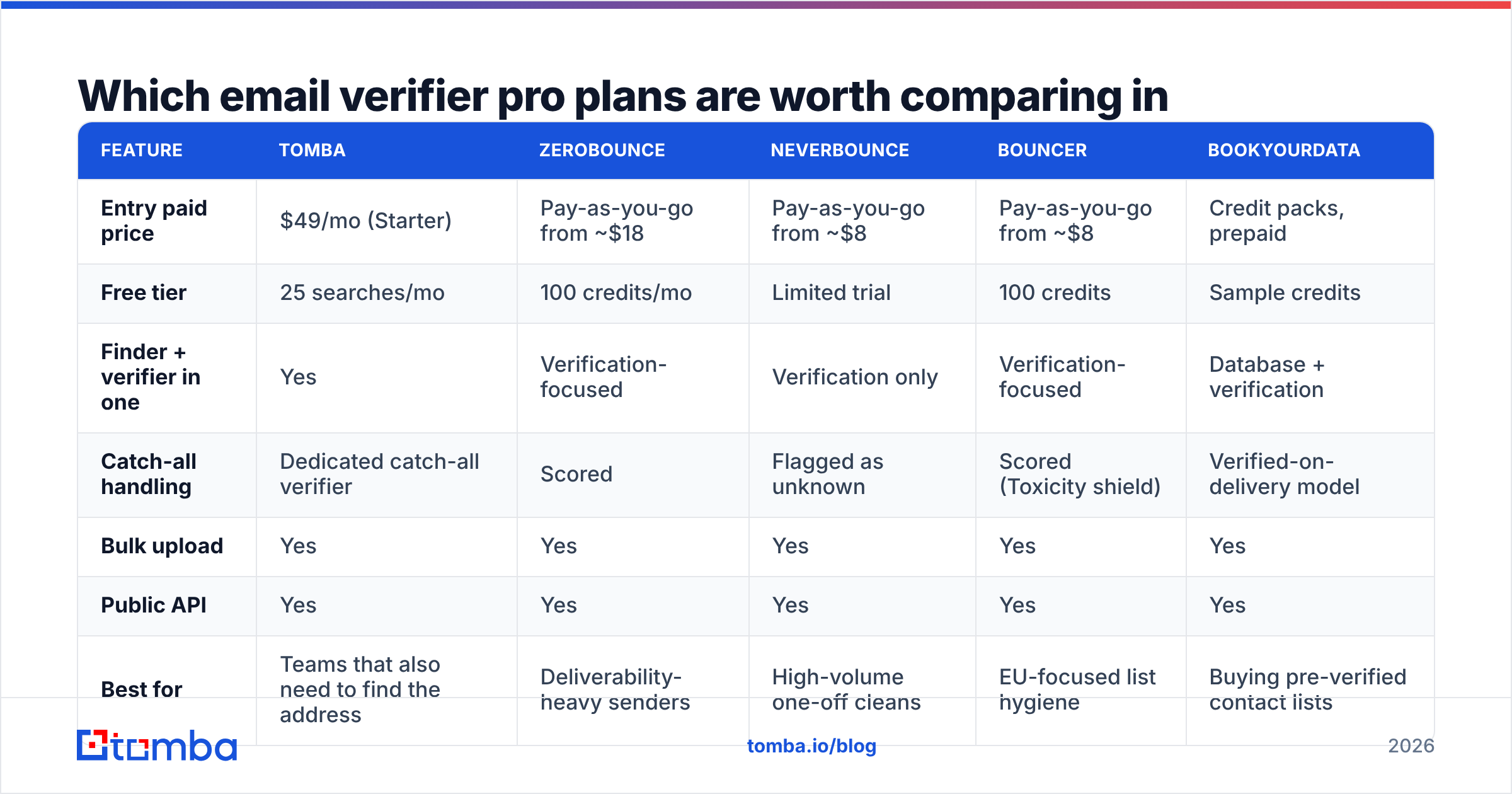
- Your bounce rate is above 3%. Mailbox providers start throttling around there and suspending around 5%. One burned domain costs more than a year of any pro plan.
- You send more than ~1,000 cold emails a month. Below that, manual spot-checking with a free tool is tractable. Above it, you're gambling.
- You buy or scrape lists. Purchased data decays at roughly 2–2.5% per month as people change jobs. Anything older than six months needs a full re-verify before it touches your sending domain.
- You need programmatic verification. If addresses enter your CRM through a form or an enrichment job, you want an API call at the point of entry, not a monthly batch cleanup. That's a paid-tier feature everywhere.
The cost side is straightforward. At $49/mo, a pro plan needs to prevent roughly one deliverability incident per year to break even — and that's before counting the sales cycles you lose when replies silently stop landing. Compare that to the fully-loaded cost of an SDR spending two hours a week manually pruning a spreadsheet.
What a pro tier does not fix: bad targeting, weak copy, or a domain with no SPF record and no warmup history. Verification is hygiene, not strategy. A perfectly clean list sent from a cold domain with a generic pitch still fails.

How should you test a verifier before you pay?#
Build a control list. This takes an hour and saves you from vendor benchmarks entirely.
- Collect 200 known-good addresses. Pull them from your CRM — contacts who replied to an email in the last 30 days. These are provably live.
- Collect 200 known-dead addresses. Bounced addresses from your last six months of sending logs. Also provably resolved.
- Add 100 synthetic invalids. Take real domains and mangle the local part:
zxqwerty@[realdomain].com. Any tool that marks these valid is treating the domain as catch-all without scoring it. - Add 50 known catch-all domains. Large enterprises and many agencies run catch-all. This is where tools diverge most.
- Run the same 550 rows through every trial and score precision, coverage, and false negatives separately.
- Time it. Note how long a 550-row batch takes. Multiply by your real volume. Some tools that look fine at 500 rows take nine hours at 50,000.
Most vendors give enough free credits to run this. Tomba's free tier covers 25 searches, so you'll want a Starter month for a full 550-row test — see Tomba pricing for the credit math. Run the same list against a catch-all verifier specifically, since that segment is where the aggregate accuracy number hides the most variance.
One thing to watch during testing: check whether the tool actually performs a live SMTP probe or is serving you a cached result from its own database. Cached results are faster and cheaper, and for addresses verified last week they're fine. For a contact you found six months ago, a cache hit is just a stale guess wearing a confidence score. The SMTP protocol itself hasn't changed, but provider behavior around it has tightened considerably, and cached-heavy vendors have gotten quieter about their refresh intervals.
What about verifying at the point of discovery instead?#
This is the structural argument for bundling. If your workflow is find address → verify address → send, then running two vendors means two credit pools, two APIs, and a handoff where records get lost.
A combined tool verifies as it finds. When you run a domain search against a company, the addresses returned already carry a confidence score, because the discovery step and the validation step share the same infrastructure and the same pattern data. That's meaningfully different from exporting a CSV from tool A and uploading it to tool B.
Where bundling doesn't help: if you already have a 200,000-row legacy database that needs a one-time clean, a dedicated PAYG verifier will almost always be cheaper for that specific job. Buy the specialist for the one-off, keep the bundle for the ongoing workflow. There's no rule that says you need a single vendor.
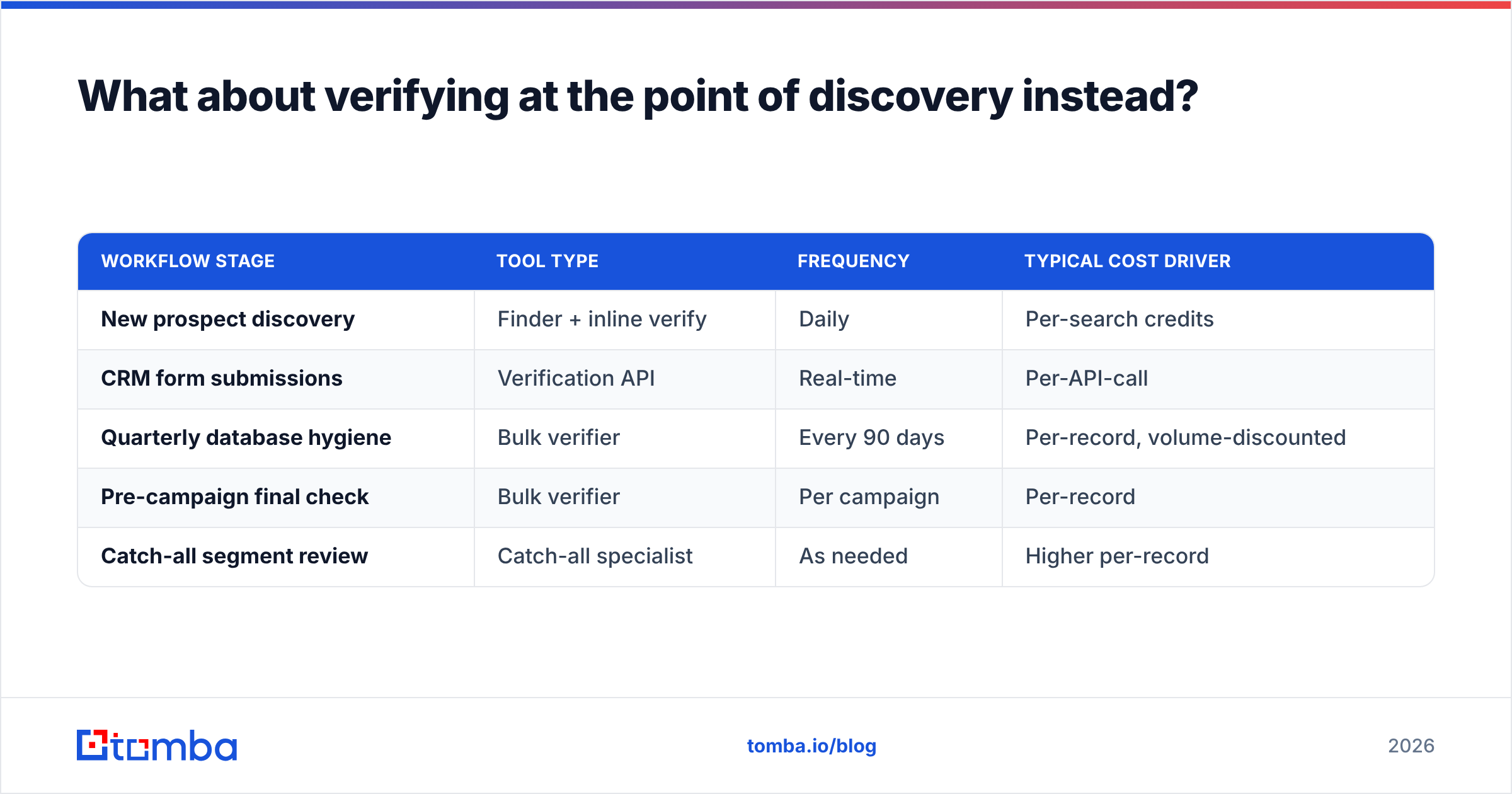
For ongoing pipeline work, the practical setup looks like this:
| Workflow stage | Tool type | Frequency | Typical cost driver |
|---|---|---|---|
| New prospect discovery | Finder + inline verify | Daily | Per-search credits |
| CRM form submissions | Verification API | Real-time | Per-API-call |
| Quarterly database hygiene | Bulk verifier | Every 90 days | Per-record, volume-discounted |
| Pre-campaign final check | Bulk verifier | Per campaign | Per-record |
| Catch-all segment review | Catch-all specialist | As needed | Higher per-record |
Running a bulk verify on a quarterly cadence is the highest-ROI habit on that list. Job-change decay means a list you cleaned in January is roughly 7% wrong by April, and none of those addresses announce themselves.
What's the verdict on paying for email verifier pro?#
Pay for it if you send at volume, buy data, or need API-level verification — and validate the specific vendor against your own control list rather than their homepage number. Skip it if you're sending under a thousand emails a month to contacts you sourced yourself; a free checker plus careful sourcing gets you to the same bounce rate for zero dollars.
The failure mode to avoid is buying accuracy you can't measure. Every vendor will show you 99%. Only your own 550-row test tells you whether that 99% covers the addresses you actually care about, or only the easy ones.
If you want discovery and verification running in the same pipeline — with catch-all scoring built in rather than bolted on — start with the Tomba Email Finder. The free tier gives you 25 searches to sanity-check the data quality before you spend anything, and Starter at $49/mo covers most single-SDR workflows without a per-credit calculator open in the next tab.
Related guides#
Ready to find emails that actually work?
Join 150,000+ professionals who stopped guessing and started sending. Free credits on signup — no credit card required.
Get the Tomba newsletter
Practical outbound tactics and product updates — once every two weeks.
About the author