Emailable vs Wiza (2026): Which Email Tool Actually Wins?
Emailable verifies lists. Wiza builds them from LinkedIn. They are not the same product, and picking the wrong one wastes budget. Here is the honest 2026 breakdown, with pricing math and a cheaper third option.
TL;DR
- Emailable and Wiza solve different halves of the same problem. Emailable is a verification engine for lists you already have. Wiza is a LinkedIn-first contact extractor that finds emails and phone numbers you do not have yet.
- If your bounce rate is the problem, Emailable is the better buy. If your empty CRM is the problem, Wiza is the better buy.
- Wiza's entry paid tier lands around $83/mo billed annually and meters email and phone credits separately, so phone data roughly doubles your cost.
- Emailable's credit-based pricing is cheap per check but does nothing to source contacts, which means most outbound teams end up paying for two subscriptions.
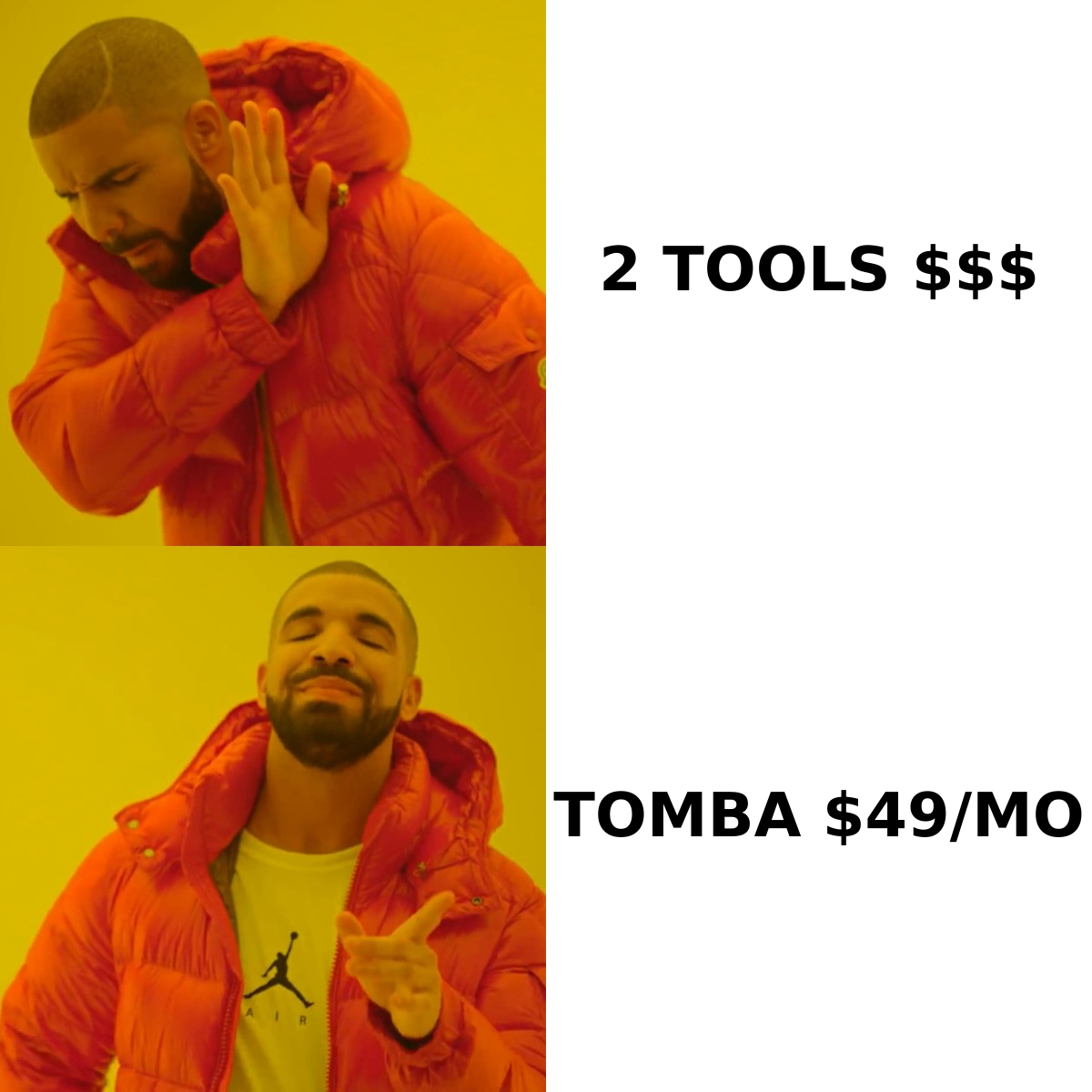
- A combined finder-plus-verifier stack such as Tomba pricing at $49/mo Starter usually beats running both tools separately, especially if you need API access rather than CSV exports.
What are Emailable and Wiza actually built for?#
Start here, because the "vs" framing hides a mismatch.
Emailable is an email verification and list-hygiene platform. You upload a list, or call its API, and it returns a deliverability verdict per address: deliverable, undeliverable, risky, or unknown. It also does real-time verification at the point of form submission, MX and syntax checks, role-account detection, and disposable-domain flagging. It does not find email addresses. Give it an empty spreadsheet and it gives you an empty spreadsheet back.
Wiza sits at the other end of the funnel. It plugs into LinkedIn and LinkedIn Sales Navigator, reads a search or a saved list, and exports contact records with work emails, personal emails, and (on higher tiers) mobile numbers. Wiza verifies the emails it finds in real time, which is why people confuse it with a verification tool, but verification is a feature there, not the product. You cannot upload a 40,000-row list from a trade show and ask Wiza to clean it.
So the honest version of "Emailable vs Wiza" is: which stage of your data problem hurts more right now?
How do Emailable and Wiza compare feature by feature?#
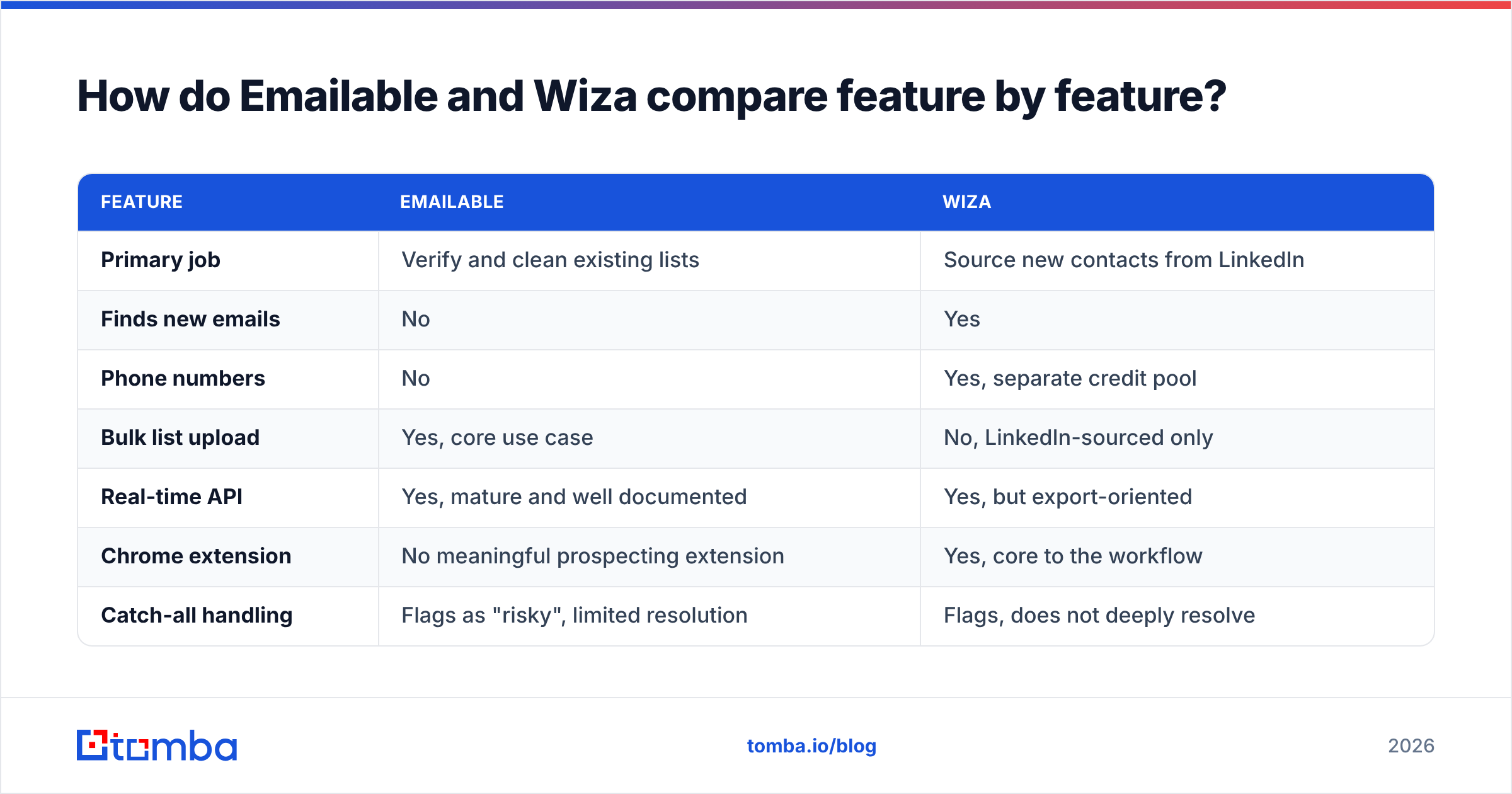
Here is the side-by-side on the dimensions that actually change your workflow.
| Feature | Emailable | Wiza |
|---|---|---|
| Primary job | Verify and clean existing lists | Source new contacts from LinkedIn |
| Finds new emails | No | Yes |
| Phone numbers | No | Yes, separate credit pool |
| Bulk list upload | Yes, core use case | No, LinkedIn-sourced only |
| Real-time API | Yes, mature and well documented | Yes, but export-oriented |
| Chrome extension | No meaningful prospecting extension | Yes, core to the workflow |
| Catch-all handling | Flags as "risky", limited resolution | Flags, does not deeply resolve |
| CRM push | Via integrations and Zapier | Native to HubSpot, Salesforce, Outreach |
| Free entry | Trial credits for testing | Free plan with a small monthly credit allowance |
| Best fit | Marketing ops, form hygiene, deliverability teams | SDRs living inside Sales Navigator |
Two things stand out.
First, Wiza's dependency on LinkedIn is both its superpower and its ceiling. Because it reads Sales Navigator lists, the targeting is as good as LinkedIn's filters, which is very good. But if a prospect has no LinkedIn presence, or you are working from a conference attendee PDF, a G2 category page, or a list of 500 domains, Wiza has nothing to grab. Domain-first prospecting is simply out of scope, which is where a domain search approach earns its keep.
Second, Emailable's API quality is genuinely strong and often underrated. If you are a developer gating signups at the form level, its latency and response schema are easy to work with. That is a real engineering advantage that Wiza does not compete on.
Which one is more accurate, Emailable or Wiza?#
Accuracy means two different things here, and conflating them is how teams get burned.
Emailable's accuracy question is: when it says "deliverable", does the message land? In practice, verification vendors cluster tightly on non-catch-all domains. Everyone gets syntax, MX records, and hard-dead mailboxes right. The differentiation appears on catch-all and greylisted domains, which now make up a large slice of B2B addresses because most enterprises sit behind Microsoft 365 or Google Workspace configurations that accept everything at the SMTP layer. Emailable, like most verifiers, returns "risky" or "unknown" on many of these. That is honest, but it leaves you to make the judgment call on a meaningful chunk of your list.
Wiza's accuracy question is: is this the right person's real, current work email? Different failure mode entirely. Wiza's verified-email rate on LinkedIn-sourced contacts is respectable, and its real-time verification step means you rarely export an obviously dead address. What you do hit is coverage gaps. Depending on seniority, geography, and industry, a meaningful share of rows come back without a work email at all. Non-US contacts and very small companies are the usual soft spots, and this is a coverage complaint you will see repeated across Wiza reviews on G2.

The practical takeaway: a low bounce rate is not the same as a high match rate. Emailable optimizes the first. Wiza optimizes the second. Neither optimizes both, and your campaign performance depends on both.
If catch-all domains are eating your list, that specific problem needs a dedicated catch-all verifier rather than a generic "risky" label you have to interpret yourself.
How does Emailable vs Wiza pricing compare?#
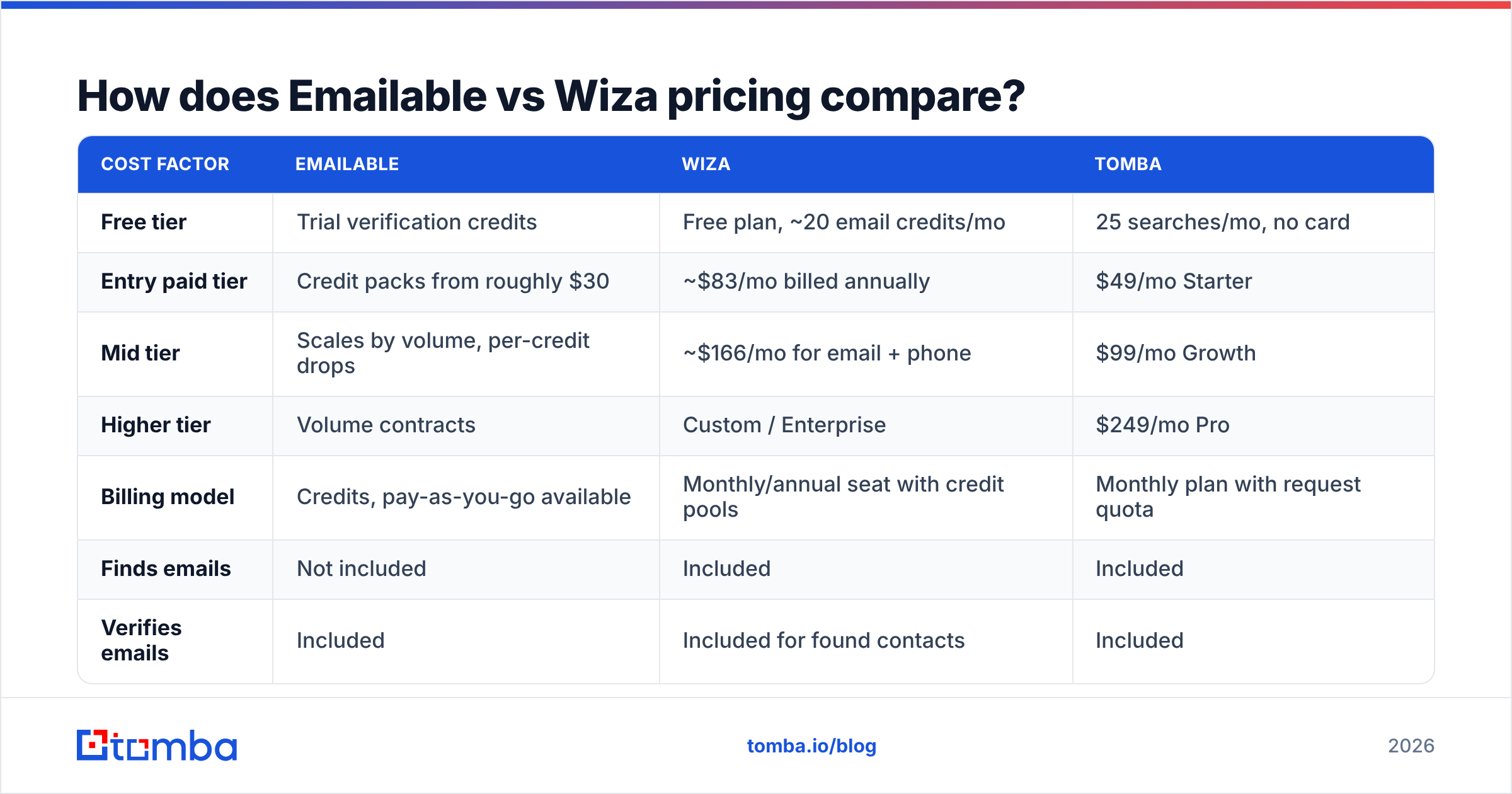
Pricing is where the two tools stop looking like alternatives and start looking like line items you might pay for simultaneously. Verify current numbers on each vendor's pricing page before you commit, because both iterate on tiers.
| Cost factor | Emailable | Wiza | Tomba |
|---|---|---|---|
| Free tier | Trial verification credits | Free plan, ~20 email credits/mo | 25 searches/mo, no card |
| Entry paid tier | Credit packs from roughly $30 | ~$83/mo billed annually | $49/mo Starter |
| Mid tier | Scales by volume, per-credit drops | ~$166/mo for email + phone | $99/mo Growth |
| Higher tier | Volume contracts | Custom / Enterprise | $249/mo Pro |
| Billing model | Credits, pay-as-you-go available | Monthly/annual seat with credit pools | Monthly plan with request quota |
| Finds emails | Not included | Included | Included |
| Verifies emails | Included | Included for found contacts | Included |
| Phone numbers | Not offered | Separate paid credits | Included via phone finder |
| API on entry tier | Yes | Limited, higher tiers | Yes |
Run the math on a realistic scenario. You are an SDR team of three doing 3,000 new contacts a month plus cleaning a 20,000-row legacy database each quarter.
With the Wiza-plus-Emailable stack, you pay Wiza for sourcing (three seats at the email tier, plus phone credits if you cold call) and Emailable for the legacy cleanup. That is comfortably $300+ per month before phone data, and you are managing two vendors, two credit systems, and two CSV round-trips.
With a single platform that does both, you pay one subscription. That is the entire argument for consolidation, and it is why "Emailable vs Wiza" often resolves to "neither, alone".

One more pricing detail people miss: Wiza meters phone numbers separately from emails. If your motion is email-plus-call, budget for both pools or you will run dry mid-month. Emailable has no phone product at all, so if dialers matter, you need a third tool or a phone finder that bundles it.
Is Wiza better than Emailable for outbound prospecting?#
Yes, if outbound prospecting is defined narrowly as "turn a Sales Navigator search into a contactable list." Wiza is purpose-built for that and it is fast. An SDR can go from a saved search to a CRM-ready export in a couple of minutes, and the native pushes to Outreach and Salesforce remove the CSV shuffle that kills adoption of most data tools.
But three limitations show up once you scale past one motion:
- LinkedIn is the only front door. Account-based plays that start from a list of target domains, a funding announcement, or a technographic filter do not map cleanly onto a LinkedIn search. You end up manually reconstructing the audience inside Sales Navigator.
- Credit burn is exportcentric. Because you export in batches, you spend credits on rows you may never contact. Enrich-on-demand via API wastes less.
- Compliance posture requires attention. Any LinkedIn-adjacent scraping workflow carries platform-terms and data-protection considerations. Review your own policy, and check how vendors document their data sources before you build a core process on top.
Emailable, meanwhile, is better than Wiza at exactly one thing but does it very well: keeping your sending reputation intact. Bounce rate is the fastest way to torch a domain, and a disciplined verification step before every send is non-negotiable. If your team already has contact data from events, partner lists, or inbound forms, Emailable is the cheaper and more appropriate purchase.

What does a complete stack look like instead?#
Map your requirement to the capability, not to the brand.
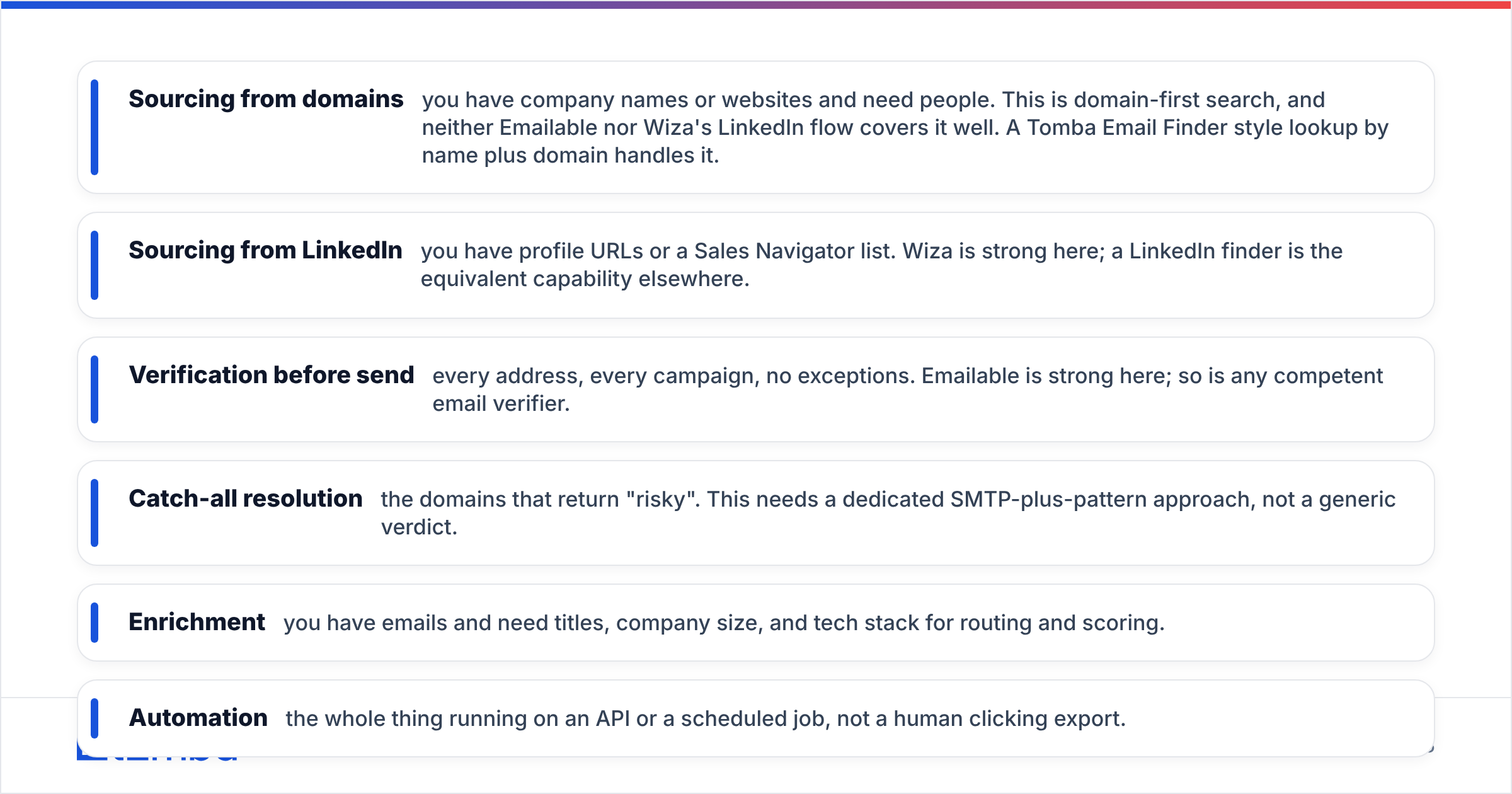
- Sourcing from domains — you have company names or websites and need people. This is domain-first search, and neither Emailable nor Wiza's LinkedIn flow covers it well. A Tomba Email Finder style lookup by name plus domain handles it.
- Sourcing from LinkedIn — you have profile URLs or a Sales Navigator list. Wiza is strong here; a LinkedIn finder is the equivalent capability elsewhere.
- Verification before send — every address, every campaign, no exceptions. Emailable is strong here; so is any competent email verifier.
- Catch-all resolution — the domains that return "risky". This needs a dedicated SMTP-plus-pattern approach, not a generic verdict.
- Enrichment — you have emails and need titles, company size, and tech stack for routing and scoring.
- Automation — the whole thing running on an API or a scheduled job, not a human clicking export.
Score your must-haves against that list before comparing price tags. Most teams discover that they need four of the six capabilities, which immediately rules out both single-purpose tools as a complete answer.
Which should you choose in 2026?#
Choose Emailable if: you own list hygiene, you have inbound forms to gate in real time, your data comes from sources other than LinkedIn, and your main KPI is bounce rate. Its API is clean, its per-credit cost at volume is competitive, and it does not pretend to be a prospecting tool.
Choose Wiza if: your reps live in Sales Navigator, LinkedIn is genuinely where your buyers are, you need mobile numbers alongside emails, and you value native CRM push over API flexibility. Budget for both credit pools and accept a coverage gap on non-US and SMB contacts.
Choose neither alone if: you are doing full-cycle outbound. Paying for a finder and a verifier separately means two invoices, two credit systems, two integration surfaces, and a manual handoff between them. Consolidation is not just cheaper; it removes the step where data quality silently degrades during export and re-import.
Whatever you pick, keep two habits regardless of vendor. Re-verify any list older than 90 days, because B2B contact data decays at roughly 2 to 3 percent per month as people change jobs. And segment your sends by confidence level rather than blasting everything, so risky addresses go out in small controlled batches instead of poisoning your main domain. HubSpot's own email deliverability guidance is a reasonable baseline if you need to formalize that process internally.
Ready to stop paying two vendors for one workflow?#
If your shortlist is Emailable for cleaning and Wiza for sourcing, price out a single platform first. The Tomba Email Finder covers name-and-domain lookup, domain-wide search, LinkedIn extraction, verification, catch-all checks, and phone data under one subscription, starting free at 25 searches a month and $49/mo on Starter with full API access from day one. Test it against 200 rows of your own hardest data, compare match rate and bounce rate to whatever you use now, and let the numbers make the call.
Related guides#
Ready to find emails that actually work?
Join 150,000+ professionals who stopped guessing and started sending. Free credits on signup — no credit card required.
Get the Tomba newsletter
Practical outbound tactics and product updates — once every two weeks.
About the author