EmailBison vs SalesQL (2026): Which Outbound Tool Wins?
EmailBison sends the emails. SalesQL finds the people. Comparing them head-to-head only makes sense once you know which half of your outbound stack is actually broken — here's the honest breakdown.
EmailBison vs SalesQL is an odd match-up. One tool sends the email. The other finds the people you email. So "which one wins" is the wrong question. The real one is simpler: which half of your outbound stack is broken right now?
TL;DR — what you need to know#
- These two tools are not rivals. EmailBison is a cold email sending platform. It runs sequences, inbox rotation, warmup, and white-label. SalesQL is a contact data tool — a Chrome extension that pulls emails and phone numbers off LinkedIn profiles.
- If nobody replies, you have a sending or copy problem. That is where EmailBison fits.
- If half your email bounces, you have a data problem. That is where SalesQL, Tomba, or another finder fits.
- Most teams buy both halves. In an EmailBison vs SalesQL choice, the real work is picking one vendor per half.
- SalesQL stops at LinkedIn. It is great when your buyers live there and reps work profile by profile. It is weak for domain-level lists, API work, and bulk jobs.
- EmailBison stops at data. No sender can fix a list of guessed addresses. Verify first, or your warmup budget just pays for bounces.
What is EmailBison, and who is it for?#
EmailBison is a cold email platform. You connect mailboxes (Google Workspace, Microsoft 365, SMTP). You rotate sends across them. You run warmup. You build multi-step sequences with branches. You track opens, clicks, and replies in one inbox.
Its best-known feature is white-label. An agency can put the tool on its own domain, add its own brand, and resell it to clients. That is why people compare it to Smartlead and Instantly, not to data vendors.
The buyer profile is narrow:
- Lead-gen agencies that run 5–50 client accounts and want one console with their own brand on it.
- Outbound-heavy startups that send from a dozen or more mailboxes across several domains.
- Teams that outgrew a CRM sequencer. HubSpot and Salesforce are fine for warm follow-up. They were never built for high-volume cold sending across rotated inboxes.
What EmailBison does not do is create contact data. Some senders bundle a lead database. When they do, the data is usually a licensed feed, not their own engine. You still need good addresses, and you still need to check them before the first send. Read the feature list on emailbison.com before you assume anything. This category ships changes every month.
What is SalesQL, and where does it win?#
SalesQL is a browser extension with a light web app. It pulls contact details from LinkedIn. Open a profile or a search page, click the extension, and it returns work emails, personal emails, and sometimes phone numbers. It saves lists, exports CSV, and pushes to a few CRMs. Plans are listed at salesql.com.
Where it wins:
- Profile-by-profile work. If a rep lives on LinkedIn all day, the extension saves the copy-paste tax.
- Personal emails. Recruiters like SalesQL because it finds personal addresses more often than pure B2B tools do. That is an edge in hiring. In EU B2B sales, it is a legal risk. Know which one you are doing.
- Low friction. Free tier, one-minute install, no sales call.
Where it hits a wall:
- Domain-level lists. "Give me every marketing contact at 400 firms" is a domain search job, not a scrape job.
- Volume. LinkedIn rate-limits the extension, and a human still has to click. Bulk work needs an API.
- Proof. Finding an address and proving it accepts mail are two different jobs. A tool that says "found" with no SMTP check hands you a hidden bounce risk.
EmailBison vs SalesQL: which one is better?#
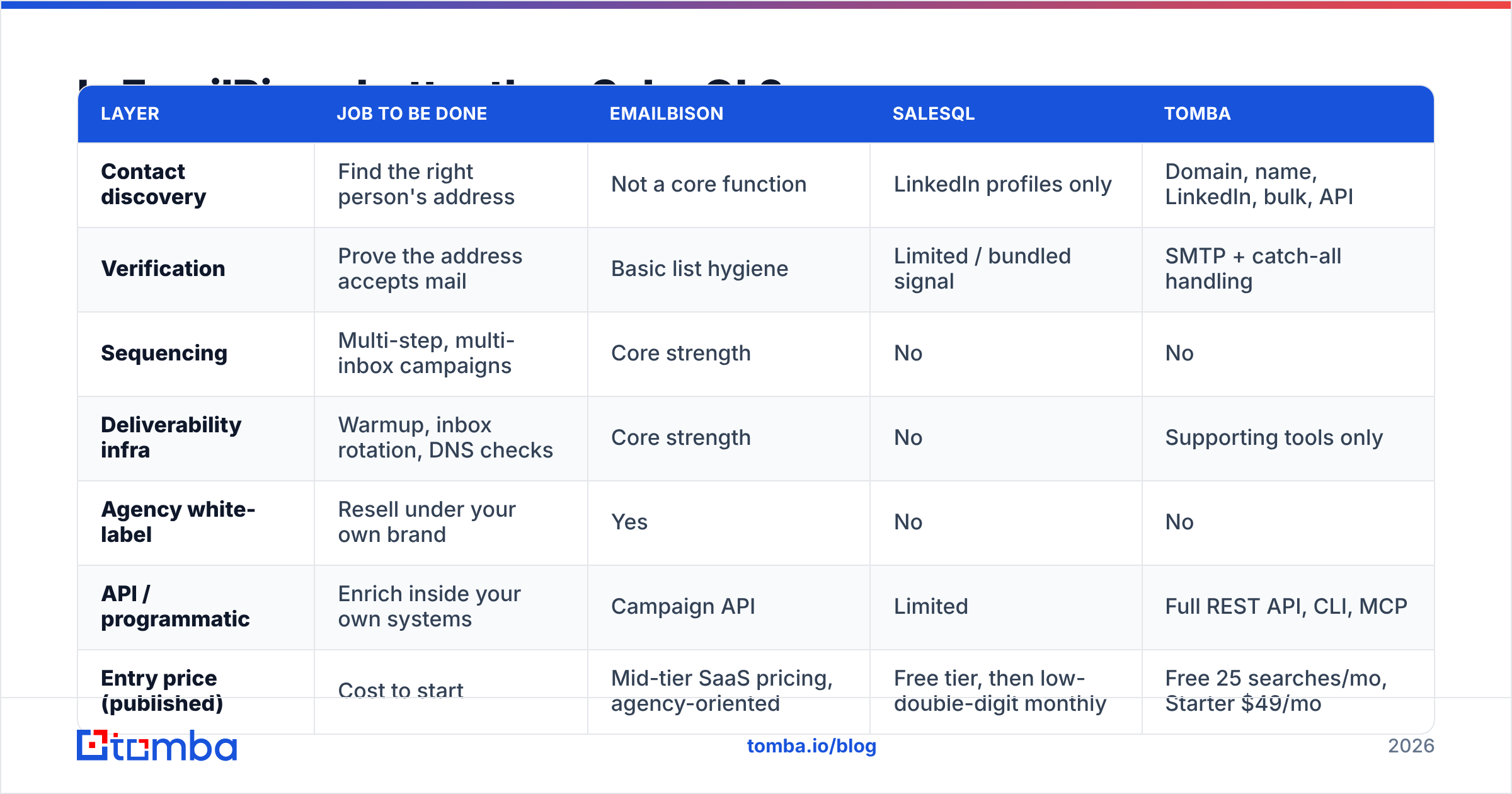
Wrong question. If a comparison page picks a winner here, it is chasing a keyword, not helping you. The honest EmailBison vs SalesQL answer is a two-layer stack.
| Layer | Job to be done | EmailBison | SalesQL | Tomba |
|---|---|---|---|---|
| Contact discovery | Find the right person's address | Not a core function | LinkedIn profiles only | Domain, name, LinkedIn, bulk, API |
| Verification | Prove the address accepts mail | Basic list hygiene | Limited / bundled signal | SMTP + catch-all handling |
| Sequencing | Multi-step, multi-inbox campaigns | Core strength | No | No |
| Deliverability infra | Warmup, inbox rotation, DNS checks | Core strength | No | Supporting tools only |
| Agency white-label | Resell under your own brand | Yes | No | No |
| API / programmatic | Enrich inside your own systems | Campaign API | Limited | Full REST API, CLI, MCP |
| Entry price (published) | Cost to start | Mid-tier SaaS pricing, agency-oriented | Free tier, then low-double-digit monthly | Free 25 searches/mo, Starter $49/mo |
Read that table as a shopping list, not a scoreboard. A team with clean data and no sending setup should buy EmailBison and skip SalesQL. A team with a good sender and a 14% bounce rate should fix the data layer first and leave EmailBison alone.
How do EmailBison and SalesQL compare on pricing?#
Both vendors change prices more often than any blog post can track. Treat the numbers here as a rough guide. Check their pricing pages before you commit budget.
The billing model matters more than the sticker price:
- EmailBison charges for send volume and seats or workspaces. Agencies pay for the right to run many client workspaces under one white-label roof. Cost scales with how many accounts you serve, not how many contacts you touch.
- SalesQL charges credits. Each revealed contact burns one. Cost scales with how much your reps click. That hurts if they reveal people they never email.
- Data platforms like Tomba charge for searches plus checks. Tomba pricing is Free (25 searches a month), Starter $49, Growth $99, Pro $249, and custom Enterprise. The API is included, not locked behind the top tier. That matters if you want to enrich inside your CRM instead of trading CSV files.
The trap is paying twice for one job. Plenty of teams pay a sender for "lead database access." Then they pay a data vendor to find contacts. Then they pay a third vendor to verify them.
Often the sender's database is the same licensed feed the finder already covers. Audit your stack before you renew. G2 category pages are a decent sanity check on what a vendor really includes. Browse the sales intelligence category on G2 and read the 3-star reviews, not the 5-star ones.
Which one fixes a bounce rate problem?#
Neither one, on its own. Most EmailBison vs SalesQL posts skip this part.
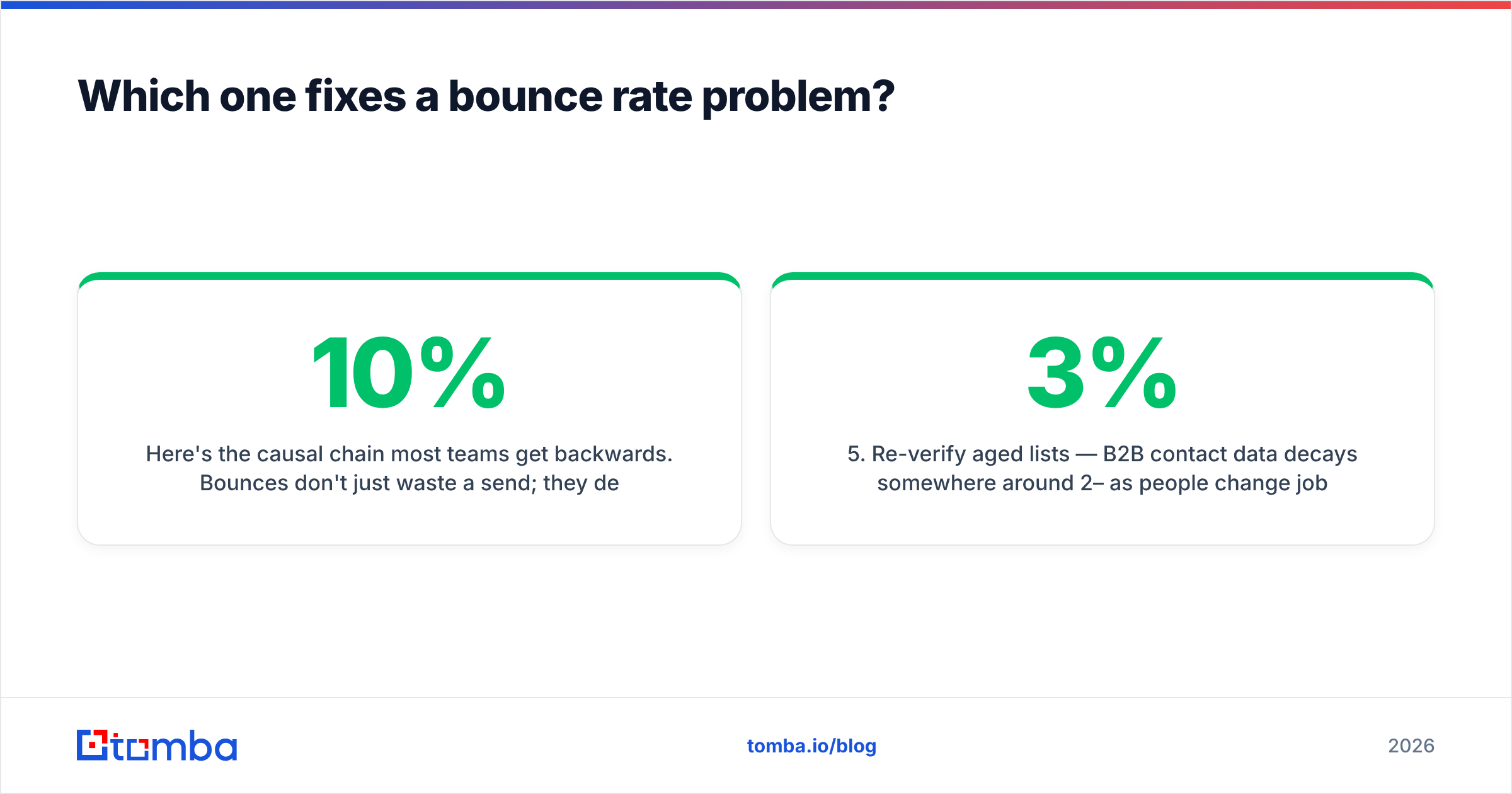
Bounces do more than waste a send. They hurt your sender reputation. That drops inbox placement for the good addresses on the same list. So a 10% bounce rate is not a 10% loss. It is a 10% loss plus a penalty on the other 90%.
A sending platform treats the symptom. It can throttle, rotate inboxes, and warm domains. That buys you room. It cannot make a wrong address right. And a LinkedIn extension that returns a nice-looking address with no SMTP check has just made a guess with good UX.
The fix is a check step between finding and sending:
- Find — pull the address from whatever source fits the motion: a profile scrape, a domain search, or bulk enrichment against a list you already have.
- Verify — run every address through an email verifier. It should check syntax, MX, disposable domains, and SMTP. Drop anything that does not come back deliverable.
- Segment catch-alls — catch-all domains accept every address at the gateway, so a normal verifier cannot confirm them. Route them through a catch-all verifier. Send to them from separate, low-volume inboxes so one bad batch cannot poison your main domain.
- Suppress — keep one do-not-contact list across every workspace. Agencies running EmailBison for ten clients need this at the parent level, not per campaign.
- Re-verify old lists — B2B data decays about 2–3% a month as people change jobs. A list you checked in January is not a checked list in July.

What does a working stack look like?#
Here is one for a five-rep team selling into mid-market SaaS.
Data layer. Reps prospect on LinkedIn for named accounts. They use a LinkedIn finder to pull work addresses from profiles. That is the same motion SalesQL serves.
For the account-based half, RevOps runs domain search against a target list. It pulls every relevant title at 300 firms. Missing fields get filled by the Tomba API straight into the CRM, so nobody passes CSV files around. Every address is checked before it leaves this layer.
Sending layer. EmailBison, or a tool like it, holds the mailboxes. It runs warmup, rotates sends, and owns the sequence logic. Contacts arrive already checked, so the deliverability features protect a good list instead of patching a bad one.
Feedback loop. Reply and bounce data flows back to the data layer. Hard bounces get suppressed everywhere. Domains that behave like catch-alls get flagged. List quality climbs each month instead of decaying.
Split it this way for one reason: ownership. If your sender also owns your data, switching senders means rebuilding your contact base. Keep the data layer portable — API-ready, exportable, checkable — and you can swap the sequencer any time.
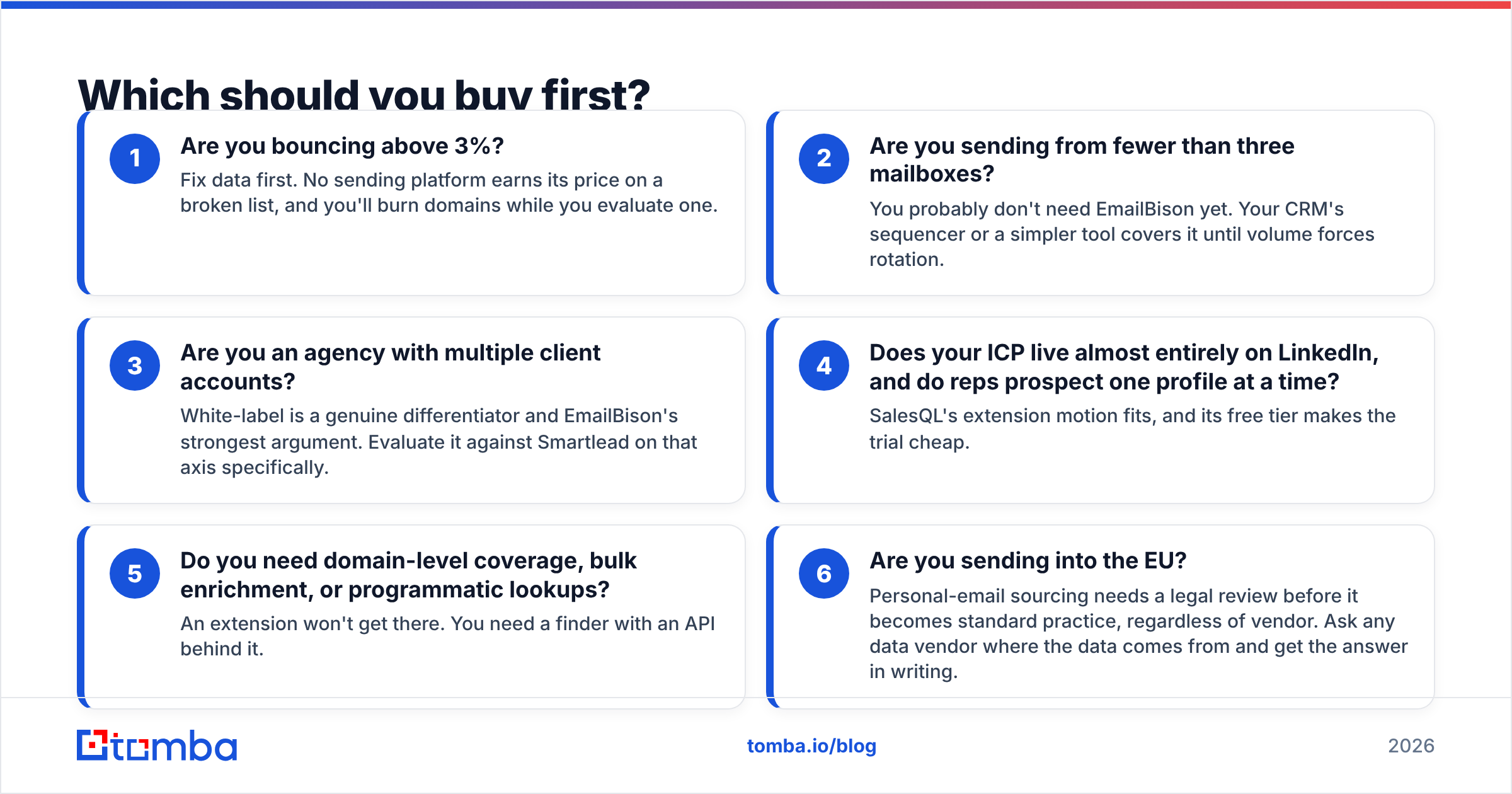
Which should you buy first?#
Use this order:
- Are you bouncing above 3%? Fix data first. No sending platform earns its price on a broken list, and you will burn domains while you shop.
- Do you send from fewer than three mailboxes? You likely do not need EmailBison yet. Your CRM sequencer covers it until volume forces rotation.
- Are you an agency with many client accounts? White-label is a real edge and EmailBison's best argument. Compare it to Smartlead on that point alone.
- Do your buyers live on LinkedIn, one profile at a time? SalesQL's extension fits, and the free tier makes the trial cheap.
- Do you need domain-level lists, bulk enrichment, or API lookups? An extension will not get there. You need a finder with an API behind it.
- Do you send into the EU? Personal-email sourcing needs a legal review before it becomes routine. Ask any vendor where the data comes from, and get the answer in writing.
Most teams that ask about EmailBison vs SalesQL are really asking something simpler: what is the smallest stack that gets replies? Usually it is one good data source, one verify pass, and one sending platform. Three line items, not six.
Start with the layer that is broken#
If your reply rate is fine and your setup is groaning under client volume, go look at sending platforms. EmailBison's white-label story is the reason it exists, and it is a real one.
If your bounce rate is the number keeping you up, start upstream. The Tomba Email Finder covers domain search, name lookup, LinkedIn extraction, and bulk enrichment in one place. SMTP checks run in the same workflow, and a REST API keeps your CRM current without anyone exporting a spreadsheet.
The free tier gives you 25 searches a month. That is enough to run your worst list back through verification. Most teams find the same thing when they settle the EmailBison vs SalesQL debate: the deliverability problem was never a deliverability problem at all.
Related guides#
Ready to find emails that actually work?
Join 150,000+ professionals who stopped guessing and started sending. Free credits on signup — no credit card required.
Get the Tomba newsletter
Practical outbound tactics and product updates — once every two weeks.
About the author