EmailListVerify vs Tami AI: Which Tool Fits Your List?
EmailListVerify cleans lists you already have. Tami AI tries to build them for you. Here's an honest breakdown of accuracy, pricing, workflow fit — and when neither one is the right buy.
EmailListVerify vs Tami AI is not a fair fight. The two tools do different jobs. One cleans lists. The other builds them.
TL;DR
- They are not the same category. EmailListVerify is a bulk email checker. You feed it a list. It tells you which addresses are safe to send to. Tami AI is an AI prospecting layer. It tries to find leads and contact data for you.
- If your problem is bounces, EmailListVerify is the cheaper fix. You get pay-as-you-go credits, no seat fees, an API, and a clear valid/invalid/catch-all/unknown output.
- If your problem is an empty pipeline, a checker will not help. You need sourcing. That is where an AI tool or an email finder belongs.
- Most teams need both jobs done. Two single-purpose plans often cost more than one tool that finds and checks in the same credit pool.
- Check the list before you send. A 12% bounce rate on a new domain can cost you months of repair work. That is far more than the $20 a clean-up would have cost.
What are EmailListVerify and Tami AI?#
Short answer: one is a cleaner, one is a hunter. Comparing them head-to-head is like comparing a dishwasher to a grocery delivery. Both touch your kitchen. Neither replaces the other.
EmailListVerify has been in the list hygiene market for years. Its job is narrow, and it does it well. Upload a CSV or hit the API. It runs syntax checks, MX lookups, SMTP handshakes, disposable-domain checks, role-account flags, and spam-trap tests. You get back a labelled file. Nothing about sourcing, sequences, or CRM work.
Tami AI sits at the other end of the funnel. It sells itself as an AI agent for lead gen. Describe your ideal buyer in plain words. It then surfaces matching companies and contacts, scores them, and hands them off. The pitch is "less manual filtering, more good accounts."
So when people search EmailListVerify vs Tami AI, they usually mean one thing. I have one line item and a small budget. Which end of the problem do I fix first? This post answers that.
What does EmailListVerify do well?#
Checking a list is boring, mechanical work. It is also worth paying for. Here is what you get:
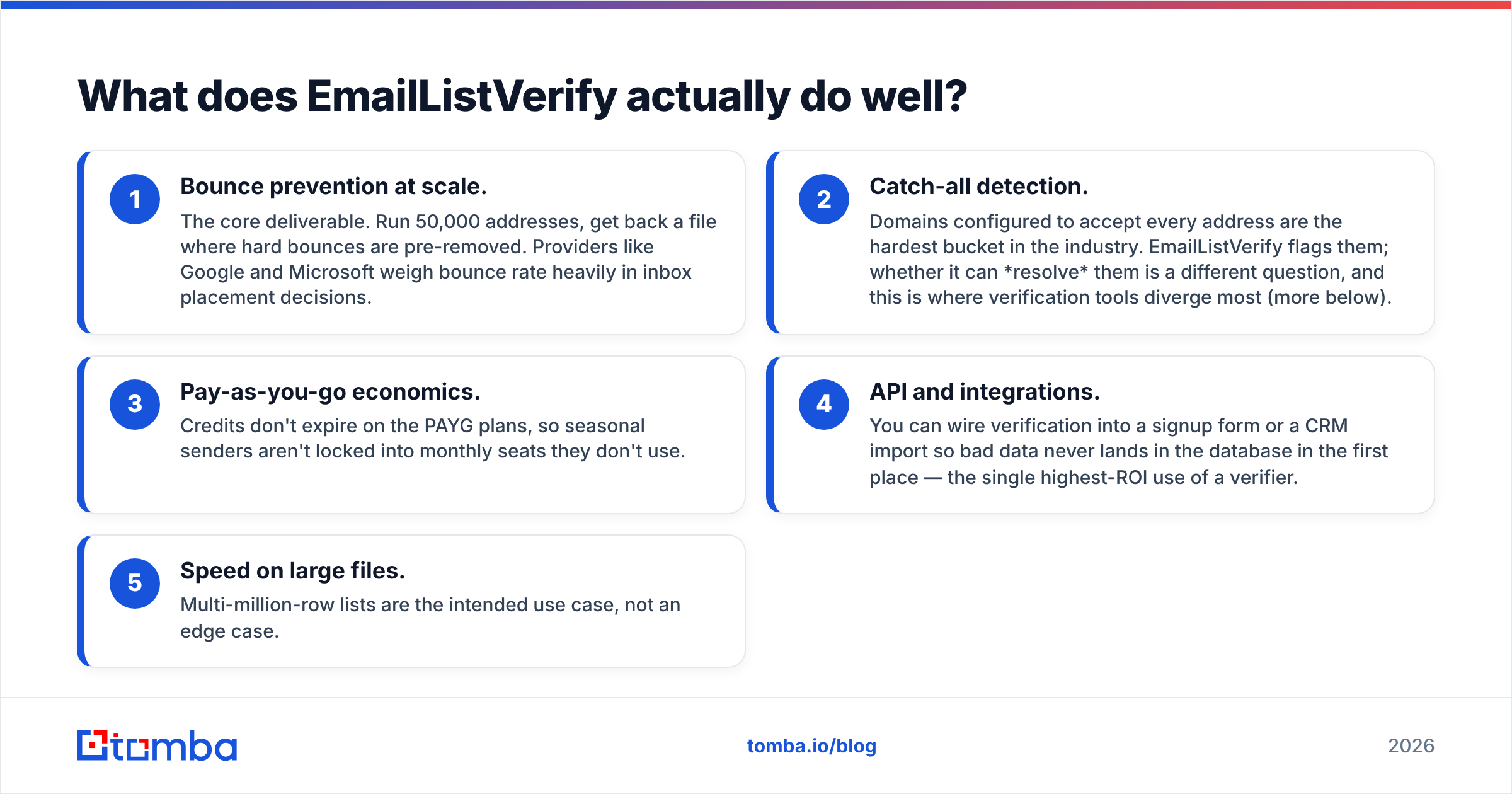
- Fewer bounces at scale. Run 50,000 addresses. Get back a file with the dead ones stripped out. Google and Microsoft both weigh bounce rate when they decide where your mail lands.
- Catch-all flags. Some domains accept every address. They are the hardest bucket in the trade. EmailListVerify flags them. Whether it can resolve them is another matter, and tools differ most right here.
- Pay-as-you-go pricing. Credits do not expire on PAYG plans. Seasonal senders are not stuck paying for idle seats.
- API and integrations. Wire the check into a signup form or a CRM import. Bad data never reaches your database. This is the highest-ROI use of any checker.
- Speed on big files. Lists with millions of rows are the plan, not an edge case.
What it does not do is find people. If your list is empty, there is nothing to check. That is a scope limit, not a flaw. The vendor is upfront about it.

What does Tami AI do well?#
Tami AI aims at the sourcing stage. You describe your ICP in plain words instead of building a 14-filter query. The system returns accounts and contacts it thinks fit, often with a score or a reason.
That helps when:
- Your ICP is fuzzy. "Companies that just opened a second warehouse" is hard to put in filters. It is easy to put in a sentence.
- You have no research analyst. The AI does a chunk of the list building an SDR would do by hand.
- You want context, not just rows. A reason ("this fits because X") is easier for a rep to act on.
The trade-offs are the same as any AI sourcing tool. First, the data is only as good as its source. Smart reasoning on stale records still gives you stale records. Second, output volume is smaller than a raw database export. That is fine for targeted outbound and painful for volume plays. Third, AI matches need spot checks. Treat the fit score as a guess, not a fact.
Before you commit, read fresh user reviews on G2 instead of vendor case studies. Both categories vary a lot.
EmailListVerify vs Tami AI: how do they compare head-to-head?#
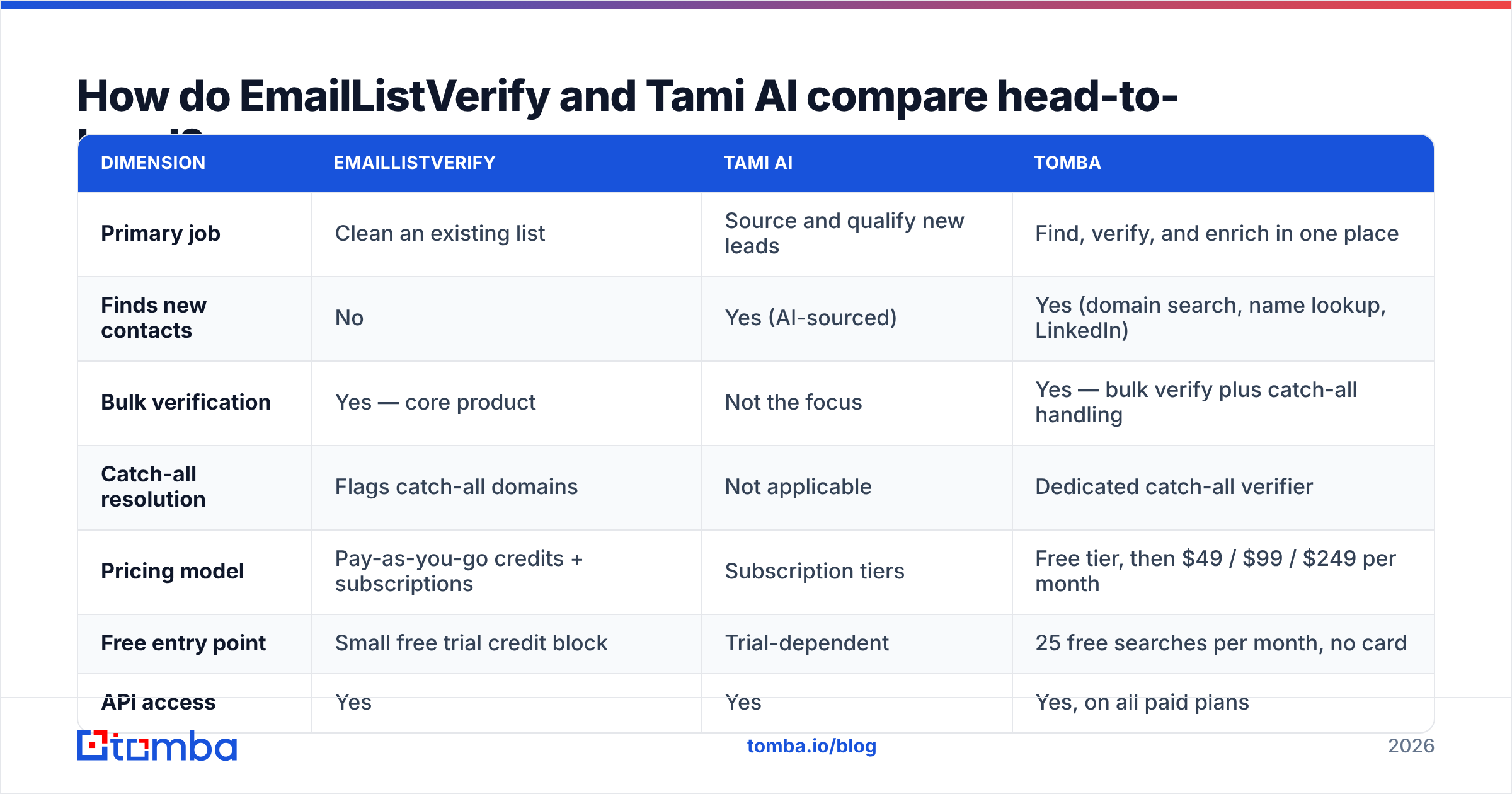
| Dimension | EmailListVerify | Tami AI | Tomba |
|---|---|---|---|
| Primary job | Clean an existing list | Source and qualify new leads | Find, verify, and enrich in one place |
| Finds new contacts | No | Yes (AI-sourced) | Yes (domain search, name lookup, LinkedIn) |
| Bulk verification | Yes — core product | Not the focus | Yes — bulk verify plus catch-all handling |
| Catch-all resolution | Flags catch-all domains | Not applicable | Dedicated catch-all verifier |
| Pricing model | Pay-as-you-go credits + subscriptions | Subscription tiers | Free tier, then $49 / $99 / $249 per month |
| Free entry point | Small free trial credit block | Trial-dependent | 25 free searches per month, no card |
| API access | Yes | Yes | Yes, on all paid plans |
| Best for | High-volume senders with existing data | Teams with no list and a fuzzy ICP | Teams that need both halves in one credit pool |
The table makes the choice clear. These two tools sit at opposite ends of the same pipeline. So the EmailListVerify vs Tami AI question is really this: which half of your data problem hurts more today?
Which one is more accurate?#
"Accurate" means two different things here. Mixing them up is the most common buyer mistake.
For a checker like EmailListVerify, it means the labels are right. When it says "valid," does the mail land? When it says "invalid," was the address really dead? Two things can go wrong. You send and it bounces. Or you delete a real buyer. Tests put the best tools at 95–99% on clean domains. Scores drop fast on catch-all and greylisted setups.
For a sourcing tool like Tami AI, it means the person is right. Right role, right company, current address. A tool can hand you a live address for someone who left eight months ago. Live and correct are not the same thing.

This is why one tool alone tends to disappoint. Buy only a checker and reply rates stay low. Buy only a sourcing tool and you still get bounces. You need both checks. The cleanest fix is a stack where finding and email verification run on the same pipeline.
Here is a quick test before you buy. Take 200 contacts you know are good — current customers, recent chats. Run them through the trial. More than about 5% false invalids should worry you. For a sourcing tool, check 20 returned contacts against LinkedIn. Count how many still hold the stated role.
What do EmailListVerify and Tami AI cost?#
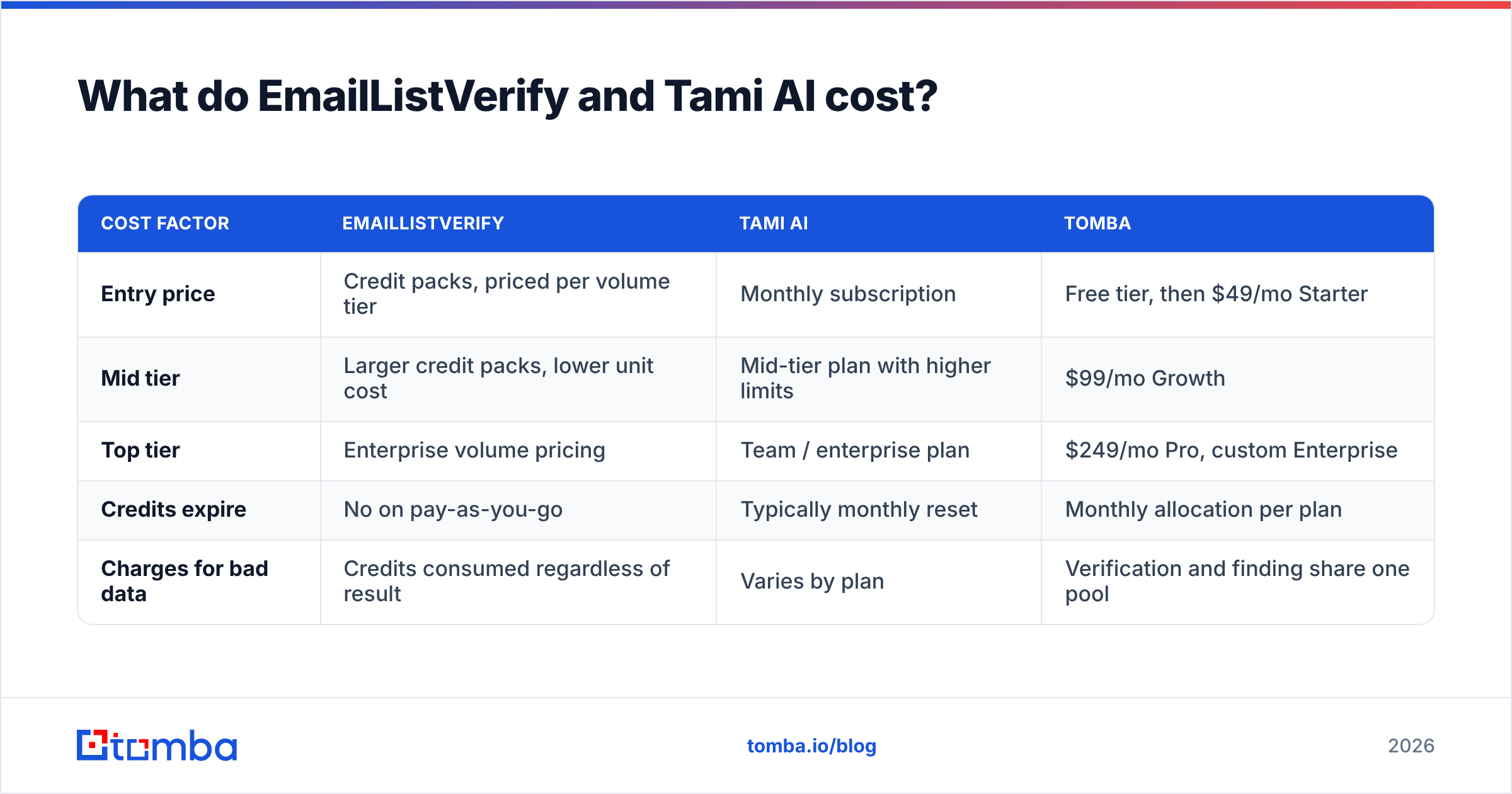
| Cost factor | EmailListVerify | Tami AI | Tomba |
|---|---|---|---|
| Entry price | Credit packs, priced per volume tier | Monthly subscription | Free tier, then $49/mo Starter |
| Mid tier | Larger credit packs, lower unit cost | Mid-tier plan with higher limits | $99/mo Growth |
| Top tier | Enterprise volume pricing | Team / enterprise plan | $249/mo Pro, custom Enterprise |
| Credits expire | No on pay-as-you-go | Typically monthly reset | Monthly allocation per plan |
| Charges for bad data | Credits consumed regardless of result | Varies by plan | Verification and finding share one pool |
Two budget notes matter more than the sticker price.
One: volume changes the math. Pricing is steeply tiered. The per-email cost at 1,000 records can be several times the cost at 500,000. If you clean small batches each month, the headline "cheap per email" number will not apply to you.
Two: two plans only beat one when you use both. Paying for a sourcing tool and a checker means two contracts, two credit systems, and a CSV shuttle in between. At modest volume, one tool that covers both — see Tomba pricing — is usually cheaper. It also skips the export and import step.

Which should you choose?#
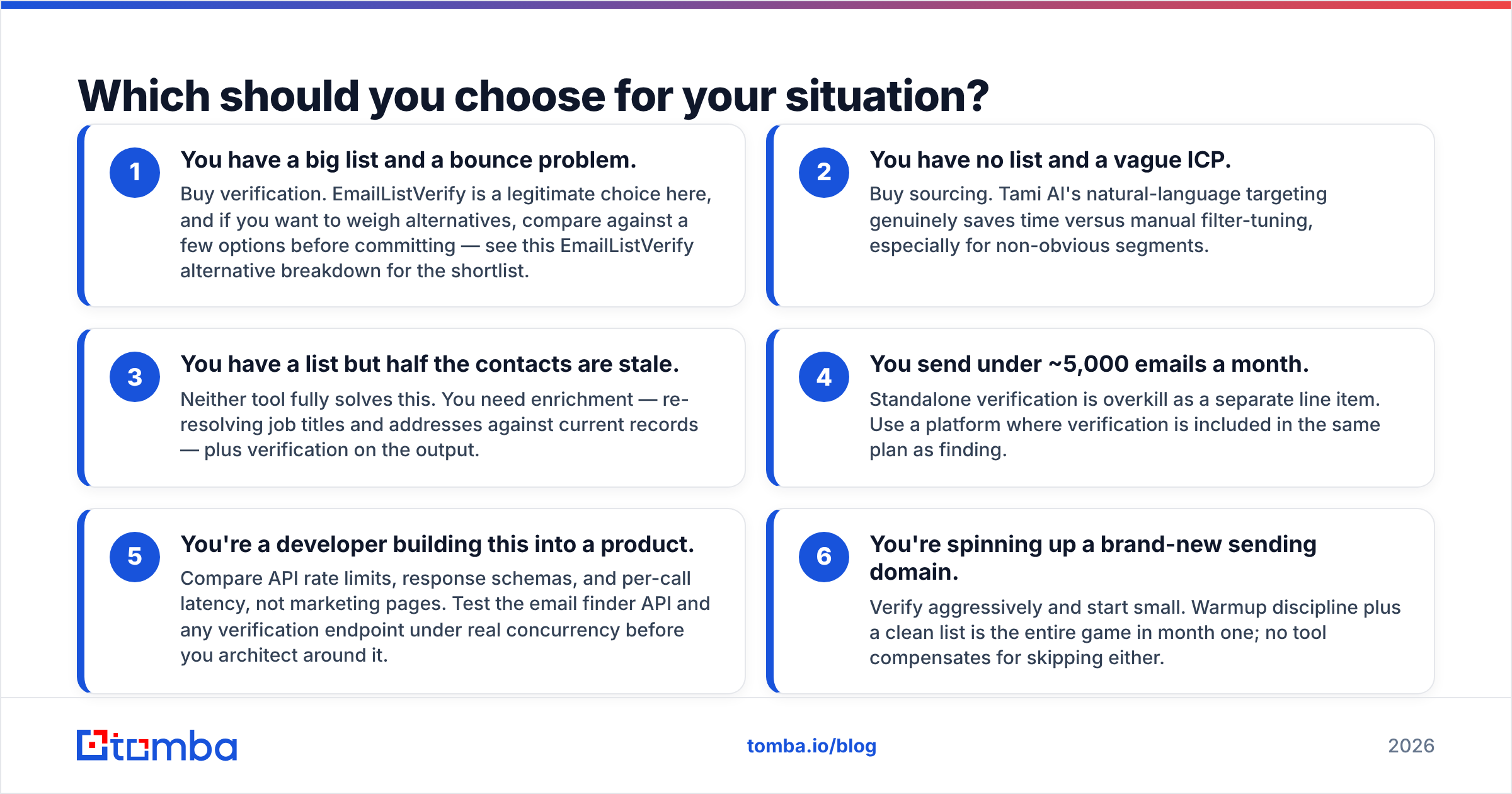
Pick based on the pain you feel now:
- Big list, bounce problem. Buy a checker. EmailListVerify is a fair choice. To weigh options, see this EmailListVerify alternative breakdown.
- No list, vague ICP. Buy sourcing. Tami AI's plain-language targeting saves real time on odd segments.
- A list that has gone stale. Neither tool fully solves this. You need enrichment first — fresh job titles and addresses — then a check on the output.
- Under ~5,000 emails a month. A standalone checker is overkill as its own line item. Use a plan that bundles both.
- You are a developer. Compare API rate limits, response schemas, and latency. Skip the marketing pages. Test the email finder API under real load first.
- Brand-new sending domain. Check hard and start small. Warmup plus a clean list is the whole game in month one. No tool saves you if you skip either.
Where does Tomba fit in the EmailListVerify vs Tami AI comparison?#
Tomba covers both jobs in one credit pool. That is why it shows up here at all.
The email finder handles sourcing. Search by domain, by name and company, or from a LinkedIn profile. Domain search pulls every address it can find at a company, with role labels. Each address is checked before it is returned. A catch-all verifier handles the domains most tools just mark "unknown."
Tomba is not the automatic answer, though. Clean multi-million-row lists every month and a specialist's volume tiers will beat a general platform. Want AI reasoning about why an account fits? That is Tami AI's turf. An honest EmailListVerify vs Tami AI comparison has to name the cases where the other tool wins.
The free tier is 25 searches a month, no card. Use it to run the 200-contact test above before you spend a cent.
What is the fastest way to test all three?#
Give it one afternoon and a control list.
- Take 100 contacts whose status you can confirm.
- Run them through each free or trial tier.
- Score three things: percent labelled right, percent of usable results (not "unknown"), and minutes of manual work per 100 rows.
- Then run 100 new contacts you do not know. Check 20 of them by hand against public sources.
People skip the second test. It is the one that shows whether a tool finds real data or just returns confident guesses. Vendor accuracy claims are marketing until your own list proves them.
Ready to test finding and checking in one place?#
Maybe your real answer to EmailListVerify vs Tami AI is "both." You need more contacts, and you need them to land. If so, start with the Tomba Email Finder. Find addresses by domain, name, or company. Each one is checked in the same request. The free tier gives you 25 searches a month with no card. That is enough for a proper control test against your current tool. If the numbers hold up, Starter is $49/mo. If they do not, you lost an afternoon and nothing else.
Related guides#
Ready to find emails that actually work?
Join 150,000+ professionals who stopped guessing and started sending. Free credits on signup — no credit card required.
Get the Tomba newsletter
Practical outbound tactics and product updates — once every two weeks.
About the author