EmailListVerify vs Zintlr: Which Tool Fits Your Stack?
EmailListVerify cleans lists. Zintlr builds them. They solve opposite halves of the same problem — here's how the two compare on accuracy, pricing model, and where each one quietly fails.
TL;DR
- EmailListVerify and Zintlr are not really competitors. EmailListVerify is a bulk email verification engine; Zintlr is a B2B contact database and prospecting platform. Comparing them head-to-head only makes sense if you're deciding which gap to close first.
- If your CRM is already full of stale addresses and your bounce rate is climbing, you need a verifier — EmailListVerify's pay-as-you-go credits are among the cheapest per thousand in the category.
- If you have no list at all, a verifier is useless. Zintlr gives you contacts, firmographics, and its "personality intelligence" layer, priced per seat rather than per credit.
- Buying both means two vendors, two billing models, and two sets of credits that expire on different schedules. A single find-plus-verify platform usually costs less at the same volume.
- Whatever you pick, verify before you send, not after. Every mailbox provider now scores repeated hard bounces against your sending domain, and that damage takes weeks to undo.
What are EmailListVerify and Zintlr, actually?#
They live at opposite ends of the same pipeline.
EmailListVerify is a list-hygiene tool. You upload a CSV of addresses you already have — from a webinar signup, an old CRM export, a scraped list — and it runs each one through syntax checks, MX record lookups, disposable-domain detection, role-account flagging, and an SMTP handshake. Out the other end comes a file labelled valid, invalid, catch-all, or unknown. It does not find anyone. It only tells you whether the addresses you brought are likely to accept mail.
Zintlr is a database. You search by industry, headcount, geography, or job title and it returns matching people with work emails, phone numbers, and company details. Its differentiator is a personality-profiling layer that infers communication style from public signals, which it pitches as a way to tailor your first-touch messaging. Zintlr does run some validation on outbound data, but hygiene is a feature, not the product.
So the honest framing of EmailListVerify vs Zintlr is: cleaning versus sourcing. Asking which is better is like asking whether a water filter beats a well.
Which problem do you actually have?#
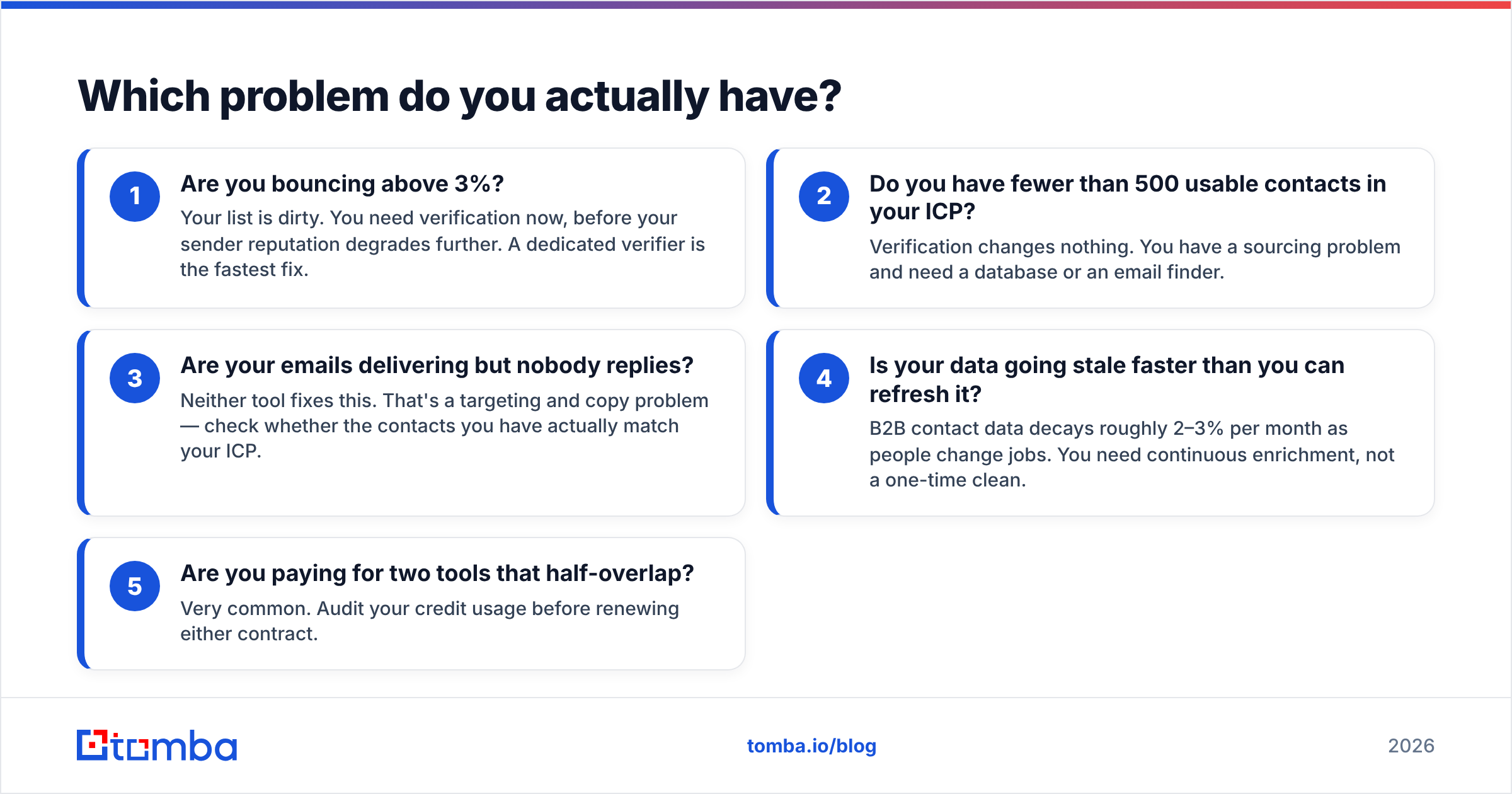
Before you compare pricing pages, diagnose the failure. Run through these five questions in order — the first "yes" tells you what to buy.
- Are you bouncing above 3%? Your list is dirty. You need verification now, before your sender reputation degrades further. A dedicated verifier is the fastest fix.
- Do you have fewer than 500 usable contacts in your ICP? Verification changes nothing. You have a sourcing problem and need a database or an email finder.
- Are your emails delivering but nobody replies? Neither tool fixes this. That's a targeting and copy problem — check whether the contacts you have actually match your ICP.
- Is your data going stale faster than you can refresh it? B2B contact data decays roughly 2–3% per month as people change jobs. You need continuous enrichment, not a one-time clean.
- Are you paying for two tools that half-overlap? Very common. Audit your credit usage before renewing either contract.
Most teams answer yes to more than one. That's the real reason this comparison feels awkward — the honest answer is often "both, or neither, depending on the month."

How do they compare on features and pricing?#
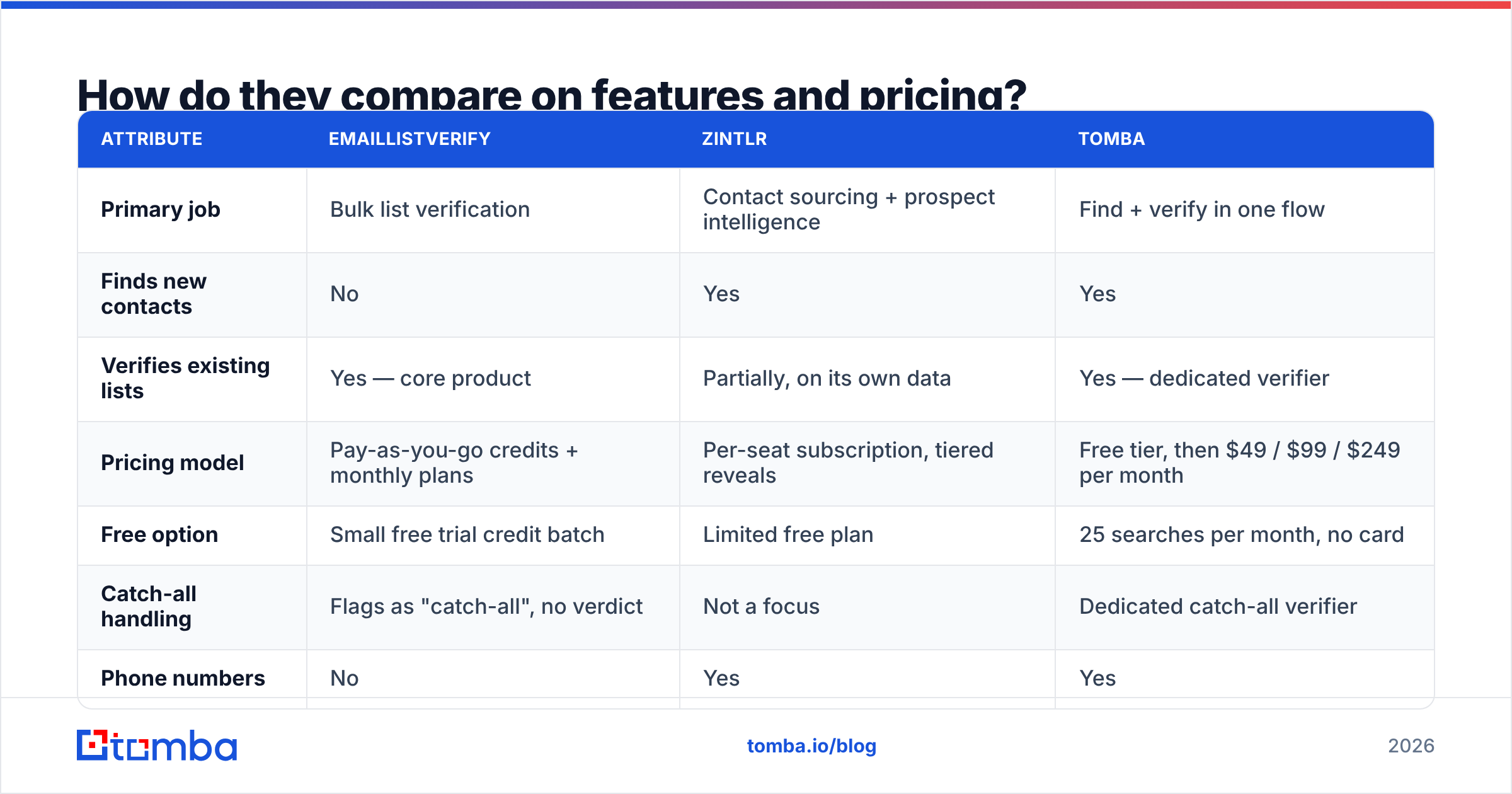
Pricing models differ so fundamentally that per-unit comparison is misleading. EmailListVerify sells credits that you consume one per address checked. Zintlr sells seats with monthly reveal allowances. One is a commodity utility; the other is a subscription to an index.
| Attribute | EmailListVerify | Zintlr | Tomba |
|---|---|---|---|
| Primary job | Bulk list verification | Contact sourcing + prospect intelligence | Find + verify in one flow |
| Finds new contacts | No | Yes | Yes |
| Verifies existing lists | Yes — core product | Partially, on its own data | Yes — dedicated verifier |
| Pricing model | Pay-as-you-go credits + monthly plans | Per-seat subscription, tiered reveals | Free tier, then $49 / $99 / $249 per month |
| Free option | Small free trial credit batch | Limited free plan | 25 searches per month, no card |
| Catch-all handling | Flags as "catch-all", no verdict | Not a focus | Dedicated catch-all verifier |
| Phone numbers | No | Yes | Yes |
| API access | Yes, real-time verification endpoint | Yes | Yes, plus CLI and MCP server |
| Best for | Cleaning imported or aging lists | Building a list from scratch | Teams that need both without two vendors |
A few things this table hides.
EmailListVerify's credits don't expire on the pay-as-you-go tier, which matters if your list-cleaning is seasonal — you buy 100k credits in January and burn them across the year. Subscription plans behave differently; read the terms before you assume rollover.
Zintlr's seat model punishes small teams with big list needs and rewards large teams doing light research. If two SDRs need 20,000 contacts a quarter, per-seat pricing gets expensive fast relative to credit-based sourcing.
Neither publishes a hard accuracy SLA in the way some competitors do. Treat any "99% accurate" claim on a marketing page as a ceiling under ideal conditions, not a guarantee for your specific vertical.
How accurate is each one in practice?#
Accuracy means different things for a verifier and a database, and conflating them is the most common mistake buyers make.
For a verifier, accuracy is the false-positive rate: how often it marks an address "valid" that then hard-bounces. Good verifiers land under 2%. The hard cases are always the same — catch-all domains that accept everything at the SMTP layer, greylisting servers that defer the first connection, and enterprise gateways like Proofpoint or Mimecast that deliberately obscure whether a mailbox exists. EmailListVerify handles the mechanical checks well and is transparent about labelling catch-alls rather than guessing. That honesty is good practice, but it leaves you with a bucket of "unknown" contacts you still have to decide about. A dedicated catch-all verifier is what turns that bucket back into usable pipeline.
For a database, accuracy is coverage plus freshness: what share of your ICP it holds, and how recently each record was confirmed. Zintlr performs better in some regions and industries than others — a pattern true of every provider, including the biggest names. Before committing, run the same 100-company test list through any database you're evaluating and count real matches, not total rows returned. Vendor-reported coverage numbers are counted differently by every vendor and are not comparable across pages.

Practical test protocol, if you're running a trial:
- Pull 100 companies you know well — ideally existing customers, so you can validate answers.
- Ask each tool for a named decision-maker at each one.
- Score coverage (did you get an address?) and precision (was it right?) separately.
- Send a small, warmed batch to the survivors and measure actual bounce rate, not the tool's predicted one.
- Repeat with a second vertical. Coverage swings wildly between SaaS, manufacturing, and healthcare.
That takes an afternoon and beats any comparison article, including this one.
Is buying both tools worth it?#
Sometimes — but do the arithmetic before you sign.
The two-vendor stack looks like this: Zintlr sources contacts, you export a CSV, upload it to EmailListVerify, wait for the batch, re-import the clean rows into your sequencer. It works. It's also four manual steps that break every time someone forgets the middle one, plus two renewal dates, two support queues, and two sets of credits that don't talk to each other.
The consolidation argument is straightforward. If a single platform finds the address, verifies it in the same call, and hands it to your CRM through an existing connector, you cut the failure surface and usually the invoice too. Tomba's email finder and email verifier run off the same infrastructure, so a found address arrives already scored. Volume work goes through the bulk email finder, and everything is reachable through the API if you'd rather not touch a UI at all.
The counter-argument is real too: specialists sometimes beat generalists on their one axis. If you process ten million addresses a year and nothing else, a pure verifier's per-unit price will be hard to beat. Know which case you're in.

What does this cost over a year?#
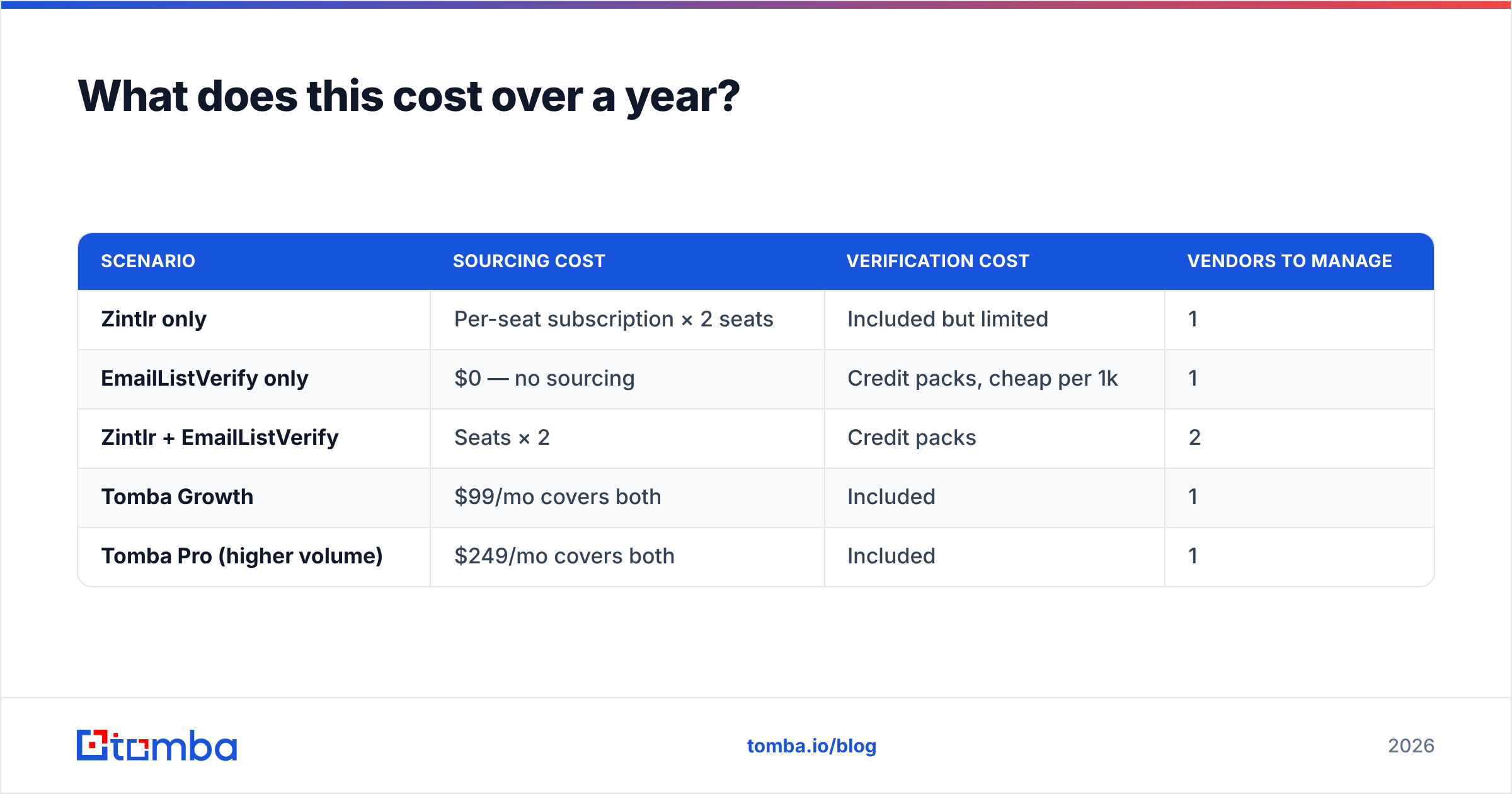
Rough annualised scenarios for a two-SDR team doing standard outbound. Treat these as shape-of-the-curve, not quotes — check the vendors' current published rates before budgeting.
| Scenario | Sourcing cost | Verification cost | Vendors to manage |
|---|---|---|---|
| Zintlr only | Per-seat subscription × 2 seats | Included but limited | 1 |
| EmailListVerify only | $0 — no sourcing | Credit packs, cheap per 1k | 1 |
| Zintlr + EmailListVerify | Seats × 2 | Credit packs | 2 |
| Tomba Growth | $99/mo covers both | Included | 1 |
| Tomba Pro (higher volume) | $249/mo covers both | Included | 1 |
The row that surprises people is the third one. Two mid-tier subscriptions plus credit packs frequently lands above a single consolidated plan at the same throughput — and you're still doing the CSV shuffle by hand. Full Tomba pricing is public, including the free tier at 25 searches a month, so you can run the comparison against your real numbers rather than a marketing estimate.

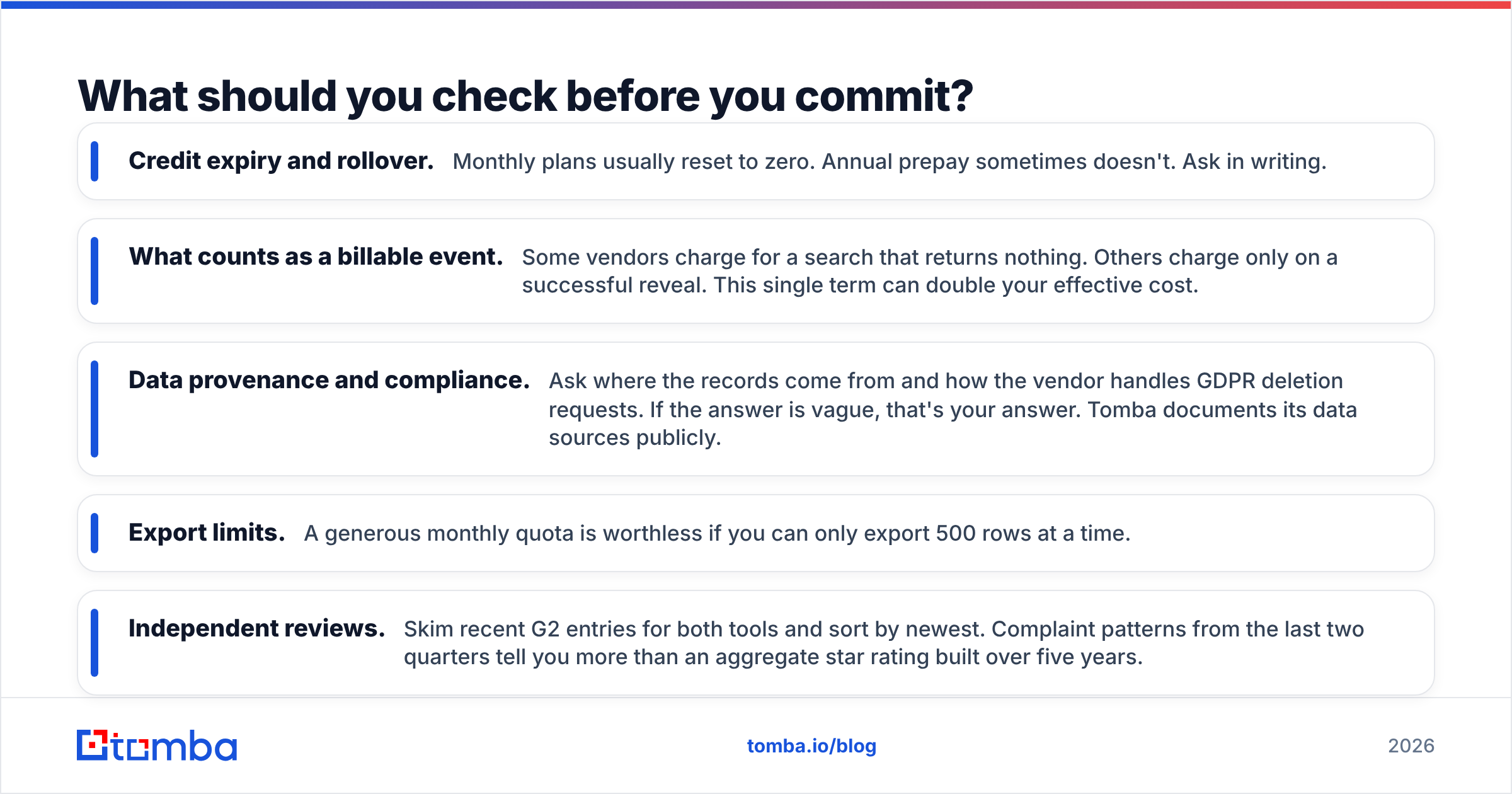
What should you check before you commit?#
Five things buyers skip and regret:
- Credit expiry and rollover. Monthly plans usually reset to zero. Annual prepay sometimes doesn't. Ask in writing.
- What counts as a billable event. Some vendors charge for a search that returns nothing. Others charge only on a successful reveal. This single term can double your effective cost.
- Data provenance and compliance. Ask where the records come from and how the vendor handles GDPR deletion requests. If the answer is vague, that's your answer. Tomba documents its data sources publicly.
- Export limits. A generous monthly quota is worthless if you can only export 500 rows at a time.
- Independent reviews. Skim recent G2 entries for both tools and sort by newest. Complaint patterns from the last two quarters tell you more than an aggregate star rating built over five years.
Run a paid one-month trial rather than a free one where possible. Free tiers are almost always served from a different, better-curated slice of the index than production traffic.
The verdict#
If you already have contacts and they're bouncing, EmailListVerify solves your problem cheaply and does exactly what it says. If you have no contacts, Zintlr — or any credible B2B database — is where you start, and a verifier bought first would sit idle.
If, like most teams, you need both halves, buying two subscriptions is the expensive way to get there. Start with Tomba's Email Finder: search by domain, name, or company, get an address that's already verified against the same infrastructure that powers the standalone verifier, and push it straight to your CRM. The free tier gives you 25 searches a month with no card, which is enough to run the 100-company test above and decide with your own data instead of ours.
Related guides#
Ready to find emails that actually work?
Join 150,000+ professionals who stopped guessing and started sending. Free credits on signup — no credit card required.
Get the Tomba newsletter
Practical outbound tactics and product updates — once every two weeks.
About the author