EmailVerify.io vs UpLead: Which One Do You Need in 2026?
One tool cleans the list you already have. The other sells you a new one. Here is an honest breakdown of EmailVerify.io vs UpLead on pricing, accuracy, credits and real workflow fit.
EmailVerify.io vs UpLead is an odd match-up. One tool cleans the list you already own. The other sells you a new one. This guide compares EmailVerify.io vs UpLead on price, accuracy, credits and real workflow fit.
TL;DR
- EmailVerify.io and UpLead are not really competitors. EmailVerify.io is a list-cleaning tool; UpLead is a B2B contact database. Buying one instead of the other usually means you solved the wrong half of the problem.
- If you already have contacts — scraped, exported from a CRM, collected via forms — EmailVerify.io is the cheaper, more focused choice. Pay-as-you-go credits, no seat tax.
Here is the other half of the EmailVerify.io vs UpLead question:
- If you have no list and need company + person records with filters (industry, headcount, tech stack, intent), UpLead is the relevant tool. Entry pricing starts near $99/month, and credits are tight at the bottom tier.
- The gap most teams fall into: paying database prices for records they then have to verify anyway. Or verifying a list that was never targeted correctly in the first place.
- A combined finder-plus-verifier stack (Tomba, for example) covers both jobs in one credit pool. That is usually cheaper than running a database subscription and a separate verification account side by side.
What is EmailVerify.io?#
EmailVerify.io is an email verification service. You give it addresses, it tells you which ones are safe to send to. That's the whole product surface, and the narrowness is the point.
A verification pass runs a stack of checks in sequence. It starts with syntax validation, then a domain and MX record lookup. Next comes disposable-domain detection and role-account flagging (info@, sales@, support@). Last is an SMTP handshake that asks the receiving mail server whether the mailbox exists, without delivering a message. Think of it as knocking on a door and listening for footsteps rather than walking in.
What you get out the other end is a status per address — valid, invalid, catch-all/accept-all, unknown, disposable, role. You also get a downloadable file and, on most plans, API access. That lets you wire the same check into a signup form or a CRM automation.
Two things matter about the commercial model. First, credits are usually pay-as-you-go and non-expiring, which suits agencies and anyone with lumpy, project-shaped volume. Second, there is no per-seat charge — you're paying for throughput, not headcount.
What EmailVerify.io does not do: it will not tell you who to email. It has no company database, no filters, no intent signals, no job-title search. Feed it garbage and it will faithfully tell you the garbage is undeliverable. That single limit drives most of the EmailVerify.io vs UpLead decision.
What is UpLead?#
UpLead is a B2B prospecting database. You search for companies and people by filter — industry, revenue band, employee count, location, seniority, technologies installed. It returns contact records including work emails and often direct dials.
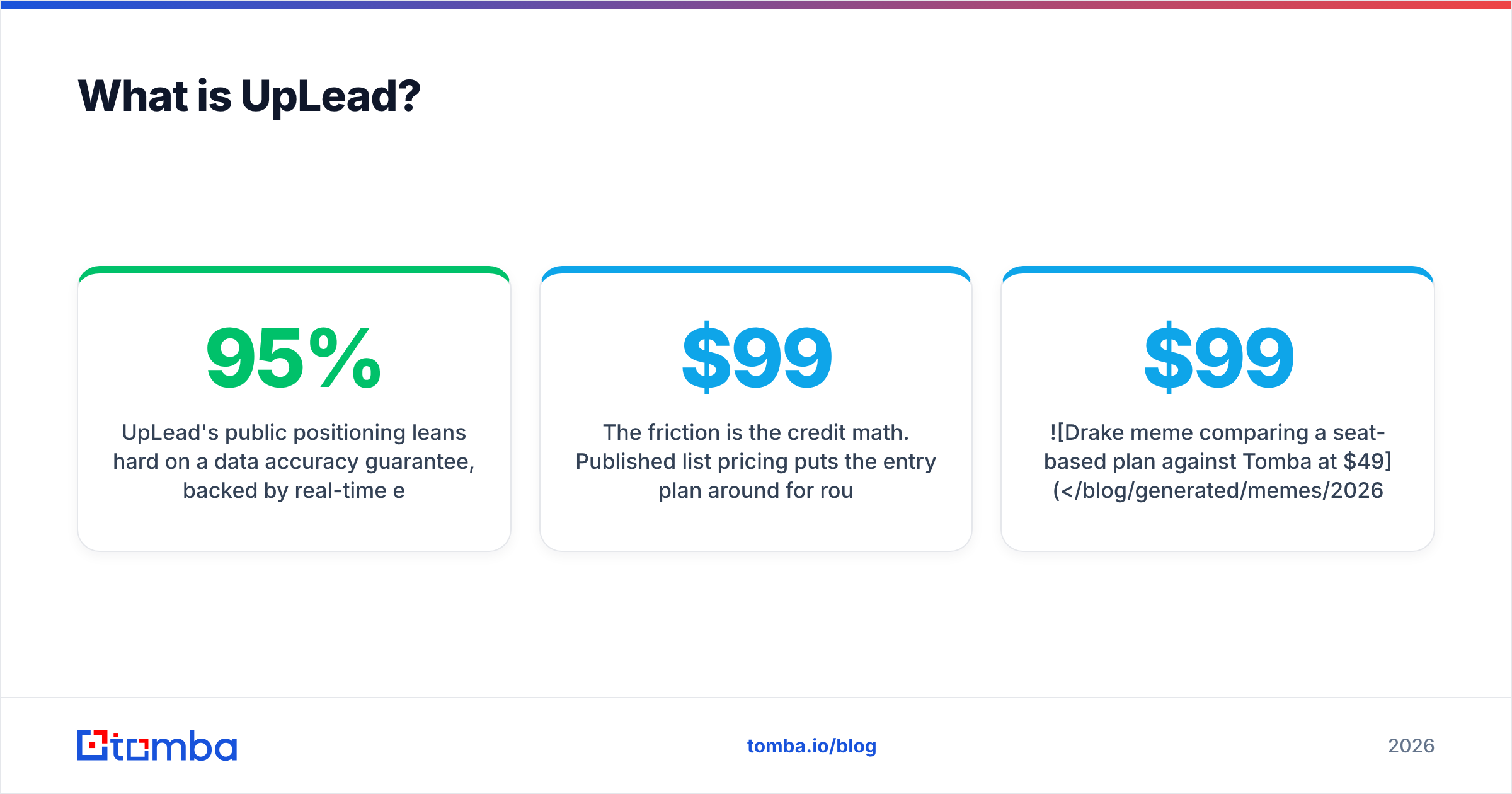
UpLead's public positioning leans hard on a 95% data accuracy guarantee, backed by real-time email verification at the moment you reveal a contact. That is a genuinely useful design decision. Rather than shipping you a stale CSV, the platform re-checks the address before spending your credit, so you don't get charged for a bounce-grade record.
The catalogue is large — the vendor cites well over 100 million contacts across tens of millions of companies. The platform also layers on technographics, intent data on higher tiers, a Chrome extension for LinkedIn and company sites, and CRM pushes to Salesforce, HubSpot, Pipedrive and others.
The friction is the credit math. Published list pricing puts the entry plan around $99/month for roughly 170 credits, with the next tier near $199/month for around 400. Each revealed contact burns a credit. If your outbound motion needs 1,000 new contacts a month, you are not shopping in the entry tier — you're negotiating a Professional contract.

EmailVerify.io vs UpLead: are they even competitors?#
Mostly no, and that's the single most useful thing to understand before you compare feature grids.
The B2B contact lifecycle has four distinct jobs:
- Target — decide which companies and roles are worth contacting. Filters, firmographics, intent signals. UpLead lives here.
- Find — get the actual email address for a named person at a named domain. UpLead does this from its database; an email finder does it by pattern inference plus source verification.
- Verify — confirm the address is deliverable right now, not in the quarter it was crawled. EmailVerify.io lives here. UpLead does a version of this inline.
- Enrich and maintain — keep the record current as people change jobs, which they do at roughly 20–30% per year in tech sales roles.
EmailVerify.io covers job 3. UpLead covers jobs 1, 2 and a slice of 3. The overlap is one square out of four. So the honest framing of "EmailVerify.io vs UpLead" is not which is better. It's which gap are you trying to close, and whether the tool you're eyeing leaves the other three open.
EmailVerify.io vs UpLead: how do they compare on price and features?#
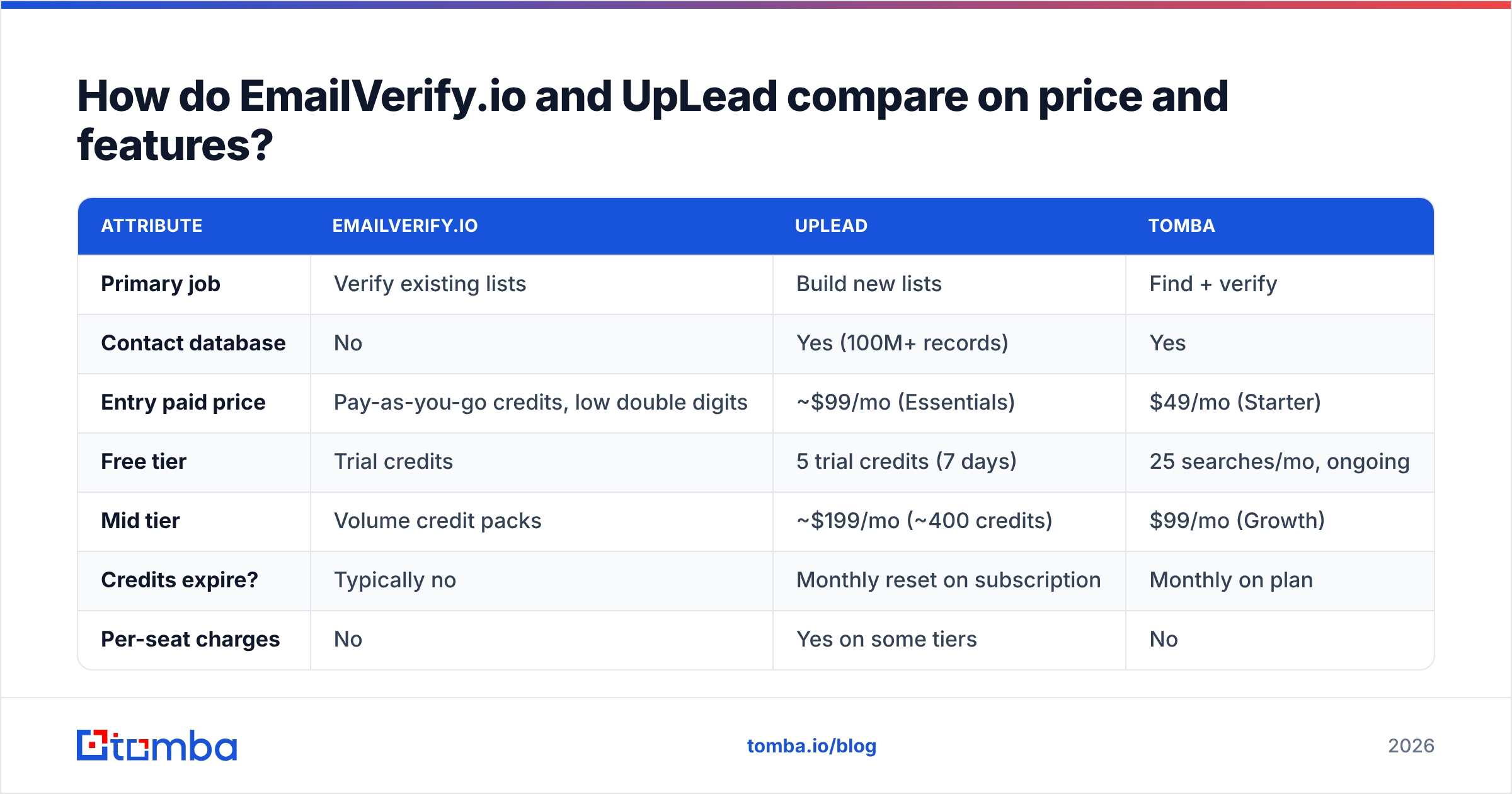
Here's the head-to-head, with Tomba included as the middle option since it spans both jobs. Prices are list pricing at the time of writing; always confirm on the vendor's own page before you buy.
| Attribute | EmailVerify.io | UpLead | Tomba |
|---|---|---|---|
| Primary job | Verify existing lists | Build new lists | Find + verify |
| Contact database | No | Yes (100M+ records) | Yes |
| Entry paid price | Pay-as-you-go credits, low double digits | ~$99/mo (Essentials) | $49/mo (Starter) |
| Free tier | Trial credits | 5 trial credits (7 days) | 25 searches/mo, ongoing |
| Mid tier | Volume credit packs | ~$199/mo (~400 credits) | $99/mo (Growth) |
| Credits expire? | Typically no | Monthly reset on subscription | Monthly on plan |
| Per-seat charges | No | Yes on some tiers | No |
| Catch-all handling | Flagged as accept-all | Flagged, still charged | Dedicated catch-all verifier |
| Filters (industry, size, tech) | None | Extensive | Domain and role-level |
| Phone numbers | No | Yes (direct dials) | Yes (phone finder) |
| Bulk upload | Yes, core feature | Yes, list export | Yes |
| API | Yes | Yes | Yes, plus CLI and MCP |
| Best for | Cleaning a list you own | Cold TAM discovery | Doing both on one budget |
Two lines in that table decide most purchases. "Contact database: No" rules out EmailVerify.io for anyone starting from zero. "~$99/mo for ~170 credits" rules out UpLead's entry tier for anyone running real outbound volume. That's roughly $0.58 per contact, which is fine for enterprise ABM lists and painful for a 2,000-prospect quarter.

EmailVerify.io vs UpLead: which one is more accurate?#
The word "accuracy" means two different things here, and vendors exploit the gap.
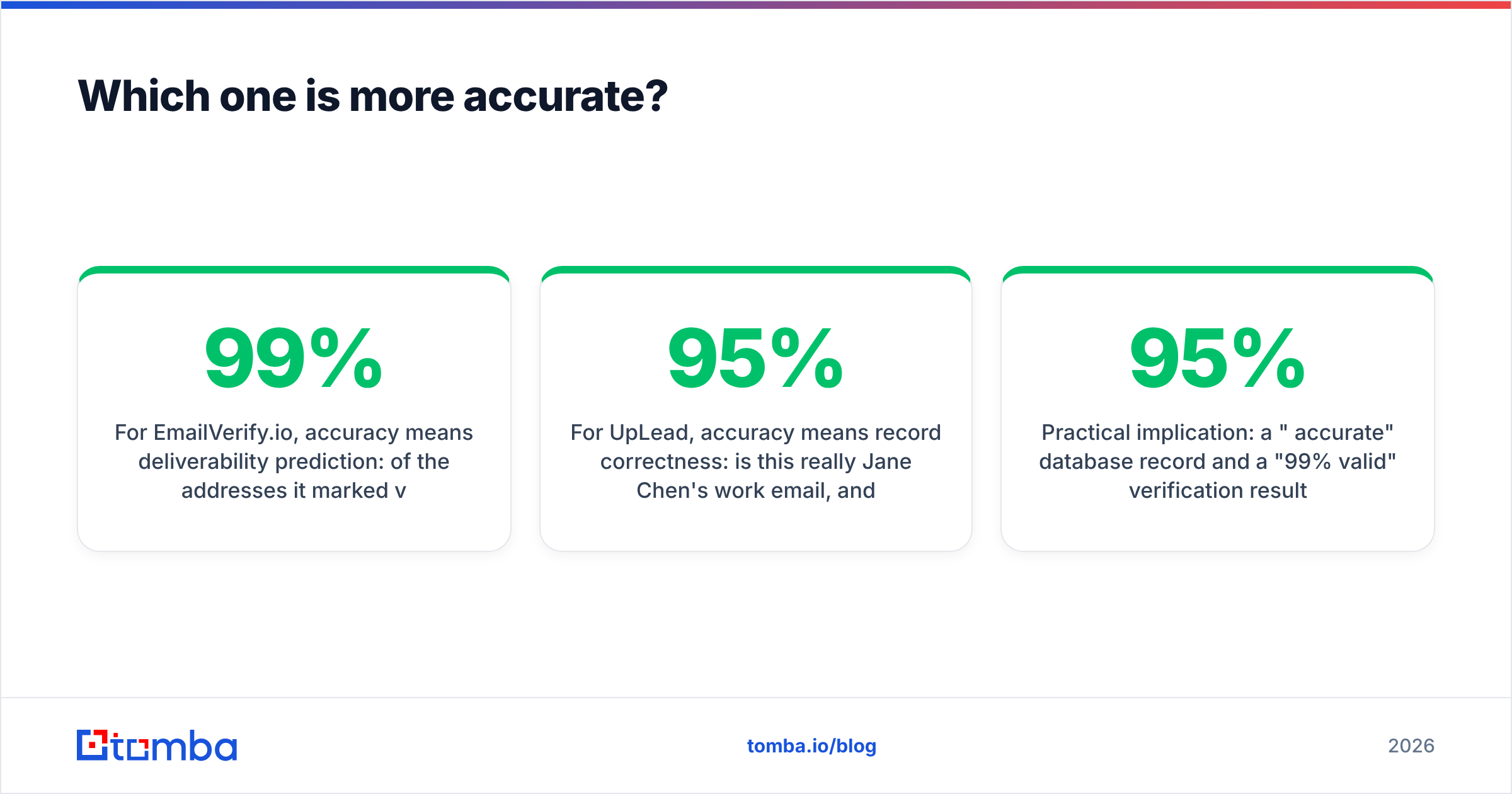
For EmailVerify.io, accuracy means deliverability prediction. Of the addresses it marked valid, what share actually landed? Good verifiers sit in the 95–99% range on clean, non-catch-all domains. The honest caveat: no verifier can resolve a catch-all domain by SMTP alone. The server accepts everything, so the handshake tells you nothing. That's why catch-alls get their own bucket. It's also why a dedicated catch-all verifier that uses secondary signals is worth having when a chunk of your ICP sits behind Microsoft 365 tenants set to accept all.
For UpLead, accuracy means record correctness. Is this really Jane Chen's work email, and is she really VP of Engineering at that company? The 95% guarantee is about the database, enforced by the pre-reveal verification step. It says less about whether Jane still works there. Job-change decay is a separate failure mode that no single verification pass catches.

So the practical answer to EmailVerify.io vs UpLead on accuracy is that the two numbers are not comparable. A "95% accurate" database record and a "99% valid" verification result measure different things, and stacking them does not give you 94%. If you buy contacts from any database and mail them 60 days later, re-verify before you send. Every serious sender does this, including teams paying premium database prices. Run the file through a bulk email verifier as a standing pre-flight step. Treat it as a cost of doing outbound, not an optional extra.
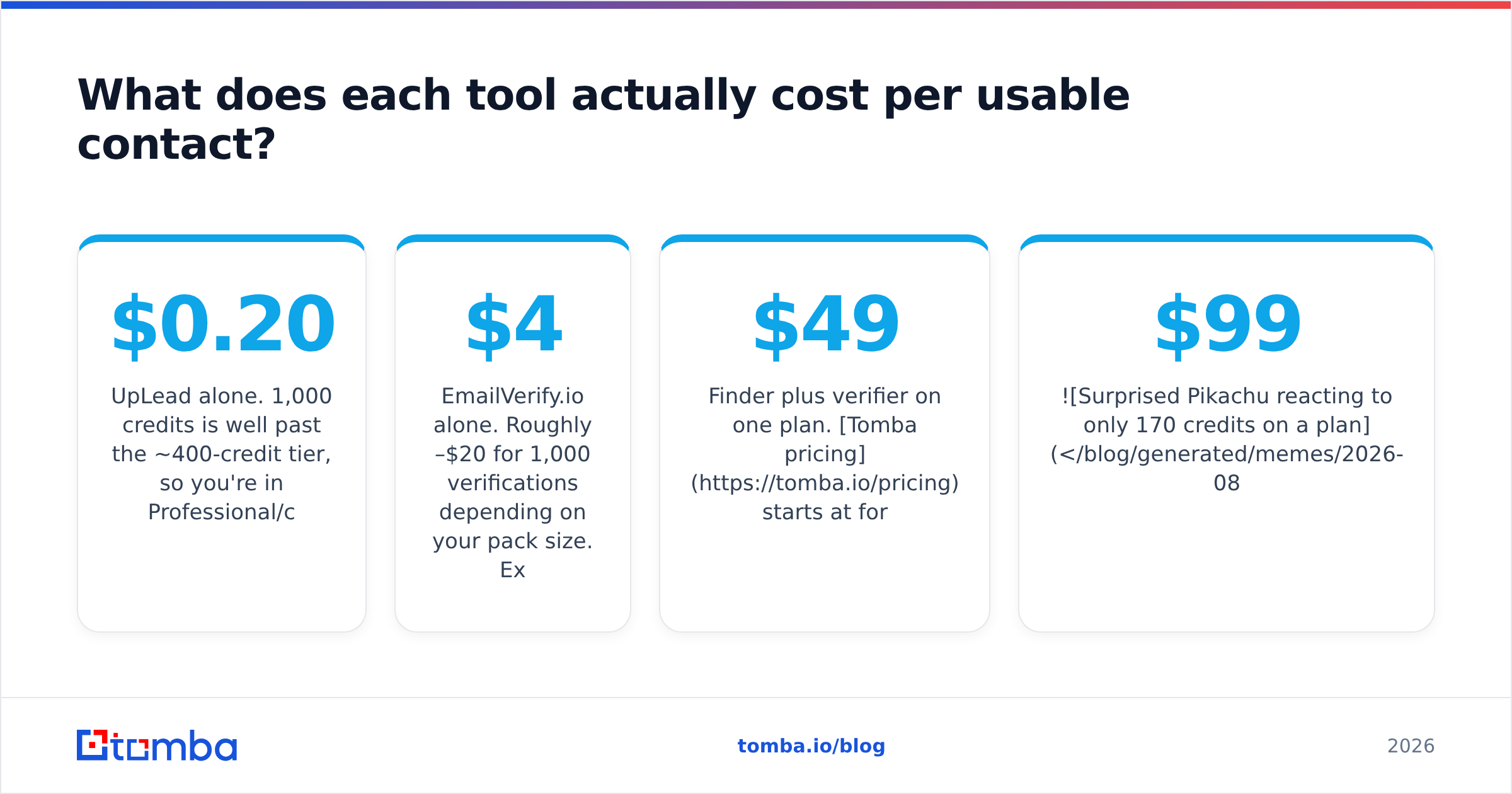
EmailVerify.io vs UpLead: what does each contact really cost?#
Sticker price is the wrong unit. Cost per usable, deliverable contact is the right one. Run the arithmetic for a team that needs 1,000 new contacts a month:
- UpLead alone. 1,000 credits is well past the ~400-credit tier, so you're in Professional/custom territory. Even at an optimistic blended $0.20/credit that's $200/month. You still re-verify before sending, because of job-change decay.
- EmailVerify.io alone. Roughly $4–$20 for 1,000 verifications, depending on your pack size. Except you can't do it — you have no source list. The cost is not the money, it's the missing input.
- Scraper plus EmailVerify.io. Cheapest on paper. You trade cash for hours of list-building, plus the compliance risk of unvetted scraping, plus a hit rate that swings wildly by industry.
- Finder plus verifier on one plan. Tomba pricing starts at $49/mo for Starter and $99/mo for Growth. Find and verify draw on the same pool, so a contact you find and then verify doesn't force you to reconcile two vendors' invoices.

The pattern worth noticing: teams that buy a database and a verifier are usually paying twice for overlapping guarantees. The database charges a premium for verified records. The verifier then re-checks them, because the premium didn't survive contact with reality.
Which should you pick for your use case?#
Match the tool to the shape of your problem rather than to the feature count:
- You have a 50,000-row list of unknown quality. EmailVerify.io. Bulk upload, non-expiring credits, no seat fees, done in an afternoon. A database subscription buys you nothing here.
- You have zero contacts and a tightly defined ICP. UpLead. The filter depth and technographic layer are the product. The inline verification means fewer wasted credits than legacy database vendors.
- You know the target companies but not the people. Neither, strictly. You want domain search, which takes a company domain and returns the addresses and role patterns behind it. It is cheaper per contact than a database reveal.
The next three cases are where the EmailVerify.io vs UpLead choice usually breaks down into "both, or neither":
- You run high-volume outbound and re-verify continuously. A combined stack. Two vendors means two credit systems, two APIs and two renewal dates for one workflow.
- You're an agency with lumpy client volume. Non-expiring pay-as-you-go credits beat a monthly subscription that resets. EmailVerify.io wins on model; check whether your finder offers the same.
- You need direct dials as well as email. UpLead includes them, EmailVerify.io does not. If phone matters, find phone numbers has to be in scope from the start rather than bolted on.
If you're still torn, look at where your last 100 bounces came from. Bad data at the source means you have a targeting problem and need a database. Good targets that bounced anyway means you have a hygiene problem and need a verifier. Reviews on G2 are useful for sanity-checking support quality and billing behaviour, but they won't tell you which of those two problems is yours.
What do most teams get wrong here?#
Four recurring mistakes, in order of how much money they waste:
Treating verification as a one-time event. A list verified in January is meaningfully worse by April. Contacts change jobs, companies restructure, mailbox policies tighten. Verification is a recurring pipeline step, not a purchase.
Ignoring the catch-all bucket. On many B2B lists, 15–30% of addresses land in accept-all territory. Some teams delete them all, throwing away real prospects. Others send to all of them, inflating bounce rates and burning sender reputation. The correct move is to segment them and treat them as a lower-confidence cohort with a separate sending cadence.
Buying seats when you need volume. Per-seat pricing punishes small teams doing large-volume work. If two SDRs need to process 20,000 records, a seat-priced platform charges you for the two humans. A credit-priced one charges you for the 20,000 records. Know which model you're on before you scale.
Assuming inline verification replaces pre-send verification. It doesn't. Inline verification at reveal time is accurate at reveal time. If those contacts sit in a sequence queue for six weeks, run them again. A bulk verify pass before every campaign launch costs pennies per thousand, and it protects the domain reputation you spent months building.
The verdict#
EmailVerify.io is the better buy if you already have contacts and just need them clean. It's focused, credit-priced, and doesn't charge you for people. UpLead is the better buy if your problem is discovery, you have a specific ICP to filter against, and your deal sizes justify roughly $0.50+ per revealed contact. Neither is a mistake. Picking the one that solves the other team's problem is.
For most mid-market outbound teams, though, EmailVerify.io vs UpLead is the wrong question. You need both jobs done, and you don't want two invoices. That's the case for consolidating: find the address, verify it in the same pass, enrich the record, and keep the whole thing on one credit pool with no seat tax.
Try it on your own data before you commit to anything. Tomba's Email Finder gives you 25 free searches a month with no card required. That's enough to test hit rate and deliverability against a real slice of your ICP. Run the same 25 companies through your current tool and compare the outputs side by side. Whatever you conclude, you'll be deciding on evidence from your own market instead of a vendor's benchmark.
Related guides#
Ready to find emails that actually work?
Join 150,000+ professionals who stopped guessing and started sending. Free credits on signup — no credit card required.
Get the Tomba newsletter
Practical outbound tactics and product updates — once every two weeks.
About the author