9 Best Engage Alternatives in 2026 (Compared and Priced)
Outreach Engage is a strong sequencer with an enterprise price tag and an enterprise onboarding cycle. Here are nine Engage alternatives compared on real pricing, data quality, deliverability controls, and how fast a rep can actually send.
TL;DR
- "Engage" usually means Outreach Engage, the sequencing, dialer, and task-management module inside the Outreach sales execution platform. A few other vendors ship products with the same name, so confirm which one you're actually evaluating before you compare pricing.
- Teams leave Engage for three reasons, in this order: per-seat cost with annual commitments, admin overhead (someone has to own the platform), and no contact data included — you still pay a separate vendor for emails and phone numbers.
- If you want the same enterprise workflow depth, Salesloft is the closest like-for-like swap. If you want 80% of the workflow at a third of the cost, look at Reply.io, Klenty, or Saleshandy.
- If your bottleneck is reply rate rather than workflow, the fix is usually the data layer, not the sequencer. Verified contacts from a dedicated finder plus a cheap sender beats an expensive sequencer firing at stale records.
- Budget 4–10 weeks for a full migration off Engage: sequences, CRM field mappings, dialer numbers, and reporting all have to be rebuilt.
What is Engage, exactly?#
Engage is the outbound execution layer of Outreach. It's where reps live day to day: multi-step sequences across email, calls, and LinkedIn tasks; a built-in dialer with call recording; a task queue that tells a rep what to do next; and bidirectional sync with Salesforce or Dynamics. Outreach sells it alongside Deals, Forecast, and conversation intelligence as one "sales execution platform."
One clarification before you go further, because it costs people weeks: several vendors use the word Engage as a product name. Sopro sells a managed prospecting service with a platform called Engage. Legacy Salesforce Pardot users may remember Salesforce Engage. There are LinkedIn-commenting tools branded Engage as well. This post is about the sales engagement platform category — the sequencer-plus-dialer-plus-CRM-sync tool — because that's what nearly everyone searching for Engage alternatives actually means. The evaluation framework below transfers to the others regardless.
Outreach does not publish list pricing. Buyers consistently report per-seat costs in the low three figures per user per month on annual contracts, plus a platform fee, plus a minimum seat count. Treat any number you read online — including that one — as a starting point for negotiation, not a quote.
Why do teams look for Engage alternatives?#
Four patterns come up repeatedly in G2's sales engagement category reviews and in migration conversations:
1. The seat math stops working. Engage is priced per rep with an annual commitment. A team that grows from 8 to 20 SDRs doesn't get a volume break automatically — it gets a bigger invoice. Teams with a lot of part-time or seasonal senders feel this hardest.
2. It needs an owner. Sequence governance, snippet libraries, ruleset configuration, and Salesforce field mapping are real jobs. Companies without a RevOps function end up with 400 orphaned sequences and no one who knows which ones are live.
3. No data is included. Engage sends; it does not find. You still license a contact database, or an email finder, or both. Buyers frequently discover their "sales engagement budget" is actually two budgets.
4. Deliverability got harder than the tooling assumed. Since Google and Yahoo tightened bulk-sender requirements, per-domain volume caps, inbox rotation, and hard bounce discipline matter more than sequence branching logic. Newer tools were built around that reality; older enterprise platforms bolted it on.
What should you actually compare across Engage alternatives?#
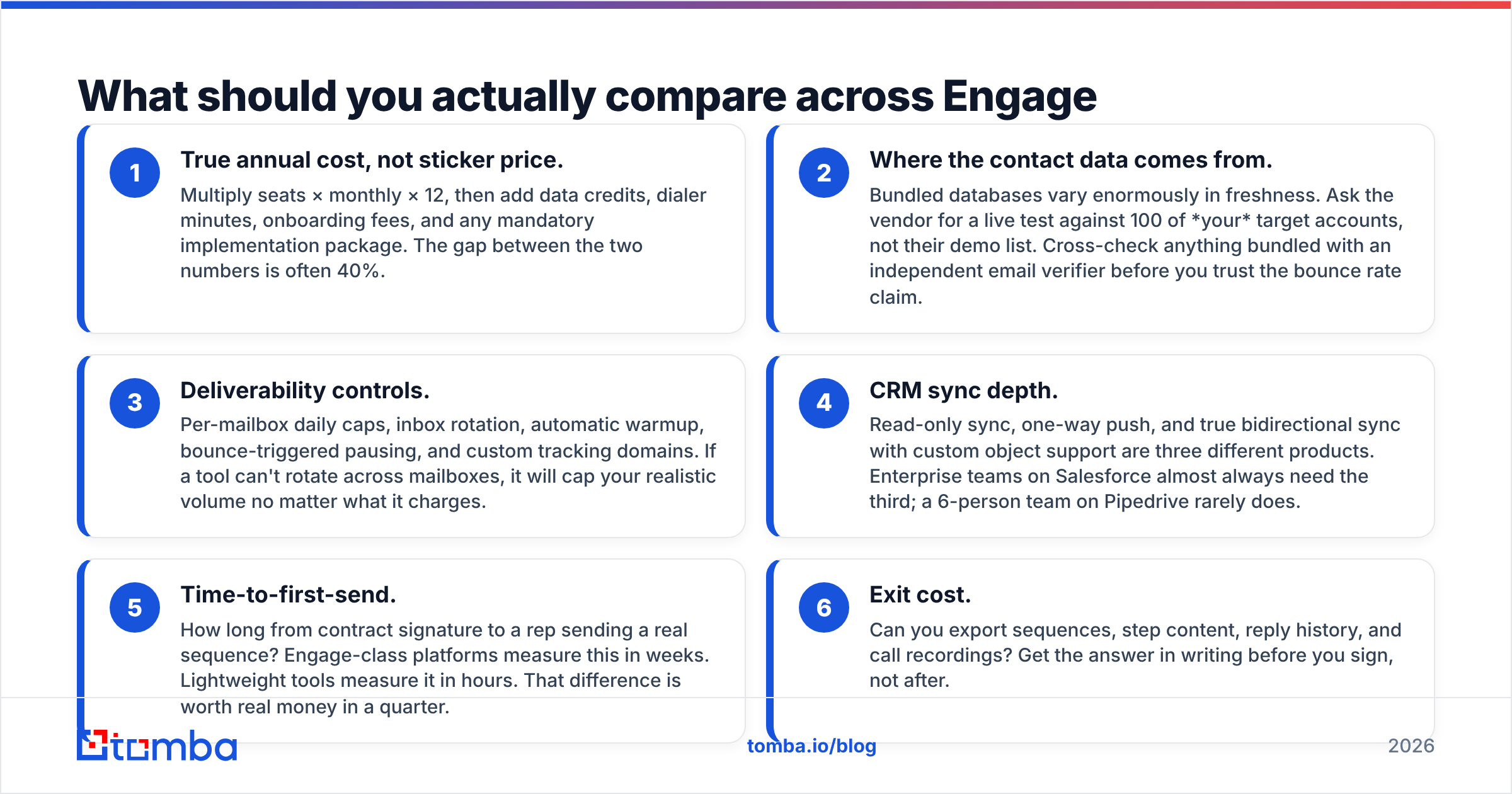
Don't start with feature checklists — every vendor on this list has sequences, A/B testing, and a Chrome extension. Compare these six things, in this order:
- True annual cost, not sticker price. Multiply seats × monthly × 12, then add data credits, dialer minutes, onboarding fees, and any mandatory implementation package. The gap between the two numbers is often 40%.
- Where the contact data comes from. Bundled databases vary enormously in freshness. Ask the vendor for a live test against 100 of your target accounts, not their demo list. Cross-check anything bundled with an independent email verifier before you trust the bounce rate claim.
- Deliverability controls. Per-mailbox daily caps, inbox rotation, automatic warmup, bounce-triggered pausing, and custom tracking domains. If a tool can't rotate across mailboxes, it will cap your realistic volume no matter what it charges.
- CRM sync depth. Read-only sync, one-way push, and true bidirectional sync with custom object support are three different products. Enterprise teams on Salesforce almost always need the third; a 6-person team on Pipedrive rarely does.
- Time-to-first-send. How long from contract signature to a rep sending a real sequence? Engage-class platforms measure this in weeks. Lightweight tools measure it in hours. That difference is worth real money in a quarter.
- Exit cost. Can you export sequences, step content, reply history, and call recordings? Get the answer in writing before you sign, not after.
Which Engage alternatives are worth shortlisting in 2026?#
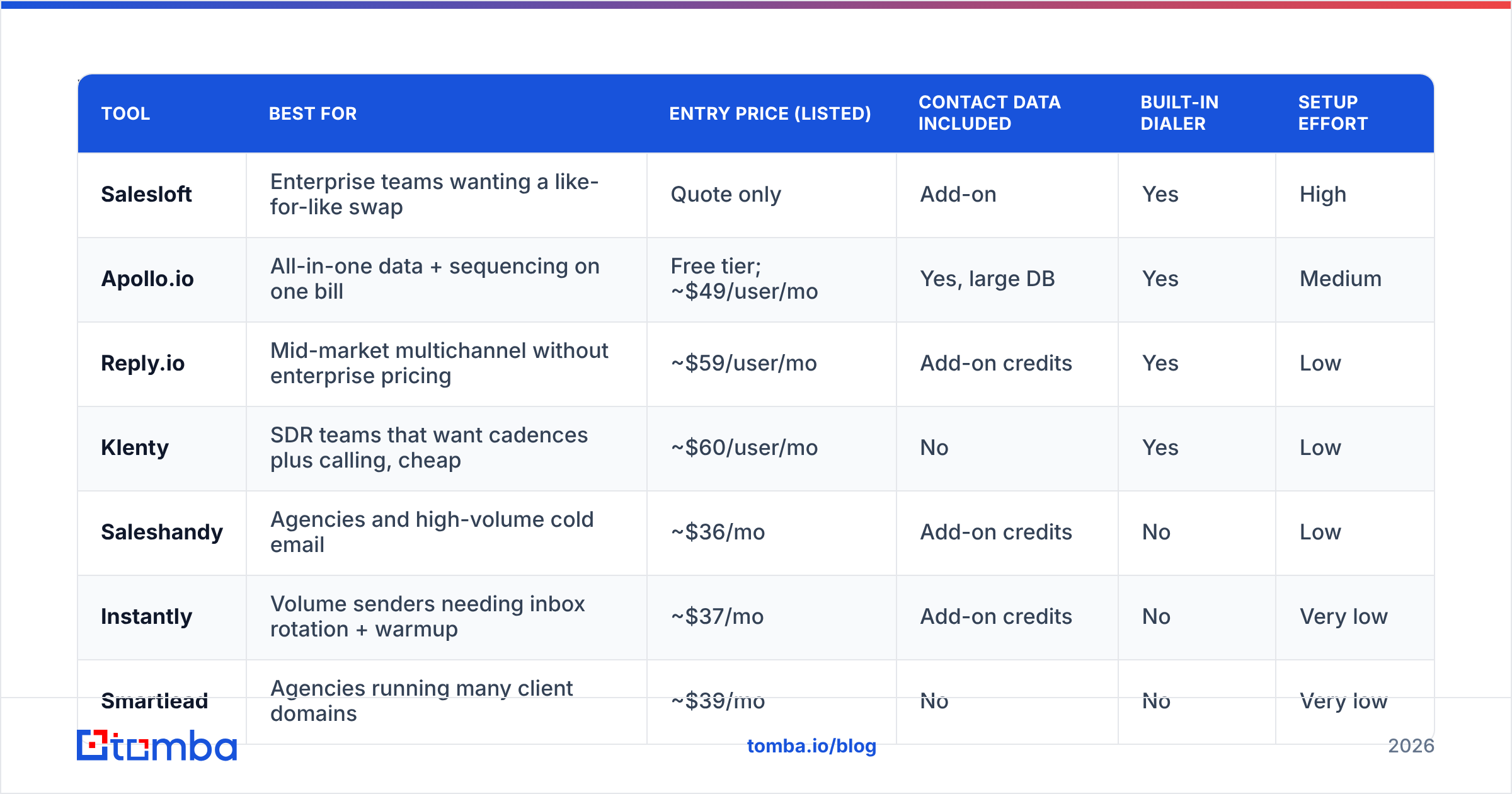
Prices below are publicly listed rates at the time of writing and change often — verify on each vendor's own pricing page before you build a business case.
| Tool | Best for | Entry price (listed) | Contact data included | Built-in dialer | Setup effort |
|---|---|---|---|---|---|
| Salesloft | Enterprise teams wanting a like-for-like swap | Quote only | Add-on | Yes | High |
| Apollo.io | All-in-one data + sequencing on one bill | Free tier; ~$49/user/mo | Yes, large DB | Yes | Medium |
| Reply.io | Mid-market multichannel without enterprise pricing | ~$59/user/mo | Add-on credits | Yes | Low |
| Klenty | SDR teams that want cadences plus calling, cheap | ~$60/user/mo | No | Yes | Low |
| Saleshandy | Agencies and high-volume cold email | ~$36/mo | Add-on credits | No | Low |
| Instantly | Volume senders needing inbox rotation + warmup | ~$37/mo | Add-on credits | No | Very low |
| Smartlead | Agencies running many client domains | ~$39/mo | No | No | Very low |
| HubSpot Sales Hub | Teams already standardised on HubSpot CRM | ~$100/seat/mo (Pro) | Add-on | Yes | Medium |
| Mixmax | Gmail-native AEs and CS teams | ~$34/user/mo | No | Limited | Very low |
Salesloft — the closest like-for-like replacement#
Salesloft is the other half of the enterprise duopoly. Cadences map cleanly to Engage sequences, the dialer is mature, Conversations handles call recording and coaching, and Salesforce sync is deep. Pricing is quote-only and lands in the same neighborhood as Engage, so this is a swap you make for product fit, support quality, or a better renewal number — not for savings. Worth running as the control in your evaluation.
Apollo.io — data and sequencing on one invoice#
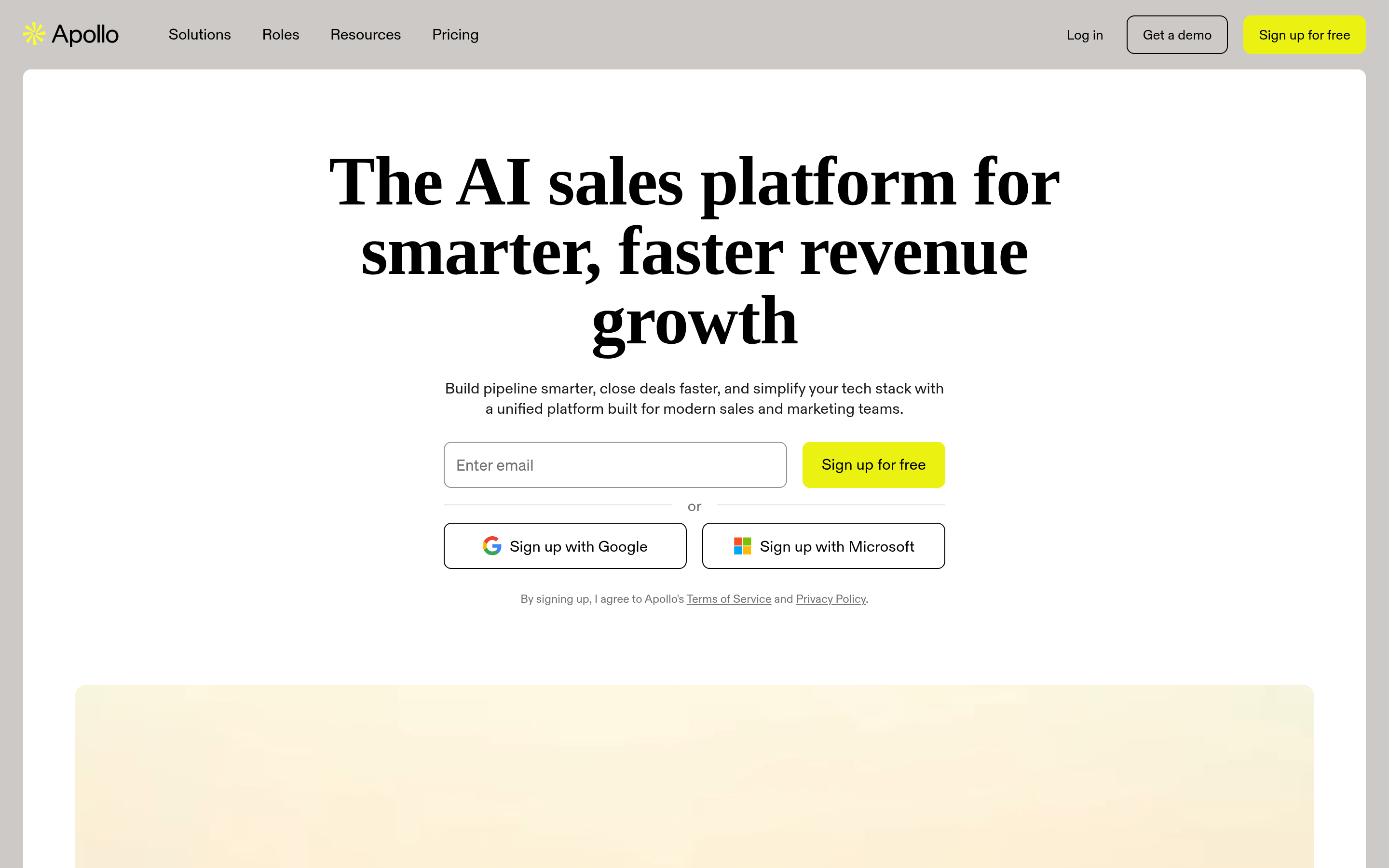
Apollo's pitch is that you stop paying two vendors. The database is enormous, sequencing is competent, and the free tier lets a rep test the workflow before anyone signs anything. The trade-off is data variance: coverage is broad but accuracy swings by region and seniority, so verification before send is not optional. Teams that outgrow the sequencing side often keep Apollo for data and move sending elsewhere. If that's your direction, our Apollo alternative breakdown covers the split-stack pattern.
Reply.io — multichannel at mid-market pricing#

Reply.io does email, calls, LinkedIn steps, and SMS in one cadence builder, with AI-assisted variant writing. It's the most credible "Engage without the enterprise contract" option for a 10–40 seat team. Reporting is thinner than Engage and Salesforce sync is good rather than surgical, but for most mid-market motions that's an acceptable trade.
Klenty — cadence plus dialer for SDR pods#
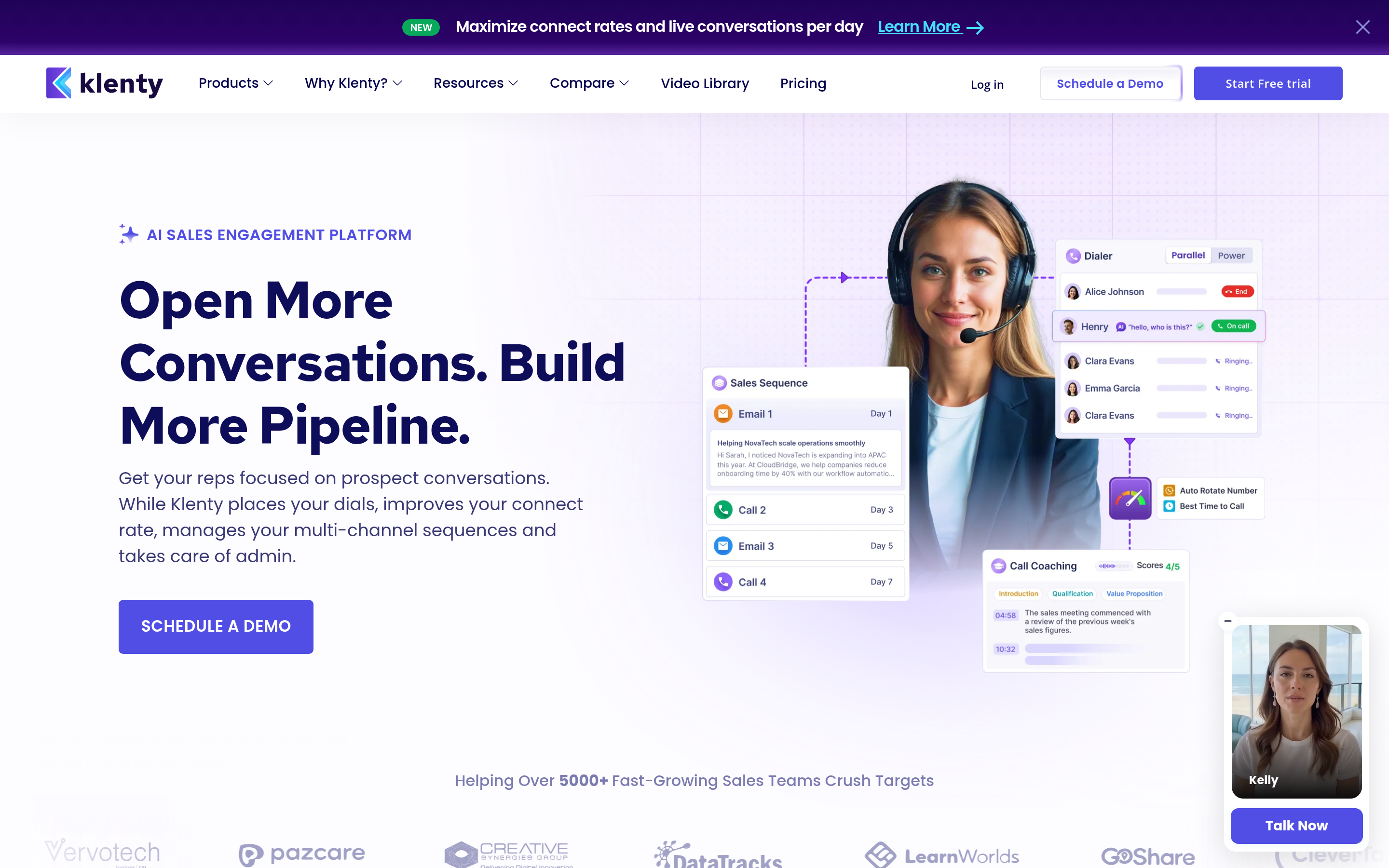
Klenty gets less attention than it deserves. Multichannel cadences, a solid parallel dialer, intent-based routing, and per-prospect sending windows. It fits the classic SDR pod structure — a handful of reps, one manager, a shared playbook — without demanding a RevOps owner.
Saleshandy — volume cold email with real deliverability tooling#
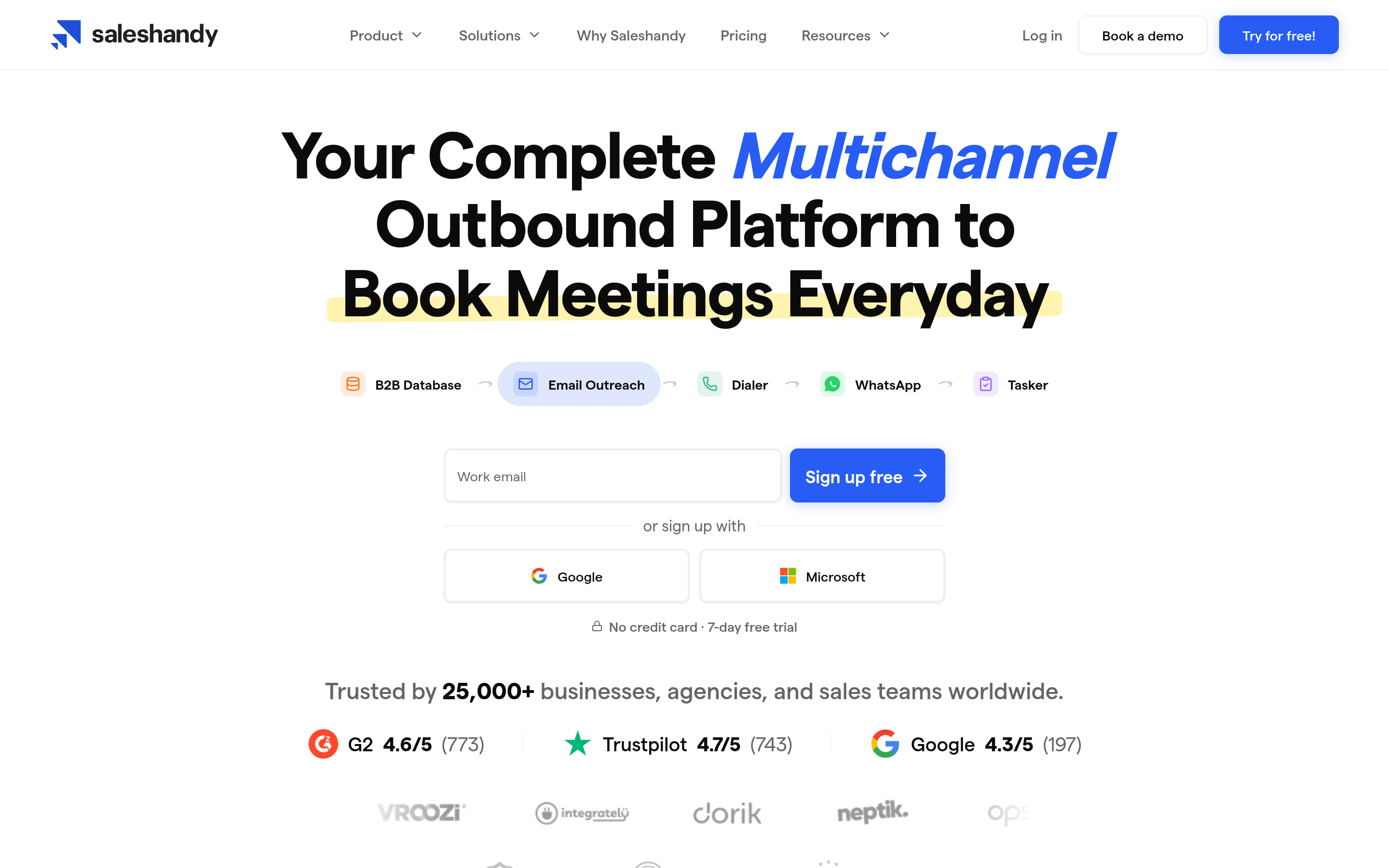
Saleshandy is built for people who send a lot: unlimited connected mailboxes on higher tiers, sender rotation, automatic warmup, and bounce protection. It is not a dialer or a CRM replacement. It is a very good cold email engine at a price that makes seat-count math irrelevant.
Instantly and Smartlead — the agency stack#
Both live in the same lane: rotate hundreds of mailboxes across dozens of domains, warm them continuously, and keep client campaigns isolated. Neither pretends to be a sales execution platform. If you're an agency, or an in-house team running cold email as a channel rather than a rep workflow, these two are the honest answer — and their combined cost is a rounding error next to an Engage renewal.
HubSpot Sales Hub — the consolidation play#
If your CRM is already HubSpot, Sequences plus the built-in dialer covers a large share of what Engage does, with zero sync risk because there's nothing to sync. Sales Hub Professional is not cheap per seat, but you're replacing two line items with one. The HubSpot integration handles the data side.
Mixmax — Gmail-native, low ceremony#
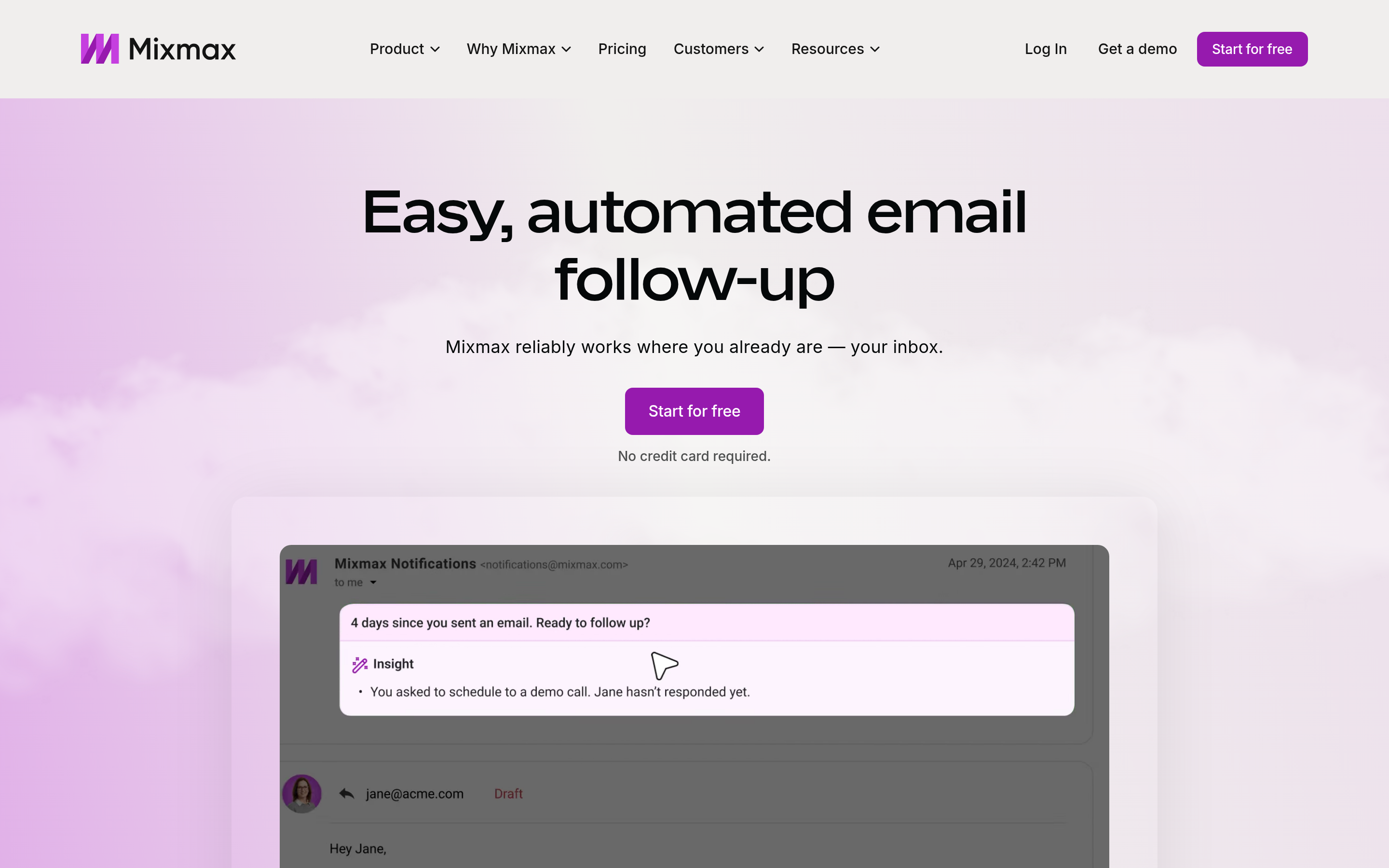
Mixmax lives inside Gmail. Sequences, templates, scheduling, and light automation with essentially no onboarding. Ideal for AEs and customer teams who need follow-up discipline, not a full outbound machine. It will not replace Engage for a 30-person SDR org.
The data layer: Tomba and BookYourData#
Neither of these is a sequencer, and that's the point. Every tool above sends better when the list is clean.
Tomba covers finding and verifying: domain search to map a company's contacts, bulk email finder for list building, catch-all handling, and an email finder API if you'd rather enrich inside your own pipeline. Plans run Free (25 searches/mo), Starter $49/mo, Growth $99/mo, and Pro $249/mo — see Tomba pricing for the current breakdown.
BookYourData is a strong option when you'd rather buy a pre-built, human-verified list than run discovery yourself — particularly for niche industries and pay-as-you-go purchases without a subscription. Different buying model, genuinely useful for teams that need a list this week.
Is the sequencer or the data layer your actual bottleneck?#
Run this diagnostic before you shortlist anything.
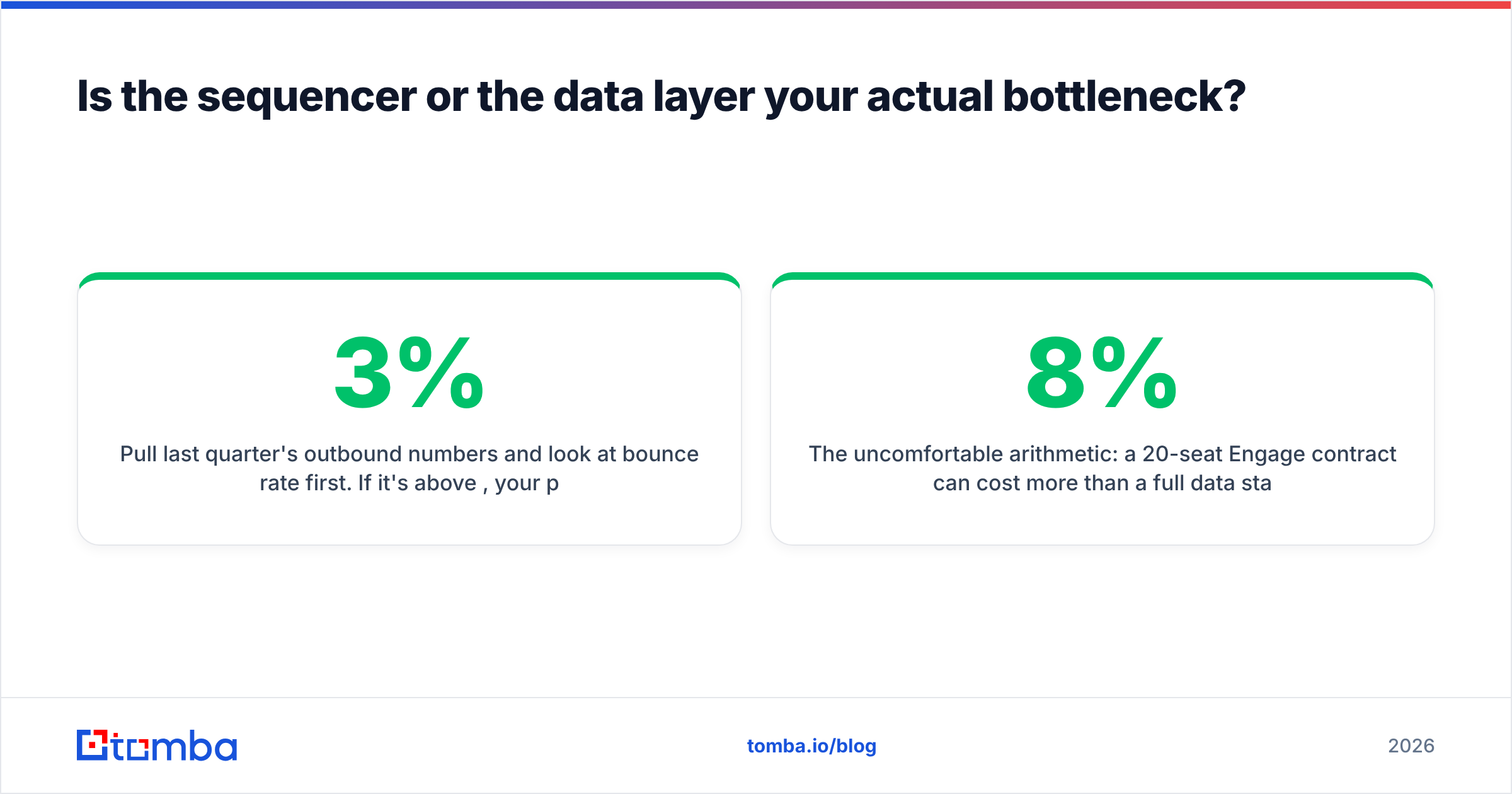
Pull last quarter's outbound numbers and look at bounce rate first. If it's above 3%, your problem is data, and no sequencer will fix it — you'll just pay more per bad send. If bounces are under 2% but reply rate is under 1%, your problem is targeting or copy. Only if bounces are clean, replies are reasonable, and reps are drowning in manual steps is your problem actually workflow — and that's the one case where an Engage-class platform earns its price.

The uncomfortable arithmetic: a 20-seat Engage contract can cost more per year than a full data stack plus a volume sender plus a dialer combined. That's defensible when workflow governance across a large team is the constraint. It is not defensible when the constraint is a list with an 8% bounce rate.
What does switching off Engage actually cost you?#
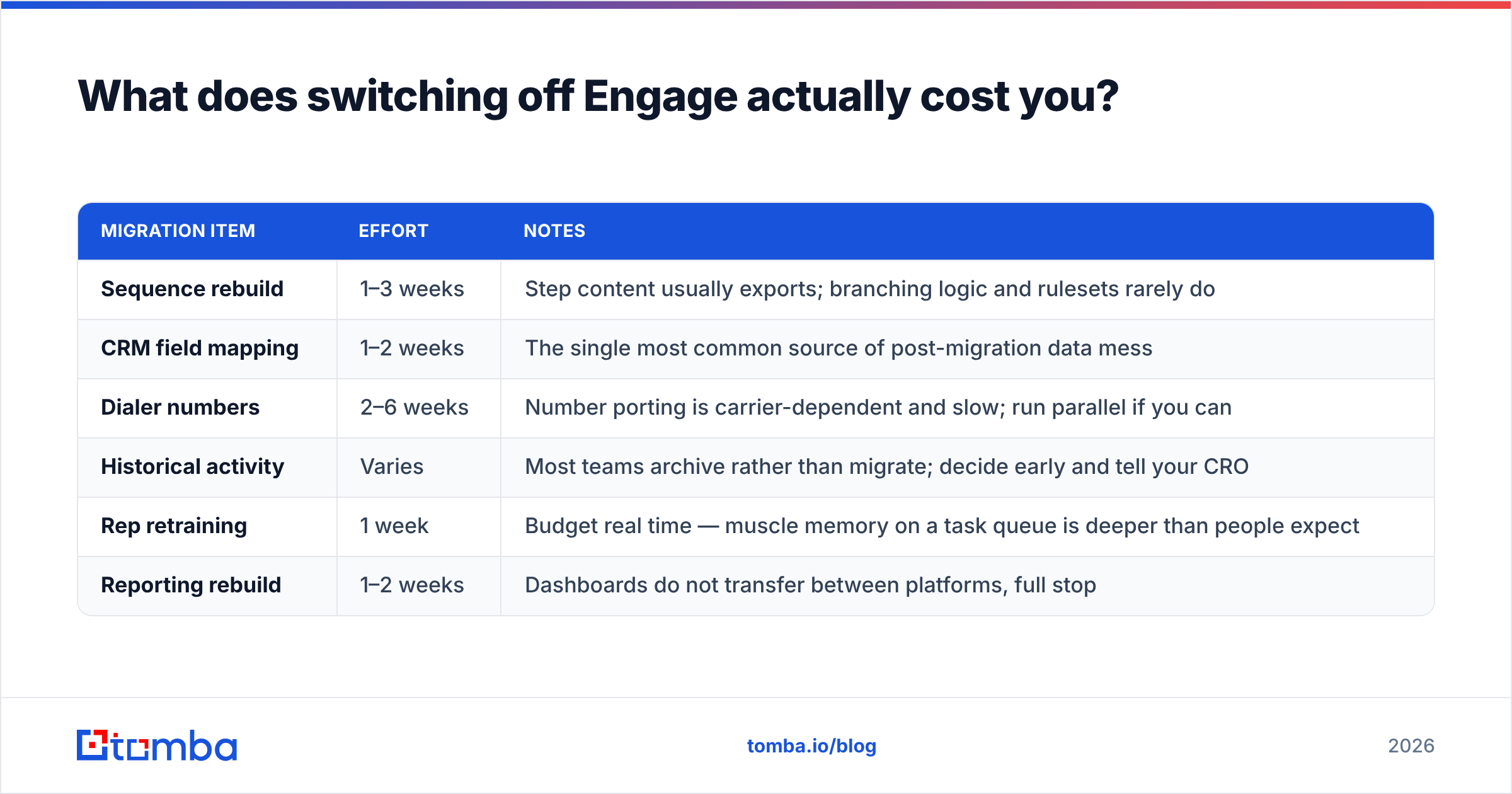
Migration cost is where most comparisons go quiet. Here's the realistic picture:
| Migration item | Effort | Notes |
|---|---|---|
| Sequence rebuild | 1–3 weeks | Step content usually exports; branching logic and rulesets rarely do |
| CRM field mapping | 1–2 weeks | The single most common source of post-migration data mess |
| Dialer numbers | 2–6 weeks | Number porting is carrier-dependent and slow; run parallel if you can |
| Historical activity | Varies | Most teams archive rather than migrate; decide early and tell your CRO |
| Rep retraining | 1 week | Budget real time — muscle memory on a task queue is deeper than people expect |
| Reporting rebuild | 1–2 weeks | Dashboards do not transfer between platforms, full stop |
Two rules that save projects. First, run both platforms in parallel for one full sales cycle before you cancel — the overlap cost is cheaper than a dead quarter. Second, freeze new sequence creation in Engage the day you sign with the replacement, or you'll be migrating a moving target.
Which Engage alternative fits your team?#
- Enterprise, 50+ seats, deep Salesforce customisation: Salesloft. Same class of product, competitive renewal leverage.
- Mid-market, 10–40 seats, want most of the workflow for a third of the cost: Reply.io or Klenty.
- You need data and sequencing on one bill and can tolerate variance: Apollo, with independent verification in front of every send.
- Cold email is a volume channel, not a rep workflow: Saleshandy, Instantly, or Smartlead — then spend the savings on better data.
- Already all-in on HubSpot: Sales Hub Professional. Consolidation beats best-of-breed here.
- Small team, Gmail-first, no RevOps: Mixmax.
- Your bounce rate is the real problem: fix the data layer first. Everything else is premature.
What's the fastest way to test a replacement?#
Give yourself two weeks and a fixed protocol. Pick 500 target accounts. Build the same three-step sequence in Engage and in the challenger. Source contacts for both from the same verified list so the data variable is held constant. Send identical copy. Compare bounce rate, reply rate, and — the metric nobody tracks and everybody should — how many minutes a rep spends per 100 contacts touched.
That last number is what you're really buying from a sales engagement platform. If the challenger matches it within 20% at half the cost, the decision makes itself.
Start with the layer that decides everything downstream. Whichever sequencer you land on, its results are capped by the quality of the addresses you feed it. Use the Tomba Email Finder to build verified, deliverable prospect lists before you migrate — free tier gives you 25 searches a month to test coverage against your own target accounts, and Starter at $49/mo covers most small outbound teams. Get the data right, then let the tooling argument be a tooling argument.
Related guides#
Ready to find emails that actually work?
Join 150,000+ professionals who stopped guessing and started sending. Free credits on signup — no credit card required.
Get the Tomba newsletter
Practical outbound tactics and product updates — once every two weeks.
About the author