9 Best EngageBay Alternatives for B2B Teams in 2026
EngageBay bundles CRM, marketing automation and helpdesk for less than HubSpot charges — but the bundle hides real gaps. Here are nine alternatives, what each one actually costs, and who should switch.
TL;DR
- EngageBay wins on price. It loses on data depth, reporting, and prospecting. That is why most teams leave, not cost.
- The best EngageBay alternatives depend on which half of the bundle you use. Marketing? Brevo or ActiveCampaign. Sales? Pipedrive, Zoho, or Freshsales. Both? HubSpot or Keap.
- If your real gap is contacts to sell to, swapping tools will not help. Add a data layer instead.
- Watch contact-based pricing. Most EngageBay alternatives bill on stored contacts, so a dirty list inflates every invoice.
- Migration takes time. Budget 2–6 weeks to rebuild automations, forms, templates, and reports.
What is EngageBay and why do teams outgrow it?#
EngageBay is an all-in-one platform. It bundles marketing automation, a sales CRM, and a helpdesk into one subscription. It launched as a budget answer to HubSpot, and the pitch worked. You get landing pages, email sequences, deal pipelines, live chat, and ticketing. The price is close to a single HubSpot Marketing Hub seat.
That bundle is good value for a team of 3 to 15 people. The friction shows up later, and it is easy to predict. Here are the five gaps that send teams looking at EngageBay alternatives:
- Reporting hits a ceiling. You get first- and last-touch attribution. Custom multi-object reports and cohort views stay thin. HubSpot and Zoho Analytics go deeper.
- The CRM is fine, not opinionated. Reps who live in a pipeline all day tend to prefer Pipedrive or Freshsales. In EngageBay, the CRM is one tab inside a marketing suite.
- There is no prospecting layer. EngageBay stores and nurtures contacts. It does not find them. You still need a source for verified work emails, direct dials, and company data.
- Deliverability is your job. No platform fixes inbox placement for you. You still need warmup, authentication, and list hygiene. The label on the tool does not save you.
- Ecosystem gravity. Sooner or later your ops team wants a specific attribution tool, CPQ, or warehouse sync. Then integration count matters more than monthly price.
None of these are deal breakers. They are the limits of a value bundle. Which limit you hit first tells you which of the EngageBay alternatives to shortlist.

How do the main EngageBay alternatives compare on price and fit?#
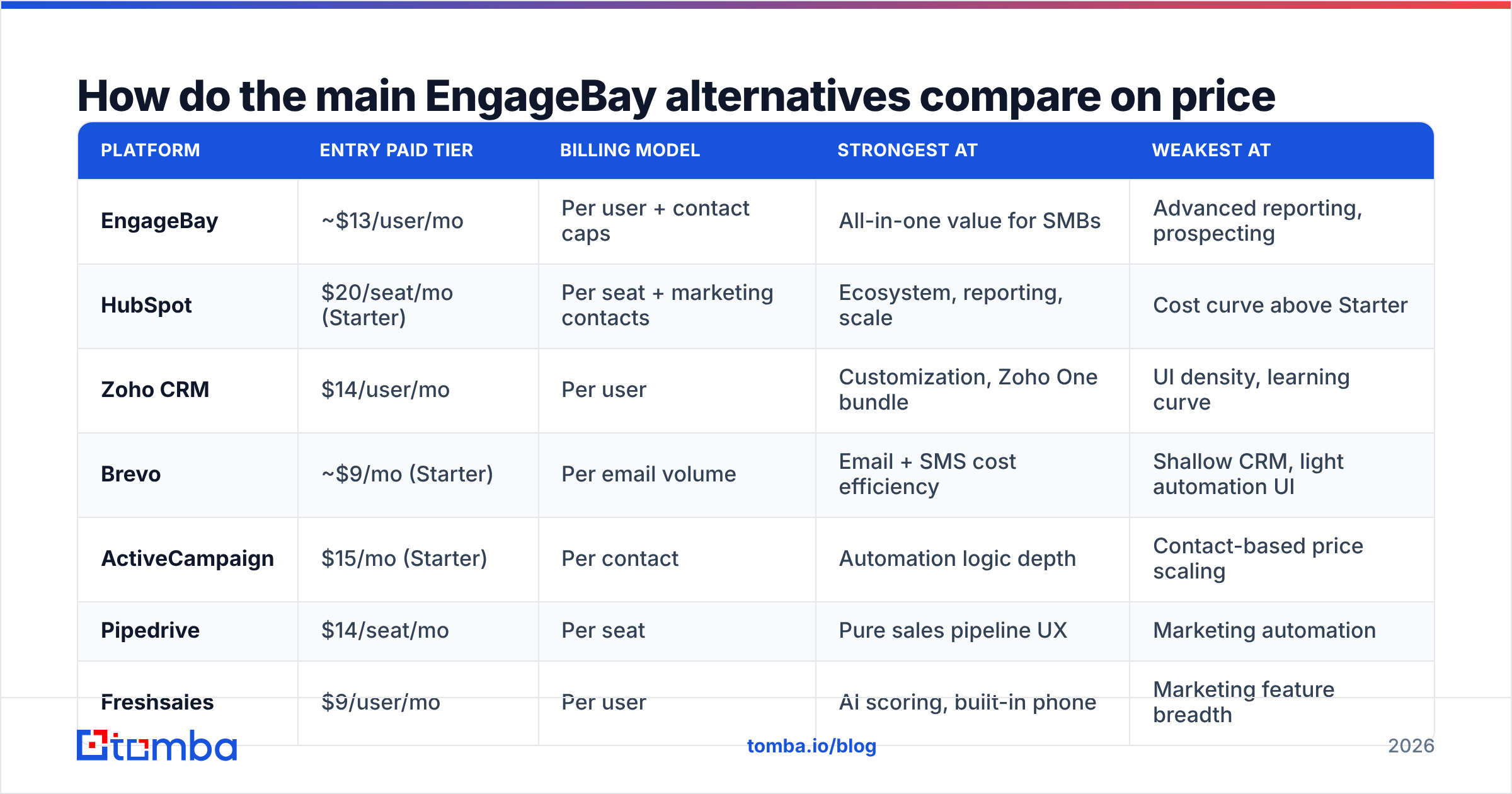
The prices below are list prices for each vendor's entry business tier. Annual billing usually cuts 15–20%. Most of these tools bill per stored contact, per seat, or both. Check the vendor site before you sign, because this category re-prices often.
| Platform | Entry paid tier | Billing model | Strongest at | Weakest at |
|---|---|---|---|---|
| EngageBay | ~$13/user/mo | Per user + contact caps | All-in-one value for SMBs | Advanced reporting, prospecting |
| HubSpot | $20/seat/mo (Starter) | Per seat + marketing contacts | Ecosystem, reporting, scale | Cost curve above Starter |
| Zoho CRM | $14/user/mo | Per user | Customization, Zoho One bundle | UI density, learning curve |
| Brevo | ~$9/mo (Starter) | Per email volume | Email + SMS cost efficiency | Shallow CRM, light automation UI |
| ActiveCampaign | $15/mo (Starter) | Per contact | Automation logic depth | Contact-based price scaling |
| Pipedrive | $14/seat/mo | Per seat | Pure sales pipeline UX | Marketing automation |
| Freshsales | $9/user/mo | Per user | AI scoring, built-in phone | Marketing feature breadth |
| Keap | ~$249/mo | Per contact + users | Service-business automation | Price for small teams |
| Apollo.io | $49/user/mo | Per user + credits | Data + sequencing in one | CRM depth as a system of record |
Two things stand out. First, the pure CRM tools cost less than EngageBay in practice once you stop paying for marketing modules you never open. Pipedrive, Zoho, and Freshsales all sit here. Second, the EngageBay alternatives that beat it on automation depth charge by contact. ActiveCampaign and Keap both do. So the gap widens as your database grows.
Which EngageBay alternatives should you pick for your use case?#
Sort the EngageBay alternatives by the job you need done, not by feature count.
- Marketing half → Brevo or ActiveCampaign. Brevo is cheaper when your volume is email and SMS. It prices on sends, not stored contacts. That helps if your list is large but quiet. Pick ActiveCampaign when your automations branch a lot: conditional waits, goal paths, and split tests inside one flow.
- Sales half → Pipedrive or Freshsales. Pipedrive is the most opinionated pipeline here, and reps adopt it without training. Freshsales adds a built-in dialer and AI deal scoring at a lower per-user price. That matters if you run an SDR motion.
- Whole platform → HubSpot. HubSpot Starter competes with EngageBay on price. The bill jumps at Professional. You are buying the ecosystem: 1,500+ integrations, a mature partner network, and reports your board will accept.
- Most control per dollar → Zoho CRM. Custom modules, blueprints, and workflow rules go deeper than EngageBay at a similar price. Zoho One turns it into a full back office if you have the appetite.
- Data plus outreach → Apollo.io. Apollo solves a different problem than EngageBay does. If your gap is "not enough qualified contacts," its database and sequencer can retire two line items. Most teams still keep a real CRM as the system of record.
- Service business with scheduling and payments → Keap. It costs more. The booking-to-invoice automation is purpose-built in a way generic CRMs are not.
Is the real problem EngageBay, or your contact data?#
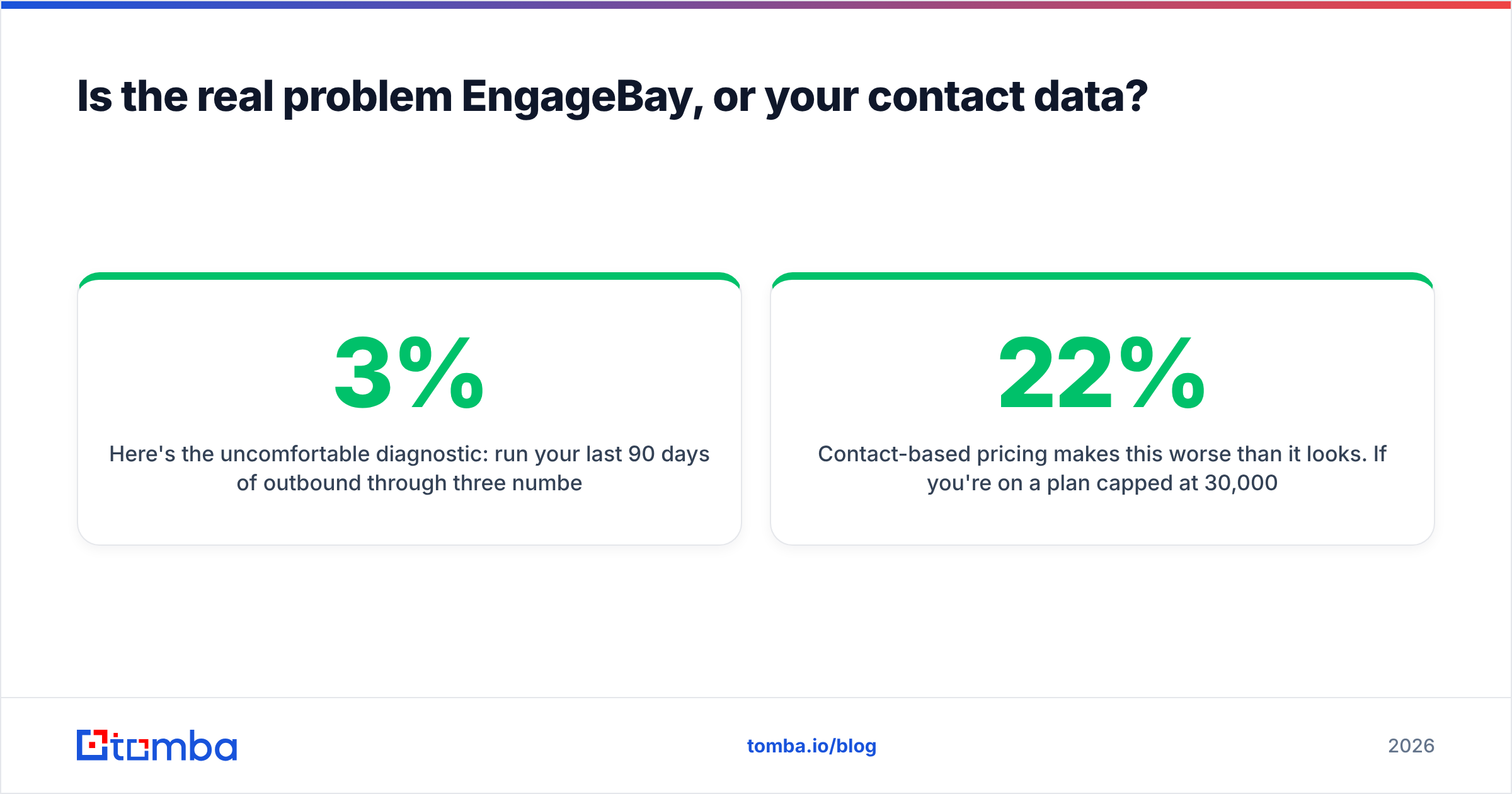
Here is the uncomfortable test. Pull three numbers from your last 90 days of outbound: bounce rate, connect rate, and share of records with a verified work email. Are bounces above 3%? Do fewer than 70% of records have a confirmed work email? Then switching CRMs will change nothing. You will pay a new vendor to store the same broken list.
Contact-based pricing makes this worse than it looks. Say your plan caps you at 30,000 contacts, and 22% of them are dead, duplicated, or role-based catch-alls. You pay to store junk. You also burn sender reputation on every send. The fix sits upstream of the CRM, before you shop for EngageBay alternatives:
- Verify before import, not after. Run every list through an email verifier before it touches your CRM. Bounced sends cost you domain reputation you cannot buy back.
- Handle catch-all domains on purpose. Many B2B domains accept all mail. A naive check calls those addresses valid even when they do not exist. A catch-all verifier returns a confidence tier instead of a false green light.
- Find contacts by pattern, not by guess. A domain search returns the real addresses on a company domain, plus the pattern that domain uses. That beats guessing first.last@ and hoping.
- Enrich the records you already own. Most stale CRMs do not need more rows. They need fresh job titles, company sizes, and employers on the rows already there. Data enrichment usually recovers more pipeline than a migration does.
- Deduplicate before you count contacts. Duplicates are the top reason teams pay for a plan tier they do not need.
- Automate the loop. Wire verification into your ingest path through an API. Then nobody has to remember step one.

Where you source that data matters as much as how you verify it. Need bulk lists you can filter by geography and buy outright? BookYourData is a solid option, with pay-as-you-go credits and a stated accuracy guarantee. It suits a static list rather than an ongoing lookup.
Need lookups on accounts you have already identified? An API-first email finder fits that workflow better. It resolves contacts at the moment your rep needs one. Plenty of teams run both.
What does switching from EngageBay actually cost?#
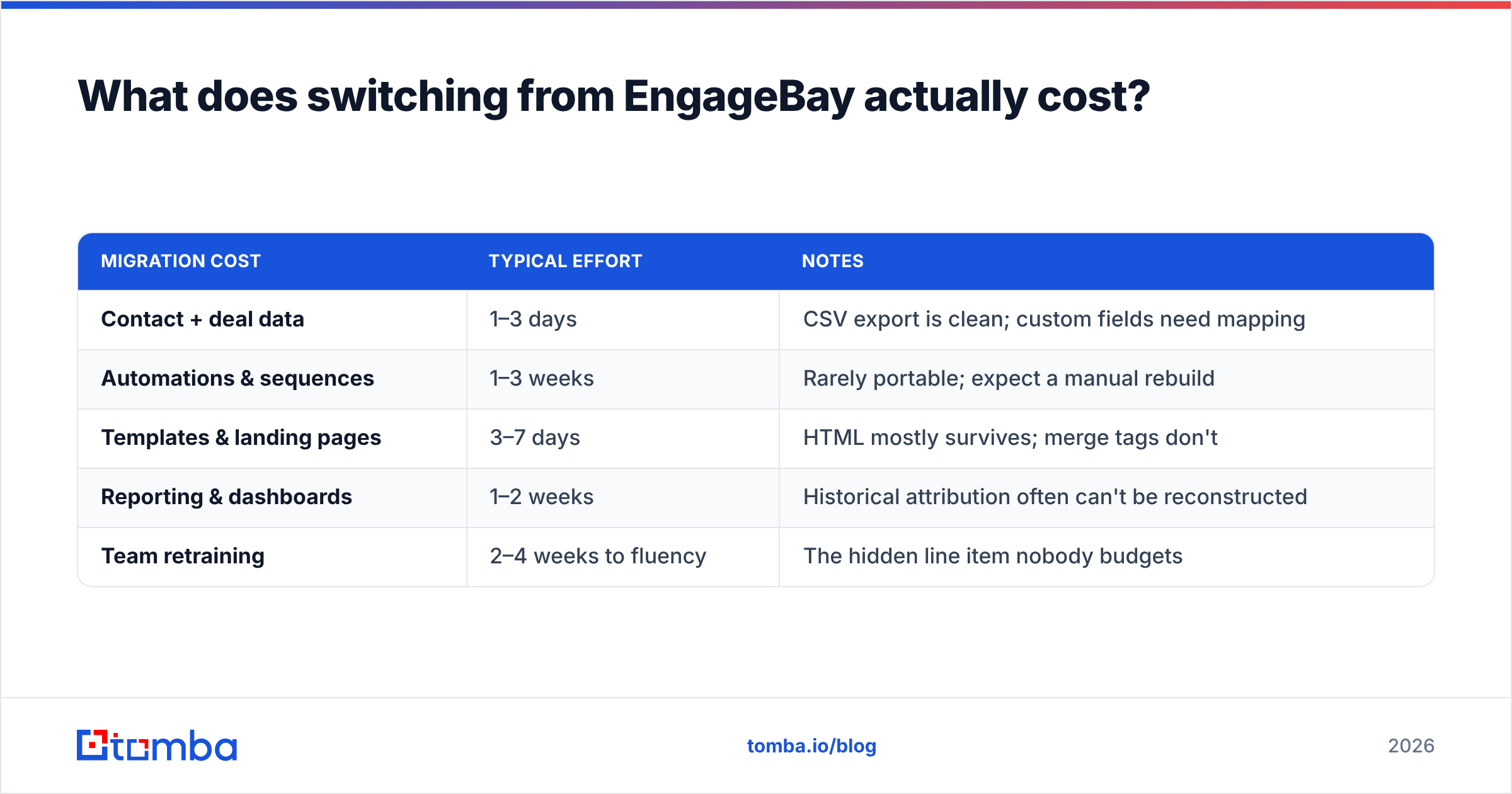
Sticker price is the smallest line in this budget. Plan for these buckets:
| Migration cost | Typical effort | Notes |
|---|---|---|
| Contact + deal data | 1–3 days | CSV export is clean; custom fields need mapping |
| Automations & sequences | 1–3 weeks | Rarely portable; expect a manual rebuild |
| Templates & landing pages | 3–7 days | HTML mostly survives; merge tags don't |
| Reporting & dashboards | 1–2 weeks | Historical attribution often can't be reconstructed |
| Team retraining | 2–4 weeks to fluency | The hidden line item nobody budgets |
These costs apply to every one of the EngageBay alternatives above. Three rules save teams from a bad switch:
- Run both platforms in parallel for one full sales cycle. If your average cycle is 45 days, budget 45 days of double payment. That is cheaper than a botched cutover.
- Export your reporting history first. Send it to a warehouse or a spreadsheet. Attribution history almost never migrates, and you need the baseline to prove the new platform is better.
- Rebuild your top five automations first. Leave the other forty for later. Most teams find 80% of their workflows are dormant, which cuts the migration in half.
How do you keep the new stack from going stale?#
Every CRM migration fails the same way. Clean data on day one, decay by month six. B2B contact data goes stale at 2–3% a month from job changes alone, per widely cited G2 and analyst estimates. That compounds to about a quarter of your database in a year.
Build three habits into whatever platform you land on:
- Re-verify every quarter. Batch-check your active segments and suppress anything that fails. A bulk email finder run against your account list is faster than manual cleanup, and it catches job changes.
- Enrich on record creation. Every new contact should arrive with title, company size, and domain filled in. Not three weeks later by a rep.
- Track deliverability as a standing metric. Watch bounce rate, spam complaints, and reply rate per sending domain, not just per campaign. Rebuilding a sending setup during the move? Check your SPF record before the first send, not after the first bounce spike.
Keeping HubSpot as the destination? A direct HubSpot integration pushes verified contacts in without a CSV round trip. That removes the most common way junk data creeps back.
Frequently asked questions#
Are there free EngageBay alternatives? Yes, several. HubSpot's free CRM has generous contact limits, with paid gates on automation. Zoho CRM is free for up to three users. Brevo's free plan sends 300 emails a day. On the data side, most email finders have a free tier. Tomba's is 25 searches a month. That is enough to test whether a data layer moves your numbers.
Is EngageBay cheaper than HubSpot? At the entry tier, yes. The gap is narrower than it used to be. The real split shows up at the Professional tier, where HubSpot's price climbs fast and EngageBay's stays flat. If you never need HubSpot Professional, EngageBay's price edge is real and durable.
Can I replace EngageBay with two cheaper tools? Often, yes. A common unbundle pairs Pipedrive or Zoho for CRM with Brevo for email. That combo often lands under EngageBay's all-in-one price and beats it in both jobs. The tradeoff: one more integration and two vendors to manage.
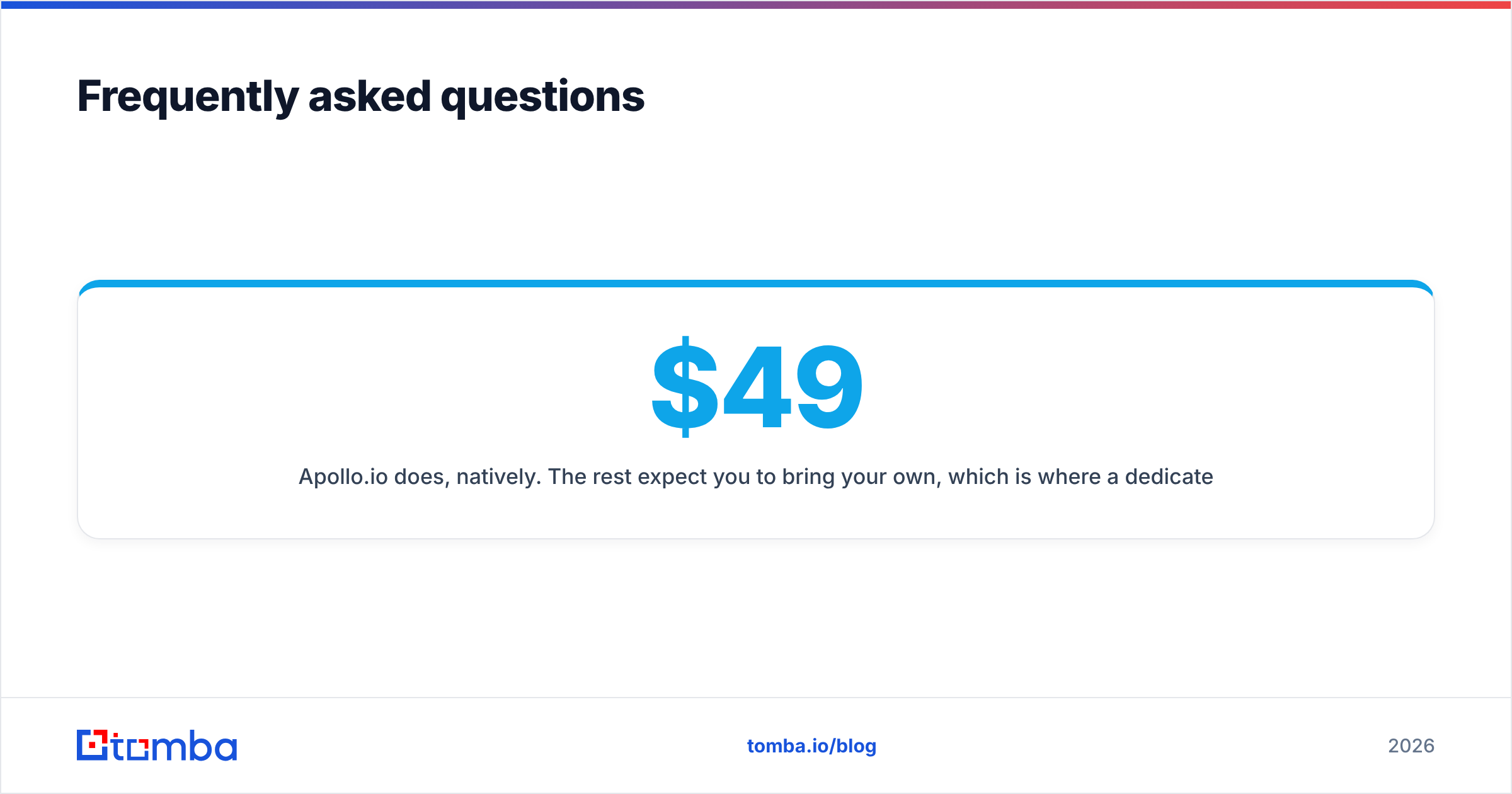
Do any EngageBay alternatives include contact data? Apollo.io does, natively. The rest expect you to bring your own. That is where a dedicated finder and verifier sit in the stack. See Tomba pricing for what a data layer costs next to a cheaper CRM: Starter is $49/mo, Growth $99/mo, and Pro $249/mo.
How long does an EngageBay migration take? Two to six weeks for most SMB teams to reach feature parity. Reporting is the longest tail. Teams with fewer than ten active automations often finish in under two weeks.
The verdict#
There is no single winner among the EngageBay alternatives, and any list that names one is selling something. Pick by which half of the bundle carries your business. Marketing? Brevo or ActiveCampaign. Sales? Pipedrive or Freshsales. The whole platform? HubSpot or Zoho, if you can justify the bill. Compare live pricing on EngageBay's site and on the vendor you are considering, because every number here moves.
Before you sign anything, run the diagnostic in the middle of this post. High bounce rate and thin records? Then the CRM was never the constraint.
Start with the data layer. Tomba's Email Finder resolves verified work emails by domain, name, or company. The free tier gives you 25 searches a month, so you can test it on a real account list first. Feed clean contacts into whichever platform you choose. That is the variable that moves reply rates, not the logo on your CRM login screen.
Related guides#
Ready to find emails that actually work?
Join 150,000+ professionals who stopped guessing and started sending. Free credits on signup — no credit card required.
Get the Tomba newsletter
Practical outbound tactics and product updates — once every two weeks.
About the author