Enrichley vs Smarte 2026: Which B2B Data Tool Wins?
A neutral, hands-on breakdown of Enrichley vs Smarte in 2026: data coverage, email accuracy, verification depth, API access, and true cost per usable contact — plus when a third option is the smarter buy.
TL;DR
- Enrichley is built around enrichment-first workflows: you bring a list (domains, names, LinkedIn URLs, partial records) and it fills in the blanks. It shines when you already have a pipeline of raw data.
- Smarte (smarte.pro) leans toward sales-intelligence and account-based discovery — firmographics, intent signals, and contact discovery for teams building target lists from scratch.
- Neither tool wins on every axis. Pick Enrichley if your bottleneck is filling gaps; pick Smarte if your bottleneck is finding accounts.
- Both are priced for teams. If you mostly need accurate work emails and verification at a predictable cost, a focused email finder like Tomba (free tier, then $49/mo) usually costs a fraction per usable contact.
- The decision that actually moves revenue isn't the logo — it's your cost per verified, deliverable contact. Calculate it before you sign anything.
What are Enrichley and Smarte, actually?#
Short version: they solve adjacent problems that look identical on a pricing page.
Enrichley positions itself as a data-enrichment layer. The mental model is a car wash — you drive a dirty record in (a company domain, a first/last name, a LinkedIn profile URL) and it comes out with work email, job title, company size, tech stack, and social handles attached. Enrichley's natural home is inside an existing motion: a CRM that's 40% empty, a webinar signup list with nothing but personal Gmail addresses, or a scraped list of 8,000 domains with no humans attached.
Smarte sits closer to the sales-intelligence category — the neighborhood occupied by ZoomInfo, Apollo, and Cognism. The mental model is a phone book with filters: you don't bring a list, you build one. Search by industry, headcount, geography, and technology signals, then pull contacts out of the accounts you shortlist. Contact data is the output of discovery, not the point of entry.
That distinction explains almost every practical difference between them — coverage patterns, pricing structure, API design, and who on your team ends up owning the tool.
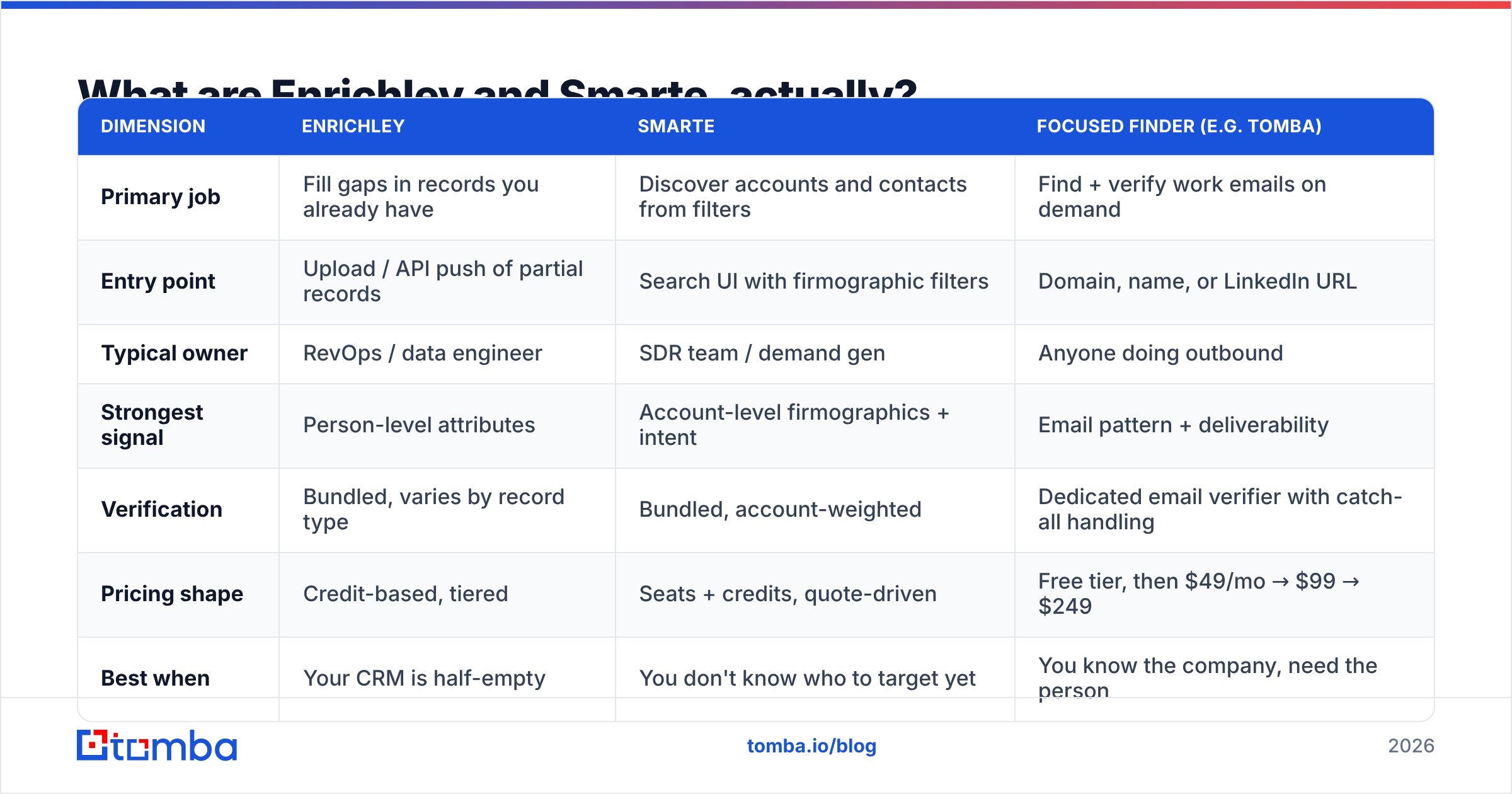
| Dimension | Enrichley | Smarte | Focused finder (e.g. Tomba) |
|---|---|---|---|
| Primary job | Fill gaps in records you already have | Discover accounts and contacts from filters | Find + verify work emails on demand |
| Entry point | Upload / API push of partial records | Search UI with firmographic filters | Domain, name, or LinkedIn URL |
| Typical owner | RevOps / data engineer | SDR team / demand gen | Anyone doing outbound |
| Strongest signal | Person-level attributes | Account-level firmographics + intent | Email pattern + deliverability |
| Verification | Bundled, varies by record type | Bundled, account-weighted | Dedicated email verifier with catch-all handling |
| Pricing shape | Credit-based, tiered | Seats + credits, quote-driven | Free tier, then $49/mo → $99 → $249 |
| Best when | Your CRM is half-empty | You don't know who to target yet | You know the company, need the person |
How do Enrichley and Smarte differ on data coverage?#
Coverage is where marketing copy and reality diverge fastest. Every vendor in this space quotes a contact count in the hundreds of millions. That number tells you almost nothing, because coverage is not global — it's segment-specific.
Here's what actually varies:
- Geography. North American mid-market coverage is a commodity; nearly everyone has it. The differences appear in EMEA (where GDPR constrains what can legally be stored and surfaced), LATAM, and APAC. Smarte has historically emphasized global account coverage, which helps if you sell into India, Singapore, or the Gulf. Enrichment-first tools tend to inherit whatever region your input list came from, so their effective coverage mirrors your own sourcing.
- Company size. Enterprise contacts are heavily covered because they appear in press releases, conference lists, filings, and job boards. SMB coverage — the 5-to-50-employee companies — is where match rates crater across the whole category. If you sell to small businesses, run a 200-row pilot before believing any coverage claim.
- Seniority. VP-and-above data is dense. Individual contributors and mid-level operators (the people who actually evaluate tools) are thinner and go stale faster.
- Freshness. A contact record is a snapshot of a person's job that decays roughly 2–3% per month as people change roles. A database with 400M records and an 18-month refresh cycle is worse than one with 100M records refreshed quarterly.
- Record type. Work email, personal email, direct dial, and mobile are four different coverage curves. Vendors often quote the blended number. Ask for the work-email-only figure.
The honest test is boring and takes an afternoon: take 250 real target accounts from your actual ICP, run them through both tools' trials, and measure match rate and bounce rate on a small send. Not the vendor's benchmark — yours.

Which one has better email accuracy and verification?#
Accuracy is two separate questions that vendors deliberately blur.
Match rate = of the 1,000 rows you submitted, how many came back with an email at all? Accuracy = of those returned, how many actually deliver to the right human?
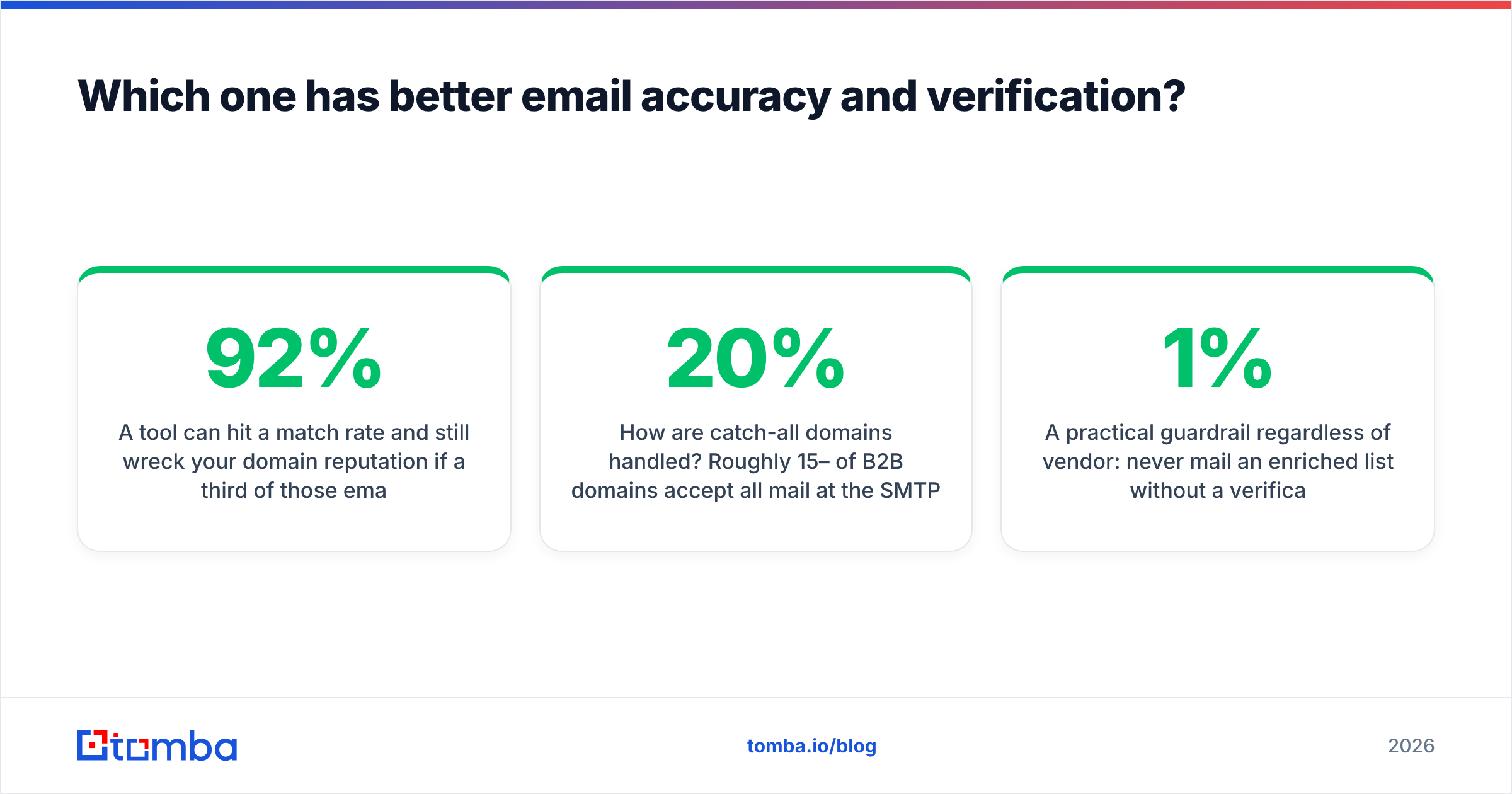
A tool can hit a 92% match rate and still wreck your domain reputation if a third of those emails are guessed patterns that never got SMTP-validated. The inverse is also common: a conservative tool returns emails on only 55% of rows but nearly all of them land. The second tool is usually better for outbound, because bounces are not a neutral cost — they're a direct hit to sender reputation, and mailbox providers now weight them heavily.
What to interrogate in both Enrichley and Smarte:
- Is verification included or metered separately? Some platforms return unverified emails on the cheaper tier and charge again to validate them. That doubles your effective cost per usable contact.
- How are catch-all domains handled? Roughly 15–20% of B2B domains accept all mail at the SMTP layer, which makes naive verification useless. Tools either flag these as "risky" and move on, or apply pattern confidence plus secondary signals. If your ICP is enterprise-heavy, catch-all handling is not an edge case — it's a large chunk of your list. This is where a dedicated catch-all verifier earns its keep.
- Do you get a confidence score, or just a binary? Scores let you segment: send confidently above 90, route 70–90 to a LinkedIn touch, discard below.
- What's the refund/credit policy on invalid records? Vendors confident in their data credit you back. Vendors that aren't, don't.
- Can you re-verify at send time? Data enriched 60 days ago and mailed today is a different risk profile than data verified this morning.
A practical guardrail regardless of vendor: never mail an enriched list without a verification pass immediately before send. Even excellent data ages, and the cost of a validation credit is roughly 1% of the cost of a blacklisting incident.
What does each one actually cost?#
Both Enrichley and Smarte publish limited pricing and route serious volume through sales conversations, which is standard for this category and also the reason comparisons get slippery. Rather than quote numbers that will be stale by next quarter, compare the shape of the cost — that's what determines your bill.
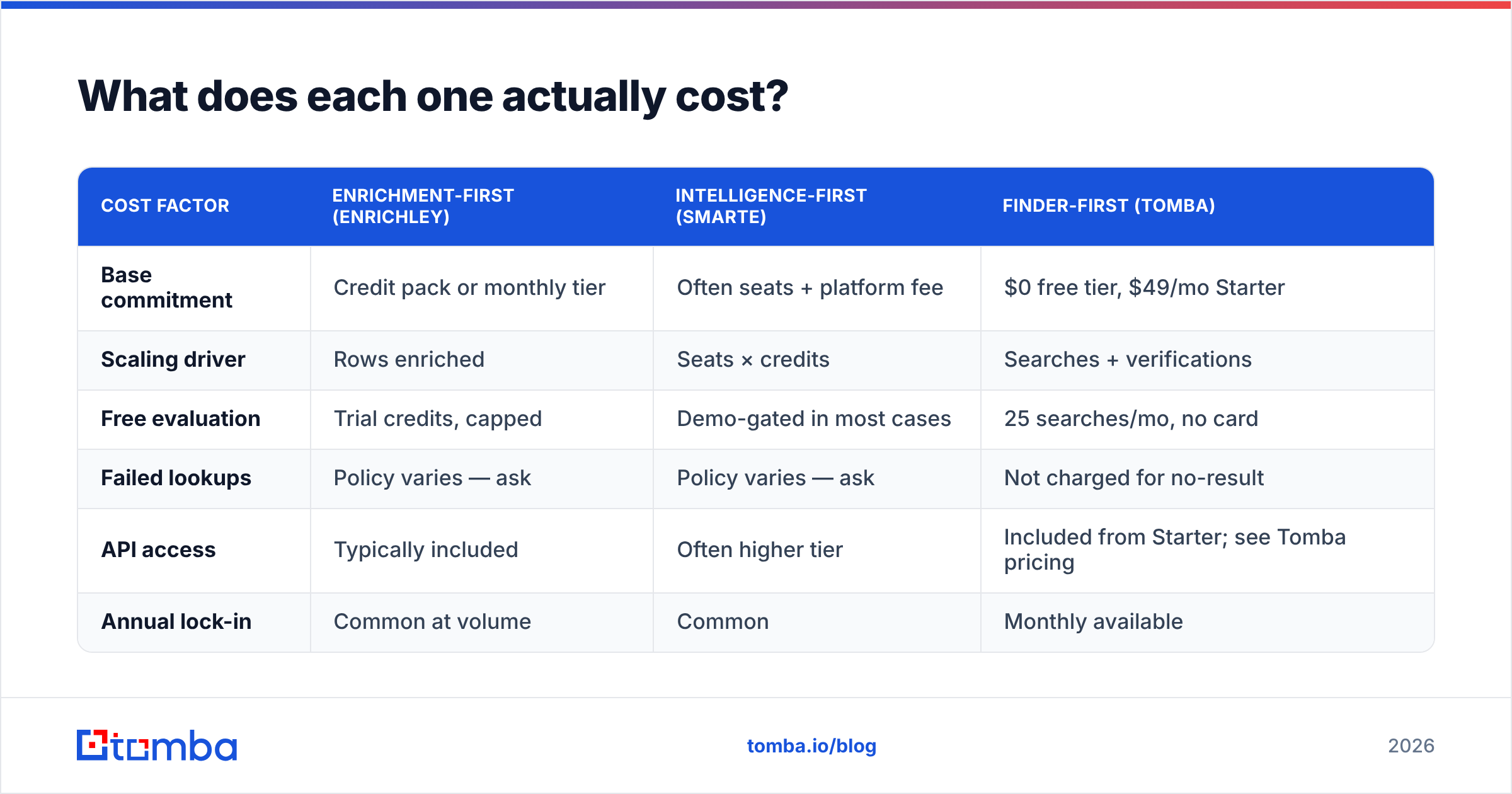
| Cost factor | Enrichment-first (Enrichley) | Intelligence-first (Smarte) | Finder-first (Tomba) |
|---|---|---|---|
| Base commitment | Credit pack or monthly tier | Often seats + platform fee | $0 free tier, $49/mo Starter |
| Scaling driver | Rows enriched | Seats × credits | Searches + verifications |
| Free evaluation | Trial credits, capped | Demo-gated in most cases | 25 searches/mo, no card |
| Failed lookups | Policy varies — ask | Policy varies — ask | Not charged for no-result |
| API access | Typically included | Often higher tier | Included from Starter; see Tomba pricing |
| Annual lock-in | Common at volume | Common | Monthly available |
Three cost traps to watch, in order of how often they bite teams:
- Seat-based pricing on a tool three people touch. If only your RevOps lead runs enrichment jobs, paying per-seat for an eight-person sales team is pure waste. Credit-based pricing is usually fairer for burst usage.
- Credits burned on misses. Ask directly: "If your API returns no email, am I charged?" The answer changes your effective cost per contact by 20–40% on hard segments.
- Verification billed twice. Enrichment credit + verification credit on the same record is a real pattern. Model it on 10,000 rows, not 100.
The metric that matters is cost per verified, deliverable contact — total spend divided by contacts that actually landed in an inbox. A $99/mo tool with a 45% usable rate is more expensive than a $249/mo tool with an 85% usable rate. Run the arithmetic before the discount conversation, not after.

Is there a better third option for most teams?#
Often, yes — and this is where honesty matters more than a tidy verdict.
If your workflow is genuinely account discovery — you don't know who to sell to and need intent signals, technographics, and a filterable universe of companies — a full sales-intelligence platform like Smarte is doing real work that a point tool can't replicate. Pay for it.
If your workflow is record completion at scale inside a data pipeline, Enrichley's model fits, especially if you're pushing records via API from a warehouse.
But a large share of teams describe one of those workflows and actually run a third one: "I know the company and the person. I need their work email, verified, without setting my domain on fire." That's a narrower job, and paying platform pricing for it is a bad trade.
For that job, a focused stack looks like:
- Domain search to pull the contact map for a target company in one call.
- Email finder for named-person lookups, with pattern confidence attached.
- Verification as a separate, cheap, always-on step before every send.
- Bulk email finder for list-level runs when a campaign spins up.
- API or CRM integration so nothing lives in a CSV on someone's desktop — see the HubSpot integration or the Tomba API for the direct route.
Tomba's structure fits this shape: a free tier at 25 searches/month to validate accuracy on your own list, Starter at $49/mo, Growth at $99/mo, and Pro at $249/mo, with the email finder, verifier, domain search, catch-all verification, phone finder, and enrichment all under one roof. It won't tell you which accounts have buying intent — that's not what it's for. It will tell you, with a confidence score, whether an email is real.
For a broader survey of the category and how buyers rate each vendor on support and ease of use, G2's lead intelligence category is a reasonable neutral reference, and HubSpot's sales blog covers the workflow side of prospecting well.

How should you run the evaluation?#
Do not evaluate on a demo dataset. Vendors optimize demos.
- Pull 250 rows from your real ICP. Include your hardest segment — small companies, non-US, or non-executive titles. If a tool only works on easy rows, you'll learn that in an hour instead of a quarter.
- Run the same 250 through every candidate. Same inputs, same day. Record match rate, verified rate, and any confidence scores returned.
- Send a 50-contact control campaign from a warmed domain. Measure hard bounce rate. Anything over 3% is disqualifying; over 5% is actively dangerous.
- Spot-check 20 records manually. Match rate is meaningless if the titles are two roles out of date. Check against LinkedIn.
- Compute cost per deliverable contact. Total trial spend (or list price equivalent) ÷ contacts that landed. This single number ends most vendor debates.
- Test the API, not just the UI. If you'll be calling this from a workflow, latency, rate limits, and error handling matter more than the dashboard's design.
Score those six on a shared sheet and the winner is usually obvious — and frequently not the tool with the best-looking website.
The verdict#
There isn't a universal winner in Enrichley vs Smarte, and any post claiming one is selling something. Enrichley is the better fit when you have data and need it completed. Smarte is the better fit when you need to discover accounts and want firmographic and intent context around them. Both are legitimate tools solving legitimate problems, and both will be too much tool for a team whose actual constraint is "I need verified work emails, reliably, without a procurement cycle."
Run the 250-row test. Compute cost per deliverable contact. Let the number decide.
Try it on your own list first. Before you commit to a platform contract, spend twenty minutes validating accuracy against accounts you actually sell to. The Tomba Email Finder gives you 25 free searches a month — no card, no demo call — with verification and confidence scoring built in. If the match and bounce numbers beat what you're paying for now, you've saved a budget line. If they don't, you've lost twenty minutes and gained a real benchmark to negotiate with.
Related guides#
Ready to find emails that actually work?
Join 150,000+ professionals who stopped guessing and started sending. Free credits on signup — no credit card required.
Get the Tomba newsletter
Practical outbound tactics and product updates — once every two weeks.
About the author