Enrow vs Finderio (2026): Which Email Data Tool Wins?
Enrow verifies. Finderio finds. Both claim to protect your bounce rate. Here is how the two actually compare on accuracy, catch-all handling, pricing structure and API depth in 2026 — and which one belongs in your outbound stack.
TL;DR
- Enrow and Finderio are not really the same product. Enrow is a verification-first tool built to kill bounces on lists you already have. Finderio (finder.io, part of the 500apps suite) is a finder-first tool built to produce contacts you don't have yet.
- If your problem is "my bounce rate is 6% and Google is throttling me," Enrow is the closer fit. If your problem is "I have 400 company domains and zero contacts," Finderio is the closer fit.
- Neither one is a complete outbound data layer on its own. Buying both means two vendors, two credit systems, two API keys, and two invoices for one workflow.
- Catch-all domains are where the two diverge most. Enrow leans on its catch-all resolution as the headline feature; Finderio's catch-all output is thinner and more often returns an "accept-all / unknown" you have to decide about yourself.
- Pricing models differ in kind, not just amount: Enrow is credit-based and consumption-shaped, Finderio is bundled inside a broader app suite. Compare cost-per-usable-contact, not cost-per-credit.
What are Enrow and Finderio?#
Start here, because half the confusion in the "enrow vs finderio" search is that people assume they're direct substitutes. They overlap, but their centers of gravity are different.
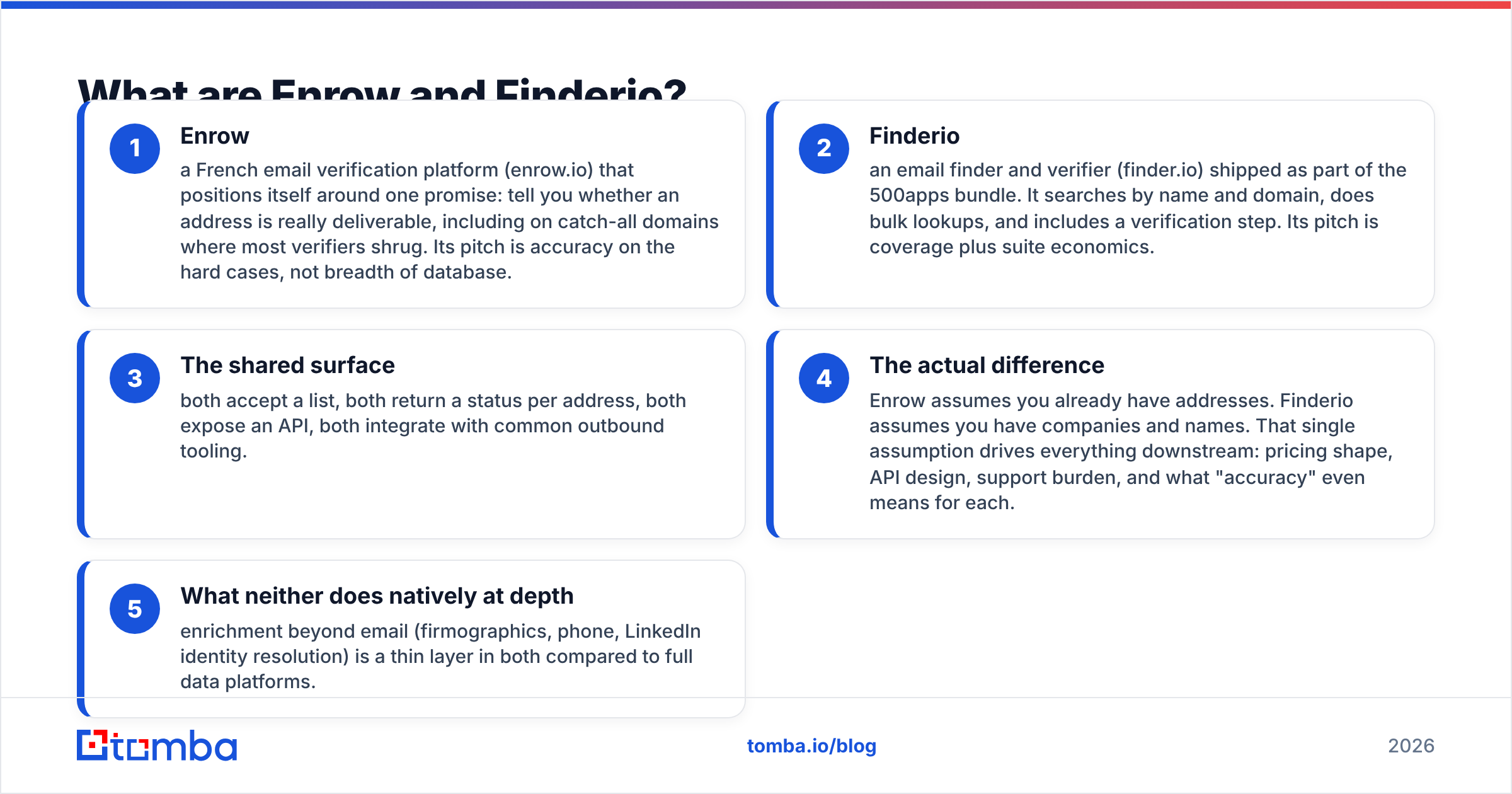
- Enrow — a French email verification platform (enrow.io) that positions itself around one promise: tell you whether an address is really deliverable, including on catch-all domains where most verifiers shrug. Its pitch is accuracy on the hard cases, not breadth of database.
- Finderio — an email finder and verifier (finder.io) shipped as part of the 500apps bundle. It searches by name and domain, does bulk lookups, and includes a verification step. Its pitch is coverage plus suite economics.
- The shared surface — both accept a list, both return a status per address, both expose an API, both integrate with common outbound tooling.
- The actual difference — Enrow assumes you already have addresses. Finderio assumes you have companies and names. That single assumption drives everything downstream: pricing shape, API design, support burden, and what "accuracy" even means for each.
- What neither does natively at depth — enrichment beyond email (firmographics, phone, LinkedIn identity resolution) is a thin layer in both compared to full data platforms.
If you're evaluating these two against each other, the honest first question isn't "which is better." It's "which half of the problem am I actually buying for?"
How do Enrow and Finderio compare head-to-head?#
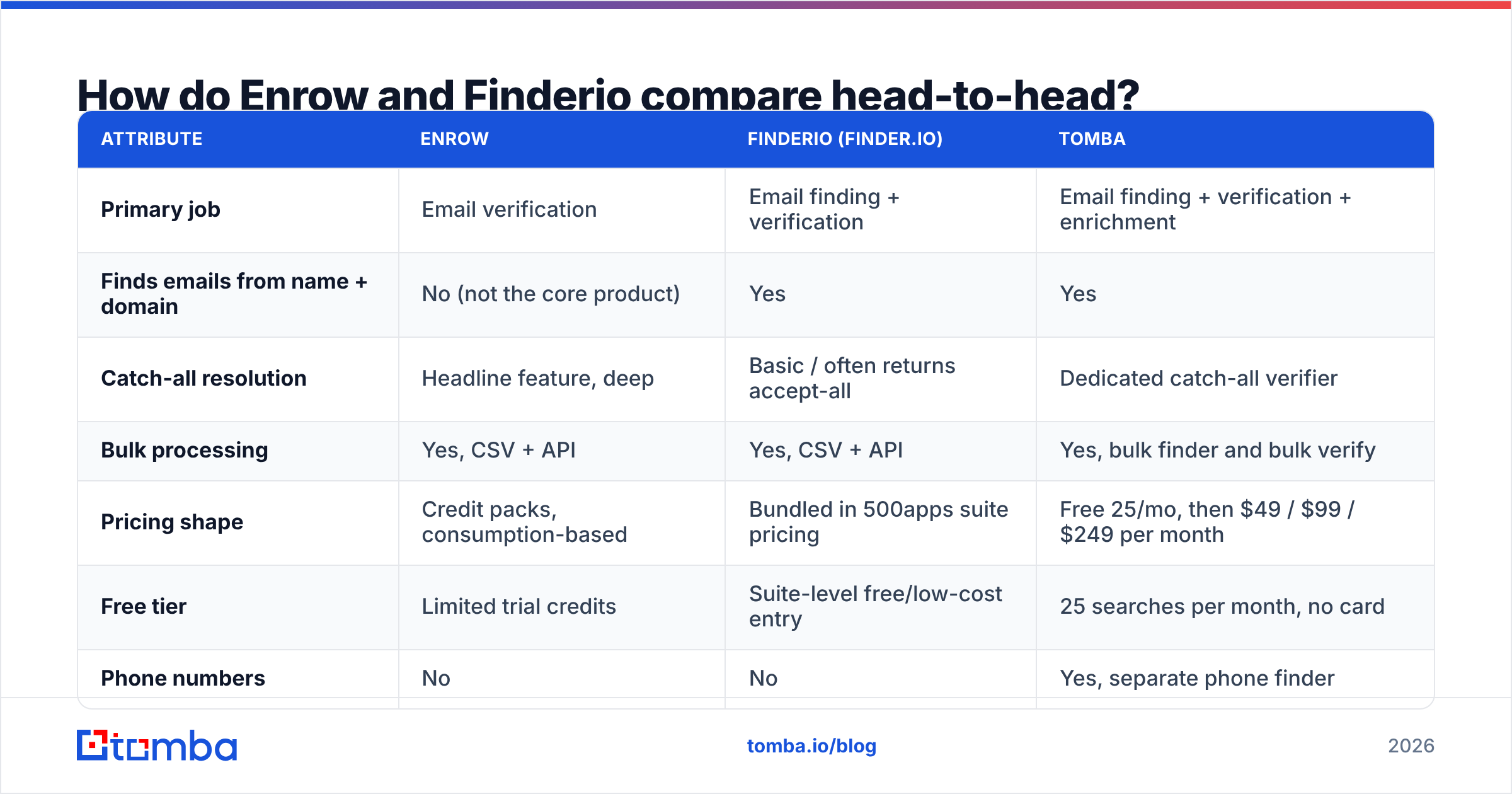
Here's the practical comparison. Pricing figures for third-party vendors change often and are frequently packaged as credit bundles rather than flat seats, so treat the pricing row as a shape description and confirm on each vendor's own page before you sign anything.
| Attribute | Enrow | Finderio (finder.io) | Tomba |
|---|---|---|---|
| Primary job | Email verification | Email finding + verification | Email finding + verification + enrichment |
| Finds emails from name + domain | No (not the core product) | Yes | Yes |
| Catch-all resolution | Headline feature, deep | Basic / often returns accept-all | Dedicated catch-all verifier |
| Bulk processing | Yes, CSV + API | Yes, CSV + API | Yes, bulk finder and bulk verify |
| Pricing shape | Credit packs, consumption-based | Bundled in 500apps suite pricing | Free 25/mo, then $49 / $99 / $249 per month |
| Free tier | Limited trial credits | Suite-level free/low-cost entry | 25 searches per month, no card |
| Phone numbers | No | No | Yes, separate phone finder |
| Native spreadsheet add-ons | Limited | Limited | Google Sheets, Excel, Airtable |
| Developer surface | REST API | REST API | REST API, CLI, MCP server, Chrome extension |
| Best fit | Cleaning purchased or scraped lists | Cheap volume lookups inside a suite | Teams that want find + verify in one credit pool |
The row that decides most evaluations is row two. If Finderio can find and Enrow can't, why is this even a comparison? Because a bad find is worse than no find. A tool that returns 900 addresses out of 1,000 with a 12% bounce rate has cost you more than a tool that returns 600 with a 1% bounce rate — the second list actually gets delivered, and your domain survives to send next week.
Which one is more accurate — and how would you even know?#
Accuracy claims in this category are close to unfalsifiable unless you test on your own data. Every vendor publishes a number, every number is measured on a different sample, and none of them are audited.

Run this test instead of trusting anyone's landing page, including this post:
- Build a 200-address control list. Pull it from your CRM — addresses you have already emailed successfully in the last 90 days. You know the ground truth.
- Add 50 known-bad addresses. Old employees who left, typo'd domains, role accounts that hard-bounced. You know these are dead.
- Add 50 catch-all domain addresses. This is where verifiers separate. Any tool can mark
info@at a strict MX as invalid. - Run the same 300 through both vendors. Compare false-negative rate (good addresses marked risky or invalid) alongside false-positive rate.
- Weight false negatives heavily. A verifier that plays it safe by marking everything "risky" is not accurate, it's useless — you paid for a filter that filtered your best prospects out.
On that test, Enrow generally does what it says on the hard tier: it commits to a verdict on catch-alls where a generic verifier returns "unknown." Finderio's verification step is closer to a table-stakes SMTP check bolted onto the finder, which is fine for a first pass and thin as a final gate before a high-volume send.
For finding accuracy, the metric that matters is hit rate on your ICP, not the vendor's global average. A tool that's excellent on US SaaS domains can collapse on European mid-market manufacturers. Test 100 domains from your actual target list before you commit to an annual plan. If you want a broader benchmark across the category, G2's email verification grid is a reasonable starting point for peer reviews — just weight recent reviews far above older ones, since data providers change fast.
How does catch-all handling actually differ?#
Catch-all (or accept-all) domains accept every address at the SMTP layer, so a standard verification handshake tells you nothing. Anywhere from 15% to 25% of B2B domains are configured this way, depending on your market. Ignore them and you throw away a fifth of your pipeline. Send to them blind and you eat the bounces.
Three ways vendors handle it:
- Mark it unknown and move on. Cheapest for the vendor, worst for you. You still have to decide, and now you've paid a credit for a non-answer.
- Probabilistic scoring. Use pattern data, historical engagement signals, and known-employee data to produce a confidence score. Most serious tools land here.
- Active resolution. Additional checks beyond the basic handshake to reach an actual verdict. Slower, more expensive per address, materially more useful.
Enrow's product story sits in bucket three, and it's the strongest reason to pick it over a general-purpose verifier. Finderio sits closer to bucket one for catch-alls — you get the flag, you get to make the call. If a meaningful share of your list is catch-all, that gap is the whole decision.
Tomba splits the difference with a dedicated catch-all verifier so you're not paying the expensive resolution path on every address in your list, only on the ones that need it. That matters at volume: resolving 100,000 addresses at catch-all pricing when only 18,000 are actually catch-all is a real budget line.
What does each one cost in practice?#
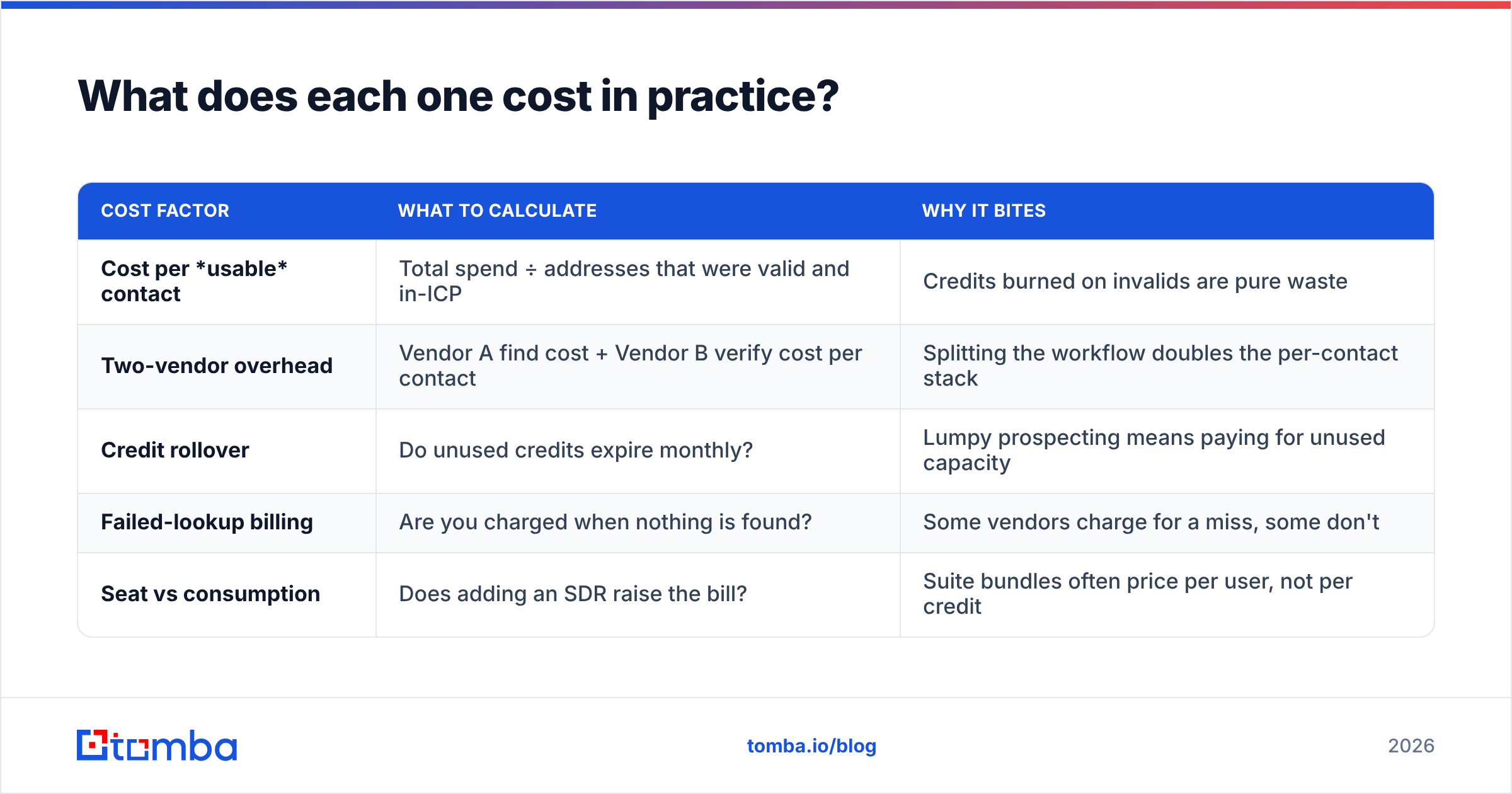
The trap in comparing these two is that they price on different axes. Enrow sells credits, so your cost tracks consumption and spikes when you buy a big list. Finderio's cost is entangled with the 500apps bundle, which looks cheap per app and gets expensive when you only wanted one app.

Model your cost like this instead of comparing sticker prices:
| Cost factor | What to calculate | Why it bites |
|---|---|---|
| Cost per usable contact | Total spend ÷ addresses that were valid and in-ICP | Credits burned on invalids are pure waste |
| Two-vendor overhead | Vendor A find cost + Vendor B verify cost per contact | Splitting the workflow doubles the per-contact stack |
| Credit rollover | Do unused credits expire monthly? | Lumpy prospecting means paying for unused capacity |
| Failed-lookup billing | Are you charged when nothing is found? | Some vendors charge for a miss, some don't |
| Seat vs consumption | Does adding an SDR raise the bill? | Suite bundles often price per user, not per credit |
For reference on the third column: Tomba's model is a free tier at 25 searches per month, then Starter at $49/mo, Growth at $99/mo, Pro at $249/mo, and custom Enterprise. Finding and verifying draw from the same pool, which removes the two-vendor math entirely. Full breakdown on the Tomba pricing page.
The larger point: if you buy Finderio for finding and Enrow for verifying, you're paying twice per contact and maintaining two integrations to accomplish one job. That's defensible if both tools are genuinely best-in-class for your data profile. It's indefensible if you're doing it out of inertia.

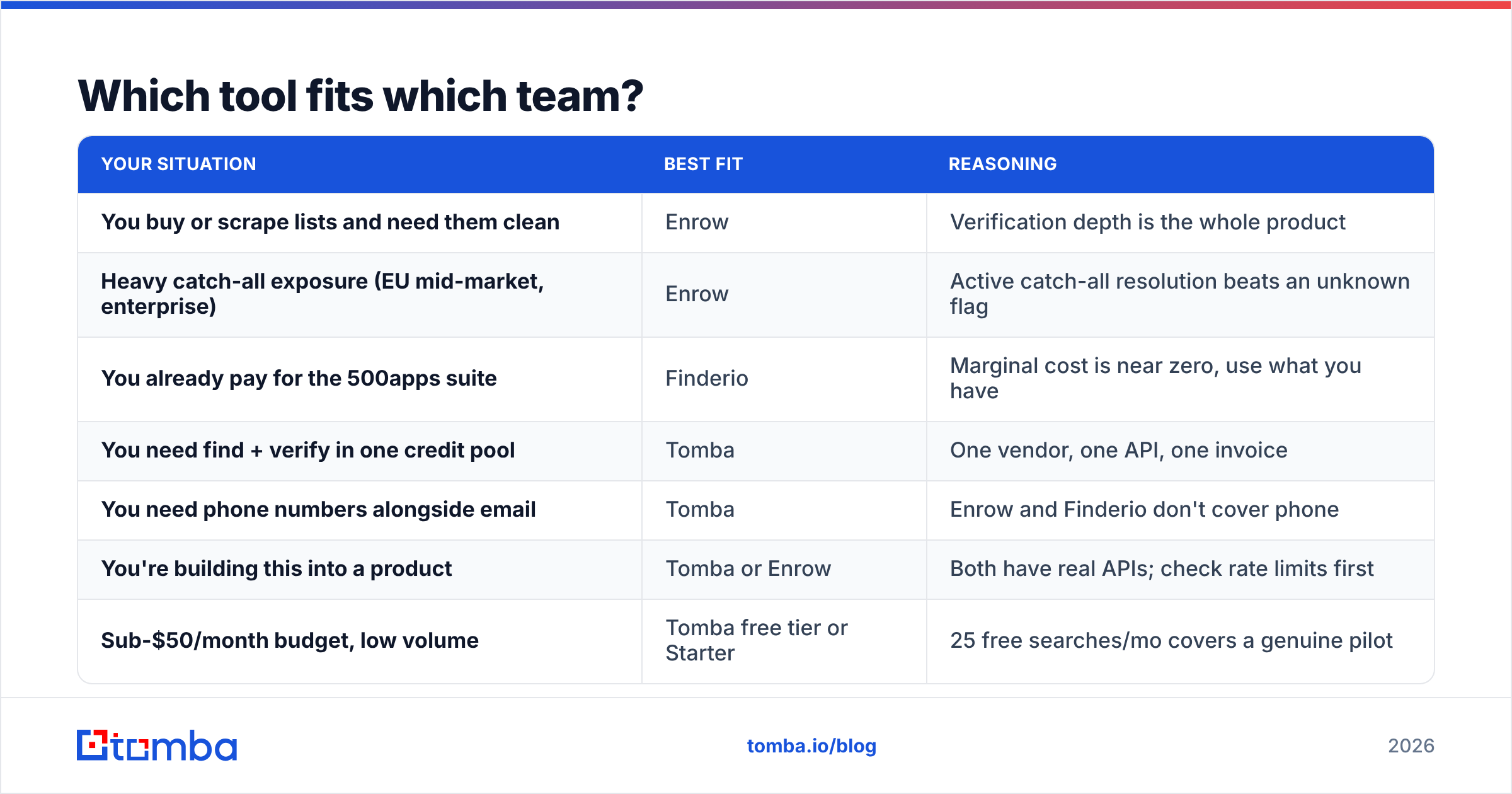
Which tool fits which team?#
| Your situation | Best fit | Reasoning |
|---|---|---|
| You buy or scrape lists and need them clean | Enrow | Verification depth is the whole product |
| Heavy catch-all exposure (EU mid-market, enterprise) | Enrow | Active catch-all resolution beats an unknown flag |
| You already pay for the 500apps suite | Finderio | Marginal cost is near zero, use what you have |
| You need find + verify in one credit pool | Tomba | One vendor, one API, one invoice |
| You need phone numbers alongside email | Tomba | Enrow and Finderio don't cover phone |
| You're building this into a product | Tomba or Enrow | Both have real APIs; check rate limits first |
| Sub-$50/month budget, low volume | Tomba free tier or Starter | 25 free searches/mo covers a genuine pilot |
Note what's missing from every row: "because it's the cheapest." Cheapest per credit is almost never cheapest per meeting booked. A 10% bounce rate on a new domain can put you in Google's penalty box for weeks, and no credit discount pays that back.
Where does Tomba fit in this comparison?#
Not as a drop-in replacement for either one, so let's be specific about the trade.
Against Enrow, Tomba gives up some depth on the pure catch-all resolution story — Enrow has built its identity there and it shows. What Tomba adds is the front half of the workflow: domain search to pull every findable contact at a company, an email verifier on the same credits, plus enrichment and phone data. If you already have your lists and only need cleaning, Enrow is a legitimate specialist pick.
Against Finderio, the comparison is more direct because both are finder-first. Tomba's advantages are the deployment surface (Chrome extension, Google Sheets, Excel, Airtable, Tomba API, CLI, and an MCP server for LLM agents) and the fact that you're not buying a suite to get one tool. Finderio's advantage is bundle economics if you're already inside 500apps.
And for the record on adjacent options: providers like BookYourData solve a different shape of the problem — prebuilt, filterable contact databases rather than on-demand lookup. If your motion is "give me 5,000 CFOs in fintech" rather than "find this specific person at this specific company," a database-first vendor is a better structural match than either Enrow or Finderio. Worth knowing which of the two motions you actually run before you shortlist anything.
What's the verdict on Enrow vs Finderio?#
Pick Enrow if verification is the bottleneck, your lists come from elsewhere, and catch-all domains are eating your accuracy. It's a specialist and it's good at the thing it specialises in.
Pick Finderio if you're already paying for 500apps, your volume is moderate, and "good enough finding at near-zero marginal cost" beats "best-in-class finding at full price."
Pick neither if what you actually need is one system that finds, verifies, handles catch-alls, and enriches without you gluing two vendors together with a Zapier step and a prayer. Running two credit systems for one workflow is a tax you pay every month, forever, and it grows with your volume.
Test all three on the same 300-row control list before you decide. Twenty minutes of testing beats twelve months of an annual contract you regret in week three.
Ready to stop splitting your stack? Start with the Tomba Email Finder — 25 free searches per month, no card required. Find contacts by name or domain, verify them from the same credit pool, and push results straight to your CRM through the API, the Chrome extension, or Google Sheets. If it doesn't beat your current hit rate on your own domains, you've lost nothing but twenty minutes.
Related guides#
Ready to find emails that actually work?
Join 150,000+ professionals who stopped guessing and started sending. Free credits on signup — no credit card required.
Get the Tomba newsletter
Practical outbound tactics and product updates — once every two weeks.
About the author