Enrow vs Skrapp: Which Email Tool Wins in 2026?
Enrow verifies emails at scale; Skrapp finds them on LinkedIn. We compared accuracy claims, pricing, catch-all handling, and API depth to show which one actually belongs in your stack.
TL;DR
- Enrow and Skrapp are not really competitors. Enrow is an email verification engine built for catch-all domains; Skrapp is a LinkedIn-first email finder with B2B list building attached.
- If your problem is "my bounce rate is 6% and I don't know why," Enrow is the closer fit. If your problem is "I have 400 LinkedIn profiles and no addresses," Skrapp is the closer fit.
- Skrapp is cheaper at entry (roughly $39–$49/mo for the first paid tier); Enrow charges per verified email and gets expensive fast on large, catch-all-heavy lists.
- Both tools leave a gap: Skrapp's verification is thin, Enrow doesn't find anything. Buying both costs more than a single platform that does discovery and verification.
- Our take: run a single provider for finding + verifying (Tomba at $49/mo covers both), and only bolt on a specialist when a specific list keeps failing.
What are Enrow and Skrapp, exactly?#
Enrow is an email verification service. You feed it addresses you already have — from a scrape, a CRM export, a purchased list — and it returns a deliverability verdict. Its marketing angle is catch-all domains: servers configured to accept mail for any address at the domain, which makes standard SMTP checks useless. Enrow claims to resolve a large share of those "unknown" results into real yes/no answers.
Skrapp comes at the problem from the other end. It's a Chrome extension plus web app that pulls professional email addresses off LinkedIn profiles, LinkedIn Sales Navigator searches, and company domains. You browse, you click, you export a CSV. It also ships a domain search, a bulk finder, and a lightweight verifier.
So the honest framing of enrow vs skrapp is not "which is better." It's "which half of the pipeline are you missing." Most outbound teams need both halves, which is why this comparison usually ends with a third answer.
How do Enrow and Skrapp compare on features and price?#
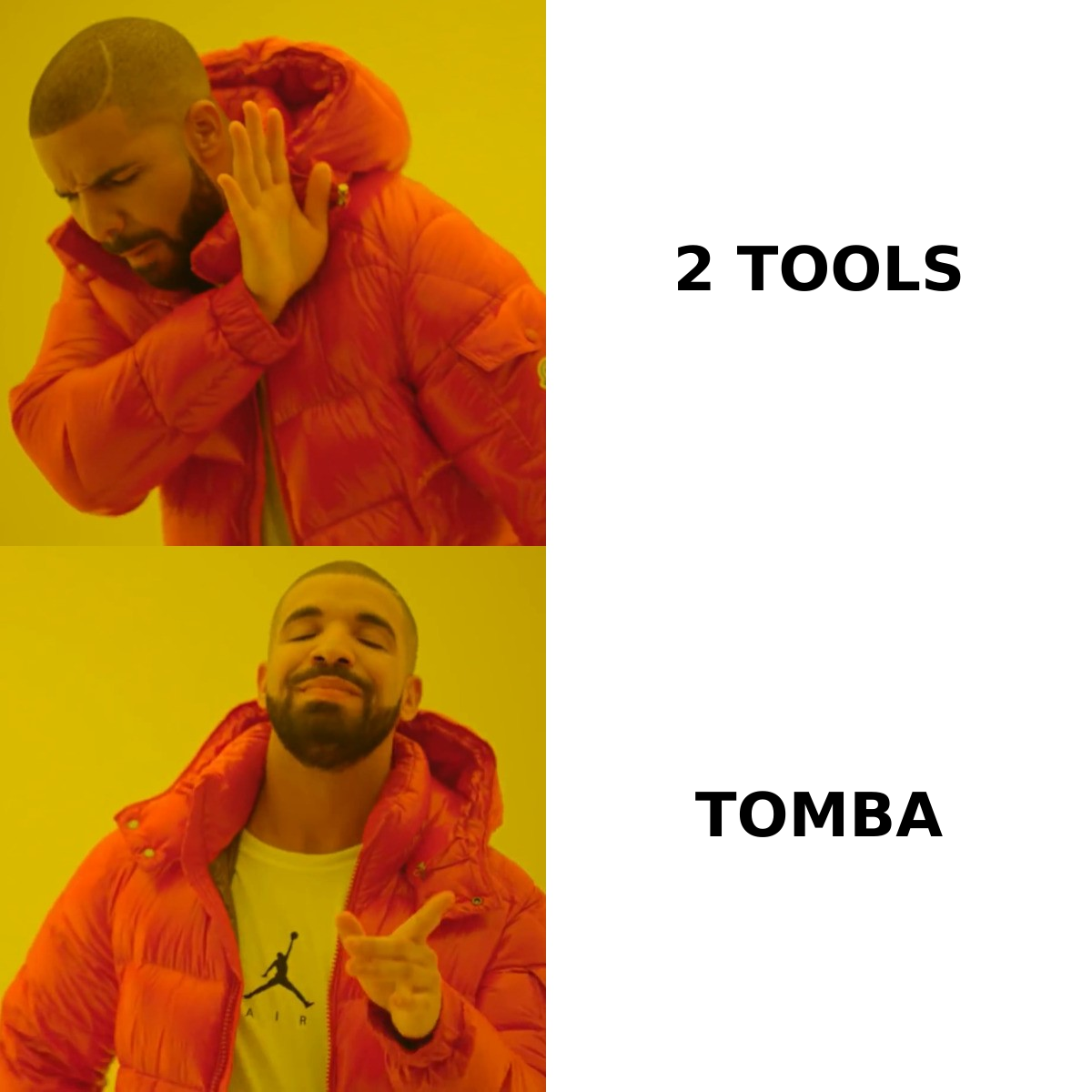
Here's the side-by-side. Prices reflect publicly listed plans as of early 2026 — both vendors change tiers regularly, so treat these as directional and check Enrow's site and Skrapp's pricing page before you buy.
| Attribute | Enrow | Skrapp | Tomba |
|---|---|---|---|
| Primary job | Email verification | LinkedIn email finding | Finding + verification |
| Entry paid price | ~$29/mo (credit packs) | ~$39/mo (Starter) | $49/mo (Starter) |
| Free tier | Trial credits only | 100 searches/mo | 25 searches/mo |
| Finds new emails | No | Yes (LinkedIn + domain) | Yes (domain, name, LinkedIn) |
| Catch-all resolution | Core feature | Marked "unknown" | Dedicated catch-all verifier |
| Bulk upload | Yes (CSV) | Yes (CSV, plan-gated) | Yes, unlimited on paid |
| Public API | Yes | Yes (higher tiers) | Yes, all paid plans |
| Chrome extension | No | Yes | Yes |
| Phone numbers | No | No | Yes |
| CRM integrations | Limited | HubSpot, Salesforce, Pipedrive | HubSpot, Salesforce, Pipedrive, Zapier, Make |
The pattern is clear: Enrow goes deep on one job, Skrapp goes wide on discovery but shallow on quality control, and combined platforms trade a little depth for coverage of both.
Which one is more accurate?#
Accuracy means two different things here, so compare them separately.
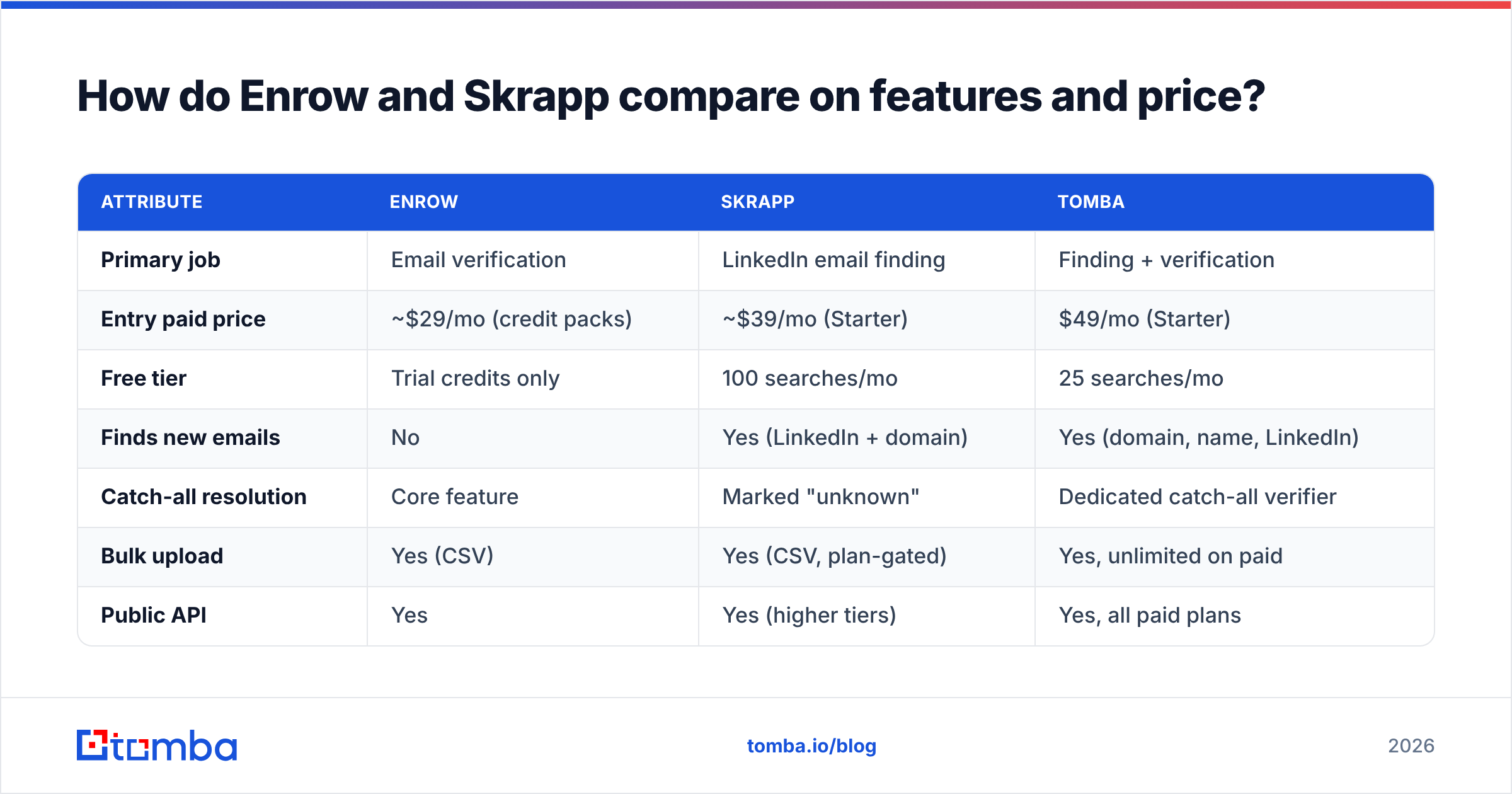
Enrow's accuracy is verification accuracy: of the addresses it labels "valid," how many actually deliver? Enrow publishes figures in the 98–99% range on its own site. That's a vendor number, and vendor numbers on verification are notoriously self-graded — the denominator (how many results were "unknown" and excluded) matters more than the headline. When you evaluate any verifier, ask for the unknown rate alongside the accuracy rate. A tool that answers 60% of your list at 99% accuracy is worse than one that answers 92% at 96%.
Skrapp's accuracy is discovery accuracy: of the addresses it returns, how many are real and current? Independent reviews on G2 put Skrapp in the respectable-but-not-leading band, with strong performance on mid-market SaaS domains and weaker results on small businesses, agencies, and non-US domains. Skrapp does mark low-confidence results, which is honest, but its verification layer won't crack catch-all domains — and depending on your market, catch-alls can be 20–30% of your total addressable list.

That catch-all gap is the practical dividing line. If you sell into enterprise, higher education, or European mid-market, a huge slice of your prospects sit behind catch-all servers. Skrapp will hand you the address and shrug. Enrow will try to resolve it. A platform with a dedicated catch-all verifier will do the same without forcing you to buy a second subscription.
When should you choose Enrow?#
Pick Enrow when all four of these are true:
- You already have a source of addresses. A scraper, a data vendor, an inherited CRM, an event list. Enrow adds no discovery — it only grades what you bring.
- Your bounce rate is the bottleneck. If you're above 3% on cold sends, mailbox providers are already throttling you, and cleaning is the highest-leverage fix available.
- Catch-all domains dominate your list. This is Enrow's actual moat. If under 10% of your list is catch-all, a standard verifier at a third of the price does the job.
- You buy in bursts, not continuously. Credit-pack pricing suits a team that cleans a 50k list quarterly better than one that verifies 300 addresses a day.
Where Enrow frustrates people: there's no browser extension, no LinkedIn workflow, no phone data, and no contact record to enrich. It is a single-purpose utility, and it prices like one — per-email costs on catch-all-heavy lists climb faster than the headline rate suggests, because catch-all resolution is billed at a premium on most plans.
When should you choose Skrapp?#
Pick Skrapp when your prospecting is genuinely LinkedIn-shaped:
- You build lists by browsing. An SDR working Sales Navigator searches, clicking through profiles, exporting in batches of 200. Skrapp's extension fits that motion tightly.
- You want a low entry price. The Starter tier undercuts most full platforms, and the 100-searches free tier is generous enough to test properly.
- Your ICP is mid-market SaaS or tech. That's where Skrapp's coverage is strongest.
- You don't need phone numbers or firmographic enrichment. Skrapp returns emails and basic company data. It's not a data enrichment platform.
Where Skrapp frustrates people: LinkedIn dependency. When LinkedIn tightens scraping enforcement — which it does, periodically — extension-based tools take collateral damage. Skrapp has weathered several rounds, but a workflow anchored entirely to one platform's tolerance is a fragile foundation for pipeline. API access is also gated to higher tiers, which matters if you want to script list building rather than click through it.
Is buying both tools worth it?#
Do the math before you decide. A typical two-tool stack:
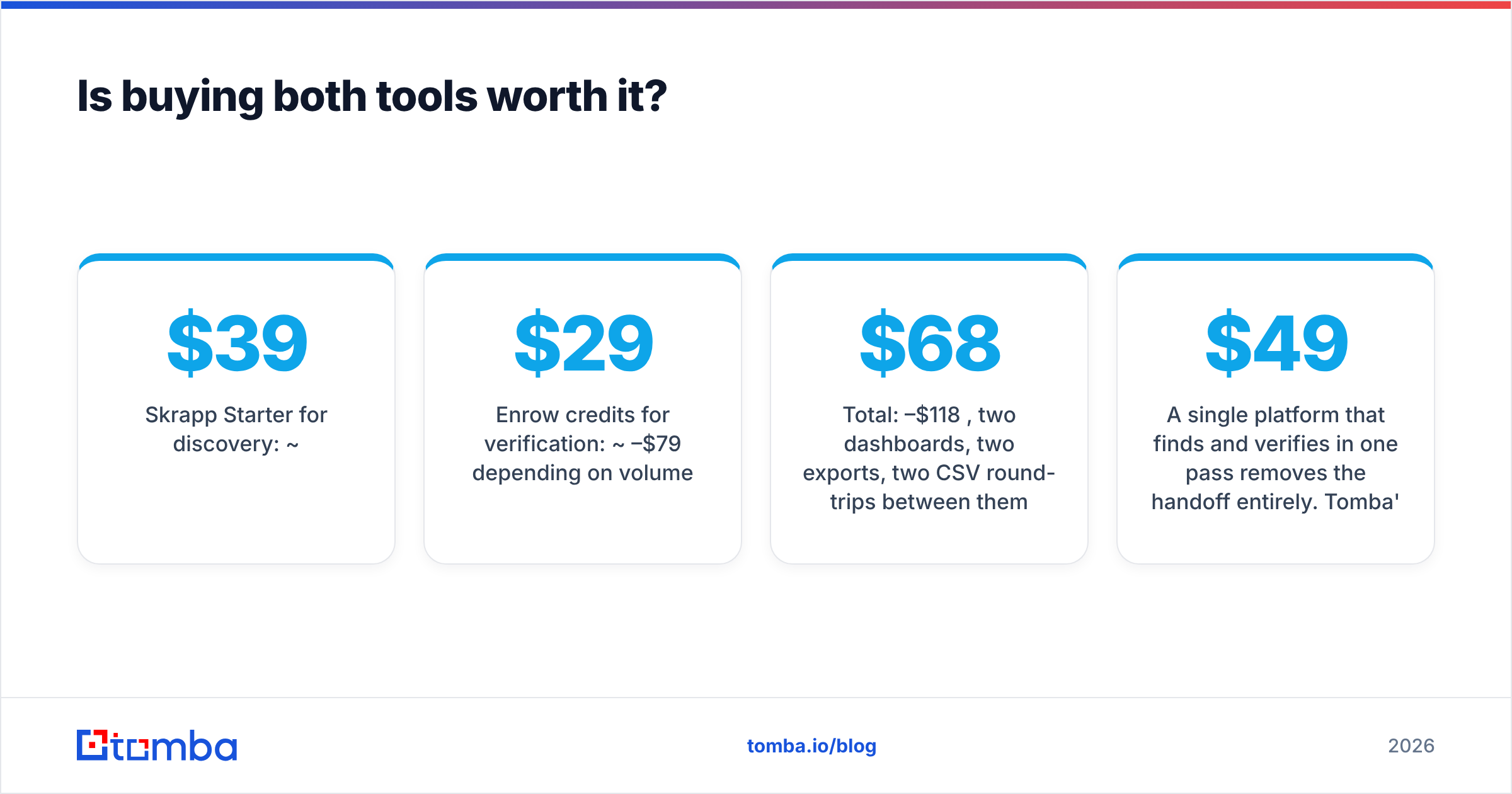
- Skrapp Starter for discovery: ~$39/mo
- Enrow credits for verification: ~$29–$79/mo depending on volume
- Total: $68–$118/mo, two dashboards, two exports, two CSV round-trips between them
Now the operational cost nobody prices in: every handoff between tools is a place where data decays. You export from Skrapp, upload to Enrow, wait, download, re-import to your sequencer. Do that weekly and you've spent hours on file plumbing. Do it with a team of five SDRs and you've spent a headcount's worth of attention on CSVs.

A single platform that finds and verifies in one pass removes the handoff entirely. Tomba's email finder runs verification inline — every address returned carries a deliverability status before it ever reaches your CSV — and the same $49/mo Starter plan covers domain search, email verification, and catch-all checks. Growth is $99/mo, Pro is $249/mo, and there's a free tier at 25 searches/mo to test the data quality on your own domains before committing. Full Tomba pricing is public, with no credit-type surcharges for catch-all resolution.
Worth naming the honest exception: if you need very high-volume verified B2B lists and you'd rather buy a pre-built database than build one, a dedicated list provider like BookYourData is a legitimate third path. Different purchase model — you're buying records, not searches — but for teams that want volume on day one, it's a real option rather than a compromise.
How should you actually test these tools?#
Don't trust anyone's accuracy page, including this one. Run a controlled test — it takes an afternoon:
- Build a 100-contact truth set. Pull people whose addresses you already know are good: current customers, past colleagues, contacts who've replied to you. Mix domains — big enterprise, small business, at least 20 catch-all domains, at least 20 non-US.
- Strip the emails, keep name + company. Now you have an input file for the finders and a scoring key for yourself.
- Run the same file through each tool. Skrapp's bulk finder, Tomba's bulk email finder, any other candidate.
- Score three numbers, not one. Coverage (how many addresses returned), precision (how many matched your key), and unknown rate (how many it refused to call). A tool that returns 40 perfect addresses out of 100 is worse for pipeline than one that returns 85 with 4 wrong.
- Send the verified set through your real sequencer. Watch the bounce rate for 48 hours. That's the number that pays your bills — not any vendor's dashboard.

Run this once per year. Data providers' coverage shifts as their sources change, and the winner in 2024 is frequently not the winner in 2026.
What does this mean for deliverability?#
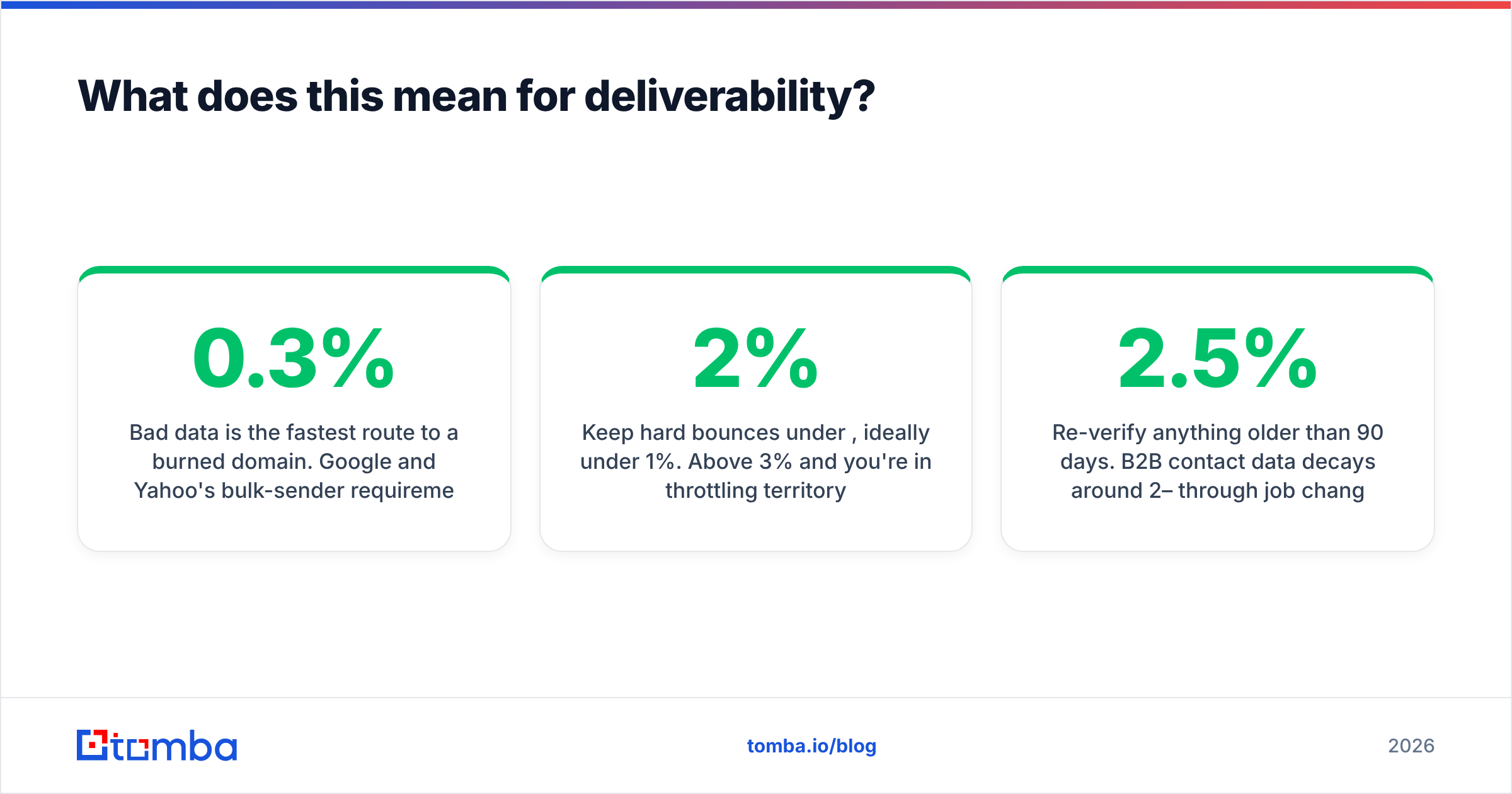
Bad data is the fastest route to a burned domain. Google and Yahoo's bulk-sender requirements, in force since 2024, put a hard 0.3% spam-complaint ceiling on senders — and while bounces aren't complaints, high bounce rates are one of the clearest signals to a mailbox provider that you're sending to a scraped, unvalidated list. HubSpot's research on email benchmarks consistently shows list hygiene outranking copy as a driver of inbox placement.
Practically, that means:
- Keep hard bounces under 2%, ideally under 1%. Above 3% and you're in throttling territory.
- Treat "unknown" as "don't send." Every verifier produces them. Route them to LinkedIn or phone instead of gambling your domain reputation.
- Re-verify anything older than 90 days. B2B contact data decays around 2–2.5% per month through job changes alone.
- Check the plumbing too. A clean list still bounces if your authentication is broken — run an SPF checker before you scale volume.
Neither Enrow nor Skrapp fixes your email deliverability on its own. Enrow reduces bounces on lists you already have; Skrapp increases the number of lists you have. Deliverability is the discipline that sits above both.
The verdict: Enrow vs Skrapp#
Choose Enrow if you have a data source and a bounce problem, especially on catch-all-heavy enterprise or European lists. It does one job at a level generalist tools rarely match.
Choose Skrapp if your prospecting lives inside LinkedIn, you want a cheap entry point, and your ICP sits in mid-market tech where its coverage is strongest.
Choose neither alone if you're building an outbound motion from scratch. Two point tools means two bills, two dashboards, and a CSV handoff between every list and every send — which is exactly the friction that makes teams stop prospecting.
Start with a single platform that covers discovery and verification in one pass, then add a specialist only when you can point to a specific list it keeps failing on. That's the sequence that keeps cost and complexity proportional to results.
Ready to test it against your own data? Run 25 free searches through the Tomba Email Finder — find addresses by domain, name, or company, with verification and catch-all detection built into the same result. No CSV round-trip, no second subscription, and if the coverage doesn't beat what you're using now, you've lost an afternoon instead of a quarter.
Related guides#
Ready to find emails that actually work?
Join 150,000+ professionals who stopped guessing and started sending. Free credits on signup — no credit card required.
Get the Tomba newsletter
Practical outbound tactics and product updates — once every two weeks.
About the author