Enrow vs Tomba 2026: Email Finder and Verifier Compared
Enrow is a verification-first tool. Tomba finds, verifies, and enriches in one place. Here is how the two compare on accuracy, catch-all handling, pricing, and which one belongs in your outbound stack.
Enrow vs Tomba is really one question: do you need to check a list you already have, or build one from scratch? Enrow verifies. Tomba finds and verifies in the same step. Here is how the two compare on accuracy, catch-all domains, price, and workflow fit.
TL;DR
- Enrow is a verifier first. It takes a list you already have and tells you which addresses are safe to send to, with a strong reputation for catch-all resolution.
- Tomba is a finder first. It sources the address from a domain, a name, a LinkedIn profile, or an article byline — then verifies it before it reaches your sequence.
- They solve different halves of the same problem. If you buy or scrape lists, Enrow plugs a real gap. If you build lists from scratch, a verifier alone leaves you with nothing to verify.
And on cost:
- Pricing is the practical divider. Tomba's Starter plan is $49/mo with finding, verification, enrichment, and API access on one meter. Running a separate finder plus a separate verifier usually costs more per usable contact.
- The honest answer: pick Enrow if verification quality is your only gap. Pick Tomba if you want one tool and one bill covering discovery through validation.
What are Enrow and Tomba, actually?#
Enrow (enrow.io) is a French email verification company. It built its name on one hard problem: catch-all domains. Most verifiers give up when a mail server accepts every address thrown at it. Enrow markets aggressive resolution on those domains and publishes accuracy guarantees around it. Its product line is narrow on purpose: verification, bulk lists, an API, and integrations with the usual sequencing tools.
Tomba sits earlier in the pipeline. Its core product is an email finder: give it a company domain and a person's name, and it returns the likely address plus a confidence score and the public sources it drew from. Around that core sit an email verifier, domain search, a catch-all verifier, phone finder, and contact enrichment.
The distinction matters more than the feature lists suggest. A verifier cannot create a contact. A finder that returns garbage wastes your sending domain. Where you sit on that spectrum determines which tool is actually worth your money.
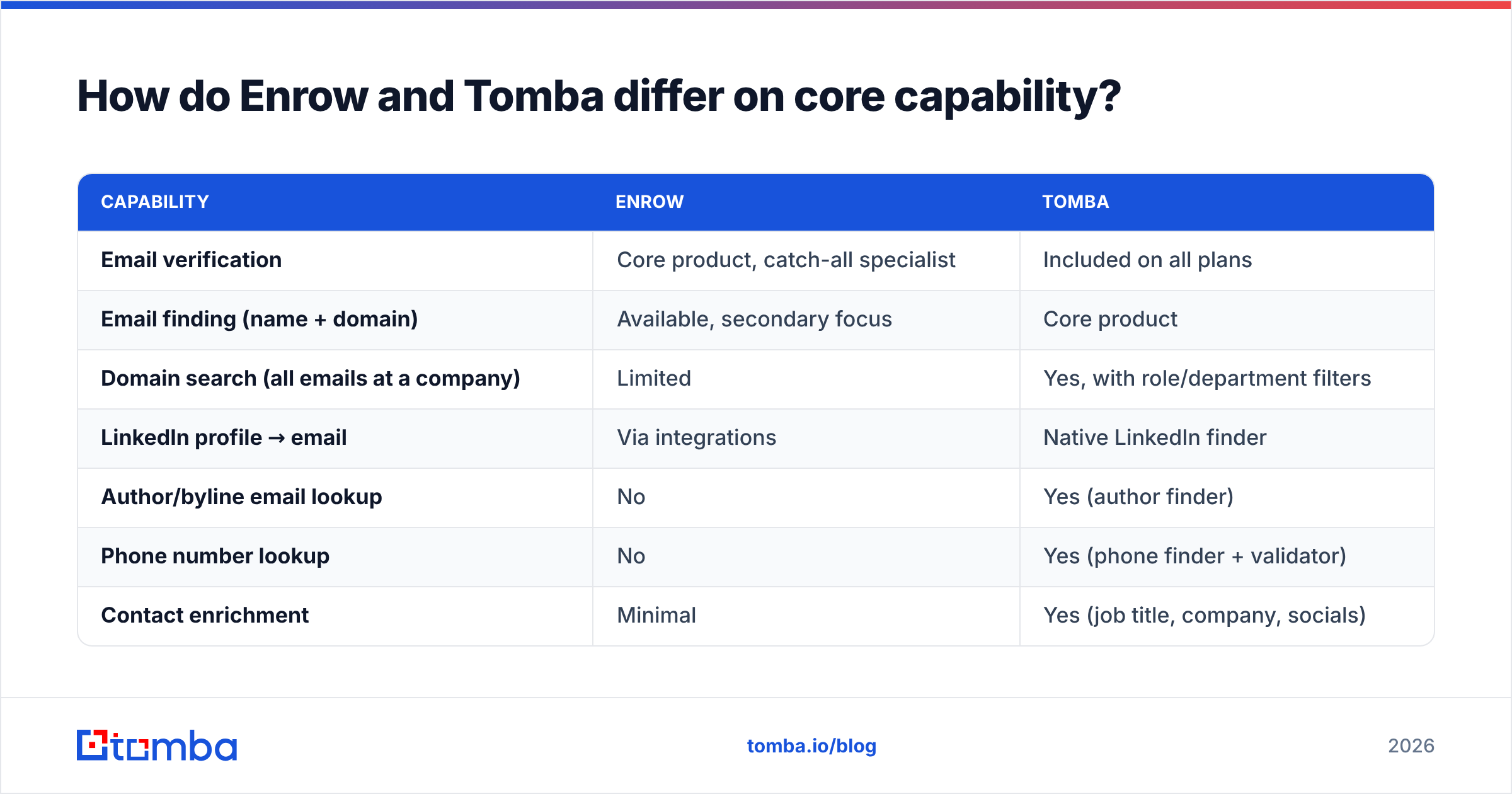
How do Enrow and Tomba differ on core capability?#
Here is the head-to-head on what each platform actually does, not what each markets.
| Capability | Enrow | Tomba |
|---|---|---|
| Email verification | Core product, catch-all specialist | Included on all plans |
| Email finding (name + domain) | Available, secondary focus | Core product |
| Domain search (all emails at a company) | Limited | Yes, with role/department filters |
| LinkedIn profile → email | Via integrations | Native LinkedIn finder |
| Author/byline email lookup | No | Yes (author finder) |
| Phone number lookup | No | Yes (phone finder + validator) |
| Contact enrichment | Minimal | Yes (job title, company, socials) |
| Bulk processing | Yes, strong | Yes, CSV in/out |
| Public API | Yes | Yes, plus CLI and MCP server |
| Spreadsheet add-ons | Limited | Google Sheets, Excel, Airtable |
| Free tier | Trial credits | 25 searches/mo, ongoing |
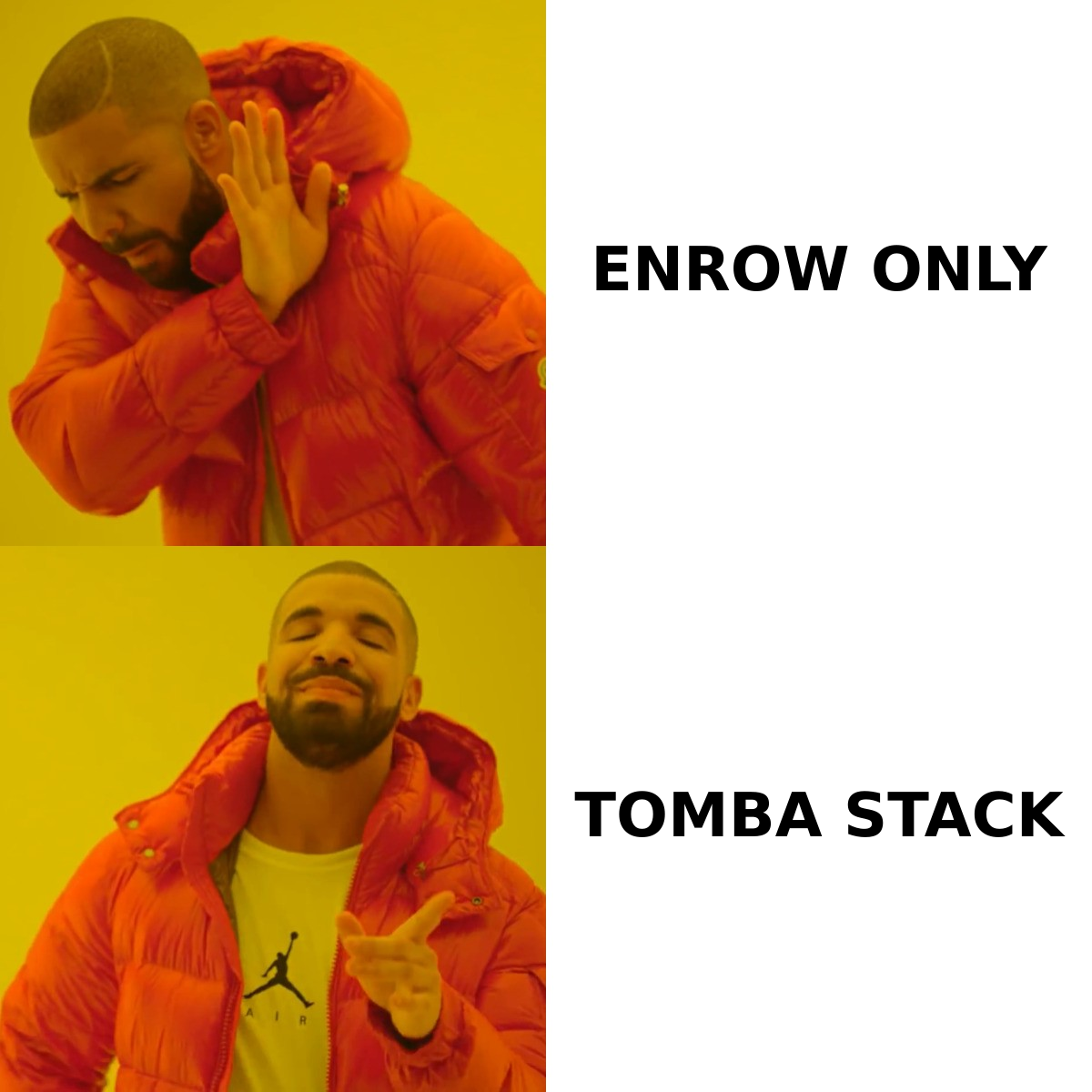
The pattern is clear. Enrow is a specialist that does one job with unusual depth. Tomba is a platform that covers the whole contact-acquisition path at reasonable depth on each step.
Neither approach is automatically correct. Specialists win when the specialty is your bottleneck. Platforms win when you are tired of stitching four vendors together and reconciling four credit meters.
Enrow vs Tomba: which one is more accurate?#
Accuracy claims mean little on their own. You have to ask what is being measured. Three different numbers get quoted as "accuracy":
- Coverage / hit rate — of 1,000 prospects you searched, how many returned an address at all? This is the number finders live or die on.
- Validity rate — of the addresses returned, how many actually accept mail? This is what verifiers measure.
- Bounce rate in production — what your ESP reports after you send. The only number that pays your bills.
Enrow's public claims center on category two, above all on catch-all domains where rivals return "unknown." That is a real strength. Take it seriously if catch-alls make up a large share of your target accounts, which is common in enterprise SaaS and financial services.
Tomba's numbers center on category one, plus a verification pass on the way out. Tomba sources addresses from public web crawling and pattern inference, then validates them before returning them. So the finder and the verifier are not two steps you pay for twice.

Here is the test nobody runs but everybody should. Take 200 real prospects from your ICP. Run them through both tools. Send to both lists from separate subdomains, then compare actual bounce rates after 72 hours. Vendor benchmarks are run on vendor-chosen samples. Yours will not match, and yours is the one that matters.
One caveat applies to both. No verifier can promise 100% on every domain type. Microsoft 365 tenants with aggressive anti-harvesting, greylisting servers, and role addresses behind filters all degrade signal. If a vendor claims a flat 99% across all domains without qualification, treat that as marketing rather than measurement. The SMTP protocol itself was never designed to answer "does this mailbox exist" reliably.
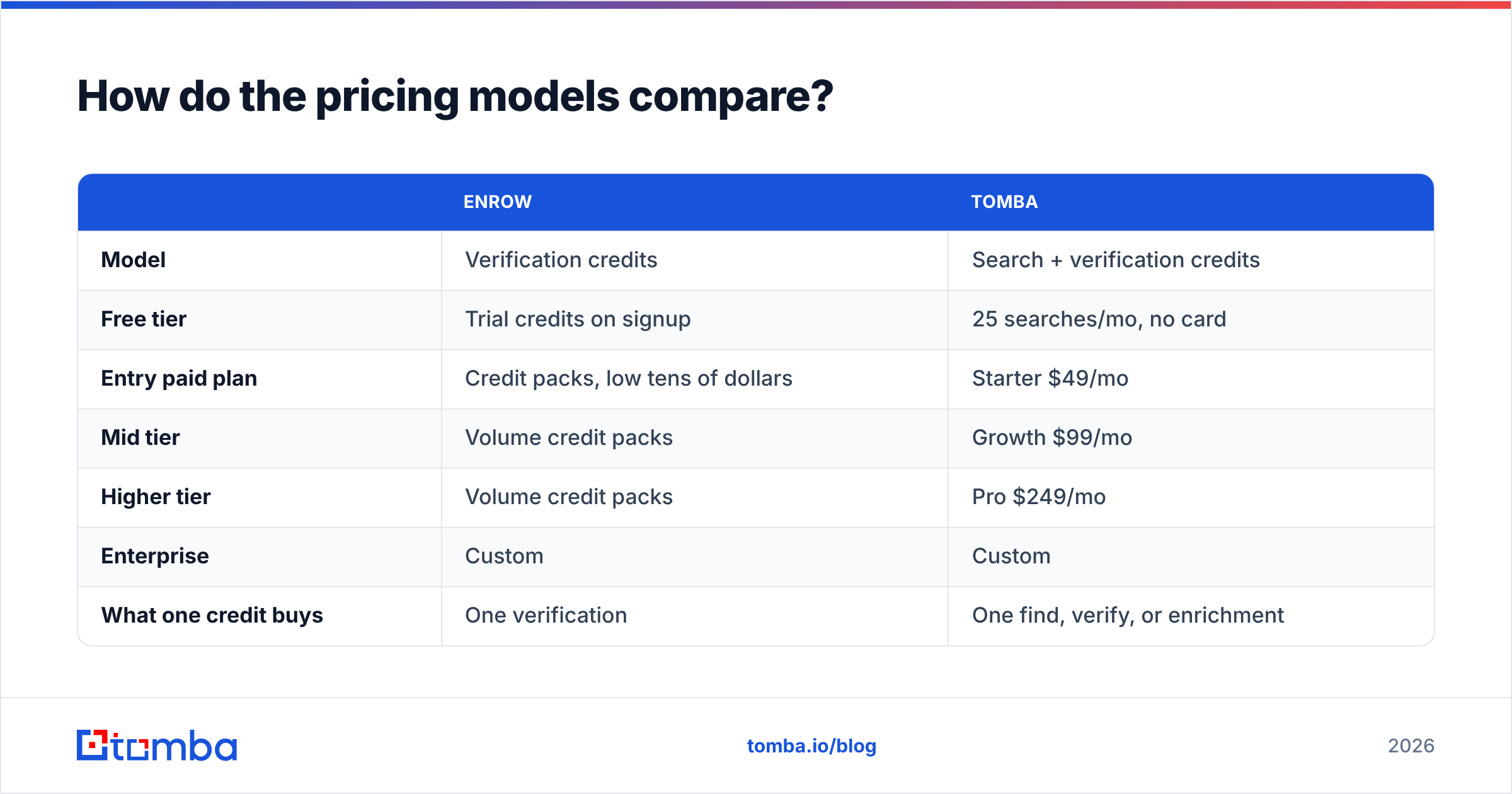
How do the pricing models compare?#
Pricing is where the two tools separate most sharply, because they meter different things.
| Enrow | Tomba | |
|---|---|---|
| Model | Verification credits | Search + verification credits |
| Free tier | Trial credits on signup | 25 searches/mo, no card |
| Entry paid plan | Credit packs, low tens of dollars | Starter $49/mo |
| Mid tier | Volume credit packs | Growth $99/mo |
| Higher tier | Volume credit packs | Pro $249/mo |
| Enterprise | Custom | Custom |
| What one credit buys | One verification | One find, verify, or enrichment |
| Rollover | Plan-dependent | Plan-dependent |
Enrow's pricing page moves, so check enrow.io for current tiers before budgeting. The structural point holds regardless of the exact numbers. With a verification-only vendor, you still pay someone else to source the addresses. That second bill is the one teams forget when they compare list prices.
Run the math on cost per usable contact rather than cost per credit. Say a finder charges you for 1,000 searches and returns 620 addresses. A separate verifier then charges 620 credits to confirm 540 of them. Your real cost is (finder bill + verifier bill) ÷ 540. Tools with cheap headline credits routinely lose that comparison.
See Tomba pricing for the full breakdown, including how bulk and API usage draw from the same pool rather than a separate meter.

What happens with catch-all domains?#
This is Enrow's flagship argument, so it deserves a straight answer.
A catch-all domain accepts mail for any address — ceo@, nonsense@, asdf@ all return the same "accepted" response at the SMTP layer. Standard verification cannot tell a real mailbox from a fictional one, so most tools return unknown and leave the decision to you.
Roughly 15–25% of B2B domains behave this way depending on your vertical, so unknown on a quarter of your list is a real problem. You either skip those prospects (losing pipeline) or send blind (risking sender reputation).
Three ways vendors handle it:
- Return unknown and stop. Honest, unhelpful. Common in budget verifiers.
- Probabilistic resolution. Combine pattern evidence, historical send data, and secondary signals to assign a confidence score rather than a yes-or-no verdict. Both Enrow and Tomba's catch-all verifier work this way, with Enrow leaning harder into it as a headline feature.
- Pattern-first inference. If you already know the company uses
first.last@, a catch-alljane.doe@is far more likely real thanjdoe@. This is where a finder with domain-search history has an edge a pure verifier does not — it has already seen the company's format.
That third point is the underrated one. Verification and finding are not separate problems. A tool that knows a company's email pattern from 40 addresses it found earlier has more information when judging a catch-all than a tool seeing that domain cold.
Which tool fits which workflow?#
Match the tool to how your list actually gets built.
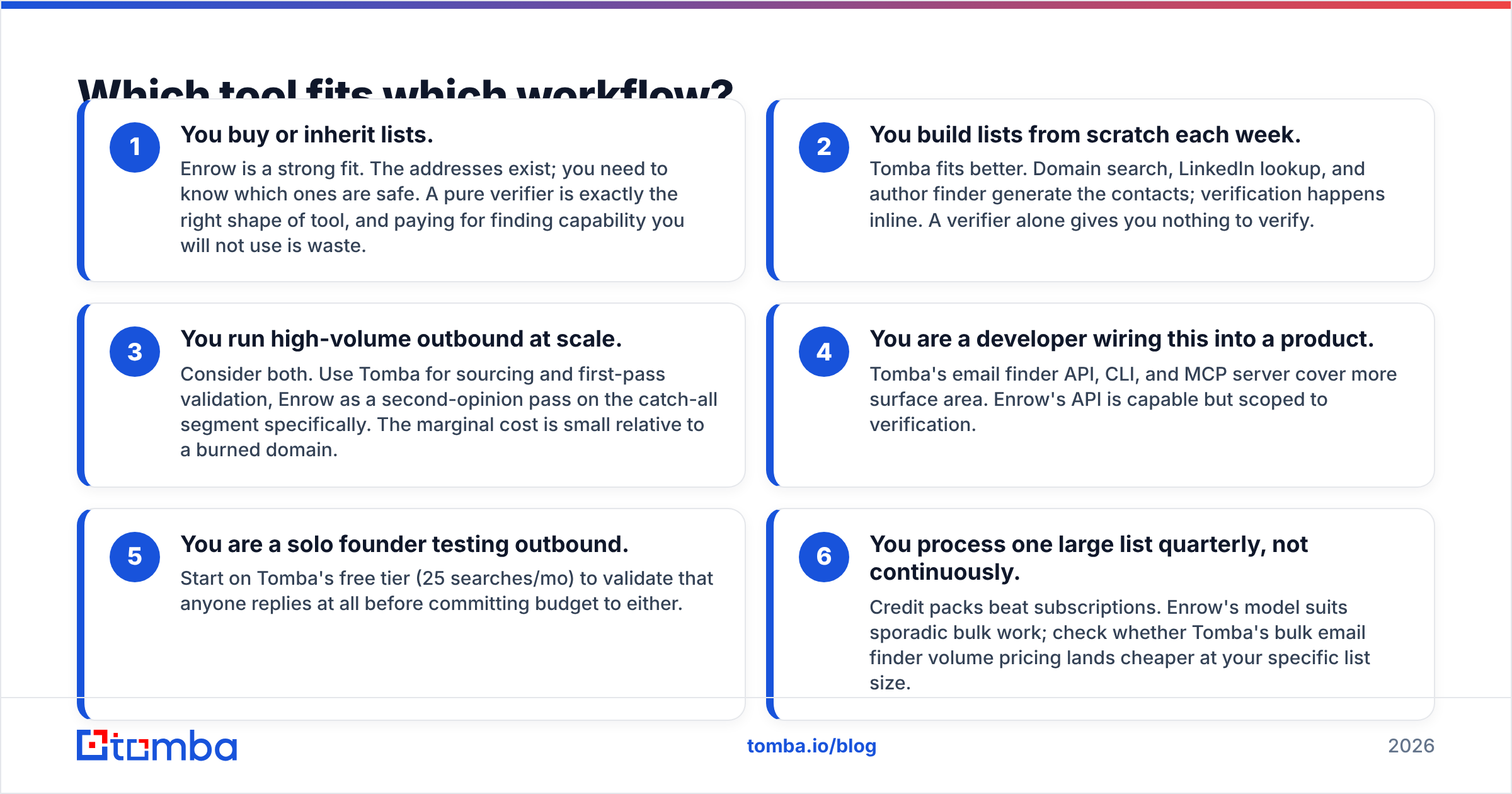
- You buy or inherit lists. Enrow is a strong fit. The addresses exist; you need to know which ones are safe. A pure verifier is exactly the right shape of tool, and paying for finding capability you will not use is waste.
- You build lists from scratch each week. Tomba fits better. Domain search, LinkedIn lookup, and author finder generate the contacts; verification happens inline. A verifier alone gives you nothing to verify.
- You run high-volume outbound at scale. Consider both. Use Tomba for sourcing and first-pass validation, Enrow as a second-opinion pass on the catch-all segment specifically. The marginal cost is small relative to a burned domain.
The remaining cases turn on tooling and budget rather than volume:
- You are a developer wiring this into a product. Tomba's email finder API, CLI, and MCP server cover more surface area. Enrow's API is capable but scoped to verification.
- You are a solo founder testing outbound. Start on Tomba's free tier (25 searches/mo) to check that anyone replies at all before committing budget to either.
- You process one large list quarterly, not continuously. Credit packs beat subscriptions. Enrow's model suits sporadic bulk work; check whether Tomba's bulk email finder volume pricing lands cheaper at your specific list size.
Can you use both together?#
Yes, and for some teams it is the right call — despite what either vendor's comparison page implies.
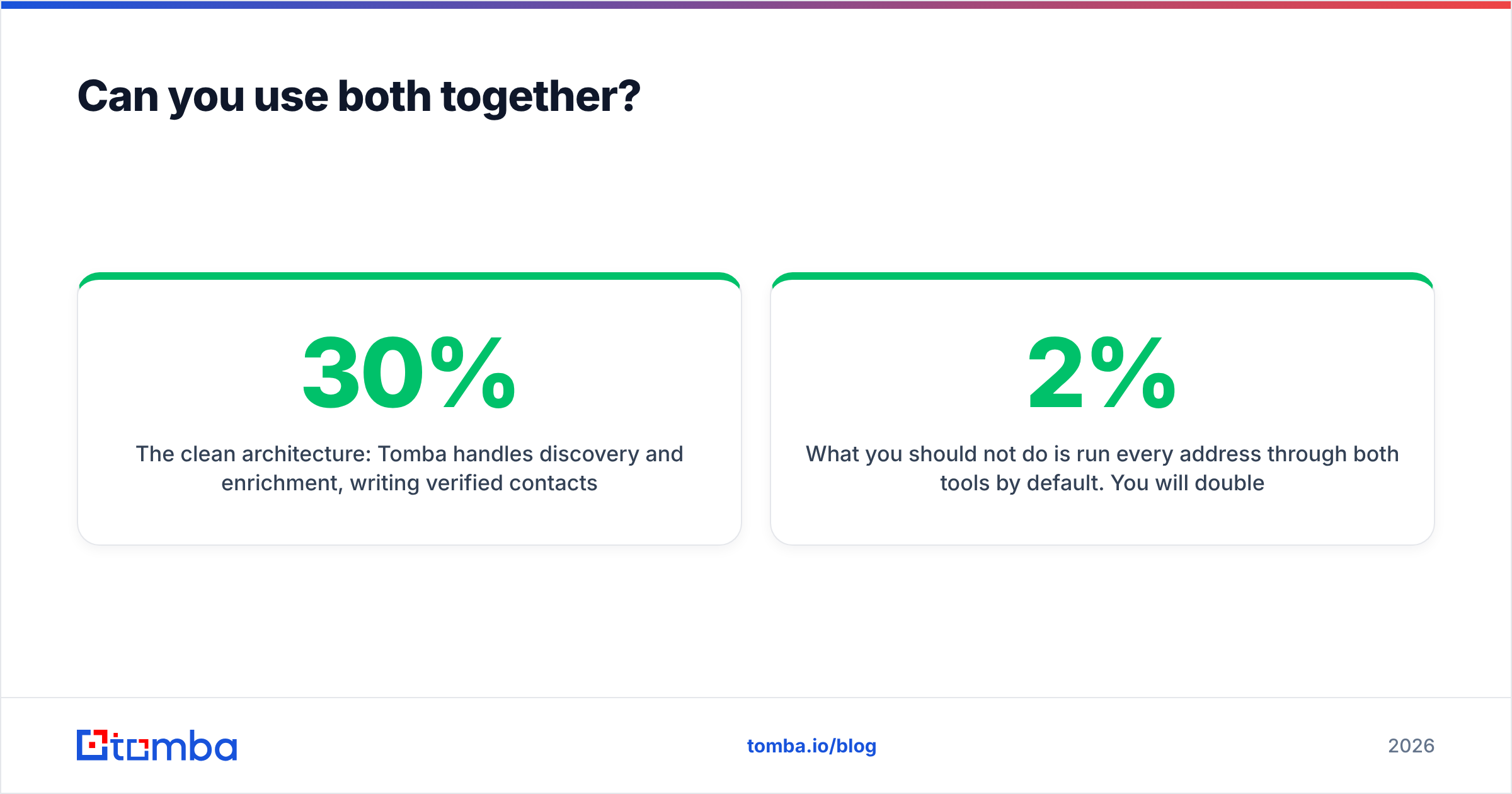
The clean setup: Tomba handles discovery and enrichment, writing verified contacts into your CRM. Enrow runs as a pre-send gate where the stakes are highest — your top 200 target accounts, or any list older than 90 days. B2B contact data decays at roughly 25–30% per year, according to data-quality research from firms like Gartner. So re-verifying before a re-engagement campaign is a real requirement, not a vendor upsell.
What you should not do is run every address through both tools by default. You will double your per-contact cost to move bounce rate from perhaps 2% to 1.6%. That trade is only worth it on high-value segments, or when your domain reputation is already fragile.
If you are auditing your stack more broadly, peer reviews on G2 are useful for spotting support and billing complaints that never appear on vendor sites — those tend to be the actual differentiators once accuracy claims converge.
What are the real trade-offs?#
Where Enrow is the better choice
- Catch-all resolution is your specific, measured bottleneck
- You already have a list-building motion you are happy with
- You verify in large batches rather than continuously
- You want a specialist vendor with a narrow, well-tested surface
Where Tomba is the better choice
- You need to create contacts, not just validate them
- You want finding, verification, and data enrichment on one bill
- You need phone numbers or LinkedIn-sourced emails alongside addresses
- You want spreadsheet add-ons, a Chrome extension, and an API on the same credits
- You want a genuine free tier to test with before paying
Where neither is enough
Neither tool writes your copy, warms your domain, or fixes a weak offer. A verified list sent from a cold domain with a generic pitch still fails. Verification is the floor, not the ceiling — get SPF, DKIM, and DMARC right before you blame your data vendor for reply rates.
Which should you pick?#
If verification is the only hole in your process, Enrow is a credible specialist. Its catch-all focus is a real technical edge, not just positioning. Buy it for that reason specifically.
If your bottleneck is upstream — you cannot find enough of the right people in the first place — then a verifier solves a problem you do not have yet. You need discovery, and the verification should ride along with it rather than arriving as a second invoice.
For most outbound teams under 20 reps, the enrow vs tomba call comes down to overhead, and the consolidated path wins on both cost and effort. One meter, one API key, one support thread.
Start with Tomba's Email Finder on the free tier — 25 searches a month, no card required. Run your real ICP through it, check the addresses against your own bounce data, and only then decide whether you need a second specialist verifier on top. Testing with your own list beats trusting anyone's benchmark, including this one.
Related guides#
Ready to find emails that actually work?
Join 150,000+ professionals who stopped guessing and started sending. Free credits on signup — no credit card required.
Get the Tomba newsletter
Practical outbound tactics and product updates — once every two weeks.
About the author