Extruct AI vs SalesQL: Which B2B Data Tool Wins in 2026?
Extruct AI builds company research agents. SalesQL pulls emails and phones off LinkedIn. They solve different halves of the same problem — here is which one your pipeline actually needs, and what it costs.
TL;DR
- Extruct AI and SalesQL are not really competitors. Extruct AI runs AI agents that research and score companies; SalesQL is a Chrome extension that pulls emails and phone numbers off LinkedIn profiles.
- If your bottleneck is "which 400 accounts deserve a sequence," Extruct AI is the closer fit. If your bottleneck is "I have the list, I need the inbox," SalesQL is.
- SalesQL is cheap, fast, and LinkedIn-bound — which means it inherits LinkedIn's rate limits, session risk, and coverage gaps. Extruct AI is a research layer, not a contact database, so you still need a finder downstream.
- Buying both means two vendors, two credit systems, and a manual CSV bridge between account selection and contact data.
- A single API-first finder plus verification — Tomba's email finder starts at $49/mo with a free 25-search tier — usually collapses the second half of that stack into one line item.
What are Extruct AI and SalesQL, exactly?#
They sit on opposite ends of the same pipeline, and most comparison posts blur that.
Extruct AI is an AI company-research platform. You describe the kind of account you want — "Series B fintechs in the EU running a partner program" — and it dispatches agents that crawl web sources, vendor sites, job boards, and public filings to build and enrich a company list. The output is a table of companies with custom columns you defined in plain English: headcount signals, tech mentions, funding stage, whether they have a specific feature on their pricing page. It is built for the account-selection and qualification stage of go-to-market.
SalesQL is a LinkedIn contact extractor. Install the browser extension, open a profile, a search result page, or a Sales Navigator list, and it surfaces personal and work email addresses plus phone numbers, then exports to CSV or pushes to your CRM. The output is a list of people with contact details. It is built for the contact-acquisition stage.
Put plainly: Extruct AI decides who is worth contacting. SalesQL tells you how to reach them. Asking which one is better is like asking whether a map is better than a car.
The reason people compare them anyway is budget. Both get pitched into the same "we need better outbound data" conversation, both land on the same RevOps shortlist, and only one of them usually gets approved.
How do Extruct AI and SalesQL compare head-to-head?#
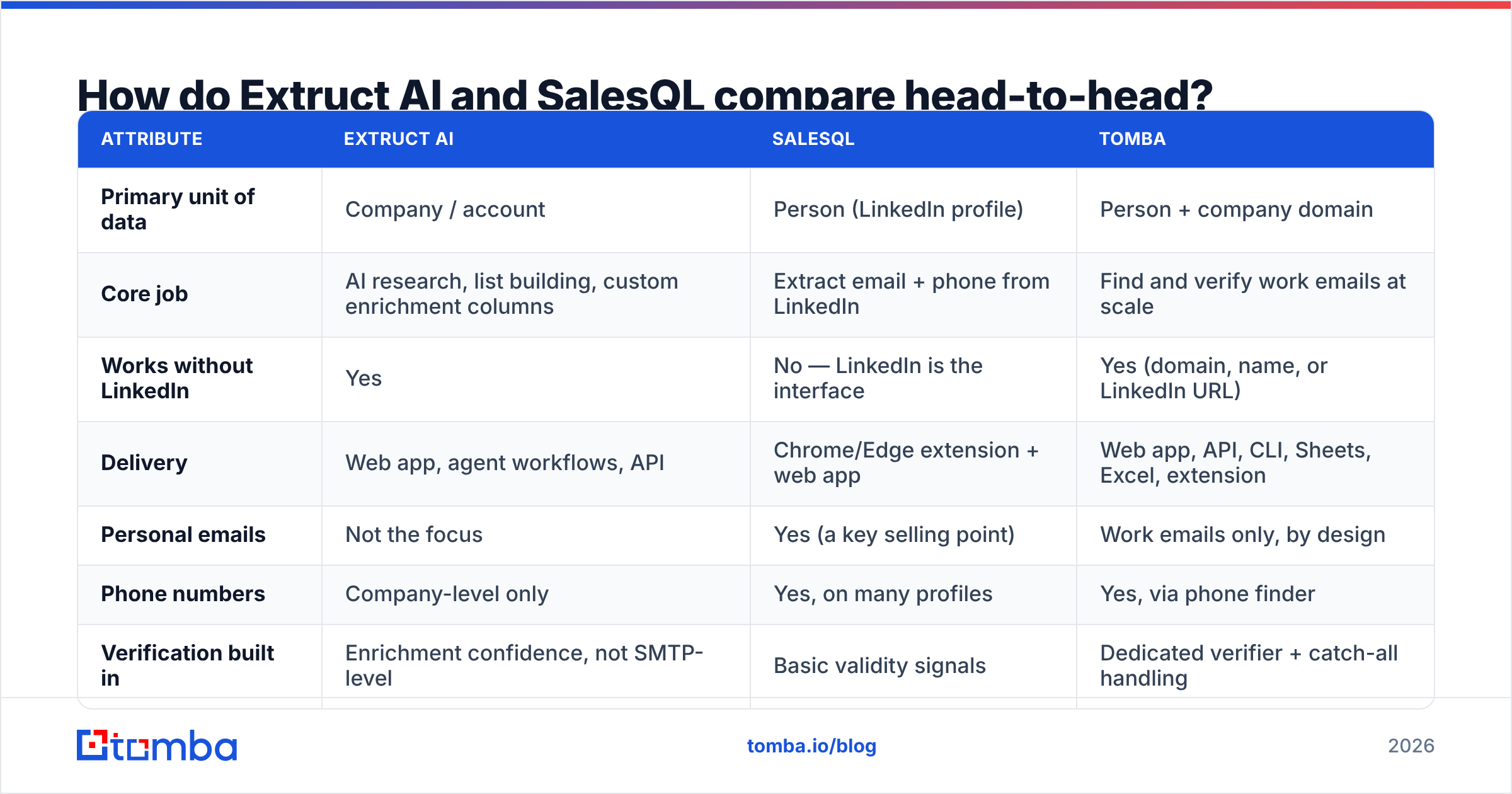
Here is the honest side-by-side. Treat pricing as directional — both vendors have changed plans in the last year, so confirm on their own pages before you sign anything.
| Attribute | Extruct AI | SalesQL | Tomba |
|---|---|---|---|
| Primary unit of data | Company / account | Person (LinkedIn profile) | Person + company domain |
| Core job | AI research, list building, custom enrichment columns | Extract email + phone from LinkedIn | Find and verify work emails at scale |
| Works without LinkedIn | Yes | No — LinkedIn is the interface | Yes (domain, name, or LinkedIn URL) |
| Delivery | Web app, agent workflows, API | Chrome/Edge extension + web app | Web app, API, CLI, Sheets, Excel, extension |
| Personal emails | Not the focus | Yes (a key selling point) | Work emails only, by design |
| Phone numbers | Company-level only | Yes, on many profiles | Yes, via phone finder |
| Verification built in | Enrichment confidence, not SMTP-level | Basic validity signals | Dedicated verifier + catch-all handling |
| Bulk workflow | Agent runs over lists | Search-page scraping, capped per session | Bulk finder + bulk verify |
| Free tier | Trial-based | Yes, limited credits | 25 searches/mo, no card |
| Entry paid plan | Custom / seat-based, quoted | Roughly $39–$89/mo across tiers | $49/mo Starter, $99/mo Growth |
| Best for | Account selection, ICP research, TAM mapping | SDRs living inside Sales Navigator | Programmatic contact data across a whole domain |
Two things jump out of that table.
First, SalesQL's dependency on LinkedIn is both its strength and its ceiling. The extension is genuinely fast when you are already scrolling a Sales Navigator list. But if a prospect has no LinkedIn presence, keeps a locked-down profile, or your team burns through connection and view limits, coverage collapses. You cannot query SalesQL for "every marketing contact at stripe.com" the way you can query a domain search.
Second, Extruct AI gives you no contact data worth sequencing. It will tell you a company is a fit and why. It will not reliably hand you the VP of Demand Gen's inbox. Every Extruct AI workflow ends with a handoff to something that resolves people to emails.
Which one gives you more usable contact data?#
SalesQL, unambiguously — because Extruct AI is not trying to.
But "more" is not the same as "more usable." Three things determine whether extracted contact data survives contact with a real sending domain:
- Coverage rate. What percentage of your target list returns any address at all? LinkedIn-bound tools do well on tech, SaaS, and English-speaking markets. They degrade on manufacturing, logistics, regional European mid-market, and any role that does not maintain a profile.
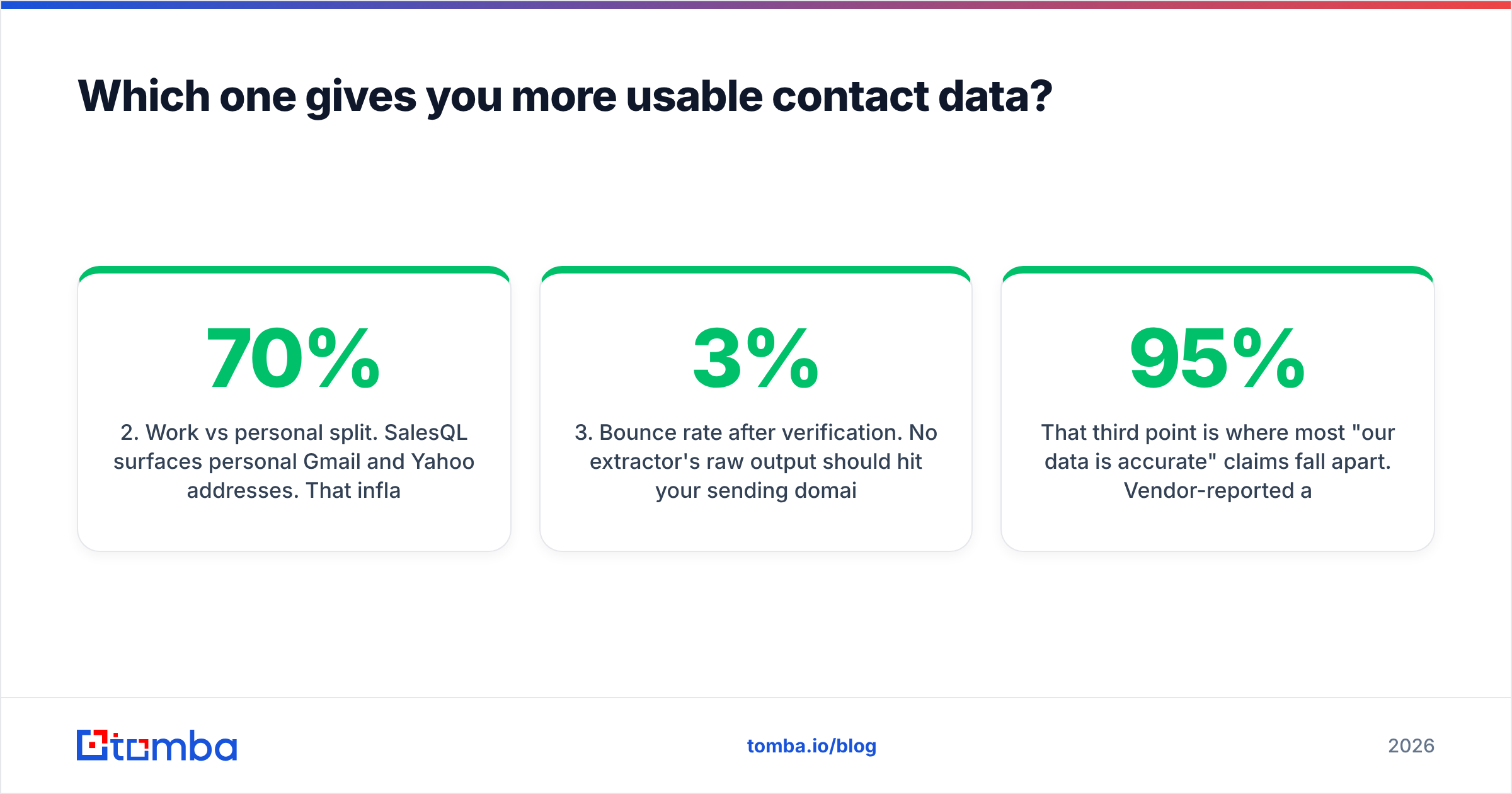
- Work vs personal split. SalesQL surfaces personal Gmail and Yahoo addresses. That inflates the coverage number but is often useless — and in some jurisdictions legally risky — for B2B cold outreach. A 70% coverage rate where a third is personal addresses is really a 47% usable rate.
- Bounce rate after verification. No extractor's raw output should hit your sending domain untouched. Anything above a 3% bounce rate starts damaging sender reputation, and once Google and Microsoft downgrade you, it takes weeks to recover. Run every extracted list through an email verifier before it enters a sequence, regardless of which tool produced it.
That third point is where most "our data is 95% accurate" claims fall apart. Vendor-reported accuracy is measured on the addresses the tool chose to return, not on your list. Look at third-party review evidence on G2 and, better, run a 200-row bake-off against your own ICP before committing. A tool that returns fewer addresses but verifies them cleanly beats one that returns twice as many and bounces 12%.
What does each one actually cost?#
Pricing models here are structurally different, which makes list-price comparison misleading.
- Extruct AI prices around research volume and seats, typically quoted rather than self-serve at team scale. Cost scales with how many companies you enrich and how many custom columns each agent run has to resolve. A 5,000-company enrichment with eight AI-researched columns is a very different invoice from a 500-company one.
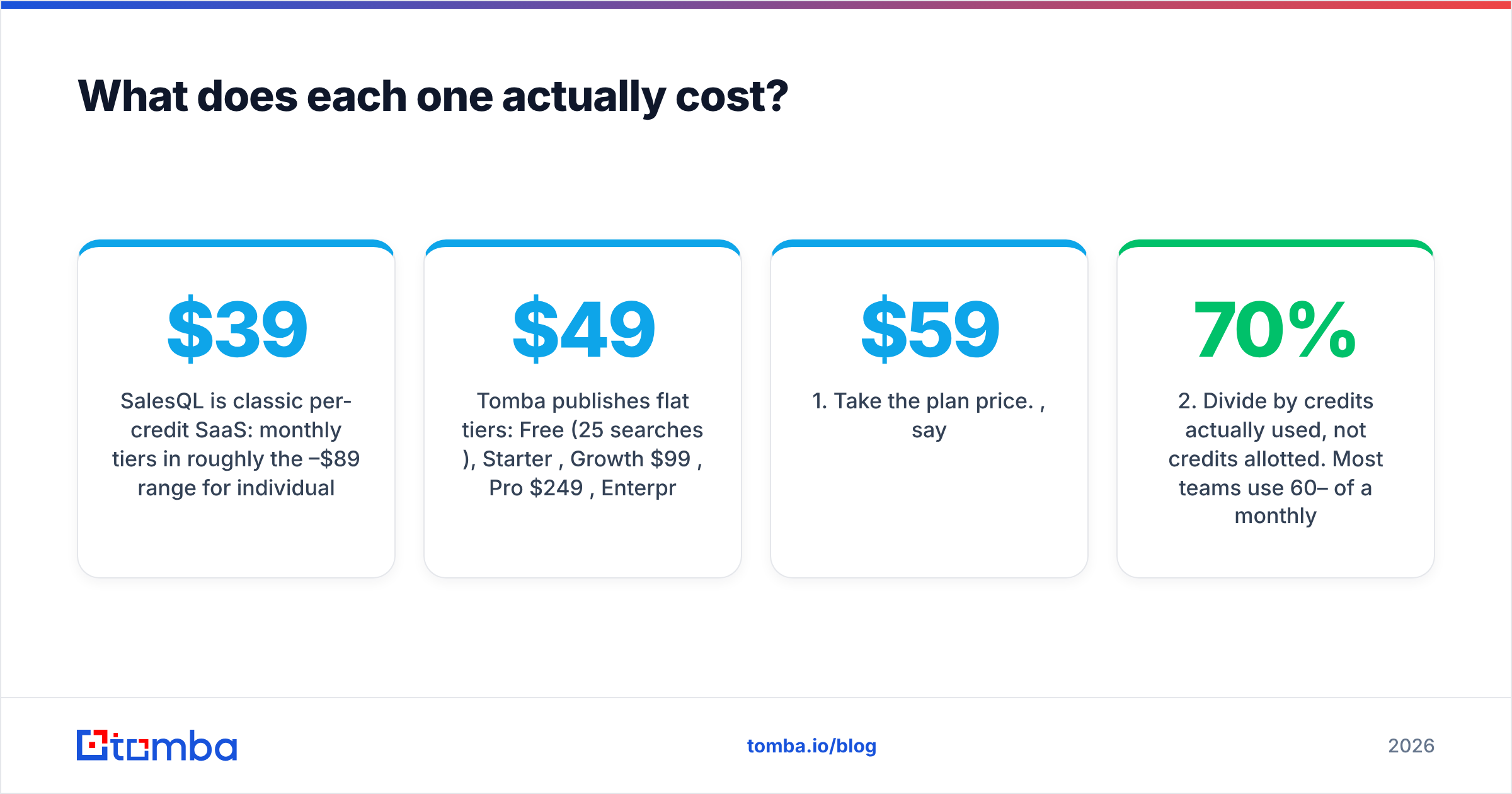
- SalesQL is classic per-credit SaaS: monthly tiers in roughly the $39–$89 range for individual users, with credit allowances that reset monthly and higher tiers for teams. Cheap to start, and the free tier is real. The hidden cost is time — extraction is a human-in-the-browser activity, so a rep clicking through Sales Navigator is the actual bottleneck.
- Tomba publishes flat tiers: Free (25 searches/mo), Starter $49/mo, Growth $99/mo, Pro $249/mo, Enterprise custom. Full Tomba pricing is public, and every tier includes API access rather than gating it behind an enterprise call.
The number that matters is not monthly subscription — it is cost per verified, sequenceable contact. Work it out like this:
- Take the plan price. $59/mo, say.
- Divide by credits actually used, not credits allotted. Most teams use 60–70% of a monthly allowance.
- Multiply by your coverage rate. If only 55% of lookups return an address, your effective cost per hit nearly doubles.
- Multiply again by your verified-pass rate. If 15% of returned addresses fail verification, you paid for them anyway.
- Add the labor. Twenty minutes a day of manual extraction at a loaded SDR cost is real money that never shows up on the invoice.
Run that math and a $39 extension frequently costs more per usable contact than a $49 API that runs unattended overnight.

Who should pick Extruct AI?#
Choose Extruct AI when your problem is upstream of contact data:
- You do not know your target list yet. You have an ICP hypothesis but no account list, and building it manually means a week of analyst time.
- Your qualification criteria are non-standard. Firmographic filters in a standard database cannot express "companies whose careers page mentions HubSpot" or "vendors with a public API and a partner tier." Agent-based research can.
- You run ABM, not spray-and-pray. Fewer accounts, deeper research per account, custom columns feeding a scoring model.
- You have a downstream contact source already. Extruct AI's value compounds when the account list flows into a finder or CRM enrichment step automatically.
Where it disappoints: teams expecting a contact database. Extruct AI is a research layer. Buying it and then discovering you still need email data is the single most common budgeting mistake in this comparison.
Who should pick SalesQL?#
Choose SalesQL when your problem is downstream and LinkedIn-shaped:
- Your reps already live in Sales Navigator. The extension meets them where they work, with near-zero onboarding.
- You need personal emails and mobile numbers for recruiting, executive search, or high-touch founder-led sales — categories where a personal address is legitimate and often the only channel.
- Volume is modest. A few hundred contacts a month, sourced by humans, is exactly the shape SalesQL was designed for.
- Budget is tight and the free tier can prove value before anyone signs a purchase order.
Where it disappoints: anything programmatic. There is no clean way to say "enrich these 10,000 domains overnight" from a browser extension. And session-level scraping always carries account-risk exposure that a server-side API does not.
Is there a third option that covers both jobs?#
Partly — and it depends which half of the pipeline hurts more.
Nothing replaces Extruct AI's agent-based custom research if that is genuinely your gap. But the contact half of the stack — the half SalesQL owns — is well covered by a general-purpose finder that is not tethered to LinkedIn. That is where Tomba fits:
- Domain search returns every discoverable work email at a company plus the pattern in use, so you can resolve people whose profiles you never saw.
- LinkedIn finder covers the SalesQL use case directly — paste a profile URL, get a verified work email — without a browser session doing the scraping.
- Data enrichment fills firmographic and role fields on an existing list, which handles the lighter end of what Extruct AI does.
- Tomba API, CLI, Sheets, and Excel entry points mean the same credits work whether a rep, a script, or a workflow automation is calling.
The honest framing: Tomba does not do open-ended AI company research. If that is your core need, keep Extruct AI. But if you were about to buy Extruct AI and SalesQL because neither alone finishes the job, replacing the SalesQL half with a verified finder usually costs less, runs unattended, and does not break when LinkedIn changes its DOM.
What does a working 2026 outbound data stack look like?#
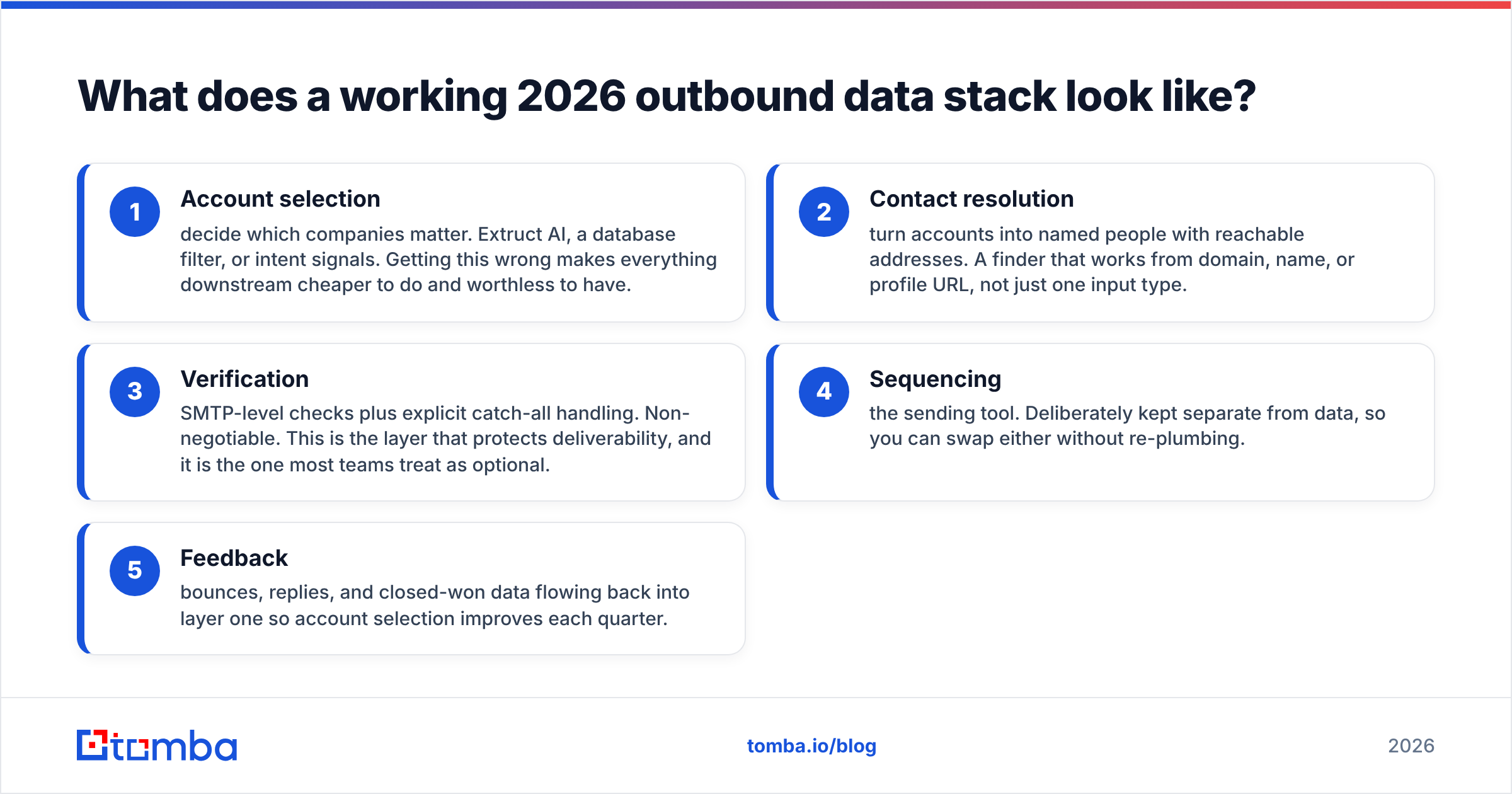
Five layers, in order. Most teams over-invest in one and skip two.
- Account selection — decide which companies matter. Extruct AI, a database filter, or intent signals. Getting this wrong makes everything downstream cheaper to do and worthless to have.
- Contact resolution — turn accounts into named people with reachable addresses. A finder that works from domain, name, or profile URL, not just one input type.
- Verification — SMTP-level checks plus explicit catch-all handling. Non-negotiable. This is the layer that protects deliverability, and it is the one most teams treat as optional.
- Sequencing — the sending tool. Deliberately kept separate from data, so you can swap either without re-plumbing.
- Feedback — bounces, replies, and closed-won data flowing back into layer one so account selection improves each quarter.
Extruct AI is layer one. SalesQL is a partial layer two with no real layer three. Neither vendor is hiding this; the confusion comes from buyers comparing them as if they overlapped.
The bottom line#
Extruct AI vs SalesQL is a question about which stage of your pipeline is broken, not which product is better. Broken targeting means Extruct AI. Broken contact coverage means SalesQL — or, if you need it to run at volume without a human in the browser, a proper finder API instead.
Before you sign anything, run a 200-contact bake-off on your own ICP. Measure coverage rate, work-vs-personal split, and post-verification bounce rate. Those three numbers will settle the argument faster than any comparison table, including this one.
If the half you need to fix is contact data, start with the Tomba Email Finder. The free tier gives you 25 searches a month with no card, Starter is $49/mo, and verification is built in rather than sold as a separate subscription — so the addresses you export are the addresses you can safely send to.
Related guides#
Ready to find emails that actually work?
Join 150,000+ professionals who stopped guessing and started sending. Free credits on signup — no credit card required.
Get the Tomba newsletter
Practical outbound tactics and product updates — once every two weeks.
About the author