Fac Intelligence vs LeadRocks: Which B2B Data Tool Wins?
Fac Intelligence and LeadRocks both sell you B2B contact data, but they solve different problems. Here's how coverage, verification, pricing models and API depth actually compare — plus when a dedicated email finder beats both.
Fac Intelligence vs LeadRocks comes down to one question. Do you need to pick better accounts, or reach more people? One tool maps the market. The other hands you contact rows. Here is how both compare on coverage, freshness, price and API depth.
TL;DR
Fac Intelligence leans toward company and market research. It gives you firm size, industry and buying signals. Use it to decide who to target before you buy contact rows.
LeadRocks is a LinkedIn-based contact database. It sells volume at a low price. Solo founders and small agencies like the one-time credit packs.
Neither tool is a verification engine. Both hand you records. The bounce risk stays yours unless you re-check each address before you send.
Do you already know the company and the person? Then a dedicated email finder with live SMTP checks is cheaper than either database.
Pricing models differ more than the features do. Model the cost per usable contact, not per row you download.
What are Fac Intelligence and LeadRocks?#
Different jobs, both sold as "B2B data."
Fac Intelligence sits in the research layer. It offers company profiles, firm size, industry and context that help you build an account list. Think of it as a scouting report before the draft. It tells you which companies are worth chasing, and why. Teams buy this when picking targets is the real problem.
LeadRocks sits in the contact layer. It offers a large index of B2B people: names, titles, company links, LinkedIn URLs, work emails and often phone numbers. You can filter by role, industry, location and company size. It grew through lifetime deals, so it shows up in a lot of small agency stacks.
The two tools fail in different ways. A research tool can hand you a perfect account list with stale contacts. Then you cannot send at all. A contact database can hand you 40,000 unchecked addresses. Then you burn your domain. Both mistakes cost money. They just bill you in different ways.

Fac Intelligence vs LeadRocks: the head-to-head comparison#
Here is the practical comparison. Vendor prices and record counts change often. Treat the pricing rows as a guide, and check each vendor's own page before you buy.
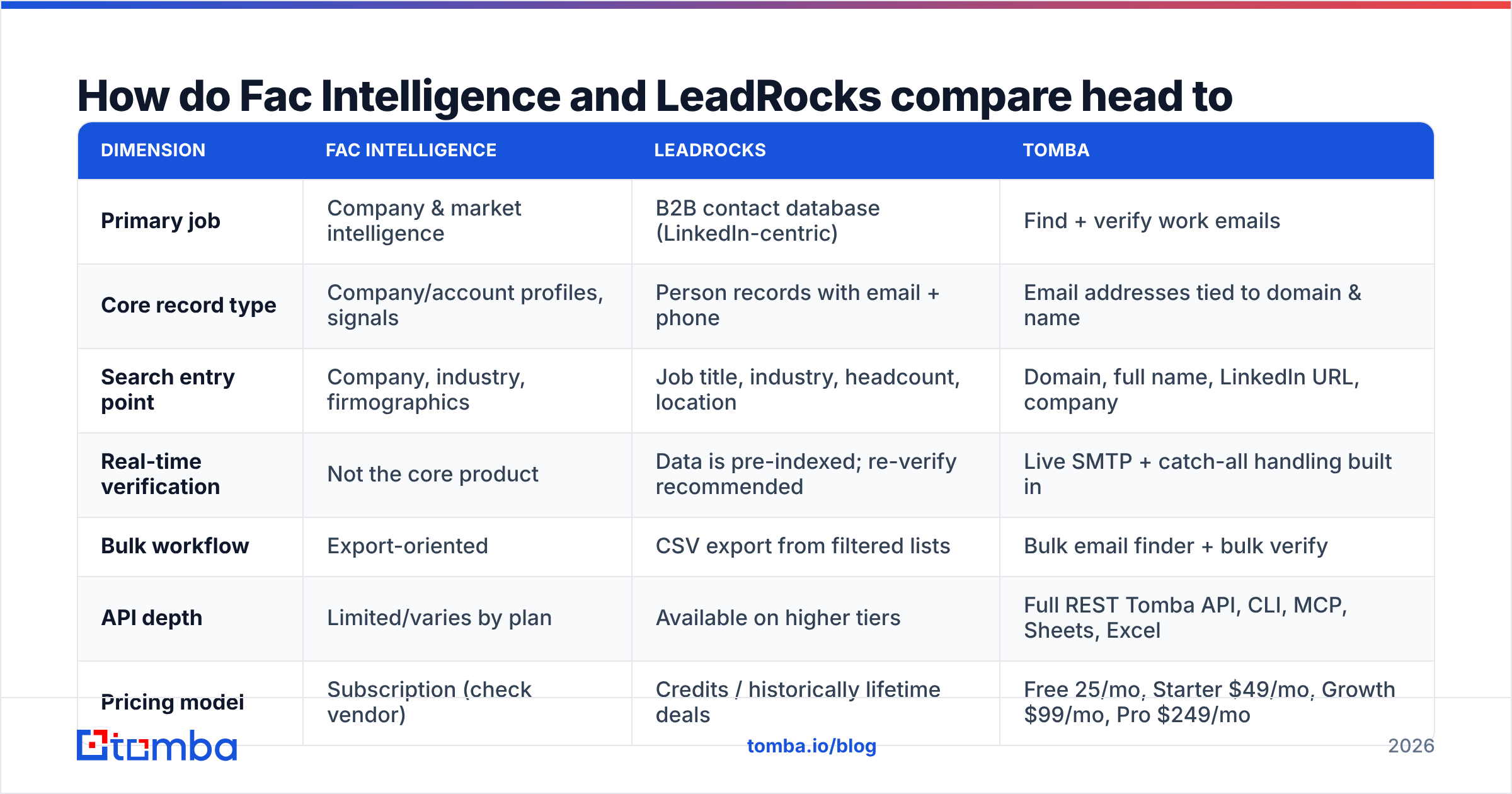
| Dimension | Fac Intelligence | LeadRocks | Tomba |
|---|---|---|---|
| Primary job | Company & market intelligence | B2B contact database (LinkedIn-centric) | Find + verify work emails |
| Core record type | Company/account profiles, signals | Person records with email + phone | Email addresses tied to domain & name |
| Search entry point | Company, industry, firmographics | Job title, industry, headcount, location | Domain, full name, LinkedIn URL, company |
| Real-time verification | Not the core product | Data is pre-indexed; re-verify recommended | Live SMTP + catch-all handling built in |
| Bulk workflow | Export-oriented | CSV export from filtered lists | Bulk email finder + bulk verify |
| API depth | Limited/varies by plan | Available on higher tiers | Full REST Tomba API, CLI, MCP, Sheets, Excel |
| Pricing model | Subscription (check vendor) | Credits / historically lifetime deals | Free 25/mo, Starter $49/mo, Growth $99/mo, Pro $249/mo |
| Best for | Building the target account list | Volume prospecting on a budget | Turning target lists into deliverable addresses |
Most evaluations turn on one row: real-time verification. A pre-built database is a snapshot. B2B contact data decays about 2–3% per month. People change jobs. Companies rebrand. Domains merge. So a record indexed 18 months ago is close to a coin flip. That is not a knock on either vendor. It is true of any static index.

Which one has better data coverage?#
It depends on what you count as "coverage." This is where buyers get burned.
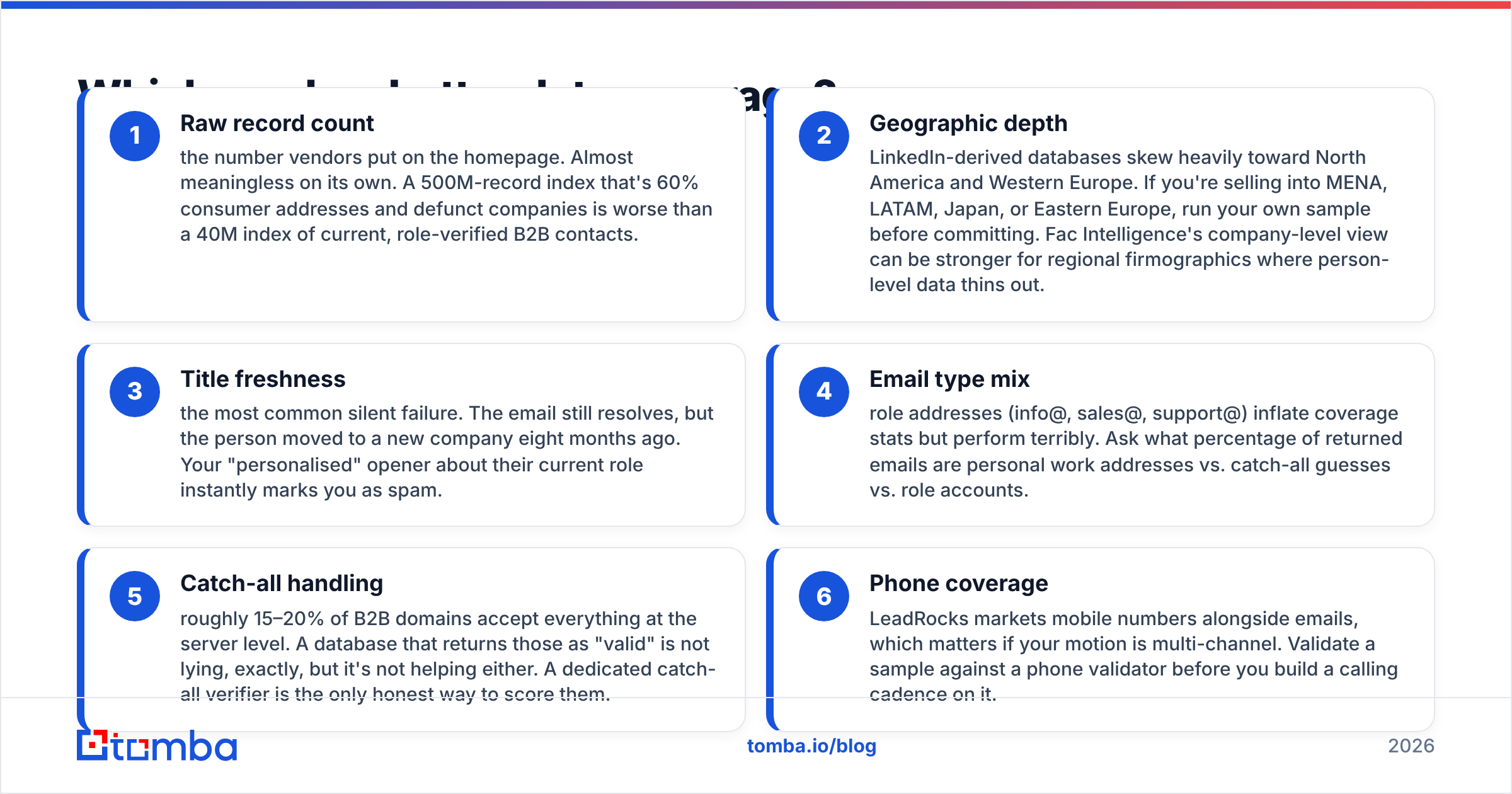
Raw record count — the number on the homepage. On its own it means little. A 500M index that is 60% consumer addresses and dead companies is worse than a 40M index of current B2B contacts.
Geographic depth — LinkedIn-based databases lean hard toward North America and Western Europe. Selling into MENA, LATAM, Japan or Eastern Europe? Pull your own sample first. Fac Intelligence can be stronger at company level, where person-level data thins out.
Title freshness — the quiet killer. The email still works, but the person left eight months ago. Your "personal" opener about their old role reads as spam.
Email type mix — role addresses (info@, sales@, support@) pad the coverage stat and reply poorly. Ask what share of the returned emails are personal work addresses.
Catch-all handling — about 15–20% of B2B domains accept every address. A database that calls those "valid" is not lying, but it is not helping either. A catch-all verifier is the honest way to score them.
Phone coverage — LeadRocks sells mobile numbers next to emails. That matters if you work more than one channel. Test a sample with a phone validator before you build a calling plan on it.
One test settles the question. Pull 100 accounts you know well from each tool. Then count how many contacts are still at the company, in the right role, and reachable. That number is your real coverage, not the homepage claim.
Is Fac Intelligence better than LeadRocks for outbound?#
For raw volume, LeadRocks is the closer fit. Filter by title and headcount, export, and you can prospect the same afternoon. That is the whole design.
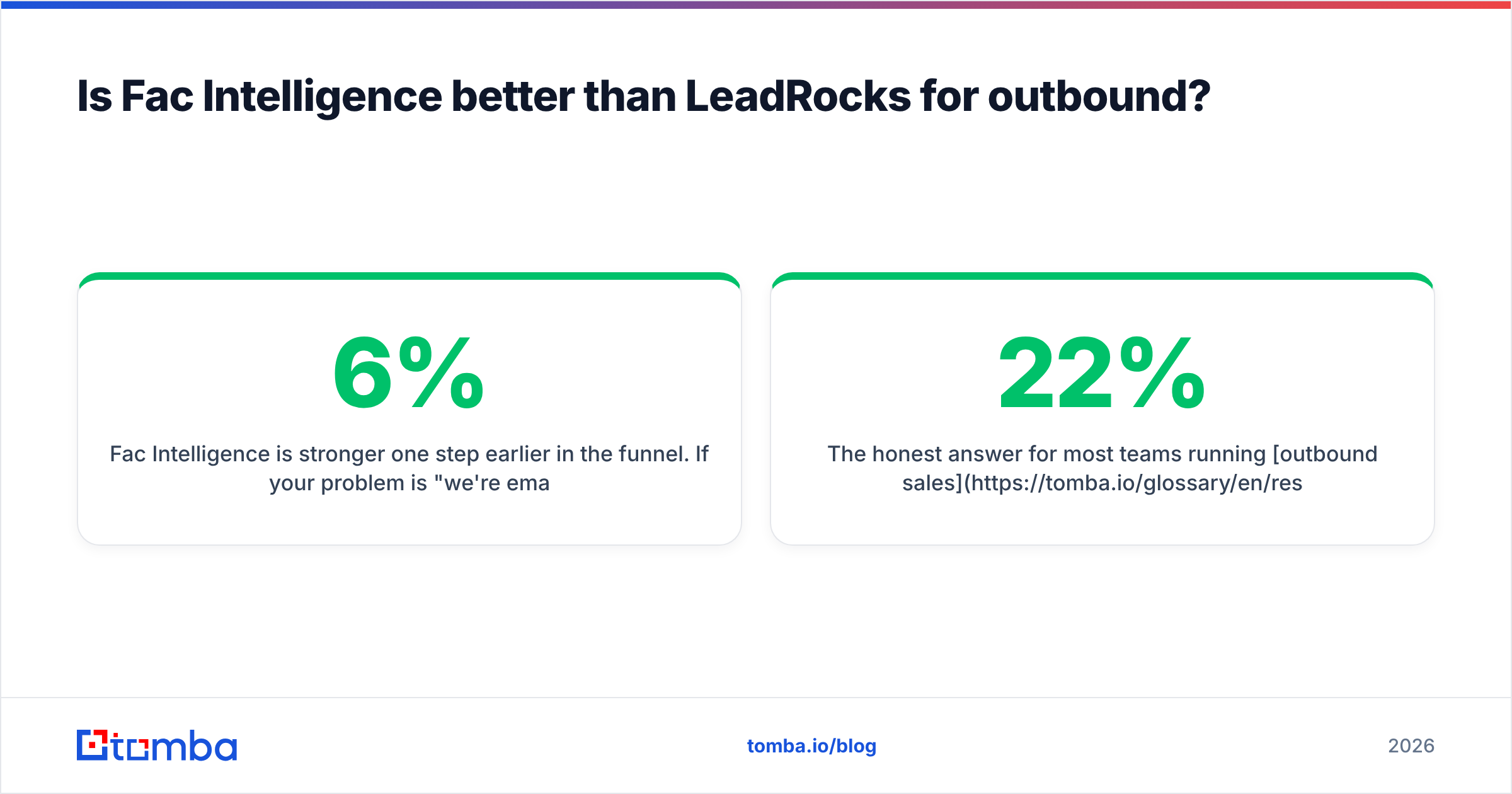
Fac Intelligence helps one step earlier. Say your problem is that you email the wrong 3,000 companies each month. More contact rows make that worse. Better account research trims the list first. A tight list at a 6% reply rate beats a bloated one at 0.8% every quarter.
For most teams running outbound sales at scale, these tools are not swaps for each other. You need a research layer to pick accounts. You need a contact layer to get people. And you need a check step so the send lands. Buy one and skip the rest, and you end up with a 22% bounce rate and a red Google Postmaster dashboard.
Check current reviews on G2 and Capterra before you buy. Both products change fast, and last year's reviews often describe a different tool.

How do the pricing models actually compare?#
The sticker price matters least. What matters is cost per usable contact.
Here is the math most teams skip. Say a plan gives you 10,000 credits for $99 a month:
- 10,000 credits → 10,000 records exported
- 22% have no email or a role-only email → 7,800 usable
- 12% of those bounce or are role and catch-all noise → about 6,860 sendable
- Real cost: about $0.0144 per sendable contact
Now run the same math on a smaller plan with cleaner data. The "costly" option often wins. A $49 plan that returns 2,000 contacts at 97% deliverability costs $0.0253 per sendable contact. That is more per unit. But you skip three hours of list cleaning, and you keep your sending domain safe.
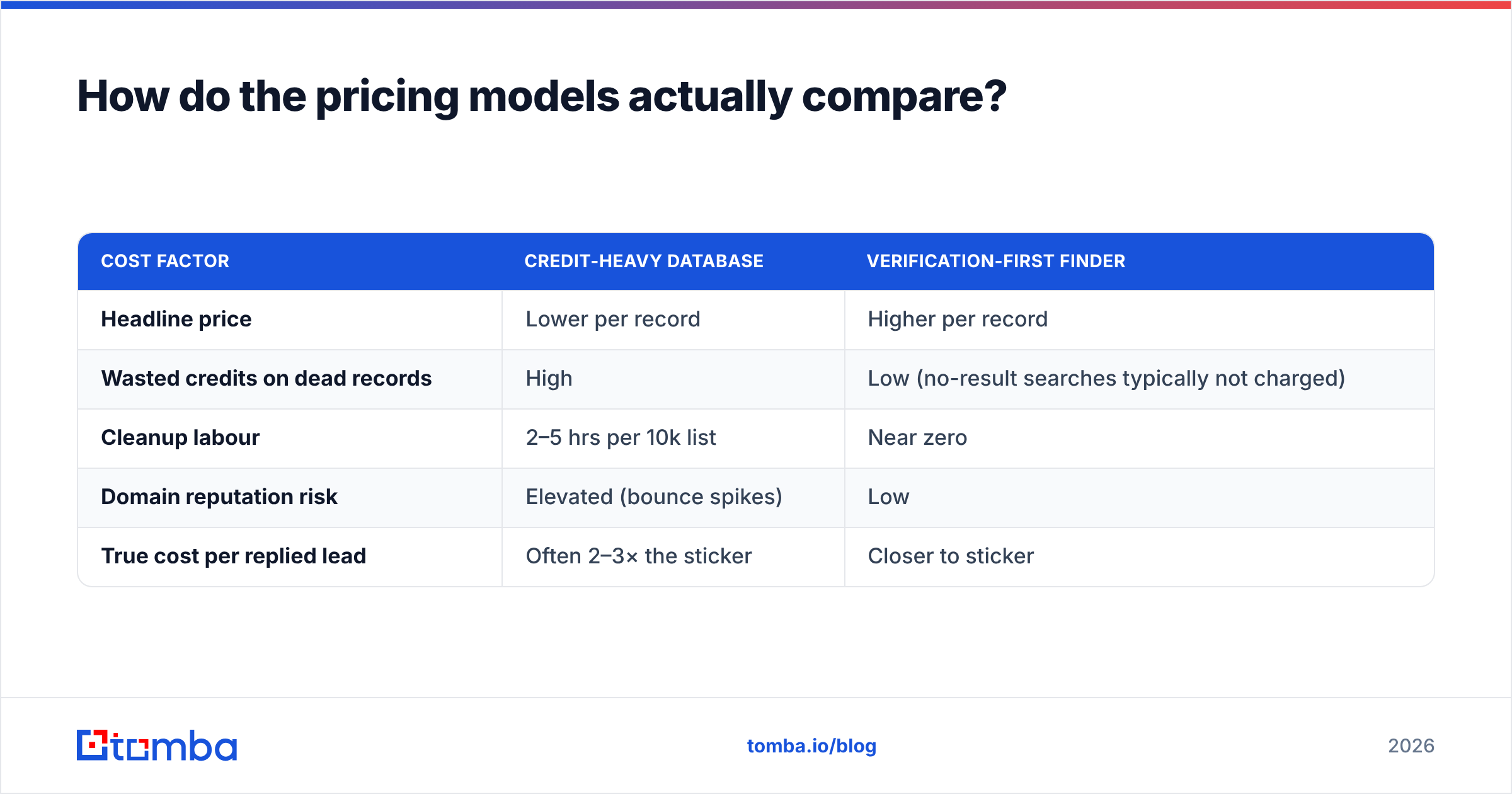
| Cost factor | Credit-heavy database | Verification-first finder |
|---|---|---|
| Headline price | Lower per record | Higher per record |
| Wasted credits on dead records | High | Low (no-result searches typically not charged) |
| Cleanup labour | 2–5 hrs per 10k list | Near zero |
| Domain reputation risk | Elevated (bounce spikes) | Low |
| True cost per replied lead | Often 2–3× the sticker | Closer to sticker |
Two notes on structure. First, lifetime deals are easy on cash flow and hard on data quality. You pay once for an index, and you do not control how often it refreshes. That is fine for a one-off campaign. It is risky as a permanent base.
Second, credit rollover and no-result charges vary a lot. Ask the vendor one blunt question: do you charge me for a search that returns nothing? On Tomba pricing, the free tier gives you 25 searches a month, so you can test that before you spend a cent.

What about API access and workflow integration?#
This is where the three tools split the most. It is also the part buyers skip, because the person testing clicks through a UI instead of wiring a pipeline.
Ask any vendor these five questions:
Is the API on every plan, or only on enterprise? A gated API turns into a forced upgrade six months in, right when your workflow depends on it.
What are the rate limits? Sixty requests a minute is fine for signup enrichment. It is useless for a nightly 50,000-row refresh.
Is there a direct path into your CRM? Manual CSV round-trips are where data quality dies. Direct HubSpot and Salesforce links remove a whole class of errors.
Can non-engineers use it? A Google Sheets add-on or a Chrome extension lets your reps help themselves instead of filing tickets with RevOps.
Is there an agent or automation surface? MCP servers and CLI access matter more each quarter. If an agent cannot call your data vendor, that vendor becomes the bottleneck.
Fac Intelligence and LeadRocks both offer API access on the right tiers. Neither is built API-first the way an infrastructure provider is. If your plan is to enrich every signup within 200ms, get latency and uptime promises in writing, not in a sales call.
Fac Intelligence vs LeadRocks: which should you choose in 2026?#
Match the tool to your real bottleneck:
Choose Fac Intelligence if targeting is the problem. You have budget for outbound, but you are not sure which accounts deserve it. Better account research compounds. A sharper ICP lifts every campaign that follows.
Choose LeadRocks if you need volume on a small budget and you accept the cleanup work. It fits agencies running broad campaigns, founders doing early customer research, and anyone selling to well-indexed US and EU tech firms.
Choose a dedicated email finder if deliverability is the problem. You know the companies and often the people. What you need is a current, checked address. That is a different product from either database, and forcing a static index to do it is the costly mistake in this space.
Most mature stacks end up with two of the three. The setup that fails is one database and no verify step. It looks cheapest on the invoice and costs the most in sender reputation. Rebuilding from scratch? Start with your email deliverability limits and work backwards, rather than starting with record counts.
One last step before you commit. Run 100 contacts from each tool through an outside email verifier. Not the vendor's own check — an outside one. If a "valid" rate falls from 95% to 71%, you learn more in ten minutes than a two-week trial would show. It also helps to read where the data comes from. Vendors that publish their sources tend to have cleaner data and fewer GDPR and CCPA problems.
Ready to stop guessing at email addresses?#
Whichever database you pick for targeting, the last mile is the same. You need a current, deliverable work email, or nothing else in your sequence matters. Tomba Email Finder takes a domain and a name — or a LinkedIn URL, or a whole CSV. It returns checked addresses with confidence scores and live SMTP results. It also handles catch-all domains that other tools quietly mark "valid."
Start on the free tier with 25 searches a month. No card needed. If it clears your bounce threshold on accounts you already know, Starter is $49 a month and Growth is $99 a month. Every paid plan includes the API, CLI, Sheets and CRM access. Run it against the list you exported this week and compare the numbers yourself.
Related guides#
Ready to find emails that actually work?
Join 150,000+ professionals who stopped guessing and started sending. Free credits on signup — no credit card required.
Get the Tomba newsletter
Practical outbound tactics and product updates — once every two weeks.
About the author