Fac Intelligence vs Wiza: Which B2B Data Tool Wins in 2026?
Fac Intelligence and Wiza both promise verified B2B contacts, but they source data in opposite ways. Here is how coverage, bounce rates, export limits and pricing actually compare in 2026 — and which one fits your outbound motion.
TL;DR
- Wiza is a LinkedIn-first tool: you run a Sales Navigator or LinkedIn search, and Wiza turns that list into exportable contacts with emails and phone numbers. Its ceiling is whatever LinkedIn shows you.
- Fac Intelligence sits in the firmographic/company-intelligence camp: you start from company attributes, signals and account lists rather than from a person's profile.
- If your prospecting starts with a person on LinkedIn, Wiza wins on speed. If it starts with an account list or an ICP filter, a database-and-API approach wins.
- Neither is cheap at volume. Per-contact cost is where most teams get burned — export limits, credit rollovers and phone-credit upcharges matter more than sticker price.
- If you mostly need accurate work emails at API speed, a dedicated finder-plus-verifier stack (Tomba starts at $49/mo) usually costs less than either and bounces less.
Both tools get pitched into the same budget line, so this comparison sticks to what actually changes your numbers: where the data comes from, how much of it is valid, what it costs per usable contact, and which workflow it slots into.
What is Wiza?#
Wiza is a LinkedIn-native contact data tool. You install the Chrome extension, run a search in LinkedIn or Sales Navigator, and Wiza scrapes the result set and appends work emails, personal emails and phone numbers. Output is a CSV, a CRM push, or an API response.
The design assumption is important: Wiza's universe is the LinkedIn universe. If a prospect has no profile, or their profile is stale, or your Sales Navigator filters do not surface them, Wiza cannot help. In exchange, you get profile-level context — title, tenure, company size, recent job change — attached to every row without extra enrichment steps.
Wiza is strongest for recruiters and AEs who already live inside Sales Navigator and think in terms of "this list of 400 people."
What is Fac Intelligence?#
Fac Intelligence positions itself in the B2B intelligence layer rather than the contact-scraping layer. The workflow starts with companies and signals — industry, headcount, tech stack, funding, hiring activity — and then resolves down to the people who match a persona inside those accounts.
That inversion matters more than any feature list. A company-first tool answers "which 300 accounts should I work this quarter, and who do I contact there?" A profile-first tool answers "here are 300 people I already found — give me their emails."
Because Fac Intelligence is a smaller and less widely reviewed vendor than Wiza, treat any coverage claim you read (including here) as something to test on your own ICP. Pull 200 accounts you already know well and measure match rate before you sign anything longer than a month. Vendor-published coverage percentages are almost always calculated on a favourable sample.

How do Fac Intelligence and Wiza source their data?#
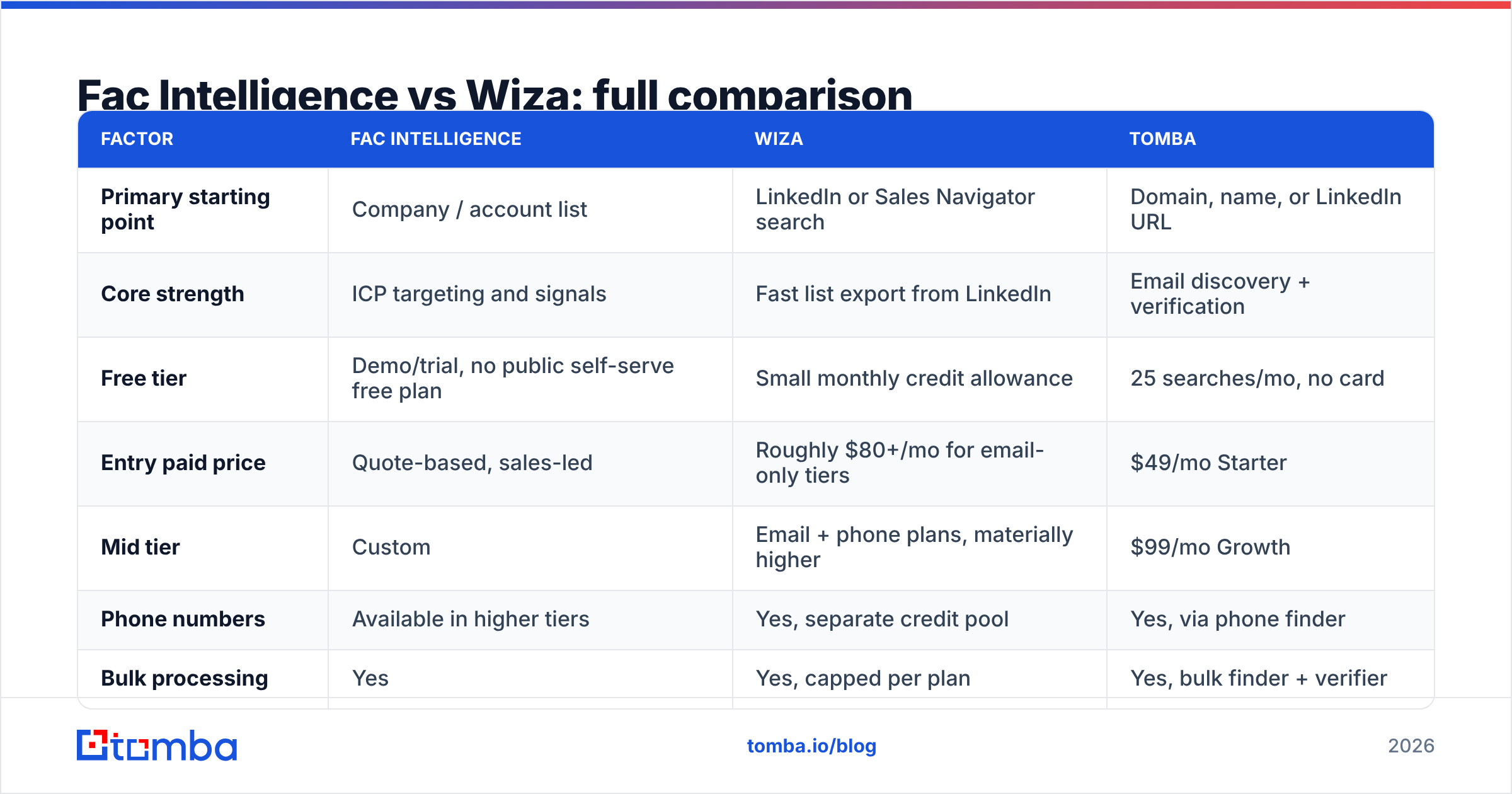
This is the part that determines your bounce rate, and it splits into four distinct models. Understanding which one you're buying tells you more than any G2 star rating:
- Profile scraping (Wiza's core). A live read of what LinkedIn displays, then email/phone appended from a waterfall of providers. Freshness is excellent for job titles; email accuracy depends entirely on the appending step, not the scrape.
- Contributory / community data. Contacts pooled from users who sync their inboxes or CRMs. Broad, but skewed toward whoever contributed — heavy on US tech, thin on EMEA mid-market.
- Firmographic + signal aggregation (Fac Intelligence's camp). Company records assembled from registries, job boards, tech-detection crawls and news. Excellent for targeting, weaker for the last mile of "what is this specific person's email."
- Pattern inference + SMTP verification. Derive the company's email format from known-good addresses, generate candidates, then verify each one at the mail-server level. This is how dedicated finders like the Tomba Email Finder work, and it's the only model where accuracy is measurable per address rather than per database.
- Hybrid waterfalls. Most serious vendors run two or three of the above and take the first confident hit. Ask any vendor which providers sit in their waterfall — a refusal to answer usually means resale.
Neither tool is "wrong." But if you buy a signal-aggregation product expecting finder-grade email accuracy, you will be disappointed, and vice versa.
Which one returns more valid emails?#
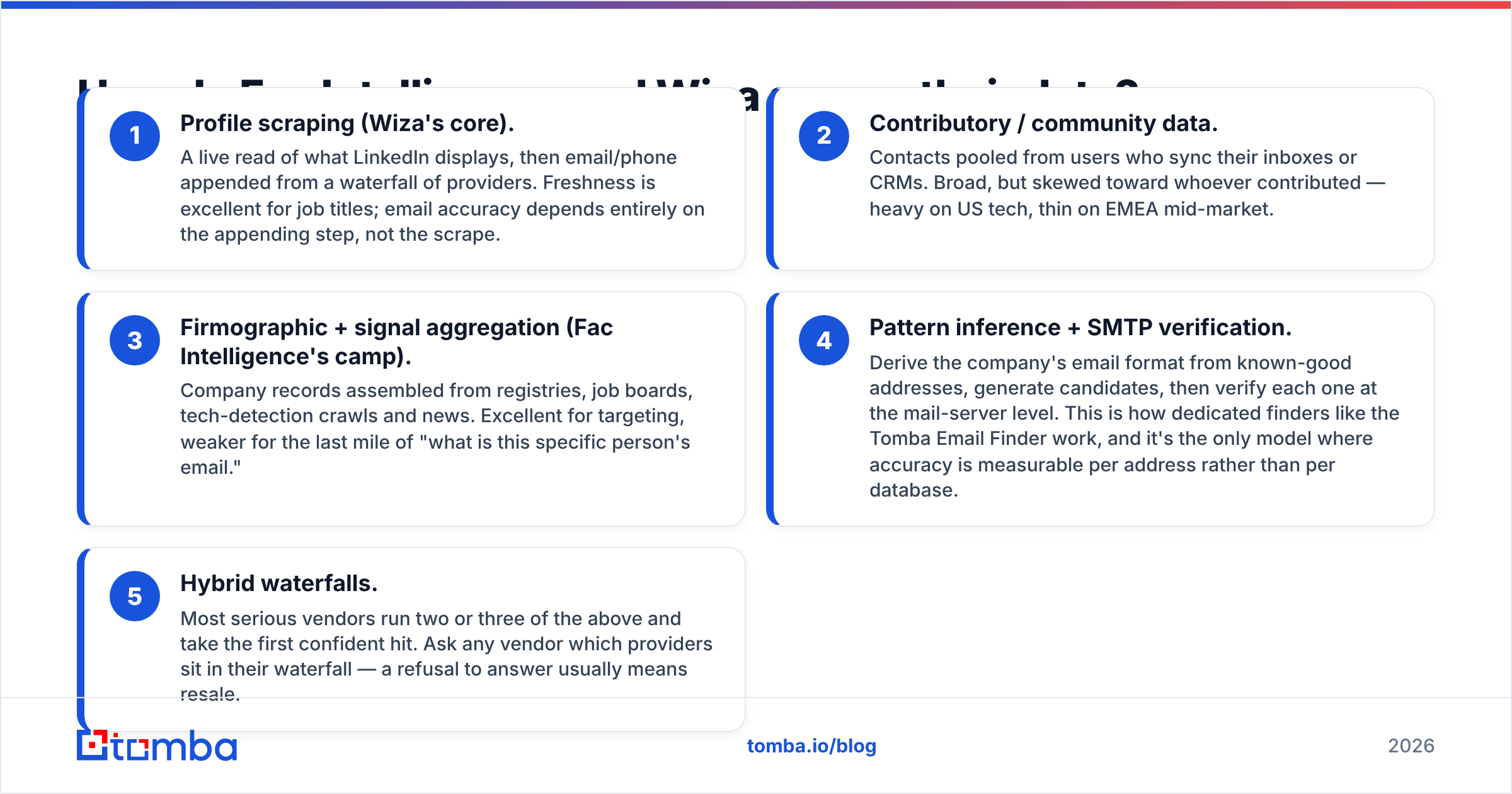
Ask for the verified rate, not the match rate. A vendor that returns an address for 90% of your list but only stands behind 60% of them is worse than one that returns 65% and guarantees nearly all of them — because you pay for the bounces twice: once in credits, once in sender reputation.

Practical way to test both in an afternoon:
- Take 300 contacts you have already emailed successfully. Strip the emails. Feed the names and domains to each tool.
- Score three things: match rate (returned anything), exact-match rate (returned the address you already know is right), and bounce rate on the remainder after a real send.
- Run the unknowns through an independent email verifier before sending. Do not trust a vendor to grade its own homework — a tool that both finds and validates has an obvious incentive to mark its own output as valid.
- Watch catch-all domains separately. On catch-all servers, standard SMTP checks return "accept everything," which is why a catch-all verifier that scores likelihood rather than shrugging is worth real money.
In my experience with LinkedIn-derived exports generally, the failure mode is not fabricated addresses — it's stale ones. Someone changed jobs eight months ago, the profile is updated, but the appended email still points at the old employer. Signal-based tools have the opposite failure: the company record is current, the person record is thin.
Fac Intelligence vs Wiza: full comparison#
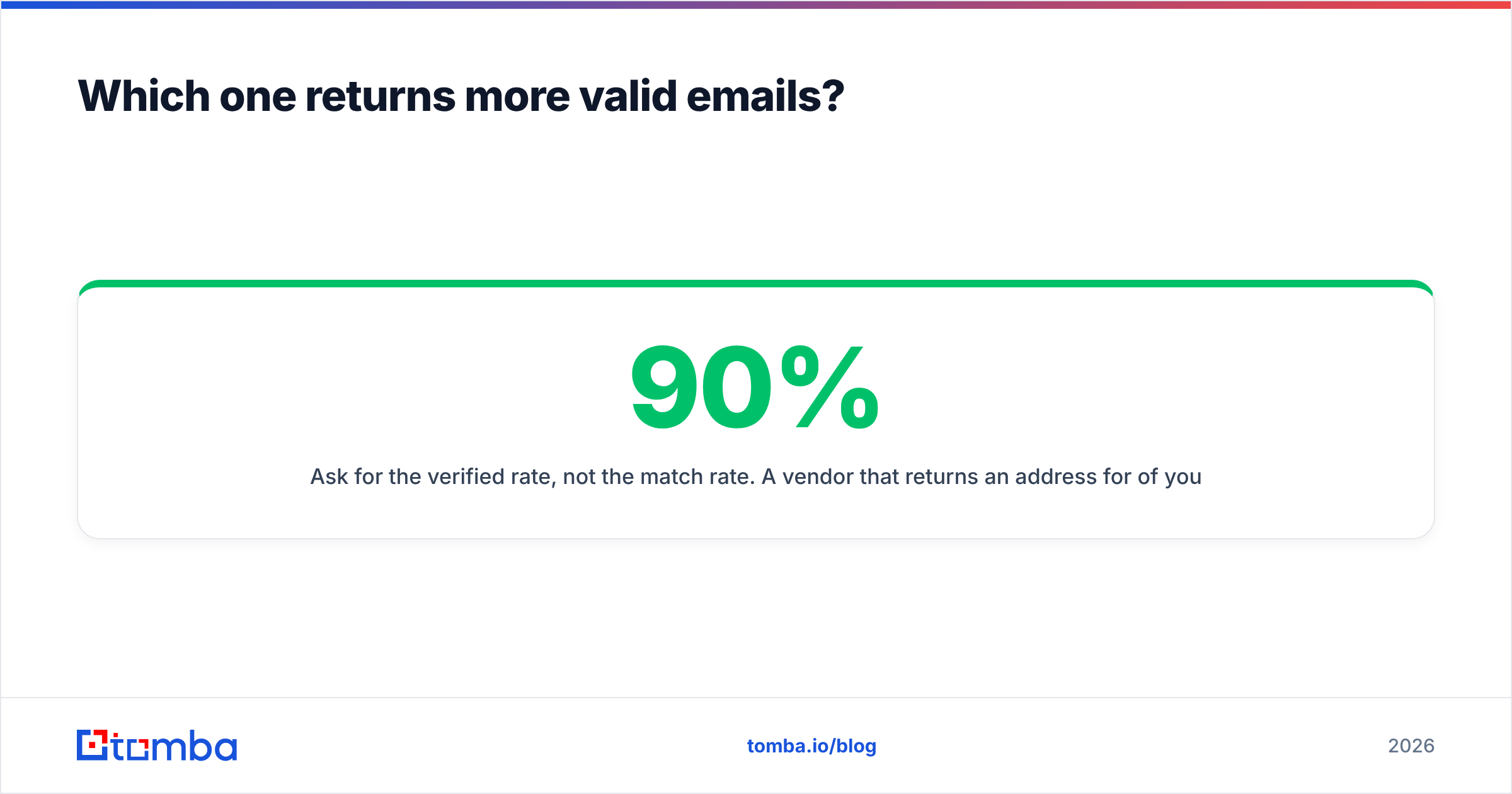
Pricing below reflects publicly listed plans at the time of writing and changes often — verify on each vendor's page before you budget. Wiza's public tiers historically start with a small free allowance, then split "email only" and "email + phone" plans, which is the single biggest driver of real cost.
| Factor | Fac Intelligence | Wiza | Tomba |
|---|---|---|---|
| Primary starting point | Company / account list | LinkedIn or Sales Navigator search | Domain, name, or LinkedIn URL |
| Core strength | ICP targeting and signals | Fast list export from LinkedIn | Email discovery + verification |
| Free tier | Demo/trial, no public self-serve free plan | Small monthly credit allowance | 25 searches/mo, no card |
| Entry paid price | Quote-based, sales-led | Roughly $80+/mo for email-only tiers | $49/mo Starter |
| Mid tier | Custom | Email + phone plans, materially higher | $99/mo Growth |
| Phone numbers | Available in higher tiers | Yes, separate credit pool | Yes, via phone finder |
| Bulk processing | Yes | Yes, capped per plan | Yes, bulk finder + verifier |
| API access | Typically enterprise tier | Yes | Yes, all paid plans |
| Verification included | Limited | Basic, bundled | Dedicated verifier + catch-all scoring |
| Best for | Account-based targeting teams | Recruiters, LinkedIn-first AEs | Devs, agencies, high-volume outbound |
| Contract flexibility | Often annual | Monthly available | Monthly, cancel anytime |

Two rows deserve emphasis. API access on the entry plan decides whether you can automate; sales-led tools routinely gate it behind an enterprise conversation. And contract flexibility decides how expensive a mistake is — an annual commitment on data you haven't tested against your own ICP is the most common procurement error in this category, and Gartner buyer research on data vendors consistently flags contract length as a bigger regret driver than price.
How much does each actually cost per usable contact?#
Sticker price is close to meaningless here. Compute this instead:
Cost per usable contact = (monthly price ÷ credits included) ÷ verified-rate
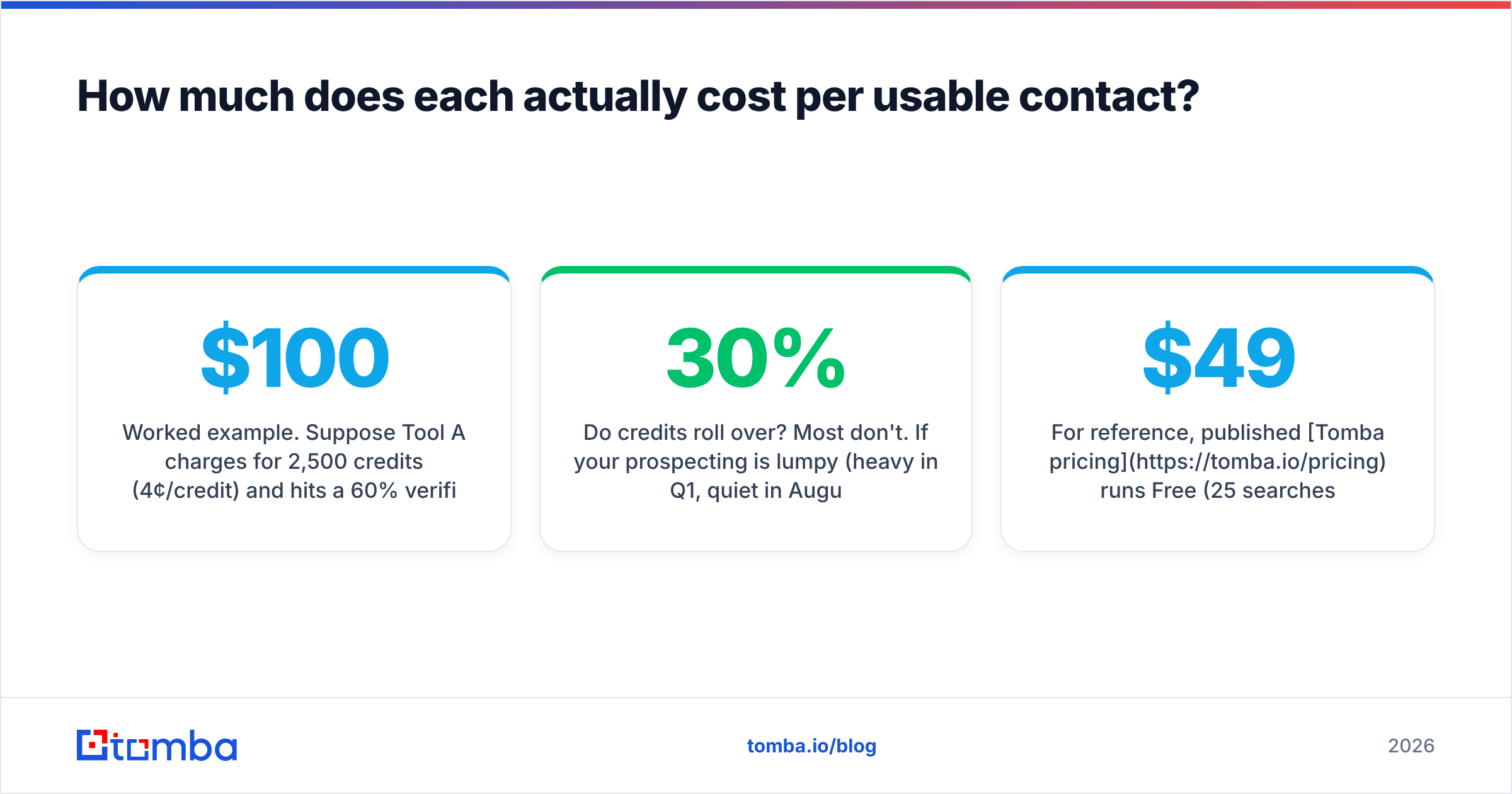
Worked example. Suppose Tool A charges $100/mo for 2,500 credits (4¢/credit) and hits a 60% verified rate — that's 6.7¢ per usable contact. Tool B charges $150/mo for 2,500 credits (6¢/credit) but hits 88% verified — 6.8¢. Nearly identical, despite a 50% price gap. Now add the second-order cost: Tool A's extra 700 bad addresses land in your sequencer, drag your bounce rate over the 2% threshold that mailbox providers treat as a warning sign, and cost you a week of deliverability recovery. Tool B is now clearly cheaper.
Three specific things to check in each contract:
- Do credits roll over? Most don't. If your prospecting is lumpy (heavy in Q1, quiet in August), non-rolling credits waste 20–30% of spend.
- Are phone credits separate? With Wiza they generally are, and mobile numbers consume credits at a much higher rate than emails. Teams that buy the phone tier "just in case" usually don't use it.
- What counts as a charged credit? A returned-but-unverified guess should not cost the same as a verified hit. Some vendors charge for both.
For reference, published Tomba pricing runs Free (25 searches/mo), Starter $49/mo, Growth $99/mo, Pro $249/mo, and Enterprise custom, with API access on every paid plan — which is why it tends to land cheaper per usable contact than sales-led alternatives for teams under a few hundred thousand lookups a year.

Which one fits your workflow?#
Choose Wiza if:
- Your reps already build lists inside Sales Navigator and you want zero workflow change.
- You recruit, and profile context (tenure, skills, current title) matters as much as the email.
- You need mobile numbers alongside emails and are willing to pay the phone-tier premium.
- Your volume is moderate and predictable — a few thousand contacts a month.
Choose Fac Intelligence if:
- You run account-based marketing and start from a target account list, not a person list.
- Firmographic and intent-style signals drive your territory planning.
- You have a RevOps function that can operationalise company-level data into a CRM without hand-holding.
- You can commit to a sales cycle and a trial period before signing.
Choose a dedicated finder/verifier stack if:
- You want to automate. An email finder API that returns a confidence score per address is a different product category from a CSV exporter.
- Your list-building already happens elsewhere — a scraper, a partner list, a webinar registration file — and you only need the contact layer filled in.
- Bounce rate is a board-level metric for you.
- You're an agency running outbound for multiple clients and need per-client credit control.
A lot of teams end up running two of these, and that's fine. A common stable setup: signals tool for account selection, LinkedIn export for the people layer, and a finder-plus-verifier as the accuracy backstop before anything hits the sequencer. The verifier is the piece people skip and then regret.
What do reviews and peers actually say?#
Public review sites are useful for one thing only: spotting consistent complaints. Ignore the five-star reviews, read the two- and three-star ones, and look for repeated themes. On G2 and similar sites, the recurring criticisms in this category are predictable — credit systems that burn faster than expected, regional coverage gaps outside North America, and support response times on lower tiers.
What reviews will not tell you is match rate on your ICP. A tool that's excellent for US SaaS mid-market can be close to useless for German manufacturing or Japanese enterprise. This is why the 300-contact holdout test above is non-negotiable. Twenty minutes of testing beats twenty reviews.
Also worth checking: whether the vendor documents its data sources publicly. Transparency about where the data comes from correlates strongly with GDPR posture, and if you sell into the EU, your legal team will eventually ask.
Verdict: Fac Intelligence or Wiza?#
Wiza wins if your prospecting motion is person-first and lives in LinkedIn. It's the shortest path from a Sales Navigator search to a usable list, and the profile context that comes along for free is genuinely useful for personalisation.
Fac Intelligence wins if your motion is account-first. Company-level intelligence and signals are a different job, and buying a LinkedIn exporter to do it will frustrate you.
Neither wins on cost per verified contact at volume. Both are workflow products with data attached. If your bottleneck is "I have the names and domains, I need correct emails, fast, at API speed," a purpose-built finder is the cheaper and more accurate tool — and it composes with either of the above rather than replacing them.
The honest recommendation: run all three against the same 300-row holdout list this week. Measure exact-match rate and post-send bounce rate. Buy whatever wins on your data, not on anyone's landing page.
Ready to test the accuracy claim yourself? Start with the Tomba Email Finder free tier — 25 searches a month, no card required — and run it head-to-head against whatever you're using now. Feed it the domains you already know, check the exact-match rate, then pipe the winners through the verifier before your next send. If it holds up on your ICP, paid plans start at $49/mo with full API access included, so you can automate the whole thing instead of exporting one more CSV.
Related guides#
Ready to find emails that actually work?
Join 150,000+ professionals who stopped guessing and started sending. Free credits on signup — no credit card required.
Get the Tomba newsletter
Practical outbound tactics and product updates — once every two weeks.
About the author