FactorsAI Pricing Reviews Pros and Cons: 2026 Buyer Guide
An independent breakdown of Factors.ai pricing, what real reviewers praise and complain about, and the GTM teams that actually get payback from it in 2026.
This FactorsAI pricing reviews pros and cons guide keeps it plain: what the tool costs, what buyers like, and where it falls short in 2026.
TL;DR
- Factors.ai is a B2B account intelligence and marketing analytics platform. It de-anonymizes site visitors, models attribution, reads LinkedIn ad data, and scores accounts in one console.
- Pricing starts free. Published mid-market plans run about $399/mo and $799/mo today. Larger teams get custom quotes. Cost scales with identified accounts per month, not seats.
- Reviewers praise the LinkedIn ad reporting, fast support, and quick setup. The common gripes: match rates dip outside the US, attribution takes study, and credits run out early.
- The license is not the real cost. You still need contact data after Factors names the company. De-anonymization gives you a logo, not an inbox.
- Best fit: marketing-led B2B teams that spend real money on LinkedIn and know their ICP. Worst fit: small teams with light traffic, or anyone who wants a prospecting database.
What is Factors.ai and who is it built for?#
Factors.ai sits in the account intelligence layer of the GTM stack. It watches your website, ad platforms, and CRM. Then it answers two questions marketing leaders ask every quarter. Which accounts are in-market right now? And which channels created the pipeline?
Three product surfaces do most of the work:
- Visitor identification — reverse-IP and vendor-network matching. Anonymous sessions turn into company names, industries, and firmographics.
- Multi-touch attribution — pick a model (first touch, last touch, linear, U-shaped, W-shaped). It maps across ads, content, and CRM deals. New to the idea? The marketing attribution primer on Wikipedia is a neutral place to start.
- AdPilot / LinkedIn intelligence — audience sync, frequency and dwell-time reports, and cost-per-account views. LinkedIn Campaign Manager does not show those natively.
Around those sit account scoring, intent signals, Slack and Teams alerts, and workflows that push identified accounts into HubSpot or Salesforce.
The honest read: Factors is a signal tool, not a contact tool. It is strong at telling you that a 400-person logistics firm in Rotterdam read your pricing page three times this week. It will not hand you the VP of Operations' verified email, so you cannot act on that signal today.
How does Factors.ai pricing actually work?#
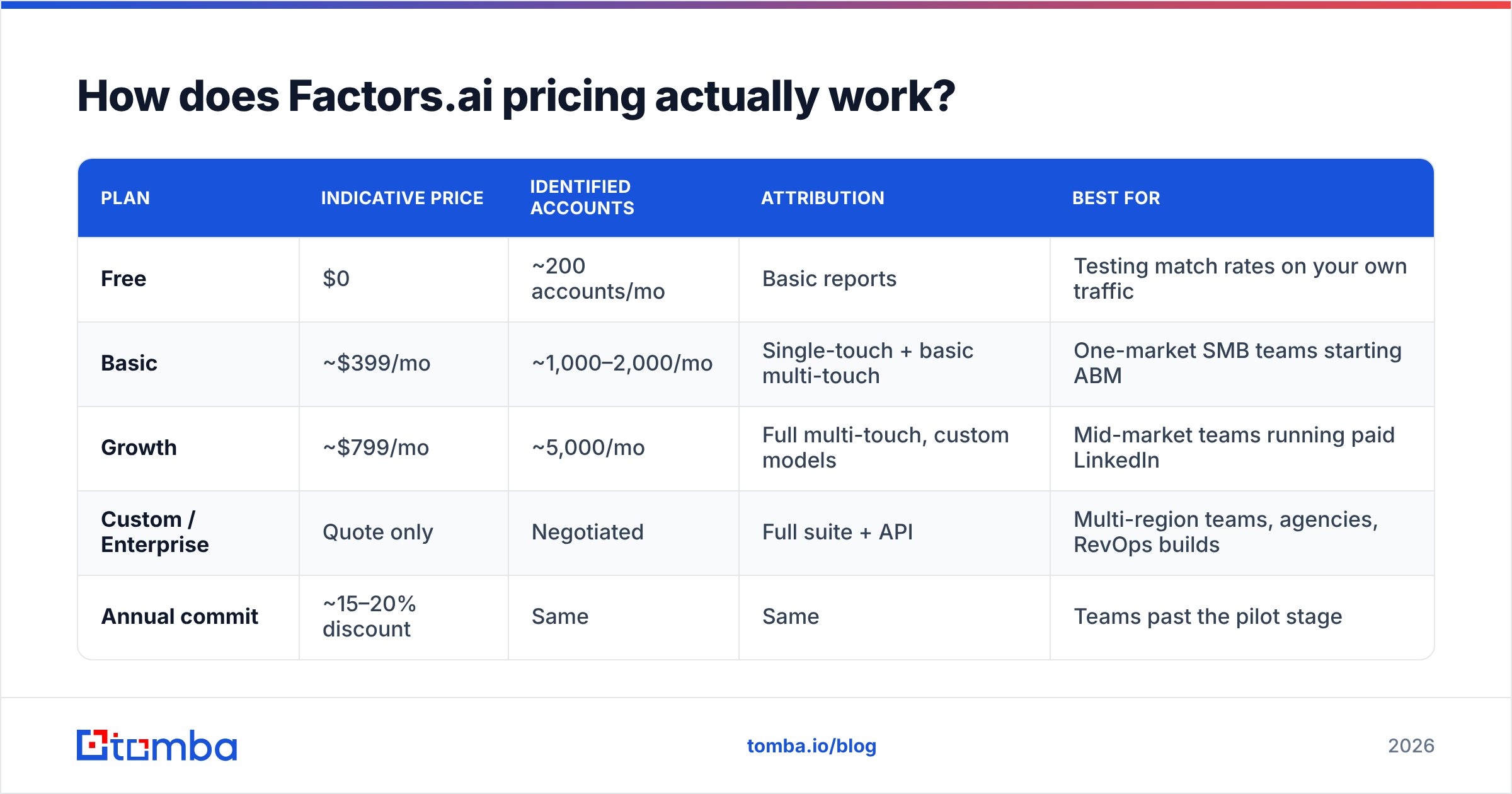
Pricing is volume-based, not seat-based. One meter matters: how many unique companies Factors identifies for you each month. Dashboards, users, and attribution models are gated by tier, not metered.
Here is the published shape of the plans. Treat the dollar figures as a guide. Factors reprices and renames tiers often, so check the official Factors.ai pricing page before you build a budget.
| Plan | Indicative price | Identified accounts | Attribution | Best for |
|---|---|---|---|---|
| Free | $0 | ~200 accounts/mo | Basic reports | Testing match rates on your own traffic |
| Basic | ~$399/mo | ~1,000–2,000/mo | Single-touch + basic multi-touch | One-market SMB teams starting ABM |
| Growth | ~$799/mo | ~5,000/mo | Full multi-touch, custom models | Mid-market teams running paid LinkedIn |
| Custom / Enterprise | Quote only | Negotiated | Full suite + API | Multi-region teams, agencies, RevOps builds |
| Annual commit | ~15–20% discount | Same | Same | Teams past the pilot stage |
Three mechanics decide what you actually pay:
- Annual vs monthly. The headline numbers are usually annual-billed. Month-to-month costs more. That is a standard SaaS pattern, but it still catches people mid-budget-cycle.
- Credits reset monthly and do not roll over. A webinar spike or a G2 category placement can burn a month of credits in a week.
- The API and high-volume sync sit upstream. Want to pipe identified accounts into a warehouse or a custom score? That is usually quote territory.
What is included at each Factors.ai tier?#
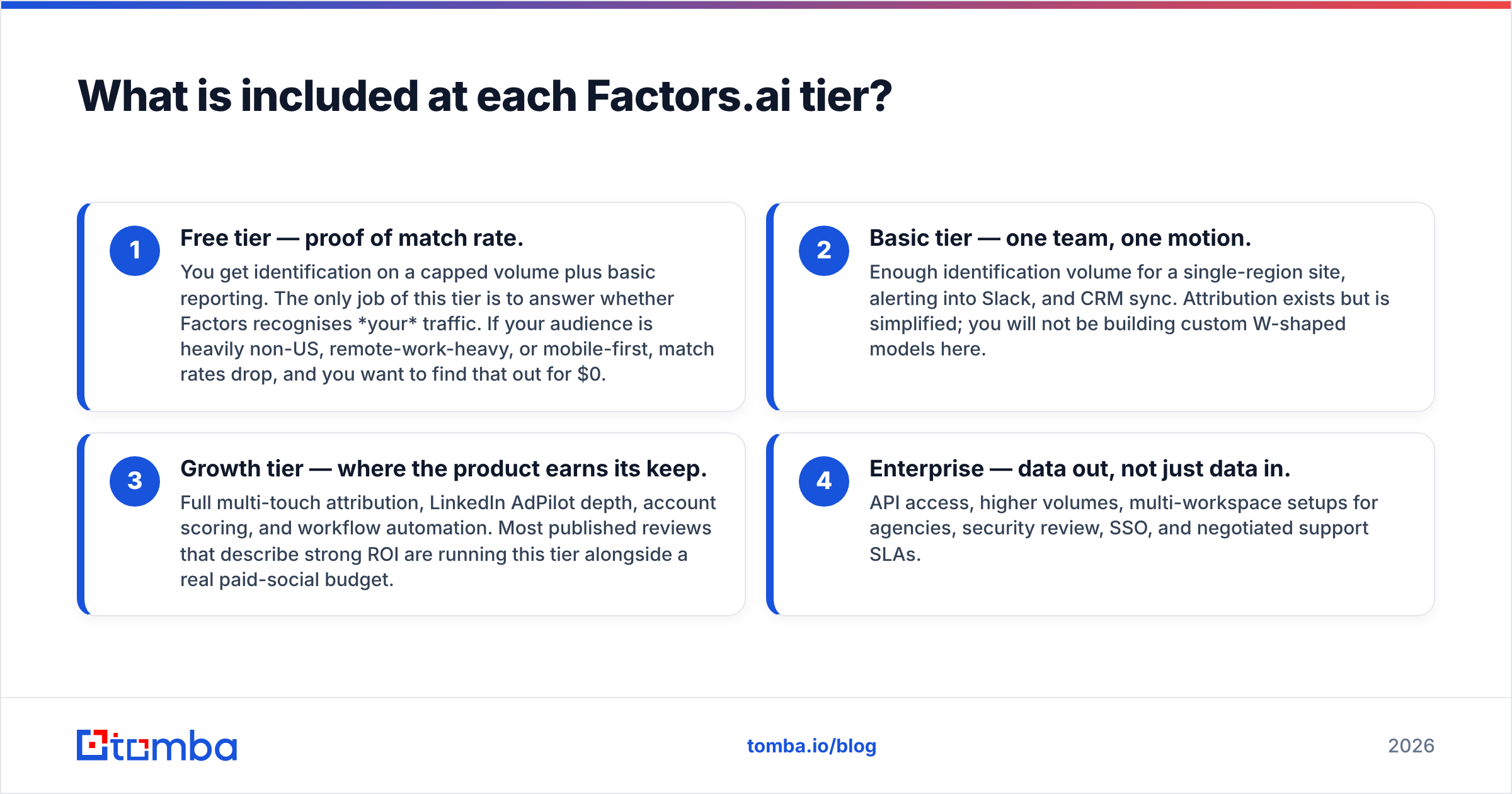
Skip the feature matrix. Think in four capability jumps:
Free tier — proof of match rate. You get identification on a capped volume plus basic reports. Its only job is to show whether Factors knows your traffic. Match rates fall for non-US, remote-heavy, or mobile-first audiences. Find that out for $0.
Basic tier — one team, one motion. Enough volume for a single-region site, plus Slack alerts and CRM sync. Attribution is simplified here. You will not build custom W-shaped models.
Growth tier — where the product earns its keep. Full multi-touch attribution, LinkedIn AdPilot depth, account scoring, and workflow automation. Most strong-ROI reviews come from this tier plus a real paid-social budget.
Enterprise — data out, not just data in. API access, higher volumes, multi-workspace setups for agencies, security review, SSO, and negotiated support SLAs.
The practical read: Basic is a diagnostic buy, and Growth is an operational one. Teams that buy Basic to drive outbound usually stall. Identification without contact data or deep attribution is a dashboard, not a workflow.
What do Factors.ai reviews say?#
Review sentiment on G2's Factors.ai listing and similar marketplaces lands in a consistent place. Scores are strong, and the caveats are predictable.
What reviewers repeatedly praise:
- LinkedIn reporting depth. Cost per identified account, frequency insight, and dwell time are the top reasons teams renew.
- Implementation speed. A script tag plus a CRM connection gets most teams to first insight in days. Enterprise ABM rollouts take weeks.
- Support responsiveness. Named CSMs and fast Slack replies show up in review after review. That matters when setup questions never stop.
- Price relative to enterprise ABM. Next to six-figure platform contracts, Factors reads as affordable for a mid-market budget.
What reviewers repeatedly flag:
- Match-rate variance by geography. North American traffic identifies well. EU, APAC, and remote-heavy audiences do not. Small companies and home workers on consumer ISPs are weak everywhere. This is a category limit, not a Factors defect. It is still the top source of letdown.
- Attribution learning curve. Multi-touch models need opinionated setup. Teams without a RevOps owner leave the defaults on, then distrust the output.
- Credit anxiety. Monthly caps plus no rollover means spiky traffic creates blind spots mid-month.
- UI density. More surface area than a marketing generalist wants on day one.
- The last-mile gap. Identifying an account is step one of five. Reviewers who call the platform "insight-rich, action-poor" are usually missing a contact-data layer downstream.
FactorsAI Pricing Reviews Pros and Cons at a Glance#
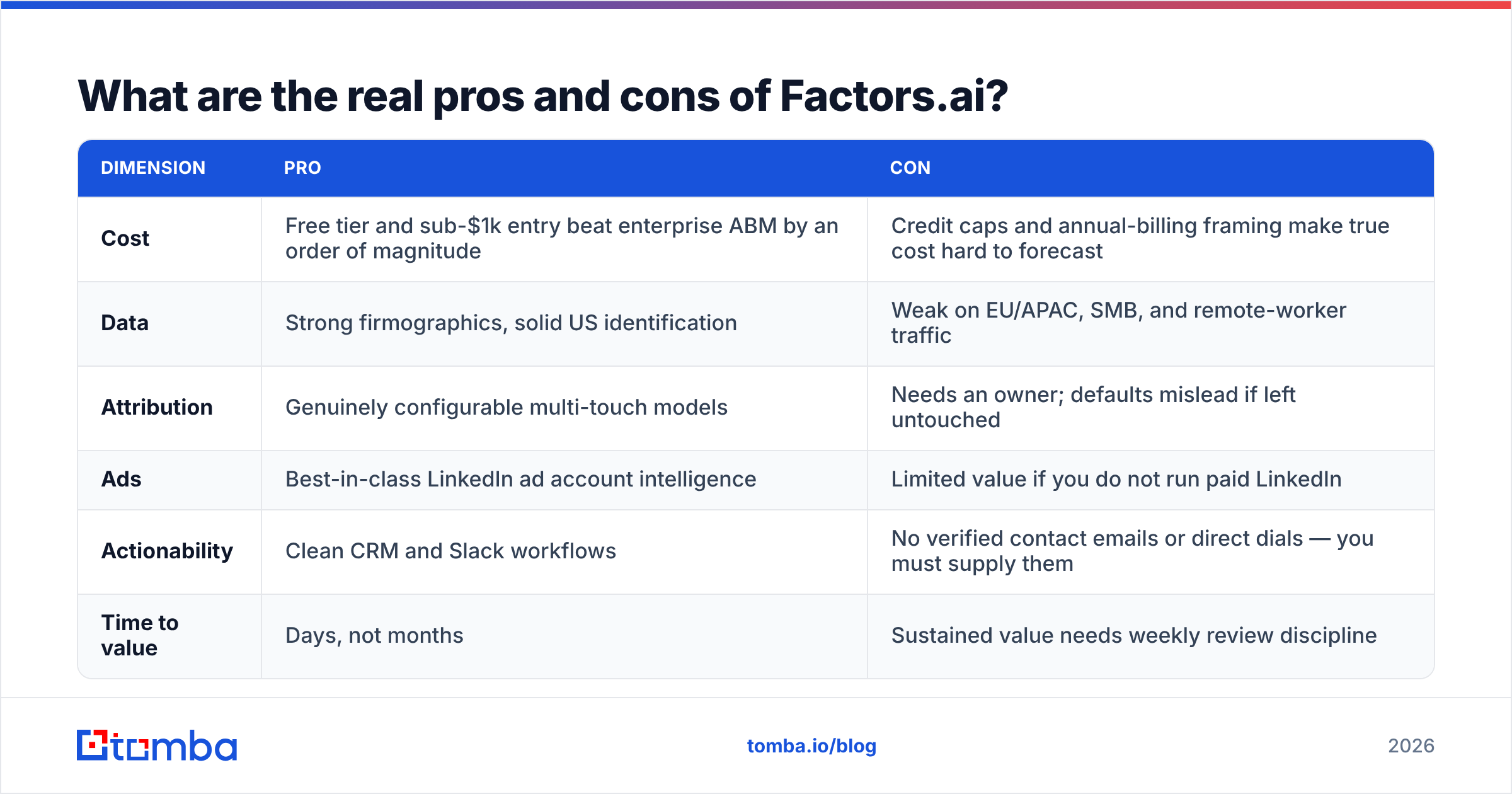
Here is the FactorsAI pricing reviews pros and cons scorecard in one table. Read it before you book a demo.
| Dimension | Pro | Con |
|---|---|---|
| Cost | Free tier and sub-$1k entry beat enterprise ABM by an order of magnitude | Credit caps and annual-billing framing make true cost hard to forecast |
| Data | Strong firmographics, solid US identification | Weak on EU/APAC, SMB, and remote-worker traffic |
| Attribution | Genuinely configurable multi-touch models | Needs an owner; defaults mislead if left untouched |
| Ads | Best-in-class LinkedIn ad account intelligence | Limited value if you do not run paid LinkedIn |
| Actionability | Clean CRM and Slack workflows | No verified contact emails or direct dials — you must supply them |
| Time to value | Days, not months | Sustained value needs weekly review discipline |
How does Factors.ai compare to the alternatives?#
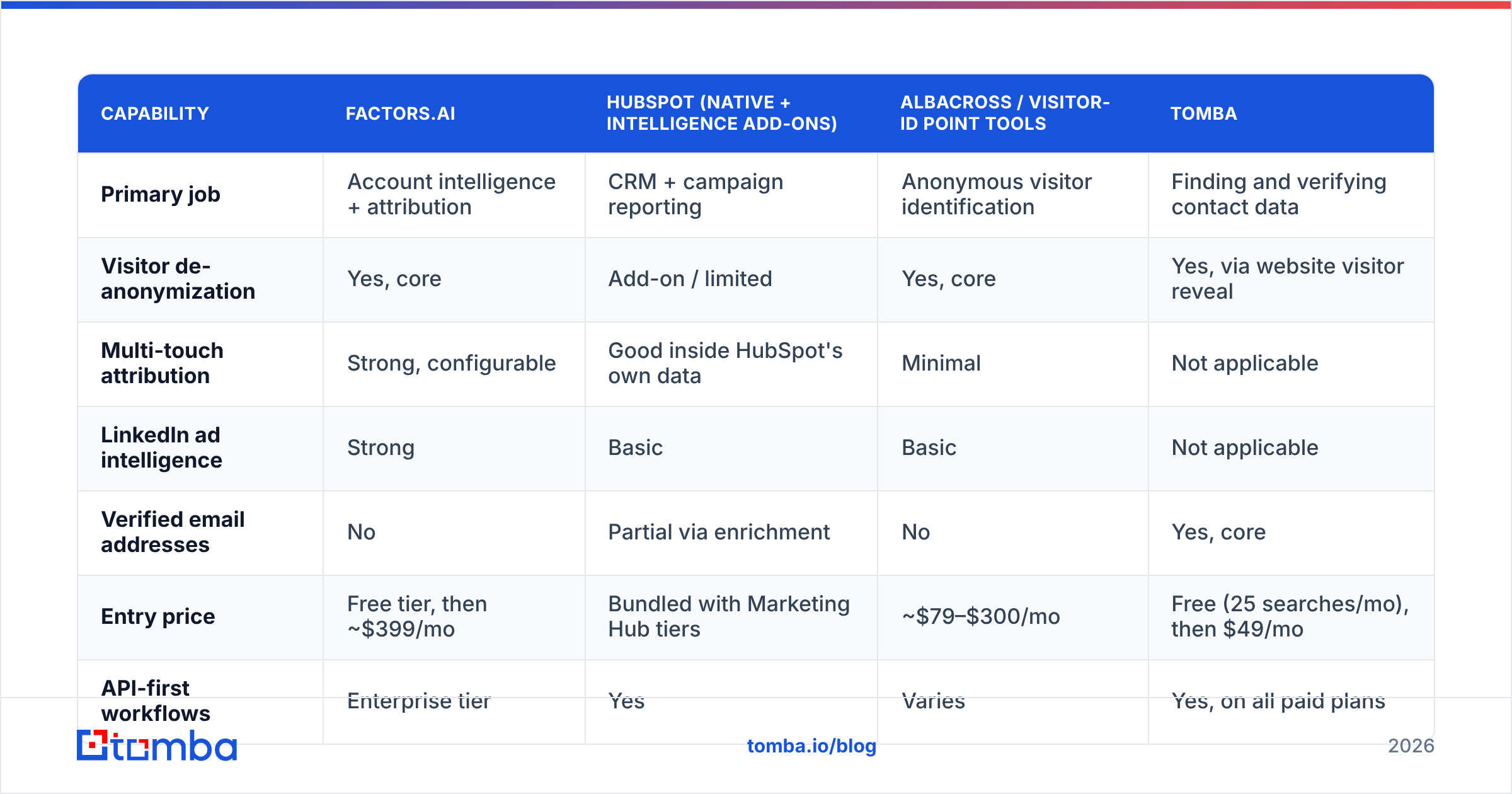
Nobody buys Factors in a vacuum. The real shortlist mixes visitor-ID tools, attribution platforms, and contact-data providers. Most teams end up running two layers, not one.
| Capability | Factors.ai | HubSpot (native + intelligence add-ons) | Albacross / visitor-ID point tools | Tomba |
|---|---|---|---|---|
| Primary job | Account intelligence + attribution | CRM + campaign reporting | Anonymous visitor identification | Finding and verifying contact data |
| Visitor de-anonymization | Yes, core | Add-on / limited | Yes, core | Yes, via website visitor reveal |
| Multi-touch attribution | Strong, configurable | Good inside HubSpot's own data | Minimal | Not applicable |
| LinkedIn ad intelligence | Strong | Basic | Basic | Not applicable |
| Verified email addresses | No | Partial via enrichment | No | Yes, core |
| Entry price | Free tier, then ~$399/mo | Bundled with Marketing Hub tiers | ~$79–$300/mo | Free (25 searches/mo), then $49/mo |
| API-first workflows | Enterprise tier | Yes | Varies | Yes, on all paid plans |
| Best used as | The signal layer | The system of record | Cheap signal-only layer | The contact layer |
Two comparisons are worth calling out:
- Factors vs. HubSpot alone. Say you already run HubSpot as your system of record. Factors adds to it rather than duplicating it. HubSpot's native reporting covers known contacts. Factors answers who else was here and why the pipeline happened. Its HubSpot integration pattern is standard for the category.
- Factors vs. a contact-data provider. These are not substitutes. Factors tells you which account is in-market. A contact layer tells you who to email there, with a deliverable address. Buying one and expecting both is the most common budgeting mistake here.
What is the hidden cost most teams miss?#
The license is rarely the expensive part. Three costs show up after you sign:
- Contact acquisition. An identified account is just a company name. To act on it, you need a named decision-maker and a verified email or phone. That is a second line item, however you buy it. Most teams run identified accounts through an email finder, then verify them. At $49/mo entry on Tomba pricing, it costs a fraction of the intelligence spend.
- Ownership time. Budget about half a day a week from a RevOps or marketing-ops person. Someone has to maintain models, ICP filters, and alert rules. Unmaintained account scoring decays within a quarter.
- List hygiene. Attribution and enrichment both suffer when your CRM is full of stale records. B2B contact data decays roughly 25–30% a year. Feed decayed records into a model and you get confident, wrong answers. A quarterly data enrichment refresh is cheaper than bad decisions.
Is Factors.ai worth it in 2026?#
Verdict: yes, if you run paid LinkedIn against a defined ICP and have someone to own it. If not, start on the free tier and prove match rate first.
Weigh the FactorsAI pricing reviews pros and cons against your own numbers with this filter:
- Buy Growth if you spend $10k+/month on LinkedIn and see 5,000+ monthly sessions from your ICP. You also need a RevOps owner. The ad intelligence alone usually pays for itself in reallocated budget.
- Buy Basic if you are running your first structured ABM motion in one region. You want alerts and CRM sync more than attribution depth.
- Stay on Free if traffic is under a few thousand sessions a month. The data will be too thin to change decisions.
- Skip it if your traffic is mostly non-US SMB, or if you really need a prospecting list. Then buy a contact database and a verification workflow instead.
- Negotiate hard at renewal. Volume pricing has room, especially on annual commits and multi-workspace setups.
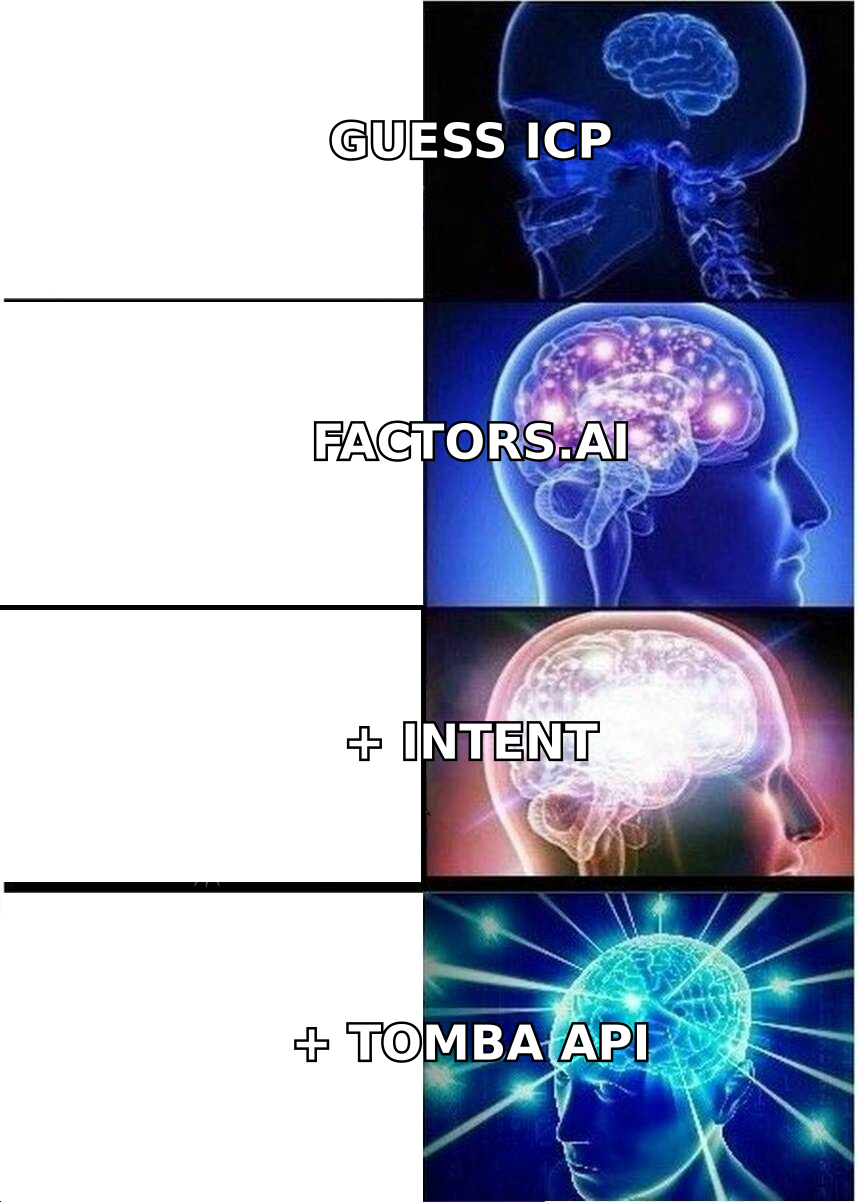
One framing keeps teams honest. Intelligence tools change where you point your GTM effort. Contact data changes whether you can act. Factors answers the first problem well and the second not at all.
Ready to turn identified accounts into real conversations?#
Say Factors.ai already tells you which companies are on your site. The gap is the last mile. You need a named, verified, deliverable contact at each account before the intent signal goes cold.
That is what the Tomba Email Finder does. Feed it a company domain and a role. Get back verified professional emails with confidence scores. Run them through the verifier, then push them into your sequencer or CRM. Start free with 25 searches a month. Move to the $49/mo Starter plan when your identified-account list outgrows it — a rounding error next to your intelligence spend.
Related guides#
Ready to find emails that actually work?
Join 150,000+ professionals who stopped guessing and started sending. Free credits on signup — no credit card required.
Get the Tomba newsletter
Practical outbound tactics and product updates — once every two weeks.
About the author